Hundreds of my pics have numbers after the name I have given them. I don't know what they are, and I don't want them. Is there a way to remove them, short of renaming every pic, which is not really an option.
Nope, they are the timestamps so that File History can save multiple versions of the same files. The numbers shouldn't be on the original files though, only on the backup drive. I haven't used FH in a while so can't check how it works now
It's easy to rename the file and also rename the tag (EXIF).
I assume you know how to rename a file, but want to mass rename.
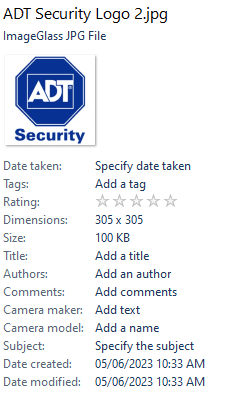
Regarding the metadata. Just click on the file in File Explorer, and on the right hand side, you'll see all the metadata.
If you don't see it, click on View > Show > Details Pane.
This is what you'll see in the Details Pane on the right. All those metadata fields can be populated or edited.
Regarding mass file renaming, File Explorer can't do it.
But some file managers (e.g. Directory Opus) and other utilites can.
Corsair 64 GB (4 x 16 GB) CMW64GX4M4C3000C15 Vengeance RGB Pro 3000Mhz DDR4
Graphics Card(s)
GIGABYTE GeForce GTX 1660 Super Mini ITX 6 GB OC
Sound Card
Realtek ALC1220
Monitor(s) Displays
Samsung 27" FHD LED FreeSync Gaming Monitor (LS27F350FHEXXY)
Screen Resolution
1920 x 1080
Hard Drives
Samsung 970 Pro Series 1TB M.2 2280 NVMe SSD
Western Digital Red Pro WD8003FFBX-68B9AN0 8 TB, 7200 RPM, SATA-III
PSU
Corsair HX1200 1200W 80 Plus Platinum
Case
Fractal Design Define 7 Black Solid Case
Cooling
Noctua NH-D15 Chromax Black
Keyboard
Razer Ornata V2
Mouse
Razer DeathAdder Essential
Internet Speed
FTTN 100Mbps / 40Mbps
Browser
Mozilla Firefox
Antivirus
N/A
Other Info
Logitech BRIO 4k Ultra HD USB-C Webcam
Operating System
Windows 10 Pro
Computer type
Laptop
Manufacturer/Model
ASUS ROG Zephyrus M GM501GS
CPU
Core i7-8750H
Motherboard
Zephyrus M GM501GS
Memory
SK Hynix 32 GB (2 x 16 GB) HMA82GS6CJR8N-VK 16 GB DDR4-2666 DDR4 SDRAM