How to sign out of 2021 Office Home & Student Edition?


cheaterslick

Well-known member
Power User
Local time
10:39 AM
Posts
1,437
Location
Virginia, USA
OS
Windows 11 Pro 25H2 build: (26200.7623)
This is not Office 365.

This may sound like a silly question but I had to sign into a little used email account I had to set up in order to download 2021 Office Home & Student Edition to my Windows Surface Pro Machine running Windows 25H2 and now I can't figure out how to sign out of that.

I specifically bought this version of Office so I wouldn't have to pay a subscription and not be tied to the cloud all the time. This version is supposed to be bare metal to my hard drive so I should have access to it whether I'm signed into it or not.

Again, I'm not talking Office 365

Again, I did not set up Windows 11 Pro with an email account. I used a local account not tied to an email address, instead.

Not quite the typical setup so that's why I asked.

Thanks for any help here.
 

My Computers

System One System Two

  • OS
    Windows 11 Pro 25H2 build: (26200.7623)
    Computer type
    Laptop
    Manufacturer/Model
    Microsoft Surface Pro
    Memory
    32GB
  • Operating System
    Microsoft 25H2 Pro
    Computer type
    Laptop
    Manufacturer/Model
    Dell Pro 14 - PC14250
    CPU
    Intel Core Ultra 7
    Memory
    64GB
    Graphics card(s)
    Intel Integrated Graphics
    Hard Drives
    Micron 1TB SSD
Despite what you think Ofc2021 is not 100% onedrive free.
To sign out, Open any office app. Select "account" in bottom left corner. Under your user name there is a "sign out" button. However, OFC2021, like 365, automatically saves files to Onedrive by default so they are not editable offline. You can only use it offline for documents saved to your computer. When you try to sign out, you get this
Screenshot 2025-10-11 083136.webp
If you want files saved to your computer by default, you have to go into Word and Excel settings and change the default save location.
 

My Computers

System One System Two

  • OS
    Windows 11 Pro 25H2 26200.8655
    Computer type
    PC/Desktop
    Manufacturer/Model
    Dell Optiplex 7080
    CPU
    i9-10900 10 core 20 threads
    Motherboard
    DELL 0J37VM
    Memory
    32 gb
    Graphics Card(s)
    none-Intel UHD Graphics 630
    Sound Card
    Integrated Realtek
    Monitor(s) Displays
    Benq 27
    Screen Resolution
    2560x1440
    Hard Drives
    2x1tb Solidigm m.2 nvme /External drives 512gb Samsung m.2 sata+2tb Kingston m2.nvme
    PSU
    500w
    Case
    MT
    Cooling
    Dell Premium
    Keyboard
    Logitech wired
    Mouse
    Logitech wireless
    Internet Speed
    so slow I'm too embarrassed to tell
    Browser
    #1 Edge #2 Firefox
    Antivirus
    Defender+MWB Premium
  • Operating System
    Windows 11 Pro 24H2 26200.8457
    Computer type
    PC/Desktop
    Manufacturer/Model
    Beelink Mini PC SER5
    CPU
    AMD Ryzen 7 6800U
    Memory
    32 gb
    Graphics card(s)
    integrated
    Sound Card
    integrated
    Monitor(s) Displays
    Benq 27
    Screen Resolution
    2560x1440
    Hard Drives
    1TB Crucial nvme
    Keyboard
    Logitech wired
    Mouse
    Logitech wireless
    Internet Speed
    still too embarrassed to tell
    Browser
    Firefox
    Antivirus
    Defender
    Other Info
    System 3 is non compliant Dell 9020 i7-4770/24gb ram Win11 PRO 26200.8457
Despite what you think Ofc2021 is not 100% onedrive free.
To sign out, Open any office app. Select "account" in bottom left corner. Under your user name there is a "sign out" button. However, OFC2021, like 365, automatically saves files to Onedrive by default so they are not editable offline.

Fortunately I haven't created and saved any documents yet. And I'm getting ready to remove OneDrive entirely. All documents will be stored locally on various drives.

You can only use it offline for documents saved to your computer. When you try to sign out, you get this

That's fine. I just need to know how to begin all this from scratch.

If you want files saved to your computer by default, you have to go into Word and Excel settings and change the default save location.

Looking around, I don't see that option. On Office Home & Student Edition (or any other bare metal Office edition), where would that be?

And should I do that before or after I sign out? (Remember, I haven't saved anything yet)
 

My Computers

System One System Two

  • OS
    Windows 11 Pro 25H2 build: (26200.7623)
    Computer type
    Laptop
    Manufacturer/Model
    Microsoft Surface Pro
    Memory
    32GB
  • Operating System
    Microsoft 25H2 Pro
    Computer type
    Laptop
    Manufacturer/Model
    Dell Pro 14 - PC14250
    CPU
    Intel Core Ultra 7
    Memory
    64GB
    Graphics card(s)
    Intel Integrated Graphics
    Hard Drives
    Micron 1TB SSD
If you want files saved to your computer by default, you have to go into Word and Excel settings and change the default save location.

Load Word & navigate thus - File => Options => Save

1.webp

Unset the checkmark 'Save to Cloud by default' and set the checkmark 'Save to Computer by default'

Do the same for Excel.
 

My Computer

System One

  • OS
    Windows 11 Pro 25H2 (Build 26200.8728)
    Computer type
    PC/Desktop
    Manufacturer/Model
    Dell Pro Max Tower T2 FCT2250
    CPU
    Intel Core Ultra 9 285 5.6 GHz
    Motherboard
    64-bit operating system, x64-based processor
    Memory
    32.00 GB
    Graphics Card(s)
    Intel Integrated Graphics (128 MB)
    Sound Card
    Realtek Audio
    Monitor(s) Displays
    Dell P2714H Monitor
    Screen Resolution
    1920 x 1080
    Hard Drives
    1 x 512GB M.2 XG10d SED KIOXIA PCIe solid state drive (Internal)
    1 x 2TB Seagate ST2000DM008-2UB102 HDD (Internal)
    1 x 1TB Seagate STGX4000400 External HDD
    1 x 4TB Seagate STGX4000400 External HDD
    1 x 6TB WD Elements AE 2689 External HDD
    PSU
    500 Watts
    Cooling
    Air
    Keyboard
    Microsoft Wired Keyboard 600
    Mouse
    Microsoft USB Basic Optical Mouse v2.0
    Browser
    Firefox
    Antivirus
    Windows Defender + Malwarebytes Premium
    Other Info
    BaseBoard Manufacturer Dell Inc.
    BaseBoard Product 022RY57
    BaseBoard Version A01
If you want files saved to your computer by default, you have to go into Word and Excel settings and change the default save location.

Load Word & navigate thus - File => Options => Save

View attachment 148527

Unset the checkmark 'Save to Cloud by default' and set the checkmark 'Save to Computer by default'

Do the same for Excel.

That's exactly what I was looking for. I kept looking at the OS Settings -> Accounts for some way through there.

Thanks to both you and @glasskuter. 👍 🙂
 

My Computers

System One System Two

  • OS
    Windows 11 Pro 25H2 build: (26200.7623)
    Computer type
    Laptop
    Manufacturer/Model
    Microsoft Surface Pro
    Memory
    32GB
  • Operating System
    Microsoft 25H2 Pro
    Computer type
    Laptop
    Manufacturer/Model
    Dell Pro 14 - PC14250
    CPU
    Intel Core Ultra 7
    Memory
    64GB
    Graphics card(s)
    Intel Integrated Graphics
    Hard Drives
    Micron 1TB SSD
Despite what you think Ofc2021 is not 100% onedrive free.

Ok, well one other thing that I'm not clear about. I'm about to install this 2021 Office Home & Student Edition again and I want to know if I can delete OneDrive before I install it?

What happens when I've already deleted OneDrive off my machine?

Or do I have to keep OneDrive around long enough to install 2021 Office Home & Student Edition and then be able to delete OneDrive?

~

PS: I hope I'm making sense here. 😕
 

My Computers

System One System Two

  • OS
    Windows 11 Pro 25H2 build: (26200.7623)
    Computer type
    Laptop
    Manufacturer/Model
    Microsoft Surface Pro
    Memory
    32GB
  • Operating System
    Microsoft 25H2 Pro
    Computer type
    Laptop
    Manufacturer/Model
    Dell Pro 14 - PC14250
    CPU
    Intel Core Ultra 7
    Memory
    64GB
    Graphics card(s)
    Intel Integrated Graphics
    Hard Drives
    Micron 1TB SSD
If onedrive has been removed I believe installing office will reinstall it though I've not gone it myself to prove that..
 

My Computers

System One System Two

  • OS
    Windows 11 Pro 25H2 26200.8655
    Computer type
    PC/Desktop
    Manufacturer/Model
    Dell Optiplex 7080
    CPU
    i9-10900 10 core 20 threads
    Motherboard
    DELL 0J37VM
    Memory
    32 gb
    Graphics Card(s)
    none-Intel UHD Graphics 630
    Sound Card
    Integrated Realtek
    Monitor(s) Displays
    Benq 27
    Screen Resolution
    2560x1440
    Hard Drives
    2x1tb Solidigm m.2 nvme /External drives 512gb Samsung m.2 sata+2tb Kingston m2.nvme
    PSU
    500w
    Case
    MT
    Cooling
    Dell Premium
    Keyboard
    Logitech wired
    Mouse
    Logitech wireless
    Internet Speed
    so slow I'm too embarrassed to tell
    Browser
    #1 Edge #2 Firefox
    Antivirus
    Defender+MWB Premium
  • Operating System
    Windows 11 Pro 24H2 26200.8457
    Computer type
    PC/Desktop
    Manufacturer/Model
    Beelink Mini PC SER5
    CPU
    AMD Ryzen 7 6800U
    Memory
    32 gb
    Graphics card(s)
    integrated
    Sound Card
    integrated
    Monitor(s) Displays
    Benq 27
    Screen Resolution
    2560x1440
    Hard Drives
    1TB Crucial nvme
    Keyboard
    Logitech wired
    Mouse
    Logitech wireless
    Internet Speed
    still too embarrassed to tell
    Browser
    Firefox
    Antivirus
    Defender
    Other Info
    System 3 is non compliant Dell 9020 i7-4770/24gb ram Win11 PRO 26200.8457
just create an xml in the setup.exe directory and exclude the programs you dont want to install

...if you dont know how, heres a tutorial
 

My Computer

System One

  • OS
    Windows 11 Pro
Remember, no documents have ever been created on this machine, and I never have signed into a MS account yet.

I will have to when I have to download 2021 Office from my email link, but I only plan on signing in when I do the download. Just that one time. The rest of the time, I'm signed out and only saving documents locally as I was shown at the beginning of this topic. It seems it's the only way to do it.
 

My Computers

System One System Two

  • OS
    Windows 11 Pro 25H2 build: (26200.7623)
    Computer type
    Laptop
    Manufacturer/Model
    Microsoft Surface Pro
    Memory
    32GB
  • Operating System
    Microsoft 25H2 Pro
    Computer type
    Laptop
    Manufacturer/Model
    Dell Pro 14 - PC14250
    CPU
    Intel Core Ultra 7
    Memory
    64GB
    Graphics card(s)
    Intel Integrated Graphics
    Hard Drives
    Micron 1TB SSD
I can only tell you what has worked for me. I had onedrive uninstalled. I bought Ofc 2021 in 2022. When I installed it, it reinstalled Onedrive. Knowing that 2021 would get the same major updates that 365 would get, instead of uninstalling Onedrive again, I disabled it from auto-starting. It has survived every update since and is still disabled.

Whether I'm right or wrong I do not know. I just know what has worked for me. Now that Office 2021 gets only security updates, it may not apply anymore and I might could uninstall it again but it works so I'm not going to chance that there is some dependency in 2021 that Onedrive must be present whether one uses Onedrive or not.
 

My Computers

System One System Two

  • OS
    Windows 11 Pro 25H2 26200.8655
    Computer type
    PC/Desktop
    Manufacturer/Model
    Dell Optiplex 7080
    CPU
    i9-10900 10 core 20 threads
    Motherboard
    DELL 0J37VM
    Memory
    32 gb
    Graphics Card(s)
    none-Intel UHD Graphics 630
    Sound Card
    Integrated Realtek
    Monitor(s) Displays
    Benq 27
    Screen Resolution
    2560x1440
    Hard Drives
    2x1tb Solidigm m.2 nvme /External drives 512gb Samsung m.2 sata+2tb Kingston m2.nvme
    PSU
    500w
    Case
    MT
    Cooling
    Dell Premium
    Keyboard
    Logitech wired
    Mouse
    Logitech wireless
    Internet Speed
    so slow I'm too embarrassed to tell
    Browser
    #1 Edge #2 Firefox
    Antivirus
    Defender+MWB Premium
  • Operating System
    Windows 11 Pro 24H2 26200.8457
    Computer type
    PC/Desktop
    Manufacturer/Model
    Beelink Mini PC SER5
    CPU
    AMD Ryzen 7 6800U
    Memory
    32 gb
    Graphics card(s)
    integrated
    Sound Card
    integrated
    Monitor(s) Displays
    Benq 27
    Screen Resolution
    2560x1440
    Hard Drives
    1TB Crucial nvme
    Keyboard
    Logitech wired
    Mouse
    Logitech wireless
    Internet Speed
    still too embarrassed to tell
    Browser
    Firefox
    Antivirus
    Defender
    Other Info
    System 3 is non compliant Dell 9020 i7-4770/24gb ram Win11 PRO 26200.8457
I have Windows 11 on my laptop and desktop. They both use a local account to login. I have Office Pro Plus 2021 on both of them. The only time I used my Microsoft account was when I used it to retrieve the Office setup when I bought Office. After that I configured Office 2021 to save and autosave on my computers.

BTW, there is a free Microsoft 365 Online (Word, Excel, PowerPoint) that runs in your browser. It saves the files in the web-based OneDrive associated with your Microsoft account. It is different than the OneDrive on your computer.
 

My Computers

System One System Two

  • OS
    Windows 11 Pro 25H2 (26200.6901)
    Computer type
    Laptop
    Manufacturer/Model
    ASUS TUF Gaming A15 (2022)
    CPU
    AMD Ryzen 7 6800H with Radeon 680M GPU (486MB RAM)
    Memory
    Crucial DDR5-4800 (2400MHz) 32GB (2 x 16GB)
    Graphics Card(s)
    NVIDIA RTX 3060 Laptop (6GB RAM)
    Sound Card
    n/a
    Monitor(s) Displays
    15.6-inch
    Screen Resolution
    1920x1080 300Hz
    Hard Drives
    2 x Samsung 990 Evo Plus (2TB M.2 NVME SSD)
    PSU
    n/a
    Mouse
    Wireless Mouse M510
    Internet Speed
    2100Mbps/300Mbps
    Browser
    Firefox
    Antivirus
    Malwarebytes
  • Operating System
    Windows 11 Pro 25H2 (26200.8246)
    Computer type
    PC/Desktop
    Manufacturer/Model
    Custom build
    CPU
    AMD Ryzen 7 5700X3D
    Motherboard
    ASUS ROG Strix B550-F Gaming WiFi II
    Memory
    G.SKILL Flare X 32GB (2x16GB) DDR4
    Graphics card(s)
    ASUS ROG-STRIX-RTX3060TI-08G-V2-GAMING (RTX 3060-Ti, 8GB RAM)
    Monitor(s) Displays
    Samsung G50D IPS 27"
    Screen Resolution
    1440p/180Hz
    Hard Drives
    SAMSUNG 990 EVO Plus (2TB] M.2 NVME SSD
    SAMSUNG 990 EVO Plus (4TB) M.2 NVME SSD
    PSU
    Corsair RM750x (750 watts)
    Case
    Cooler Master MasterCase 5
    Cooling
    Scythe Mugen 6
    Keyboard
    Logitech K520 (MK540 keyboard/mouse combo)
    Mouse
    Logitech M310 (MK540 keyboard/mouse combo)
    Internet Speed
    2100 Mbps down / 300 Mbps up
    Browser
    Firefox, Edge, Chrome
    Antivirus
    Malwarebytes (Premium)
    Other Info
    ASUS Blu-ray Burner BW-16D1HT (SATA) || Western Digital Easystore 20TB USB 3.0 external hard drive used with Acronis True Image 2025 backup software || HP OfficeJet Pro 6975 Printer/Scanner
I can only tell you what has worked for me. I had onedrive uninstalled. I bought Ofc 2021 in 2022. When I installed it, it reinstalled Onedrive. Knowing that 2021 would get the same major updates that 365 would get, instead of uninstalling Onedrive again, I disabled it from auto-starting. It has survived every update since and is still disabled.

Whether I'm right or wrong I do not know. I just know what has worked for me. Now that Office 2021 gets only security updates, it may not apply anymore and I might could uninstall it again but it works so I'm not going to chance that there is some dependency in 2021 that Onedrive must be present whether one uses Onedrive or not.
I have Windows 11 on my laptop and desktop. They both use a local account to login. I have Office Pro Plus 2021 on both of them. The only time I used my Microsoft account was when I used it to retrieve the Office setup when I bought Office. After that I configured Office 2021 to save and autosave on my computers.

BTW, there is a free Microsoft 365 Online (Word, Excel, PowerPoint) that runs in your browser. It saves the files in the web-based OneDrive associated with your Microsoft account. It is different than the OneDrive on your computer.

Yeah, I left OneDrive in place after I installed Office 2021 in case of there being a OneDrive dependency out there. Then after instillation I deleted it using Revo.

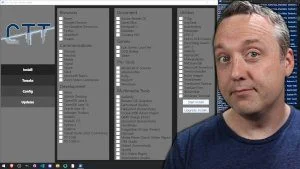
Bear in mind I could've also deleted it using the Chris Titus tool as well.


I use that for other de-bloat purposes but the OneDrive disabling option is in there as well.
 

My Computers

System One System Two

  • OS
    Windows 11 Pro 25H2 build: (26200.7623)
    Computer type
    Laptop
    Manufacturer/Model
    Microsoft Surface Pro
    Memory
    32GB
  • Operating System
    Microsoft 25H2 Pro
    Computer type
    Laptop
    Manufacturer/Model
    Dell Pro 14 - PC14250
    CPU
    Intel Core Ultra 7
    Memory
    64GB
    Graphics card(s)
    Intel Integrated Graphics
    Hard Drives
    Micron 1TB SSD
I can only tell you what has worked for me. I had onedrive uninstalled. I bought Ofc 2021 in 2022. When I installed it, it reinstalled Onedrive. Knowing that 2021 would get the same major updates that 365 would get,..
There is a big difference in the updates.

Feature updates
Microsoft Office 2021 one-time license: Security updates are included, but you won't get any new features. Upgrades to major releases aren't included.
Microsoft 365 subscription:
Your apps will always be improving. You'll get all the latest features and updates, as well as security updates and bug fixes.

Office 2021 will reach its end-of-life on October 13, 2026.
Office 2024 will reach its end of life on October 9, 2029.
This means that after these dates, Microsoft will no longer provide security updates, bug fixes, or technical support for the software. You will still be able to use the software.
 

My Computers

System One System Two

  • OS
    Windows 11 Pro 25H2 (26200.6901)
    Computer type
    Laptop
    Manufacturer/Model
    ASUS TUF Gaming A15 (2022)
    CPU
    AMD Ryzen 7 6800H with Radeon 680M GPU (486MB RAM)
    Memory
    Crucial DDR5-4800 (2400MHz) 32GB (2 x 16GB)
    Graphics Card(s)
    NVIDIA RTX 3060 Laptop (6GB RAM)
    Sound Card
    n/a
    Monitor(s) Displays
    15.6-inch
    Screen Resolution
    1920x1080 300Hz
    Hard Drives
    2 x Samsung 990 Evo Plus (2TB M.2 NVME SSD)
    PSU
    n/a
    Mouse
    Wireless Mouse M510
    Internet Speed
    2100Mbps/300Mbps
    Browser
    Firefox
    Antivirus
    Malwarebytes
  • Operating System
    Windows 11 Pro 25H2 (26200.8246)
    Computer type
    PC/Desktop
    Manufacturer/Model
    Custom build
    CPU
    AMD Ryzen 7 5700X3D
    Motherboard
    ASUS ROG Strix B550-F Gaming WiFi II
    Memory
    G.SKILL Flare X 32GB (2x16GB) DDR4
    Graphics card(s)
    ASUS ROG-STRIX-RTX3060TI-08G-V2-GAMING (RTX 3060-Ti, 8GB RAM)
    Monitor(s) Displays
    Samsung G50D IPS 27"
    Screen Resolution
    1440p/180Hz
    Hard Drives
    SAMSUNG 990 EVO Plus (2TB] M.2 NVME SSD
    SAMSUNG 990 EVO Plus (4TB) M.2 NVME SSD
    PSU
    Corsair RM750x (750 watts)
    Case
    Cooler Master MasterCase 5
    Cooling
    Scythe Mugen 6
    Keyboard
    Logitech K520 (MK540 keyboard/mouse combo)
    Mouse
    Logitech M310 (MK540 keyboard/mouse combo)
    Internet Speed
    2100 Mbps down / 300 Mbps up
    Browser
    Firefox, Edge, Chrome
    Antivirus
    Malwarebytes (Premium)
    Other Info
    ASUS Blu-ray Burner BW-16D1HT (SATA) || Western Digital Easystore 20TB USB 3.0 external hard drive used with Acronis True Image 2025 backup software || HP OfficeJet Pro 6975 Printer/Scanner
There is a big difference in the updates.

Thanks for the info.

Yup, I understand all that, but I refuse to pay a subscription for Office365 and I also refuse to have it tied to OneDrive. Microsoft doesn't need to know every document I create or every file I save. I don't care what their EULA says, that's none of their business.

That's why it's best for me to save my files locally.
 

My Computers

System One System Two

  • OS
    Windows 11 Pro 25H2 build: (26200.7623)
    Computer type
    Laptop
    Manufacturer/Model
    Microsoft Surface Pro
    Memory
    32GB
  • Operating System
    Microsoft 25H2 Pro
    Computer type
    Laptop
    Manufacturer/Model
    Dell Pro 14 - PC14250
    CPU
    Intel Core Ultra 7
    Memory
    64GB
    Graphics card(s)
    Intel Integrated Graphics
    Hard Drives
    Micron 1TB SSD
There is a big difference in the updates.
Well maybe I said it wrong. I should have said Ofc 2021 gets it basic features updated that align with feature changes in the 365 apps...until 2026..
 

My Computers

System One System Two

  • OS
    Windows 11 Pro 25H2 26200.8655
    Computer type
    PC/Desktop
    Manufacturer/Model
    Dell Optiplex 7080
    CPU
    i9-10900 10 core 20 threads
    Motherboard
    DELL 0J37VM
    Memory
    32 gb
    Graphics Card(s)
    none-Intel UHD Graphics 630
    Sound Card
    Integrated Realtek
    Monitor(s) Displays
    Benq 27
    Screen Resolution
    2560x1440
    Hard Drives
    2x1tb Solidigm m.2 nvme /External drives 512gb Samsung m.2 sata+2tb Kingston m2.nvme
    PSU
    500w
    Case
    MT
    Cooling
    Dell Premium
    Keyboard
    Logitech wired
    Mouse
    Logitech wireless
    Internet Speed
    so slow I'm too embarrassed to tell
    Browser
    #1 Edge #2 Firefox
    Antivirus
    Defender+MWB Premium
  • Operating System
    Windows 11 Pro 24H2 26200.8457
    Computer type
    PC/Desktop
    Manufacturer/Model
    Beelink Mini PC SER5
    CPU
    AMD Ryzen 7 6800U
    Memory
    32 gb
    Graphics card(s)
    integrated
    Sound Card
    integrated
    Monitor(s) Displays
    Benq 27
    Screen Resolution
    2560x1440
    Hard Drives
    1TB Crucial nvme
    Keyboard
    Logitech wired
    Mouse
    Logitech wireless
    Internet Speed
    still too embarrassed to tell
    Browser
    Firefox
    Antivirus
    Defender
    Other Info
    System 3 is non compliant Dell 9020 i7-4770/24gb ram Win11 PRO 26200.8457

Latest Support Threads

Back
Top Bottom