- Local time
- 12:58 PM
- Posts
- 53
- OS
- Windows 11
Hello,
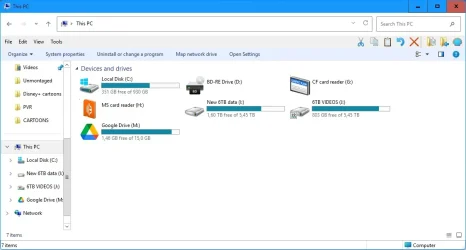
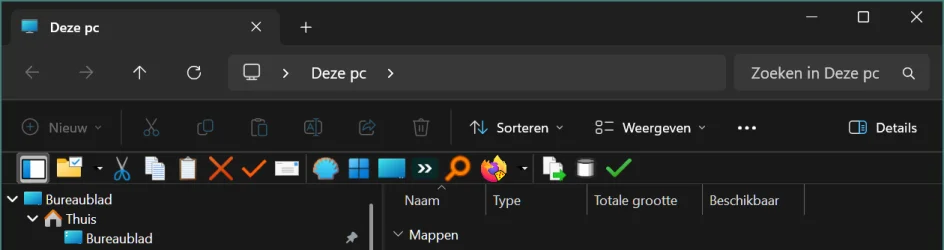
On Windows 11 Explorer, enabling the legacy command infrastructure (via StartAllBack or Open-Shell) causes Explorer to permanently instantiate a top command surface.
![[IMG]](/proxy.php?image=https%3A%2F%2Fi.postimg.cc%2FVNSwWn7k%2Fksnip-20260109-211052.png&hash=4c16b3e2ea48ec891e210261162e5ce7 "[IMG]")
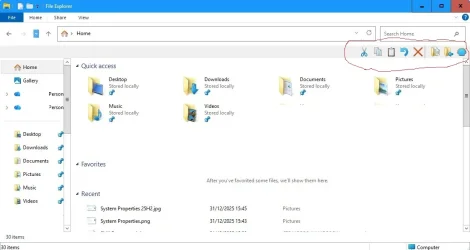
Once this happens, reverting to stock Win11 binaries does not remove the bar — Explorer continues to allocate the command host, which is then rendered using the Win11 WinUI CommandBar.
Key observations:
I’m not trying to stop legacy commands from being registered — I’m looking for a way to suppress or collapse the WinUI CommandBar host (height/visibility/layout), even if the surface itself still exists.
Does anyone know:
Any pointers (symbols, classes, binaries) would be appreciated.
On Windows 11 Explorer, enabling the legacy command infrastructure (via StartAllBack or Open-Shell) causes Explorer to permanently instantiate a top command surface.
Once this happens, reverting to stock Win11 binaries does not remove the bar — Explorer continues to allocate the command host, which is then rendered using the Win11 WinUI CommandBar.
Key observations:
- The bar is not drawn by StartAllBack or Open-Shell
- Swapping Win10 explorerframe.dll breaks the nav pane but does not remove the bar
- shellstyle.dll hacks (height=0) no longer apply
- This confirms the surface exists independently of explorerframe and classic theming
I’m not trying to stop legacy commands from being registered — I’m looking for a way to suppress or collapse the WinUI CommandBar host (height/visibility/layout), even if the surface itself still exists.
Does anyone know:
- which component owns the WinUI CommandBar layout for Explorer?
- or whether it’s possible to force-collapse it (analogous to shellstyle hacks in Win7–10)?
Any pointers (symbols, classes, binaries) would be appreciated.
Last edited:
My Computer
At a glance
Windows 1112th Gen i516 GBIntel Iris Xe
- OS
- Windows 11
- Computer type
- Laptop
- Manufacturer/Model
- Dell
- CPU
- 12th Gen i5
- Memory
- 16 GB
- Graphics Card(s)
- Intel Iris Xe
- Hard Drives
- Micron 512GB NVMe SSD (System Drive)
Irvine 1TB SATA SSD (Data drive)
- Browser
- Firefox 134