Solved Impossible to upgrade Windows 10 to Windows 11 with available methods


Run these commands as Administrator. Then try the upgrade again.
Code:
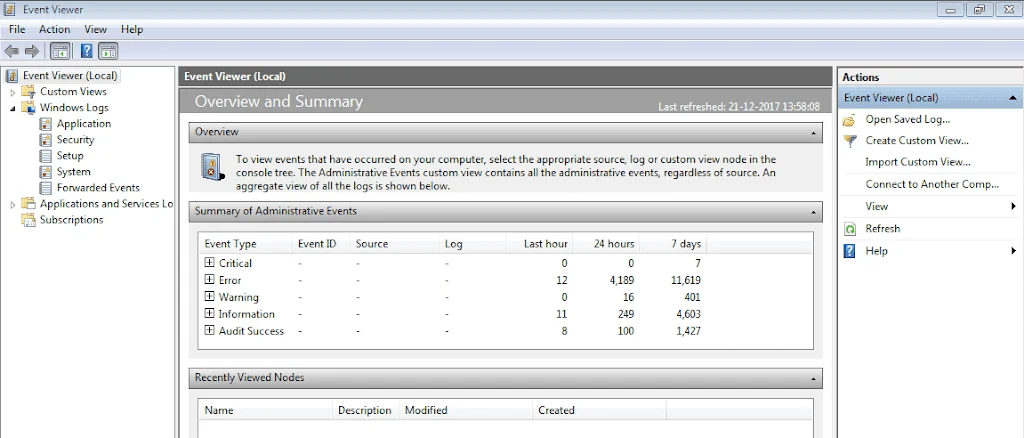
DISM /Online /Disable-Feature /FeatureName:"Printing-PrintToPDFServices-Features" /NoRestart
DISM /Online /Disable-Feature /FeatureName:"Printing-XPSServices-Features" /NoRestart

Thank you. I ran those 2 commands but it doesn not change much. Still returning to W10 after several reboots.

Regards, Jacques
 

My Computer My Computer

At a glance

Windows 10Core Ultra 7 265 KF32 GbNvidia GTX 960
OS
Windows 10
Computer type
PC/Desktop
Manufacturer/Model
Self built
CPU
Core Ultra 7 265 KF
Motherboard
Asrock Z890 Steel Legend WiFi
Memory
32 Gb
Graphics Card(s)
Nvidia GTX 960
Sound Card
MB integrated
Monitor(s) Displays
BENQ
Screen Resolution
4K
Hard Drives
2x 2TB SSD, 1x 2,5" 4 TB, 1x 2,5" 2 TB
Antivirus
Avast, Spybot S&D
Have you tried upgrading to 23h2 first

Dont know if that would make a difference, worth a try

do the upgrade log files tell you anything?
 

My Computers My Computers

  • At a glance

    Win7,Win11i7-97002x16gb 3600mhz
    OS
    Win7,Win11
    Computer type
    PC/Desktop
    CPU
    i7-9700
    Motherboard
    gigabyte b365m ds3h
    Memory
    2x16gb 3600mhz
    Monitor(s) Displays
    benq gw2480
    PSU
    bequiet pure power 11 400CM
    Cooling
    cryorig m9i
  • At a glance

    win7,win11i5-84002x8gb 3200
    Operating System
    win7,win11
    Computer type
    PC/Desktop
    CPU
    i5-8400
    Motherboard
    gigabyte b365m ds3h
    Memory
    2x8gb 3200
    PSU
    xfx pro 450
1) Run disk par info > post a share link


2) Open administrative command prompt and type or copy and paste:

reagentc /info
reagentc /enable
reagentc /info
dism /online /get-drivers /format:table >c:\drivers.txt

Post share links.


3) Download Memory integrity system readiness scan tool from Official Microsoft Download Center


AMD

hvciscan_amd64.exe


4) Open administrative command prompt and copy and paste:

cd /users /jacek /downloads

hvciscan_amd64.exe


5) Uninstall each of these antivirus software using the applicable uninstall tool:

a) Kaspersky:


b) Avast:


6) Make sure that defender is on


7) Download to a new desktop folder:


Windows 10 Home
Version: 10.0.19045

Code:
------------------------
Disk & DVD/CD-ROM Drives
------------------------
      Drive: C:
 Free Space: 557.7 GB
Total Space: 1906.5 GB
File System: NTFS
      Model: CT2000P2SSD8

      Drive: D:
 Free Space: 726.3 GB
Total Space: 1907.7 GB
File System: NTFS
      Model: CT2000P2SSD8

      Drive: E:
 Free Space: 1083.4 GB
Total Space: 3815.3 GB
File System: NTFS
      Model: ST4000LM016-1N2170

      Drive: I:
 Free Space: 13.2 GB
Total Space: 15.4 GB
File System: FAT32
      Model: n/a

      Drive: L:
 Free Space: 683.9 GB
Total Space: 1907.7 GB
File System: NTFS
      Model: ST2000LM003 HN-M201RAD

      Drive: F:
      Model: HL-DT-ST BD-RE  GGW-H20L
     Driver: C:\WINDOWS\SYSTEM32\DRIVERS\CDROM.SYS, 10.00.19041.4355 (English), 5/14/2024 19:38:25, 175616 bytes
 

My Computer My Computer

At a glance

Windows 10Intel(R) Core(TM) i7-4800MQ CPU @ 2.70GHz16 GB Total: Manufacturer : Samsung MemoryTyp...NVIDIA Quadro K3100M; Intel(R) HD Graphics 4600
OS
Windows 10
Computer type
Laptop
Manufacturer/Model
HP
CPU
Intel(R) Core(TM) i7-4800MQ CPU @ 2.70GHz
Motherboard
Product : 190A Version : KBC Version 94.56
Memory
16 GB Total: Manufacturer : Samsung MemoryType : DDR3 FormFactor : SODIMM Capacity : 8GB Speed : 1600
Graphics Card(s)
NVIDIA Quadro K3100M; Intel(R) HD Graphics 4600
Sound Card
IDT High Definition Audio CODEC; PNP Device ID HDAUDIO\FUNC_01&VEN_111D&DEV_76E0
Hard Drives
Model Hitachi HTS727575A9E364
Antivirus
Microsoft Defender
Other Info
Mobile Workstation
Have you tried upgrading to 23h2 first

Dont know if that would make a difference, worth a try


It has for other members.

@jackyjacques I have two ISO’s for 23H2 on my server. US/English UK/English.
Let me know if you want to download one and I’ll PM you the link.
 

My Computers My Computers

  • At a glance

    Windows 11 Pro 25H2 Build 26200.8894Intel(R) Core(TM) i7-4770K CPU @ 3.50GHz32.0 GB of I forget and the box is in storage.Gigabyte nVidia GeForce GTX 1660 Super OC 6GB
    OS
    Windows 11 Pro 25H2 Build 26200.8894
    Computer type
    PC/Desktop
    Manufacturer/Model
    Sin-built 2013
    CPU
    Intel(R) Core(TM) i7-4770K CPU @ 3.50GHz
    Motherboard
    ASUS ROG Maximus VI Formula
    Memory
    32.0 GB of I forget and the box is in storage.
    Graphics Card(s)
    Gigabyte nVidia GeForce GTX 1660 Super OC 6GB
    Sound Card
    ROG SupremeFX Formula 8-Channel High Definition Audio
    Monitor(s) Displays
    5 x LG 25MS500-B - 1 x 24MK430H-B - 1 x Wacom Pro 22" Touch Screen Tablet
    Screen Resolution
    All over the place
    Hard Drives
    Too many to list. OS on Samsung 1TB 870 QVO SATA
    PSU
    Silverstone 1500
    Case
    NZXT Phantom 820 Full-Tower Case
    Cooling
    Noctua NH-D15 Elite Class Dual Tower CPU Cooler / 6 x EziDIY 120mm / 2 x Corsair 140mm somethings / 1 x 140mm Thermaltake something / 2 x 200mm Corsair.
    Keyboard
    Corsair K95 / Logitech diNovo Edge Wireless
    Mouse
    Logitech: G402 / G502 / Mx Masters / Mx Air Cordless
    Internet Speed
    2000/500Mbps
    Browser
    All sorts
    Antivirus
    Kaspersky Premium
    Other Info
    ㅤㅤㅤㅤㅤㅤㅤㅤㅤㅤㅤㅤㅤㅤㅤㅤㅤㅤㅤㅤㅤㅤㅤㅤㅤㅤㅤㅤㅤㅤㅤㅤㅤㅤㅤㅤㅤㅤㅤㅤ⠀⠀⠀⠀⠀⠀⠀⠀⠀⠀
    TP-Link BE9300 WiFi 7 Bluetooth 5.4 (Archer TBE550E)
    TP-Link TX201 V1 2.5GB Lan

    Grandstream HT812 - VoIP
    ASUS DSL-AX82U - Mesh
    ASUS RT-AC68U - Mesh
    ASUS RT-BE88U Router

    Brother MFC-L2880DW Printer

    I’m on a horse.
  • At a glance

    Windows 11 Pro 25H2 Build 26200.8894 (Wifes)13th Generation Intel® Core™ i5-1340P Process...16GB LPDDR5-52001x Intel® Iris® Xe Graphics
    Operating System
    Windows 11 Pro 25H2 Build 26200.8894 (Wifes)
    Computer type
    Laptop
    Manufacturer/Model
    LENOVO Yoga 7 14IRL8 - Type 82YL
    CPU
    13th Generation Intel® Core™ i5-1340P Processor(Core™ i5-1340P)
    Memory
    16GB LPDDR5-5200
    Graphics card(s)
    1x Intel® Iris® Xe Graphics
    Sound Card
    Optimized with Dolby Atmos®
    Screen Resolution
    QHD 2880 x 1800 OLED
    Hard Drives
    M.2 512 GB SSD PCIe
    Mouse
    Logiteck MX Master 3S
    Internet Speed
    2000/500
    Antivirus
    Defender / Malwarebytes
    Other Info
    …still on a horse.


    Wireless Network: Wi-Fi 6E 2x2 AX; Bluetooth® 5.1 or above
    Ports: 1x 1 Novo button; 2 in 1 Audio Combo jack; Micro SD Card Reader; HDMI 1.4b; 2 x USB Type-C (TBT4)
    USB 3.2 Gen 2 DP 1.4a
    PD 3.0); 1 x USB 3.2 Gen1 Type A
    Camera
    1x 1080P FHD IR/RGB Hybrid with Privacy Shutter and Dual Array Microphone
    Graphics
    1x Intel® Iris® Xe Graphics
    Monitor
    14" WUXGA
    Form Factor
    Convertible Notebook
  • Windows 11 Pro 25H2 Build 26200.8894 (Wifes)

    Yoga 7 2-in-1 14IML9 - Type 83DJ

    Processor: Intel® Core™ Ultra 7 155H Processor(Core™ Ultra 7 155H)

    Memory: 32GB LPD5X-7467

    Hard Drive: 1 TB SSD PCIe

    Wireless Network: 1x Wi-Fi 6E 2x2 AX; Bluetooth® 5.1 or above

    Ports: 1 x HDMI 2.1 TMDS; 1 x Novo Button; 1 x Combo Audio Jack
    2 x USB-C (USB 4.0)
    1 x USB-A 3.2 Gen 1

    Camera: 1080P FHD IR Hybrid with Dual Microphone

    Graphics: Intel® Arc™ Graphics

    Monitor: 14" 2.8K

    ...Where's my horse?
1) Run disk par info > post a share link


2) Open administrative command prompt and type or copy and paste:

reagentc /info
reagentc /enable
reagentc /info
dism /online /get-drivers /format:table >c:\drivers.txt

Post share links.


3) Download Memory integrity system readiness scan tool from Official Microsoft Download Center


AMD

hvciscan_amd64.exe


4) Open administrative command prompt and copy and paste:

cd /users /jacek /downloads

hvciscan_amd64.exe


5) Uninstall each of these antivirus software using the applicable uninstall tool:

a) Kaspersky:


b) Avast:


6) Make sure that defender is on


7) Download to a new desktop folder:


Windows 10 Home
Version: 10.0.19045

Code:
------------------------
Disk & DVD/CD-ROM Drives
------------------------
      Drive: C:
 Free Space: 557.7 GB
Total Space: 1906.5 GB
File System: NTFS
      Model: CT2000P2SSD8

      Drive: D:
 Free Space: 726.3 GB
Total Space: 1907.7 GB
File System: NTFS
      Model: CT2000P2SSD8

      Drive: E:
 Free Space: 1083.4 GB
Total Space: 3815.3 GB
File System: NTFS
      Model: ST4000LM016-1N2170

      Drive: I:
 Free Space: 13.2 GB
Total Space: 15.4 GB
File System: FAT32
      Model: n/a

      Drive: L:
 Free Space: 683.9 GB
Total Space: 1907.7 GB
File System: NTFS
      Model: ST2000LM003 HN-M201RAD

      Drive: F:
      Model: HL-DT-ST BD-RE  GGW-H20L
     Driver: C:\WINDOWS\SYSTEM32\DRIVERS\CDROM.SYS, 10.00.19041.4355 (English), 5/14/2024 19:38:25, 175616 bytes


Hi zbook,

I ran the .bat and commands from points 1) and 2). The results are in the links below.
hvciscan_amd64.exe from point 3) returns a lot of failures (second link below)
Avast is completeley uninstalled using the tool from point 5) and defender is on.
I downloaded Win11_24H2_French_x64.iso and ran setup.exe from it.
Hopelessly, the problem stays the same. The installation after several reboots cancels int he last phase all changes made and my OS returns to Windows 10.
reagentc.txt
hvciscan_amd64.log
DiskParInfo.log
drivers.txt

Thank you for your help so far and for any further suggestions.

jacques
 

My Computer My Computer

At a glance

Windows 10Core Ultra 7 265 KF32 GbNvidia GTX 960
OS
Windows 10
Computer type
PC/Desktop
Manufacturer/Model
Self built
CPU
Core Ultra 7 265 KF
Motherboard
Asrock Z890 Steel Legend WiFi
Memory
32 Gb
Graphics Card(s)
Nvidia GTX 960
Sound Card
MB integrated
Monitor(s) Displays
BENQ
Screen Resolution
4K
Hard Drives
2x 2TB SSD, 1x 2,5" 4 TB, 1x 2,5" 2 TB
Antivirus
Avast, Spybot S&D

have you tried the upgrade in safe mode. safe mode normally supports USB drives
you can upgrade the system from the setup.exe file within the USB drive.

its worth a shot if nothing else.
best of luck, Steve .
 

My Computers My Computers

  • At a glance

    Windows 11 HomeRyzen 7 5825u64GB DDR4 3200Ryzen 7 5825u
    OS
    Windows 11 Home
    Computer type
    PC/Desktop
    Manufacturer/Model
    HP 24" AiO
    CPU
    Ryzen 7 5825u
    Motherboard
    HP
    Memory
    64GB DDR4 3200
    Graphics Card(s)
    Ryzen 7 5825u
    Sound Card
    RealTek
    Monitor(s) Displays
    24" HP AiO
    Screen Resolution
    1920 x 1080 @60 Hz
    Hard Drives
    1TB WD Blue SN580 M2 SSD Partitioned.
    2x 1TB USB HDD External Backup/Storage.
    PSU
    90W external power brick
    Case
    24" All in One
    Cooling
    Default Air Cooling
    Keyboard
    HP WiFi UK extended
    Mouse
    HP WiFi 3 Button
    Internet Speed
    1GB full fibre
    Browser
    Edge & Firefox
    Antivirus
    AVG Internet Security/Windows Defender
    Other Info
    Mainly Open Source Software
  • At a glance

    Ubuntu 22.04.5 LTSi5 7200u16GB DDR4Intel
    Operating System
    Ubuntu 22.04.5 LTS
    Computer type
    Laptop
    Manufacturer/Model
    Dell 13" Latitude 2017
    CPU
    i5 7200u
    Motherboard
    Dell
    Memory
    16GB DDR4
    Graphics card(s)
    Intel
    Sound Card
    Intel
    Monitor(s) Displays
    13" Dell Laptop
    Hard Drives
    250GB Crucial 2.5" SSD
    Mouse
    Generic WiFi 3 button
    Internet Speed
    WiFi only
    Browser
    Firefox
    Antivirus
    ClamAV TK
    Other Info
    Mainly Open Source Software
Thank you Steve. My BIOS is UEFI of course and all disks are GPT partitioned. With all my software, keys and licences the clean install would be very difficult so for instance is not an option. Il hope there is a solution to my problem.
Regards,
Jacques

From a troubleshooting viewpoint, can you purchase/install a spare drive that you can try a clean install on? That would at least tell you if the upgrade process (vs. clean) is the issue.

If it works, you know the hardware setup is OK. (I know, buying another drive... but everyone needs more backup drives, amiright?).

If it doesn't work, you know it's not the upgrade process, per se.
 

My Computer My Computer

At a glance

Windows 11 Pro 24H2Intel Ultra 7 155H16gbIntel Arc integrated
OS
Windows 11 Pro 24H2
Computer type
Laptop
Manufacturer/Model
HP
CPU
Intel Ultra 7 155H
Memory
16gb
Graphics Card(s)
Intel Arc integrated
Hard Drives
SSD
1) Open disk management > widen rows and columns > post a share link:


2) Open administrative command prompt and copy and paste:

pnputil /delete-driver oem16.inf /uninstall
pnputil /delete-driver oem34.inf /uninstall
pnputil /delete-driver oem55.inf /uninstall
pnputil /delete-driver oem104.inf /uninstall
pnputil /delete-driver oem143.inf /uninstall
pnputil /delete-driver oem172.inf /uninstall
pnputil /delete-driver oem178.inf /uninstall
pnputil /delete-driver oem195.inf /uninstall

Post a share link.


3) Run both the Avast and Kaspersky uninstall tools again.


4) Run the McAfee uninstall tool:


5) Post a new hvciscan share link.
 
Last edited:

My Computer My Computer

At a glance

Windows 10Intel(R) Core(TM) i7-4800MQ CPU @ 2.70GHz16 GB Total: Manufacturer : Samsung MemoryTyp...NVIDIA Quadro K3100M; Intel(R) HD Graphics 4600
OS
Windows 10
Computer type
Laptop
Manufacturer/Model
HP
CPU
Intel(R) Core(TM) i7-4800MQ CPU @ 2.70GHz
Motherboard
Product : 190A Version : KBC Version 94.56
Memory
16 GB Total: Manufacturer : Samsung MemoryType : DDR3 FormFactor : SODIMM Capacity : 8GB Speed : 1600
Graphics Card(s)
NVIDIA Quadro K3100M; Intel(R) HD Graphics 4600
Sound Card
IDT High Definition Audio CODEC; PNP Device ID HDAUDIO\FUNC_01&VEN_111D&DEV_76E0
Hard Drives
Model Hitachi HTS727575A9E364
Antivirus
Microsoft Defender
Other Info
Mobile Workstation
Sorry it has to come to the inevitable but I fully believe youll have to Clean Install. And honestly the hours of setup blow but you could have clean installed and been through all the pain already. I dont see any other choice.
 

My Computer My Computer

At a glance

Windows 11 Pro Version 23H2(OS Build 22631.4890)12-Core AMD Ryzen 9 5900X, 4950 MHz (49.5 x 100)4 - G Skill Trident Z Neo F4-3600C16-16GTZNCPCI Express 4.0 x16: PowerColor RX 6800
OS
Windows 11 Pro Version 23H2(OS Build 22631.4890)
Computer type
PC/Desktop
Manufacturer/Model
AMD
CPU
12-Core AMD Ryzen 9 5900X, 4950 MHz (49.5 x 100)
Motherboard
Gigabyte X570 Aorus Master
Memory
4 - G Skill Trident Z Neo F4-3600C16-16GTZNC
Graphics Card(s)
PCI Express 4.0 x16: PowerColor RX 6800
Sound Card
Realtek ALC1220 @ AMD K19.2 - High Definition Audio Controller
Monitor(s) Displays
2 - 27 inch Westinghouse
Screen Resolution
1920 x 1080
Hard Drives
2 SSD - 2 TB each
1 SSD - 4TB
1 HDD - 2TB
Keyboard
logitech
Mouse
logitech
Internet Speed
1 GB
Browser
Firefox
Antivirus
Eset Endpoint Security
1) Open disk management > widen rows and columns > post a share link:


2) Open administrative command prompt and copy and paste:

pnputil /delete-driver oem16.inf /uninstall
pnputil /delete-driver oem34.inf /uninstall
pnputil /delete-driver oem55.inf /uninstall
pnputil /delete-driver oem104.inf /uninstall
pnputil /delete-driver oem143.inf /uninstall
pnputil /delete-driver oem172.inf /uninstall
pnputil /delete-driver oem178.inf /uninstall
pnputil /delete-driver oem195.inf /uninstall

Post a share link.


3) Run both the Avast and Kaspersky uninstall tools again.


4) Run the McAfee uninstall tool:


5) Post a new hvciscan share link.

All pnputil commands ran successufuly but this doesn't change anything. Canceling all changes and return to W10 at the last phase of installation.

hvciscan returns less output as before .

The output of hvciscan and disk management screenshot are here below:


Regards
 

My Computer My Computer

At a glance

Windows 10Core Ultra 7 265 KF32 GbNvidia GTX 960
OS
Windows 10
Computer type
PC/Desktop
Manufacturer/Model
Self built
CPU
Core Ultra 7 265 KF
Motherboard
Asrock Z890 Steel Legend WiFi
Memory
32 Gb
Graphics Card(s)
Nvidia GTX 960
Sound Card
MB integrated
Monitor(s) Displays
BENQ
Screen Resolution
4K
Hard Drives
2x 2TB SSD, 1x 2,5" 4 TB, 1x 2,5" 2 TB
Antivirus
Avast, Spybot S&D

Sorry it has to come to the inevitable but I fully believe youll have to Clean Install. And honestly the hours of setup blow but you could have clean installed and been through all the pain already. I dont see any other choice.

The "clean" install is not an option for the moment. To much software to install and many other obstacles. So I will persevere. Maybe a solution will exist before the support of W10 ends.

best regards
 

My Computer My Computer

At a glance

Windows 10Core Ultra 7 265 KF32 GbNvidia GTX 960
OS
Windows 10
Computer type
PC/Desktop
Manufacturer/Model
Self built
CPU
Core Ultra 7 265 KF
Motherboard
Asrock Z890 Steel Legend WiFi
Memory
32 Gb
Graphics Card(s)
Nvidia GTX 960
Sound Card
MB integrated
Monitor(s) Displays
BENQ
Screen Resolution
4K
Hard Drives
2x 2TB SSD, 1x 2,5" 4 TB, 1x 2,5" 2 TB
Antivirus
Avast, Spybot S&D

Please indicate whether you ran the McAfee uninstall tool.

Were the uninstall tools used again for both Avast and Kaspersky?

And please do not attempt an upgrade until steps are completed.


None of the McAfee drivers were uninstalled.

Code:
HVCI: "C:\WINDOWS\system32\drivers\mfeapfk.sys" failed with compliance failure mask 00000202

HVCI: "C:\WINDOWS\system32\drivers\mfeavfk.sys" failed with compliance failure mask 00000202

HVCI: "C:\WINDOWS\system32\drivers\mfeelamk.sys" failed with compliance failure mask 00000202

HVCI: "C:\WINDOWS\system32\drivers\mfefirek.sys" failed with compliance failure mask 00000202

HVCI: "C:\WINDOWS\system32\drivers\mfehidk.sys" failed with compliance failure mask 00000202

HVCI: "C:\WINDOWS\system32\drivers\mfewfpk.sys" failed with compliance failure mask 00000202

HVCI: "C:\WINDOWS\system32\drivers\cfwids.sys" failed with compliance failure mask 00000202


In control panel uninstall these software:

Apple
Paragon

After uninstalling McAfee, Apple, and Paragon > post a new hvciscan

Post a new V2 share link.
 
Last edited:

My Computer My Computer

At a glance

Windows 10Intel(R) Core(TM) i7-4800MQ CPU @ 2.70GHz16 GB Total: Manufacturer : Samsung MemoryTyp...NVIDIA Quadro K3100M; Intel(R) HD Graphics 4600
OS
Windows 10
Computer type
Laptop
Manufacturer/Model
HP
CPU
Intel(R) Core(TM) i7-4800MQ CPU @ 2.70GHz
Motherboard
Product : 190A Version : KBC Version 94.56
Memory
16 GB Total: Manufacturer : Samsung MemoryType : DDR3 FormFactor : SODIMM Capacity : 8GB Speed : 1600
Graphics Card(s)
NVIDIA Quadro K3100M; Intel(R) HD Graphics 4600
Sound Card
IDT High Definition Audio CODEC; PNP Device ID HDAUDIO\FUNC_01&VEN_111D&DEV_76E0
Hard Drives
Model Hitachi HTS727575A9E364
Antivirus
Microsoft Defender
Other Info
Mobile Workstation
Once all of the memory integrity incompatible drivers are uninstalled: (use Revo uninstaller for software as necessary)


1) Uninstall:

Easy Connection to Screen 5.4.7 Samsung 20241214


2) Reset the hosts file to default:


3) Open event viewer > system and application > post share links


4) Detach all non-Windows drives


5) Detach all non-essential hardware (only one mouse, keyboard, and monitor)


6) Disconnect Ethernet and Wifi so that there is no Internet access


7) Place the computer into clean boot:


8) Upgrade using the new desktop iso following the steps in this link:


9) If the upgrade is successful then perform Windows updates


10) If the upgrade fails then post links (post #7 steps 1 - 4) into the newest post:


Code:
Event[52028]:
  Log Name: System
  Source: Service Control Manager
  Date: 2025-05-09T20:14:55.8690000Z
  Event ID: 7031
  Task: N/A
  Level: Error
  Opcode: N/A
  Keyword: Classic
  User: N/A
  User Name: N/A
  Computer: QOSMIO
  Description:
The Easy Connection to Screen service terminated unexpectedly.  It has done this 7117 time(s).  The following corrective action will be taken in 1000 milliseconds: RedÚmarrer le service.


Code:
Event[37992]:
  Log Name: System
  Source: Service Control Manager
  Date: 2025-05-09T09:52:52.5090000Z
  Event ID: 7031
  Task: N/A
  Level: Error
  Opcode: N/A
  Keyword: Classic
  User: N/A
  User Name: N/A
  Computer: QOSMIO
  Description:
The Easy Connection to Screen service terminated unexpectedly.  It has done this 40671 time(s).  The following corrective action will be taken in 1000 milliseconds: RedÚmarrer le service.


Code:
HVCI incompatible driver scan start...

HVCI: "C:\WINDOWS\System32\DriverStore\FileRepository\cdc-acm.inf_amd64_7c173df05350bded\x64\usb2ser.sys" failed with compliance failure mask 00000202

HVCI: "C:\WINDOWS\System32\DriverStore\FileRepository\ftdibus.inf_amd64_2195e2eae39427df\amd64\ftdibus.sys" failed with compliance failure mask 00000202

HVCI: "C:\WINDOWS\System32\DriverStore\FileRepository\ssdudfu.inf_amd64_72f5a9944a4aacbd\amd64\ssdudfu.sys" failed with compliance failure mask 00000202

HVCI: "C:\WINDOWS\System32\DriverStore\FileRepository\ssudcdf.inf_amd64_3b8c1645f16239a1\amd64\ssudcdf.sys" failed with compliance failure mask 00000202

HVCI: "C:\WINDOWS\System32\DriverStore\FileRepository\via_usb_ets.inf_amd64_74f37c1f9f7c8ec2\VIA_USB_ETS.sys" failed with compliance failure mask 00000202

HVCI: "C:\WINDOWS\System32\DriverStore\FileRepository\cxplrcap.inf_amd64_8837c7a389ec8541\CxPlrCap.sys" failed with compliance failure mask 00000202

HVCI: "C:\WINDOWS\System32\DriverStore\FileRepository\glavcam.inf_amd64_28d53b4840c49857\x64\glavcam.sys" failed with compliance failure mask 00000202

HVCI: "C:\WINDOWS\System32\DriverStore\FileRepository\mbtmdm.inf_amd64_72b3fac558336713\amd64\mbtusbser.sys" failed with compliance failure mask 00000202

HVCI: "C:\WINDOWS\System32\DriverStore\FileRepository\smiusbgrabber3c.inf_amd64_5346742c2189cb7f\SmiUsbGrabber3C.sys" failed with compliance failure mask 00000202

HVCI: "C:\WINDOWS\System32\DriverStore\FileRepository\uimbus.inf_amd64_ae7183b08107c5d8\UimFIO.sys" failed with compliance failure mask 00000202

HVCI: "C:\WINDOWS\System32\DriverStore\FileRepository\uim_devim.inf_amd64_d8527a1ee030f50f\uim_devim.sys" failed with compliance failure mask 00000202

HVCI: "C:\WINDOWS\System32\DriverStore\FileRepository\uim_im.inf_amd64_065e71fa836529bb\uim_im.sys" failed with compliance failure mask 00000202

HVCI: "C:\WINDOWS\SysWow64\drivers\AiChargerPlus.sys" failed with compliance failure mask 00000202

HVCI: "C:\WINDOWS\system32\drivers\cfwids.sys" failed with compliance failure mask 00000202

HVCI: "C:\WINDOWS\system32\drivers\CxPlrCap.sys" failed with compliance failure mask 00000202

HVCI: "C:\WINDOWS\system32\DRIVERS\glavcam.sys" failed with compliance failure mask 00000202

HVCI: "C:\WINDOWS\system32\DRIVERS\gtuhsser.sys" failed with compliance failure mask 00000202

HVCI: "C:\WINDOWS\system32\drivers\mfeapfk.sys" failed with compliance failure mask 00000202

HVCI: "C:\WINDOWS\system32\drivers\mfeavfk.sys" failed with compliance failure mask 00000202

HVCI: "C:\WINDOWS\system32\drivers\mfeelamk.sys" failed with compliance failure mask 00000202

HVCI: "C:\WINDOWS\system32\drivers\mfefirek.sys" failed with compliance failure mask 00000202

HVCI: "C:\WINDOWS\system32\drivers\mfehidk.sys" failed with compliance failure mask 00000202

HVCI: "C:\WINDOWS\system32\drivers\mfewfpk.sys" failed with compliance failure mask 00000202

HVCI: "C:\WINDOWS\System32\Drivers\PxHlpa64.sys" failed with compliance failure mask 00000202

HVCI: "C:\WINDOWS\System32\drivers\uim_devim.sys" failed with compliance failure mask 00000202

HVCI: "C:\WINDOWS\System32\drivers\uim_im.sys" failed with compliance failure mask 00000202

Code:
0xC1900101, 0x40017
 

My Computer My Computer

At a glance

Windows 10Intel(R) Core(TM) i7-4800MQ CPU @ 2.70GHz16 GB Total: Manufacturer : Samsung MemoryTyp...NVIDIA Quadro K3100M; Intel(R) HD Graphics 4600
OS
Windows 10
Computer type
Laptop
Manufacturer/Model
HP
CPU
Intel(R) Core(TM) i7-4800MQ CPU @ 2.70GHz
Motherboard
Product : 190A Version : KBC Version 94.56
Memory
16 GB Total: Manufacturer : Samsung MemoryType : DDR3 FormFactor : SODIMM Capacity : 8GB Speed : 1600
Graphics Card(s)
NVIDIA Quadro K3100M; Intel(R) HD Graphics 4600
Sound Card
IDT High Definition Audio CODEC; PNP Device ID HDAUDIO\FUNC_01&VEN_111D&DEV_76E0
Hard Drives
Model Hitachi HTS727575A9E364
Antivirus
Microsoft Defender
Other Info
Mobile Workstation
have you tried the upgrade in safe mode. safe mode normally supports USB drives
you can upgrade the system from the setup.exe file within the USB drive.

its worth a shot if nothing else.
best of luck, Steve .

Please indicate whether you ran the McAfee uninstall tool.

Were the uninstall tools used again for both Avast and Kaspersky?

And please do not attempt an upgrade until steps are completed.


None of the McAfee drivers were uninstalled.

Code:
HVCI: "C:\WINDOWS\system32\drivers\mfeapfk.sys" failed with compliance failure mask 00000202

HVCI: "C:\WINDOWS\system32\drivers\mfeavfk.sys" failed with compliance failure mask 00000202

HVCI: "C:\WINDOWS\system32\drivers\mfeelamk.sys" failed with compliance failure mask 00000202

HVCI: "C:\WINDOWS\system32\drivers\mfefirek.sys" failed with compliance failure mask 00000202

HVCI: "C:\WINDOWS\system32\drivers\mfehidk.sys" failed with compliance failure mask 00000202

HVCI: "C:\WINDOWS\system32\drivers\mfewfpk.sys" failed with compliance failure mask 00000202

HVCI: "C:\WINDOWS\system32\drivers\cfwids.sys" failed with compliance failure mask 00000202


In control panel uninstall these software:

Apple
Paragon

After uninstalling McAfee, Apple, and Paragon > post a new hvciscan

Post a new V2 share link.

Hello zbook,

After uninstalling McAfee with the McAfee tool, the installation went through to completion. I'm on Windows 11 now! I'm sorry to have wasted your time, but having never used McAfee on my PC, I thought I'd never had it... but obviously my PC came with McAfee pre-installed by default and never activated .
I don't know how to thank you for all your help and the time you spent solving my problem. Now I'm going to follow the steps in your next post. Once again, thank you so much!

Best regards,
Jacques
 

My Computer My Computer

At a glance

Windows 10Core Ultra 7 265 KF32 GbNvidia GTX 960
OS
Windows 10
Computer type
PC/Desktop
Manufacturer/Model
Self built
CPU
Core Ultra 7 265 KF
Motherboard
Asrock Z890 Steel Legend WiFi
Memory
32 Gb
Graphics Card(s)
Nvidia GTX 960
Sound Card
MB integrated
Monitor(s) Displays
BENQ
Screen Resolution
4K
Hard Drives
2x 2TB SSD, 1x 2,5" 4 TB, 1x 2,5" 2 TB
Antivirus
Avast, Spybot S&D

After all that, all you needed to do was in post #6. Nobody could of predicted though, that one doesn’t know what AntiVirus is installed on their PC. I’m sure you aren’t the first and wont be the last.

At least you can close this chapter.
 

My Computers My Computers

  • At a glance

    Windows 11 Pro 25H2 Build 26200.8894Intel(R) Core(TM) i7-4770K CPU @ 3.50GHz32.0 GB of I forget and the box is in storage.Gigabyte nVidia GeForce GTX 1660 Super OC 6GB
    OS
    Windows 11 Pro 25H2 Build 26200.8894
    Computer type
    PC/Desktop
    Manufacturer/Model
    Sin-built 2013
    CPU
    Intel(R) Core(TM) i7-4770K CPU @ 3.50GHz
    Motherboard
    ASUS ROG Maximus VI Formula
    Memory
    32.0 GB of I forget and the box is in storage.
    Graphics Card(s)
    Gigabyte nVidia GeForce GTX 1660 Super OC 6GB
    Sound Card
    ROG SupremeFX Formula 8-Channel High Definition Audio
    Monitor(s) Displays
    5 x LG 25MS500-B - 1 x 24MK430H-B - 1 x Wacom Pro 22" Touch Screen Tablet
    Screen Resolution
    All over the place
    Hard Drives
    Too many to list. OS on Samsung 1TB 870 QVO SATA
    PSU
    Silverstone 1500
    Case
    NZXT Phantom 820 Full-Tower Case
    Cooling
    Noctua NH-D15 Elite Class Dual Tower CPU Cooler / 6 x EziDIY 120mm / 2 x Corsair 140mm somethings / 1 x 140mm Thermaltake something / 2 x 200mm Corsair.
    Keyboard
    Corsair K95 / Logitech diNovo Edge Wireless
    Mouse
    Logitech: G402 / G502 / Mx Masters / Mx Air Cordless
    Internet Speed
    2000/500Mbps
    Browser
    All sorts
    Antivirus
    Kaspersky Premium
    Other Info
    ㅤㅤㅤㅤㅤㅤㅤㅤㅤㅤㅤㅤㅤㅤㅤㅤㅤㅤㅤㅤㅤㅤㅤㅤㅤㅤㅤㅤㅤㅤㅤㅤㅤㅤㅤㅤㅤㅤㅤㅤ⠀⠀⠀⠀⠀⠀⠀⠀⠀⠀
    TP-Link BE9300 WiFi 7 Bluetooth 5.4 (Archer TBE550E)
    TP-Link TX201 V1 2.5GB Lan

    Grandstream HT812 - VoIP
    ASUS DSL-AX82U - Mesh
    ASUS RT-AC68U - Mesh
    ASUS RT-BE88U Router

    Brother MFC-L2880DW Printer

    I’m on a horse.
  • At a glance

    Windows 11 Pro 25H2 Build 26200.8894 (Wifes)13th Generation Intel® Core™ i5-1340P Process...16GB LPDDR5-52001x Intel® Iris® Xe Graphics
    Operating System
    Windows 11 Pro 25H2 Build 26200.8894 (Wifes)
    Computer type
    Laptop
    Manufacturer/Model
    LENOVO Yoga 7 14IRL8 - Type 82YL
    CPU
    13th Generation Intel® Core™ i5-1340P Processor(Core™ i5-1340P)
    Memory
    16GB LPDDR5-5200
    Graphics card(s)
    1x Intel® Iris® Xe Graphics
    Sound Card
    Optimized with Dolby Atmos®
    Screen Resolution
    QHD 2880 x 1800 OLED
    Hard Drives
    M.2 512 GB SSD PCIe
    Mouse
    Logiteck MX Master 3S
    Internet Speed
    2000/500
    Antivirus
    Defender / Malwarebytes
    Other Info
    …still on a horse.


    Wireless Network: Wi-Fi 6E 2x2 AX; Bluetooth® 5.1 or above
    Ports: 1x 1 Novo button; 2 in 1 Audio Combo jack; Micro SD Card Reader; HDMI 1.4b; 2 x USB Type-C (TBT4)
    USB 3.2 Gen 2 DP 1.4a
    PD 3.0); 1 x USB 3.2 Gen1 Type A
    Camera
    1x 1080P FHD IR/RGB Hybrid with Privacy Shutter and Dual Array Microphone
    Graphics
    1x Intel® Iris® Xe Graphics
    Monitor
    14" WUXGA
    Form Factor
    Convertible Notebook
  • Windows 11 Pro 25H2 Build 26200.8894 (Wifes)

    Yoga 7 2-in-1 14IML9 - Type 83DJ

    Processor: Intel® Core™ Ultra 7 155H Processor(Core™ Ultra 7 155H)

    Memory: 32GB LPD5X-7467

    Hard Drive: 1 TB SSD PCIe

    Wireless Network: 1x Wi-Fi 6E 2x2 AX; Bluetooth® 5.1 or above

    Ports: 1 x HDMI 2.1 TMDS; 1 x Novo Button; 1 x Combo Audio Jack
    2 x USB-C (USB 4.0)
    1 x USB-A 3.2 Gen 1

    Camera: 1080P FHD IR Hybrid with Dual Microphone

    Graphics: Intel® Arc™ Graphics

    Monitor: 14" 2.8K

    ...Where's my horse?
Great to hear. McAfee is a virus unto itself (or maybe we should think it's normal that you have to download and uninstall a manufacturer's custom removal program just to remove an A/V).
 
Last edited:

My Computer My Computer

At a glance

Windows 11 Pro 24H2Intel Ultra 7 155H16gbIntel Arc integrated
OS
Windows 11 Pro 24H2
Computer type
Laptop
Manufacturer/Model
HP
CPU
Intel Ultra 7 155H
Memory
16gb
Graphics Card(s)
Intel Arc integrated
Hard Drives
SSD
After all that, all you needed to do was in post #6. Nobody could of predicted though, that one doesn’t know what AntiVirus is installed on their PC. I’m sure you aren’t the first and wont be the last.

At least you can close this chapter.

Thank you for your help as well.
Since I was still an Avast user, it didn't occur to me that McAfee could be hanging around on my OS, probably delivered in the factory installation from Windows 7 and propagated by all the versions of Windows that have known my system hard drive (7, 8, 8.1, 10).
I'm now happy to have Windows 11 without having to reinstall all my software and repeat settings and customizations.I hope all these exchanges will be useful to other Windows users thanks to zbook's great help.

Best regards.
 

My Computer My Computer

At a glance

Windows 10Core Ultra 7 265 KF32 GbNvidia GTX 960
OS
Windows 10
Computer type
PC/Desktop
Manufacturer/Model
Self built
CPU
Core Ultra 7 265 KF
Motherboard
Asrock Z890 Steel Legend WiFi
Memory
32 Gb
Graphics Card(s)
Nvidia GTX 960
Sound Card
MB integrated
Monitor(s) Displays
BENQ
Screen Resolution
4K
Hard Drives
2x 2TB SSD, 1x 2,5" 4 TB, 1x 2,5" 2 TB
Antivirus
Avast, Spybot S&D

McAfee comes preinstalled on many Laptps. It’s also not uncommon that it get’s installed, unknowingly when you install other software. This is why it’s importand to read every popup screen during an istall.

What is surprising though, is that McAfee isn’t a software that sits dormant, if you don’t set it up or activate it, it nags the ever living crap out of you by way of popups in the bottom right cornet system tray.
 

My Computers My Computers

  • At a glance

    Windows 11 Pro 25H2 Build 26200.8894Intel(R) Core(TM) i7-4770K CPU @ 3.50GHz32.0 GB of I forget and the box is in storage.Gigabyte nVidia GeForce GTX 1660 Super OC 6GB
    OS
    Windows 11 Pro 25H2 Build 26200.8894
    Computer type
    PC/Desktop
    Manufacturer/Model
    Sin-built 2013
    CPU
    Intel(R) Core(TM) i7-4770K CPU @ 3.50GHz
    Motherboard
    ASUS ROG Maximus VI Formula
    Memory
    32.0 GB of I forget and the box is in storage.
    Graphics Card(s)
    Gigabyte nVidia GeForce GTX 1660 Super OC 6GB
    Sound Card
    ROG SupremeFX Formula 8-Channel High Definition Audio
    Monitor(s) Displays
    5 x LG 25MS500-B - 1 x 24MK430H-B - 1 x Wacom Pro 22" Touch Screen Tablet
    Screen Resolution
    All over the place
    Hard Drives
    Too many to list. OS on Samsung 1TB 870 QVO SATA
    PSU
    Silverstone 1500
    Case
    NZXT Phantom 820 Full-Tower Case
    Cooling
    Noctua NH-D15 Elite Class Dual Tower CPU Cooler / 6 x EziDIY 120mm / 2 x Corsair 140mm somethings / 1 x 140mm Thermaltake something / 2 x 200mm Corsair.
    Keyboard
    Corsair K95 / Logitech diNovo Edge Wireless
    Mouse
    Logitech: G402 / G502 / Mx Masters / Mx Air Cordless
    Internet Speed
    2000/500Mbps
    Browser
    All sorts
    Antivirus
    Kaspersky Premium
    Other Info
    ㅤㅤㅤㅤㅤㅤㅤㅤㅤㅤㅤㅤㅤㅤㅤㅤㅤㅤㅤㅤㅤㅤㅤㅤㅤㅤㅤㅤㅤㅤㅤㅤㅤㅤㅤㅤㅤㅤㅤㅤ⠀⠀⠀⠀⠀⠀⠀⠀⠀⠀
    TP-Link BE9300 WiFi 7 Bluetooth 5.4 (Archer TBE550E)
    TP-Link TX201 V1 2.5GB Lan

    Grandstream HT812 - VoIP
    ASUS DSL-AX82U - Mesh
    ASUS RT-AC68U - Mesh
    ASUS RT-BE88U Router

    Brother MFC-L2880DW Printer

    I’m on a horse.
  • At a glance

    Windows 11 Pro 25H2 Build 26200.8894 (Wifes)13th Generation Intel® Core™ i5-1340P Process...16GB LPDDR5-52001x Intel® Iris® Xe Graphics
    Operating System
    Windows 11 Pro 25H2 Build 26200.8894 (Wifes)
    Computer type
    Laptop
    Manufacturer/Model
    LENOVO Yoga 7 14IRL8 - Type 82YL
    CPU
    13th Generation Intel® Core™ i5-1340P Processor(Core™ i5-1340P)
    Memory
    16GB LPDDR5-5200
    Graphics card(s)
    1x Intel® Iris® Xe Graphics
    Sound Card
    Optimized with Dolby Atmos®
    Screen Resolution
    QHD 2880 x 1800 OLED
    Hard Drives
    M.2 512 GB SSD PCIe
    Mouse
    Logiteck MX Master 3S
    Internet Speed
    2000/500
    Antivirus
    Defender / Malwarebytes
    Other Info
    …still on a horse.


    Wireless Network: Wi-Fi 6E 2x2 AX; Bluetooth® 5.1 or above
    Ports: 1x 1 Novo button; 2 in 1 Audio Combo jack; Micro SD Card Reader; HDMI 1.4b; 2 x USB Type-C (TBT4)
    USB 3.2 Gen 2 DP 1.4a
    PD 3.0); 1 x USB 3.2 Gen1 Type A
    Camera
    1x 1080P FHD IR/RGB Hybrid with Privacy Shutter and Dual Array Microphone
    Graphics
    1x Intel® Iris® Xe Graphics
    Monitor
    14" WUXGA
    Form Factor
    Convertible Notebook
  • Windows 11 Pro 25H2 Build 26200.8894 (Wifes)

    Yoga 7 2-in-1 14IML9 - Type 83DJ

    Processor: Intel® Core™ Ultra 7 155H Processor(Core™ Ultra 7 155H)

    Memory: 32GB LPD5X-7467

    Hard Drive: 1 TB SSD PCIe

    Wireless Network: 1x Wi-Fi 6E 2x2 AX; Bluetooth® 5.1 or above

    Ports: 1 x HDMI 2.1 TMDS; 1 x Novo Button; 1 x Combo Audio Jack
    2 x USB-C (USB 4.0)
    1 x USB-A 3.2 Gen 1

    Camera: 1080P FHD IR Hybrid with Dual Microphone

    Graphics: Intel® Arc™ Graphics

    Monitor: 14" 2.8K

    ...Where's my horse?
Since I was still an Avast user, it didn't occur to me that McAfee could be hanging around on my OS

Like I said, you’re not the first and won’t be the last. Many people are unaware of what is laying idle in the background of a Laptop. In your case, a PC and it was possibly installed during another instal process. Also, as Levitate mentioned above, some, like McAfee, when removed aren’t actually always removed.

End result is, you can now happily move on to the next Windows chapter.
 

My Computers My Computers

  • At a glance

    Windows 11 Pro 25H2 Build 26200.8894Intel(R) Core(TM) i7-4770K CPU @ 3.50GHz32.0 GB of I forget and the box is in storage.Gigabyte nVidia GeForce GTX 1660 Super OC 6GB
    OS
    Windows 11 Pro 25H2 Build 26200.8894
    Computer type
    PC/Desktop
    Manufacturer/Model
    Sin-built 2013
    CPU
    Intel(R) Core(TM) i7-4770K CPU @ 3.50GHz
    Motherboard
    ASUS ROG Maximus VI Formula
    Memory
    32.0 GB of I forget and the box is in storage.
    Graphics Card(s)
    Gigabyte nVidia GeForce GTX 1660 Super OC 6GB
    Sound Card
    ROG SupremeFX Formula 8-Channel High Definition Audio
    Monitor(s) Displays
    5 x LG 25MS500-B - 1 x 24MK430H-B - 1 x Wacom Pro 22" Touch Screen Tablet
    Screen Resolution
    All over the place
    Hard Drives
    Too many to list. OS on Samsung 1TB 870 QVO SATA
    PSU
    Silverstone 1500
    Case
    NZXT Phantom 820 Full-Tower Case
    Cooling
    Noctua NH-D15 Elite Class Dual Tower CPU Cooler / 6 x EziDIY 120mm / 2 x Corsair 140mm somethings / 1 x 140mm Thermaltake something / 2 x 200mm Corsair.
    Keyboard
    Corsair K95 / Logitech diNovo Edge Wireless
    Mouse
    Logitech: G402 / G502 / Mx Masters / Mx Air Cordless
    Internet Speed
    2000/500Mbps
    Browser
    All sorts
    Antivirus
    Kaspersky Premium
    Other Info
    ㅤㅤㅤㅤㅤㅤㅤㅤㅤㅤㅤㅤㅤㅤㅤㅤㅤㅤㅤㅤㅤㅤㅤㅤㅤㅤㅤㅤㅤㅤㅤㅤㅤㅤㅤㅤㅤㅤㅤㅤ⠀⠀⠀⠀⠀⠀⠀⠀⠀⠀
    TP-Link BE9300 WiFi 7 Bluetooth 5.4 (Archer TBE550E)
    TP-Link TX201 V1 2.5GB Lan

    Grandstream HT812 - VoIP
    ASUS DSL-AX82U - Mesh
    ASUS RT-AC68U - Mesh
    ASUS RT-BE88U Router

    Brother MFC-L2880DW Printer

    I’m on a horse.
  • At a glance

    Windows 11 Pro 25H2 Build 26200.8894 (Wifes)13th Generation Intel® Core™ i5-1340P Process...16GB LPDDR5-52001x Intel® Iris® Xe Graphics
    Operating System
    Windows 11 Pro 25H2 Build 26200.8894 (Wifes)
    Computer type
    Laptop
    Manufacturer/Model
    LENOVO Yoga 7 14IRL8 - Type 82YL
    CPU
    13th Generation Intel® Core™ i5-1340P Processor(Core™ i5-1340P)
    Memory
    16GB LPDDR5-5200
    Graphics card(s)
    1x Intel® Iris® Xe Graphics
    Sound Card
    Optimized with Dolby Atmos®
    Screen Resolution
    QHD 2880 x 1800 OLED
    Hard Drives
    M.2 512 GB SSD PCIe
    Mouse
    Logiteck MX Master 3S
    Internet Speed
    2000/500
    Antivirus
    Defender / Malwarebytes
    Other Info
    …still on a horse.


    Wireless Network: Wi-Fi 6E 2x2 AX; Bluetooth® 5.1 or above
    Ports: 1x 1 Novo button; 2 in 1 Audio Combo jack; Micro SD Card Reader; HDMI 1.4b; 2 x USB Type-C (TBT4)
    USB 3.2 Gen 2 DP 1.4a
    PD 3.0); 1 x USB 3.2 Gen1 Type A
    Camera
    1x 1080P FHD IR/RGB Hybrid with Privacy Shutter and Dual Array Microphone
    Graphics
    1x Intel® Iris® Xe Graphics
    Monitor
    14" WUXGA
    Form Factor
    Convertible Notebook
  • Windows 11 Pro 25H2 Build 26200.8894 (Wifes)

    Yoga 7 2-in-1 14IML9 - Type 83DJ

    Processor: Intel® Core™ Ultra 7 155H Processor(Core™ Ultra 7 155H)

    Memory: 32GB LPD5X-7467

    Hard Drive: 1 TB SSD PCIe

    Wireless Network: 1x Wi-Fi 6E 2x2 AX; Bluetooth® 5.1 or above

    Ports: 1 x HDMI 2.1 TMDS; 1 x Novo Button; 1 x Combo Audio Jack
    2 x USB-C (USB 4.0)
    1 x USB-A 3.2 Gen 1

    Camera: 1080P FHD IR Hybrid with Dual Microphone

    Graphics: Intel® Arc™ Graphics

    Monitor: 14" 2.8K

    ...Where's my horse?
Great to hear. McAfee is a virus unto itself (or maybe we should think it's normal that you have to download and uninstall a manufacturer's custom removal program just to remove an A/V).

Yes, I knew that antiviruses considered each other viruses. That's why, having Avas which never reported McAfee on my PC, it never occurred to me that McAfee could be hanging around on my machine.

Best regards
 

My Computer My Computer

At a glance

Windows 10Core Ultra 7 265 KF32 GbNvidia GTX 960
OS
Windows 10
Computer type
PC/Desktop
Manufacturer/Model
Self built
CPU
Core Ultra 7 265 KF
Motherboard
Asrock Z890 Steel Legend WiFi
Memory
32 Gb
Graphics Card(s)
Nvidia GTX 960
Sound Card
MB integrated
Monitor(s) Displays
BENQ
Screen Resolution
4K
Hard Drives
2x 2TB SSD, 1x 2,5" 4 TB, 1x 2,5" 2 TB
Antivirus
Avast, Spybot S&D
Back
Top Bottom