- Local time
- 10:31 AM
- Posts
- 292
- OS
- Window 11 v24H2 Build 26100.2033
Hello everyone,
With reference to the link https://github.com/tips2fix/Tips2Fi.../1.0.2/Tips2Fix-Windows11-Installer-1.0.2.zip , I just downloaded the zip file from this link and extracted it to folder. I downloaded Windows 11 v 25H2 iso from official website of Microsoft and used the installer to upgrade on my laptop unsupported for Windows 11. The v24H2 os build 26100.2033 of Windows 11 was already bypassed by WIM TOOLS by @hsehestedt. I just used first of three options which the code offers before upgrade. I used first option which is fast upgrade without any registry changes. Thanks @Tips2Fix. The activation status was same as it was for v24h2. (Activated with digital license linked to Microsoft Account) Please note that I have not run Windows Update before executing the installer by Tips2Fix.
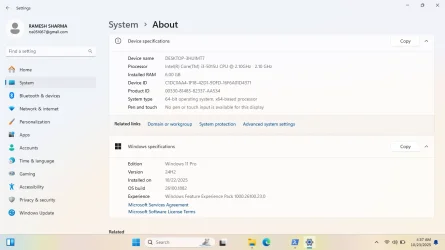
Device name DESKTOP-A9ODV2T
Processor Intel(R) Core(TM) i3-5015U CPU @ 2.10GHz (2.10 GHz)
Installed RAM 6.00 GB
Device ID 39A62263-7A28-40E4-8ACD-953938DDD8F1
Product ID 00330-81487-43919-AA794
System type 64-bit operating system, x64-based processor
Pen and touch No pen or touch input is available for this display
Edition Windows 11 Pro
Version 25H2
Installed on 10/10/2025
OS build 26200.6584
Experience Windows Feature Experience Pack 1000.26100.234.0
I have attached the image showing winver herewith , please see.
(The desktop background wallpaper is manually downloaded, was not with upgradation.)
Thanks for reading and sharing your valuable time.
With reference to the link https://github.com/tips2fix/Tips2Fi.../1.0.2/Tips2Fix-Windows11-Installer-1.0.2.zip , I just downloaded the zip file from this link and extracted it to folder. I downloaded Windows 11 v 25H2 iso from official website of Microsoft and used the installer to upgrade on my laptop unsupported for Windows 11. The v24H2 os build 26100.2033 of Windows 11 was already bypassed by WIM TOOLS by @hsehestedt. I just used first of three options which the code offers before upgrade. I used first option which is fast upgrade without any registry changes. Thanks @Tips2Fix. The activation status was same as it was for v24h2. (Activated with digital license linked to Microsoft Account) Please note that I have not run Windows Update before executing the installer by Tips2Fix.
Device name DESKTOP-A9ODV2T
Processor Intel(R) Core(TM) i3-5015U CPU @ 2.10GHz (2.10 GHz)
Installed RAM 6.00 GB
Device ID 39A62263-7A28-40E4-8ACD-953938DDD8F1
Product ID 00330-81487-43919-AA794
System type 64-bit operating system, x64-based processor
Pen and touch No pen or touch input is available for this display
Edition Windows 11 Pro
Version 25H2
Installed on 10/10/2025
OS build 26200.6584
Experience Windows Feature Experience Pack 1000.26100.234.0
I have attached the image showing winver herewith , please see.
(The desktop background wallpaper is manually downloaded, was not with upgradation.)
Thanks for reading and sharing your valuable time.
- Windows Build/Version
- Windows 11 v25H2 os build 26200.6584
Attachments


My Computer
At a glance
Window 11 v24H2 Build 26100.2033Intel(R) Core(TM) i3-2100 CPU @ 3.10GHz 3.10 GHz4.00 GB (3.89 GB usable)Onboard
- OS
- Window 11 v24H2 Build 26100.2033
- Computer type
- PC/Desktop
- Manufacturer/Model
- ASSEMMBLED
- CPU
- Intel(R) Core(TM) i3-2100 CPU @ 3.10GHz 3.10 GHz
- Motherboard
- ZEBRONICS
- Memory
- 4.00 GB (3.89 GB usable)
- Graphics Card(s)
- Onboard
- Sound Card
- Onboard
- Monitor(s) Displays
- LG
- Screen Resolution
- 1366x768
- Hard Drives
- Toshiba HDD 1 TB
- Keyboard
- Mechanical
- Mouse
- Mechanical
- Internet Speed
- 700 kb/s
- Browser
- Microsoft EDGE, CHROME
- Antivirus
- Microsoft Defender