- Local time
- 8:10 PM
- Posts
- 284
- OS
- Windows 11 Pro 22H2
My Computer
At a glance
Windows 11 Pro 22H2
- OS
- Windows 11 Pro 22H2

Follow along with the video below to see how to install our site as a web app on your home screen.
Note: This feature may not be available in some browsers.


MD C:\DriversBackuppnputil /export-driver * C:\DriversBackupC:\DriversBackupAfterUpdates.C:\DriversBackup making sure to check the box to search all subfolders.


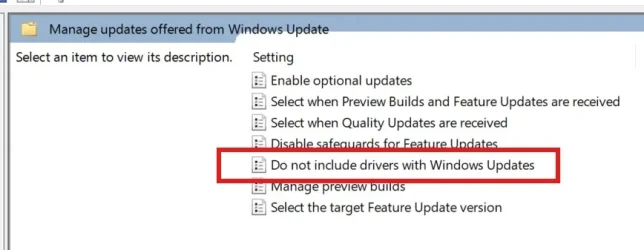
Should I let Windows Update download and install drivers

when i install dell touchpad driver program.my mouse dont move and click. i uninstall it. on next reboot it auto installs. i again uninstall it.


I'm pretty much in the same boat since my Alienware Area 51 and M17 R3 use all Dell drivers so I check for any driver updates almost daily for my PC service tags on the Dell Support Website (I removed the Dell Support Assist app from both as it ran constantly in the background using huge amounts of RAM). Many drivers will have security updates as well as performance fixes so usually a good idea to update to the latest. I'll let Windows Update download certain driver extensions for them as well since I can choose now. And of course my Surface Laptop 7 is all Microsoft drivers so WU is the main source for it except for the latest GPU and NPU drivers that I get through the Snapdragon Control Panel.My System One: Driver updates are done using the Dell Command | Update utility since it's a Dell Computer.
My System Two: Driver updates are, of course, done by Windows Update since it's a Microsoft Computer.
That was true of the older SupportAssist versions. The current implementation on modern XPS systems doesn’t run a background agent at all, so there’s nothing sitting in RAM. On a clean Windows install it only launches when you open it. Process Explorer shows zero activity for SupportAssist on my system.I removed the Dell Support Assist app from both as it ran constantly in the background using huge amounts of RAM.