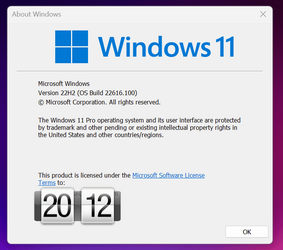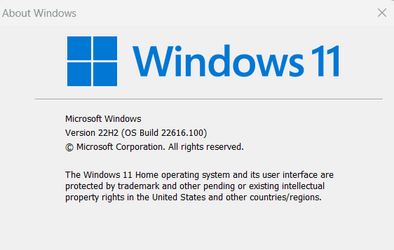
Insider KB5014650 Windows 11 22H2 Insider Dev and Beta Build 22616.100 (ni_release) - May 10


UPDATE 5/11:

UPDATE 5/10: We are starting to roll out Cumulative Update Build 22616.100 (KB5014650). This update does not include anything new and is designed to test our servicing pipeline for builds in the Dev and Beta Channels.

Hello Windows Insiders, today we are releasing Windows 11 Insider Preview Build 22616 to the Dev and Beta Channels.

TL;DR

  • We have another build for Windows Insiders that includes a few changes and fixes (including a fix for the “Show hidden icons” flyout in the system tray not appearing for some Windows Insiders).
  • Windows Insiders who like to game on their PCs with an Xbox Controller on the latest Insider Preview builds in the Dev and Beta Channels can try out the new controller bar feature – see this blog post for details.

REMINDER: Window for switching from Dev Channel to the Beta Channel is closing soon!

Now that the Dev and Beta Channels are receiving the same builds, the window is still open (but closing soon!) for you to switch channels following these simple steps:
  1. Open Settings > Windows Update > Windows Insider Program.
  2. Select Choose your Insider settings
  3. Select Beta Channel.
  4. The next time you receive an update, it will be for your new channel.

IMPORTANT: This window will close once we release builds with higher build numbers to the Dev Channel. If your device stays on the Dev Channel and receives a build that is a higher build number than what is in the Beta Channel, you will have to do a clean installation of the released version of Windows 11 on your device to switch to the Beta Channel.

No action is required if you want to continue receiving the Windows 11 Insider Preview Builds in the Dev Channel.

Changes and Improvements

[General]
  • [REMINDER] The build watermark at the lower right-hand corner of the desktop is no longer present in this build. This doesn’t mean we’re done, and the watermark will return to Insiders in a future build.

[Taskbar]

  • As a result of feedback from Windows Insiders, we have decided to disable the changes to the system tray introduced in Build 22581 for now. The system tray and specifically the “Show hidden icons” flyout will now function the same way it did with the original release of Windows 11, including the ability to rearrange icons in the flyout. We hope to bring these changes back in the future after further refinement of the experience by addressing some of the feedback we have received. As we’ve mentioned previously, features we try out in the Dev or Beta Channels may not always ship.

[Other]

  • Previously, we shared new requirements for internet and MSA on the Windows 11 Pro edition. Today, Windows Insiders on Windows 11 Pro edition will now require MSA and internet connectivity during the initial device setup (OOBE) only when setting up for personal use. If you choose to setup device for Work or School, there is no change, and it will work the same way as before.

Fixes

[General]

  • We fixed an issue where performance and reliability of explorer.exe could degrade over time, eventually resulting in a bugcheck, in the recent Insider Preview builds.

[Taskbar]

  • We fixed the issue causing the “Show hidden icons” flyout in the system tray to disappear completely for some Insiders, even though it shows as “on” under Settings > Personalization > Taskbar and “Other system tray icons”.

[Input]

  • Fixed an issue which was leading to some apps crashing when pressing the half-width/full-width key while using the Japanese IME.

[Widgets]

  • Fixed an issue where if you tried to open the widgets board using a gesture from the side of the screen, you would see the widgets board open and then immediately close.
  • Fixed an issue where users were unable to use the swipe functionality to reliably invoke Widgets.

[Settings]

  • Fixed an issue that could cause Quick Settings to crash when projecting to certain wireless devices.

[Windowing]

  • Addressed an issue where using the 3-finger on-screen touch gesture for minimizing could cause animations to stop working across the system.
  • Fixed an issue impacting DWM reliability in recent flights.
  • Fixed an issue which was causing some apps like Settings to open blank if they were re-opened an upgrade or reboot.

[Task Manager]

  • We fixed an issue that was causing the process list to fluctuate between Apps & Background groups when clicking on Efficiency mode from the command bar

[Windows Sandbox]

  • Fixed an underlying issue which could cause some text in Windows Sandbox to appear as black boxes in certain cases.

[Other]

  • Fixed an issue leading to Windows Update notifications showing they were sent from “Windows.SystemToast.WindowsUpdate.MoNotification” instead of “Windows Update”.

Known issues

[Live captions]

  • Certain apps in full screen (e.g., video players) prevent live captions from being visible.
  • Certain apps positioned near the top of the screen and closed before live captions is run will re-launch behind the live captions window positioned at top. Use the system menu (ALT + Spacebar) while the app has focus to move the app’s window further down.

For developers

You can download the latest Windows Insider SDK at aka.ms/windowsinsidersdk.

SDK NuGet packages are now also flighting at NuGet Gallery | WindowsSDK which include:
These NuGet packages provide more granular access to the SDK and better integrate in CI/CD pipelines.

About the Dev & Beta Channels

As a reminder, we are evolving the way we develop and release to Insiders with the Dev and Beta Channels now representing parallel development paths from our engineers. The Dev Channel will be a place where we will try out different concepts, incubate new ideas, and work on long lead items that may not get released to general customers. The Beta Channel will be the place we preview experiences that are closer to what we will ship to our general customers. However, this does not mean every feature we try out in the Beta Channel will ship. We encourage Insiders to read this blog post from last month that outlines the ways we’ll try things out with Insiders in the Dev and Beta Channels.

These aren’t always stable builds, and sometimes you will see issues that block key activities or require workarounds. It is important to make sure you read the known issues listed in our blog posts as we document many of these issues with each flight.

The desktop watermark you see at the lower right corner of your desktop is normal for these pre-release builds.


Important Insider Links

Thanks,
Amanda & Brandon


Source:

Check Windows Updates


UUP Dump:

64-bit ISO download:
Select language for Windows 11, version 22H2 Insider Preview 10.0.22616.100 (ni_release) amd64

ARM64 ISO download: Select language for Windows 11, version 22H2 Insider Preview 10.0.22616.100 (ni_release) arm64

 
Last edited:

I've given up since the 598 versions to update using Windows Update, just refuses to work. Only way I've been able to do these since then is using ISO and do in place upgrade. Same message whenever I run SetUpDiag

Matching Profile found: FindRollbackFailure - 3A43C9B5-05B3-4F7C-A955-88F991BB5A48
SetupDiag version: 1.6.2107.27002
System Information:
Machine Name = JACOCOPC
Manufacturer = Micro-Star International Co., Ltd.
Model = MS-7C84
HostOSArchitecture = 1033
FirmwareType = UEFI
BiosReleaseDate = 20211229000000.000000+000
BiosVendor = 1.80
BiosVersion = 1.80
HostOSVersion =
HostOSBuildString = 22610.1.amd64fre.ni_release.220425-1336
TargetOSBuildString = 10.0.22616.1 (ni_release.220502-1800)
HostOSLanguageId =
HostOSEdition = Professional
RegisteredAV = Windows Defender
FilterDrivers = FileInfo
UpgradeStartTime = 2022/05/09 07:02:05
UpgradeEndTime = 2022/05/09 14:55:33
UpgradeElapsedTime = 07:53:28
CV = sFMfvfQVHEmsuEws
ReportId = 9E5CE8A6-4C54-4BF2-96DF-B1FB41C97EE9


Error: SetupDiag reports rollback failure found.
Last Phase = Safe OS
Last Operation = Add Appx package F:\WINDOWS\SoftwareDistribution\Download\fa6b20bf8d873c32b2fe4987e527de6d\Microsoft.WindowsSoundRecorder_8wekyb3d8bbwe\Microsoft.WindowsSoundRecorder_8wekyb3d8bbwe.appxbundle
Error = 0x80070002-0x20003
LogEntry: 2022-05-09 14:55:33, Error DISM DISM Appx Provider: PID=1256 TID=1584 Failed to initialize package set - CAppxManager::AddAllUserAppxPackageWithOptionalPackagesAndRegionAndStubPackageOption(hr:0x80070002)

Refer to "Tutorial - Debug system error codes - Win32 apps" for error information.

Last Setup Phase:
Phase Name: Safe OS
Phase Started: 2022/05/09 14:51:51
Phase Ended: 0001/01/01 00:00:00
Phase Time Delta: 00:00:00
Completed Successfully? False


Last Setup Operation:
Operation Name: Add Appx package F:\WINDOWS\SoftwareDistribution\Download\fa6b20bf8d873c32b2fe4987e527de6d\Microsoft.WindowsSoundRecorder_8wekyb3d8bbwe\Microsoft.WindowsSoundRecorder_8wekyb3d8bbwe.appxbundle
Operation Started: 2022/05/09 14:55:33
Operation Ended: 0001/01/01 00:00:00
Operation Time Delta: 0:00:00:00.0000000
Completed Successfully? False
I could not get 59x versions to upgrade but retried with latest 616 version starting from release version and it worked 1st time (quite quick as well).
 
Last edited:

My Computer My Computer

At a glance

Windows 11 Pro + Win11 Canary VM.I9 13th gen i9-13900H 2.60 GHZ16 GB solderedIntegrated Intel Iris XE
OS
Windows 11 Pro + Win11 Canary VM.
Computer type
Laptop
Manufacturer/Model
ASUS Zenbook 14
CPU
I9 13th gen i9-13900H 2.60 GHZ
Motherboard
Yep, Laptop has one.
Memory
16 GB soldered
Graphics Card(s)
Integrated Intel Iris XE
Sound Card
Realtek built in
Monitor(s) Displays
laptop OLED screen
Screen Resolution
2880x1800 touchscreen
Hard Drives
1 TB NVME SSD (only weakness is only one slot)
PSU
Internal + 65W thunderbolt USB4 charger
Case
Yep, got one
Cooling
Stella Artois (UK pint cans - 568 ml) - extra cost.
Keyboard
Built in UK keybd
Mouse
Bluetooth , wireless dongled, wired
Internet Speed
900 mbs (ethernet), wifi 6 typical 350-450 mb/s both up and down
Browser
Edge
Antivirus
Defender
Other Info
TPM 2.0, 2xUSB4 thunderbolt, 1xUsb3 (usb a), 1xUsb-c, hdmi out, 3.5 mm audio out/in combo, ASUS backlit trackpad (inc. switchable number pad)

Macrium Reflect Home V8
Office 365 Family (6 users each 1TB onedrive space)
Hyper-V (a vm runs almost as fast as my older laptop)
After disconnection from internet, unplugging all devices, disabling Secure Boot manage to install from ISO. Next update I'll go through the process and unplug 1 thing at a time to see if can figure out exactly where it goes wrong.

1652108609052.png
 

My Computer My Computer

At a glance

Windows 11AMD Ryzen 5900x16 GBNvidia GTX 1650
OS
Windows 11
Computer type
PC/Desktop
CPU
AMD Ryzen 5900x
Motherboard
Tomahawk x570
Memory
16 GB
Graphics Card(s)
Nvidia GTX 1650
Sound Card
Onboard
Monitor(s) Displays
42inch Mecer LED panel, 2 x HP Compaq 22 inch.
Screen Resolution
1920 x 1080
Internet Speed
1GB Fibre
Browser
Edge
I've given up since the 598 versions to update using Windows Update, just refuses to work.
I could not get 59x versions to upgrade....
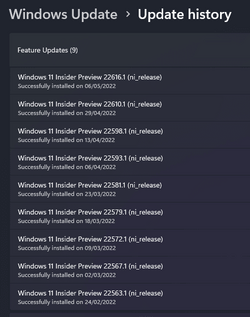
I started at build 22563.1. All mine, Dev or Beta, VM or physical, have successfully updated through Windows Update since then.

1652112917828.png
 

My Computers My Computers

  • At a glance

    Windows 11 HomeAMD Athlon Silver 3050U8GBRadeon Graphics
    OS
    Windows 11 Home
    Computer type
    Laptop
    Manufacturer/Model
    Acer Aspire 3 A315-23-R9VY
    CPU
    AMD Athlon Silver 3050U
    Memory
    8GB
    Graphics Card(s)
    Radeon Graphics
    Monitor(s) Displays
    laptop screen
    Screen Resolution
    1366x768 native resolution, up to 2560x1440 with Radeon Virtual Super Resolution
    Hard Drives
    1TB Samsung EVO 870 SSD (from April 2026: 250GB EVO 850)
    Internet Speed
    150 Mbps
    Browser
    Edge, Firefox
    Antivirus
    Defender
    Other Info
    fully 'Windows 11 ready' laptop. Windows 10 C: partition migrated from my old unsupported 'main machine' then upgraded to 11. A test migration ran Insider builds for 2 months. When 11 was released on 5th October 2021 it was re-imaged back to 10 and was offered the upgrade in Windows Update on 20th October. Windows Update offered the 22H2 Feature Update on 20th September 2022. It got the 23H2 Feature Update on 4th November 2023 through Windows Update, 24H2 on 3rd October 2024 through Windows Update by setting the Target Release Version for 24H2, and 25H2 on 30th September 2025 through Windows Update by setting the Target Release Version for 25H2.

    UPDATE - 11 April 2026: due to mechanical deterioration this PC has been retired from active duty. The OS with all software and files has been migrated to my System Seven in 'Other systems' to carry on as my general purpose 'main machine'.

    I've now clean installed 25H2 and used Garlin's scripts to update Secure Boot to CA 2023 and revoke the PCA 2011 certificates. It's new role is to test secure boot issues.
  • At a glance

    Windows 11 ProIntel® Core™ i5-520M8GB(integrated graphics) Intel HD Graphics
    Operating System
    Windows 11 Pro
    Computer type
    Laptop
    Manufacturer/Model
    Dell Latitude E4310
    CPU
    Intel® Core™ i5-520M
    Motherboard
    0T6M8G
    Memory
    8GB
    Graphics card(s)
    (integrated graphics) Intel HD Graphics
    Screen Resolution
    1366x768
    Hard Drives
    500GB Crucial MX500 SSD
    Browser
    Firefox, Edge
    Antivirus
    Defender
    Other Info
    unsupported machine: Legacy bios, MBR, TPM 1.2, upgraded from W10 to W11 using W10/W11 hybrid install media workaround.

    In-place upgrade to 22H2 using ISO and a workaround.
    Feature Update to 23H2 by manually installing the Enablement Package.
    In-place upgrade to 24H2 using hybrid 23H2/24H2 install media.
    Upgraded to 25H2 by Enablement Package.

    Also running Insider Dev, and Canary builds and Windows 10 as native boot .vhdx.
  • My SYSTEM THREE is a Dell Latitude 5410, i7-10610U, 32GB RAM, 512GB NVMe ssd, supported device running Windows 11 Pro.

    My SYSTEM FOUR is a 2-in-1 convertible Lenovo Yoga 11e 20DA, Celeron N2930, 8GB RAM, 256GB ssd. Unsupported device: currently running Win10 Pro, plus Win11 Pro RTM and Insider Dev, Beta, and RP 24H2 as native boot vhdx.

    My SYSTEM FIVE is a Dell Latitude 3190 2-in-1, Pentium Silver N5030, 8GB RAM, 1TB NVMe ssd, supported device running Windows 11 Pro, plus Insider Beta, Dev, and Canary builds (and a few others) as a native boot .vhdx.

    My SYSTEM SIX is a Dell Latitude 5550, Core Ultra 7 165H, 64GB RAM, 1TB NVMe SSD, supported device, Windows 11 Pro 24H2, Hyper-V host machine. Updated to 25H2 on 30th September 2025.

    My SYSTEM SEVEN is a Lenovo Thinkpad T580, Intel Core i7-8650U, 16GB RAM, 512GB NVMe SSD + 2nd 512GB NVMe SSD, a supported device for Windows 11. This is my current general purpose 'main machine'. The installed Windows 11 Home from my System One has been migrated to this machine.
Are the icons pinned to the Taskbar supposed to disappear until the mouse curser scrolls over them in this build or is this a bug caused by me using StartAllBack? The icons on my primary monitor will occasionally disappear until my mouse curser scrolls over them. They appear one at a time as I scroll the mouse curser over them. It doesn't happen on my secondary monitor.
 

My Computers My Computers

  • At a glance

    Windows 11 Pro 25H2Intel Core i7-10700K16GB (8GB PC4-19200 DDR4 SDRAM x2)NVIDIA GeForce GTX 1050 TI
    OS
    Windows 11 Pro 25H2
    Computer type
    PC/Desktop
    Manufacturer/Model
    PowerSpec B746
    CPU
    Intel Core i7-10700K
    Motherboard
    ASRock Z490 Phantom Gaming 4/ax
    Memory
    16GB (8GB PC4-19200 DDR4 SDRAM x2)
    Graphics Card(s)
    NVIDIA GeForce GTX 1050 TI
    Sound Card
    Realtek Audio
    Monitor(s) Displays
    #1. LG ULTRAWIDE 34" #2. AOC Q32G2WG3 32"
    Screen Resolution
    #1. 3440 X 1440 #2. 1920 x 1080
    Hard Drives
    NVMe WDC WDS100T2B0C-00PXH0 1TB
    Samsung SSD 860 EVO 1TB
    PSU
    750 Watts (62.5A)
    Case
    PowerSpec/Lian Li ATX 205
    Keyboard
    Logitech K270
    Mouse
    Logitech M185
    Browser
    Microsoft Edge and Firefox
    Antivirus
    Webroot SecureAnywhere CE 26.1
  • At a glance

    Windows 11 Canary ChannelIntel Core i5-8400 CPU @ 2.80GHz16 MB DDR 4-2666
    Operating System
    Windows 11 Canary Channel
    Computer type
    PC/Desktop
    Manufacturer/Model
    PowerSpec G156
    CPU
    Intel Core i5-8400 CPU @ 2.80GHz
    Motherboard
    AsusTeK Prime B360M-A
    Memory
    16 MB DDR 4-2666
    Monitor(s) Displays
    23" Speptre HDMI 75Hz
    Screen Resolution
    1920x1080
    Hard Drives
    Samsung 970 EVO 500GB NVMe
    Keyboard
    Logitek K270
    Mouse
    Logitek M185
    Browser
    Firefox, Edge and Edge Canary
    Antivirus
    Windows Defender
Are the icons pinned to the Taskbar supposed to disappear until the mouse curser scrolls over them in this build or is this a bug caused by me using StartAllBack? The icons on my primary monitor will occasionally disappear until my mouse curser scrolls over them. They appear one at a time as I scroll the mouse curser over them. It doesn't happen on my secondary monitor.
I'm not seeing this. Try disabling SAIB and rebooting?
 

My Computer My Computer

At a glance

Win11 Pro 23H2 (Canary on secondary boxes)
OS
Win11 Pro 23H2 (Canary on secondary boxes)

Build 22616.100 downloading here​


My Computer My Computer

At a glance

Windows 11 Pro 64bit (release preview channel)i5 840016 GB DDR4RTX 3060 Ti
OS
Windows 11 Pro 64bit (release preview channel)
Computer type
PC/Desktop
Manufacturer/Model
Asus
CPU
i5 8400
Motherboard
ROG STRIX Z370-H GAMING
Memory
16 GB DDR4
Graphics Card(s)
RTX 3060 Ti
Sound Card
On Board
Monitor(s) Displays
Acer VG242Y P
Screen Resolution
1080p
Hard Drives
Intel 660p SSD
PSU
800w
Internet Speed
1000 Mbps
yea, .100 is coming along with Patch Tuesday updates
 

My Computer My Computer

At a glance

Win11 Pro 23H2 (Canary on secondary boxes)
OS
Win11 Pro 23H2 (Canary on secondary boxes)
Yay! :ROFLMAO:


My Computer My Computer

At a glance

Windows 11 Pro Beta, 11 Dev, W11 CanaryAMD Ryzen™ 9 5900HX32GBNVIDIA® GeForce RTX™ 3070 8GB GDDR6
OS
Windows 11 Pro Beta, 11 Dev, W11 Canary
Computer type
Laptop
Manufacturer/Model
Dell Alienware M15 Ryzen Edition R6
CPU
AMD Ryzen™ 9 5900HX
Memory
32GB
Graphics Card(s)
NVIDIA® GeForce RTX™ 3070 8GB GDDR6
Hard Drives
1 x Samsung 980 Pro 1TB
1 x Samsung 970 Evo Plus 1TB
A quick one!
 

My Computers My Computers

  • At a glance

    Win 11 Pro (25H2 RP)Intel(R) Core(TM) i5-9300H CPU @ 2.40GHz 2.40...32GBNvidia GeForce GTX 1650, Intel UHD 630
    OS
    Win 11 Pro (25H2 RP)
    Computer type
    Laptop
    Manufacturer/Model
    Acer AN515-54
    CPU
    Intel(R) Core(TM) i5-9300H CPU @ 2.40GHz 2.40 GHz
    Memory
    32GB
    Graphics Card(s)
    Nvidia GeForce GTX 1650, Intel UHD 630
    Monitor(s) Displays
    Acer CB272D
    Screen Resolution
    1920x1080
    Hard Drives
    256GB and 1T SSD
    Internet Speed
    500MB
    Browser
    Edge (Stable)
    Antivirus
    Microsoft Defender
  • At a glance

    Win 11 Pro (RP)Intel(R) Core(TM) Ultra 9 275HX (2.70 GHz)32GB DDR5-5600NVIDIA® GeForce RTX™ 5060 8GB
    Operating System
    Win 11 Pro (RP)
    Computer type
    Laptop
    Manufacturer/Model
    Lenovo Legion 5 16IAX10 - Type 83NX
    CPU
    Intel(R) Core(TM) Ultra 9 275HX (2.70 GHz)
    Memory
    32GB DDR5-5600
    Graphics card(s)
    NVIDIA® GeForce RTX™ 5060 8GB
    Monitor(s) Displays
    Acer CB272D
    Screen Resolution
    1920x1080 75Hz
    Hard Drives
    WD Green SN3000 (2TB)
    Samsung Portable T5 (2TB)
    Keyboard
    Logi MX Keys
    Mouse
    Logi MX Anywhere 3
    Internet Speed
    500MB
    Browser
    Edge
    Antivirus
    MS Defender
1652205886893.png
1652206395190.png
 

My Computer My Computer

At a glance

W11 Pro and Insider DevAMD Ryzen 9 7900x2x16GB Kingston 6000MHz, Cl 32 @ 6200MHz Cl30Gigabyte Rx 6600XT Gaming OC 8G Pro
OS
W11 Pro and Insider Dev
Computer type
PC/Desktop
Manufacturer/Model
Home brewed
CPU
AMD Ryzen 9 7900x
Motherboard
ASROCK b650 PRO RS
Memory
2x16GB Kingston 6000MHz, Cl 32 @ 6200MHz Cl30
Graphics Card(s)
Gigabyte Rx 6600XT Gaming OC 8G Pro
Sound Card
MB, Realtek Ac1220p
Monitor(s) Displays
3 x 27"
Screen Resolution
1080p
Hard Drives
Kingston KC3000. 1TBSamsung 970 evo Plus 500GB, Crucial P1 NVMe 1TB, Lexar NVMe 2 TB, Silicon Power M.2 SATA 500GB
PSU
Seasonic 750W
Case
Custom Raidmax
Cooling
Arctic Liquid Freezer III 360mm
Internet Speed
20/19 mbps
Updated the beta and the dev channels with new updates/editions. No problems encountered so far.
 
Last edited:

My Computers My Computers

  • At a glance

    windows 10 & 11AMD Ryzen 7X64GbRadeon RX 480 8Gb
    OS
    windows 10 & 11
    Computer type
    PC/Desktop
    Manufacturer/Model
    iBuyPower (special build)
    CPU
    AMD Ryzen 7X
    Motherboard
    Asus Prime x370 Pro
    Memory
    64Gb
    Graphics Card(s)
    Radeon RX 480 8Gb
    Monitor(s) Displays
    Samsung UHD 27 inch
    Screen Resolution
    UHD
    Hard Drives
    3 Samsung 1 TB SSD each; 1 Samsung PCIe M.2 at 2 TB
  • At a glance

    Windows 11 proAMD 9 5900X32 GbNvidia GeForce RTX 3080 Ti 12 GB GDDR6X
    Operating System
    Windows 11 pro
    Computer type
    PC/Desktop
    Manufacturer/Model
    IBuyPower
    CPU
    AMD 9 5900X
    Motherboard
    Asus x570 ROG Crosshair VIII Dark Hero WI-FI 6E ARGB
    Memory
    32 Gb
    Graphics card(s)
    Nvidia GeForce RTX 3080 Ti 12 GB GDDR6X
    Sound Card
    3D PREMIUM surround sound onboard
    Monitor(s) Displays
    Samsung 32 inch UHD curved monitor
    Screen Resolution
    UHD
    Hard Drives
    Samsung 980 pro 2 tb gen 4 NVMe ssd
    PSU
    850 watt consair RM850X
    Case
    Lian Li LANCOOL ONE tempered glass RGB gaming case
    Cooling
    DEEPCOOL GAMERSTORM RGB 240 mm CASTLE 240EX liquid cooler
    Keyboard
    Ares m.2 gaming keyboard
    Mouse
    Ares m.2 gaming optical mouse
    Internet Speed
    450
    Browser
    Firefox / Edge
    Antivirus
    Windows defender
    Other Info
    With all this gaming rig I am not a gamer!
Installed
 

My Computers My Computers

  • At a glance

    Windows 11 ProIntel Core i9-14900HX32 GBIntel UHD Graphics, NVIDIA RTX 4070 Laptop
    OS
    Windows 11 Pro
    Computer type
    Laptop
    Manufacturer/Model
    Lenovo Legion 7i 16IRX9
    CPU
    Intel Core i9-14900HX
    Motherboard
    LENOVO LNVNB161216 Chipset HM 770
    Memory
    32 GB
    Graphics Card(s)
    Intel UHD Graphics, NVIDIA RTX 4070 Laptop
    Sound Card
    Realtek in-built
    Screen Resolution
    3200x2000 200% Scale
    Hard Drives
    C: HDD 1 TB SAMSUNG MZVL21T0HCLR-00BL2
    D: HDD 1 TB CRUCIAL CT1000P3PSSD8
    Antivirus
    BitDefender Free
  • At a glance

    Windows 11 ProI7 10750H32 GBIntel UHD - NVIDIA 1650 Ti Max-Q
    Operating System
    Windows 11 Pro
    Computer type
    Laptop
    Manufacturer/Model
    Lenovo ThinkPad X1 3Gen Extreme
    CPU
    I7 10750H
    Motherboard
    Intel MW-490
    Memory
    32 GB
    Graphics card(s)
    Intel UHD - NVIDIA 1650 Ti Max-Q
    Sound Card
    Realtek in-built
    Screen Resolution
    3840x2160 225% Scale
    Hard Drives
    C: WDC PC SN730 SDBQNTY-1T00-1001 (1 TB)
    D: KINGSTON SNV2S2000G (2 TB)
    Antivirus
    BitDefender

My Computers My Computers

  • At a glance

    Windows 11 Pro 25H2Intel Core i7-10700K16GB (8GB PC4-19200 DDR4 SDRAM x2)NVIDIA GeForce GTX 1050 TI
    OS
    Windows 11 Pro 25H2
    Computer type
    PC/Desktop
    Manufacturer/Model
    PowerSpec B746
    CPU
    Intel Core i7-10700K
    Motherboard
    ASRock Z490 Phantom Gaming 4/ax
    Memory
    16GB (8GB PC4-19200 DDR4 SDRAM x2)
    Graphics Card(s)
    NVIDIA GeForce GTX 1050 TI
    Sound Card
    Realtek Audio
    Monitor(s) Displays
    #1. LG ULTRAWIDE 34" #2. AOC Q32G2WG3 32"
    Screen Resolution
    #1. 3440 X 1440 #2. 1920 x 1080
    Hard Drives
    NVMe WDC WDS100T2B0C-00PXH0 1TB
    Samsung SSD 860 EVO 1TB
    PSU
    750 Watts (62.5A)
    Case
    PowerSpec/Lian Li ATX 205
    Keyboard
    Logitech K270
    Mouse
    Logitech M185
    Browser
    Microsoft Edge and Firefox
    Antivirus
    Webroot SecureAnywhere CE 26.1
  • At a glance

    Windows 11 Canary ChannelIntel Core i5-8400 CPU @ 2.80GHz16 MB DDR 4-2666
    Operating System
    Windows 11 Canary Channel
    Computer type
    PC/Desktop
    Manufacturer/Model
    PowerSpec G156
    CPU
    Intel Core i5-8400 CPU @ 2.80GHz
    Motherboard
    AsusTeK Prime B360M-A
    Memory
    16 MB DDR 4-2666
    Monitor(s) Displays
    23" Speptre HDMI 75Hz
    Screen Resolution
    1920x1080
    Hard Drives
    Samsung 970 EVO 500GB NVMe
    Keyboard
    Logitek K270
    Mouse
    Logitek M185
    Browser
    Firefox, Edge and Edge Canary
    Antivirus
    Windows Defender
I'm not seeing this. Try disabling SAIB and rebooting?
I just downloaded the update for Windows and the update for StartAllBack. I'm going to do a restart and see what happens.
 

My Computers My Computers

  • At a glance

    Windows 11 Pro 25H2Intel Core i7-10700K16GB (8GB PC4-19200 DDR4 SDRAM x2)NVIDIA GeForce GTX 1050 TI
    OS
    Windows 11 Pro 25H2
    Computer type
    PC/Desktop
    Manufacturer/Model
    PowerSpec B746
    CPU
    Intel Core i7-10700K
    Motherboard
    ASRock Z490 Phantom Gaming 4/ax
    Memory
    16GB (8GB PC4-19200 DDR4 SDRAM x2)
    Graphics Card(s)
    NVIDIA GeForce GTX 1050 TI
    Sound Card
    Realtek Audio
    Monitor(s) Displays
    #1. LG ULTRAWIDE 34" #2. AOC Q32G2WG3 32"
    Screen Resolution
    #1. 3440 X 1440 #2. 1920 x 1080
    Hard Drives
    NVMe WDC WDS100T2B0C-00PXH0 1TB
    Samsung SSD 860 EVO 1TB
    PSU
    750 Watts (62.5A)
    Case
    PowerSpec/Lian Li ATX 205
    Keyboard
    Logitech K270
    Mouse
    Logitech M185
    Browser
    Microsoft Edge and Firefox
    Antivirus
    Webroot SecureAnywhere CE 26.1
  • At a glance

    Windows 11 Canary ChannelIntel Core i5-8400 CPU @ 2.80GHz16 MB DDR 4-2666
    Operating System
    Windows 11 Canary Channel
    Computer type
    PC/Desktop
    Manufacturer/Model
    PowerSpec G156
    CPU
    Intel Core i5-8400 CPU @ 2.80GHz
    Motherboard
    AsusTeK Prime B360M-A
    Memory
    16 MB DDR 4-2666
    Monitor(s) Displays
    23" Speptre HDMI 75Hz
    Screen Resolution
    1920x1080
    Hard Drives
    Samsung 970 EVO 500GB NVMe
    Keyboard
    Logitek K270
    Mouse
    Logitek M185
    Browser
    Firefox, Edge and Edge Canary
    Antivirus
    Windows Defender
That's because it's just a servicing pipeline test.
The "official" Win 11 Patch Tuesday, however, is not so quick. The old Dell E6410 where I have that installed has been grinding on it for over an hour and is still at 68% installed...
 

My Computers My Computers

  • At a glance

    Win 11 Pro (25H2 RP)Intel(R) Core(TM) i5-9300H CPU @ 2.40GHz 2.40...32GBNvidia GeForce GTX 1650, Intel UHD 630
    OS
    Win 11 Pro (25H2 RP)
    Computer type
    Laptop
    Manufacturer/Model
    Acer AN515-54
    CPU
    Intel(R) Core(TM) i5-9300H CPU @ 2.40GHz 2.40 GHz
    Memory
    32GB
    Graphics Card(s)
    Nvidia GeForce GTX 1650, Intel UHD 630
    Monitor(s) Displays
    Acer CB272D
    Screen Resolution
    1920x1080
    Hard Drives
    256GB and 1T SSD
    Internet Speed
    500MB
    Browser
    Edge (Stable)
    Antivirus
    Microsoft Defender
  • At a glance

    Win 11 Pro (RP)Intel(R) Core(TM) Ultra 9 275HX (2.70 GHz)32GB DDR5-5600NVIDIA® GeForce RTX™ 5060 8GB
    Operating System
    Win 11 Pro (RP)
    Computer type
    Laptop
    Manufacturer/Model
    Lenovo Legion 5 16IAX10 - Type 83NX
    CPU
    Intel(R) Core(TM) Ultra 9 275HX (2.70 GHz)
    Memory
    32GB DDR5-5600
    Graphics card(s)
    NVIDIA® GeForce RTX™ 5060 8GB
    Monitor(s) Displays
    Acer CB272D
    Screen Resolution
    1920x1080 75Hz
    Hard Drives
    WD Green SN3000 (2TB)
    Samsung Portable T5 (2TB)
    Keyboard
    Logi MX Keys
    Mouse
    Logi MX Anywhere 3
    Internet Speed
    500MB
    Browser
    Edge
    Antivirus
    MS Defender
The "official" Win 11 Patch Tuesday, however, is not so quick. The old Dell E6410 where I have that installed has been grinding on it for over an hour and is still at 68% installed...
In the past I have had new Insider builds that took hours to install.
I'm not seeing this. Try disabling SAIB and rebooting?
So far, the Taskbar is working like it should.
 

My Computers My Computers

  • At a glance

    Windows 11 Pro 25H2Intel Core i7-10700K16GB (8GB PC4-19200 DDR4 SDRAM x2)NVIDIA GeForce GTX 1050 TI
    OS
    Windows 11 Pro 25H2
    Computer type
    PC/Desktop
    Manufacturer/Model
    PowerSpec B746
    CPU
    Intel Core i7-10700K
    Motherboard
    ASRock Z490 Phantom Gaming 4/ax
    Memory
    16GB (8GB PC4-19200 DDR4 SDRAM x2)
    Graphics Card(s)
    NVIDIA GeForce GTX 1050 TI
    Sound Card
    Realtek Audio
    Monitor(s) Displays
    #1. LG ULTRAWIDE 34" #2. AOC Q32G2WG3 32"
    Screen Resolution
    #1. 3440 X 1440 #2. 1920 x 1080
    Hard Drives
    NVMe WDC WDS100T2B0C-00PXH0 1TB
    Samsung SSD 860 EVO 1TB
    PSU
    750 Watts (62.5A)
    Case
    PowerSpec/Lian Li ATX 205
    Keyboard
    Logitech K270
    Mouse
    Logitech M185
    Browser
    Microsoft Edge and Firefox
    Antivirus
    Webroot SecureAnywhere CE 26.1
  • At a glance

    Windows 11 Canary ChannelIntel Core i5-8400 CPU @ 2.80GHz16 MB DDR 4-2666
    Operating System
    Windows 11 Canary Channel
    Computer type
    PC/Desktop
    Manufacturer/Model
    PowerSpec G156
    CPU
    Intel Core i5-8400 CPU @ 2.80GHz
    Motherboard
    AsusTeK Prime B360M-A
    Memory
    16 MB DDR 4-2666
    Monitor(s) Displays
    23" Speptre HDMI 75Hz
    Screen Resolution
    1920x1080
    Hard Drives
    Samsung 970 EVO 500GB NVMe
    Keyboard
    Logitek K270
    Mouse
    Logitek M185
    Browser
    Firefox, Edge and Edge Canary
    Antivirus
    Windows Defender
Beta done, no issues.
 

My Computers My Computers

  • At a glance

    Windows 11 22H2 OS Build 22623.1095AMD Ryzen 7 3800X16GB Corsair Vengeance LPX DDR4 @3000MhzASUS - GeForce RTX 3070 Ti 8 GB TUF GAMING OC
    OS
    Windows 11 22H2 OS Build 22623.1095
    Computer type
    PC/Desktop
    Manufacturer/Model
    Self Build
    CPU
    AMD Ryzen 7 3800X
    Motherboard
    Asus PRIME B350-PLUS
    Memory
    16GB Corsair Vengeance LPX DDR4 @3000Mhz
    Graphics Card(s)
    ASUS - GeForce RTX 3070 Ti 8 GB TUF GAMING OC
    Sound Card
    On Board Realtec
    Monitor(s) Displays
    Acer KA241
    Screen Resolution
    1920 x 1080 @60Hz
    Hard Drives
    240GB PNY CS900 SSD - OS
    2 x 1TB Crucial MX500 SSD
    1 x 500GB Crucial MX300 SSD
    2TB Seagate ST2000DM001-1ER164
    2TB Seagate ST2000DM008-2FR102
    PSU
    750 Watt Corsair TX750 Plus
    Case
    Cooler Master 690 III
    Cooling
    Akasa AK98 5 Case Fans
    Keyboard
    Logitech K270 - wireless
    Mouse
    Logitech - M185 wireless
    Internet Speed
    BT Fibre 75 Mbps
    Browser
    Firefox
    Antivirus
    Windows Defender
    Other Info
    Use hardware KVM to switch monitors on three PCs and software (input director) to use mouse and keyboard on all 4 PCs.
  • At a glance

    Windows 11 Pro 22H2 build 22621.900Intel i5 - 1040016GB of HyperX Fury @ 2133 MhzEVGA 6GB GTX 1060.
    Operating System
    Windows 11 Pro 22H2 build 22621.900
    Computer type
    PC/Desktop
    Manufacturer/Model
    Dell Inspiron 3881 - modified with SFX PSU fitted internally
    CPU
    Intel i5 - 10400
    Motherboard
    Dell 032w55 version A00
    Memory
    16GB of HyperX Fury @ 2133 Mhz
    Graphics card(s)
    EVGA 6GB GTX 1060.
    Sound Card
    Builtin
    Monitor(s) Displays
    ACER KA241
    Screen Resolution
    1920x 1080 @60Hz
    Hard Drives
    256GB SK hynix NVMe
    1TB Western Digital WD10EZEX-75WN4A1
    PSU
    Modular 450 Watt Corsair SF450 Platinum ( Mod to replace the Dell 265 Watt PSU)
    Case
    Inspiron Small Desktop
    Cooling
    Dell stock cooler
    Keyboard
    Dell
    Mouse
    Dell
    Internet Speed
    BT Fibre 75 Mbps
    Browser
    Firefox
    Antivirus
    Windows Defender
    Other Info
    Use hardware KVM to switch monitors on three PCs and software (input director) to use mouse and keyboard on all 4 PCs.
All done and no issues so far
 

My Computer My Computer

At a glance

Windows 11 Home() - 25H2 -26220.8894AMD Ryzen 5 5600GG.SKILL Ripjaws V Series 64GB 4x16Nvidia geforce gtx titan x
OS
Windows 11 Home() - 25H2 -26220.8894
Computer type
PC/Desktop
Manufacturer/Model
Banana Junior 5600-G Series
CPU
AMD Ryzen 5 5600G
Motherboard
Asus ROG Strix B550-F
Memory
G.SKILL Ripjaws V Series 64GB 4x16
Graphics Card(s)
Nvidia geforce gtx titan x
Monitor(s) Displays
28" ASUS VP28U 4k
Screen Resolution
4K
Hard Drives
Primary SAMSUNG 970 EVO Plus
PSU
EVGA BQ 700w 80+ Bronze
Case
Zalman i3 NEO
Cooling
ARCTIC Freezer 7 X
Keyboard
Corsair
Mouse
Amazon Generic with Cord
Internet Speed
Download: 295.11 mbps Upload: 65.35 mbps T-Mobile Internet
Browser
Firefox and Edge
Antivirus
MS - Defender
Other Info
Speakers: Klipsch ProMedia 2.1
update
Screenshot 2022-05-11 043001.png
 

My Computers My Computers

  • At a glance

    Windows 11 Pro Insider OS Build 29617.1000i9-9900 8C/16T Coffee Lake(2 x 8 GB) 16 GB DDR-4 @3000 Mhz Patriot ViperNvidea RTX-2080 Ti 11 GB asus
    OS
    Windows 11 Pro Insider OS Build 29617.1000
    Computer type
    PC/Desktop
    Manufacturer/Model
    Build Aswin😂😂👍
    CPU
    i9-9900 8C/16T Coffee Lake
    Motherboard
    MSI-B360 Gaming Pro Carbon-ATX(update bios 2D2(2021) to 2D0 (2022)
    Memory
    (2 x 8 GB) 16 GB DDR-4 @3000 Mhz Patriot Viper
    Graphics Card(s)
    Nvidea RTX-2080 Ti 11 GB asus
    Sound Card
    Speaker(Realtek audio)(standby) and Lg Speaker build in
    Monitor(s) Displays
    Monitors LG TV 43 inch 43NANO75TPA,(4K,60 Hz,WCG,HLG,HDR10+): Hdmi 2.0b x3
    Screen Resolution
    Desktop mode 4096 x 2160/60 Hz Active Signal Mode 4096 x 2160/60 Hz,HDR Enable: Destop Mode 4096x2160/60Hz Active Signal Mode 4096 x2160/60 Hz
    Hard Drives
    1.M2.Nvme SSD Gen 3 x4,1 TB KYO Utimate K350 (OS) with heat sink 2.M2.Nvme SSD gen 3 x 4-512 GB KYO ULTIMATE K350 with heat Sink 3. SSD SATA 500 GB WD 4.SSD SATA120 GB Kingston....5. HDD 1TB Seagate
    PSU
    850 w full modular 80 gold gamemax
    Case
    Aigo DarkFlash phantom ATX(with 8 RGB Fans(4 Front+ 2 Rear (exhaust)+ 2 bottom side) DR 12) Tempered glass -Full Tower.
    Cooling
    AIO gamemax(CPU liquid cooler) L240 RGB-Top side(exhaust)
    Keyboard
    Logitech
    Mouse
    logitech
    Internet Speed
    Cable LAN CAT 6 E(25 meters) ,TP-link switch adapter 5 ports 1000/1000 Mbps Download 141 Mbps Upload 141 Mbps, Intel® I219-V Gigabit LAN controller
    Browser
    edge stable
    Antivirus
    MS defender A/V
    Other Info
    This PC on second floor, GPON ONT (optic network terminal ISP term) on ist floor
    2021
    add 2 fans 120 mm in bottom side😊👍.oct
    2022
    Replace TP link switch adapter 100/100 to 1000/1000 may
    2023 jan
    detected 1 Ram 3200 Mhz Hyper X kingston problem -> replace both with patriot DDR4 3000 Mhz from ex i7-9700😁
    2023 jan
    update bios 2D2(2021) --->> 2D0 (2022)
    2023 March
    Change storage : SSD SATA ------>>>>M2.NVme SSD (OS)
    2023 April
    Change storage for OS Nvme 512GB ---->>> 1TB
    2024
    PSU 650 w 80 plus bronze -------> 850 w full modular 80 gold
    GTX 1060 6 GB galax-------> RTX 2080 Ti Asrock 2 x 8 pin
    update bios from 2D0------>>> 2E0
    change cable Hdmi 2.0b to hdmi 2.1 and resetting Nvidia control panel
    just testing after new processor come will replace with hdmi2.0b .

    26 March 2026 update bios from 2D0(2022) to 2E0 (2024)
  • At a glance

    Windows 11 Pro Insider OS ver 26 H2 26300.8935Intel core i5-9300H [email protected] GHz 4C/8T Coffee ...DDR4 16 GB 2 x 8 GB, 2666 Mhz Sk Hynix- Jedec...1. Intel graphic UHD 630 2. Nvidea Geforce GT...
    Operating System
    Windows 11 Pro Insider OS ver 26 H2 26300.8935
    Computer type
    Laptop
    Manufacturer/Model
    Acer Nitro AN515-54
    CPU
    Intel core i5-9300H [email protected] GHz 4C/8T Coffee Lake
    Motherboard
    Manufacturer CFL , Model Octavia_CFS , Bios Version V1.33( 11/17/2020)
    Memory
    DDR4 16 GB 2 x 8 GB, 2666 Mhz Sk Hynix- Jedec 11 : CL : 20-19-19-43-61/1.2 V
    Graphics card(s)
    1. Intel graphic UHD 630 2. Nvidea Geforce GTX 1650 , 4 GB
    Sound Card
    1.Realtek Version 6.0.8929.1 2. NVIDIA Version 4.39.0.0 ( Virtual Audio Device ( Wave Extensible) (WDM)
    Monitor(s) Displays
    15.6"
    Screen Resolution
    1920 x 1080
    Hard Drives
    1.M2.Nvme SSD gen 3 x 4-1TB (OS) XPG SX8200 Pro with Heatsink 2. M2. SATA 1 TB 3. HDD 1 TB
    PSU
    Acer
    Case
    Acer
    Cooling
    Double Cooling Fans
    Keyboard
    1.Acer 2.Votre(wired)
    Mouse
    Optical mouse(FO)
    Internet Speed
    1. Cable Lan Cat 6E (25 meters) 2. Intel Wireless-AC 9560 160 Mhz 3. Realtek Gaming GBe Family cont (RJ45). TP-link switch adapter 1000/1000 Mbps Download : 187 Mbps Upload : 87 Mbps
    Browser
    Edge Stable
    Antivirus
    MS A/V
    Other Info
    This Laptop on second Floor , GPON ONT(optic network terminal ISP term ) on 1st Floor
    2022
    1. Upgraded from Windows 11 Home to Pro------May
    2. Replace TP link switch adapter 100/100 to 1000/1000→→→May
    2023
    3.Repale Storage(OS) from SATA to NVME---->> Feb
    4. ugrade ram 12 GB to 16 GB------>>>>April
    2024
    nvme 512GB replace to 1 TB
    M2 sata 240 GB replace to 1 TB
Screenshot 2022-05-11 043528.png
 

My Computers My Computers

  • At a glance

    Windows 11 Pro Insider OS Build 29617.1000i9-9900 8C/16T Coffee Lake(2 x 8 GB) 16 GB DDR-4 @3000 Mhz Patriot ViperNvidea RTX-2080 Ti 11 GB asus
    OS
    Windows 11 Pro Insider OS Build 29617.1000
    Computer type
    PC/Desktop
    Manufacturer/Model
    Build Aswin😂😂👍
    CPU
    i9-9900 8C/16T Coffee Lake
    Motherboard
    MSI-B360 Gaming Pro Carbon-ATX(update bios 2D2(2021) to 2D0 (2022)
    Memory
    (2 x 8 GB) 16 GB DDR-4 @3000 Mhz Patriot Viper
    Graphics Card(s)
    Nvidea RTX-2080 Ti 11 GB asus
    Sound Card
    Speaker(Realtek audio)(standby) and Lg Speaker build in
    Monitor(s) Displays
    Monitors LG TV 43 inch 43NANO75TPA,(4K,60 Hz,WCG,HLG,HDR10+): Hdmi 2.0b x3
    Screen Resolution
    Desktop mode 4096 x 2160/60 Hz Active Signal Mode 4096 x 2160/60 Hz,HDR Enable: Destop Mode 4096x2160/60Hz Active Signal Mode 4096 x2160/60 Hz
    Hard Drives
    1.M2.Nvme SSD Gen 3 x4,1 TB KYO Utimate K350 (OS) with heat sink 2.M2.Nvme SSD gen 3 x 4-512 GB KYO ULTIMATE K350 with heat Sink 3. SSD SATA 500 GB WD 4.SSD SATA120 GB Kingston....5. HDD 1TB Seagate
    PSU
    850 w full modular 80 gold gamemax
    Case
    Aigo DarkFlash phantom ATX(with 8 RGB Fans(4 Front+ 2 Rear (exhaust)+ 2 bottom side) DR 12) Tempered glass -Full Tower.
    Cooling
    AIO gamemax(CPU liquid cooler) L240 RGB-Top side(exhaust)
    Keyboard
    Logitech
    Mouse
    logitech
    Internet Speed
    Cable LAN CAT 6 E(25 meters) ,TP-link switch adapter 5 ports 1000/1000 Mbps Download 141 Mbps Upload 141 Mbps, Intel® I219-V Gigabit LAN controller
    Browser
    edge stable
    Antivirus
    MS defender A/V
    Other Info
    This PC on second floor, GPON ONT (optic network terminal ISP term) on ist floor
    2021
    add 2 fans 120 mm in bottom side😊👍.oct
    2022
    Replace TP link switch adapter 100/100 to 1000/1000 may
    2023 jan
    detected 1 Ram 3200 Mhz Hyper X kingston problem -> replace both with patriot DDR4 3000 Mhz from ex i7-9700😁
    2023 jan
    update bios 2D2(2021) --->> 2D0 (2022)
    2023 March
    Change storage : SSD SATA ------>>>>M2.NVme SSD (OS)
    2023 April
    Change storage for OS Nvme 512GB ---->>> 1TB
    2024
    PSU 650 w 80 plus bronze -------> 850 w full modular 80 gold
    GTX 1060 6 GB galax-------> RTX 2080 Ti Asrock 2 x 8 pin
    update bios from 2D0------>>> 2E0
    change cable Hdmi 2.0b to hdmi 2.1 and resetting Nvidia control panel
    just testing after new processor come will replace with hdmi2.0b .

    26 March 2026 update bios from 2D0(2022) to 2E0 (2024)
  • At a glance

    Windows 11 Pro Insider OS ver 26 H2 26300.8935Intel core i5-9300H [email protected] GHz 4C/8T Coffee ...DDR4 16 GB 2 x 8 GB, 2666 Mhz Sk Hynix- Jedec...1. Intel graphic UHD 630 2. Nvidea Geforce GT...
    Operating System
    Windows 11 Pro Insider OS ver 26 H2 26300.8935
    Computer type
    Laptop
    Manufacturer/Model
    Acer Nitro AN515-54
    CPU
    Intel core i5-9300H [email protected] GHz 4C/8T Coffee Lake
    Motherboard
    Manufacturer CFL , Model Octavia_CFS , Bios Version V1.33( 11/17/2020)
    Memory
    DDR4 16 GB 2 x 8 GB, 2666 Mhz Sk Hynix- Jedec 11 : CL : 20-19-19-43-61/1.2 V
    Graphics card(s)
    1. Intel graphic UHD 630 2. Nvidea Geforce GTX 1650 , 4 GB
    Sound Card
    1.Realtek Version 6.0.8929.1 2. NVIDIA Version 4.39.0.0 ( Virtual Audio Device ( Wave Extensible) (WDM)
    Monitor(s) Displays
    15.6"
    Screen Resolution
    1920 x 1080
    Hard Drives
    1.M2.Nvme SSD gen 3 x 4-1TB (OS) XPG SX8200 Pro with Heatsink 2. M2. SATA 1 TB 3. HDD 1 TB
    PSU
    Acer
    Case
    Acer
    Cooling
    Double Cooling Fans
    Keyboard
    1.Acer 2.Votre(wired)
    Mouse
    Optical mouse(FO)
    Internet Speed
    1. Cable Lan Cat 6E (25 meters) 2. Intel Wireless-AC 9560 160 Mhz 3. Realtek Gaming GBe Family cont (RJ45). TP-link switch adapter 1000/1000 Mbps Download : 187 Mbps Upload : 87 Mbps
    Browser
    Edge Stable
    Antivirus
    MS A/V
    Other Info
    This Laptop on second Floor , GPON ONT(optic network terminal ISP term ) on 1st Floor
    2022
    1. Upgraded from Windows 11 Home to Pro------May
    2. Replace TP link switch adapter 100/100 to 1000/1000→→→May
    2023
    3.Repale Storage(OS) from SATA to NVME---->> Feb
    4. ugrade ram 12 GB to 16 GB------>>>>April
    2024
    nvme 512GB replace to 1 TB
    M2 sata 240 GB replace to 1 TB

Latest Support Threads

Back
Top Bottom