Insider KB5043178 Windows 11 Insider Release Preview build 26100.1876 (24H2) - Sept. 23


UPDATE 10/10:


 Windows Blogs:

Hello Windows Insiders, today we’re releasing Windows 11 Build 26100.1876 (KB5043178) to Insiders in the Release Preview Channel on Windows 11, version 24H2 (Build 16100).

Below is a summary of the new features and improvements included as part of this update separated into two sections: gradual rollout and normal rollout. The bold text within the brackets indicates the item or area of the change we are documenting.

Gradual rollout

These might not be available to all users because they will roll out gradually. Text bolded in brackets indicate the area of the change being documented.
  • [Start menu] New! The “Sign out” option is now on the account manager when you open the Start menu. To change to a different user, select the ellipses (…). A list of other users appears to make it easier to switch.

  • Taskbar] New! You can now share local files directly from the search results that appear in the Search box on the taskbar.

  • [Settings]
    • New! The Delivery Optimization Settings page now matches the Windows 11 design. See Settings > Windows Update > Advanced options > Delivery Optimization.

    • New! There is a new energy recommendation to turn off high dynamic range (HDR). This helps to conserve energy on devices that have HDR displays. Go to Settings > Power & battery > Energy recommendations.

    • [ADDED 9/24] New! This update adds the option to turn off enhanced mouse pointer precision to Settings > Bluetooth & Devices > Mouse. There is also a new option to change the direction in which the mouse scrolls.

    • [ADDED 9/24] New! You can now set Power Mode for when your PC is plugged in and on battery. Go to Settings > System > Power & battery.

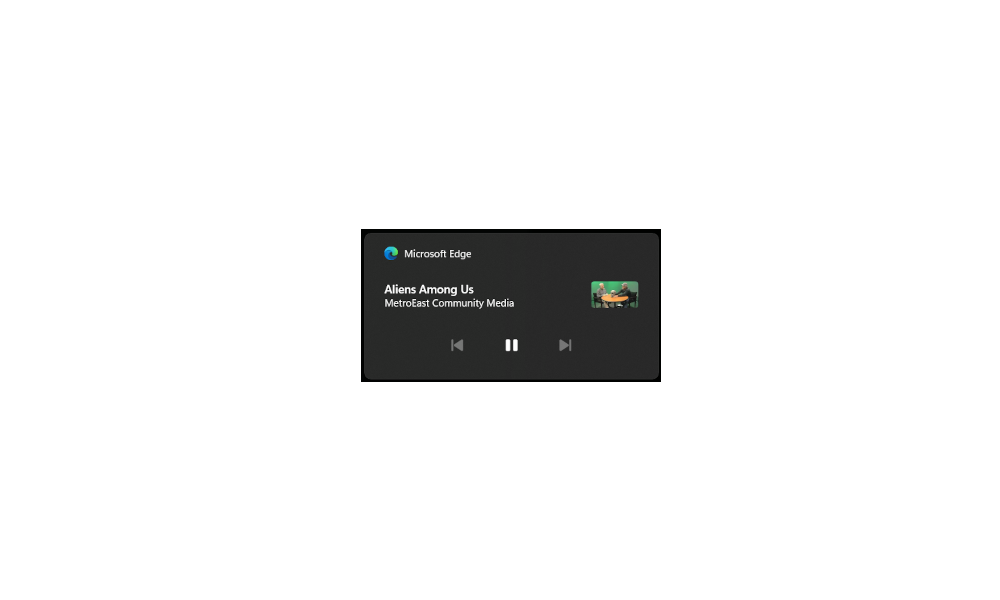
  • [Lock screen] New! Media controls now show in the lower part of the lock screen at its center when media is playing.

  • [Battery life] New! When your device’s battery power is running low, a pop-up window will appear that asks you to plug in your device. This occurs when the battery level reaches 20% and while Energy Saver is set to “Always On”.

Normal rollout

This update includes the following features and improvements that are rolling out as part of this update. Text bolded in brackets indicates the area of the change being documented.
  • [Open Source Software] This update adds attributions to credits.txt files for Rust OSS components.
  • [Input Method Editor (IME)] When a combo box has input focus, a memory leak might occur when you close that window.
  • [WebView2 apps] They do not detect input from Xbox 360 and Bluetooth controllers.
  • [ADDED 9/24] [Screen readers] The NonVisual Desktop Access (NVDA) app and other screen readers fail to narrate all the screen content from some apps. This occurs when those apps run with administrator privileges.
Thanks,
Windows Insider Program Team


 Source:


Check Windows Updates


UUP Dump:

64-bit ISO download:

ARM64 ISO download:

 
Last edited:
I'm hoping they'll patch this issue soon.
 

My Computers My Computers

  • At a glance

    Windows 11 ProIntel Core i9 14900k, Intel UHD 770 integrated32gb G.Skill Trident Z5 7200Gigabyte RTX 4090 Gaming OC
    OS
    Windows 11 Pro
    Computer type
    PC/Desktop
    Manufacturer/Model
    Self Built
    CPU
    Intel Core i9 14900k, Intel UHD 770 integrated
    Motherboard
    Gigabyte Z790 Aorus Master X
    Memory
    32gb G.Skill Trident Z5 7200
    Graphics Card(s)
    Gigabyte RTX 4090 Gaming OC
    Sound Card
    EVGA Nu Audio, Razer Kraken V3 Pro, Realtek Onboard
    Monitor(s) Displays
    Dell U4025QW nano IPS monitor, Samsung Odyssey G75F, Wisecoco 12.6" IPS sensor panel
    Screen Resolution
    5120X2160 x 2 1920x515
    Hard Drives
    WD Black SN8100, Samsung 990 Pro x 3, WD BLACK SN850x, WD Black 8tb HD
    PSU
    FSP Hydro PTM Pro 1350w
    Case
    Thermaltake Level 20 XT
    Cooling
    ARCTIC Liquid Freezer III 420 ARGB in push/pull, Antec Prism X 120mm ARGB Fans x 15
    Keyboard
    Razer Blackwidow V4 Pro
    Mouse
    Razer Basilik V3 Pro on Razer Firefly V2 mouse pad.
    Internet Speed
    950 Mbps cable primary, 6Mbps secondary vdsl
    Browser
    Chrome primary, FF-Edge-IE secondary
    Antivirus
    Norton 360 Premium
    Other Info
    I sit on a Libernovo Omni chair.😍 Sound by Fosi Audio DA-2120C pushing Magnat Series 503 bookshelf speakers and a SVS SB-1000 Pro subwoofer.
  • At a glance

    Windows 11 ProIntel 14900HX32gb ddr 5 5600Nvidia RTX 4090 mobile
    Operating System
    Windows 11 Pro
    Computer type
    Laptop
    Manufacturer/Model
    2023 Acer Predator Helios 18
    CPU
    Intel 14900HX
    Motherboard
    factory
    Memory
    32gb ddr 5 5600
    Graphics card(s)
    Nvidia RTX 4090 mobile
    Sound Card
    onboard
    Monitor(s) Displays
    18" 250hz IPS
    Screen Resolution
    2560X1600
    Hard Drives
    Samsung 9100 Pro, 990 Pro
    PSU
    factory 330W
    Case
    factory
    Cooling
    factory
    Keyboard
    individual key argb
    Mouse
    touchpad
    Internet Speed
    WiFi 7, 2.5gb ethernet
    Browser
    Chrome primary, FF-IE and Edge secondary
    Antivirus
    Norton 360 Premium
    Other Info
    Acer will not allow WD Black SN8100 to function in m.2 slot 0 and Crucial T710 ssd's to function in either slot.
I'm hoping they'll patch this issue soon.
Doesn't seem to affect anything I can see but knowing it's not right makes me nervous. And I think the rest of us too.
 

My Computer My Computer

At a glance

Win 11 Insider Release Preview and Beta chann...i5 Core [email protected] (Unsupported for Win 11)12GBGeneric PnP Monitor (1920x1080@60Hz) Intel HD...
OS
Win 11 Insider Release Preview and Beta channels.
Computer type
Laptop
Manufacturer/Model
HP ENVY Bought: March 2017
CPU
i5 Core [email protected] (Unsupported for Win 11)
Motherboard
HP 81AD (U3E1)
Memory
12GB
Graphics Card(s)
Generic PnP Monitor (1920x1080@60Hz) Intel HD Graphics 620 (HP)
Sound Card
Conexant ISST audio
Monitor(s) Displays
Generic PnP Monitor
Screen Resolution
1536x864 pixels
Hard Drives
HGST HTS721010A9E630
PSU
Well...PSU you too!! What's this mean?
Case
HP ENVY SILVER
Cooling
A fan.
Keyboard
USA
Mouse
Logitec Anywhere 2
Internet Speed
Good enough for me! Fast!
Browser
Edge/Waterfox
Antivirus
Windows Defender
Other Info
No 'mo.
  • [ADDED 9/24] New! This update adds the option to turn off enhanced mouse pointer precision to Settings > Bluetooth & Devices > Mouse. There is also a new option to change the direction in which the mouse scrolls.

  • [ADDED 9/24] New! You can now set Power Mode for when your PC is plugged in and on battery. Go to Settings > System > Power & battery.

  • [ADDED 9/24] [Screen readers] The NonVisual Desktop Access (NVDA) app and other screen readers fail to narrate all the screen content from some apps. This occurs when those apps run with administrator privileges.
The third ADDED is not new feature. It's look like yes because it close to the two other.
Maybe MS need to change something so new feature and bugs will look difference.
 

My Computer My Computer

At a glance

26200.8037i5-11400F32GBGeforce GT-1030
OS
26200.8037
Computer type
PC/Desktop
CPU
i5-11400F
Motherboard
Gigabyte
Memory
32GB
Graphics Card(s)
Geforce GT-1030
Keyboard
Logitech K400
Mouse
Logitech M720
Internet Speed
600 Mb
Browser
Edge
Well I tried to use the ISO for 26100.1742 to do a Repair Install and it left me at that release which is fine with me. I will just wait for whatever comes out on 10.08.24.
 

My Computers My Computers

  • At a glance

    Windows11 Pro 26200.8894Intel Core i9 14900F (24 -Core, 68 MB Total C...32GB DDR5RTX 4080 Super w/610.74
    OS
    Windows11 Pro 26200.8894
    Computer type
    PC/Desktop
    Manufacturer/Model
    Dell Alienware Aurora R16
    CPU
    Intel Core i9 14900F (24 -Core, 68 MB Total Cache)
    Motherboard
    Dell Alienware
    Memory
    32GB DDR5
    Graphics Card(s)
    RTX 4080 Super w/610.74
    Sound Card
    Realtec
    Monitor(s) Displays
    Corsair XENEON 32QHD165
    Screen Resolution
    2560 X 1440
    Hard Drives
    1-2TB Samsung 990 Pro PCIe NVMe M2 SSD
    1-4TB Samsung 990 Pro PCIe NVMe M2 SSD
    PSU
    1000 Watt Platinum Dell
    Case
    Alienware
    Cooling
    Liquid Closed Loop
    Keyboard
    Corsair Strafe RGB
    Mouse
    Logitech MK270 Wireless
    Internet Speed
    100Gb's Down-20 Up
    Browser
    Firefox 152.0.6
    Antivirus
    Defender
    Other Info
    Very Quiet And Fast
    CyberPower UPS CP1500PFCLCD
  • At a glance

    PClinuxOS Mate (2025.7)13th Gen Inter(R) Core(TM) i3-1315U64 GB DDR4 @3200 MHz.Internal
    Operating System
    PClinuxOS Mate (2025.7)
    Computer type
    PC/Desktop
    Manufacturer/Model
    Intel
    CPU
    13th Gen Inter(R) Core(TM) i3-1315U
    Motherboard
    Intel
    Memory
    64 GB DDR4 @3200 MHz.
    Graphics card(s)
    Internal
    Sound Card
    None
    Monitor(s) Displays
    Dell 2419HGCF
    Screen Resolution
    1920 X 1080
    Hard Drives
    SAMSUNG 980 PRO SSD 2TB, PCIe 4.0 M.2 2280
    PSU
    Chicony 30 Watt
    Case
    Small
    Keyboard
    Dell
    Mouse
    Razor
    Internet Speed
    1GB
    Browser
    Slimjet
Well I tried to use the ISO for 26100.1742 to do a Repair Install and it left me at that release which is fine with me. I will just wait for whatever comes out on 10.08.24.
Maybe they'll have it fixed next week for a 24H2 non-Insider Preview. I think the build numbers are a little higher.
 

My Computer My Computer

At a glance

Windows 11
OS
Windows 11
Maybe they'll have it fixed next week for a 24H2 non-Insider Preview. I think the build numbers are a little higher.

That would be today wouldn't it?
 

My Computers My Computers

  • At a glance

    Windows 11 ProIntel Core i9 14900K 5800/4500 P/E all core96GB (2x48) G.skill Ripjaws 6800 MT/s DDR5Asus ROG Strix 4070 Ti OC
    OS
    Windows 11 Pro
    Computer type
    PC/Desktop
    Manufacturer/Model
    DIY Photoshop/Audio/Game/tinker
    CPU
    Intel Core i9 14900K 5800/4500 P/E all core
    Motherboard
    Asus ROG Maximus Z790 Dark Hero
    Memory
    96GB (2x48) G.skill Ripjaws 6800 MT/s DDR5
    Graphics Card(s)
    Asus ROG Strix 4070 Ti OC
    Sound Card
    Bowers & Wilkins 606 S3 speakers; Audiolabs 7000a integrated amp; RSL 10S Mk2 sub; Creative Pebble Pro Minimilist
    Monitor(s) Displays
    Eizo CG2730 ColorEdge, ViewSonic VP2768, i1 Display Pro calibration puck
    Screen Resolution
    2560 x 1440p x 2
    Hard Drives
    WDC SN850X 4TB nvme, SN850 1TB nvme, SK-Hynix 2 TB P41 nvme,. Sabrent USB-C DS-SC5B 5-bay docking station: 6TB WDC Black, 6TB Ironwolf Pro; 2x 2TB WDC Black HDD
    PSU
    850W Seasonic Vertex PX-850 ATX 3.0/PCI-E 5.0
    Case
    Fractal Design North XL Mesh, Black Walnut
    Cooling
    EK Nucleus black 360 AIO w/Phanteks T30-120 fans, 2 Noctua NF-A14 Chromax case fan, 1 T30-120 fan cooling memory
    Keyboard
    Keychron Q3 Max TKL with custom GMK Redsuns Red Samuri keycaps, TX Stabs
    Mouse
    Logitech G305 wireless gaming
    Internet Speed
    575 Mb/s down | 25 Mb/s up
    Browser
    Firefox
    Antivirus
    Defender, Macrium Reflect X
    Other Info
    Phangkey Amaterasu V2 Desk Mat
  • At a glance

    Apple M1
    Computer type
    Laptop
    Manufacturer/Model
    💻 Apple 13" Macbook Pro 2020 (m1)
    CPU
    Apple M1
    Screen Resolution
    2560x1600
    Browser
    Firefox
Well none of my Games would work so I went back to.1876 🤷‍♂️
 

My Computers My Computers

  • At a glance

    Windows11 Pro 26200.8894Intel Core i9 14900F (24 -Core, 68 MB Total C...32GB DDR5RTX 4080 Super w/610.74
    OS
    Windows11 Pro 26200.8894
    Computer type
    PC/Desktop
    Manufacturer/Model
    Dell Alienware Aurora R16
    CPU
    Intel Core i9 14900F (24 -Core, 68 MB Total Cache)
    Motherboard
    Dell Alienware
    Memory
    32GB DDR5
    Graphics Card(s)
    RTX 4080 Super w/610.74
    Sound Card
    Realtec
    Monitor(s) Displays
    Corsair XENEON 32QHD165
    Screen Resolution
    2560 X 1440
    Hard Drives
    1-2TB Samsung 990 Pro PCIe NVMe M2 SSD
    1-4TB Samsung 990 Pro PCIe NVMe M2 SSD
    PSU
    1000 Watt Platinum Dell
    Case
    Alienware
    Cooling
    Liquid Closed Loop
    Keyboard
    Corsair Strafe RGB
    Mouse
    Logitech MK270 Wireless
    Internet Speed
    100Gb's Down-20 Up
    Browser
    Firefox 152.0.6
    Antivirus
    Defender
    Other Info
    Very Quiet And Fast
    CyberPower UPS CP1500PFCLCD
  • At a glance

    PClinuxOS Mate (2025.7)13th Gen Inter(R) Core(TM) i3-1315U64 GB DDR4 @3200 MHz.Internal
    Operating System
    PClinuxOS Mate (2025.7)
    Computer type
    PC/Desktop
    Manufacturer/Model
    Intel
    CPU
    13th Gen Inter(R) Core(TM) i3-1315U
    Motherboard
    Intel
    Memory
    64 GB DDR4 @3200 MHz.
    Graphics card(s)
    Internal
    Sound Card
    None
    Monitor(s) Displays
    Dell 2419HGCF
    Screen Resolution
    1920 X 1080
    Hard Drives
    SAMSUNG 980 PRO SSD 2TB, PCIe 4.0 M.2 2280
    PSU
    Chicony 30 Watt
    Case
    Small
    Keyboard
    Dell
    Mouse
    Razor
    Internet Speed
    1GB
    Browser
    Slimjet
Join the club! 🤣🤷‍♂️
or what's the fun if there were zero problems as remember a bug is a feature and a feature is a bug or else the software industry will be out of business if they didn't have problems! :wink:
 
Last edited:

My Computer My Computer

At a glance

WindowsXP/7/8/8.1/10/11,Linux,Android,FreeBSD...Intel® Core™ i7-8750H 8th Gen 2.2Ghz up to 4....64GB using 2x32GB CL16 Mushkin redLine modulesIntel UHD 630 & NVIDIA GeForce GTX 1050 Ti wi...
OS
WindowsXP/7/8/8.1/10/11,Linux,Android,FreeBSD Unix
Computer type
Laptop
Manufacturer/Model
Dell XPS 15 9570
CPU
Intel® Core™ i7-8750H 8th Gen 2.2Ghz up to 4.1Ghz
Motherboard
Dell XPS 15 9570
Memory
64GB using 2x32GB CL16 Mushkin redLine modules
Graphics Card(s)
Intel UHD 630 & NVIDIA GeForce GTX 1050 Ti with 4GB DDR5
Sound Card
Realtek ALC3266-CG
Monitor(s) Displays
15.6" 4K Touch UltraHD 3840x2160 made by Sharp
Screen Resolution
3840x2160 4K UltraHD
Hard Drives
Samsung MZ-V9P4T0B/AM 990 PRO 4TB PCIe®4.0 NVMe™ M.2 SSD was Toshiba KXG60ZNV1T02 NVMe 1TB SSD
PSU
Dell XPS 15 9570
Case
Dell XPS 15 9570
Cooling
Stock
Keyboard
Stock
Mouse
SwitftPoint ProPoint
Internet Speed
Comcast/XFinity 1.44Gbps/42.5Mbps
Browser
Microsoft EDGE (Chromium based) & Google Chrome
Antivirus
Windows Defender that came with Windows
or what's the fun if there were zero problems as remember a bug is a feature and a feature is a bug or else the software industry will be out of business if they didn't have problems! :wink:
They call it "Job Security". 🤐😂
 
Last edited:

My Computer My Computer

At a glance

Windows 11 Pro 25H2Intel I9-9900K64GBNVIDIA RTX 2060
OS
Windows 11 Pro 25H2
Computer type
PC/Desktop
Manufacturer/Model
Dell XPS 8930
CPU
Intel I9-9900K
Memory
64GB
Graphics Card(s)
NVIDIA RTX 2060
Sound Card
NVIDIA High Definition Audio
Monitor(s) Displays
4k Samsung
Screen Resolution
3840 x 2160
Hard Drives
512GB NVMe, ADATA SU 800, 2TB HDD

My Computer My Computer

At a glance

Windows 11
OS
Windows 11
This seems to be 'stuck' here, 8.63GB Windows cleanup. DISM cleaned ok and showed no errors.
Disk Cleanup doesn't seem to remove anything (drive space doesn't increase). It's about 2GB less than before the update on Monday
same issue here as well as running sfc scannow throwing errors even after running the dism thingy. Downloaded the 26100.1150 iso and did an in place reinstall. Ran the scan again and no issues.
Seems like it's a bug because it's not an isolated case. Hopefully when the update is released it's taken care of
 

My Computer My Computer

At a glance

windows 11ryzen 7 370016ggtx 1660 super
OS
windows 11
Computer type
PC/Desktop
Manufacturer/Model
Lenovo Legion 5
CPU
ryzen 7 3700
Motherboard
MATX B550
Memory
16g
Graphics Card(s)
gtx 1660 super
same issue here as well as running sfc scannow throwing errors even after running the dism thingy. Downloaded the 26100.1150 iso and did an in place reinstall. Ran the scan again and no issues.
Seems like it's a bug because it's not an isolated case. Hopefully when the update is released it's taken care of
Do MS programmers read the posts here to find out about these bugs?
 

My Computer My Computer

At a glance

Windows 11 Iot Enterprise 21h2 22000.3260xeon E5-2697v232gb 8x4gb ddr3 1333 mhzgtx 570 poit of view
OS
Windows 11 Iot Enterprise 21h2 22000.3260
Computer type
PC/Desktop
Manufacturer/Model
Asus
CPU
xeon E5-2697v2
Motherboard
rampage iv extreme
Memory
32gb 8x4gb ddr3 1333 mhz
Graphics Card(s)
gtx 570 poit of view
Sound Card
realtek HD (ALC898)
Monitor(s) Displays
samsung b2030
Screen Resolution
1600x900
Hard Drives
2tb hd 5400 rpm
3tb hd 5400 rpm
1tb nvme pcie 3.0
PSU
hx850w
Keyboard
mtek
Internet Speed
500/250 gpon
Browser
r3dfox 146.0
Antivirus
none
Do MS programmers read the posts here to find out about these bugs?
The short answer is NO!

If you want MS to be aware of any / this 'Windows Bug', you need to file a report in their 'Feedback Hub' - WinKey+F.

However, don't hold your breath for a response!!
 

My Computer My Computer

At a glance

Windows 11 Pro 25H2 (Build 26200.8968)Intel Core Ultra 9 285 5.6 GHz32.00 GBIntel Integrated Graphics (128 MB)
OS
Windows 11 Pro 25H2 (Build 26200.8968)
Computer type
PC/Desktop
Manufacturer/Model
Dell Pro Max Tower T2 FCT2250
CPU
Intel Core Ultra 9 285 5.6 GHz
Motherboard
64-bit operating system, x64-based processor
Memory
32.00 GB
Graphics Card(s)
Intel Integrated Graphics (128 MB)
Sound Card
Realtek Audio
Monitor(s) Displays
Dell P2714H Monitor
Screen Resolution
1920 x 1080
Hard Drives
1 x 512GB M.2 XG10d SED KIOXIA PCIe solid state drive (Internal)
1 x 2TB Seagate ST2000DM008-2UB102 HDD (Internal)
1 x 4TB Seagate STGX4000400 External HDD
1 x 6TB WD Elements AE 2689 External HDD
PSU
500 Watts
Cooling
Air
Keyboard
Microsoft Wired Keyboard 600
Mouse
Microsoft USB Basic Optical Mouse v2.0
Browser
Firefox
Antivirus
Windows Defender + Malwarebytes Premium
Other Info
BaseBoard Manufacturer Dell Inc.
BaseBoard Product 022RY57
BaseBoard Version A01
I have just come across a strange problem that I have not ever seen. When I try to log into my modem, I keep getting password incorrect. I checked that I am using the correct password as printed on the modem. I reset the modem in case the password was changed and that did not help. I then tried to log on to my router and have the same problem. I tried Frontpage in case MS Edge was doing something strange, but that did not help.

Is there some sort of network or Internet setting that is causing this problem?

Thanks,
AK
 

My Computer My Computer

At a glance

Window 11 ProAMD 8700GG.Skill DDR5 2x32GB EXPO 6000 32-38-38-96Radeon 5700 XT Gold
OS
Window 11 Pro
Computer type
PC/Desktop
CPU
AMD 8700G
Motherboard
Asus ROG Strix X670E-E Wifi
Memory
G.Skill DDR5 2x32GB EXPO 6000 32-38-38-96
Graphics Card(s)
Radeon 5700 XT Gold
Hard Drives
Samsung 990 PRO SSD 1 TB
PSU
Corsair 860i
Case
Cooler Master Haf X
Cooling
Corsair H100i
Keyboard
Logitech G19
Mouse
Logitech G700s
Internet Speed
1 GPS up and 1 GPS down
Browser
Edge
Antivirus
Defender
Other Info
Systen currently being built
I have just come across a strange problem that I have not ever seen. When I try to log into my modem, I keep getting password incorrect. I checked that I am using the correct password as printed on the modem. I reset the modem in case the password was changed and that did not help. I then tried to log on to my router and have the same problem. I tried Frontpage in case MS Edge was doing something strange, but that did not help.

Is there some sort of network or Internet setting that is causing this problem?

Thanks,
AK
My Modem/Router password (Access Code) is still the one that I set; I don't use the original default Access Code.
My router was supplied by my Service Provider, in my case AT&T.
Do you own your modem/router or was it supplied by your service provider?
Who else has access to your modem/router with the authority to change the Access Code?
Is it possible that the Access Code was changed by your service provider? Or perhaps by a hacker. 🤷‍♂️

Here below are the pages, specific to my modem/router, where I set my Custom Access Code and also a hint in case I forget the Access Code.

Edition Windows 11 Pro
Version 24H2
Installed on ‎5/‎22/‎2024
OS build 26100.1876
Experience Windows Feature Experience Pack 1000.26100.23.0


1727661304889.png

1727660513084.png
 
Last edited:

My Computer My Computer

At a glance

Windows 11 Pro 25H2Intel I9-9900K64GBNVIDIA RTX 2060
OS
Windows 11 Pro 25H2
Computer type
PC/Desktop
Manufacturer/Model
Dell XPS 8930
CPU
Intel I9-9900K
Memory
64GB
Graphics Card(s)
NVIDIA RTX 2060
Sound Card
NVIDIA High Definition Audio
Monitor(s) Displays
4k Samsung
Screen Resolution
3840 x 2160
Hard Drives
512GB NVMe, ADATA SU 800, 2TB HDD
Thanks for that information. The modem is supplied by my ISP and I have never changed the admin password and I am the only one that has access to the modem. Just in case the password was somehow changed, I reset the modem and that sets it to the default password, that produced the same result. I have a Netgear router set up as an access point and it too rejects the password.

My laptop has Windows 10 installed and got the same result, so it is not this operating system causing me this problem. I will take this weird problem to the Network forum.

AK
 

My Computer My Computer

At a glance

Window 11 ProAMD 8700GG.Skill DDR5 2x32GB EXPO 6000 32-38-38-96Radeon 5700 XT Gold
OS
Window 11 Pro
Computer type
PC/Desktop
CPU
AMD 8700G
Motherboard
Asus ROG Strix X670E-E Wifi
Memory
G.Skill DDR5 2x32GB EXPO 6000 32-38-38-96
Graphics Card(s)
Radeon 5700 XT Gold
Hard Drives
Samsung 990 PRO SSD 1 TB
PSU
Corsair 860i
Case
Cooler Master Haf X
Cooling
Corsair H100i
Keyboard
Logitech G19
Mouse
Logitech G700s
Internet Speed
1 GPS up and 1 GPS down
Browser
Edge
Antivirus
Defender
Other Info
Systen currently being built
Thanks for that information. The modem is supplied by my ISP and I have never changed the admin password and I am the only one that has access to the modem. Just in case the password was somehow changed, I reset the modem and that sets it to the default password, that produced the same result. I have a Netgear router set up as an access point and it too rejects the password.

My laptop has Windows 10 installed and got the same result, so it is not this operating system causing me this problem. I will take this weird problem to the Network forum.

AK
So, if I understand correctly, you have a separate modem and router. Since the modem is supplied by your ISP, you may want to ask the question to your ISP. 🤷‍♂️
Do you own the Netgear router? Strange that both the Modem and the Router reject the password, I assume they are not the same for both pieces of equipment.
Let me know if you find the answer. Good luck.
 

My Computer My Computer

At a glance

Windows 11 Pro 25H2Intel I9-9900K64GBNVIDIA RTX 2060
OS
Windows 11 Pro 25H2
Computer type
PC/Desktop
Manufacturer/Model
Dell XPS 8930
CPU
Intel I9-9900K
Memory
64GB
Graphics Card(s)
NVIDIA RTX 2060
Sound Card
NVIDIA High Definition Audio
Monitor(s) Displays
4k Samsung
Screen Resolution
3840 x 2160
Hard Drives
512GB NVMe, ADATA SU 800, 2TB HDD
Yes, thanks, I will be contacting my ISP provider tomorrow, statuatory holiday in Canada today and only their AI is working. :-( I did take a picture of the default password and blew it up to make sure I was entering the correct password. I am certain it is a problem with this modem.

As for my access point I am using a Netgear router and that was my mistake; I typed a capital letter when I shouldn't have.

Ak
 

My Computer My Computer

At a glance

Window 11 ProAMD 8700GG.Skill DDR5 2x32GB EXPO 6000 32-38-38-96Radeon 5700 XT Gold
OS
Window 11 Pro
Computer type
PC/Desktop
CPU
AMD 8700G
Motherboard
Asus ROG Strix X670E-E Wifi
Memory
G.Skill DDR5 2x32GB EXPO 6000 32-38-38-96
Graphics Card(s)
Radeon 5700 XT Gold
Hard Drives
Samsung 990 PRO SSD 1 TB
PSU
Corsair 860i
Case
Cooler Master Haf X
Cooling
Corsair H100i
Keyboard
Logitech G19
Mouse
Logitech G700s
Internet Speed
1 GPS up and 1 GPS down
Browser
Edge
Antivirus
Defender
Other Info
Systen currently being built
Yes, thanks, I will be contacting my ISP provider tomorrow, statuatory holiday in Canada today and only their AI is working. :-( I did take a picture of the default password and blew it up to make sure I was entering the correct password. I am certain it is a problem with this modem.

As for my access point I am using a Netgear router and that was my mistake; I typed a capital letter when I shouldn't have.

Ak
My modem has an option to switch to the default access code and another separate option when I forget the access code.

1727716880666.png

1727717241830.png
 

My Computer My Computer

At a glance

Windows 11 Pro 25H2Intel I9-9900K64GBNVIDIA RTX 2060
OS
Windows 11 Pro 25H2
Computer type
PC/Desktop
Manufacturer/Model
Dell XPS 8930
CPU
Intel I9-9900K
Memory
64GB
Graphics Card(s)
NVIDIA RTX 2060
Sound Card
NVIDIA High Definition Audio
Monitor(s) Displays
4k Samsung
Screen Resolution
3840 x 2160
Hard Drives
512GB NVMe, ADATA SU 800, 2TB HDD
Yes, thanks, I will be contacting my ISP provider tomorrow, statuatory holiday in Canada today and only their AI is working. :-( I did take a picture of the default password and blew it up to make sure I was entering the correct password. I am certain it is a problem with this modem.

As for my access point I am using a Netgear router and that was my mistake; I typed a capital letter when I shouldn't have.

Ak
Did you try reverting to a previous build of 24H2? I'm assuming you have a backup image? Not sure if your problems started with this particular build?
 

My Computer My Computer

At a glance

Windows 11
OS
Windows 11
Back
Top Bottom