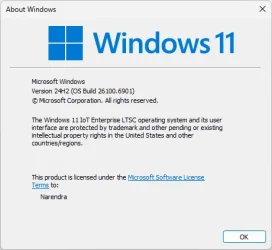
Win Update KB5070773 Windows 11 Out-of-band Update build 26100.6901 (24H2) and 26200.6901 (25H2) - Oct. 20


UPDATE 10/28:


 Microsoft Support:

October 20, 2025 - KB5070773 (OS Builds 26200.6901 and 26100.6901) Out-of-band​

Windows Secure Boot certificate expiration

Important
: Secure Boot certificates used by most Windows devices are set to expire starting in June 2026. This might affect the ability of certain personal and business devices to boot securely if not updated in time. To avoid disruption, we recommend reviewing the guidance and taking action to update certificates in advance. For details and preparation steps, see Windows Secure Boot certificate expiration and CA updates.


To learn about Windows update terminology, see types of Windows updates and monthly quality update types. For an overview, see the update history page for Windows 11, version24H2 and version 25H2.

Stay informed! Follow @WindowsUpdate for the latest updates from the Windows Release Health Dashboard.

Improvements

This out-of-band (OOB) update includes quality improvements. This update is cumulative and includes security fixes and improvements from the October 14, 2025, security update (KB5066835), in addition to the following:
  • [USB] Fixed: After installing the Windows security update released on October 14, 2025 (KB5066835), USB devices, such as keyboards and mice, do not function in the Windows Recovery Environment (WinRE). This issue prevents navigation of any of the recovery options within WinRE. Note that the USB devices continue to work normally within the Windows operating system.

AI Components

This release updates the following AI components:

AI ComponentVersion
Image Search1.2509.1022.0
Content Extraction1.2509.1022.0
Semantic Analysis1.2509.1022.0
Settings Model1.2509.1022.0

Windows 11 servicing stack update (KB5067360)- 26100.6893​

This update makes quality improvements to the servicing stack, which is the component that installs Windows updates. Servicing stack updates (SSU) ensure that you have a robust and reliable servicing stack so that your devices can receive and install Microsoft updates. To learn more about SSUs, see Simplifying on-premises deployment of servicing stack updates.

Known issues in this update

1 Problems playing protected content in some BluRay/DVD/Digital TV apps

Symptoms
Some Digital TV and Blu-ray/DVD apps might not play protected content as expected after installing the August 29, 2025, Windows non-security preview update (KB5064081), or later updates.

Apps that use Enhanced Video Renderer with HDCP enforcement or Digital Rights Management (DRM) for digital audio might show copyright protection errors, frequent playback interruptions, unexpected stops, or black screens.

Streaming services are not affected.

Workaround
The non-security September 2025 Windows preview update (KB5065789) and later updates address problems affecting certain applications that use the Enhanced Video Renderer (EVR) with HDCP (High-bandwidth Digital Content Protection) enforcement. The non-security October Windows preview update (KB5067036) includes additional improvements to address problems affecting applications using Digital Rights Media (DRM) for digital audio.

2 IIS websites might fail to load

Symptoms
After installing the non-security September update (KB5065789) for Windows 11, version 25H2, or the security October update (KB5066835) for Windows 11, version 24H2, server-side applications that rely on HTTP.sys might experience issues with incoming connections. As a result, Internet Information Services (IIS) websites might fail to load and display an error message such as “Connection reset – error (ERR_CONNECTION_RESET)” or a similar message. This includes websites hosted on http://localhost/ and other IIS connections.

This issue may result from various conditions, including internet connectivity, timing of update installation, and device restarts. It might not occur in all environments, even if the update is installed.

The following steps can help resolve this issue in environments where it's observed:
  1. On the affected device, open Settings and go to Windows Update.
  2. Select Start , type Check for updates, and Check for updates from the results.
  3. If updates are available, install them.
  4. Restart your device.
Note: Make sure to restart your device, even if no updates are installed.

Workaround

This issue is addressed in KB5067036.

How to get this update

Before you install this update

Microsoft combines the latest servicing stack update (SSU) for your operating system with the latest cumulative update (LCU). For general information about SSUs, see Servicing stack updates and Servicing Stack Updates (SSU): Frequently Asked Questions.

Install this update

To install this update, use one of the following Windows and Microsoft release channels.

AvailableNext Step
Included
This update downloads and installs automatically from Windows Update and Microsoft Update.
Yes 1Before you install this update
To get the standalone package(s) for this update, go to the Microsoft Update Catalog website. This KB contains one or more MSU files that require installation in a specific order.

Install this update
Method 1: Install all MSU files together


Download all MSU files for KB5070773 from Microsoft Update Catalog and place them in the same folder (for example, C:/Packages). Use Deployment Image Servicing and Management (DISM.exe) to install the target update. DISM will use the folder specified in PackagePath to discover and install one or more prerequisite MSU files as needed.

Updating Windows PC

To apply this update to a running Windows PC, run the following command from an elevated Command Prompt:

DISM /Online /Add-Package /PackagePath:c:\packages\Windows11.0-KB5070773-x64.msu

Or, run the following command from an elevated Windows PowerShell prompt:

Add-WindowsPackage -Online -PackagePath "c:\packages\Windows11.0-KB5070773-x64.msu"

Updating Windows Installation media

To apply this update to Windows Installation media, see Update Windows installation media with Dynamic Update.

Note: When downloading other Dynamic Update packages, ensure they match the same month as this KB. If the SafeOS Dynamic Update or Setup Dynamic Update is not available for the same month as this KB, use the most recently published version of each.

To add this update to a mounted image, run the following command from an elevated Command Prompt:

DISM /Image:mountdir /Add-Package /PackagePath:Windows11.0-KB5070773-x64.msu

Or, run the following command from an elevated Windows PowerShell prompt:

Add-WindowsPackage -Path "c:\offline" -PackagePath "Windows11.0-KB5070773-x64.msu" -PreventPending

Method 2: Install each MSU file individually in order

Download and install each MSU file individually using DISM or Windows Update Standalone Installer in the following order:
  1. windows11.0-kb5043080-x64_953449672073f8fb99badb4cc6d5d7849b9c83e8.msu
  2. windows11.0-kb5070773-x64_6640d1a7a2a393bd2db6f97b7eb4fe3907806902.msu
1 This latest cumulative update includes updates for AI components. Even though the AI component updates are included in the update, the AI components are only applicable to Windows Copilot+ PCs and will not install on Windows PC or Windows Server.

If you want to remove the LCU

To remove the LCU after installing the combined SSU and LCU package, use the DISM/Remove-Package command line option with the LCU package name as the argument. You can find the package name by using this command: DISM /online /get-packages.

Running Windows Update Standalone Installer (wusa.exe) with the /uninstall switch on the combined package will not work because the combined package contains the SSU. You cannot remove the SSU from the system after installation.

File information

For a list of the files provided in this update, download the file information for cumulative update 5070773.

For a list of the files provided in the servicing stack update, download the file information for the SSU KB5067360 - version 26100.6893.


 Source:


Check Windows Updates


UUP Dump:

64-bit ISO download:

ARM64 ISO download:

 
Last edited:

My Computers

System One System Two

  • OS
    Win 11 Pro 25H2 26200.8524
    Computer type
    PC/Desktop
    Manufacturer/Model
    Self Built
    CPU
    Intel® Core™ i7-14700K
    Motherboard
    ASUS TUF Z690-PLUS WIFI BIOS 4505 11/29/25
    Memory
    G.SKILL Ripjaws S5 Series 64GB (2 x 32GB) DDR5
    Graphics Card(s)
    ASUS GeForce RTX 4070 Super 12GB
    Sound Card
    Sound Blaster AE-5 Plus
    Monitor(s) Displays
    ASUS TUF Gaming 27" 2K HDR Gaming
    Screen Resolution
    2560 x 1440
    Hard Drives
    Samsung 990 Pro 1TB NVMe (Win 11 25H2)
    SK hynix P41 500GB NVMe 25H2 DEV/Games
    SK hynix P41 2TB NVMe (x3)
    Crucial P3 Plus 4TB
    PSU
    Corsair RM850x Shift
    Case
    Antec Dark Phantom DP502 FLUX
    Cooling
    Corsair Nautilus 360 RS AIO
    Keyboard
    Logitech MK 320
    Mouse
    Razer Basilisk V3
    Internet Speed
    350Mbs
    Browser
    Firefox
    Antivirus
    Winows Security
    Other Info
    MR 8.1 Home

    System 3 Specs
    Win 11 Pro 25H2 26200.8524
    ASUS PRIME Z370-P II BIOS 3004 7/12/21
    Intel Core i7-8700 CPU @ 3.20GHz
    32GB DDR4 RAM (4x8)
    iGPU Intel UHD Graphics 630
  • Operating System
    Win 11 Pro 25H2 26200.8524
    Computer type
    PC/Desktop
    Manufacturer/Model
    Self Built
    CPU
    Intel Core i7-11700F
    Motherboard
    Asus TUF Gaming Z590 Plus WiFi (BIOS 2803)
    Memory
    64 GB DDR4
    Graphics card(s)
    MSI GeForce RTX 3060 Ventus 2X 12GB
    Sound Card
    SoundBlaster Audigy Fx V2
    Monitor(s) Displays
    Samsung F27T350
    Screen Resolution
    1920x1080
    Hard Drives
    Samsung 980 Pro 1TB
    Samsung 970 EVO Plus 2TB
    Samsung 870 EVO 500GB SSD
    PSU
    Corsair HX750
    Case
    Cougar MX330-G Window
    Cooling
    Thermalright Frozen Edge 240 Black AIO
    Internet Speed
    350Mbps
    Browser
    Firefox
    Antivirus
    Windows Security
Rolled back after 100% updated, the same as with KB5066835. Obviously the installation problems haven't been fixed.
Install error - 0x800f0922
I remain with the last good 26200.6725. Now waiting for the upcoming Preview of November update.
 

My Computer

System One

  • OS
    Windows 11 Pro 25H2
    Computer type
    Laptop
    Manufacturer/Model
    Lenovo Legion 5-15ARH05
    CPU
    AMD Rysen 5 4600H
    Memory
    32 GB (2 x 16 GB Samsung SO-DIMM DDR4-3200)
    Graphics Card(s)
    GeForce GTX 1650 Ti, 4 GB GDDR6
    Screen Resolution
    1920x1080
    Hard Drives
    SSD M.2 512 GB SAMSUNG MZALQ512; SSD M.2 1 TB Seagate FireCuda 530
    Mouse
    Logitech M650L in Bluetooth mode
How do I delete the boot.wim cache m8?
Go to boot folder D:\boot\macrium\WinREFiles\media\sources (change D to wherever you stored boot files).

Default is C drive if you never changed it.

Then delete boot.wim and rebuild boot menu from Macrium Reflect.

edit: thecaretaker seems to have been removed but I will leave post here for information
 

My Computer

System One

  • OS
    Windows 11 Pro + Win11 Canary VM.
    Computer type
    Laptop
    Manufacturer/Model
    ASUS Zenbook 14
    CPU
    I9 13th gen i9-13900H 2.60 GHZ
    Motherboard
    Yep, Laptop has one.
    Memory
    16 GB soldered
    Graphics Card(s)
    Integrated Intel Iris XE
    Sound Card
    Realtek built in
    Monitor(s) Displays
    laptop OLED screen
    Screen Resolution
    2880x1800 touchscreen
    Hard Drives
    1 TB NVME SSD (only weakness is only one slot)
    PSU
    Internal + 65W thunderbolt USB4 charger
    Case
    Yep, got one
    Cooling
    Stella Artois (UK pint cans - 568 ml) - extra cost.
    Keyboard
    Built in UK keybd
    Mouse
    Bluetooth , wireless dongled, wired
    Internet Speed
    900 mbs (ethernet), wifi 6 typical 350-450 mb/s both up and down
    Browser
    Edge
    Antivirus
    Defender
    Other Info
    TPM 2.0, 2xUSB4 thunderbolt, 1xUsb3 (usb a), 1xUsb-c, hdmi out, 3.5 mm audio out/in combo, ASUS backlit trackpad (inc. switchable number pad)

    Macrium Reflect Home V8
    Office 365 Family (6 users each 1TB onedrive space)
    Hyper-V (a vm runs almost as fast as my older laptop)
On my system, the Windows update does not show the
KB5070773 24h2 Update. Therefore, I am downloading it via the Microsoft Update catalog, installed it manually, and installing it successfully.
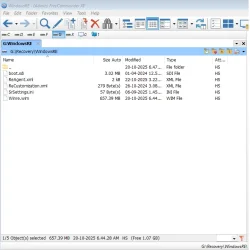
But my winRE does not work mouse and keyboard.
The last option is WinRe.wim replaced manually using Macrium reflect from Backup.

KB5070773 installed date is 21-10-2025
but winre.wim in recovery date is old KB50666835
 

Attachments

  • 2025-10-21_134046.webp
    2025-10-21_134046.webp
    20.9 KB · Views: 4
  • screenshot.webp
    screenshot.webp
    36.2 KB · Views: 4
Last edited:

My Computer

System One

  • OS
    Windows 11
    Computer type
    PC/Desktop
KB 5070773 failed ..........error ; 0x800F0983
Have seen this code before with the upgrade from 24H2 to 25H2 . Fixed by re-installing.
Dont use WinRE , only WinPE , no problems with USB, mouse, etc .............so, do I really need this update ?
If I do , then how( ??) to fix it.............??
 

My Computer

System One

  • OS
    Windows11 Pro 25H2
    Computer type
    PC/Desktop
    Manufacturer/Model
    Asus
    CPU
    i7
    Motherboard
    z97k
    Memory
    32GB
    Graphics Card(s)
    nVidia
    Sound Card
    Realtek
    Hard Drives
    3
    Cooling
    air
    Browser
    Edge
    Antivirus
    ESET
On my system, the Windows update does not show the
KB5070773 24h2 Update.
Here it was also not visible until I switched on "Get the latest updates as soon as they're available", then paused and resumed update.
But the worst is, after release of this KB5070773 with some fixes, Microsoft hasn't withdrawn the failed KB5066835, even when it should be an obvious step. It is still offered in WU.
 

My Computer

System One

  • OS
    Windows 11 Pro 25H2
    Computer type
    Laptop
    Manufacturer/Model
    Lenovo Legion 5-15ARH05
    CPU
    AMD Rysen 5 4600H
    Memory
    32 GB (2 x 16 GB Samsung SO-DIMM DDR4-3200)
    Graphics Card(s)
    GeForce GTX 1650 Ti, 4 GB GDDR6
    Screen Resolution
    1920x1080
    Hard Drives
    SSD M.2 512 GB SAMSUNG MZALQ512; SSD M.2 1 TB Seagate FireCuda 530
    Mouse
    Logitech M650L in Bluetooth mode
The MCT still shows 6899 (redownloaded MCT).
 

My Computer

System One

  • OS
    Windows 11 Pro + Win11 Canary VM.
    Computer type
    Laptop
    Manufacturer/Model
    ASUS Zenbook 14
    CPU
    I9 13th gen i9-13900H 2.60 GHZ
    Motherboard
    Yep, Laptop has one.
    Memory
    16 GB soldered
    Graphics Card(s)
    Integrated Intel Iris XE
    Sound Card
    Realtek built in
    Monitor(s) Displays
    laptop OLED screen
    Screen Resolution
    2880x1800 touchscreen
    Hard Drives
    1 TB NVME SSD (only weakness is only one slot)
    PSU
    Internal + 65W thunderbolt USB4 charger
    Case
    Yep, got one
    Cooling
    Stella Artois (UK pint cans - 568 ml) - extra cost.
    Keyboard
    Built in UK keybd
    Mouse
    Bluetooth , wireless dongled, wired
    Internet Speed
    900 mbs (ethernet), wifi 6 typical 350-450 mb/s both up and down
    Browser
    Edge
    Antivirus
    Defender
    Other Info
    TPM 2.0, 2xUSB4 thunderbolt, 1xUsb3 (usb a), 1xUsb-c, hdmi out, 3.5 mm audio out/in combo, ASUS backlit trackpad (inc. switchable number pad)

    Macrium Reflect Home V8
    Office 365 Family (6 users each 1TB onedrive space)
    Hyper-V (a vm runs almost as fast as my older laptop)
Huh why again KB 5070773 failed ..........error ; 0x800F0983 after I did re fresh Windows and install latest Windows update Recently then so far beautiful no issues and then this morning... Well done it fail again made me so mad not happy...
 

My Computer

System One

  • OS
    Windows 11 25H2
    Computer type
    PC/Desktop
    Manufacturer/Model
    MSI
    CPU
    i9 285K
    Motherboard
    MSI Z890 MEG ACE
    Memory
    Corsair Vengeance RGB 48GB DDR 9200mt/s 2 x 24gb
    Graphics Card(s)
    NVIDIA RTX 4080 Foundation Editon 16 GB
    Sound Card
    EVGA NU Audio
    Monitor(s) Displays
    Acer Predator X35 35-inch Curved G-Sync Ultimate 200Hz
    Screen Resolution
    3440 x 1440 G-Sync
    Hard Drives
    M.2 Samsung Pro 1100 1TB
    M.2 Samsung Pro 990 1TB HDD 1TB
    PSU
    EVGA SuperNOVA 1300 X3
    Case
    EVGA case D77
    Cooling
    EVGA CLCx 380 Liquid / Water CPU Cooler
    Keyboard
    EVGA Z10
    Mouse
    EVGA Torq X10
    Internet Speed
    900 mb/s
    Browser
    Mircosoft Edges Google and Bing
    Antivirus
    Kaspersky Internet
    Other Info
    Logitech Z906 THX 5.1 Surround Sound Speakers SPDIF
Another fail here too following Windows update repair last time on my laptop.
No problems noticed using 26200.6899, but today's update produced error 0X80070306. I ran Windows repair update again, it took half an hour with several reboots, and I am now back on .6899
Maybe 262600.6901 is just not for me. 😩
 

My Computers

System One System Two

  • OS
    Linux Mint (22.3) and Windows 11
    Computer type
    PC/Desktop
    Manufacturer/Model
    Home built
    CPU
    Ryzen 3900x
    Motherboard
    Gigabyte Aorus Master x570 rel 1.0
    Memory
    32GB (2x16) @ 3600 MHz Corsair Vengeance LPX
    Graphics Card(s)
    Asus Geforce RTX 5060 Ti Dual OC 16 GB
    Sound Card
    No separate sound card.
    Monitor(s) Displays
    Dell U2718Q
    Screen Resolution
    3840x2160
    Hard Drives
    1TB WD-Black SN850; 1TB Samsung Sata 850 Evo; 4 TB WD Blue Sata SA510 2.5''; 4TB Samsung Sata SSD 870 EVO 2.5".
    PSU
    Be Quiet Dark Power Pro 11 750W
    Case
    Lian Li PC-8FIB
    Cooling
    CPU: Noctua NH-U12A; Case: BeQuiet + Lian Li fans.
    Keyboard
    Steelseries Apex 7 brown keys.
    Mouse
    Logitech (wired) G403
    Internet Speed
    940 Mb/s down; 105 Mb/s up
    Browser
    Firefox
    Other Info
    Pioneer blu-ray optical drive.
  • Operating System
    Windows 11 Home (ARM version) (latest update)
    Computer type
    Laptop
    Manufacturer/Model
    Samsung Galaxy Book4 Edge 14" Copilot+ PC
    CPU
    Qualcomm Snapdragon X Elite X1E-80-100
    Memory
    16 GB LPDDR5
    Graphics card(s)
    Qualcomm Adreno
    Monitor(s) Displays
    Touch screen 14" AMOLED monitor
    Screen Resolution
    2880x1800
    Hard Drives
    512 GB eUFS
    Internet Speed
    930 Mb/s (Wifi)
    Browser
    Firefox
    Antivirus
    Eset Internet Security
    Other Info
    NPU Qualcomm Hexagon
" Maybe 262600.6901 is just not for me. 😩"...............for me also !
Maybe next month , second tuesday.............
 

My Computer

System One

  • OS
    Windows11 Pro 25H2
    Computer type
    PC/Desktop
    Manufacturer/Model
    Asus
    CPU
    i7
    Motherboard
    z97k
    Memory
    32GB
    Graphics Card(s)
    nVidia
    Sound Card
    Realtek
    Hard Drives
    3
    Cooling
    air
    Browser
    Edge
    Antivirus
    ESET
Another fail here too following Windows update repair last time on my laptop.
No problems noticed using 26200.6899, but today's update produced error 0X80070306. I ran Windows repair update again, it took half an hour with several reboots, and I am now back on .6899
Maybe 262600.6901 is just not for me. 😩
try download it from Microsoft catalog and manual install it


My Computer

System One

  • OS
    Windows 11 Pro 25H2
    Computer type
    PC/Desktop
    CPU
    i7 10700K
    Motherboard
    MSI Z590 Gaming Carbon Wifi
    Memory
    ddr4 16gb
    Graphics Card(s)
    nvidia 1080 8GB
    Screen Resolution
    1920x1080p
try download it from Microsoft catalog and manual install it
I have try and it same same story it failed....thanks thought
 

My Computer

System One

  • OS
    Windows 11 25H2
    Computer type
    PC/Desktop
    Manufacturer/Model
    MSI
    CPU
    i9 285K
    Motherboard
    MSI Z890 MEG ACE
    Memory
    Corsair Vengeance RGB 48GB DDR 9200mt/s 2 x 24gb
    Graphics Card(s)
    NVIDIA RTX 4080 Foundation Editon 16 GB
    Sound Card
    EVGA NU Audio
    Monitor(s) Displays
    Acer Predator X35 35-inch Curved G-Sync Ultimate 200Hz
    Screen Resolution
    3440 x 1440 G-Sync
    Hard Drives
    M.2 Samsung Pro 1100 1TB
    M.2 Samsung Pro 990 1TB HDD 1TB
    PSU
    EVGA SuperNOVA 1300 X3
    Case
    EVGA case D77
    Cooling
    EVGA CLCx 380 Liquid / Water CPU Cooler
    Keyboard
    EVGA Z10
    Mouse
    EVGA Torq X10
    Internet Speed
    900 mb/s
    Browser
    Mircosoft Edges Google and Bing
    Antivirus
    Kaspersky Internet
    Other Info
    Logitech Z906 THX 5.1 Surround Sound Speakers SPDIF
I have try and it same same story it failed....thanks thought
Here also , tried several times , ran scf \scannow , etc , etc ........no errors found , all fine ........except Kb 5070773 !
 

My Computer

System One

  • OS
    Windows11 Pro 25H2
    Computer type
    PC/Desktop
    Manufacturer/Model
    Asus
    CPU
    i7
    Motherboard
    z97k
    Memory
    32GB
    Graphics Card(s)
    nVidia
    Sound Card
    Realtek
    Hard Drives
    3
    Cooling
    air
    Browser
    Edge
    Antivirus
    ESET
Further to my last post;
I was again offered the update (together with a Samsung hardware update dated 22/05/2025, which installed first and quickly). The windows update then went ahead and the laptop is now on 26200.6901, so it got there in the end.

Edit: My desktop installed the update normally with no fuss, as usual.
 
Last edited:

My Computers

System One System Two

  • OS
    Linux Mint (22.3) and Windows 11
    Computer type
    PC/Desktop
    Manufacturer/Model
    Home built
    CPU
    Ryzen 3900x
    Motherboard
    Gigabyte Aorus Master x570 rel 1.0
    Memory
    32GB (2x16) @ 3600 MHz Corsair Vengeance LPX
    Graphics Card(s)
    Asus Geforce RTX 5060 Ti Dual OC 16 GB
    Sound Card
    No separate sound card.
    Monitor(s) Displays
    Dell U2718Q
    Screen Resolution
    3840x2160
    Hard Drives
    1TB WD-Black SN850; 1TB Samsung Sata 850 Evo; 4 TB WD Blue Sata SA510 2.5''; 4TB Samsung Sata SSD 870 EVO 2.5".
    PSU
    Be Quiet Dark Power Pro 11 750W
    Case
    Lian Li PC-8FIB
    Cooling
    CPU: Noctua NH-U12A; Case: BeQuiet + Lian Li fans.
    Keyboard
    Steelseries Apex 7 brown keys.
    Mouse
    Logitech (wired) G403
    Internet Speed
    940 Mb/s down; 105 Mb/s up
    Browser
    Firefox
    Other Info
    Pioneer blu-ray optical drive.
  • Operating System
    Windows 11 Home (ARM version) (latest update)
    Computer type
    Laptop
    Manufacturer/Model
    Samsung Galaxy Book4 Edge 14" Copilot+ PC
    CPU
    Qualcomm Snapdragon X Elite X1E-80-100
    Memory
    16 GB LPDDR5
    Graphics card(s)
    Qualcomm Adreno
    Monitor(s) Displays
    Touch screen 14" AMOLED monitor
    Screen Resolution
    2880x1800
    Hard Drives
    512 GB eUFS
    Internet Speed
    930 Mb/s (Wifi)
    Browser
    Firefox
    Antivirus
    Eset Internet Security
    Other Info
    NPU Qualcomm Hexagon
try download it from Microsoft catalog and manual install it
Thanks. That would have been my next step, after trying the conventional method.
 

My Computers

System One System Two

  • OS
    Linux Mint (22.3) and Windows 11
    Computer type
    PC/Desktop
    Manufacturer/Model
    Home built
    CPU
    Ryzen 3900x
    Motherboard
    Gigabyte Aorus Master x570 rel 1.0
    Memory
    32GB (2x16) @ 3600 MHz Corsair Vengeance LPX
    Graphics Card(s)
    Asus Geforce RTX 5060 Ti Dual OC 16 GB
    Sound Card
    No separate sound card.
    Monitor(s) Displays
    Dell U2718Q
    Screen Resolution
    3840x2160
    Hard Drives
    1TB WD-Black SN850; 1TB Samsung Sata 850 Evo; 4 TB WD Blue Sata SA510 2.5''; 4TB Samsung Sata SSD 870 EVO 2.5".
    PSU
    Be Quiet Dark Power Pro 11 750W
    Case
    Lian Li PC-8FIB
    Cooling
    CPU: Noctua NH-U12A; Case: BeQuiet + Lian Li fans.
    Keyboard
    Steelseries Apex 7 brown keys.
    Mouse
    Logitech (wired) G403
    Internet Speed
    940 Mb/s down; 105 Mb/s up
    Browser
    Firefox
    Other Info
    Pioneer blu-ray optical drive.
  • Operating System
    Windows 11 Home (ARM version) (latest update)
    Computer type
    Laptop
    Manufacturer/Model
    Samsung Galaxy Book4 Edge 14" Copilot+ PC
    CPU
    Qualcomm Snapdragon X Elite X1E-80-100
    Memory
    16 GB LPDDR5
    Graphics card(s)
    Qualcomm Adreno
    Monitor(s) Displays
    Touch screen 14" AMOLED monitor
    Screen Resolution
    2880x1800
    Hard Drives
    512 GB eUFS
    Internet Speed
    930 Mb/s (Wifi)
    Browser
    Firefox
    Antivirus
    Eset Internet Security
    Other Info
    NPU Qualcomm Hexagon
Thanks. That would have been my next step, after trying the conventional method.
Did not work also...............tried , same error ; 0x800f0983 !
WHY (??) so difficult ( impossible !) to find and fix the cause of this error............??? :nope:
 

My Computer

System One

  • OS
    Windows11 Pro 25H2
    Computer type
    PC/Desktop
    Manufacturer/Model
    Asus
    CPU
    i7
    Motherboard
    z97k
    Memory
    32GB
    Graphics Card(s)
    nVidia
    Sound Card
    Realtek
    Hard Drives
    3
    Cooling
    air
    Browser
    Edge
    Antivirus
    ESET
This CU failed on my system #2 with error 0x800F0983, like the October CU. Failed in Windows update and failed attempting to update manually.
 

My Computers

System One System Two

  • OS
    Windows 11 25H2
    Computer type
    PC/Desktop
    Manufacturer/Model
    Dell Tower Plus EBT2250
    CPU
    Intel Core Ultra 7 265
    Memory
    32GB
    Graphics Card(s)
    NVIDIA GeForce RTX 3050 6GB
    Monitor(s) Displays
    2x Dell U2419H
    Hard Drives
    NVMe Phison 521GB SSD
    Seagate 2TB HDD
    (Dell installed them RAID enabled using Intel VMD)
  • Operating System
    Windows 11 25H2
    Computer type
    Laptop
    Manufacturer/Model
    HP
    CPU
    Intel Core i5-1334U
    Motherboard
    HP 8DD7 - Intel Alder Lake-P PCH
    Memory
    8 GB
    Graphics card(s)
    Intel Raptor Lake-U - Integrated Graphics
    Hard Drives
    512 GB
This CU failed on my system #2 with error 0x800F0983, like the October CU. Failed in Windows update and failed attempting to update manually.
Same here .......!
Still searching WHY (??) this error ...............!!
 

My Computer

System One

  • OS
    Windows11 Pro 25H2
    Computer type
    PC/Desktop
    Manufacturer/Model
    Asus
    CPU
    i7
    Motherboard
    z97k
    Memory
    32GB
    Graphics Card(s)
    nVidia
    Sound Card
    Realtek
    Hard Drives
    3
    Cooling
    air
    Browser
    Edge
    Antivirus
    ESET
Did not work also...............tried , same error ; 0x800f0983 !
WHY (??) so difficult ( impossible !) to find and fix the cause of this error............??? :nope:
Same here, Windows update fails so i got the MSU and that fails without an error message.
 

My Computers

System One System Two

  • OS
    Windows 11 Enterprise 25H2 26200 7462
    Computer type
    PC/Desktop
    Manufacturer/Model
    Custom Build
    CPU
    Intel XEON E5-2699 v3
    Motherboard
    ASUS X99-A
    Memory
    64GB Teamgroup UD4-3600
    Graphics Card(s)
    NVIDIA GeForce GTX 1080 Ti
    Sound Card
    Integrated
    Monitor(s) Displays
    ACER X34 Predator
    Screen Resolution
    3440 x 1440
    Hard Drives
    Crucial CT1000P 3P SSD8 1TB
    Crucial CT1000 BX500 SSD 1TB
    PSU
    GameMax Pro
    Case
    Fractal Design
    Cooling
    Corsair H110iGT + 6 140mm Fans
    Keyboard
    Corsair K4
    Mouse
    G-Skill G502
    Internet Speed
    300MBs
    Browser
    Chrome
    Antivirus
    OEM
    Other Info
    ASUS RT-AC87U Router
  • Operating System
    25H2 26200.5074
    Computer type
    Laptop
    Manufacturer/Model
    ASUS X555LA
    Memory
    8GB
    Browser
    Chrome
    Antivirus
    OEM
Well , Im not the only one with this " fine" and "easy" update............ :wink:
 

My Computer

System One

  • OS
    Windows11 Pro 25H2
    Computer type
    PC/Desktop
    Manufacturer/Model
    Asus
    CPU
    i7
    Motherboard
    z97k
    Memory
    32GB
    Graphics Card(s)
    nVidia
    Sound Card
    Realtek
    Hard Drives
    3
    Cooling
    air
    Browser
    Edge
    Antivirus
    ESET
Back
Top Bottom