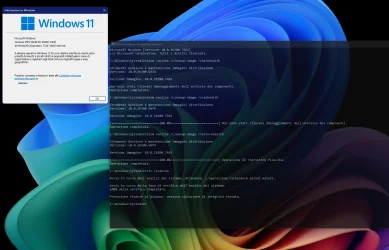
UPDATE 1/13:

 www.elevenforum.com
To view the latest updates about this release, visit the Windows release health dashboard or the update history page for Windows 11, version 25H2 and 24H2.
For more details, see Simplified Windows Update titles or its accompanying blog post.
 www.elevenforum.com
If you're an enterprise user, see Microsoft Store apps - Configuration Manager.
If you're a consumer user, see Get updates for apps and games in Microsoft Store.
For more information about security vulnerabilities, see the Security Update Guide website and the December 2025 Security Updates.
Symptoms
After installing the August 2025 non-security preview update (KB5064081) or later updates, you might notice that the password icon is not visible in the sign-in options on the lock screen. If you hover over the space where the icon should appear, you’ll see that the password button is still available. Select this placeholder to open the password text box and enter your password. After entering your password, you can sign in normally.
Individuals using Windows Home or Pro editions on personal devices are very unlikely to experience this issue. This issue primarily affects enterprise or managed IT environments.
Workaround
This issue is mitigated using Known Issue Rollback (KIR).
For enterprise-managed devices managed by IT departments that have installed the affected update and encountered this issue, IT administrators can resolve it by installing and configuring the Group policy listed below. The special Group Policy can be found in Computer Configuration > Administrative Templates > <Group Policy name listed below>.
For information on deploying and configuring these special Group Policy, please see How to use Group Policy to deploy a Known Issue Rollback.
Group Policy downloads with Group Policy name:
We are working on a resolution in a future Windows update and will provide more information when it is available.
Symptoms
After installing the October 2025 Windows non-security update (KB5067036), released on October 28, 2025, or a later update, mirrored networking mode in Windows Subsystem for Linux (WSL) might cause issues with some third-party VPNs. When this issue occurs, you might see a “No route to host” error, even though the Windows host can still access the same destinations. As a result, you might be unable to access corporate resources over VPN and experience failures with VPN-dependent services.
This issue happens because the VPN application's virtual interface doesn’t respond to ARP (Address Resolution Protocol) requests. Reports indicate that Cisco Secure Client (formerly Cisco AnyConnect) and OpenVPN are affected.
Note: Home users of Windows Home or Pro editions are unlikely to experience this issue. It primarily affects connectivity to enterprise resources over VPN, including DirectAccess.
Workaround
The issue is under investigation, and additional information will be shared as soon as it becomes available.
Symptoms
Note: Individuals using Windows Home or Pro editions on personal devices are very unlikely to experience this issue as Azure Virtual Desktop (AVD) is more commonly used in enterprise environments.
After installing the November 2025 Windows non-security update (KB5070311) or later updates, you might experience RemoteApp connection failures in Azure Virtual Desktop (AVD) environments. Full desktop sessions aren’t affected.
Workaround
To mitigate this issue, apply one of these workarounds:
Option 1: Add registry keys manually
Important: Editing the registry incorrectly can cause system issues. Back up the registry before making changes.
This issue is mitigated using Known Issue Rollback (KIR). The fix will apply automatically, but it may take up to 24 hours (starting December 12, 2025, at 6:00 PM PT) for it to reach Windows Pro and Windows Enterprise devices that receive updates directly from Microsoft. Restarting your device can help the fix apply sooner.
For enterprise-managed devices where Windows updates are managed by IT departments, administrators can apply the KIR by installing and configuring the following special Group Policy.
Group Policy Details
For information on deploying and configuring this special Group Policy, see How to use Group Policy to deploy a Known Issue Rollback.
Organizations affected by this issue can find more details on Azure Portal under the Messages ID: Q_P4-HFG.
Microsoft is working to resolve this issue and will provide information when it’s available. After the update with the resolution is released, organizations will not need to install either one of the workarounds to address this issue.
Microsoft combines the latest servicing stack update (SSU) for your operating system with the latest cumulative update (LCU). For general information about SSUs, see Servicing stack updates and Servicing Stack Updates (SSU): Frequently Asked Questions.
Install this update
To install this update, use one of the following Windows and Microsoft release channels.
1 This latest cumulative update includes updates for AI components. Even though the AI component updates are included in the update, the AI components are only applicable to Windows Copilot+ PCs and will not install on Windows PC or Windows Server.
If you want to remove the LCU
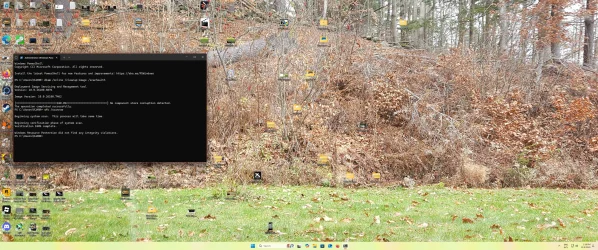
To remove the LCU after installing the combined SSU and LCU package, use the DISM/Remove-Package command line option with the LCU package name as the argument. You can find the package name by using this command: DISM /online /get-packages.
Running Windows Update Standalone Installer (wusa.exe) with the /uninstall switch on the combined package will not work because the combined package contains the SSU. You cannot remove the SSU from the system after installation.
File information
For a list of the files provided in this update, download the file information for cumulative update 5072033.
For a list of the files provided in the servicing stack update, download the file information for the SSU (KB5071142) - version 26100.7295.
 support.microsoft.com
Check Windows Updates
ISO or USB from MCT:
 www.elevenforum.com
UUP Dump:
64-bit ISO download:

ARM64 ISO download:
 www.elevenforum.com
KB5074109 Windows 11 Cumulative Update build 26100.7623 (24H2) and 26200.7623 (25H2) - Jan. 13
UPDATE 1/17: https://www.elevenforum.com/t/kb5077744-windows-11-out-of-band-update-build-26100-7627-24h2-and-26200-7627-25h2-jan-17.43886/ Microsoft Support: January 13, 2026 - KB5074109 (OS Builds 26200.7623 and 26100.7623) This cumulative update for Windows 11, version 25H2 and 24H2...
www.elevenforum.com
Microsoft Support:
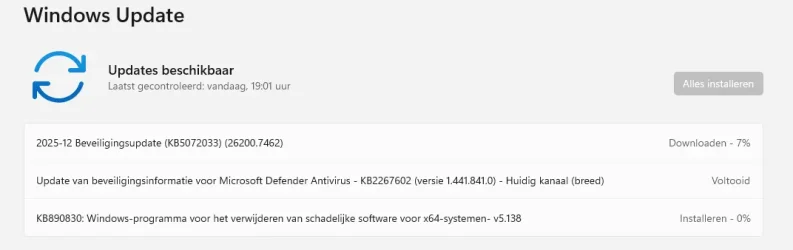
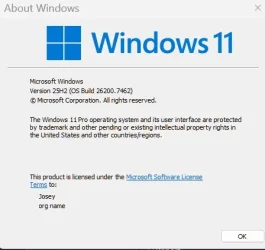
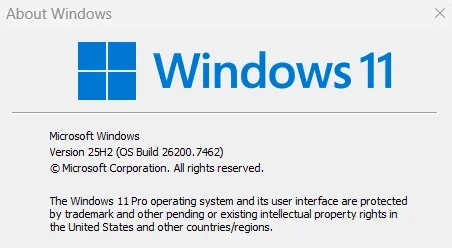
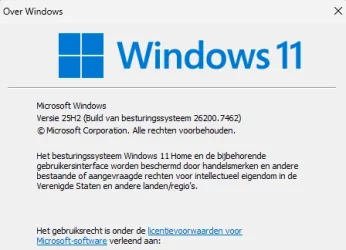
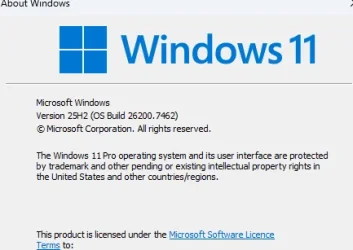
December 9, 2025 - KB5072033 (OS Builds 26200.7462 and 26100.7462)
This cumulative update for Windows 11, version 25H2 and 24H2 (KB5072033), includes the latest security fixes and improvements, along with non-security updates from last month’s optional preview release. To learn more about differences between security updates, optional non-security preview updates, out-of-band (OOB) updates, and continuous innovation, see Windows monthly updates explained. For information on Windows update terminology, see the different types of Windows software updates.To view the latest updates about this release, visit the Windows release health dashboard or the update history page for Windows 11, version 25H2 and 24H2.
Announcements and messages
This section provides key notifications related to this release, including announcements, change logs, and end-of-support notices.Simplified Windows update titles
A new, standardized title format makes Windows updates easier to read and understand. It improves clarity by removing unnecessary technical elements like platform architecture. Key identifiers such as date prefixes, the KB number, and build or version are retained to help you quickly recognize each update.For more details, see Simplified Windows Update titles or its accompanying blog post.
December servicing update schedule
Due to reduced operations during the Western holidays in December and New Year's Day, Microsoft will not release a non-security preview update in December 2025. The monthly security update will still be available as scheduled. Regular monthly servicing, including both security updates and non-security preview updates, will resume in January 2026.
Windows Secure Boot certificate expiration
Important: Secure Boot certificates used by most Windows devices are set to expire starting in June 2026. This might affect the ability of certain personal and business devices to boot securely if not updated in time. To avoid disruption, we recommend reviewing the guidance and taking action to update certificates in advance. For details and preparation steps, see Windows Secure Boot certificate expiration and CA updates.
Updating Microsoft Secure Boot keys before expiration in June 2026
UPDATE 4/02: https://support.microsoft.com/en-us/topic/secure-boot-certificate-update-status-in-the-windows-security-app-5ce39986-7dd2-4852-8c21-ef30dd04f046 UPDATE 2/10: https://www.elevenforum.com/t/refreshing-the-root-of-trust-industry-collaboration-on-secure-boot-certificate-updates.44460/...
www.elevenforum.com
Microsoft Store apps updates
Windows Updates do not include updates for Microsoft Store apps.If you're an enterprise user, see Microsoft Store apps - Configuration Manager.
If you're a consumer user, see Get updates for apps and games in Microsoft Store.
Change log
| Change date | Change description |
|---|---|
| December 15, 2025 | Update: This feature is included in the December 2025 non-security update (KB5072033). [System Components] The AppX Deployment Service (Appxsvc) has moved to Automatic startup type to improve reliability in some isolated scenarios. |
Highlights
- This update addresses security issues for your Windows operating system.
Improvements
This security update contains fixes and quality improvements from KB5070311 (released December 1, 2025). The following summary outlines key issues addressed by this update. Also, included are available new features. The bold text within the brackets indicates the item or area of the change.- [Copilot] Fixed: This update addresses an issue where Ask Copilot didn’t activate the Click to Do window as expected. The window now appears in the foreground when you share data with Copilot.
- [File Explorer (known issue)] Fixed: This update addresses an issue where File Explorer briefly flashes white when you navigate between pages. This issue might occur after you install KB5070311.
- [Networking] Fixed: This update fixes an issue where external virtual switches lose their physical network adapter (NIC) bindings after a host reboot. When this happens, the switches revert to internal mode, resulting in loss of network connectivity for virtual machines and blocking normal server operations.
- [PowerShell 5.1] Invoke-WebRequest now includes a confirmation prompt with a security warning of script execution risk. You can choose to continue or cancel the request. For additional details, see CVE-2025-54100 and KB5074596: PowerShell 5.1: Preventing script execution from web content.
- [System Components] The AppX Deployment Service (Appxsvc) has moved to Automatic startup type to improve reliability in some isolated scenarios.
For more information about security vulnerabilities, see the Security Update Guide website and the December 2025 Security Updates.
AI Components
This release updates the following AI components:| AI Component | Version |
|---|---|
| Image Search | 1.2511.1224.0 |
| Content Extraction | 1.2511.1224.0 |
| Semantic Analysis | 1.2511.1224.0 |
| Settings Model | 1.2511.1224.0 |
Windows 11 servicing stack update (KB5071142)- 26100.7295
This update makes quality improvements to the servicing stack, which is the component that installs Windows updates. Servicing stack updates (SSU) ensure that you have a robust and reliable servicing stack so that your devices can receive and install Microsoft updates. To learn more about SSUs, see Simplifying on-premises deployment of servicing stack updates.Known issues in this update
1 Password icon might be missing or invisible in the lock screen sign-in options
Symptoms
After installing the August 2025 non-security preview update (KB5064081) or later updates, you might notice that the password icon is not visible in the sign-in options on the lock screen. If you hover over the space where the icon should appear, you’ll see that the password button is still available. Select this placeholder to open the password text box and enter your password. After entering your password, you can sign in normally.
Individuals using Windows Home or Pro editions on personal devices are very unlikely to experience this issue. This issue primarily affects enterprise or managed IT environments.
Workaround
This issue is mitigated using Known Issue Rollback (KIR).
For enterprise-managed devices managed by IT departments that have installed the affected update and encountered this issue, IT administrators can resolve it by installing and configuring the Group policy listed below. The special Group Policy can be found in Computer Configuration > Administrative Templates > <Group Policy name listed below>.
For information on deploying and configuring these special Group Policy, please see How to use Group Policy to deploy a Known Issue Rollback.
Group Policy downloads with Group Policy name:
- Download for Windows 11 version 24H2, Windows 11 version 25H2: Windows 11 24H2, Windows 11 25H2 and Windows Server 2025 KB5072033 251202_18051 Known Issue Rollback
We are working on a resolution in a future Windows update and will provide more information when it is available.
2 Mirror networking on Windows Subsystem for Linux might fail
Symptoms
After installing the October 2025 Windows non-security update (KB5067036), released on October 28, 2025, or a later update, mirrored networking mode in Windows Subsystem for Linux (WSL) might cause issues with some third-party VPNs. When this issue occurs, you might see a “No route to host” error, even though the Windows host can still access the same destinations. As a result, you might be unable to access corporate resources over VPN and experience failures with VPN-dependent services.
This issue happens because the VPN application's virtual interface doesn’t respond to ARP (Address Resolution Protocol) requests. Reports indicate that Cisco Secure Client (formerly Cisco AnyConnect) and OpenVPN are affected.
Note: Home users of Windows Home or Pro editions are unlikely to experience this issue. It primarily affects connectivity to enterprise resources over VPN, including DirectAccess.
Workaround
The issue is under investigation, and additional information will be shared as soon as it becomes available.
3 RemoteApp sessions might fail to start on Azure Virtual Desktop
Symptoms
Note: Individuals using Windows Home or Pro editions on personal devices are very unlikely to experience this issue as Azure Virtual Desktop (AVD) is more commonly used in enterprise environments.
After installing the November 2025 Windows non-security update (KB5070311) or later updates, you might experience RemoteApp connection failures in Azure Virtual Desktop (AVD) environments. Full desktop sessions aren’t affected.
Workaround
To mitigate this issue, apply one of these workarounds:
Option 1: Add registry keys manually
Important: Editing the registry incorrectly can cause system issues. Back up the registry before making changes.
- Open Command Prompt as an administrator.
- Run this command:
reg add ""HKEY_LOCAL_MACHINE\SOFTWARE\Microsoft\Windows NT\CurrentVersion\WinLogon\ShellPrograms\RdpShell.exe" /v "ShouldStartRailRPC" /t REG_DWORD /d 1 /f - Restart the device to apply the change.
This issue is mitigated using Known Issue Rollback (KIR). The fix will apply automatically, but it may take up to 24 hours (starting December 12, 2025, at 6:00 PM PT) for it to reach Windows Pro and Windows Enterprise devices that receive updates directly from Microsoft. Restarting your device can help the fix apply sooner.
For enterprise-managed devices where Windows updates are managed by IT departments, administrators can apply the KIR by installing and configuring the following special Group Policy.
Group Policy Details
- Location: Computer Configuration > Administrative Templates > [Group Policy name below]
- Download for Download for Windows 11, version 25H2 and Windows 11, version 24H2 and Windows Server 2025: KB5072033 25121301401 Known Issue Rollback
For information on deploying and configuring this special Group Policy, see How to use Group Policy to deploy a Known Issue Rollback.
Organizations affected by this issue can find more details on Azure Portal under the Messages ID: Q_P4-HFG.
Microsoft is working to resolve this issue and will provide information when it’s available. After the update with the resolution is released, organizations will not need to install either one of the workarounds to address this issue.
How to get this update
Before you install this updateMicrosoft combines the latest servicing stack update (SSU) for your operating system with the latest cumulative update (LCU). For general information about SSUs, see Servicing stack updates and Servicing Stack Updates (SSU): Frequently Asked Questions.
Install this update
To install this update, use one of the following Windows and Microsoft release channels.
| Available | Next Step |
|---|---|

| This update downloads and installs automatically from Windows Update and Microsoft Update. |
| Yes 1 | Before you install this update To get the standalone package(s) for this update, go to the Microsoft Update Catalog website. This KB contains one or more MSU files that require installation in a specific order. Install this update Method 1: Install all MSU files together Download all MSU files for KB5072033 from Microsoft Update Catalog and place them in the same folder (for example, C:/Packages). Use Deployment Image Servicing and Management (DISM.exe) to install the target update. DISM will use the folder specified in PackagePath to discover and install one or more prerequisite MSU files as needed. Updating Windows PC To apply this update to a running Windows PC, run the following command from an elevated Command Prompt: DISM /Online /Add-Package /PackagePath:c:\packages\Windows11.0-KB5072033-x64.msuOr, run the following command from an elevated Windows PowerShell prompt: Add-WindowsPackage -Online -PackagePath "c:\packages\Windows11.0-KB5072033-x64.msu"Or use Windows Update Standalone Installer to install the target update. Updating Windows Installation media To apply this update to Windows Installation media, see Update Windows installation media with Dynamic Update. Note: When downloading other Dynamic Update packages, ensure they match the same month as this KB. If the SafeOS Dynamic Update or Setup Dynamic Update is not available for the same month as this KB, use the most recently published version of each. To add this update to a mounted image, run the following command from an elevated Command Prompt: DISM /Image:mountdir /Add-Package /PackagePath:Windows11.0-KB5072033-x64.msuOr, run the following command from an elevated Windows PowerShell prompt: Add-WindowsPackage -Path "c:\offline" -PackagePath "Windows11.0-KB5072033-x64.msu" -PreventPendingMethod 2: Install each MSU file individually, in order Download and install each MSU file individually either using DISM or Windows Update Standalone Installer in the following order:
|
If you want to remove the LCU
To remove the LCU after installing the combined SSU and LCU package, use the DISM/Remove-Package command line option with the LCU package name as the argument. You can find the package name by using this command: DISM /online /get-packages.
Running Windows Update Standalone Installer (wusa.exe) with the /uninstall switch on the combined package will not work because the combined package contains the SSU. You cannot remove the SSU from the system after installation.
File information
For a list of the files provided in this update, download the file information for cumulative update 5072033.
For a list of the files provided in the servicing stack update, download the file information for the SSU (KB5071142) - version 26100.7295.
Source:
December 9, 2025—KB5072033 (OS Builds 26200.7462 and 26100.7462) - Microsoft Support
support.microsoft.com
Check Windows Updates
ISO or USB from MCT:
Find Build and Version of Windows 11 Installation ISO or USB
This tutorial will show you how to see full details such as language, edition, build, version, architecture, and more for a Windows 11 installation ISO or USB. A Windows 11 ISO file is a disc image file that can be used to create a Windows 11 installation USB or DVD to install Windows 11 with...
www.elevenforum.com
UUP Dump:
64-bit ISO download:
Select language for Windows 11, version 24H2 (26100.7462) amd64
Select language for Windows 11, version 24H2 (26100.7462) amd64 on UUP dump. UUP dump lets you download Unified Update Platform files, like Windows Insider updates, directly from Windows Update.
uupdump.net
Select language for Windows 11, version 25H2 (26200.7462) amd64
Select language for Windows 11, version 25H2 (26200.7462) amd64 on UUP dump. UUP dump lets you download Unified Update Platform files, like Windows Insider updates, directly from Windows Update.
uupdump.net
ARM64 ISO download:
Select language for Windows 11, version 24H2 (26100.7462) arm64
Select language for Windows 11, version 24H2 (26100.7462) arm64 on UUP dump. UUP dump lets you download Unified Update Platform files, like Windows Insider updates, directly from Windows Update.
uupdump.net
Select language for Windows 11, version 25H2 (26200.7462) arm64
Select language for Windows 11, version 25H2 (26200.7462) arm64 on UUP dump. UUP dump lets you download Unified Update Platform files, like Windows Insider updates, directly from Windows Update.
uupdump.net
UUP Dump - Download Windows Insider ISO
UUP Dump is the most practical and easy way to get ISO images of any Insider Windows 10 or Windows 11 version, as soon as Microsoft has released a new build. UUP Dump creates a download configuration file according to your choices, downloads necessary files directly from Microsoft servers, and...
www.elevenforum.com
Last edited:











 ... waiting for a new bug