UPDATE 1/29:

 www.elevenforum.com
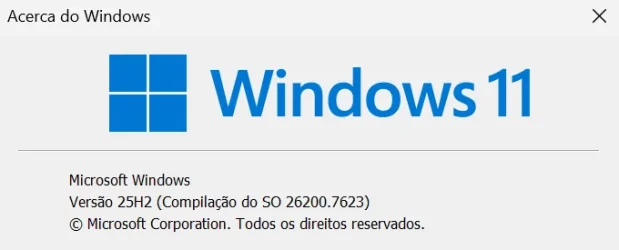
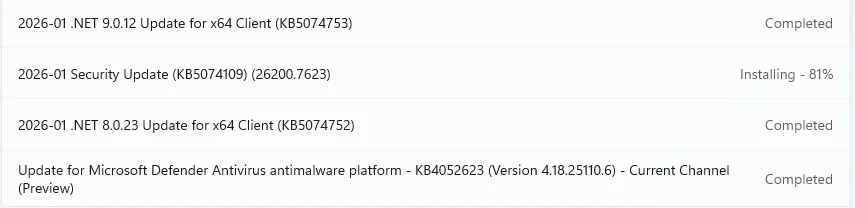
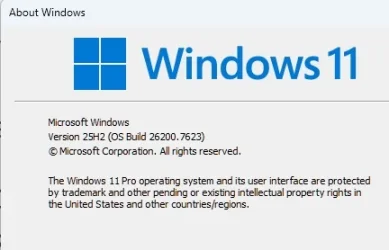
This cumulative update for Windows 11, version 25H2 and 24H2 (KB5074109), includes the latest security fixes and improvements, along with non-security updates from last month’s optional preview release. To learn more about differences between security updates, optional non-security preview updates, out-of-band (OOB) updates, and continuous innovation, see Windows monthly updates explained. For information on Windows update terminology, see the different types of Windows software updates.
To view the latest updates about this release, visit the Windows release health dashboard or the update history page for Windows 11, version 25H2 and 24H2.
 www.elevenforum.com
For more details, see Simplified Windows Update titles or its accompanying blog post.
 www.elevenforum.com
If you're an enterprise user, see Microsoft Store apps - Configuration Manager.
If you're a consumer user, see Get updates for apps and games in Microsoft Store.
For more information about security vulnerabilities, see the Security Update Guide website and the January 2026 Security Updates.
Symptoms
After installing the August 2025 non-security preview update (KB5064081) or later updates, you might notice that the password icon is not visible in the sign-in options on the lock screen. If you hover over the space where the icon should appear, you’ll see that the password button is still available. Select this placeholder to open the password text box and enter your password. After entering your password, you can sign in normally.
Individuals using Windows Home or Pro editions on personal devices are very unlikely to experience this issue. This issue primarily affects enterprise or managed IT environments.
Workaround
This issue is mitigated using Known Issue Rollback (KIR).
For enterprise-managed devices managed by IT departments that have installed the affected update and encountered this issue, IT administrators can resolve it by installing and configuring the Group policy listed below. The special Group Policy can be found in Computer Configuration > Administrative Templates > <Group Policy name listed below>.
For information on deploying and configuring these special Group Policy, please see How to use Group Policy to deploy a Known Issue Rollback.
Group Policy downloads with Group Policy name:
We are working on a resolution in a future Windows update and will provide more information when it is available.
Symptoms
After installing the January 2026 security update (KB5074109), released on January 13, 2026, credential prompt failures occurred during Remote Desktop connections using the Windows App on Windows client devices, impacting Azure Virtual Desktop and Windows 365. The issue affects Windows App on specific Windows builds, causing sign-in failures.
Workaround
This issue is addressed in KB5077744.
Symptom:
After installing this update, some applications may become unresponsive or encounter unexpected errors when opening files from or saving files to cloud-based storage, such as OneDrive or Dropbox. In certain Outlook configurations that store PST files on OneDrive, Outlook may hang and fail to reopen unless the process is terminated or the system is restarted. Users may also see missing sent Items or previously downloaded emails being re‑downloaded.
Workaround:
This issue is addressed in KB5078127.
Microsoft combines the latest servicing stack update (SSU) for your operating system with the latest cumulative update (LCU). For general information about SSUs, see Servicing stack updates and Servicing Stack Updates (SSU): Frequently Asked Questions.
Install this update
To install this update, use one of the following Windows and Microsoft release channels.
1 This latest cumulative update includes updates for AI components. Even though the AI component updates are included in the update, the AI components are only applicable to Windows Copilot+ PCs and will not install on Windows PC or Windows Server.
If you want to remove the LCU
To remove the LCU after installing the combined SSU and LCU package, use the DISM/Remove-Package command line option with the LCU package name as the argument. You can find the package name by using this command: DISM /online /get-packages.
Running Windows Update Standalone Installer (wusa.exe) with the /uninstall switch on the combined package will not work because the combined package contains the SSU. You cannot remove the SSU from the system after installation.
File information
For a list of the files provided in this update, download the file information for cumulative update 5074109.
For a list of the files provided in the servicing stack update, download the file information for the SSU (KB5071142) - version 26100.7295.
 support.microsoft.com
Check Windows Updates
ISO or USB from Microsoft Media Creation Tool (MCT):
 www.elevenforum.com
 www.elevenforum.com
UUP Dump:
64-bit ISO download:

ARM64 ISO download:
 www.elevenforum.com
KB5074105 Windows 11 Cumulative Update Preview build 26100.7705 (24H2) and 26200.7705 (25H2) - Jan. 29
UPDATE 2/10: https://www.elevenforum.com/t/kb5077181-windows-11-cumulative-update-build-26100-7840-24h2-and-26200-7840-25h2-feb-10.44462/ Microsoft Support: January 29, 2026 - KB5074105 (OS Builds 26200.7705 and 26100.7705) Preview This non-security update for Windows 11, version 25H2 and 24H2...
www.elevenforum.com
Microsoft Support:
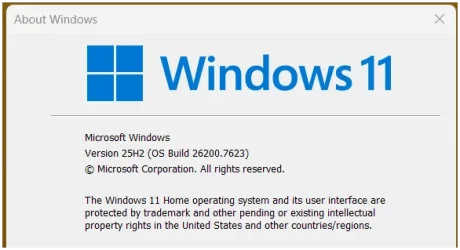
January 13, 2026 - KB5074109 (OS Builds 26200.7623 and 26100.7623)
This cumulative update for Windows 11, version 25H2 and 24H2 (KB5074109), includes the latest security fixes and improvements, along with non-security updates from last month’s optional preview release. To learn more about differences between security updates, optional non-security preview updates, out-of-band (OOB) updates, and continuous innovation, see Windows monthly updates explained. For information on Windows update terminology, see the different types of Windows software updates.
To view the latest updates about this release, visit the Windows release health dashboard or the update history page for Windows 11, version 25H2 and 24H2.
Change Log
Change Date | Change Description |
|---|---|
| February 12, 2026 | Update: And improvement was added for [Credentials autofill]. |
| January 24, 2026 | Update: A resolution has been added to the known issue “Apps might become unresponsive when saving files to cloud‑based storage.” |
| January 21, 2026 | Update: The known issue “Apps might become unresponsive when saving files to cloud‑based storage” has been added to the Known issues in this update section. |
Announcements and messages
This section provides key notifications related to this release, including announcements, change logs, and end-of-support notices.KB identifier changes for Windows Server do not affect Windows 11 starting January 2026
Starting with the January 2026 security update, Windows Server 2025 will have its own KB identifiers and build numbers. This change applies only to Windows Server 2025. It doesn't change how you get or manage updates for Windows 11, version 24H2 or Windows 11, version 25H2.
KB5073379 Windows Server 2025 Cumulative Update build 26100.32230 - Jan. 13
Microsoft Support: January 13, 2026 - KB5073379 (OS Build 26100.32230) This cumulative update for Windows Server 2025 (KB5073379), includes the latest security fixes and improvements, along with non-security updates from last month’s optional preview release. To learn more about differences...
www.elevenforum.com
Simplified Windows update titles
A new, standardized title format makes Windows updates easier to read and understand. It improves clarity by removing unnecessary technical elements like platform architecture. Key identifiers such as date prefixes, the KB number, and build or version are retained to help you quickly recognize each update.For more details, see Simplified Windows Update titles or its accompanying blog post.
Windows Secure Boot certificate expiration
Important: Secure Boot certificates used by most Windows devices are set to expire starting in June 2026. This might affect the ability of certain personal and business devices to boot securely if not updated in time. To avoid disruption, we recommend reviewing the guidance and taking action to update certificates in advance. For details and preparation steps, see Windows Secure Boot certificate expiration and CA updates.
Updating Microsoft Secure Boot keys before expiration in June 2026
https://support.microsoft.com/en-us/topic/if-you-re-prevented-from-updating-secure-boot-certificates-e01cc486-8721-457f-9bc7-5cb801c1759e UPDATE 4/02: https://support.microsoft.com/en-us/topic/secure-boot-certificate-update-status-in-the-windows-security-app-5ce39986-7dd2-4852-8c21-ef30dd04f046...
www.elevenforum.com
Microsoft Store apps updates
Windows Updates do not include updates for Microsoft Store apps.If you're an enterprise user, see Microsoft Store apps - Configuration Manager.
If you're a consumer user, see Get updates for apps and games in Microsoft Store.
Improvements
This security update contains fixes and quality improvements from KB5072033 (released December 9, 2025). The following summary outlines key issues addressed by this update. Also, included are available new features. The bold text within the brackets indicates the item or area of the change.- [Compatibility] This update removes the following modem drivers: agrsm64.sys (x64), agrsm.sys (x86), smserl64.sys (x64) and smserial.sys (x86). Modem hardware dependent on these specific drivers will no longer work in Windows.
- [Credentials autofill] This update introduces a security hardening behavior restricting certain applications to autofill credentials during remote support sessions or automated authentication workflows. With this change, credential dialogs do not respond to virtual keyboard input from remote desktop or screen sharing tools or apps. For more information, see New behavior restricting certain applications to autofill credentials introduced by the Windows January 2026 security update.
- [Networking (known issues)]
- Fixed: This update addresses an issue where mirrored networking in Windows Subsystem for Linux (WSL) could fail causing “No route to host” errors and preventing access to corporate resources over VPN connections, even when the Windows host remained connected. This might occur after installing KB5067036.
- Fixed: This update addresses an issue where you might experience RemoteApp connection failures in Azure Virtual Desktop (AVD) environments. This might occur after installing KB5070311.
- [Power & Battery] Fixed: This update addresses an issue where devices with a Neural Processing Unit (NPU) might stay powered on when idle. This could affect power performance.
- [Secure Boot] Starting with this update, Windows quality updates include a subset of high confidence device targeting data that identifies devices eligible to automatically receive new Secure Boot certificates. Devices will receive the new certificates only after demonstrating sufficient successful update signals, ensuring a safe and phased deployment.
- [Windows Deployment Services (WDS] This update introduces a change in behavior in which WDS will stop supporting hands-free deployment functionality by default. Detailed guidance for IT administrators is available in Windows Deployment Services (WDS) Hands‑Free Deployment Hardening Guidance.
- [WinSqlite3.dll] Fixed: The Windows core component, WinSqlite3.dll, has been updated. Previously, some security software might have detected this component as vulnerable.
Note: WinSqlite3.dll is a separate component from sqlite3.dll, which is found in application-specific directories and is not a Windows component. If security applications continue to detect sqlite3.dll as vulnerable, contact the developer of the app using sqlite3.dll for an update. If sqlite3.dll is being used by a Microsoft app, install the latest version of the app from the Microsoft Store.
For more information about security vulnerabilities, see the Security Update Guide website and the January 2026 Security Updates.
AI Components
This release updates the following AI components:| AI Component | Version |
|---|---|
| Image Search | 1.2511.1224.0 |
| Content Extraction | 1.2511.1224.0 |
| Semantic Analysis | 1.2511.1224.0 |
| Settings Model | 1.2511.1224.0 |
Windows 11 servicing stack update (KB5071142)- 26100.7295
This update makes quality improvements to the servicing stack, which is the component that installs Windows updates. Servicing stack updates (SSU) ensure that you have a robust and reliable servicing stack so that your devices can receive and install Microsoft updates. To learn more about SSUs, see Simplifying on-premises deployment of servicing stack updates.Known issues in this update
1 Password icon might be missing or invisible in the lock screen sign-in options
Symptoms
After installing the August 2025 non-security preview update (KB5064081) or later updates, you might notice that the password icon is not visible in the sign-in options on the lock screen. If you hover over the space where the icon should appear, you’ll see that the password button is still available. Select this placeholder to open the password text box and enter your password. After entering your password, you can sign in normally.
Individuals using Windows Home or Pro editions on personal devices are very unlikely to experience this issue. This issue primarily affects enterprise or managed IT environments.
Workaround
This issue is mitigated using Known Issue Rollback (KIR).
For enterprise-managed devices managed by IT departments that have installed the affected update and encountered this issue, IT administrators can resolve it by installing and configuring the Group policy listed below. The special Group Policy can be found in Computer Configuration > Administrative Templates > <Group Policy name listed below>.
For information on deploying and configuring these special Group Policy, please see How to use Group Policy to deploy a Known Issue Rollback.
Group Policy downloads with Group Policy name:
- Download for Windows 11 version 24H2, Windows 11 version 25H2: Windows 11 24H2, Windows 11 25H2 and Windows Server 2025 KB5072033 251202_18051 Known Issue Rollback
We are working on a resolution in a future Windows update and will provide more information when it is available.
2 Connection and authentication failures in Azure Virtual Desktop and Windows 365
Symptoms
After installing the January 2026 security update (KB5074109), released on January 13, 2026, credential prompt failures occurred during Remote Desktop connections using the Windows App on Windows client devices, impacting Azure Virtual Desktop and Windows 365. The issue affects Windows App on specific Windows builds, causing sign-in failures.
Workaround
This issue is addressed in KB5077744.
3 Apps might become unresponsive when saving files to cloud-based storage
Symptom:
After installing this update, some applications may become unresponsive or encounter unexpected errors when opening files from or saving files to cloud-based storage, such as OneDrive or Dropbox. In certain Outlook configurations that store PST files on OneDrive, Outlook may hang and fail to reopen unless the process is terminated or the system is restarted. Users may also see missing sent Items or previously downloaded emails being re‑downloaded.
Workaround:
This issue is addressed in KB5078127.
How to get this update
Before you install this updateMicrosoft combines the latest servicing stack update (SSU) for your operating system with the latest cumulative update (LCU). For general information about SSUs, see Servicing stack updates and Servicing Stack Updates (SSU): Frequently Asked Questions.
Install this update
To install this update, use one of the following Windows and Microsoft release channels.
| Available | Next Step |
|---|---|

| This update downloads and installs automatically from Windows Update and Microsoft Update. |
| Yes 1 | Before you install this update To get the standalone package(s) for this update, go to the Microsoft Update Catalog website. This KB contains one or more MSU files that require installation in a specific order. Install this update Method 1: Install all MSU files together Download all MSU files for KB5074109 from Microsoft Update Catalog and place them in the same folder (for example, C:/Packages). Use Deployment Image Servicing and Management (DISM.exe) to install the target update. DISM will use the folder specified in PackagePath to discover and install one or more prerequisite MSU files as needed. Updating Windows PC To apply this update to a running Windows PC, run the following command from an elevated Command Prompt: DISM /Online /Add-Package /PackagePath:c:\packages\Windows11.0-KB5074109-x64.msuOr, run the following command from an elevated Windows PowerShell prompt: Add-WindowsPackage -Online -PackagePath "c:\packages\Windows11.0-KB5074109-x64.msu"Or use Windows Update Standalone Installer to install the target update. Updating Windows Installation media To apply this update to Windows Installation media, see Update Windows installation media with Dynamic Update. Note: When downloading other Dynamic Update packages, ensure they match the same month as this KB. If the SafeOS Dynamic Update or Setup Dynamic Update is not available for the same month as this KB, use the most recently published version of each. To add this update to a mounted image, run the following command from an elevated Command Prompt: DISM /Image:mountdir /Add-Package /PackagePath:Windows11.0-KB5074109-x64.msuOr, run the following command from an elevated Windows PowerShell prompt: Add-WindowsPackage -Path "c:\offline" -PackagePath "Windows11.0-KB5074109-x64.msu" -PreventPendingMethod 2: Install each MSU file individually, in order Download and install each MSU file individually either using DISM or Windows Update Standalone Installer in the following order:
|
If you want to remove the LCU
To remove the LCU after installing the combined SSU and LCU package, use the DISM/Remove-Package command line option with the LCU package name as the argument. You can find the package name by using this command: DISM /online /get-packages.
Running Windows Update Standalone Installer (wusa.exe) with the /uninstall switch on the combined package will not work because the combined package contains the SSU. You cannot remove the SSU from the system after installation.
File information
For a list of the files provided in this update, download the file information for cumulative update 5074109.
For a list of the files provided in the servicing stack update, download the file information for the SSU (KB5071142) - version 26100.7295.
Source:
January 13, 2026—KB5074109 (OS Builds 26200.7623 and 26100.7623) | Microsoft Support
January 13, 2026—KB5074109 (OS Builds 26200.7623 and 26100.7623)
support.microsoft.com
Check Windows Updates
ISO or USB from Microsoft Media Creation Tool (MCT):
Download Official Windows 11 ISO file from Microsoft
This tutorial will show you how to download an official Windows Server or Windows 11 64-bit or ARM64 ISO file from Microsoft. Microsoft provides ISO files for Windows Server and Windows 11 to download. You can use these ISO files to clean install or in-place upgrade Windows 11. The Flight Hub...
www.elevenforum.com
Create Windows 11 Bootable USB Installation Media
This tutorial will show you how to create a bootable USB flash drive used to install Windows 11 with UEFI support. You can use a Windows 11 installation USB flash drive to clean install, upgrade, reset, or repair Windows 11. The installation USB can also be used as a recovery drive to boot to...
www.elevenforum.com
UUP Dump:
64-bit ISO download:
Select language for Windows 11, version 24H2 (26100.7623) amd64
Select language for Windows 11, version 24H2 (26100.7623) amd64 on UUP dump. UUP dump lets you download Unified Update Platform files, like Windows Insider updates, directly from Windows Update.
uupdump.net
Select language for Windows 11, version 25H2 (26200.7623) amd64
Select language for Windows 11, version 25H2 (26200.7623) amd64 on UUP dump. UUP dump lets you download Unified Update Platform files, like Windows Insider updates, directly from Windows Update.
uupdump.net
ARM64 ISO download:
Select language for Windows 11, version 24H2 (26100.7623) arm64
Select language for Windows 11, version 24H2 (26100.7623) arm64 on UUP dump. UUP dump lets you download Unified Update Platform files, like Windows Insider updates, directly from Windows Update.
uupdump.net
Select language for Windows 11, version 25H2 (26200.7623) arm64
Select language for Windows 11, version 25H2 (26200.7623) arm64 on UUP dump. UUP dump lets you download Unified Update Platform files, like Windows Insider updates, directly from Windows Update.
uupdump.net
UUP Dump - Download Windows Insider ISO
UUP Dump is the most practical and easy way to get ISO images of any Insider Windows 10 or Windows 11 version, as soon as Microsoft has released a new build. UUP Dump creates a download configuration file according to your choices, downloads necessary files directly from Microsoft servers, and...
www.elevenforum.com
Last edited: