
This morning, on two computers that had KB5129195 done overnight, my search menu is messed up, now looking like:
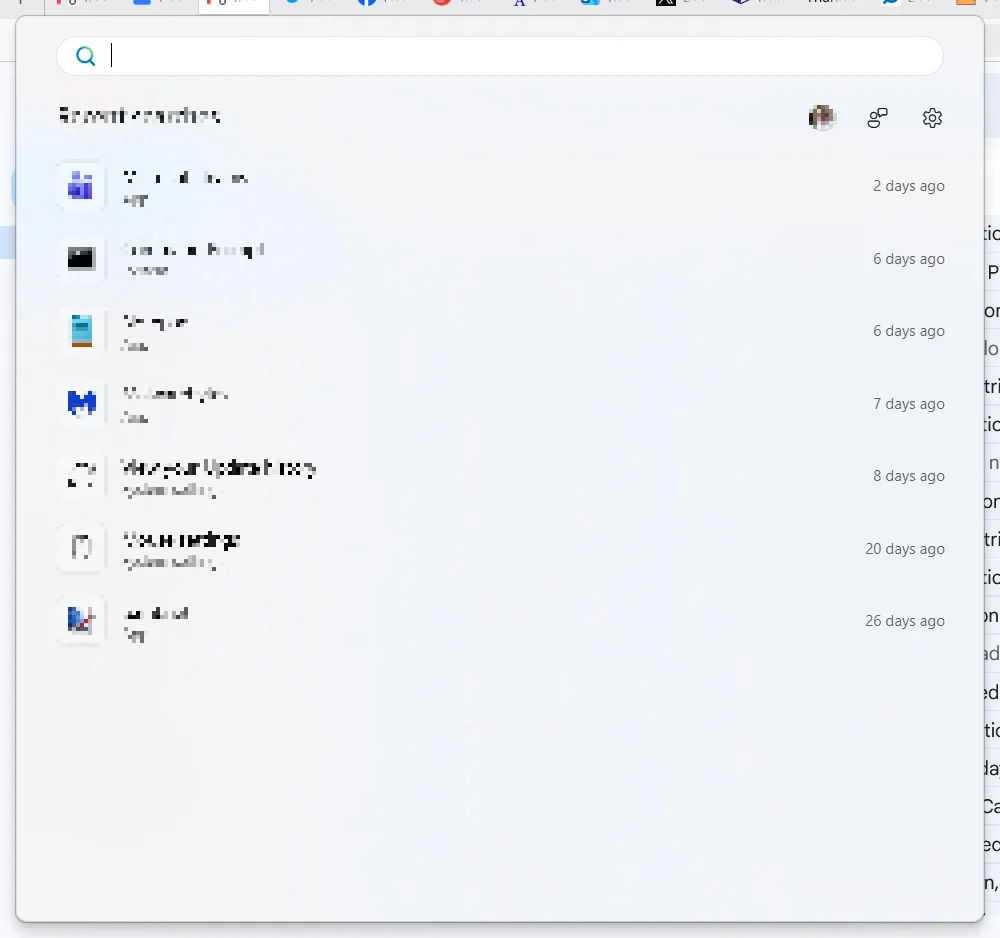
I'm not saying that the update caused it, but for all my time on Windows 11, including yesterday before the update, the menu, in addition to having a list of recent apps down the left side, had (I think) six pinned "top app" icons, that were very handy go-tos, versus having those apps pinned to the taskbar.
What happened? How can I fix the start menu so it shows the top apps?
I'm not saying that the update caused it, but for all my time on Windows 11, including yesterday before the update, the menu, in addition to having a list of recent apps down the left side, had (I think) six pinned "top app" icons, that were very handy go-tos, versus having those apps pinned to the taskbar.
What happened? How can I fix the start menu so it shows the top apps?
- Windows Build/Version
- 25H2 build 26200.9457
Last edited:
My Computer
At a glance
Windows 11Intel® CoreTM i5-10400 Processor 12M Cache16GB - Kingston DDR4 SODIMM, 2666
- OS
- Windows 11
- Computer type
- PC/Desktop
- Manufacturer/Model
- LOOP AIO LP-270206
- CPU
- Intel® CoreTM i5-10400 Processor 12M Cache
- Motherboard
- Asus Pro H410T/CSM
- Memory
- 16GB - Kingston DDR4 SODIMM, 2666
- Screen Resolution
- 1920x1080
- Hard Drives
- Samsung MZ-V8V500B/AM 500 GB SSD (OS and apps)
WD 1TB SSD (data)
- Antivirus
- Defender









