Latest NVIDIA GeForce Graphics Drivers for Windows 11


Support has ended for Maxwell, Pascal, and Volta-series GeForce GPUs.

Support Plan for Maxwell, Pascal, and Volta-series GeForce GPUs

List of Maxwell, Pascal and Volta Series GeForce GPUs

GeForce 582.28 graphics driver as a security update released 1/29/2026 for Maxwell, Pascal, and Volta-series GeForce GPUs.


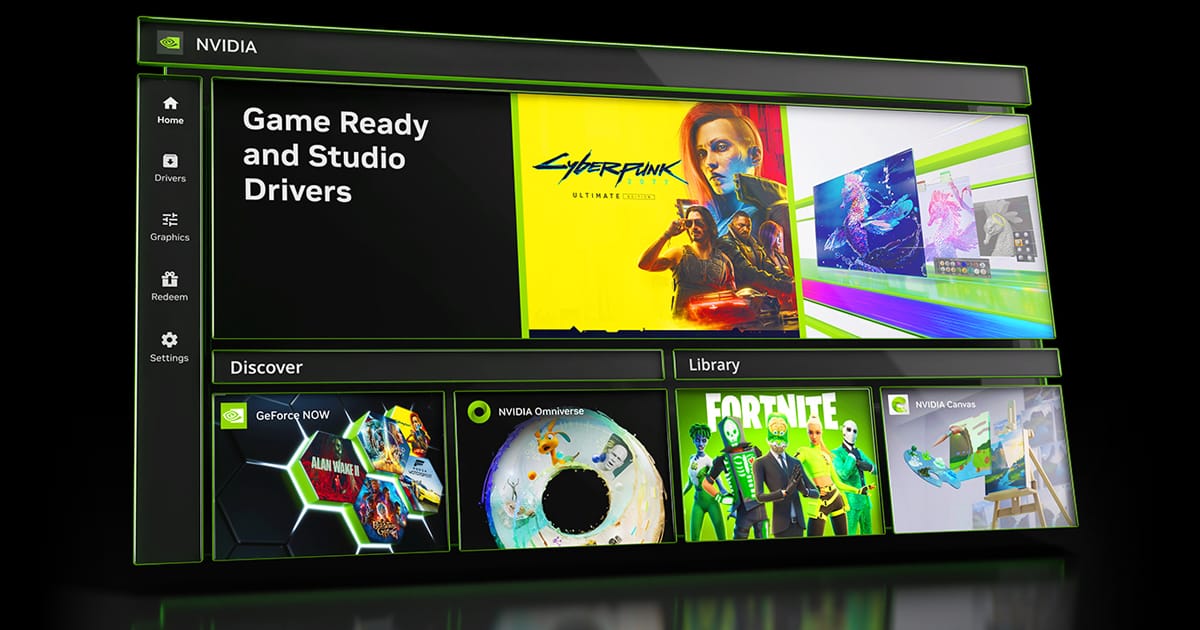
 NVIDIA App


Release Date: April 16, 2026

What's new in NVIDIA App 11.0.7

New Updates:

  • DLSS 4.5 Dynamic Multi Frame Generation Available Now
    • Update to DLSS 4.5 Dynamic Frame Generation on GeForce RTX 50 Series GPUs. Select “Dynamic” mode to intelligently adjust the number of generated frames during gameplay to a target frame rate to balance frame rate, image quality and responsiveness.
    • New DLSS 4.5 Multi Frame Generation 5X and 6X modes on GeForce RTX 50 Series GPUs increase 4K frame rates in path-traced titles. Paired with NVIDIA Reflex, they generate additional frames with minimal impact to responsiveness.
    • DLSS 4.5 Frame Generation model update on GeForce RTX 50 Series and GeForce RTX 40 Series GPUs enhances in-game user interfaces by incorporating additional engine data available for some games, improving visual quality and clarity of static user interface elements.
    • For optimal image quality and peak performance when using ShadowPlay, the latest GeForce Game Ready Driver is required.
    • Access these DLSS features under Graphics > Program Settings > Driver Settings > DLSS Override - Frame Generation mode
  • Automatic Shader Compilation (Beta)
    • Rebuilds DirectX 12 shaders while your system is idle, reducing the frequency of game runtime compilation after driver updates
  • Control Panel Updates
    • Added Custom Resolution in System > Displays > Display Properties
DLSS Override Support Added For :
  • Arknights: Endfield
  • Black One Blood Brothers
  • Carmageddon: Rogue Shift
  • CODE VEIN II
  • Corsairs Legacy
  • Crimson Desert
  • DEATH STRANDING 2: ON THE BEACH
  • Demonologist
  • For Honor
  • Grounded 2
  • Half Sword
  • High On Life 2
  • John Carpenter's Toxic Commando
  • LET IT DIE: INFERNO
  • LORT
  • Marathon
  • Monster Hunter Stories 3: Twisted Reflection
  • Nightmare Frontier
  • Nioh 3
  • NORSE: Oath of Blood
  • Of Ash and Steel
  • Quarantine Zone: The Last Check
  • REANIMAL
  • Resident Evil Requiem
  • Star Trek: Voyager - Across the Unknown
  • StarRupture
  • Styx: Blades of Greed
  • The Gold River Project
  • The Legend of Heroes: Trails Beyond The Horizon
  • Vampires: Bloodlord Rising
  • Yakuza Kiwami 3 & Dark Ties
Optimal Settings Support Added For:
  • Arknights: Endfield
  • Ashes of Creation
  • Highguard
  • StarRupture
  • The Last Caretaker
Squashed Bugs:
  • Overlay
    • Fixed an issue where Statistics shows N/A after a client update
    • Fixed an issue where CPU stats could flickered in idle state
    • Fixed an issue where microphone selections would revert to default after switching devices
    • Fixed an issue that prevented the use of Numpad keys for overlay shortcuts
  • Graphics
    • Fixed an issue where NVIDIA Smooth Motion setting was missing in Global Settings
    • Fixed an issue where NVIDIA app resolution changes were not occurring in-game
  • Display
    • Fixed an issue where changing display modes caused flickering
  • Installation
    • Fixed an intermittent issue where NVIDIA app installation did not install if PC was offline
    • Removed redundant restart prompt after upgrading from GeForce Experience
    • Various stability fixes to improve overall app reliability
  • Project G-Assist
    • Adjusted the voice prompt shortcut to prevent overlapping voice prompts while a response is still processing. Various UI improvements for G-Assist


 NVIDIA GeForce GAME READY Driver (WHQL)


Version: 610.47
Release Date for Desktops and Notebooks: May 26, 2026

Desktop DCH: GEFORCE GAME READY DRIVER 64-bit Windows 10, Windows 11 Download

Notebook DCH: GEFORCE GAME READY DRIVER 64-bit Windows 10, Windows 11 Download

GeForce GRD 610.47 Feedback Thread

NVIDIA GeForce Driver Release Highlights

Game Ready Driver Release Notes (PDF)

Control Panel User's Guide (PDF)

Note: After 20 years of dedicated service, the classic NVIDIA Control Panel is officially retiring for Game Ready and Studio Drivers. For NVIDIA RTX PRO users, the NVIDIA Control Panel will continue to be supported until we have migrated professional features to the NVIDIA app.

Existing installs of the NVIDIA Control Panel will remain on users’ systems, unless they perform a clean installation, and users who still need the NVIDIA Control Panel can continue to download it from the Microsoft Store, but we won’t be adding features, fixes, or other changes.

The NVIDIA app contains all of the modern functionality of the NVIDIA Control Panel available for GeForce RTX GPUs, and much more, while running faster and more efficiently.

Game Ready
Our new GeForce Game Ready Driver optimizes your system for the much-anticipated 007 First Light, launching this week with DLSS 4.5.

Additionally, there’s also support for the acclaimed LEGO® Batman™: Legacy of the Dark Knight, featuring DLSS.

As well as support for EA SPORTS™ F1® 25: 2026 Season Pack featuring path tracing and DLSS, and World of Tanks: HEAT featuring DLSS. And there’s also support for 40 new G-SYNC Compatible gaming displays.

Fixed Gaming Bugs
> Like a Dragon: Infinite Wealth: Shadow/light flicker after driver update [5973185]
> Enshrouded: Missing terrain after driver update [5955501]
> Visual corruption may appear in certain games using Godot engine [5948805]
> Multimonitor gaming stability improvements when using V-SYNC [5343252]

Fixed General Bugs
> Adobe Lightroom Classic: Application stability issues [6090770]
> Autodesk Forma: Memory leak during camera orbit when OpenGL is used [5935127]
> Apple Studio Display XDR only displays 480p after driver update [5976295]
> Samsung The Frame: Using display's Game mode disables key functionality [5825631]

Open Issues
> Prefer Maximum Performance” Power Management Mode may not be applied correctly [6007998]


 NVIDIA Studio DRIVER (WHQL)

Version: 610.47
Release Date for Desktops and Notebooks: May 26, 2026

Desktop DCH: GEFORCE GAME READY DRIVER 64-bit Windows 10, Windows 11 Download

Notebook DCH: GEFORCE GAME READY DRIVER 64-bit Windows 10, Windows 11 Download

NVIDIA Studio Driver Release Highlights

Studio Driver Release Notes (PDF)

Control Panel User's Guide (PDF)

Note: After 20 years of dedicated service, the classic NVIDIA Control Panel is officially retiring for Game Ready and Studio Drivers. For NVIDIA RTX PRO users, the NVIDIA Control Panel will continue to be supported until we have migrated professional features to the NVIDIA app.

Existing installs of the NVIDIA Control Panel will remain on users’ systems, unless they perform a clean installation, and users who still need the NVIDIA Control Panel can continue to download it from the Microsoft Store, but we won’t be adding features, fixes, or other changes.

The NVIDIA app contains all of the modern functionality of the NVIDIA Control Panel available for GeForce RTX GPUs, and much more, while running faster and more efficiently.

The May NVIDIA Studio Driver provides optimal support for the latest new creative applications and updates including performance optimized releases for ComfyUI and Llama.cpp.

Fixed Application Bugs
> Adobe: NVIDIA Driver crash in Lightroom Classic [6090770]
Autodesk Forma: OpenGL driver memory leak during camera orbit [5935127]
Foundry Mari 7.0v2 viewport displays flickering [6102981]
Like a Dragon: Infinite Wealth: Shadow/light flicker after driver update [5973185]
Enshrouded: Missing terrain after driver update [5955501]
Visual corruption may appear in certain games using Godot engine [5955501]

Fixed General Bugs
> Apple Studio Display XDR only displays 480p after driver update [5976295]
Samsung The Frame: Using display's Game mode disables key functionality [5825631]
Multimonitor gaming stability improvements when using V-SYNC [5343252]
Enhanced smoothness when DLSS Frame Generation is used with V-SYNC [5999586]

Open Issues
> “Prefer Maximum Performance” Power Management Mode may not be applied correctly [6007998]

 
Last edited:
Was hoping it would give more help to Star Wars Survivor but still crashing.
 

My Computer

System One

  • OS
    Windows 11 Home
    Computer type
    PC/Desktop
    CPU
    Intel i9-10980XE Extreme Edition (18 core)
    Motherboard
    Asus Rogue Rampage VI Extreme Encore
    Memory
    64gb DDR4 3200MHz Corsair Dominator Platinum DHX
    Graphics Card(s)
    ROG-STRIX-RTX4090-O24G-GAMING
    Monitor(s) Displays
    38” LG UltraGear™ 21:9 Curved
    Screen Resolution
    3840 x 1600
    Hard Drives
    1 TB Samsung 970 EVO PLUS, 6TB WD Black internal; 10TB WD Performance Storage, Black - WD101FZBX
    PSU
    1200W Corsair HX1200i
    Cooling
    Corsair LL Series
    Keyboard
    Razer Blackwidow Chroma Stealth
    Mouse
    Razer Mamba TE
    Browser
    Edge, Chrome
531.79 killed my time spy score cutting it in half on my 4090 w/13900k.
 

My Computers

System One System Two

  • OS
    Windows 11 Pro
    Computer type
    PC/Desktop
    Manufacturer/Model
    Self Built
    CPU
    Intel Core i9 14900k, Intel UHD 770 integrated
    Motherboard
    Gigabyte Z790 Aorus Master X
    Memory
    32gb G.Skill Trident Z5 7200
    Graphics Card(s)
    Gigabyte RTX 4090 Gaming OC
    Sound Card
    EVGA Nu Audio, Razer Kraken V3 Pro, Realtek Onboard
    Monitor(s) Displays
    Dell U4025QW nano IPS monitor, Samsung Odyssey G75F, Wisecoco 12.6" IPS sensor panel
    Screen Resolution
    5120X2160 x 2 1920x515
    Hard Drives
    WD Black SN8100, Samsung 990 Pro x 3, WD BLACK SN850x, WD Black 8tb HD
    PSU
    FSP Hydro PTM Pro 1350w
    Case
    Thermaltake Level 20 XT
    Cooling
    ARCTIC Liquid Freezer III 420 ARGB in push/pull, Antec Prism X 120mm ARGB Fans x 15
    Keyboard
    Razer Blackwidow V4 Pro
    Mouse
    Razer Basilik V3 Pro on Razer Firefly V2 mouse pad.
    Internet Speed
    950 Mbps cable primary, 6Mbps secondary vdsl
    Browser
    Chrome primary, FF-Edge-IE secondary
    Antivirus
    Norton 360 Premium
    Other Info
    I sit on a Libernovo Omni chair.😍 Sound by Fosi Audio DA-2120C pushing Magnat Series 503 bookshelf speakers and a SVS SB-1000 Pro subwoofer.
  • Operating System
    Windows 11 Pro
    Computer type
    Laptop
    Manufacturer/Model
    2023 Acer Predator Helios 18
    CPU
    Intel 14900HX
    Motherboard
    factory
    Memory
    32gb ddr 5 5600
    Graphics card(s)
    Nvidia RTX 4090 mobile
    Sound Card
    onboard
    Monitor(s) Displays
    18" 250hz IPS
    Screen Resolution
    2560X1600
    Hard Drives
    Samsung 9100 Pro, 990 Pro
    PSU
    factory 330W
    Case
    factory
    Cooling
    factory
    Keyboard
    individual key argb
    Mouse
    touchpad
    Internet Speed
    WiFi 7, 2.5gb ethernet
    Browser
    Chrome primary, FF-IE and Edge secondary
    Antivirus
    Norton 360 Premium
    Other Info
    Acer will not allow WD Black SN8100 to function in m.2 slot 0 and Crucial T710 ssd's to function in either slot.
Was hoping it would give more help to Star Wars Survivor but still crashing.

Interesting. I haven't had a single crash on it. Then again, I only played last night for the first time for about 2 hours or so.

I'll try to get some more time in and see if I can get it to crash.
 

My Computers

System One System Two

  • OS
    Windows 11 23H2 Current build
    Computer type
    PC/Desktop
    Manufacturer/Model
    HomeBrew
    CPU
    AMD Ryzen 9 3950X
    Motherboard
    MSI MEG X570 GODLIKE
    Memory
    4 * 32 GB - Corsair Vengeance 3600 MHz
    Graphics Card(s)
    EVGA GeForce RTX 3080 Ti XC3 ULTRA GAMING (12G-P5-3955-KR)
    Sound Card
    Realtek® ALC1220 Codec
    Monitor(s) Displays
    2x Eve Spectrum ES07D03 4K Gaming Monitor (Matte) | Eve Spectrum ES07DC9 4K Gaming Monitor (Glossy)
    Screen Resolution
    3x 3840 x 2160
    Hard Drives
    3x Samsung 980 Pro NVMe PCIe 4 M.2 2 TB SSD (MZ-V8P2T0B/AM) } 3x Sabrent Rocket NVMe 4.0 1 TB SSD (USB)
    PSU
    PC Power & Cooling’s Silencer Series 1050 Watt, 80 Plus Platinum
    Case
    Fractal Design Define 7 XL Dark ATX Full Tower Case
    Cooling
    Arctic Liquid Freezer III 420 RGB + Air 3x 140mm case fans (pull front) + 1x 120 mm (push back) and 1 x 120 mm (pull bottom)
    Keyboard
    SteelSeries Apex Pro Wired Gaming Keyboard
    Mouse
    Logitech MX Master 3S | MX Master 3 for Business
    Internet Speed
    AT&T LightSpeed Gigabit Duplex Ftth
    Browser
    Nightly (default) + Firefox (stable), Chrome, Edge , Arc
    Antivirus
    Defender + MB 5 Beta
  • Operating System
    ChromeOS Flex Dev Channel (current)
    Computer type
    Laptop
    Manufacturer/Model
    Dell Latitude E5470
    CPU
    Intel(R) Core(TM) i5-6300U CPU @ 2.40GHz, 2501 Mhz, 2 Core(s), 4 Logical Processor(s)
    Motherboard
    Dell
    Memory
    16 GB
    Graphics card(s)
    Intel(R) HD Graphics 520
    Sound Card
    Intel(R) HD Graphics 520 + RealTek Audio
    Monitor(s) Displays
    Dell laptop display 15"
    Screen Resolution
    1920 * 1080
    Hard Drives
    Toshiba 128GB M.2 22300 drive
    INTEL Cherryville 520 Series SSDSC2CW180A 180 GB SATA III SSD
    PSU
    Dell
    Case
    Dell
    Cooling
    Dell
    Keyboard
    Dell
    Mouse
    Logitech MX Master 3S (shared w. Sys 1) | Dell TouchPad
    Internet Speed
    AT&T LightSpeed Gigabit Duplex Ftth
Interesting. I haven't had a single crash on it. Then again, I only played last night for the first time for about 2 hours or so.

I'll try to get some more time in and see if I can get it to crash.
Turning Ray tracing off after reading a lot of the same issues on PC crashing especially on jedah helped a ton. It had gotten to the point it was nearly unplayable. They have a lot to do for PC optimization.
 

My Computer

System One

  • OS
    Windows 11 Home
    Computer type
    PC/Desktop
    CPU
    Intel i9-10980XE Extreme Edition (18 core)
    Motherboard
    Asus Rogue Rampage VI Extreme Encore
    Memory
    64gb DDR4 3200MHz Corsair Dominator Platinum DHX
    Graphics Card(s)
    ROG-STRIX-RTX4090-O24G-GAMING
    Monitor(s) Displays
    38” LG UltraGear™ 21:9 Curved
    Screen Resolution
    3840 x 1600
    Hard Drives
    1 TB Samsung 970 EVO PLUS, 6TB WD Black internal; 10TB WD Performance Storage, Black - WD101FZBX
    PSU
    1200W Corsair HX1200i
    Cooling
    Corsair LL Series
    Keyboard
    Razer Blackwidow Chroma Stealth
    Mouse
    Razer Mamba TE
    Browser
    Edge, Chrome
Interesting. I'm only on Koboh, so haven't really made it far yet, but I'll keep that in mind.

I would hope my 3080 Ti would be up to snuff, but not really surprised if it is not.
 

My Computers

System One System Two

  • OS
    Windows 11 23H2 Current build
    Computer type
    PC/Desktop
    Manufacturer/Model
    HomeBrew
    CPU
    AMD Ryzen 9 3950X
    Motherboard
    MSI MEG X570 GODLIKE
    Memory
    4 * 32 GB - Corsair Vengeance 3600 MHz
    Graphics Card(s)
    EVGA GeForce RTX 3080 Ti XC3 ULTRA GAMING (12G-P5-3955-KR)
    Sound Card
    Realtek® ALC1220 Codec
    Monitor(s) Displays
    2x Eve Spectrum ES07D03 4K Gaming Monitor (Matte) | Eve Spectrum ES07DC9 4K Gaming Monitor (Glossy)
    Screen Resolution
    3x 3840 x 2160
    Hard Drives
    3x Samsung 980 Pro NVMe PCIe 4 M.2 2 TB SSD (MZ-V8P2T0B/AM) } 3x Sabrent Rocket NVMe 4.0 1 TB SSD (USB)
    PSU
    PC Power & Cooling’s Silencer Series 1050 Watt, 80 Plus Platinum
    Case
    Fractal Design Define 7 XL Dark ATX Full Tower Case
    Cooling
    Arctic Liquid Freezer III 420 RGB + Air 3x 140mm case fans (pull front) + 1x 120 mm (push back) and 1 x 120 mm (pull bottom)
    Keyboard
    SteelSeries Apex Pro Wired Gaming Keyboard
    Mouse
    Logitech MX Master 3S | MX Master 3 for Business
    Internet Speed
    AT&T LightSpeed Gigabit Duplex Ftth
    Browser
    Nightly (default) + Firefox (stable), Chrome, Edge , Arc
    Antivirus
    Defender + MB 5 Beta
  • Operating System
    ChromeOS Flex Dev Channel (current)
    Computer type
    Laptop
    Manufacturer/Model
    Dell Latitude E5470
    CPU
    Intel(R) Core(TM) i5-6300U CPU @ 2.40GHz, 2501 Mhz, 2 Core(s), 4 Logical Processor(s)
    Motherboard
    Dell
    Memory
    16 GB
    Graphics card(s)
    Intel(R) HD Graphics 520
    Sound Card
    Intel(R) HD Graphics 520 + RealTek Audio
    Monitor(s) Displays
    Dell laptop display 15"
    Screen Resolution
    1920 * 1080
    Hard Drives
    Toshiba 128GB M.2 22300 drive
    INTEL Cherryville 520 Series SSDSC2CW180A 180 GB SATA III SSD
    PSU
    Dell
    Case
    Dell
    Cooling
    Dell
    Keyboard
    Dell
    Mouse
    Logitech MX Master 3S (shared w. Sys 1) | Dell TouchPad
    Internet Speed
    AT&T LightSpeed Gigabit Duplex Ftth
Was hoping it would give more help to Star Wars Survivor but still crashing.
i cant get past optimizing files on game it keeps restarting pc
 

My Computer

System One

  • OS
    Windows 11 Pro 25H2
    Computer type
    PC/Desktop
    CPU
    i7 10700K
    Motherboard
    MSI Z590 Gaming Carbon Wifi
    Memory
    ddr4 16gb
    Graphics Card(s)
    nvidia 1080 8GB
    Screen Resolution
    1920x1080p
i cant get past optimizing files on game it keeps restarting pc
i believe a 1060 is below min requirements but im not sure if that would stop the shaders optimizing
 

My Computer

System One

  • OS
    11
    Computer type
    PC/Desktop
    Manufacturer/Model
    Custom
    CPU
    [email protected]
    Motherboard
    Gigabyte Gaming X Z490
    Memory
    Viper Steelseries 32gb@ 3600mhz
    Graphics Card(s)
    Gigabyte 2070 Super 8GB, +200 core + 600 memory
    Monitor(s) Displays
    ASUS 4k HDR, Two 1080p Benq and Samsung
    Screen Resolution
    3840x2160/2560x1440/1920x1080
    Hard Drives
    Adata XPG SX8200 PRO 1tb
    Samsung EVO 870 500GB
    PSU
    Corsair RX 650
    Case
    NZXT h510
    Cooling
    CM HYPER 212 RGB
    Keyboard
    Razer Ornata Chroma
    Mouse
    Steelseries Rival 710
i believe a 1060 is below min requirements but im not sure if that would stop the shaders optimizing
i got a 1080 now and the minimum requirements are a 1070
 
Last edited:

My Computer

System One

  • OS
    Windows 11 Pro 25H2
    Computer type
    PC/Desktop
    CPU
    i7 10700K
    Motherboard
    MSI Z590 Gaming Carbon Wifi
    Memory
    ddr4 16gb
    Graphics Card(s)
    nvidia 1080 8GB
    Screen Resolution
    1920x1080p
I started having issues the minute I went to Jedah as well. It seems that the HDR wants to kill itself and the monitor I have reset itself a couple of times, and after it stabilized HDR was gone.

But, the game itself still has bugs.

So, even before going to Jedah, the cutscene where you see the 2 Jedis talking in Tarralon, and you try to follow them, it locked up twice after the first cut scene. I had to restart the game fully, but finally, the third time worked. And that is just one of many weird lockups that have happened since I started playing.
 

My Computers

System One System Two

  • OS
    Windows 11 23H2 Current build
    Computer type
    PC/Desktop
    Manufacturer/Model
    HomeBrew
    CPU
    AMD Ryzen 9 3950X
    Motherboard
    MSI MEG X570 GODLIKE
    Memory
    4 * 32 GB - Corsair Vengeance 3600 MHz
    Graphics Card(s)
    EVGA GeForce RTX 3080 Ti XC3 ULTRA GAMING (12G-P5-3955-KR)
    Sound Card
    Realtek® ALC1220 Codec
    Monitor(s) Displays
    2x Eve Spectrum ES07D03 4K Gaming Monitor (Matte) | Eve Spectrum ES07DC9 4K Gaming Monitor (Glossy)
    Screen Resolution
    3x 3840 x 2160
    Hard Drives
    3x Samsung 980 Pro NVMe PCIe 4 M.2 2 TB SSD (MZ-V8P2T0B/AM) } 3x Sabrent Rocket NVMe 4.0 1 TB SSD (USB)
    PSU
    PC Power & Cooling’s Silencer Series 1050 Watt, 80 Plus Platinum
    Case
    Fractal Design Define 7 XL Dark ATX Full Tower Case
    Cooling
    Arctic Liquid Freezer III 420 RGB + Air 3x 140mm case fans (pull front) + 1x 120 mm (push back) and 1 x 120 mm (pull bottom)
    Keyboard
    SteelSeries Apex Pro Wired Gaming Keyboard
    Mouse
    Logitech MX Master 3S | MX Master 3 for Business
    Internet Speed
    AT&T LightSpeed Gigabit Duplex Ftth
    Browser
    Nightly (default) + Firefox (stable), Chrome, Edge , Arc
    Antivirus
    Defender + MB 5 Beta
  • Operating System
    ChromeOS Flex Dev Channel (current)
    Computer type
    Laptop
    Manufacturer/Model
    Dell Latitude E5470
    CPU
    Intel(R) Core(TM) i5-6300U CPU @ 2.40GHz, 2501 Mhz, 2 Core(s), 4 Logical Processor(s)
    Motherboard
    Dell
    Memory
    16 GB
    Graphics card(s)
    Intel(R) HD Graphics 520
    Sound Card
    Intel(R) HD Graphics 520 + RealTek Audio
    Monitor(s) Displays
    Dell laptop display 15"
    Screen Resolution
    1920 * 1080
    Hard Drives
    Toshiba 128GB M.2 22300 drive
    INTEL Cherryville 520 Series SSDSC2CW180A 180 GB SATA III SSD
    PSU
    Dell
    Case
    Dell
    Cooling
    Dell
    Keyboard
    Dell
    Mouse
    Logitech MX Master 3S (shared w. Sys 1) | Dell TouchPad
    Internet Speed
    AT&T LightSpeed Gigabit Duplex Ftth
 

My Computers

System One System Two

  • OS
    Windows 11 Pro for Workstations
    Computer type
    PC/Desktop
    Manufacturer/Model
    Custom self build
    CPU
    Intel i7-8700K 5 GHz
    Motherboard
    ASUS ROG Maximus XI Formula Z390
    Memory
    64 GB (4x16GB) G.SKILL TridentZ RGB DDR4 3600 MHz (F4-3600C18D-32GTZR)
    Graphics Card(s)
    ASUS ROG-STRIX-GTX1080TI-O11G-GAMING (11GB GDDR5X)
    Sound Card
    Integrated Digital Audio (S/PDIF)
    Monitor(s) Displays
    2 x Samsung Odyssey G75 27"
    Screen Resolution
    2560x1440
    Hard Drives
    1TB Samsung 990 PRO M.2,
    4TB Samsung 990 PRO M.2,
    TerraMaster F8 SSD Plus NAS
    PSU
    Seasonic Prime Titanium 850W
    Case
    Thermaltake Core P3 wall mounted
    Cooling
    Corsair Hydro H115i
    Keyboard
    Amazon Basics Wired Full Keyboard MD005
    Mouse
    Logitech MX Master 4
    Internet Speed
    2 Gbps Download and 100 Mbps Upload
    Browser
    Chrome and Edge
    Antivirus
    Microsoft Defender
    Other Info
    Logitech Z625 speaker system,
    Logitech BRIO 4K Pro webcam,
    HP Color LaserJet Pro MFP M477fdn,
    CyberPower CP1500PFCLCD
    Galaxy S23 Plus phone
  • Operating System
    Windows 11 Pro
    Computer type
    Laptop
    Manufacturer/Model
    Surface Laptop 7 Copilot+ PC
    CPU
    Snapdragon X Elite (12 core) 3.42 GHz
    Memory
    16 GB LPDDR5x-7467 MHz
    Monitor(s) Displays
    15" HDR
    Screen Resolution
    2496 x 1664
    Hard Drives
    1 TB SSD
    Internet Speed
    Wi-Fi 7 and Bluetooth 5.4
    Browser
    Chrome and Edge
    Antivirus
    Microsoft Defender
New NVIDIA WHQL driver 532.03 version released. See first post for more details. :-)
 

My Computers

System One System Two

  • OS
    Windows 11 Pro for Workstations
    Computer type
    PC/Desktop
    Manufacturer/Model
    Custom self build
    CPU
    Intel i7-8700K 5 GHz
    Motherboard
    ASUS ROG Maximus XI Formula Z390
    Memory
    64 GB (4x16GB) G.SKILL TridentZ RGB DDR4 3600 MHz (F4-3600C18D-32GTZR)
    Graphics Card(s)
    ASUS ROG-STRIX-GTX1080TI-O11G-GAMING (11GB GDDR5X)
    Sound Card
    Integrated Digital Audio (S/PDIF)
    Monitor(s) Displays
    2 x Samsung Odyssey G75 27"
    Screen Resolution
    2560x1440
    Hard Drives
    1TB Samsung 990 PRO M.2,
    4TB Samsung 990 PRO M.2,
    TerraMaster F8 SSD Plus NAS
    PSU
    Seasonic Prime Titanium 850W
    Case
    Thermaltake Core P3 wall mounted
    Cooling
    Corsair Hydro H115i
    Keyboard
    Amazon Basics Wired Full Keyboard MD005
    Mouse
    Logitech MX Master 4
    Internet Speed
    2 Gbps Download and 100 Mbps Upload
    Browser
    Chrome and Edge
    Antivirus
    Microsoft Defender
    Other Info
    Logitech Z625 speaker system,
    Logitech BRIO 4K Pro webcam,
    HP Color LaserJet Pro MFP M477fdn,
    CyberPower CP1500PFCLCD
    Galaxy S23 Plus phone
  • Operating System
    Windows 11 Pro
    Computer type
    Laptop
    Manufacturer/Model
    Surface Laptop 7 Copilot+ PC
    CPU
    Snapdragon X Elite (12 core) 3.42 GHz
    Memory
    16 GB LPDDR5x-7467 MHz
    Monitor(s) Displays
    15" HDR
    Screen Resolution
    2496 x 1664
    Hard Drives
    1 TB SSD
    Internet Speed
    Wi-Fi 7 and Bluetooth 5.4
    Browser
    Chrome and Edge
    Antivirus
    Microsoft Defender
Bizarre thing happened after installing the new driver. Upon waking up from sleep, my PC had really screwed up text. Pieces of the fonts were missing, making the text very hard to read. This applied to both the main desktop as well as programs. A reboot solved the issue, but that is the first time this has happened.

Anyone else have this happen with the latest driver?
 

My Computer

System One

  • OS
    Win 11 Pro 25H2
    Computer type
    PC/Desktop
    Manufacturer/Model
    Self build
    CPU
    Intel i7 13700KF
    Motherboard
    Gigabyte Z790 UD AC
    Memory
    32 GB Team Group DDR5 - 6000 CL 30
    Graphics Card(s)
    ASUS TUF GAMING RTX 3070 Ti
    Sound Card
    On board Realtek
    Monitor(s) Displays
    ACER 34 inch
    Screen Resolution
    4K
    Hard Drives
    1 TB Samsung 980 Pro Nvme, 1 TB Samsung 970 EVO Nvme, 2 x Samsung 970 2TB SSD SATA
    PSU
    EVGA 1000Q
    Case
    Rosewill something or other
    Cooling
    Noctua NH-D15. A whole schwak of Noctua case fans. $$$
    Keyboard
    Logitech G815
    Mouse
    Logitech G502 Hero
    Internet Speed
    700 up, 600 down
    Browser
    Firefox
    Antivirus
    MalwareBytes
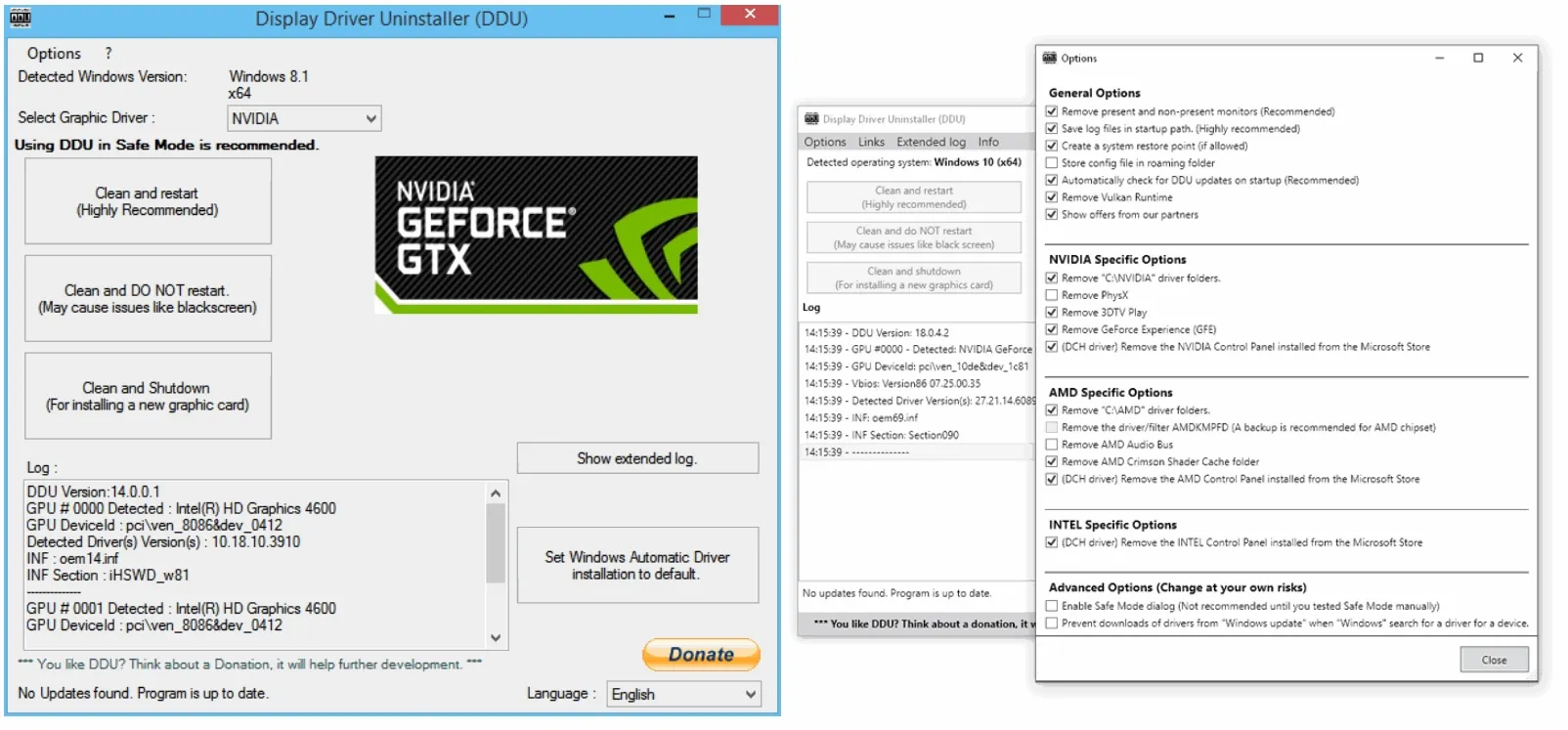
I use DDU to remove the old driver in Safe mode then I install after that is removed in normal mode. But a reboot should be done after any Driver Installation.
 

My Computers

System One System Two

  • OS
    Windows11 Pro 26200.8524
    Computer type
    PC/Desktop
    Manufacturer/Model
    Dell Alienware Aurora R16
    CPU
    Intel Core i9 14900F (24 -Core, 68 MB Total Cache)
    Motherboard
    Dell Alienware
    Memory
    32GB DDR5
    Graphics Card(s)
    RTX 4080 Super w/581.95
    Sound Card
    Realtec
    Monitor(s) Displays
    Corsair XENEON 32QHD165
    Screen Resolution
    2560 X 1440
    Hard Drives
    1-2TB Samsung 990 Pro PCIe NVMe M2 SSD
    1-4TB Samsung 990 Pro PCIe NVMe M2 SSD
    PSU
    1000 Watt Platinum Dell
    Case
    Alienware
    Cooling
    Liquid Closed Loop
    Keyboard
    Logitech MK270 Wireless Keyboard
    Mouse
    Logitech MK270 Wireless
    Internet Speed
    100Gb's Down-20 Up
    Browser
    Firefox 151.0.2
    Antivirus
    Defender
    Other Info
    Very Quiet And Fast
    CyberPower UPS CP1500PFCLCD
  • Operating System
    PClinuxOS Mate (2025.7)
    Computer type
    PC/Desktop
    Manufacturer/Model
    Intel
    CPU
    13th Gen Inter(R) Core(TM) i3-1315U
    Motherboard
    Intel
    Memory
    64 GB DDR4 @3200 MHz.
    Graphics card(s)
    Internal
    Sound Card
    None
    Monitor(s) Displays
    Dell 2419HGCF
    Screen Resolution
    1920 X 1080
    Hard Drives
    SAMSUNG 980 PRO SSD 2TB, PCIe 4.0 M.2 2280
    PSU
    Chicony 30 Watt
    Case
    Small
    Keyboard
    Dell
    Mouse
    Razor
    Internet Speed
    1GB
    Browser
    Slimjet
I do custom installations with the clean install checked, unless the current driver is broken ion some way. After reboot, I clean the driver Store with rapr.

Agreed on the reboot - for all drivers, even if the system doesn't call for it.
 

My Computers

System One System Two

  • OS
    Windows 11 23H2 Current build
    Computer type
    PC/Desktop
    Manufacturer/Model
    HomeBrew
    CPU
    AMD Ryzen 9 3950X
    Motherboard
    MSI MEG X570 GODLIKE
    Memory
    4 * 32 GB - Corsair Vengeance 3600 MHz
    Graphics Card(s)
    EVGA GeForce RTX 3080 Ti XC3 ULTRA GAMING (12G-P5-3955-KR)
    Sound Card
    Realtek® ALC1220 Codec
    Monitor(s) Displays
    2x Eve Spectrum ES07D03 4K Gaming Monitor (Matte) | Eve Spectrum ES07DC9 4K Gaming Monitor (Glossy)
    Screen Resolution
    3x 3840 x 2160
    Hard Drives
    3x Samsung 980 Pro NVMe PCIe 4 M.2 2 TB SSD (MZ-V8P2T0B/AM) } 3x Sabrent Rocket NVMe 4.0 1 TB SSD (USB)
    PSU
    PC Power & Cooling’s Silencer Series 1050 Watt, 80 Plus Platinum
    Case
    Fractal Design Define 7 XL Dark ATX Full Tower Case
    Cooling
    Arctic Liquid Freezer III 420 RGB + Air 3x 140mm case fans (pull front) + 1x 120 mm (push back) and 1 x 120 mm (pull bottom)
    Keyboard
    SteelSeries Apex Pro Wired Gaming Keyboard
    Mouse
    Logitech MX Master 3S | MX Master 3 for Business
    Internet Speed
    AT&T LightSpeed Gigabit Duplex Ftth
    Browser
    Nightly (default) + Firefox (stable), Chrome, Edge , Arc
    Antivirus
    Defender + MB 5 Beta
  • Operating System
    ChromeOS Flex Dev Channel (current)
    Computer type
    Laptop
    Manufacturer/Model
    Dell Latitude E5470
    CPU
    Intel(R) Core(TM) i5-6300U CPU @ 2.40GHz, 2501 Mhz, 2 Core(s), 4 Logical Processor(s)
    Motherboard
    Dell
    Memory
    16 GB
    Graphics card(s)
    Intel(R) HD Graphics 520
    Sound Card
    Intel(R) HD Graphics 520 + RealTek Audio
    Monitor(s) Displays
    Dell laptop display 15"
    Screen Resolution
    1920 * 1080
    Hard Drives
    Toshiba 128GB M.2 22300 drive
    INTEL Cherryville 520 Series SSDSC2CW180A 180 GB SATA III SSD
    PSU
    Dell
    Case
    Dell
    Cooling
    Dell
    Keyboard
    Dell
    Mouse
    Logitech MX Master 3S (shared w. Sys 1) | Dell TouchPad
    Internet Speed
    AT&T LightSpeed Gigabit Duplex Ftth


My Computers

System One System Two

  • OS
    Windows 11 Pro for Workstations
    Computer type
    PC/Desktop
    Manufacturer/Model
    Custom self build
    CPU
    Intel i7-8700K 5 GHz
    Motherboard
    ASUS ROG Maximus XI Formula Z390
    Memory
    64 GB (4x16GB) G.SKILL TridentZ RGB DDR4 3600 MHz (F4-3600C18D-32GTZR)
    Graphics Card(s)
    ASUS ROG-STRIX-GTX1080TI-O11G-GAMING (11GB GDDR5X)
    Sound Card
    Integrated Digital Audio (S/PDIF)
    Monitor(s) Displays
    2 x Samsung Odyssey G75 27"
    Screen Resolution
    2560x1440
    Hard Drives
    1TB Samsung 990 PRO M.2,
    4TB Samsung 990 PRO M.2,
    TerraMaster F8 SSD Plus NAS
    PSU
    Seasonic Prime Titanium 850W
    Case
    Thermaltake Core P3 wall mounted
    Cooling
    Corsair Hydro H115i
    Keyboard
    Amazon Basics Wired Full Keyboard MD005
    Mouse
    Logitech MX Master 4
    Internet Speed
    2 Gbps Download and 100 Mbps Upload
    Browser
    Chrome and Edge
    Antivirus
    Microsoft Defender
    Other Info
    Logitech Z625 speaker system,
    Logitech BRIO 4K Pro webcam,
    HP Color LaserJet Pro MFP M477fdn,
    CyberPower CP1500PFCLCD
    Galaxy S23 Plus phone
  • Operating System
    Windows 11 Pro
    Computer type
    Laptop
    Manufacturer/Model
    Surface Laptop 7 Copilot+ PC
    CPU
    Snapdragon X Elite (12 core) 3.42 GHz
    Memory
    16 GB LPDDR5x-7467 MHz
    Monitor(s) Displays
    15" HDR
    Screen Resolution
    2496 x 1664
    Hard Drives
    1 TB SSD
    Internet Speed
    Wi-Fi 7 and Bluetooth 5.4
    Browser
    Chrome and Edge
    Antivirus
    Microsoft Defender

My Computers

System One System Two

  • OS
    Windows11 Pro 26200.8524
    Computer type
    PC/Desktop
    Manufacturer/Model
    Dell Alienware Aurora R16
    CPU
    Intel Core i9 14900F (24 -Core, 68 MB Total Cache)
    Motherboard
    Dell Alienware
    Memory
    32GB DDR5
    Graphics Card(s)
    RTX 4080 Super w/581.95
    Sound Card
    Realtec
    Monitor(s) Displays
    Corsair XENEON 32QHD165
    Screen Resolution
    2560 X 1440
    Hard Drives
    1-2TB Samsung 990 Pro PCIe NVMe M2 SSD
    1-4TB Samsung 990 Pro PCIe NVMe M2 SSD
    PSU
    1000 Watt Platinum Dell
    Case
    Alienware
    Cooling
    Liquid Closed Loop
    Keyboard
    Logitech MK270 Wireless Keyboard
    Mouse
    Logitech MK270 Wireless
    Internet Speed
    100Gb's Down-20 Up
    Browser
    Firefox 151.0.2
    Antivirus
    Defender
    Other Info
    Very Quiet And Fast
    CyberPower UPS CP1500PFCLCD
  • Operating System
    PClinuxOS Mate (2025.7)
    Computer type
    PC/Desktop
    Manufacturer/Model
    Intel
    CPU
    13th Gen Inter(R) Core(TM) i3-1315U
    Motherboard
    Intel
    Memory
    64 GB DDR4 @3200 MHz.
    Graphics card(s)
    Internal
    Sound Card
    None
    Monitor(s) Displays
    Dell 2419HGCF
    Screen Resolution
    1920 X 1080
    Hard Drives
    SAMSUNG 980 PRO SSD 2TB, PCIe 4.0 M.2 2280
    PSU
    Chicony 30 Watt
    Case
    Small
    Keyboard
    Dell
    Mouse
    Razor
    Internet Speed
    1GB
    Browser
    Slimjet
And this is the reason no one takes Tweak Town seriously(This and that they have so many ads the site is unusable, and if your ad blocker is turned on they block you)
1685462484082.png
 

My Computer

System One

  • OS
    Win10 Pro, Win10 Pro N, Win10 Home, Windows 8.1 Pro, Ubuntu
    Computer type
    PC/Desktop
    Manufacturer/Model
    ۞ΞЖ†ԘΜΞ۞
    CPU
    Intel Core i9 9900K
    Motherboard
    ASUS ROG Maximus X Hero
    Memory
    32 GB Quad Kit, G.Skill Trident Z RGB Series schwarz, DDR4-3866, 18-19-19-39-2T
    Graphics Card(s)
    ASUS GeForce RTX 3090 ROG Strix O24G, 24576 MB GDDR6X
    Sound Card
    (1) HD Webcam C270 (2) NVIDIA High Definition Audio (3) Realtek High Definition Audio
    Monitor(s) Displays
    BenQ BL2711U(4K) and a hp 27vx(1080p)
    Hard Drives
    C: Samsung 960 EVO NVMe M.2 SSD
    E: & O: Libraries & OneDrive-> Samsung 850 EVO 1TB
    D: Hyper-V VM's -> Samsung PM951 Client M.2 512Gb SSD
    G: System Images -> Samsung 860 Pro 2TB
    PSU
    Corsair HX1000i High Performance ATX Power Supply 80+ Platinum
    Case
    Phanteks Enthoo Pro TG
    Cooling
    Thermaltake Floe Riing RGB TT Premium-Edition 360mm and 2x120 Phantek& Halo front, and 1x140 Phanteks
    Keyboard
    Trust GTX THURA
    Mouse
    Trust GTX 148
    Internet Speed
    25+/5+ (+usually faster)
    Browser
    Edge; Chrome;
    Antivirus
    Windows Defender of course & Malwarebytes Anti-Exploit as an added layer between browser & OS
    Other Info
    Router: FRITZ!Box 7590 AX V2
    Sound system: SHARP HT-SBW460 Dolby Atmos Soundbar
    Webcam: Logitech BRIO ULTRA HD PRO WEBCAM 4K webcam with HDR
New NVIDIA WHQL and Studio driver 535.98 version released. See first post for more details. :-)
 

My Computers

System One System Two

  • OS
    Windows 11 Pro for Workstations
    Computer type
    PC/Desktop
    Manufacturer/Model
    Custom self build
    CPU
    Intel i7-8700K 5 GHz
    Motherboard
    ASUS ROG Maximus XI Formula Z390
    Memory
    64 GB (4x16GB) G.SKILL TridentZ RGB DDR4 3600 MHz (F4-3600C18D-32GTZR)
    Graphics Card(s)
    ASUS ROG-STRIX-GTX1080TI-O11G-GAMING (11GB GDDR5X)
    Sound Card
    Integrated Digital Audio (S/PDIF)
    Monitor(s) Displays
    2 x Samsung Odyssey G75 27"
    Screen Resolution
    2560x1440
    Hard Drives
    1TB Samsung 990 PRO M.2,
    4TB Samsung 990 PRO M.2,
    TerraMaster F8 SSD Plus NAS
    PSU
    Seasonic Prime Titanium 850W
    Case
    Thermaltake Core P3 wall mounted
    Cooling
    Corsair Hydro H115i
    Keyboard
    Amazon Basics Wired Full Keyboard MD005
    Mouse
    Logitech MX Master 4
    Internet Speed
    2 Gbps Download and 100 Mbps Upload
    Browser
    Chrome and Edge
    Antivirus
    Microsoft Defender
    Other Info
    Logitech Z625 speaker system,
    Logitech BRIO 4K Pro webcam,
    HP Color LaserJet Pro MFP M477fdn,
    CyberPower CP1500PFCLCD
    Galaxy S23 Plus phone
  • Operating System
    Windows 11 Pro
    Computer type
    Laptop
    Manufacturer/Model
    Surface Laptop 7 Copilot+ PC
    CPU
    Snapdragon X Elite (12 core) 3.42 GHz
    Memory
    16 GB LPDDR5x-7467 MHz
    Monitor(s) Displays
    15" HDR
    Screen Resolution
    2496 x 1664
    Hard Drives
    1 TB SSD
    Internet Speed
    Wi-Fi 7 and Bluetooth 5.4
    Browser
    Chrome and Edge
    Antivirus
    Microsoft Defender
Hotfix driver 536.09 is out.

This hotfix addresses the following issue:
  • When using multiple monitors which support adaptive sync, users may see random flicker on certain displays when G-SYNC is enabled after updating to driver 535.98 [4138119]
 

My Computer

System One

  • OS
    Windows 11 Pro
    Computer type
    PC/Desktop
    Manufacturer/Model
    Custom
    CPU
    AMD Ryzen 7 9800x3D
    Motherboard
    MSI x670e Gaming Plus Wifi
    Memory
    64 GB Corsair Dominator Titanium 6600
    Graphics Card(s)
    ASUS ROG Astral GeForce RTX 5090 BTF OC
    Sound Card
    Integrated
    Monitor(s) Displays
    Samsung Odyssey G9 OLED 49"
    Screen Resolution
    5120x1440 240Hz
    Hard Drives
    1 TB PNY XLR8 NVMe SSD (Boot drive), 960 GB ADATA SSD, 1 TB Samsung SSD, 2 TB Samsung SSD, 2 TB Samsung SSD, 2 TB Crucial P5 NVMe SSD, 10 TB WD MyBook external HDD, 10 TB Seagate external HDD, 15 TB WD MyBook external HDD
    PSU
    Corsair RM1200x Shift
    Case
    Corsair 5000D Airflow
    Cooling
    iCue Link Titan 360 RX RGB
    Keyboard
    Corsair K100 RGB
    Mouse
    Razer Naga Pro v2 wireless
    Internet Speed
    2 Gig
    Browser
    Chrome
    Antivirus
    Windows Defender
I get a weird issue with last driver 535.98 whenever i load Microsoft Edge i get screen flicker even if i close Edge still happens till i restart Edge and it's so called components that are still running. If i do not ever launch Edge no flicker ever.

Have a 4K ASUS Tuf Gaming monitor with G-SYNC. Not using multiple monitors but will try hotfix see if it helps me, kind of figured it had to do with the new driver from NVIDIA as it occurred not long after.
 

My Computer

System One

  • OS
    Windows 11 Pro
    Computer type
    PC/Desktop
    Manufacturer/Model
    jds63 /self built
    CPU
    Intel Core i7 10700KF 3.8 MHz
    Motherboard
    ASUS ROG Strix Z490-E Gaming
    Memory
    G.Skill Trident RGB Series 64GB DDR4-3600MHz
    Graphics Card(s)
    ASUS ROG Strix GeForce RTX 3060 Ti OC Edition
    Sound Card
    Creative Sound BlasterX AE-5 Plus
    Monitor(s) Displays
    ASUS VG28UQL1A 28" 144 Mhz 4K Monitor
    Screen Resolution
    3840 X 2160p HDR
    Hard Drives
    Samsung 970 EVO Plus NVMe 500GB M.2 Drive, (2) Samsung 870 EVO 1TB SATA III Internal SSD, (2) Samsung 860 EVO 1TB SATA III Internal SSD & Seagate Barracuda 2TB
    PSU
    ASUS ROG Thor 850 80+ Platinum 850W Fully Modular RGB Power Supply
    Case
    Lian Li Lancool II Mesh Performance
    Cooling
    Noctua NH-U12A CPU Cooler, (5) Noctua NF-A12x15 chromax.black.swap 120mm, (3) Lepa BOL.Quiet PWM LED 120mm
    Keyboard
    Logitech MX Keys
    Mouse
    Logitech MX Ergo Trackball
    Internet Speed
    325Mbps/ 20Mbps
    Browser
    Mozilla Firefox 64-bit, Microsoft Edge
    Antivirus
    Kaspersky Plus 2023
    Other Info
    Pioneer Blu-Ray/DVD Burner 209DBK, Logitech Z906 5.1 Speakers and Epson XP7100 All-in-One Printer
Back
Top Bottom