Latest NVIDIA GeForce Graphics Drivers for Windows 11


Support has ended for Maxwell, Pascal, and Volta-series GeForce GPUs.

Support Plan for Maxwell, Pascal, and Volta-series GeForce GPUs

List of Maxwell, Pascal and Volta Series GeForce GPUs

GeForce 582.28 graphics driver as a security update released 1/29/2026 for Maxwell, Pascal, and Volta-series GeForce GPUs.


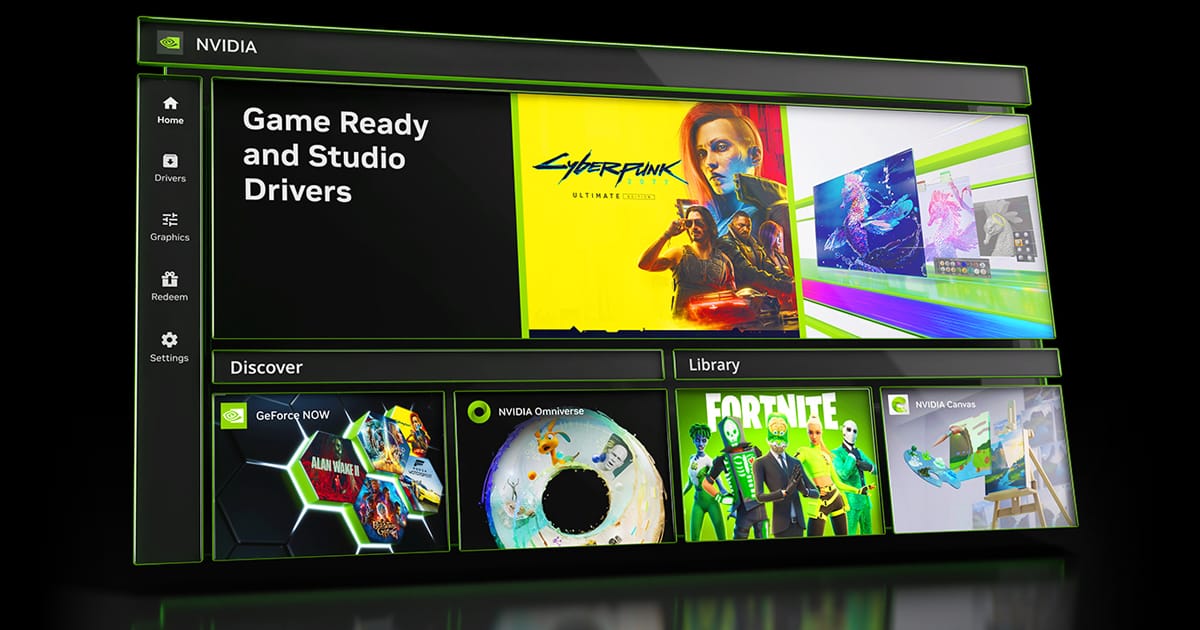
 NVIDIA App


Release Date: July 17, 2026

What's new in NVIDIA App 11.0.8

New Updates:

  • ShadowPlay 240 FPS Recording
    • The NVIDIA app now supports 240 FPS ShadowPlay recording, for GeForce RTX 50 and 40 Series GPUs, providing competitive gamers and creators with ultra-smooth, high-resolution source footage. Configure via Alt+Z > Settings > Video Capture
  • Control Panel Updates
    • Added features for users to confine the taskbar to a single display and maximize windows to all displays. Access via System > Displays > Surround
DLSS Override Support Added For :
  • ‘83
  • Active Matter
  • Bus Bound
  • Cthulhu: The Cosmic Abyss
  • Dawn of Defiance
  • Far Far West
  • INDUSTRIA 2
  • MONGIL: STAR DIVE
  • MOUSE: P.I. For Hire
  • NTE (Neverness to Everness)
  • PRAGMATA
  • Samson
  • Screamer
  • Subliminal
  • Sudden Strike 5
  • Twinmotion
  • Windrose
Optimal Settings Support Added For:
  • Cairn
  • Crimson Desert
  • DEATH STRANDING 2: ON THE BEACH
  • Marathon
  • Monster Hunter Stories 3: Twisted Reflection
  • Nioh 3
  • PRAGMATA
  • Quarantine Zone: The Last Check
  • Resident Evil Requiem
  • The Seven Deadly Sins: Origin
  • Windrose
Squashed Bugs:
  • Fixed an issue where Shadowplay recordings fail when game title contains special character
  • Various stability fixes to improve overall app reliability


 NVIDIA GeForce HOTFIX Driver (WHQL)

Version: 610.82
Release Date for Desktops and Notebooks: July 22, 2026


GeForce Hotfix Display Driver version 610.82 is based on our latest Game Ready Driver 610.74

This hotfix addresses the following:
  • [Halo: Campaign Evolved] Stability issues on GeForce RTX 50 series when using 610.xx drivers. [6259837]
  • [Path of Exile 2] Fixed intermittent long pauses that could occur after extended gameplay sessions in DX12 mode [5090018]
Click here to download the GeForce Hotfix display driver version 610.82 for Windows 10 x64 / Windows 11 x64


 NVIDIA GeForce GAME READY Driver (WHQL)


Version: 610.74
Release Date for Desktops and Notebooks: July 07, 2026

Desktop DCH: GEFORCE GAME READY DRIVER 64-bit Windows 10, Windows 11 Download

Notebook DCH: GEFORCE GAME READY DRIVER 64-bit Windows 10, Windows 11 Download

GeForce GRD 610.74 Feedback Thread

NVIDIA GeForce Driver Release Highlights

Game Ready Driver Release Notes (PDF)

Control Panel User's Guide (PDF)

Note: After 20 years of dedicated service, the classic NVIDIA Control Panel is officially retiring for Game Ready and Studio Drivers. For NVIDIA RTX PRO users, the NVIDIA Control Panel will continue to be supported until we have migrated professional features to the NVIDIA app.

Existing installs of the NVIDIA Control Panel will remain on users’ systems, unless they perform a clean installation, and users who still need the NVIDIA Control Panel can continue to download it from the Microsoft Store, but we won’t be adding features, fixes, or other changes.

The NVIDIA app contains all of the modern functionality of the NVIDIA Control Panel available for GeForce RTX GPUs, and much more, while running faster and more efficiently.

Game Ready for DOOM: The Dark Ages | Revelations
This new Game Ready Driver provides the best gaming experience for the latest new games supporting DLSS and RTX technologies including DOOM: The Dark Ages | Revelations and Assassin's Creed Black Flag Resynced.

Fixed Gaming Bugs
> N/A

Fixed General Bugs
> Tencent Meeting: Flickering may be observed when Smooth Motion is enabled globally [6329207]

Open Issues
> Prefer Maximum Performance” Power Management Mode may not be applied correctly [6007998]


 NVIDIA Studio DRIVER (WHQL)

Version: 610.62
Release Date for Desktops and Notebooks: June 16, 2026

Desktop DCH: GEFORCE GAME READY DRIVER 64-bit Windows 10, Windows 11 Download

Notebook DCH: GEFORCE GAME READY DRIVER 64-bit Windows 10, Windows 11 Download

NVIDIA Studio Driver Release Highlights

Studio Driver Release Notes (PDF)

Control Panel User's Guide (PDF)

Note: After 20 years of dedicated service, the classic NVIDIA Control Panel is officially retiring for Game Ready and Studio Drivers. For NVIDIA RTX PRO users, the NVIDIA Control Panel will continue to be supported until we have migrated professional features to the NVIDIA app.

Existing installs of the NVIDIA Control Panel will remain on users’ systems, unless they perform a clean installation, and users who still need the NVIDIA Control Panel can continue to download it from the Microsoft Store, but we won’t be adding features, fixes, or other changes.

The NVIDIA app contains all of the modern functionality of the NVIDIA Control Panel available for GeForce RTX GPUs, and much more, while running faster and more efficiently.

NVIDIA Studio Drivers provide artists, creators, and 3D developers the best performance and reliability when working with creative applications. To achieve the highest level of reliability, Studio Drivers undergo extensive testing against multi-app creator workflows and multiple revisions of the top creative applications from Adobe to Autodesk and beyond.

Applications

The June NVIDIA Studio Driver provides optimal support for the latest new creative applications and updates including NVIDIA Broadcast 2.2, Reallusion Character Creator 5.1, and the latest multi-GPU optimizations for llama.cpp and ComfyUI.

Fixed Application Bugs
> World of Warcraft: Gaming stability improvements [5563205]
> Apex Legends: Occasional visual corruption after extended gameplay [6239327]
> Users may observe DLSS settings being grayed out in certain games after updating to display driver 615.47 [6262805]
> Improved gaming stability in multi-monitor configurations when using V-SYNC with DLSS Frame Generation [6158481]
> Resolved an issue that could cause jittering or ghosting in some DirectX 11 games when Smooth Motion is enabled [5937897]
> Resolved an issue that could cause some games to crash when launched with Smooth Motion enabled [5466398]

Fixed General Bugs
> [Ada] Resolves a frame pacing issue on certain monitors when G-SYNC is enabled [6226972]
> Resolved an issue that prevented the EDID from being read on certain monitors causing them to be identified as "NVIDIA NV-Failsafe” [6005508]
> Resolved an issue where certain monitors would not wake from sleep mode [5806798/5635230]
> General stability improvements when the system fails to create a new allocation [5449920]

Open Issues
> “Prefer Maximum Performance” Power Management Mode may not be applied correctly [6007998]

 
Last edited:
I can relate to the lazy aspect. But I’d have to click too many things to get to that secion.
I mean like it comes up and goes " New driver available" i click what may as well say yes please and tada, Some progress bar later and im good, Ofc i clean install with ddu but in perfect world!
 

My Computer My Computer

At a glance

11[email protected]Viper Steelseries 32gb@ 3600mhzGigabyte 2070 Super 8GB, +200 core + 600 memory
OS
11
Computer type
PC/Desktop
Manufacturer/Model
Custom
CPU
[email protected]
Motherboard
Gigabyte Gaming X Z490
Memory
Viper Steelseries 32gb@ 3600mhz
Graphics Card(s)
Gigabyte 2070 Super 8GB, +200 core + 600 memory
Monitor(s) Displays
ASUS 4k HDR, Two 1080p Benq and Samsung
Screen Resolution
3840x2160/2560x1440/1920x1080
Hard Drives
Adata XPG SX8200 PRO 1tb
Samsung EVO 870 500GB
PSU
Corsair RX 650
Case
NZXT h510
Cooling
CM HYPER 212 RGB
Keyboard
Razer Ornata Chroma
Mouse
Steelseries Rival 710
Everything removed out of the driver package except for:
  • Core Driver files
  • PhysX
  • HD Audio
  • Key RTX features (present only in Clean Driver RTX packages)
No Impact that I can tell. I still only install the Core Drivers and PhysX.
One of the biggest issues I find is having GeForce Experience installed which I never do.

Nice.

With NVCleanStall, I get options as shown in that other thread:

Screenshot 2023-09-22 114700.png
Screenshot 2023-09-22 114706.png

No PhysX here because I don't need it:

Screenshot 2023-09-22 114810.png

No HD Audio because I don't use it:

Screenshot 2023-09-22 114815.png

Additionally, in the advanced configuration, there are things I add in and remove to make the overall package better:

Screenshot 2023-09-22 114742.png
Screenshot 2023-09-22 114746.png

I am sure there are people who find it useful. But for me, I think it’s just bloatware with no redeeming qualities or purposeful use.

it makes it easier for my lazy ass to download drivers lol! But otherwise yeah, Id just stick to control panel.

I can relate to the lazy aspect. But I’d have to click too many things to get to that secion.

I mean like it comes up and goes " New driver available" i click what may as well say yes please and tada, Some progress bar later and im good, Ofc i clean install with ddu but in perfect world!

Re: GeForce Experience, it does have some benefits for folks who want to automatically monitor for new drivers, apply basic tweaks per game, etc. Regardless, though, I don't use it, as a long, long time ago it hosed my system attempting to install a driver and I gave up using it.

Most of what I cull out of the driver packages today is stuff I already have alternate apps for - I mean, I have XBox app, Steel Series GG, and eVGA Precision X1 installed, all of which do screen captures, and SteelSeries does clip capturing too. Thus, nVidia's Ansel is useless to me.

Again, though, it's personal preference. Using the default driver package or the clean packages from Guru3D or building them yourslf with NVSlimmer or NVCleanStall - whatever works for you is all good.

One thing I do not do is clean install with DDU, as between NVCleanStall (using clean install mode) and then running Driver Store Explorer, I'm perfectly good with that. I keep DDU around only for when I actually need to deep clean for some reason. But that, too, is personal preference.
 

My Computers My Computers

  • At a glance

    Windows 11 23H2 Current buildAMD Ryzen 9 3950X4 * 32 GB - Corsair Vengeance 3600 MHzEVGA GeForce RTX 3080 Ti XC3 ULTRA GAMING (12...
    OS
    Windows 11 23H2 Current build
    Computer type
    PC/Desktop
    Manufacturer/Model
    HomeBrew
    CPU
    AMD Ryzen 9 3950X
    Motherboard
    MSI MEG X570 GODLIKE
    Memory
    4 * 32 GB - Corsair Vengeance 3600 MHz
    Graphics Card(s)
    EVGA GeForce RTX 3080 Ti XC3 ULTRA GAMING (12G-P5-3955-KR)
    Sound Card
    Realtek® ALC1220 Codec
    Monitor(s) Displays
    2x Eve Spectrum ES07D03 4K Gaming Monitor (Matte) | Eve Spectrum ES07DC9 4K Gaming Monitor (Glossy)
    Screen Resolution
    3x 3840 x 2160
    Hard Drives
    3x Samsung 980 Pro NVMe PCIe 4 M.2 2 TB SSD (MZ-V8P2T0B/AM) } 3x Sabrent Rocket NVMe 4.0 1 TB SSD (USB)
    PSU
    PC Power & Cooling’s Silencer Series 1050 Watt, 80 Plus Platinum
    Case
    Fractal Design Define 7 XL Dark ATX Full Tower Case
    Cooling
    Arctic Liquid Freezer III 420 RGB + Air 3x 140mm case fans (pull front) + 1x 120 mm (push back) and 1 x 120 mm (pull bottom)
    Keyboard
    SteelSeries Apex Pro Wired Gaming Keyboard
    Mouse
    Logitech MX Master 3S | MX Master 3 for Business
    Internet Speed
    AT&T LightSpeed Gigabit Duplex Ftth
    Browser
    Nightly (default) + Firefox (stable), Chrome, Edge , Arc
    Antivirus
    Defender + MB 5 Beta
  • At a glance

    ChromeOS Flex Dev Channel (current)Intel(R) Core(TM) i5-6300U CPU @ 2.40GHz, 250...16 GBIntel(R) HD Graphics 520
    Operating System
    ChromeOS Flex Dev Channel (current)
    Computer type
    Laptop
    Manufacturer/Model
    Dell Latitude E5470
    CPU
    Intel(R) Core(TM) i5-6300U CPU @ 2.40GHz, 2501 Mhz, 2 Core(s), 4 Logical Processor(s)
    Motherboard
    Dell
    Memory
    16 GB
    Graphics card(s)
    Intel(R) HD Graphics 520
    Sound Card
    Intel(R) HD Graphics 520 + RealTek Audio
    Monitor(s) Displays
    Dell laptop display 15"
    Screen Resolution
    1920 * 1080
    Hard Drives
    Toshiba 128GB M.2 22300 drive
    INTEL Cherryville 520 Series SSDSC2CW180A 180 GB SATA III SSD
    PSU
    Dell
    Case
    Dell
    Cooling
    Dell
    Keyboard
    Dell
    Mouse
    Logitech MX Master 3S (shared w. Sys 1) | Dell TouchPad
    Internet Speed
    AT&T LightSpeed Gigabit Duplex Ftth
it makes it easier for my lazy ass to download drivers lol! But otherwise yeah, Id just stick to control panel.
LOL, I liked it better in the past when it also notified when there are GeForce Experience updates but that was years ago. I use it more to let me know there are new drivers as I will still download the .exe and install from the .exe as in case nVidia was gone or they no longer provide drivers because the card was no longer supported, I would still have a way to reinstall the drivers. When I install drivers using the .exe, I usually choose custom and still select all options and also to clean install so when it finishes, I still have to set all the options in GeForce Experience after going through the login process.

@johnlgalt - There has been a question I have been meaning to ask, are you also on the satelliteguys.us forums as there is another John Galt there.
 

My Computer My Computer

At a glance

WindowsXP/7/8/8.1/10/11,Linux,Android,FreeBSD...Intel® Core™ i7-8750H 8th Gen 2.2Ghz up to 4....64GB using 2x32GB CL16 Mushkin redLine modulesIntel UHD 630 & NVIDIA GeForce GTX 1050 Ti wi...
OS
WindowsXP/7/8/8.1/10/11,Linux,Android,FreeBSD Unix
Computer type
Laptop
Manufacturer/Model
Dell XPS 15 9570
CPU
Intel® Core™ i7-8750H 8th Gen 2.2Ghz up to 4.1Ghz
Motherboard
Dell XPS 15 9570
Memory
64GB using 2x32GB CL16 Mushkin redLine modules
Graphics Card(s)
Intel UHD 630 & NVIDIA GeForce GTX 1050 Ti with 4GB DDR5
Sound Card
Realtek ALC3266-CG
Monitor(s) Displays
15.6" 4K Touch UltraHD 3840x2160 made by Sharp
Screen Resolution
3840x2160 4K UltraHD
Hard Drives
Samsung MZ-V9P4T0B/AM 990 PRO 4TB PCIe®4.0 NVMe™ M.2 SSD was Toshiba KXG60ZNV1T02 NVMe 1TB SSD
PSU
Dell XPS 15 9570
Case
Dell XPS 15 9570
Cooling
Stock
Keyboard
Stock
Mouse
SwitftPoint ProPoint
Internet Speed
Comcast/XFinity 1.44Gbps/42.5Mbps
Browser
Microsoft EDGE (Chromium based) & Google Chrome
Antivirus
Windows Defender that came with Windows
Yeah, CLean install removes settings from both GFE and the nVidia Control Panel. Since I opt for clean installs every time also, I always have to go back and set up a few things in nCP post-install.

Meh. I'd rather do that than install over without cleaning, and then have something weird happen to me when gaming or working and spending hours (or days) trying to figure out WTF is going on lol.
 

My Computers My Computers

  • At a glance

    Windows 11 23H2 Current buildAMD Ryzen 9 3950X4 * 32 GB - Corsair Vengeance 3600 MHzEVGA GeForce RTX 3080 Ti XC3 ULTRA GAMING (12...
    OS
    Windows 11 23H2 Current build
    Computer type
    PC/Desktop
    Manufacturer/Model
    HomeBrew
    CPU
    AMD Ryzen 9 3950X
    Motherboard
    MSI MEG X570 GODLIKE
    Memory
    4 * 32 GB - Corsair Vengeance 3600 MHz
    Graphics Card(s)
    EVGA GeForce RTX 3080 Ti XC3 ULTRA GAMING (12G-P5-3955-KR)
    Sound Card
    Realtek® ALC1220 Codec
    Monitor(s) Displays
    2x Eve Spectrum ES07D03 4K Gaming Monitor (Matte) | Eve Spectrum ES07DC9 4K Gaming Monitor (Glossy)
    Screen Resolution
    3x 3840 x 2160
    Hard Drives
    3x Samsung 980 Pro NVMe PCIe 4 M.2 2 TB SSD (MZ-V8P2T0B/AM) } 3x Sabrent Rocket NVMe 4.0 1 TB SSD (USB)
    PSU
    PC Power & Cooling’s Silencer Series 1050 Watt, 80 Plus Platinum
    Case
    Fractal Design Define 7 XL Dark ATX Full Tower Case
    Cooling
    Arctic Liquid Freezer III 420 RGB + Air 3x 140mm case fans (pull front) + 1x 120 mm (push back) and 1 x 120 mm (pull bottom)
    Keyboard
    SteelSeries Apex Pro Wired Gaming Keyboard
    Mouse
    Logitech MX Master 3S | MX Master 3 for Business
    Internet Speed
    AT&T LightSpeed Gigabit Duplex Ftth
    Browser
    Nightly (default) + Firefox (stable), Chrome, Edge , Arc
    Antivirus
    Defender + MB 5 Beta
  • At a glance

    ChromeOS Flex Dev Channel (current)Intel(R) Core(TM) i5-6300U CPU @ 2.40GHz, 250...16 GBIntel(R) HD Graphics 520
    Operating System
    ChromeOS Flex Dev Channel (current)
    Computer type
    Laptop
    Manufacturer/Model
    Dell Latitude E5470
    CPU
    Intel(R) Core(TM) i5-6300U CPU @ 2.40GHz, 2501 Mhz, 2 Core(s), 4 Logical Processor(s)
    Motherboard
    Dell
    Memory
    16 GB
    Graphics card(s)
    Intel(R) HD Graphics 520
    Sound Card
    Intel(R) HD Graphics 520 + RealTek Audio
    Monitor(s) Displays
    Dell laptop display 15"
    Screen Resolution
    1920 * 1080
    Hard Drives
    Toshiba 128GB M.2 22300 drive
    INTEL Cherryville 520 Series SSDSC2CW180A 180 GB SATA III SSD
    PSU
    Dell
    Case
    Dell
    Cooling
    Dell
    Keyboard
    Dell
    Mouse
    Logitech MX Master 3S (shared w. Sys 1) | Dell TouchPad
    Internet Speed
    AT&T LightSpeed Gigabit Duplex Ftth
@johnlgalt - There has been a question I have been meaning to ask, are you also on the satelliteguys.us forums as there is another John Galt there.

That person is not me, I don't believe I've ever visited that forum.

I initially started using hte moniker (as John Galt / johngalt) on dialup BBSs, and then on the Internet-based BBSs and forums, but I found a few others using the same (one guy in AZ, who used my original email address without the extra "l" in the middle, and all of a sudden I started getting all of his subscription content lol).

So, there are some places where you will see "johngalt / John Galt" and it is me - but most of those places are really, really old sites that I joined forever ago.

When I tried to make a new email address at a new Service provider, 'johngalt' was, sadly, already taken, so I decided to pull an L. Frank Baum, and add a letter by incrementing my real middle initial. And thus, "John L. Galt / johnlgalt" was reborn.

I've changed it at most places, but some of the oldest places I was a part of either won't let me change it or else require me to access an email account that is now defunct.
 

My Computers My Computers

  • At a glance

    Windows 11 23H2 Current buildAMD Ryzen 9 3950X4 * 32 GB - Corsair Vengeance 3600 MHzEVGA GeForce RTX 3080 Ti XC3 ULTRA GAMING (12...
    OS
    Windows 11 23H2 Current build
    Computer type
    PC/Desktop
    Manufacturer/Model
    HomeBrew
    CPU
    AMD Ryzen 9 3950X
    Motherboard
    MSI MEG X570 GODLIKE
    Memory
    4 * 32 GB - Corsair Vengeance 3600 MHz
    Graphics Card(s)
    EVGA GeForce RTX 3080 Ti XC3 ULTRA GAMING (12G-P5-3955-KR)
    Sound Card
    Realtek® ALC1220 Codec
    Monitor(s) Displays
    2x Eve Spectrum ES07D03 4K Gaming Monitor (Matte) | Eve Spectrum ES07DC9 4K Gaming Monitor (Glossy)
    Screen Resolution
    3x 3840 x 2160
    Hard Drives
    3x Samsung 980 Pro NVMe PCIe 4 M.2 2 TB SSD (MZ-V8P2T0B/AM) } 3x Sabrent Rocket NVMe 4.0 1 TB SSD (USB)
    PSU
    PC Power & Cooling’s Silencer Series 1050 Watt, 80 Plus Platinum
    Case
    Fractal Design Define 7 XL Dark ATX Full Tower Case
    Cooling
    Arctic Liquid Freezer III 420 RGB + Air 3x 140mm case fans (pull front) + 1x 120 mm (push back) and 1 x 120 mm (pull bottom)
    Keyboard
    SteelSeries Apex Pro Wired Gaming Keyboard
    Mouse
    Logitech MX Master 3S | MX Master 3 for Business
    Internet Speed
    AT&T LightSpeed Gigabit Duplex Ftth
    Browser
    Nightly (default) + Firefox (stable), Chrome, Edge , Arc
    Antivirus
    Defender + MB 5 Beta
  • At a glance

    ChromeOS Flex Dev Channel (current)Intel(R) Core(TM) i5-6300U CPU @ 2.40GHz, 250...16 GBIntel(R) HD Graphics 520
    Operating System
    ChromeOS Flex Dev Channel (current)
    Computer type
    Laptop
    Manufacturer/Model
    Dell Latitude E5470
    CPU
    Intel(R) Core(TM) i5-6300U CPU @ 2.40GHz, 2501 Mhz, 2 Core(s), 4 Logical Processor(s)
    Motherboard
    Dell
    Memory
    16 GB
    Graphics card(s)
    Intel(R) HD Graphics 520
    Sound Card
    Intel(R) HD Graphics 520 + RealTek Audio
    Monitor(s) Displays
    Dell laptop display 15"
    Screen Resolution
    1920 * 1080
    Hard Drives
    Toshiba 128GB M.2 22300 drive
    INTEL Cherryville 520 Series SSDSC2CW180A 180 GB SATA III SSD
    PSU
    Dell
    Case
    Dell
    Cooling
    Dell
    Keyboard
    Dell
    Mouse
    Logitech MX Master 3S (shared w. Sys 1) | Dell TouchPad
    Internet Speed
    AT&T LightSpeed Gigabit Duplex Ftth
@johnlgalt - That would make sense since there is always the chance that someone can take your name similar to everyone knows Burger King but in Australia, it's called Hungry Jack because someone already took that name earlier. No different than my name nick can be different as there are some sites where the name is taken so I just change the 1 to some other number. I visit that forum daily just like this forum and saw someone posting as a new user on that forum and better to ask over here instead of there than not as it's obvious the person would not be young to still be using satellite tv. So even for me, I used a different nick on dial up BBSes and when I ran dialup BBSes in 1988-1990 than when I did in 1992 and later and ofcourse on internet forums, some uses my real name and some uses Almighty1 like neowin.net which I used in the early 2000s when Windows XP was initially out.
 

My Computer My Computer

At a glance

WindowsXP/7/8/8.1/10/11,Linux,Android,FreeBSD...Intel® Core™ i7-8750H 8th Gen 2.2Ghz up to 4....64GB using 2x32GB CL16 Mushkin redLine modulesIntel UHD 630 & NVIDIA GeForce GTX 1050 Ti wi...
OS
WindowsXP/7/8/8.1/10/11,Linux,Android,FreeBSD Unix
Computer type
Laptop
Manufacturer/Model
Dell XPS 15 9570
CPU
Intel® Core™ i7-8750H 8th Gen 2.2Ghz up to 4.1Ghz
Motherboard
Dell XPS 15 9570
Memory
64GB using 2x32GB CL16 Mushkin redLine modules
Graphics Card(s)
Intel UHD 630 & NVIDIA GeForce GTX 1050 Ti with 4GB DDR5
Sound Card
Realtek ALC3266-CG
Monitor(s) Displays
15.6" 4K Touch UltraHD 3840x2160 made by Sharp
Screen Resolution
3840x2160 4K UltraHD
Hard Drives
Samsung MZ-V9P4T0B/AM 990 PRO 4TB PCIe®4.0 NVMe™ M.2 SSD was Toshiba KXG60ZNV1T02 NVMe 1TB SSD
PSU
Dell XPS 15 9570
Case
Dell XPS 15 9570
Cooling
Stock
Keyboard
Stock
Mouse
SwitftPoint ProPoint
Internet Speed
Comcast/XFinity 1.44Gbps/42.5Mbps
Browser
Microsoft EDGE (Chromium based) & Google Chrome
Antivirus
Windows Defender that came with Windows
Yeah, CLean install removes settings from both GFE and the nVidia Control Panel. Since I opt for clean installs every time also, I always have to go back and set up a few things in nCP post-install.

Meh. I'd rather do that than install over without cleaning, and then have something weird happen to me when gaming or working and spending hours (or days) trying to figure out WTF is going on lol.
One thing I never figured out was clean install with nVidia drivers works and I had never seen Windows Update ever replace a nVidia driver but with Intel video drivers, Windows Update will always replace it and basically one has to let it replace it once and then overwrite it with the version one wants to install. And ofcourse that will work until Windows Update has a version that the system had not seen installed yet.
 

My Computer My Computer

At a glance

WindowsXP/7/8/8.1/10/11,Linux,Android,FreeBSD...Intel® Core™ i7-8750H 8th Gen 2.2Ghz up to 4....64GB using 2x32GB CL16 Mushkin redLine modulesIntel UHD 630 & NVIDIA GeForce GTX 1050 Ti wi...
OS
WindowsXP/7/8/8.1/10/11,Linux,Android,FreeBSD Unix
Computer type
Laptop
Manufacturer/Model
Dell XPS 15 9570
CPU
Intel® Core™ i7-8750H 8th Gen 2.2Ghz up to 4.1Ghz
Motherboard
Dell XPS 15 9570
Memory
64GB using 2x32GB CL16 Mushkin redLine modules
Graphics Card(s)
Intel UHD 630 & NVIDIA GeForce GTX 1050 Ti with 4GB DDR5
Sound Card
Realtek ALC3266-CG
Monitor(s) Displays
15.6" 4K Touch UltraHD 3840x2160 made by Sharp
Screen Resolution
3840x2160 4K UltraHD
Hard Drives
Samsung MZ-V9P4T0B/AM 990 PRO 4TB PCIe®4.0 NVMe™ M.2 SSD was Toshiba KXG60ZNV1T02 NVMe 1TB SSD
PSU
Dell XPS 15 9570
Case
Dell XPS 15 9570
Cooling
Stock
Keyboard
Stock
Mouse
SwitftPoint ProPoint
Internet Speed
Comcast/XFinity 1.44Gbps/42.5Mbps
Browser
Microsoft EDGE (Chromium based) & Google Chrome
Antivirus
Windows Defender that came with Windows
So even for me, I used a different nick on dial up BBSes and when I ran dialup BBSes in 1988-1990 than when I did in 1992 and later and ofcourse on internet forums, some uses my real name and some uses Almighty1 like neowin.net which I used in the early 2000s when Windows XP was initially out.

Of course you'd want to use a different nick as a SysOp lol. Or, at least, that is how I would have done it. So that makes perfect sense to me.

But I never ran any boards, I didn't have a PC capable of connecting to boards prior to the Gateway 2000 my parents got, which had to wait 6 months to receive the (then) brand new 14.4K modem. When we finally got it was my first foray onto BBSs from my own home, versus being at someone elses home and watching.

I had never seen Windows Update ever replace a nVidia driver

It's tricky, but until very recently, if you performed a clean driver install for nVidia drivers, even on Windows 11, you'd see a much older driver there if you used Driver Store Explorer to check for extra drivers. My guess is that, when clean installing, the nVidia drivers would remove the existing driver, and load up that old, but fully compatible, driver for the interim. But in the last several iterations of clean installs, I've not seen that old driver pop up again - not sure if it is 22H2, the newest version of NVCleanStall, or something else.

But it happened like clockwork, and with both NVCLeanStall slimmed drivers and completely stock drivers from nVidia.

but with Intel video drivers, Windows Update will always replace it and basically one has to let it replace it once and then overwrite it with the version one wants to install. And ofcourse that will work until Windows Update has a version that the system had not seen installed yet.

That's a big ouch. WU does occasionally suggest drivers (mostly networking and BT drivers that I don't mind letting it update here and there), but it's been a long time since it suggested an nVidia driver (other than when clean installing lol). The fact that Intel's drivers are integrated that well into WU is a grave concern in my book, I certainly hope they keep their Arc drivers separate from WU.
 

My Computers My Computers

  • At a glance

    Windows 11 23H2 Current buildAMD Ryzen 9 3950X4 * 32 GB - Corsair Vengeance 3600 MHzEVGA GeForce RTX 3080 Ti XC3 ULTRA GAMING (12...
    OS
    Windows 11 23H2 Current build
    Computer type
    PC/Desktop
    Manufacturer/Model
    HomeBrew
    CPU
    AMD Ryzen 9 3950X
    Motherboard
    MSI MEG X570 GODLIKE
    Memory
    4 * 32 GB - Corsair Vengeance 3600 MHz
    Graphics Card(s)
    EVGA GeForce RTX 3080 Ti XC3 ULTRA GAMING (12G-P5-3955-KR)
    Sound Card
    Realtek® ALC1220 Codec
    Monitor(s) Displays
    2x Eve Spectrum ES07D03 4K Gaming Monitor (Matte) | Eve Spectrum ES07DC9 4K Gaming Monitor (Glossy)
    Screen Resolution
    3x 3840 x 2160
    Hard Drives
    3x Samsung 980 Pro NVMe PCIe 4 M.2 2 TB SSD (MZ-V8P2T0B/AM) } 3x Sabrent Rocket NVMe 4.0 1 TB SSD (USB)
    PSU
    PC Power & Cooling’s Silencer Series 1050 Watt, 80 Plus Platinum
    Case
    Fractal Design Define 7 XL Dark ATX Full Tower Case
    Cooling
    Arctic Liquid Freezer III 420 RGB + Air 3x 140mm case fans (pull front) + 1x 120 mm (push back) and 1 x 120 mm (pull bottom)
    Keyboard
    SteelSeries Apex Pro Wired Gaming Keyboard
    Mouse
    Logitech MX Master 3S | MX Master 3 for Business
    Internet Speed
    AT&T LightSpeed Gigabit Duplex Ftth
    Browser
    Nightly (default) + Firefox (stable), Chrome, Edge , Arc
    Antivirus
    Defender + MB 5 Beta
  • At a glance

    ChromeOS Flex Dev Channel (current)Intel(R) Core(TM) i5-6300U CPU @ 2.40GHz, 250...16 GBIntel(R) HD Graphics 520
    Operating System
    ChromeOS Flex Dev Channel (current)
    Computer type
    Laptop
    Manufacturer/Model
    Dell Latitude E5470
    CPU
    Intel(R) Core(TM) i5-6300U CPU @ 2.40GHz, 2501 Mhz, 2 Core(s), 4 Logical Processor(s)
    Motherboard
    Dell
    Memory
    16 GB
    Graphics card(s)
    Intel(R) HD Graphics 520
    Sound Card
    Intel(R) HD Graphics 520 + RealTek Audio
    Monitor(s) Displays
    Dell laptop display 15"
    Screen Resolution
    1920 * 1080
    Hard Drives
    Toshiba 128GB M.2 22300 drive
    INTEL Cherryville 520 Series SSDSC2CW180A 180 GB SATA III SSD
    PSU
    Dell
    Case
    Dell
    Cooling
    Dell
    Keyboard
    Dell
    Mouse
    Logitech MX Master 3S (shared w. Sys 1) | Dell TouchPad
    Internet Speed
    AT&T LightSpeed Gigabit Duplex Ftth
Yeah, CLean install removes settings from both GFE and the nVidia Control Panel. Since I opt for clean installs every time also, I always have to go back and set up a few things in nCP post-install.

Meh. I'd rather do that than install over without cleaning, and then have something weird happen to me when gaming or working and spending hours (or days) trying to figure out WTF is going on lol.
Copy the three nv*.bin files from C:\ProgramData\NVIDIA Corporation\Drs before clean installing new drivers, then afterwards close NV Control panel and re-copy the files back. This will keep *most* of your settings, game profiles etc.
Do a restart after.
 

My Computer My Computer

At a glance

Windows 11 Pro 25H2 (RP channel)AMD Ryzen 7 9800X3D 8-core64GB Corsair Titanium 6000/CL30MSI Suprim 5080 SOC
OS
Windows 11 Pro 25H2 (RP channel)
Computer type
PC/Desktop
Manufacturer/Model
MSI
CPU
AMD Ryzen 7 9800X3D 8-core
Motherboard
MEG X870E Godlike
Memory
64GB Corsair Titanium 6000/CL30
Graphics Card(s)
MSI Suprim 5080 SOC
Sound Card
Soundblaster AE-9
Monitor(s) Displays
ASUS TUF Gaming VG289Q
Screen Resolution
3840x2160
Hard Drives
Samsung 9100 Pro 4TB (gen 5 x4, system drive/games)
Samsung 990 Pro 2TB
Samsung 980 Pro 2TB
Samsung 870 Evo 4TB
Samsung 870 Evo 2TB
Samsung T9 4TB
PSU
Seasonic PX-2200
Case
Bequiet! Dark Base Pro 901
Cooling
Noctua NH-D15S Chromax black
Keyboard
Logitech G915 X (wired)
Mouse
Logitech G903 with PowerPlay charger
Internet Speed
900Mb/sec
Browser
Microsoft Edge
Antivirus
Windows Defender
I only change three things in the nV Control Panel:

  1. Image settings (@Qualilty)
  2. nVidia color settings for both of my 2 primary monitors
So it's not that big a deal for me, but I do appreciate this info. I'll look into it for future use.
 

My Computers My Computers

  • At a glance

    Windows 11 23H2 Current buildAMD Ryzen 9 3950X4 * 32 GB - Corsair Vengeance 3600 MHzEVGA GeForce RTX 3080 Ti XC3 ULTRA GAMING (12...
    OS
    Windows 11 23H2 Current build
    Computer type
    PC/Desktop
    Manufacturer/Model
    HomeBrew
    CPU
    AMD Ryzen 9 3950X
    Motherboard
    MSI MEG X570 GODLIKE
    Memory
    4 * 32 GB - Corsair Vengeance 3600 MHz
    Graphics Card(s)
    EVGA GeForce RTX 3080 Ti XC3 ULTRA GAMING (12G-P5-3955-KR)
    Sound Card
    Realtek® ALC1220 Codec
    Monitor(s) Displays
    2x Eve Spectrum ES07D03 4K Gaming Monitor (Matte) | Eve Spectrum ES07DC9 4K Gaming Monitor (Glossy)
    Screen Resolution
    3x 3840 x 2160
    Hard Drives
    3x Samsung 980 Pro NVMe PCIe 4 M.2 2 TB SSD (MZ-V8P2T0B/AM) } 3x Sabrent Rocket NVMe 4.0 1 TB SSD (USB)
    PSU
    PC Power & Cooling’s Silencer Series 1050 Watt, 80 Plus Platinum
    Case
    Fractal Design Define 7 XL Dark ATX Full Tower Case
    Cooling
    Arctic Liquid Freezer III 420 RGB + Air 3x 140mm case fans (pull front) + 1x 120 mm (push back) and 1 x 120 mm (pull bottom)
    Keyboard
    SteelSeries Apex Pro Wired Gaming Keyboard
    Mouse
    Logitech MX Master 3S | MX Master 3 for Business
    Internet Speed
    AT&T LightSpeed Gigabit Duplex Ftth
    Browser
    Nightly (default) + Firefox (stable), Chrome, Edge , Arc
    Antivirus
    Defender + MB 5 Beta
  • At a glance

    ChromeOS Flex Dev Channel (current)Intel(R) Core(TM) i5-6300U CPU @ 2.40GHz, 250...16 GBIntel(R) HD Graphics 520
    Operating System
    ChromeOS Flex Dev Channel (current)
    Computer type
    Laptop
    Manufacturer/Model
    Dell Latitude E5470
    CPU
    Intel(R) Core(TM) i5-6300U CPU @ 2.40GHz, 2501 Mhz, 2 Core(s), 4 Logical Processor(s)
    Motherboard
    Dell
    Memory
    16 GB
    Graphics card(s)
    Intel(R) HD Graphics 520
    Sound Card
    Intel(R) HD Graphics 520 + RealTek Audio
    Monitor(s) Displays
    Dell laptop display 15"
    Screen Resolution
    1920 * 1080
    Hard Drives
    Toshiba 128GB M.2 22300 drive
    INTEL Cherryville 520 Series SSDSC2CW180A 180 GB SATA III SSD
    PSU
    Dell
    Case
    Dell
    Cooling
    Dell
    Keyboard
    Dell
    Mouse
    Logitech MX Master 3S (shared w. Sys 1) | Dell TouchPad
    Internet Speed
    AT&T LightSpeed Gigabit Duplex Ftth
Of course you'd want to use a different nick as a SysOp lol. Or, at least, that is how I would have done it. So that makes perfect sense to me.

But I never ran any boards, I didn't have a PC capable of connecting to boards prior to the Gateway 2000 my parents got, which had to wait 6 months to receive the (then) brand new 14.4K modem. When we finally got it was my first foray onto BBSs from my own home, versus being at someone elses home and watching.


It's tricky, but until very recently, if you performed a clean driver install for nVidia drivers, even on Windows 11, you'd see a much older driver there if you used Driver Store Explorer to check for extra drivers. My guess is that, when clean installing, the nVidia drivers would remove the existing driver, and load up that old, but fully compatible, driver for the interim. But in the last several iterations of clean installs, I've not seen that old driver pop up again - not sure if it is 22H2, the newest version of NVCleanStall, or something else.

But it happened like clockwork, and with both NVCLeanStall slimmed drivers and completely stock drivers from nVidia.


That's a big ouch. WU does occasionally suggest drivers (mostly networking and BT drivers that I don't mind letting it update here and there), but it's been a long time since it suggested an nVidia driver (other than when clean installing lol). The fact that Intel's drivers are integrated that well into WU is a grave concern in my book, I certainly hope they keep their Arc drivers separate from WU.
LOL. That's true but the 1992 and later was actually being a BBS user again and not Sysoping anymore. I originally started with a 300bps modem I think in 1986, then called FidoNet BBSes back then and one of the Sysops in Chico, CA who I am still friends with now was also a game author of some commercial games gave me the Telebit TrailBlazer 18k PEP (Packetized Ensemble Modem) in 1986 for the price of shipping. Later I migrated to my share of Telebit WorldBlazer as well as the original big version of the USRobotics Courier HST Dual Standard 33.6kbps modem/fax and later upgraded and exchanged it for the USRobotics Courier HST Dual Standard 56k KFlex and X2 and v34 modem/fax in the smaller size format, the later which I am still using for fax on a Windows XP 32bit box using WinFax Pro 10.

Yes, you are right that Driver Store Explorer will show a older version of the driver but I mean I had never seen a driver get replaced by Windows Update on nVidia like I see with Intel. As for Intel, I am only speaking from experience with the legacy GPU as I have a 8th generation notebook CPU.
 

My Computer My Computer

At a glance

WindowsXP/7/8/8.1/10/11,Linux,Android,FreeBSD...Intel® Core™ i7-8750H 8th Gen 2.2Ghz up to 4....64GB using 2x32GB CL16 Mushkin redLine modulesIntel UHD 630 & NVIDIA GeForce GTX 1050 Ti wi...
OS
WindowsXP/7/8/8.1/10/11,Linux,Android,FreeBSD Unix
Computer type
Laptop
Manufacturer/Model
Dell XPS 15 9570
CPU
Intel® Core™ i7-8750H 8th Gen 2.2Ghz up to 4.1Ghz
Motherboard
Dell XPS 15 9570
Memory
64GB using 2x32GB CL16 Mushkin redLine modules
Graphics Card(s)
Intel UHD 630 & NVIDIA GeForce GTX 1050 Ti with 4GB DDR5
Sound Card
Realtek ALC3266-CG
Monitor(s) Displays
15.6" 4K Touch UltraHD 3840x2160 made by Sharp
Screen Resolution
3840x2160 4K UltraHD
Hard Drives
Samsung MZ-V9P4T0B/AM 990 PRO 4TB PCIe®4.0 NVMe™ M.2 SSD was Toshiba KXG60ZNV1T02 NVMe 1TB SSD
PSU
Dell XPS 15 9570
Case
Dell XPS 15 9570
Cooling
Stock
Keyboard
Stock
Mouse
SwitftPoint ProPoint
Internet Speed
Comcast/XFinity 1.44Gbps/42.5Mbps
Browser
Microsoft EDGE (Chromium based) & Google Chrome
Antivirus
Windows Defender that came with Windows
I originally started with a 300bps modem I think in 1986, then called FidoNet BBSes

Ha! I remember FIDONet well. All of those region things later on too. The other I remember is UUPCNet....

original big version of the USRobotics Courier HST Dual Standard 33.6kbps modem/fax and later upgraded and exchanged it for the USRobotics Courier HST Dual Standard 56k KFlex and X2 and v34 modem/fax in the smaller size format

I upgraded that internal 14.4K modem in the Gateway to an internal USR Courier HST, which also started life as a 33.6 modem, but I was able to buy a firmware upgrade to make it 56K - only to find out that the telco wiring in my neighborhood was passing through 3 different DACs (Digital <--> Analog converters) on it's way to the POP (Point of Presence) for my area, and I would never, ever get anything faster than 33K. $60 bucks wasted! And this data was from the official USR dial in line testing feature.

Since you know more than I do about BBSs and such, I know you know what I meant by both DAC and POP - but I put the meanings in there for others reading the thread, as some folks have no idea about DACs and / or POPs in the telco world.

Yes, you are right that Driver Store Explorer will show a older version of the driver but I mean I had never seen a driver get replaced by Windows Update on nVidia like I see with Intel.

But for someone not actually installing drivers from nVidia itself, WU will update drivers.

Easiest way to see this in action is to uninstall your current nVidia drivers, then check Windows Update - it should throw one up for you to install.

Thing is, though, again, it is an older driver, much older, usually, so anything within the last year from nVidia will always be considered as newer by WU and thus it will not suggest any drivers for the GPU.

Which is how it should be. But if Intel is pushing new drivers through WU, then yikes.
 

My Computers My Computers

  • At a glance

    Windows 11 23H2 Current buildAMD Ryzen 9 3950X4 * 32 GB - Corsair Vengeance 3600 MHzEVGA GeForce RTX 3080 Ti XC3 ULTRA GAMING (12...
    OS
    Windows 11 23H2 Current build
    Computer type
    PC/Desktop
    Manufacturer/Model
    HomeBrew
    CPU
    AMD Ryzen 9 3950X
    Motherboard
    MSI MEG X570 GODLIKE
    Memory
    4 * 32 GB - Corsair Vengeance 3600 MHz
    Graphics Card(s)
    EVGA GeForce RTX 3080 Ti XC3 ULTRA GAMING (12G-P5-3955-KR)
    Sound Card
    Realtek® ALC1220 Codec
    Monitor(s) Displays
    2x Eve Spectrum ES07D03 4K Gaming Monitor (Matte) | Eve Spectrum ES07DC9 4K Gaming Monitor (Glossy)
    Screen Resolution
    3x 3840 x 2160
    Hard Drives
    3x Samsung 980 Pro NVMe PCIe 4 M.2 2 TB SSD (MZ-V8P2T0B/AM) } 3x Sabrent Rocket NVMe 4.0 1 TB SSD (USB)
    PSU
    PC Power & Cooling’s Silencer Series 1050 Watt, 80 Plus Platinum
    Case
    Fractal Design Define 7 XL Dark ATX Full Tower Case
    Cooling
    Arctic Liquid Freezer III 420 RGB + Air 3x 140mm case fans (pull front) + 1x 120 mm (push back) and 1 x 120 mm (pull bottom)
    Keyboard
    SteelSeries Apex Pro Wired Gaming Keyboard
    Mouse
    Logitech MX Master 3S | MX Master 3 for Business
    Internet Speed
    AT&T LightSpeed Gigabit Duplex Ftth
    Browser
    Nightly (default) + Firefox (stable), Chrome, Edge , Arc
    Antivirus
    Defender + MB 5 Beta
  • At a glance

    ChromeOS Flex Dev Channel (current)Intel(R) Core(TM) i5-6300U CPU @ 2.40GHz, 250...16 GBIntel(R) HD Graphics 520
    Operating System
    ChromeOS Flex Dev Channel (current)
    Computer type
    Laptop
    Manufacturer/Model
    Dell Latitude E5470
    CPU
    Intel(R) Core(TM) i5-6300U CPU @ 2.40GHz, 2501 Mhz, 2 Core(s), 4 Logical Processor(s)
    Motherboard
    Dell
    Memory
    16 GB
    Graphics card(s)
    Intel(R) HD Graphics 520
    Sound Card
    Intel(R) HD Graphics 520 + RealTek Audio
    Monitor(s) Displays
    Dell laptop display 15"
    Screen Resolution
    1920 * 1080
    Hard Drives
    Toshiba 128GB M.2 22300 drive
    INTEL Cherryville 520 Series SSDSC2CW180A 180 GB SATA III SSD
    PSU
    Dell
    Case
    Dell
    Cooling
    Dell
    Keyboard
    Dell
    Mouse
    Logitech MX Master 3S (shared w. Sys 1) | Dell TouchPad
    Internet Speed
    AT&T LightSpeed Gigabit Duplex Ftth
Ha! I remember FIDONet well. All of those region things later on too. The other I remember is UUPCNet....


I upgraded that internal 14.4K modem in the Gateway to an internal USR Courier HST, which also started life as a 33.6 modem, but I was able to buy a firmware upgrade to make it 56K - only to find out that the telco wiring in my neighborhood was passing through 3 different DACs (Digital <--> Analog converters) on it's way to the POP (Point of Presence) for my area, and I would never, ever get anything faster than 33K. $60 bucks wasted! And this data was from the official USR dial in line testing feature.

Since you know more than I do about BBSs and such, I know you know what I meant by both DAC and POP - but I put the meanings in there for others reading the thread, as some folks have no idea about DACs and / or POPs in the telco world.


But for someone not actually installing drivers from nVidia itself, WU will update drivers.

Easiest way to see this in action is to uninstall your current nVidia drivers, then check Windows Update - it should throw one up for you to install.

Thing is, though, again, it is an older driver, much older, usually, so anything within the last year from nVidia will always be considered as newer by WU and thus it will not suggest any drivers for the GPU.

Which is how it should be. But if Intel is pushing new drivers through WU, then yikes.
Hmmm, you mean UUCP (Unix to Unix Copy Protocol) or I think you meant UseNet newsgroups which is something that Tim Pozar who was the FidoNet to UseNet gateway as I believe Usenet does use uucp for the actual data transfers of the newsgroups.

All my modems other than that 300 bps Radio Shack internal modem on the Tandy 1000EX IBM PC Compatible computer are /were external.

Yes, I also own and run and ISP (Internet Services Provider) since 1996 in Hawaii and at one point, I was running the network remotely for the founders of Concentric Research Information Services later known as Concentric Network which also had a BBS named GaiaNet with dialup modems at their home connected by a T1/DS1 1.544Mbps leased line connection to their mansion in Beverly Hills, CA and later their Encino, CA mansion. They were also the ones who started Digital Entertainment Network which was the first TV network on the internet which in-house production that was the precursor to Youtube and also own the patents to Google Adsense advertising technology and they failed because of a major sex scandal with minors. DAC I actually learned from my interest being a audiophile as usually when it comes to dialups, all we knew about was the equipment on our end which was Ascend and also what the telco used for the switches. In California which is Pacific Bell territory, it would be Nortel (Northern Telecom which is Canadian) and their DM2000 switches while for GTE (General Telephone and Electronics) now known as Verizon Communications after GTE and Bell Atlantic merged used a Lucent (AT&T Bell Laboratories was the original name) 5ESS switches which had louder dialtone. We never knew about the DACs used as usually all the lines were delivered as a PRI (Primary Rate Interface) which is basically a T1 that has 24 x 56k/64k channels and each channel is a phone line connected to the modems in the Ascend except in our case, we had 2 PRI's and one of the channels was used for signaling per unit so only 47 lines were usable. Each line is similar to a ISDN line which was also 56k/64k. ISDN (Integrated Services Digital Network) was something I had never used.

As for the nVidia drivers, that makes sense because Windows will always do the auto detection of the device first from what I can tell.

For some reason, because of the Intel driver auto installing, I kept thinking that Windows Update did not check the version number first of what's installed on the system as usually when things update, they will only update if the version is a number greater than the version installed on the system.

I always thought it was Microsoft who was pushing the drivers and not Intel. I am on a notebook and it seems like unlike my previous ASUS laptop which was before Intel CPU's had the GPU built in, it was really a dedicated GPU that went all the way to the display but with the current laptop, it seems like the GPU is nothing more than a chip sitting right next to the CPU and the nVidia GPU still needs to send through the Intel GPU in the path to the display.
 

My Computer My Computer

At a glance

WindowsXP/7/8/8.1/10/11,Linux,Android,FreeBSD...Intel® Core™ i7-8750H 8th Gen 2.2Ghz up to 4....64GB using 2x32GB CL16 Mushkin redLine modulesIntel UHD 630 & NVIDIA GeForce GTX 1050 Ti wi...
OS
WindowsXP/7/8/8.1/10/11,Linux,Android,FreeBSD Unix
Computer type
Laptop
Manufacturer/Model
Dell XPS 15 9570
CPU
Intel® Core™ i7-8750H 8th Gen 2.2Ghz up to 4.1Ghz
Motherboard
Dell XPS 15 9570
Memory
64GB using 2x32GB CL16 Mushkin redLine modules
Graphics Card(s)
Intel UHD 630 & NVIDIA GeForce GTX 1050 Ti with 4GB DDR5
Sound Card
Realtek ALC3266-CG
Monitor(s) Displays
15.6" 4K Touch UltraHD 3840x2160 made by Sharp
Screen Resolution
3840x2160 4K UltraHD
Hard Drives
Samsung MZ-V9P4T0B/AM 990 PRO 4TB PCIe®4.0 NVMe™ M.2 SSD was Toshiba KXG60ZNV1T02 NVMe 1TB SSD
PSU
Dell XPS 15 9570
Case
Dell XPS 15 9570
Cooling
Stock
Keyboard
Stock
Mouse
SwitftPoint ProPoint
Internet Speed
Comcast/XFinity 1.44Gbps/42.5Mbps
Browser
Microsoft EDGE (Chromium based) & Google Chrome
Antivirus
Windows Defender that came with Windows
Hmmm, you mean UUCP (Unix to Unix Copy Protocol) or I think you meant UseNet newsgroups which is something that Tim Pozar who was the FidoNet to UseNet gateway as I believe Usenet does use uucp for the actual data transfers of the newsgroups.

No, UUCPNet was a real thing, based upon UUCP:


As for UseNet, it did come about because of UUCP as well, apparently as early as 1979, when I was 8 years old lol.


All my modems other than that 300 bps Radio Shack internal modem on the Tandy 1000EX IBM PC Compatible computer are /were external.

I had that same computer, only never had a modem of any kind for it. I did, however, have that Tandy DMP9 lol. And an external 360K 5¼" drive to complement the internal one!

I had lots of friends who were big into dialup BBSs, though, and I saw a few 300 baud modems used, and a lot of 2400 baud modems. When our family upgraded from the 1000 EX to the Gateway, with a whopping 486 SX/25 and 4 MB of RAM (woo!), the modem was delayed by 6 months, and when I got it, all of 3 sites locally were operating modems faster than 2400 - and two were 9600, no one was actually running at 14.4K. But one of those three actually also had a 14.4K that he wanted to swap in, but had no one to test, so I got ot play guinea pig with him testing his upgrade.
 

My Computers My Computers

  • At a glance

    Windows 11 23H2 Current buildAMD Ryzen 9 3950X4 * 32 GB - Corsair Vengeance 3600 MHzEVGA GeForce RTX 3080 Ti XC3 ULTRA GAMING (12...
    OS
    Windows 11 23H2 Current build
    Computer type
    PC/Desktop
    Manufacturer/Model
    HomeBrew
    CPU
    AMD Ryzen 9 3950X
    Motherboard
    MSI MEG X570 GODLIKE
    Memory
    4 * 32 GB - Corsair Vengeance 3600 MHz
    Graphics Card(s)
    EVGA GeForce RTX 3080 Ti XC3 ULTRA GAMING (12G-P5-3955-KR)
    Sound Card
    Realtek® ALC1220 Codec
    Monitor(s) Displays
    2x Eve Spectrum ES07D03 4K Gaming Monitor (Matte) | Eve Spectrum ES07DC9 4K Gaming Monitor (Glossy)
    Screen Resolution
    3x 3840 x 2160
    Hard Drives
    3x Samsung 980 Pro NVMe PCIe 4 M.2 2 TB SSD (MZ-V8P2T0B/AM) } 3x Sabrent Rocket NVMe 4.0 1 TB SSD (USB)
    PSU
    PC Power & Cooling’s Silencer Series 1050 Watt, 80 Plus Platinum
    Case
    Fractal Design Define 7 XL Dark ATX Full Tower Case
    Cooling
    Arctic Liquid Freezer III 420 RGB + Air 3x 140mm case fans (pull front) + 1x 120 mm (push back) and 1 x 120 mm (pull bottom)
    Keyboard
    SteelSeries Apex Pro Wired Gaming Keyboard
    Mouse
    Logitech MX Master 3S | MX Master 3 for Business
    Internet Speed
    AT&T LightSpeed Gigabit Duplex Ftth
    Browser
    Nightly (default) + Firefox (stable), Chrome, Edge , Arc
    Antivirus
    Defender + MB 5 Beta
  • At a glance

    ChromeOS Flex Dev Channel (current)Intel(R) Core(TM) i5-6300U CPU @ 2.40GHz, 250...16 GBIntel(R) HD Graphics 520
    Operating System
    ChromeOS Flex Dev Channel (current)
    Computer type
    Laptop
    Manufacturer/Model
    Dell Latitude E5470
    CPU
    Intel(R) Core(TM) i5-6300U CPU @ 2.40GHz, 2501 Mhz, 2 Core(s), 4 Logical Processor(s)
    Motherboard
    Dell
    Memory
    16 GB
    Graphics card(s)
    Intel(R) HD Graphics 520
    Sound Card
    Intel(R) HD Graphics 520 + RealTek Audio
    Monitor(s) Displays
    Dell laptop display 15"
    Screen Resolution
    1920 * 1080
    Hard Drives
    Toshiba 128GB M.2 22300 drive
    INTEL Cherryville 520 Series SSDSC2CW180A 180 GB SATA III SSD
    PSU
    Dell
    Case
    Dell
    Cooling
    Dell
    Keyboard
    Dell
    Mouse
    Logitech MX Master 3S (shared w. Sys 1) | Dell TouchPad
    Internet Speed
    AT&T LightSpeed Gigabit Duplex Ftth
A message will appear in the device manager that a driver needs to be installed. I like it when there are no warnings.
 

My Computer My Computer

At a glance

Microsoft Windows 11 HomeIntel Core i5-13490F2 x 16 Patriot Memory (PDP Systems) PSD516G56...GIGABYTE GeForce RTX 4070 WINDFORCE OC 12G (G...
OS
Microsoft Windows 11 Home
Computer type
PC/Desktop
Manufacturer/Model
MSI MS-7D98
CPU
Intel Core i5-13490F
Motherboard
MSI B760 GAMING PLUS WIFI
Memory
2 x 16 Patriot Memory (PDP Systems) PSD516G560081 6400MT (32-37-37-74); 1.35V)
Graphics Card(s)
GIGABYTE GeForce RTX 4070 WINDFORCE OC 12G (GV-N4070WF3OC-12GD)
Sound Card
Bluetooth Аудио
Monitor(s) Displays
INNOCN 15K1F
Screen Resolution
1920 x 1080
Hard Drives
WD_BLACK SN770 250GB
KINGSTON SNV2S1000G (ELFK0S.6)
PSU
Thermaltake Toughpower GF3 1000W
Case
CG560 - DeepCool
Cooling
ID-COOLING SE-224-XTS / 2 x 140Mm Fan - rear and top; 3 x 120Mm - front
Keyboard
Corsair K70 RGB TKL
Mouse
Corsair KATAR PRO XT
Internet Speed
100 Mbps
Browser
Firefox
Antivirus
Microsoft Defender Antivirus
Other Info
https://www.userbenchmark.com/UserRun/66553205
No, UUCPNet was a real thing, based upon UUCP:


As for UseNet, it did come about because of UUCP as well, apparently as early as 1979, when I was 8 years old lol.


I had that same computer, only never had a modem of any kind for it. I did, however, have that Tandy DMP9 lol. And an external 360K 5¼" drive to complement the internal one!

I had lots of friends who were big into dialup BBSs, though, and I saw a few 300 baud modems used, and a lot of 2400 baud modems. When our family upgraded from the 1000 EX to the Gateway, with a whopping 486 SX/25 and 4 MB of RAM (woo!), the modem was delayed by 6 months, and when I got it, all of 3 sites locally were operating modems faster than 2400 - and two were 9600, no one was actually running at 14.4K. But one of those three actually also had a 14.4K that he wanted to swap in, but had no one to test, so I got ot play guinea pig with him testing his upgrade.
That explains it... You are 3 years older than me... I'm sure UUCPNet was a thing since they had to have a way to connect for things not directly on ARPANet back then.

So you were probably talking about the era when The Source, WELL (Whole Earth Electronic Link) also existed. I'll have to look up what a DMP9 is since I know they had the TRS-80 line and the CoCo line.

Wow, I never knew they had delays that long.... Before 9600 was officially v32, there was USR with the HST 9600, Telebit with 18k PEP, Hayes with the v96 and Concord with v32 all competing for the 9600 standard protocol. PEP was the best at 18k as it sounded like two ham radios talking back and forth and can handle the worse. then there was HST which was probably 2nd best as it had a better SysOp program than Telebit which was I think $795 while USR was $395. I've never seen anyone with the Hayes or Concord.

Gateway was what my brother-in-law bought I believe in 1999 or 2001, they had tons of problems with it and Gateway won't do a thing for the entire 6 months since they bought it. I wrote a email to Gateway's CEO and he got a phone call the same day where Gateway took everything back and gave them a refund, not sure who paid the shipping though.
 

My Computer My Computer

At a glance

WindowsXP/7/8/8.1/10/11,Linux,Android,FreeBSD...Intel® Core™ i7-8750H 8th Gen 2.2Ghz up to 4....64GB using 2x32GB CL16 Mushkin redLine modulesIntel UHD 630 & NVIDIA GeForce GTX 1050 Ti wi...
OS
WindowsXP/7/8/8.1/10/11,Linux,Android,FreeBSD Unix
Computer type
Laptop
Manufacturer/Model
Dell XPS 15 9570
CPU
Intel® Core™ i7-8750H 8th Gen 2.2Ghz up to 4.1Ghz
Motherboard
Dell XPS 15 9570
Memory
64GB using 2x32GB CL16 Mushkin redLine modules
Graphics Card(s)
Intel UHD 630 & NVIDIA GeForce GTX 1050 Ti with 4GB DDR5
Sound Card
Realtek ALC3266-CG
Monitor(s) Displays
15.6" 4K Touch UltraHD 3840x2160 made by Sharp
Screen Resolution
3840x2160 4K UltraHD
Hard Drives
Samsung MZ-V9P4T0B/AM 990 PRO 4TB PCIe®4.0 NVMe™ M.2 SSD was Toshiba KXG60ZNV1T02 NVMe 1TB SSD
PSU
Dell XPS 15 9570
Case
Dell XPS 15 9570
Cooling
Stock
Keyboard
Stock
Mouse
SwitftPoint ProPoint
Internet Speed
Comcast/XFinity 1.44Gbps/42.5Mbps
Browser
Microsoft EDGE (Chromium based) & Google Chrome
Antivirus
Windows Defender that came with Windows

Vulkan Beta Driver Downloads​

Windows driver version 537.54 and Linux driver version 535.43.10 contain newly released Vulkan features and bug fixes for Vulkan developers.

Windows 537.54

Linux 535.43.10

  • Download for Linux 64-bit
  • open-gpu-kernel-modules


  • Vulkan Beta Driver Release Updates​

    September 28th, 2023 - Windows 537.54, Linux 535.43.10
    • New:
    • Fixes:
      • Updates to provisional VK_NV_displacement_micromap implementation, now with glslang support
      • Fix driver crash with Starfield running under vkd3d related to VK_NV_device_generated_commands and VK_EXT_device_generated_commands_compute
      • Fix issue with vkCmdFillBuffer when the base address is not 16B aligned
      • Fix vkCmdCopyQueryPoolResult with VK_QUERY_TYPE_TIMESTAMP and the last entry in the query pool
      • Fix vkResetCommandPool issue when used on a command buffer in the recording state
 

My Computer My Computer

At a glance

Windows 11, Pro for Workstations, 22631.2861 ...Amd Ryzen 5 5500 ("Zen 3") (3.6GHz,45-65W,L3:...DDR4 OLOy Owl Black, 8GB, 3200MHZ, (x2)Colorful GeForce GTX 1650 Super
OS
Windows 11, Pro for Workstations, 22631.2861 (23H2)
Computer type
PC/Desktop
Manufacturer/Model
Custom
CPU
Amd Ryzen 5 5500 ("Zen 3") (3.6GHz,45-65W,L3:16M,6/12)
Motherboard
Asus Prime B450M Gaming/BR Chipset B450 AMD AM4 mATX DDR4 - BIOS 4002
Memory
DDR4 OLOy Owl Black, 8GB, 3200MHZ, (x2)
Graphics Card(s)
Colorful GeForce GTX 1650 Super
Sound Card
-
Monitor(s) Displays
Philips TV 43PFG5102/78
Screen Resolution
1920x1080
Hard Drives
SSD: 120GB, Sata III, Leitura 560MBs e Gravação 540MBs
HD: Seagate Barracuda 1TB, Sata III, 7200RPM, 64MB
PSU
Corsair ATX CV550 550W, 80 Plus Bronze, PFC Ativo
Case
Wheel Jack, Mid Tower, Vidro Temperado, Black
Cooling
default
Keyboard
common
Mouse
commom
Internet Speed
600mb
Browser
Opera
Antivirus
Windows Defender
So you were probably talking about the era when The Source, WELL (Whole Earth Electronic Link) also existed. I'll have to look up what a DMP9 is since I know they had the TRS-80 line and the CoCo line.

From what I remember, yeah, as I was not doing this stuff myself back then.

My next door neighbor once removed had a father who was active military and worked at the local Air Force Base, and played with all sorts of things. Thanks to him and his father, I was first introduced to early computers by way of his father's 2 HeathKits, and he and I spent a lot of time with various other computers, learning our way around.

Later on, between him, several school friends, and several friends in the community, I was riding my bike to their homes to get on the BBSs and have fun with games, conversing with folks from (seemingly) far away (at the time) and the like. So a lot of the stuff I know from that period is less hands on and more from watching.

As for DMP9 - the Tandy Dot Matrix Printer (the 9 pin variety).

Wow, I never knew they had delays that long.... Before 9600 was officially v32, there was USR with the HST 9600, Telebit with 18k PEP, Hayes with the v96 and Concord with v32 all competing for the 9600 standard protocol. PEP was the best at 18k as it sounded like two ham radios talking back and forth and can handle the worse. then there was HST which was probably 2nd best as it had a better SysOp program than Telebit which was I think $795 while USR was $395. I've never seen anyone with the Hayes or Concord.

Yeah, this was 1991 or 1992, literally when the 14.4 K modems were first released by Gateway. I think the back orders were caused by the fact that it was able to be ordered as an individual product, since it fit in a regular ISA (or maybe EISA) slot, but it could well be just that there were so many pre-orders they ran out of stock. At any rate, we had to wait.

Gateway was what my brother-in-law bought I believe in 1999 or 2001, they had tons of problems with it and Gateway won't do a thing for the entire 6 months since they bought it. I wrote a email to Gateway's CEO and he got a phone call the same day where Gateway took everything back and gave them a refund, not sure who paid the shipping though.

In 96 or 97, we moved on, trading up from the 486 to a Pentium 200 MHz based desktop made by HP. Gateway was already on the downfall by then in my eyes.
 

My Computers My Computers

  • At a glance

    Windows 11 23H2 Current buildAMD Ryzen 9 3950X4 * 32 GB - Corsair Vengeance 3600 MHzEVGA GeForce RTX 3080 Ti XC3 ULTRA GAMING (12...
    OS
    Windows 11 23H2 Current build
    Computer type
    PC/Desktop
    Manufacturer/Model
    HomeBrew
    CPU
    AMD Ryzen 9 3950X
    Motherboard
    MSI MEG X570 GODLIKE
    Memory
    4 * 32 GB - Corsair Vengeance 3600 MHz
    Graphics Card(s)
    EVGA GeForce RTX 3080 Ti XC3 ULTRA GAMING (12G-P5-3955-KR)
    Sound Card
    Realtek® ALC1220 Codec
    Monitor(s) Displays
    2x Eve Spectrum ES07D03 4K Gaming Monitor (Matte) | Eve Spectrum ES07DC9 4K Gaming Monitor (Glossy)
    Screen Resolution
    3x 3840 x 2160
    Hard Drives
    3x Samsung 980 Pro NVMe PCIe 4 M.2 2 TB SSD (MZ-V8P2T0B/AM) } 3x Sabrent Rocket NVMe 4.0 1 TB SSD (USB)
    PSU
    PC Power & Cooling’s Silencer Series 1050 Watt, 80 Plus Platinum
    Case
    Fractal Design Define 7 XL Dark ATX Full Tower Case
    Cooling
    Arctic Liquid Freezer III 420 RGB + Air 3x 140mm case fans (pull front) + 1x 120 mm (push back) and 1 x 120 mm (pull bottom)
    Keyboard
    SteelSeries Apex Pro Wired Gaming Keyboard
    Mouse
    Logitech MX Master 3S | MX Master 3 for Business
    Internet Speed
    AT&T LightSpeed Gigabit Duplex Ftth
    Browser
    Nightly (default) + Firefox (stable), Chrome, Edge , Arc
    Antivirus
    Defender + MB 5 Beta
  • At a glance

    ChromeOS Flex Dev Channel (current)Intel(R) Core(TM) i5-6300U CPU @ 2.40GHz, 250...16 GBIntel(R) HD Graphics 520
    Operating System
    ChromeOS Flex Dev Channel (current)
    Computer type
    Laptop
    Manufacturer/Model
    Dell Latitude E5470
    CPU
    Intel(R) Core(TM) i5-6300U CPU @ 2.40GHz, 2501 Mhz, 2 Core(s), 4 Logical Processor(s)
    Motherboard
    Dell
    Memory
    16 GB
    Graphics card(s)
    Intel(R) HD Graphics 520
    Sound Card
    Intel(R) HD Graphics 520 + RealTek Audio
    Monitor(s) Displays
    Dell laptop display 15"
    Screen Resolution
    1920 * 1080
    Hard Drives
    Toshiba 128GB M.2 22300 drive
    INTEL Cherryville 520 Series SSDSC2CW180A 180 GB SATA III SSD
    PSU
    Dell
    Case
    Dell
    Cooling
    Dell
    Keyboard
    Dell
    Mouse
    Logitech MX Master 3S (shared w. Sys 1) | Dell TouchPad
    Internet Speed
    AT&T LightSpeed Gigabit Duplex Ftth


1696001266815.png
 

My Computers My Computers

  • At a glance

    Win10 Pro, Win10 Pro N, Win10 Home, Windows 8...Intel Core i9 9900K32 GB Quad Kit, G.Skill Trident Z RGB Series ...ASUS GeForce RTX 3090 ROG Strix O24G, 24576 M...
    OS
    Win10 Pro, Win10 Pro N, Win10 Home, Windows 8.1 Pro, Ubuntu
    Computer type
    PC/Desktop
    Manufacturer/Model
    ۞ΞЖ†ԘΜΞ۞
    CPU
    Intel Core i9 9900K
    Motherboard
    ASUS ROG Maximus X Hero
    Memory
    32 GB Quad Kit, G.Skill Trident Z RGB Series schwarz, DDR4-3866, 18-19-19-39-2T
    Graphics Card(s)
    ASUS GeForce RTX 3090 ROG Strix O24G, 24576 MB GDDR6X
    Sound Card
    (1) HD Webcam C270 (2) NVIDIA High Definition Audio (3) Realtek High Definition Audio
    Monitor(s) Displays
    BenQ BL2711U(4K) and a hp 27vx(1080p)
    Hard Drives
    C: Samsung 960 EVO NVMe M.2 SSD
    E: & O: Libraries & OneDrive-> Samsung 850 EVO 1TB
    D: Hyper-V VM's -> Samsung PM951 Client M.2 512Gb SSD
    G: System Images -> Samsung 860 Pro 2TB
    PSU
    Corsair HX1000i High Performance ATX Power Supply 80+ Platinum
    Case
    Phanteks Enthoo Pro TG
    Cooling
    Thermaltake Floe Riing RGB TT Premium-Edition 360mm and 2x120 Phantek& Halo front, and 1x140 Phanteks
    Keyboard
    Trust GTX THURA
    Mouse
    Trust GTX 148
    Internet Speed
    25+/5+ (+usually faster)
    Browser
    Edge; Chrome;
    Antivirus
    Windows Defender of course & Malwarebytes Anti-Exploit as an added layer between browser & OS
    Other Info
    Router: FRITZ!Box 7590 AX V2
    Sound system: SHARP HT-SBW460 Dolby Atmos Soundbar
    Webcam: Logitech BRIO ULTRA HD PRO WEBCAM 4K webcam with HDR
  • At a glance

    Windoes 10 HomeIntel Ii 6700K32GB DDR4 Corsair Vengeance Blue 3000MHzZOTAC GAMING GeForce RTX 1080 Ti AMP Extreme ...
    Operating System
    Windoes 10 Home
    Computer type
    PC/Desktop
    Manufacturer/Model
    Hyrican
    CPU
    Intel Ii 6700K
    Motherboard
    MSI Z170A PC MATE
    Memory
    32GB DDR4 Corsair Vengeance Blue 3000MHz
    Graphics card(s)
    ZOTAC GAMING GeForce RTX 1080 Ti AMP Extreme Core
    Sound Card
    Connected via HDMI from graics card to home theater system
    Monitor(s) Displays
    Samsung 50" Crystal UHD 4K TU7179 (2020)
    Screen Resolution
    4K
    Hard Drives
    two 256GB San Disk SSD Plus
    PSU
    Corsair 650W CX650M (80+ Bronze)
    Case
    Inwin 303
    Cooling
    Arctic Freezer i11 for CPU and 3 Corsair fans on top ans 3 on the bottom
    Keyboard
    Old generic from Lenovo
    Mouse
    Old generic from Lenovo
    Internet Speed
    25/5
    Browser
    Edge, Chrome
    Antivirus
    Windows Security(Defender)
From what I remember, yeah, as I was not doing this stuff myself back then.

My next door neighbor once removed had a father who was active military and worked at the local Air Force Base, and played with all sorts of things. Thanks to him and his father, I was first introduced to early computers by way of his father's 2 HeathKits, and he and I spent a lot of time with various other computers, learning our way around.

Later on, between him, several school friends, and several friends in the community, I was riding my bike to their homes to get on the BBSs and have fun with games, conversing with folks from (seemingly) far away (at the time) and the like. So a lot of the stuff I know from that period is less hands on and more from watching.

As for DMP9 - the Tandy Dot Matrix Printer (the 9 pin variety).


Yeah, this was 1991 or 1992, literally when the 14.4 K modems were first released by Gateway. I think the back orders were caused by the fact that it was able to be ordered as an individual product, since it fit in a regular ISA (or maybe EISA) slot, but it could well be just that there were so many pre-orders they ran out of stock. At any rate, we had to wait.


In 96 or 97, we moved on, trading up from the 486 to a Pentium 200 MHz based desktop made by HP. Gateway was already on the downfall by then in my eyes.
Heathkits, never played with them but they were part of Zenith and I received the catalogs. The only Heathkit item I have is one of those motion sensoring spot lights which I bought a few years ago. I guess life was different back then when people actually communicated in real life unlike this day and age.

Ah, you were talking about the printer which was what I thought but thought it was a computer, I had a DMP105 and ofcourse they had Daisy Wheel models too. I bought the heavily advertised IBM PCJr Thermal Printer at one point but never could get it working.

I didn't even know people used internal courier modems, I know people used internal Sportsters though. I've always built my own machines other than the Tandy 1000EX, CoCo2 and the IBM PS/2 Model 80 I had.
 

My Computer My Computer

At a glance

WindowsXP/7/8/8.1/10/11,Linux,Android,FreeBSD...Intel® Core™ i7-8750H 8th Gen 2.2Ghz up to 4....64GB using 2x32GB CL16 Mushkin redLine modulesIntel UHD 630 & NVIDIA GeForce GTX 1050 Ti wi...
OS
WindowsXP/7/8/8.1/10/11,Linux,Android,FreeBSD Unix
Computer type
Laptop
Manufacturer/Model
Dell XPS 15 9570
CPU
Intel® Core™ i7-8750H 8th Gen 2.2Ghz up to 4.1Ghz
Motherboard
Dell XPS 15 9570
Memory
64GB using 2x32GB CL16 Mushkin redLine modules
Graphics Card(s)
Intel UHD 630 & NVIDIA GeForce GTX 1050 Ti with 4GB DDR5
Sound Card
Realtek ALC3266-CG
Monitor(s) Displays
15.6" 4K Touch UltraHD 3840x2160 made by Sharp
Screen Resolution
3840x2160 4K UltraHD
Hard Drives
Samsung MZ-V9P4T0B/AM 990 PRO 4TB PCIe®4.0 NVMe™ M.2 SSD was Toshiba KXG60ZNV1T02 NVMe 1TB SSD
PSU
Dell XPS 15 9570
Case
Dell XPS 15 9570
Cooling
Stock
Keyboard
Stock
Mouse
SwitftPoint ProPoint
Internet Speed
Comcast/XFinity 1.44Gbps/42.5Mbps
Browser
Microsoft EDGE (Chromium based) & Google Chrome
Antivirus
Windows Defender that came with Windows
Back
Top Bottom