Latest NVIDIA GeForce Graphics Drivers for Windows 11


Support has ended for Maxwell, Pascal, and Volta-series GeForce GPUs.

Support Plan for Maxwell, Pascal, and Volta-series GeForce GPUs

List of Maxwell, Pascal and Volta Series GeForce GPUs

GeForce 582.28 graphics driver as a security update released 1/29/2026 for Maxwell, Pascal, and Volta-series GeForce GPUs.


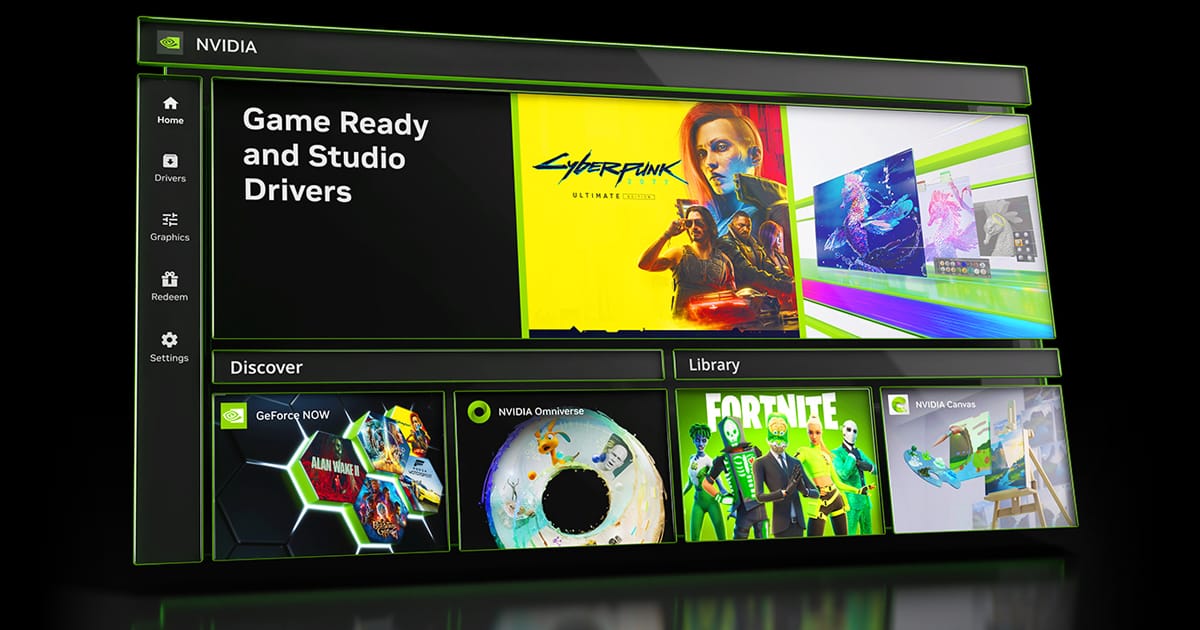
 NVIDIA App


Release Date: April 16, 2026

What's new in NVIDIA App 11.0.7

New Updates:

  • DLSS 4.5 Dynamic Multi Frame Generation Available Now
    • Update to DLSS 4.5 Dynamic Frame Generation on GeForce RTX 50 Series GPUs. Select “Dynamic” mode to intelligently adjust the number of generated frames during gameplay to a target frame rate to balance frame rate, image quality and responsiveness.
    • New DLSS 4.5 Multi Frame Generation 5X and 6X modes on GeForce RTX 50 Series GPUs increase 4K frame rates in path-traced titles. Paired with NVIDIA Reflex, they generate additional frames with minimal impact to responsiveness.
    • DLSS 4.5 Frame Generation model update on GeForce RTX 50 Series and GeForce RTX 40 Series GPUs enhances in-game user interfaces by incorporating additional engine data available for some games, improving visual quality and clarity of static user interface elements.
    • For optimal image quality and peak performance when using ShadowPlay, the latest GeForce Game Ready Driver is required.
    • Access these DLSS features under Graphics > Program Settings > Driver Settings > DLSS Override - Frame Generation mode
  • Automatic Shader Compilation (Beta)
    • Rebuilds DirectX 12 shaders while your system is idle, reducing the frequency of game runtime compilation after driver updates
  • Control Panel Updates
    • Added Custom Resolution in System > Displays > Display Properties
DLSS Override Support Added For :
  • Arknights: Endfield
  • Black One Blood Brothers
  • Carmageddon: Rogue Shift
  • CODE VEIN II
  • Corsairs Legacy
  • Crimson Desert
  • DEATH STRANDING 2: ON THE BEACH
  • Demonologist
  • For Honor
  • Grounded 2
  • Half Sword
  • High On Life 2
  • John Carpenter's Toxic Commando
  • LET IT DIE: INFERNO
  • LORT
  • Marathon
  • Monster Hunter Stories 3: Twisted Reflection
  • Nightmare Frontier
  • Nioh 3
  • NORSE: Oath of Blood
  • Of Ash and Steel
  • Quarantine Zone: The Last Check
  • REANIMAL
  • Resident Evil Requiem
  • Star Trek: Voyager - Across the Unknown
  • StarRupture
  • Styx: Blades of Greed
  • The Gold River Project
  • The Legend of Heroes: Trails Beyond The Horizon
  • Vampires: Bloodlord Rising
  • Yakuza Kiwami 3 & Dark Ties
Optimal Settings Support Added For:
  • Arknights: Endfield
  • Ashes of Creation
  • Highguard
  • StarRupture
  • The Last Caretaker
Squashed Bugs:
  • Overlay
    • Fixed an issue where Statistics shows N/A after a client update
    • Fixed an issue where CPU stats could flickered in idle state
    • Fixed an issue where microphone selections would revert to default after switching devices
    • Fixed an issue that prevented the use of Numpad keys for overlay shortcuts
  • Graphics
    • Fixed an issue where NVIDIA Smooth Motion setting was missing in Global Settings
    • Fixed an issue where NVIDIA app resolution changes were not occurring in-game
  • Display
    • Fixed an issue where changing display modes caused flickering
  • Installation
    • Fixed an intermittent issue where NVIDIA app installation did not install if PC was offline
    • Removed redundant restart prompt after upgrading from GeForce Experience
    • Various stability fixes to improve overall app reliability
  • Project G-Assist
    • Adjusted the voice prompt shortcut to prevent overlapping voice prompts while a response is still processing. Various UI improvements for G-Assist


 NVIDIA GeForce GAME READY Driver (WHQL)


Version: 610.47
Release Date for Desktops and Notebooks: May 26, 2026

Desktop DCH: GEFORCE GAME READY DRIVER 64-bit Windows 10, Windows 11 Download

Notebook DCH: GEFORCE GAME READY DRIVER 64-bit Windows 10, Windows 11 Download

GeForce GRD 610.47 Feedback Thread

NVIDIA GeForce Driver Release Highlights

Game Ready Driver Release Notes (PDF)

Control Panel User's Guide (PDF)

Note: After 20 years of dedicated service, the classic NVIDIA Control Panel is officially retiring for Game Ready and Studio Drivers. For NVIDIA RTX PRO users, the NVIDIA Control Panel will continue to be supported until we have migrated professional features to the NVIDIA app.

Existing installs of the NVIDIA Control Panel will remain on users’ systems, unless they perform a clean installation, and users who still need the NVIDIA Control Panel can continue to download it from the Microsoft Store, but we won’t be adding features, fixes, or other changes.

The NVIDIA app contains all of the modern functionality of the NVIDIA Control Panel available for GeForce RTX GPUs, and much more, while running faster and more efficiently.

Game Ready
Our new GeForce Game Ready Driver optimizes your system for the much-anticipated 007 First Light, launching this week with DLSS 4.5.

Additionally, there’s also support for the acclaimed LEGO® Batman™: Legacy of the Dark Knight, featuring DLSS.

As well as support for EA SPORTS™ F1® 25: 2026 Season Pack featuring path tracing and DLSS, and World of Tanks: HEAT featuring DLSS. And there’s also support for 40 new G-SYNC Compatible gaming displays.

Fixed Gaming Bugs
> Like a Dragon: Infinite Wealth: Shadow/light flicker after driver update [5973185]
> Enshrouded: Missing terrain after driver update [5955501]
> Visual corruption may appear in certain games using Godot engine [5948805]
> Multimonitor gaming stability improvements when using V-SYNC [5343252]

Fixed General Bugs
> Adobe Lightroom Classic: Application stability issues [6090770]
> Autodesk Forma: Memory leak during camera orbit when OpenGL is used [5935127]
> Apple Studio Display XDR only displays 480p after driver update [5976295]
> Samsung The Frame: Using display's Game mode disables key functionality [5825631]

Open Issues
> Prefer Maximum Performance” Power Management Mode may not be applied correctly [6007998]


 NVIDIA Studio DRIVER (WHQL)

Version: 610.47
Release Date for Desktops and Notebooks: May 26, 2026

Desktop DCH: GEFORCE GAME READY DRIVER 64-bit Windows 10, Windows 11 Download

Notebook DCH: GEFORCE GAME READY DRIVER 64-bit Windows 10, Windows 11 Download

NVIDIA Studio Driver Release Highlights

Studio Driver Release Notes (PDF)

Control Panel User's Guide (PDF)

Note: After 20 years of dedicated service, the classic NVIDIA Control Panel is officially retiring for Game Ready and Studio Drivers. For NVIDIA RTX PRO users, the NVIDIA Control Panel will continue to be supported until we have migrated professional features to the NVIDIA app.

Existing installs of the NVIDIA Control Panel will remain on users’ systems, unless they perform a clean installation, and users who still need the NVIDIA Control Panel can continue to download it from the Microsoft Store, but we won’t be adding features, fixes, or other changes.

The NVIDIA app contains all of the modern functionality of the NVIDIA Control Panel available for GeForce RTX GPUs, and much more, while running faster and more efficiently.

The May NVIDIA Studio Driver provides optimal support for the latest new creative applications and updates including performance optimized releases for ComfyUI and Llama.cpp.

Fixed Application Bugs
> Adobe: NVIDIA Driver crash in Lightroom Classic [6090770]
Autodesk Forma: OpenGL driver memory leak during camera orbit [5935127]
Foundry Mari 7.0v2 viewport displays flickering [6102981]
Like a Dragon: Infinite Wealth: Shadow/light flicker after driver update [5973185]
Enshrouded: Missing terrain after driver update [5955501]
Visual corruption may appear in certain games using Godot engine [5955501]

Fixed General Bugs
> Apple Studio Display XDR only displays 480p after driver update [5976295]
Samsung The Frame: Using display's Game mode disables key functionality [5825631]
Multimonitor gaming stability improvements when using V-SYNC [5343252]
Enhanced smoothness when DLSS Frame Generation is used with V-SYNC [5999586]

Open Issues
> “Prefer Maximum Performance” Power Management Mode may not be applied correctly [6007998]

 
Last edited:
Anyone with Geeforce game ready driver version 566.36 and have flickering? Just noticed it a short while. Let's hope a reinstallation of the driver helps.

Depending on what games you play you may want to install the 566.45 hotfix driver.


My Computer

System One

  • OS
    Windows 11 Pro
I use v566.36 with my EVGA GeForce RTX 3070 Ti 8GB CX3 gfx card.
and have not seen any active flickering..
but I play only World of Warcraft these days pretty much..

Which game or out of game are you seeing flickering?
It was a little bit at the windows login window. Not in any game so far. Havn't seen it before, so I was wondering the driver caused it. I rebooted the PC and then I saw a Nvidia error message but it hasn't appeared since then. I have a MSI GeForce RTX 4060 Ti VENTUS 3X 16GB.
 

My Computer

System One

  • OS
    Windows 11
    Computer type
    PC/Desktop
    Manufacturer/Model
    Asus
    CPU
    Intel Core i7-13700
    Motherboard
    ASUS TUF GAMING B760-PLUS WIFI
    Memory
    Corsair VENGEANCE DDR5 32GB
    Graphics Card(s)
    MSI GeForce RTX 5070 12G VENTUS 2X OC
    Monitor(s) Displays
    Samsung LS32AG504
    Hard Drives
    Kingston Fury Renegade M.2 2TB SSD
    PSU
    Corsair RM850X 2021 / 850W / 80+ Gold
    Browser
    Chrome
    Antivirus
    Defender
This week they'll release a new driver - so i'd wait.
 

My Computer

System One

  • OS
    WinDOS 25H2
    Computer type
    Laptop
    CPU
    Intel & AMD
    Memory
    SO-DIMM SK Hynix 15.8 GB Dual-Channel DDR4-2666 (2 x 8 GB) 1329MHz (19-19-19-43)
    Graphics Card(s)
    nVidia RTX 2060 6GB Mobile GPU (TU106M)
    Sound Card
    Onbord Realtek ALC1220
    Screen Resolution
    1920 x 1080
    Hard Drives
    1x Samsung PM981 NVMe PCIe M.2 512GB / 1x Seagate Expansion ST1000LM035 1TB
 

My Computers

System One System Two

  • OS
    Windows 11 Pro for Workstations
    Computer type
    PC/Desktop
    Manufacturer/Model
    Custom self build
    CPU
    Intel i7-8700K 5 GHz
    Motherboard
    ASUS ROG Maximus XI Formula Z390
    Memory
    64 GB (4x16GB) G.SKILL TridentZ RGB DDR4 3600 MHz (F4-3600C18D-32GTZR)
    Graphics Card(s)
    ASUS ROG-STRIX-GTX1080TI-O11G-GAMING (11GB GDDR5X)
    Sound Card
    Integrated Digital Audio (S/PDIF)
    Monitor(s) Displays
    2 x Samsung Odyssey G75 27"
    Screen Resolution
    2560x1440
    Hard Drives
    1TB Samsung 990 PRO M.2,
    4TB Samsung 990 PRO M.2,
    TerraMaster F8 SSD Plus NAS
    PSU
    Seasonic Prime Titanium 850W
    Case
    Thermaltake Core P3 wall mounted
    Cooling
    Corsair Hydro H115i
    Keyboard
    Amazon Basics Wired Full Keyboard MD005
    Mouse
    Logitech MX Master 4
    Internet Speed
    2 Gbps Download and 100 Mbps Upload
    Browser
    Chrome and Edge
    Antivirus
    Microsoft Defender
    Other Info
    Logitech Z625 speaker system,
    Logitech BRIO 4K Pro webcam,
    HP Color LaserJet Pro MFP M477fdn,
    CyberPower CP1500PFCLCD
    Galaxy S23 Plus phone
  • Operating System
    Windows 11 Pro
    Computer type
    Laptop
    Manufacturer/Model
    Surface Laptop 7 Copilot+ PC
    CPU
    Snapdragon X Elite (12 core) 3.42 GHz
    Memory
    16 GB LPDDR5x-7467 MHz
    Monitor(s) Displays
    15" HDR
    Screen Resolution
    2496 x 1664
    Hard Drives
    1 TB SSD
    Internet Speed
    Wi-Fi 7 and Bluetooth 5.4
    Browser
    Chrome and Edge
    Antivirus
    Microsoft Defender

NVIDIA GeForce Game Ready 572.16 WHQL Driver Released

Release Notes

Game Ready for GeForce RTX 5090, GeForce RTX 5080, and DLSS 4

This new Game Ready Driver supports the new GeForce RTX 5090 and GeForce RTX 5080 GPUs and provides the best gaming experience for the latest new games supporting DLSS 4 technology including Cyberpunk 2077, Alan Wake 2, Hogwarts Legacy, Star Wars Outlaws, and Indiana Jones and the Great Circle. Further support for new titles leveraging DLSS technology includes Marvel’s Spider-Man 2 and Kingdom Come: Deliverance II.

Gaming Technology

Adds support for the GeForce RTX 5090 and GeForce RTX 5080 GPUs.

What’s New in Release 570

Support for CUDA 12.8
Adds the latest performance improvements, bug fixes, and driver enhancements.

Fixed Issues

Fixed Gaming Bugs

Certain G-SYNC Compatible monitors may display flickering when game FPS drops below 60FPS [5003305]
[G-SYNC] Indiana Jones and the Great Circle may display micro-stutters when Vertical Sync is disabled [5015165]
Improved stability for Ubisoft games using the Snowdrop engine [4914325]

Fixed General Bugs

[Evernote/QQ/Asus Armoury Crate] displays higher than normal CPU usage [4730911]
Motion blur renders incorrectly in some more cases in Blender Cycles [4912221]
[KeyShot2024] TDR on loading the scene Camera Keyframe Animation [4909719]


My Computer

System One

  • OS
    Windows 11 Pro
    Computer type
    PC/Desktop
    Manufacturer/Model
    Custom Build
    CPU
    Intel Core i9 12900KF
    Motherboard
    ASUS ROG Maximus Z690 Hero
    Memory
    Corsair 64GB DDR5 Vengeance C40 5200Mhz
    Graphics Card(s)
    ASUS GeForce RTX 3090 ROG Strix OC 24GB
    Sound Card
    OnBoard
    Monitor(s) Displays
    Acer Predator XB323UGP 32" QHD G-SYNC-C 144Hz 1MS IPS LED
    Screen Resolution
    2560 x 1440
    Hard Drives
    1x Samsung 980 Pro Series Gen4 250GB M.2 NVMe
    1x Samsung 980 Pro Series Gen4 500GB M.2 NVMe
    2x Samsung 980 Pro Series Gen4 2TB M.2 NVMe
    PSU
    Corsair AX1200i 1200W 80PLUS Titanium Modular
    Case
    Corsair 4000D Black Case w/ Tempered Glass Side Panel
    Cooling
    Noctua NH-U12A Chromax Black CPU Cooler, 4x Noctua 120mm Fans
    Keyboard
    Logitech MK545
    Mouse
    Logitech MX Master 3
    Internet Speed
    Fixed Wireless 150mbps/75mbps
    Browser
    Firefox
    Antivirus
    Kaspersky
    Other Info
    Thrustmaster TS-PC RACER
    Fanatec CSL Elite Pedals with the Load Cell Kit
    Yamaha Amp with Bose Speakers

My Computers

System One System Two

  • OS
    Windows 11 Pro for Workstations
    Computer type
    PC/Desktop
    Manufacturer/Model
    Custom self build
    CPU
    Intel i7-8700K 5 GHz
    Motherboard
    ASUS ROG Maximus XI Formula Z390
    Memory
    64 GB (4x16GB) G.SKILL TridentZ RGB DDR4 3600 MHz (F4-3600C18D-32GTZR)
    Graphics Card(s)
    ASUS ROG-STRIX-GTX1080TI-O11G-GAMING (11GB GDDR5X)
    Sound Card
    Integrated Digital Audio (S/PDIF)
    Monitor(s) Displays
    2 x Samsung Odyssey G75 27"
    Screen Resolution
    2560x1440
    Hard Drives
    1TB Samsung 990 PRO M.2,
    4TB Samsung 990 PRO M.2,
    TerraMaster F8 SSD Plus NAS
    PSU
    Seasonic Prime Titanium 850W
    Case
    Thermaltake Core P3 wall mounted
    Cooling
    Corsair Hydro H115i
    Keyboard
    Amazon Basics Wired Full Keyboard MD005
    Mouse
    Logitech MX Master 4
    Internet Speed
    2 Gbps Download and 100 Mbps Upload
    Browser
    Chrome and Edge
    Antivirus
    Microsoft Defender
    Other Info
    Logitech Z625 speaker system,
    Logitech BRIO 4K Pro webcam,
    HP Color LaserJet Pro MFP M477fdn,
    CyberPower CP1500PFCLCD
    Galaxy S23 Plus phone
  • Operating System
    Windows 11 Pro
    Computer type
    Laptop
    Manufacturer/Model
    Surface Laptop 7 Copilot+ PC
    CPU
    Snapdragon X Elite (12 core) 3.42 GHz
    Memory
    16 GB LPDDR5x-7467 MHz
    Monitor(s) Displays
    15" HDR
    Screen Resolution
    2496 x 1664
    Hard Drives
    1 TB SSD
    Internet Speed
    Wi-Fi 7 and Bluetooth 5.4
    Browser
    Chrome and Edge
    Antivirus
    Microsoft Defender
 

My Computers

System One System Two

  • OS
    Windows 11 Pro for Workstations
    Computer type
    PC/Desktop
    Manufacturer/Model
    Custom self build
    CPU
    Intel i7-8700K 5 GHz
    Motherboard
    ASUS ROG Maximus XI Formula Z390
    Memory
    64 GB (4x16GB) G.SKILL TridentZ RGB DDR4 3600 MHz (F4-3600C18D-32GTZR)
    Graphics Card(s)
    ASUS ROG-STRIX-GTX1080TI-O11G-GAMING (11GB GDDR5X)
    Sound Card
    Integrated Digital Audio (S/PDIF)
    Monitor(s) Displays
    2 x Samsung Odyssey G75 27"
    Screen Resolution
    2560x1440
    Hard Drives
    1TB Samsung 990 PRO M.2,
    4TB Samsung 990 PRO M.2,
    TerraMaster F8 SSD Plus NAS
    PSU
    Seasonic Prime Titanium 850W
    Case
    Thermaltake Core P3 wall mounted
    Cooling
    Corsair Hydro H115i
    Keyboard
    Amazon Basics Wired Full Keyboard MD005
    Mouse
    Logitech MX Master 4
    Internet Speed
    2 Gbps Download and 100 Mbps Upload
    Browser
    Chrome and Edge
    Antivirus
    Microsoft Defender
    Other Info
    Logitech Z625 speaker system,
    Logitech BRIO 4K Pro webcam,
    HP Color LaserJet Pro MFP M477fdn,
    CyberPower CP1500PFCLCD
    Galaxy S23 Plus phone
  • Operating System
    Windows 11 Pro
    Computer type
    Laptop
    Manufacturer/Model
    Surface Laptop 7 Copilot+ PC
    CPU
    Snapdragon X Elite (12 core) 3.42 GHz
    Memory
    16 GB LPDDR5x-7467 MHz
    Monitor(s) Displays
    15" HDR
    Screen Resolution
    2496 x 1664
    Hard Drives
    1 TB SSD
    Internet Speed
    Wi-Fi 7 and Bluetooth 5.4
    Browser
    Chrome and Edge
    Antivirus
    Microsoft Defender

My Computers

System One System Two

  • OS
    Windows 11 Pro for Workstations
    Computer type
    PC/Desktop
    Manufacturer/Model
    Custom self build
    CPU
    Intel i7-8700K 5 GHz
    Motherboard
    ASUS ROG Maximus XI Formula Z390
    Memory
    64 GB (4x16GB) G.SKILL TridentZ RGB DDR4 3600 MHz (F4-3600C18D-32GTZR)
    Graphics Card(s)
    ASUS ROG-STRIX-GTX1080TI-O11G-GAMING (11GB GDDR5X)
    Sound Card
    Integrated Digital Audio (S/PDIF)
    Monitor(s) Displays
    2 x Samsung Odyssey G75 27"
    Screen Resolution
    2560x1440
    Hard Drives
    1TB Samsung 990 PRO M.2,
    4TB Samsung 990 PRO M.2,
    TerraMaster F8 SSD Plus NAS
    PSU
    Seasonic Prime Titanium 850W
    Case
    Thermaltake Core P3 wall mounted
    Cooling
    Corsair Hydro H115i
    Keyboard
    Amazon Basics Wired Full Keyboard MD005
    Mouse
    Logitech MX Master 4
    Internet Speed
    2 Gbps Download and 100 Mbps Upload
    Browser
    Chrome and Edge
    Antivirus
    Microsoft Defender
    Other Info
    Logitech Z625 speaker system,
    Logitech BRIO 4K Pro webcam,
    HP Color LaserJet Pro MFP M477fdn,
    CyberPower CP1500PFCLCD
    Galaxy S23 Plus phone
  • Operating System
    Windows 11 Pro
    Computer type
    Laptop
    Manufacturer/Model
    Surface Laptop 7 Copilot+ PC
    CPU
    Snapdragon X Elite (12 core) 3.42 GHz
    Memory
    16 GB LPDDR5x-7467 MHz
    Monitor(s) Displays
    15" HDR
    Screen Resolution
    2496 x 1664
    Hard Drives
    1 TB SSD
    Internet Speed
    Wi-Fi 7 and Bluetooth 5.4
    Browser
    Chrome and Edge
    Antivirus
    Microsoft Defender
install/update to Nvidia display drivers (v572.16)
went fine so far.
 

My Computers

System One System Two

  • OS
    Windows 11 Pro (x64)(v25H2)(26200.8524)
    Computer type
    PC/Desktop
    Manufacturer/Model
    [Self-built](custom-build)(June 2020)
    CPU
    AMD Ryzen 9 3900X 12-Core/24-threads
    Motherboard
    Asus PRIME X570-PRO (BIOS_r5044 [01/04/2026])
    Memory
    64GB, 2x G.Skill 32GB (PC3200)(DDR4-2137)
    Graphics Card(s)
    ASUS PRIME GeForce RTX 5070 12GB OC Edition, GPU by NVIDIA.
    Sound Card
    Realtek® ALC1220A 8-Channel High Definition Audio CODEC
    Monitor(s) Displays
    24" DELL Gaming Monitor - G2422HS - DisplayPort used
    Screen Resolution
    1920x1080p at 165Hz (16:9 Aspect Ratio)
    Hard Drives
    2TB Samsung 980 Pro (NVMe)(SSD)
    4TB Samsung 990 Pro (NVMe)(SSD)
    2TB Samsung 870 EVO (SSD)

    NVMe 2TB
    -- OS(Win11 Pro x64),
    -- programs,
    -- programming(MS Visual Studios 2022 Community Ed.),
    -- music

    NVMe 4TB
    video game installs.

    #3 FILE Server!
    PSU
    Thermaltake TOUGHPOWER DPS G RGB Titanium Certified 1250Watt
    Case
    Corsair Graphite Series 780T Full Tower PC Case
    Cooling
    AMD Wraith cooler (stock) & 3x Corsair case fans
    Keyboard
    Redragon K580 VATA RGB LED Backlit Mechanical Gaming Keyboard (brown switches).
    Mouse
    Redragon M602 RGB Wired USB Gaming mouse
    Internet Speed
    2,100Mbps Download, 300Mbps Upload
    Browser
    Firefox & Google Chrome
    Antivirus
    n/a aka "ABOVE TOP SECRET!" lol ;)
    Other Info
    My System is the ULTIMATE GAMING RIG ^_^
    TP-Link BE9300 Tri-Band Wi-Fi 7 Wireless 2.5Gigabit Router
    Model Archer BE550 (v1.0)
    Arris S34 Cable Modem
    Nvidia GFX Drivers: (v596.49)
    Realtek UAD Drivers: (v6.0.9977.1)
    Realtek LAN Drivers:(v1125.29.50.202)(2026-04-19)
    Intel LAN Drivers: (v14.01.24.00)(2025-10-03)
  • Operating System
    Windows 11 Pro x64
    Computer type
    Laptop
    Manufacturer/Model
    DELL G15 Ryzen edition, model 5515
    CPU
    AMD Ryzen 7 5800H
    Motherboard
    DELL G15 Ryzen edition
    Memory
    32GB GSkill DDR4 2x 16GB sticks
    Graphics card(s)
    Ryzen 7 5800H integrated AMD Radeon Graphics and Nvidia GeForce 3060 6GB
    Sound Card
    Realtek ALC3254 with Nahimic 3D Audio for Gamers
    Monitor(s) Displays
    built-in
    Screen Resolution
    1920x1080
    Hard Drives
    512GB NVMe SSD, 1TB Samsung 970 EVO NVMe SSD
    PSU
    unknown
    Case
    laptop
    Keyboard
    built-in
    Mouse
    Logitech B100 USB
    Internet Speed
    2,100Mbps download, 300Mbps upload
    Browser
    Firefox & Google Chrome
Updated to 572.16 and the first thing I've noticed is the NVIDIA notification tray icon keeps 're enabling' itself after a reboot (I've always disbled it after updating the driver - I don't like 'clutter' in the notification area).

I've disabled it several times in the NVIDIA Control Panel but it comes right back again after a reboot.

I don't know if this is a bug or a new feature but things like this are annoying (to me, at least).

(Not sure what's going on with the attached image - just click on it to see the whole image).
 

Attachments

  • icon.webp
    icon.webp
    2.2 KB · Views: 1

My Computer

System One

  • OS
    Windows 11 Professional 25H2
    Computer type
    PC/Desktop
    Manufacturer/Model
    Home Built
    CPU
    12th Gen Intel(R) Core(TM) i5-12400F 2.50 GHz
    Motherboard
    Gigabyte B760 DS3H AX DDR4
    Memory
    32GB (4x8GB) Kingston Fury RGB DDR4
    Graphics Card(s)
    NVIDIA GeForce GTX 1650
    Sound Card
    Onboard Sound
    Monitor(s) Displays
    BenQ GL2460 (24 inch - oldie but a goodie)
    Screen Resolution
    1920x1080
    Hard Drives
    Samsung SSD 870 EVO x 2 (250GB and 500GB) plus several external Samsung SSD's.
    PSU
    Corsair HX 750
    Case
    DeepCool
    Cooling
    Stock CPU cooler. 5 case fans (2 front, 2 top and 1 rear)
    Keyboard
    Logitech
    Mouse
    Logitech
    Internet Speed
    500/40 Fibre
    Browser
    Mozilla Firefox and Microsoft Edge
    Antivirus
    Windows Security
I've disabled it several times in the NVIDIA Control Panel but it comes right back again after a reboot.
Not having this issue but I clean installed new drivers after using DDU in safe mode to remove old drivers.
 

My Computer

System One

  • OS
    Windows 11 Pro
Thanks KevTech.

I've updated the driver on 2 desktop PC's so far and I have the same issue with both.

I always select the 'NVIDIA Graphics Driver' option (not 'NVIDIA Graphics Driver and NVIDIA App') then 'Custom' (Advanced) then I untick everything except 'Graphics Driver' and tick 'Perform a clean installation'.

Funny thing is - I use a Standard User Account in Windows 11 for everyday work and the tray icon doesn't appear in the Standard Account after I've disabled it in the Administrator Account but as soon as I sign back into the Administrator Account or reboot the PC the icon is back.

I'll try DDU later (have to go out for a few hours) after I restore a Macrium Image which I made before I updated the driver.
 

My Computer

System One

  • OS
    Windows 11 Professional 25H2
    Computer type
    PC/Desktop
    Manufacturer/Model
    Home Built
    CPU
    12th Gen Intel(R) Core(TM) i5-12400F 2.50 GHz
    Motherboard
    Gigabyte B760 DS3H AX DDR4
    Memory
    32GB (4x8GB) Kingston Fury RGB DDR4
    Graphics Card(s)
    NVIDIA GeForce GTX 1650
    Sound Card
    Onboard Sound
    Monitor(s) Displays
    BenQ GL2460 (24 inch - oldie but a goodie)
    Screen Resolution
    1920x1080
    Hard Drives
    Samsung SSD 870 EVO x 2 (250GB and 500GB) plus several external Samsung SSD's.
    PSU
    Corsair HX 750
    Case
    DeepCool
    Cooling
    Stock CPU cooler. 5 case fans (2 front, 2 top and 1 rear)
    Keyboard
    Logitech
    Mouse
    Logitech
    Internet Speed
    500/40 Fibre
    Browser
    Mozilla Firefox and Microsoft Edge
    Antivirus
    Windows Security
Used DDU (Display Driver Uninstaller) in Safe Mode to remove the old driver then installed the new one (572.16) and it still does the same thing.

Oh, well... I'll just have to live with it. Not really a big issue seeing as I use the Standard User Account in Windows 11 99 percent of the time and the icon doesn't show up there.
 

My Computer

System One

  • OS
    Windows 11 Professional 25H2
    Computer type
    PC/Desktop
    Manufacturer/Model
    Home Built
    CPU
    12th Gen Intel(R) Core(TM) i5-12400F 2.50 GHz
    Motherboard
    Gigabyte B760 DS3H AX DDR4
    Memory
    32GB (4x8GB) Kingston Fury RGB DDR4
    Graphics Card(s)
    NVIDIA GeForce GTX 1650
    Sound Card
    Onboard Sound
    Monitor(s) Displays
    BenQ GL2460 (24 inch - oldie but a goodie)
    Screen Resolution
    1920x1080
    Hard Drives
    Samsung SSD 870 EVO x 2 (250GB and 500GB) plus several external Samsung SSD's.
    PSU
    Corsair HX 750
    Case
    DeepCool
    Cooling
    Stock CPU cooler. 5 case fans (2 front, 2 top and 1 rear)
    Keyboard
    Logitech
    Mouse
    Logitech
    Internet Speed
    500/40 Fibre
    Browser
    Mozilla Firefox and Microsoft Edge
    Antivirus
    Windows Security
Used DDU (Display Driver Uninstaller) in Safe Mode to remove the old driver then installed the new one (572.16) and it still does the same thing.

Oh, well... I'll just have to live with it. Not really a big issue seeing as I use the Standard User Account in Windows 11 99 percent of the time and the icon doesn't show up there.

After cleaning with DDU - i'd also recommend a Clean install (clean as in - de-bloating the Nvidia installer - removing telemetry and other features you don't need/want) with: NVCleanstall v1.18.0 Download Select recommended - if you don't know what to pick and you'll have just the basics like so:

2025-01-31_130033.webp

Here's a step by step video which explains the functions (4 months old so he's using an older version - which is missing new features - like the NVIDIA App as can be seen in latest version - but still good enough to cover all its functions)


My Computer

System One

  • OS
    WinDOS 25H2
    Computer type
    Laptop
    CPU
    Intel & AMD
    Memory
    SO-DIMM SK Hynix 15.8 GB Dual-Channel DDR4-2666 (2 x 8 GB) 1329MHz (19-19-19-43)
    Graphics Card(s)
    nVidia RTX 2060 6GB Mobile GPU (TU106M)
    Sound Card
    Onbord Realtek ALC1220
    Screen Resolution
    1920 x 1080
    Hard Drives
    1x Samsung PM981 NVMe PCIe M.2 512GB / 1x Seagate Expansion ST1000LM035 1TB
Thanks neves.

However, after reading about all of the problems people are having with this latest driver on the NVIDIA Forum...

GeForce GRD 572.16 Feedback Thread (Released 1/30/25) (scroll down)

... I think I'll stick with the previous 566.36 driver for now (I've restored a Macrium Image which I made before updating - which I always do, just to be on the safe side).
 

My Computer

System One

  • OS
    Windows 11 Professional 25H2
    Computer type
    PC/Desktop
    Manufacturer/Model
    Home Built
    CPU
    12th Gen Intel(R) Core(TM) i5-12400F 2.50 GHz
    Motherboard
    Gigabyte B760 DS3H AX DDR4
    Memory
    32GB (4x8GB) Kingston Fury RGB DDR4
    Graphics Card(s)
    NVIDIA GeForce GTX 1650
    Sound Card
    Onboard Sound
    Monitor(s) Displays
    BenQ GL2460 (24 inch - oldie but a goodie)
    Screen Resolution
    1920x1080
    Hard Drives
    Samsung SSD 870 EVO x 2 (250GB and 500GB) plus several external Samsung SSD's.
    PSU
    Corsair HX 750
    Case
    DeepCool
    Cooling
    Stock CPU cooler. 5 case fans (2 front, 2 top and 1 rear)
    Keyboard
    Logitech
    Mouse
    Logitech
    Internet Speed
    500/40 Fibre
    Browser
    Mozilla Firefox and Microsoft Edge
    Antivirus
    Windows Security
572.16 installed.
 

My Computer

System One

  • OS
    Windows 11
    Computer type
    PC/Desktop
    Manufacturer/Model
    Asus
    CPU
    Intel Core i7-13700
    Motherboard
    ASUS TUF GAMING B760-PLUS WIFI
    Memory
    Corsair VENGEANCE DDR5 32GB
    Graphics Card(s)
    MSI GeForce RTX 5070 12G VENTUS 2X OC
    Monitor(s) Displays
    Samsung LS32AG504
    Hard Drives
    Kingston Fury Renegade M.2 2TB SSD
    PSU
    Corsair RM850X 2021 / 850W / 80+ Gold
    Browser
    Chrome
    Antivirus
    Defender
I haven't had any problems with the new drivers as of yet. I am going to run a benchmark though and see if the frame rates have dropped.
 

My Computer

System One

  • OS
    Win 11 Pro 25H2
    Computer type
    PC/Desktop
    Manufacturer/Model
    Self build
    CPU
    Intel i7 13700KF
    Motherboard
    Gigabyte Z790 UD AC
    Memory
    32 GB Team Group DDR5 - 6000 CL 30
    Graphics Card(s)
    ASUS TUF GAMING RTX 3070 Ti
    Sound Card
    On board Realtek
    Monitor(s) Displays
    ACER 34 inch
    Screen Resolution
    4K
    Hard Drives
    1 TB Samsung 980 Pro Nvme, 1 TB Samsung 970 EVO Nvme, 2 x Samsung 970 2TB SSD SATA
    PSU
    EVGA 1000Q
    Case
    Rosewill something or other
    Cooling
    Noctua NH-D15. A whole schwak of Noctua case fans. $$$
    Keyboard
    Logitech G815
    Mouse
    Logitech G502 Hero
    Internet Speed
    700 up, 600 down
    Browser
    Firefox
    Antivirus
    MalwareBytes
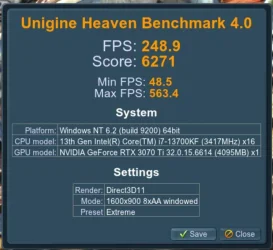
Uggggh. I ran a bench mark and on Unigine Heaven I got a score of 5235 with the new driver.

I reverted to driver version 566.14 and got this:

Screenshot 2025-02-01 174251.webp

Not my best score, but much better than with the other driver. I will note that I didn't use any special settings for either test. I just set the Nvidia control panel to use best performance. I can get better with tweaking, but I think I proved my point. The newest driver is not as good.
 

My Computer

System One

  • OS
    Win 11 Pro 25H2
    Computer type
    PC/Desktop
    Manufacturer/Model
    Self build
    CPU
    Intel i7 13700KF
    Motherboard
    Gigabyte Z790 UD AC
    Memory
    32 GB Team Group DDR5 - 6000 CL 30
    Graphics Card(s)
    ASUS TUF GAMING RTX 3070 Ti
    Sound Card
    On board Realtek
    Monitor(s) Displays
    ACER 34 inch
    Screen Resolution
    4K
    Hard Drives
    1 TB Samsung 980 Pro Nvme, 1 TB Samsung 970 EVO Nvme, 2 x Samsung 970 2TB SSD SATA
    PSU
    EVGA 1000Q
    Case
    Rosewill something or other
    Cooling
    Noctua NH-D15. A whole schwak of Noctua case fans. $$$
    Keyboard
    Logitech G815
    Mouse
    Logitech G502 Hero
    Internet Speed
    700 up, 600 down
    Browser
    Firefox
    Antivirus
    MalwareBytes

My Computers

System One System Two

  • OS
    Windows 11 Pro for Workstations
    Computer type
    PC/Desktop
    Manufacturer/Model
    Custom self build
    CPU
    Intel i7-8700K 5 GHz
    Motherboard
    ASUS ROG Maximus XI Formula Z390
    Memory
    64 GB (4x16GB) G.SKILL TridentZ RGB DDR4 3600 MHz (F4-3600C18D-32GTZR)
    Graphics Card(s)
    ASUS ROG-STRIX-GTX1080TI-O11G-GAMING (11GB GDDR5X)
    Sound Card
    Integrated Digital Audio (S/PDIF)
    Monitor(s) Displays
    2 x Samsung Odyssey G75 27"
    Screen Resolution
    2560x1440
    Hard Drives
    1TB Samsung 990 PRO M.2,
    4TB Samsung 990 PRO M.2,
    TerraMaster F8 SSD Plus NAS
    PSU
    Seasonic Prime Titanium 850W
    Case
    Thermaltake Core P3 wall mounted
    Cooling
    Corsair Hydro H115i
    Keyboard
    Amazon Basics Wired Full Keyboard MD005
    Mouse
    Logitech MX Master 4
    Internet Speed
    2 Gbps Download and 100 Mbps Upload
    Browser
    Chrome and Edge
    Antivirus
    Microsoft Defender
    Other Info
    Logitech Z625 speaker system,
    Logitech BRIO 4K Pro webcam,
    HP Color LaserJet Pro MFP M477fdn,
    CyberPower CP1500PFCLCD
    Galaxy S23 Plus phone
  • Operating System
    Windows 11 Pro
    Computer type
    Laptop
    Manufacturer/Model
    Surface Laptop 7 Copilot+ PC
    CPU
    Snapdragon X Elite (12 core) 3.42 GHz
    Memory
    16 GB LPDDR5x-7467 MHz
    Monitor(s) Displays
    15" HDR
    Screen Resolution
    2496 x 1664
    Hard Drives
    1 TB SSD
    Internet Speed
    Wi-Fi 7 and Bluetooth 5.4
    Browser
    Chrome and Edge
    Antivirus
    Microsoft Defender
Expensive brick.
 

My Computers

System One System Two

  • OS
    Windows 11 Pro 25H2 Build 26200.8524
    Computer type
    PC/Desktop
    Manufacturer/Model
    Sin-built 2013
    CPU
    Intel(R) Core(TM) i7-4770K CPU @ 3.50GHz
    Motherboard
    ASUS ROG Maximus VI Formula
    Memory
    32.0 GB of I forget and the box is in storage.
    Graphics Card(s)
    Gigabyte nVidia GeForce GTX 1660 Super OC 6GB
    Sound Card
    Onboard thingy
    Monitor(s) Displays
    5 x LG 25MS500-B - 1 x 24MK430H-B - 1 x Wacom Pro 22" Touch Screen Tablet
    Screen Resolution
    All over the place
    Hard Drives
    Too many to list.
    OS on Samsung 1TB 870 QVO SATA
    PSU
    Silverstone 1500
    Case
    NZXT Phantom 820 Full-Tower Case
    Cooling
    Noctua NH-D15 Elite Class Dual Tower CPU Cooler / 6 x EziDIY 120mm / 2 x Corsair 140mm somethings / 1 x 140mm Thermaltake something / 2 x 200mm Corsair.
    Keyboard
    Corsair K95 / Logitech diNovo Edge Wireless
    Mouse
    Logitech: G402 / G502 / Mx Masters / Mx Air Cordless
    Internet Speed
    2000/500Mbps
    Browser
    All sorts
    Antivirus
    Kaspersky Premium
    Other Info
    ㅤㅤㅤㅤㅤㅤㅤㅤㅤㅤㅤㅤㅤㅤㅤㅤㅤㅤㅤㅤㅤㅤㅤㅤㅤㅤㅤㅤㅤㅤㅤㅤㅤㅤㅤㅤㅤㅤㅤㅤ⠀⠀⠀⠀⠀⠀⠀⠀⠀⠀
    TP-Link BE9300 WiFi 7 Bluetooth 5.4 (Archer TBE550E)
    TP-Link TX201 V1 2.5GB Lan

    Grandstream HT812 - VoIP
    ASUS DSL-AX82U - Mesh
    ASUS RT-AC68U - Mesh
    ASUS RT-BE88U Router

    Brother MFC-L2880DW Printer

    I’m on a horse.
  • Operating System
    Windows 11 Pro 25H2 Build 26200.8524
    Computer type
    Laptop
    Manufacturer/Model
    LENOVO Yoga 7 14IRL8 - 7i EVO OLED 14" Touchscreen i5 12 Core 16GB/512GB
    CPU
    Intel Core 12th Gen i5-1240P Processor (1.7 - 4.4GHz)
    Memory
    16GB LPDDR5 RAM
    Graphics card(s)
    Intel Iris Xe Graphics Processor
    Sound Card
    Optimized with Dolby Atmos®
    Screen Resolution
    QHD 2880 x 1800 OLED
    Hard Drives
    M.2 512GB
    Antivirus
    Defender / Malwarebytes
    Other Info
    …still on a horse.

Latest Support Threads

Back
Top Bottom