Latest NVIDIA GeForce Graphics Drivers for Windows 11


Support has ended for Maxwell, Pascal, and Volta-series GeForce GPUs.

Support Plan for Maxwell, Pascal, and Volta-series GeForce GPUs

List of Maxwell, Pascal and Volta Series GeForce GPUs

GeForce 582.28 graphics driver as a security update released 1/29/2026 for Maxwell, Pascal, and Volta-series GeForce GPUs.


 NVIDIA App


Release Date: July 17, 2026

What's new in NVIDIA App 11.0.8

New Updates:

  • ShadowPlay 240 FPS Recording
    • The NVIDIA app now supports 240 FPS ShadowPlay recording, for GeForce RTX 50 and 40 Series GPUs, providing competitive gamers and creators with ultra-smooth, high-resolution source footage. Configure via Alt+Z > Settings > Video Capture
  • Control Panel Updates
    • Added features for users to confine the taskbar to a single display and maximize windows to all displays. Access via System > Displays > Surround
DLSS Override Support Added For :
  • ‘83
  • Active Matter
  • Bus Bound
  • Cthulhu: The Cosmic Abyss
  • Dawn of Defiance
  • Far Far West
  • INDUSTRIA 2
  • MONGIL: STAR DIVE
  • MOUSE: P.I. For Hire
  • NTE (Neverness to Everness)
  • PRAGMATA
  • Samson
  • Screamer
  • Subliminal
  • Sudden Strike 5
  • Twinmotion
  • Windrose
Optimal Settings Support Added For:
  • Cairn
  • Crimson Desert
  • DEATH STRANDING 2: ON THE BEACH
  • Marathon
  • Monster Hunter Stories 3: Twisted Reflection
  • Nioh 3
  • PRAGMATA
  • Quarantine Zone: The Last Check
  • Resident Evil Requiem
  • The Seven Deadly Sins: Origin
  • Windrose
Squashed Bugs:
  • Fixed an issue where Shadowplay recordings fail when game title contains special character
  • Various stability fixes to improve overall app reliability


 NVIDIA GeForce HOTFIX Driver (WHQL)

Version: 610.82
Release Date for Desktops and Notebooks: July 22, 2026


GeForce Hotfix Display Driver version 610.82 is based on our latest Game Ready Driver 610.74

This hotfix addresses the following:
  • [Halo: Campaign Evolved] Stability issues on GeForce RTX 50 series when using 610.xx drivers. [6259837]
  • [Path of Exile 2] Fixed intermittent long pauses that could occur after extended gameplay sessions in DX12 mode [5090018]
Click here to download the GeForce Hotfix display driver version 610.82 for Windows 10 x64 / Windows 11 x64


 NVIDIA GeForce GAME READY Driver (WHQL)


Version: 610.74
Release Date for Desktops and Notebooks: July 07, 2026

Desktop DCH: GEFORCE GAME READY DRIVER 64-bit Windows 10, Windows 11 Download

Notebook DCH: GEFORCE GAME READY DRIVER 64-bit Windows 10, Windows 11 Download

GeForce GRD 610.74 Feedback Thread

NVIDIA GeForce Driver Release Highlights

Game Ready Driver Release Notes (PDF)

Control Panel User's Guide (PDF)

Note: After 20 years of dedicated service, the classic NVIDIA Control Panel is officially retiring for Game Ready and Studio Drivers. For NVIDIA RTX PRO users, the NVIDIA Control Panel will continue to be supported until we have migrated professional features to the NVIDIA app.

Existing installs of the NVIDIA Control Panel will remain on users’ systems, unless they perform a clean installation, and users who still need the NVIDIA Control Panel can continue to download it from the Microsoft Store, but we won’t be adding features, fixes, or other changes.

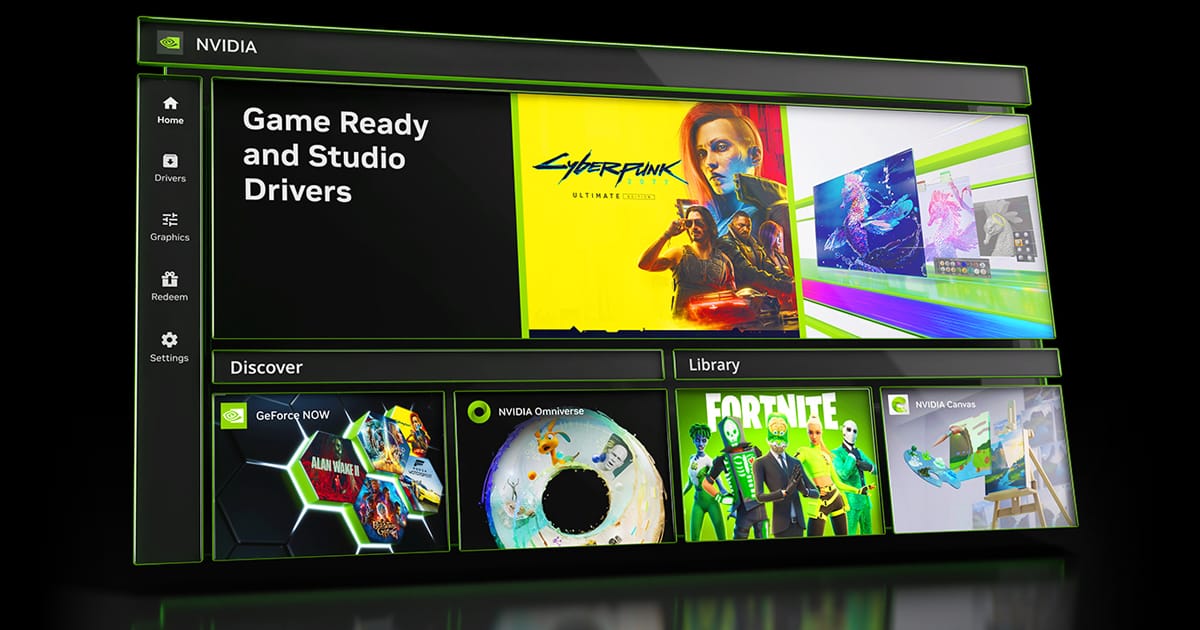
The NVIDIA app contains all of the modern functionality of the NVIDIA Control Panel available for GeForce RTX GPUs, and much more, while running faster and more efficiently.

Game Ready for DOOM: The Dark Ages | Revelations
This new Game Ready Driver provides the best gaming experience for the latest new games supporting DLSS and RTX technologies including DOOM: The Dark Ages | Revelations and Assassin's Creed Black Flag Resynced.

Fixed Gaming Bugs
> N/A

Fixed General Bugs
> Tencent Meeting: Flickering may be observed when Smooth Motion is enabled globally [6329207]

Open Issues
> Prefer Maximum Performance” Power Management Mode may not be applied correctly [6007998]


 NVIDIA Studio DRIVER (WHQL)

Version: 610.62
Release Date for Desktops and Notebooks: June 16, 2026

Desktop DCH: GEFORCE GAME READY DRIVER 64-bit Windows 10, Windows 11 Download

Notebook DCH: GEFORCE GAME READY DRIVER 64-bit Windows 10, Windows 11 Download

NVIDIA Studio Driver Release Highlights

Studio Driver Release Notes (PDF)

Control Panel User's Guide (PDF)

Note: After 20 years of dedicated service, the classic NVIDIA Control Panel is officially retiring for Game Ready and Studio Drivers. For NVIDIA RTX PRO users, the NVIDIA Control Panel will continue to be supported until we have migrated professional features to the NVIDIA app.

Existing installs of the NVIDIA Control Panel will remain on users’ systems, unless they perform a clean installation, and users who still need the NVIDIA Control Panel can continue to download it from the Microsoft Store, but we won’t be adding features, fixes, or other changes.

The NVIDIA app contains all of the modern functionality of the NVIDIA Control Panel available for GeForce RTX GPUs, and much more, while running faster and more efficiently.

NVIDIA Studio Drivers provide artists, creators, and 3D developers the best performance and reliability when working with creative applications. To achieve the highest level of reliability, Studio Drivers undergo extensive testing against multi-app creator workflows and multiple revisions of the top creative applications from Adobe to Autodesk and beyond.

Applications

The June NVIDIA Studio Driver provides optimal support for the latest new creative applications and updates including NVIDIA Broadcast 2.2, Reallusion Character Creator 5.1, and the latest multi-GPU optimizations for llama.cpp and ComfyUI.

Fixed Application Bugs
> World of Warcraft: Gaming stability improvements [5563205]
> Apex Legends: Occasional visual corruption after extended gameplay [6239327]
> Users may observe DLSS settings being grayed out in certain games after updating to display driver 615.47 [6262805]
> Improved gaming stability in multi-monitor configurations when using V-SYNC with DLSS Frame Generation [6158481]
> Resolved an issue that could cause jittering or ghosting in some DirectX 11 games when Smooth Motion is enabled [5937897]
> Resolved an issue that could cause some games to crash when launched with Smooth Motion enabled [5466398]

Fixed General Bugs
> [Ada] Resolves a frame pacing issue on certain monitors when G-SYNC is enabled [6226972]
> Resolved an issue that prevented the EDID from being read on certain monitors causing them to be identified as "NVIDIA NV-Failsafe” [6005508]
> Resolved an issue where certain monitors would not wake from sleep mode [5806798/5635230]
> General stability improvements when the system fails to create a new allocation [5449920]

Open Issues
> “Prefer Maximum Performance” Power Management Mode may not be applied correctly [6007998]

 
Last edited:
Frankly, I don't mind the updates. At least they are being pro-active and fixing things. It's like a car recall. You WANT them to do it and fix the problem.

I was a Radeon gal for a long time and then went Nvidia. I will never look back. The performance of the Nvidia card I have (3070 Ti) far surpasses any Radeon card I have ever owned (even in Crossfire mode), and looking at a few benchmarks, it looks like I made a good choice even compared to some of the new ones.
I have a RTX 4080 and I am using NVIDIA Driver 566.36 and I can see no diffidence in Graphic quality from the 595. XX using but I have 3GB of less bloat.👍
 

My Computers My Computers

  • At a glance

    Windows11 Pro 26200.8894Intel Core i9 14900F (24 -Core, 68 MB Total C...32GB DDR5RTX 4080 Super w/610.74
    OS
    Windows11 Pro 26200.8894
    Computer type
    PC/Desktop
    Manufacturer/Model
    Dell Alienware Aurora R16
    CPU
    Intel Core i9 14900F (24 -Core, 68 MB Total Cache)
    Motherboard
    Dell Alienware
    Memory
    32GB DDR5
    Graphics Card(s)
    RTX 4080 Super w/610.74
    Sound Card
    Realtec
    Monitor(s) Displays
    Corsair XENEON 32QHD165
    Screen Resolution
    2560 X 1440
    Hard Drives
    1-2TB Samsung 990 Pro PCIe NVMe M2 SSD
    1-4TB Samsung 990 Pro PCIe NVMe M2 SSD
    PSU
    1000 Watt Platinum Dell
    Case
    Alienware
    Cooling
    Liquid Closed Loop
    Keyboard
    Corsair Strafe RGB
    Mouse
    Logitech MK270 Wireless
    Internet Speed
    100Gb's Down-20 Up
    Browser
    Firefox 152.0.6
    Antivirus
    Defender
    Other Info
    Very Quiet And Fast
    CyberPower UPS CP1500PFCLCD
  • At a glance

    PClinuxOS Mate (2025.7)13th Gen Inter(R) Core(TM) i3-1315U64 GB DDR4 @3200 MHz.Internal
    Operating System
    PClinuxOS Mate (2025.7)
    Computer type
    PC/Desktop
    Manufacturer/Model
    Intel
    CPU
    13th Gen Inter(R) Core(TM) i3-1315U
    Motherboard
    Intel
    Memory
    64 GB DDR4 @3200 MHz.
    Graphics card(s)
    Internal
    Sound Card
    None
    Monitor(s) Displays
    Dell 2419HGCF
    Screen Resolution
    1920 X 1080
    Hard Drives
    SAMSUNG 980 PRO SSD 2TB, PCIe 4.0 M.2 2280
    PSU
    Chicony 30 Watt
    Case
    Small
    Keyboard
    Dell
    Mouse
    Razor
    Internet Speed
    1GB
    Browser
    Slimjet
Agreed. The newer drivers are affected by bloat. I still can't complain about the performance of my card, though.
 

My Computer My Computer

At a glance

Win 11 Pro 25H2Intel i7 13700KF32 GB Team Group DDR5 - 6000 CL 30ASUS TUF GAMING RTX 3070 Ti
OS
Win 11 Pro 25H2
Computer type
PC/Desktop
Manufacturer/Model
Self build
CPU
Intel i7 13700KF
Motherboard
Gigabyte Z790 UD AC
Memory
32 GB Team Group DDR5 - 6000 CL 30
Graphics Card(s)
ASUS TUF GAMING RTX 3070 Ti
Sound Card
On board Realtek
Monitor(s) Displays
ACER 34 inch
Screen Resolution
4K
Hard Drives
1 TB Samsung 980 Pro Nvme, 1 TB Samsung 970 EVO Nvme, 2 x Samsung 970 2TB SSD SATA
PSU
EVGA 1000Q
Case
Rosewill something or other
Cooling
Noctua NH-D15. A whole schwak of Noctua case fans. $$$
Keyboard
Logitech G815
Mouse
Logitech G502 Hero
Internet Speed
700 up, 600 down
Browser
Firefox
Antivirus
MalwareBytes
Thank you, updated, driver 595.79
 

My Computer My Computer

At a glance

windows 11
OS
windows 11
it's mostly the 5000 series Nvidia drivers that get screwed over affected by the driver releases.. (I am a 5000 series owner)
 

My Computer My Computer

At a glance

Win11i9-1390064 GBNvidia RTX 5070 TI OC
OS
Win11
Computer type
PC/Desktop
Manufacturer/Model
Asus Home built
CPU
i9-13900
Motherboard
ASUS Strix Z790-H
Memory
64 GB
Graphics Card(s)
Nvidia RTX 5070 TI OC
Monitor(s) Displays
Sony 55"
Hard Drives
SSD
PSU
850 watt EVGA
Case
Cooler Master Haf 932
Cooling
CoolerMaster
Keyboard
RedDragon
Mouse
CoolerMaster
Internet Speed
300/300
Antivirus
Defender
Other Info
VR, Virtual Reality
it's mostly the 5000 series Nvidia drivers that get screwed over affected by the driver releases.. (I am a 5000 series owner)
yup I noticed a spike in CPU usage when I tried to load Final Fantasy 14 online today not more then an hour ago..
50% to 70% CPU usage. till it got to the main menu... too bad..
for my ASUS PRIME GeForce RTX 5070 12GB OC Edition, GPU by NVIDIA.
 

My Computers My Computers

  • At a glance

    Windows 11 Pro (x64)(v25H2)(26200.8894)AMD Ryzen 9 3900X 12-Core/24-threads64GB, 2x G.Skill 32GB (PC3200)(DDR4-2137)ASUS PRIME GeForce RTX 5070 12GB OC Edition, ...
    OS
    Windows 11 Pro (x64)(v25H2)(26200.8894)
    Computer type
    PC/Desktop
    Manufacturer/Model
    [Self-built](custom-build)(June 2020)
    CPU
    AMD Ryzen 9 3900X 12-Core/24-threads
    Motherboard
    Asus PRIME X570-PRO (BIOS_r5044 [01/04/2026])
    Memory
    64GB, 2x G.Skill 32GB (PC3200)(DDR4-2137)
    Graphics Card(s)
    ASUS PRIME GeForce RTX 5070 12GB OC Edition, GPU by NVIDIA.
    Sound Card
    Realtek® ALC1220A 8-Channel High Definition Audio CODEC
    Monitor(s) Displays
    24" DELL Gaming Monitor - G2422HS - DisplayPort used
    Screen Resolution
    1920x1080p at 165Hz (16:9 Aspect Ratio)
    Hard Drives
    2TB Samsung 980 Pro (NVMe)(SSD)
    4TB Samsung 990 Pro (NVMe)(SSD)
    2TB Samsung 870 EVO (SSD)

    NVMe 2TB
    -- OS(Win11 Pro x64),
    -- programs,
    -- programming(MS Visual Studios 2022 Community Ed.),
    -- music

    NVMe 4TB
    video game installs.

    #3 FILE Server!
    PSU
    Thermaltake TOUGHPOWER DPS G RGB Titanium Certified 1250Watt
    Case
    Corsair Graphite Series 780T Full Tower PC Case
    Cooling
    AMD Wraith cooler (stock) & 3x Corsair case fans
    Keyboard
    Redragon K580 VATA RGB LED Backlit Mechanical Gaming Keyboard (brown switches).
    Mouse
    Redragon M602 RGB Wired USB Gaming mouse
    Internet Speed
    2,100Mbps Download, 300Mbps Upload
    Browser
    Firefox & Google Chrome
    Antivirus
    n/a aka "ABOVE TOP SECRET!" lol ;)
    Other Info
    My System is the ULTIMATE GAMING RIG ^_^
    TP-Link BE9300 Tri-Band Wi-Fi 7 Wireless 2.5Gigabit Router
    Model Archer BE550 (v1.0)
    Arris S34 Cable Modem

    printer/scanner/copier: Brother DCP-7065DN

    Nvidia GFX Drivers: (v610.74)
    Realtek UAD Drivers: (v6.0.10010.1)
    Realtek LAN Drivers:(v1125.30.50.508)(2026-06-21)
    Intel LAN Drivers: (v14.01.24.00)(2025-10-03)
  • At a glance

    Windows 11 Pro x64AMD Ryzen 7 5800H32GB GSkill DDR4 2x 16GB sticksRyzen 7 5800H integrated AMD Radeon Graphics ...
    Operating System
    Windows 11 Pro x64
    Computer type
    Laptop
    Manufacturer/Model
    DELL G15 Ryzen edition, model 5515
    CPU
    AMD Ryzen 7 5800H
    Motherboard
    DELL G15 Ryzen edition
    Memory
    32GB GSkill DDR4 2x 16GB sticks
    Graphics card(s)
    Ryzen 7 5800H integrated AMD Radeon Graphics and Nvidia GeForce 3060 6GB
    Sound Card
    Realtek ALC3254 with Nahimic 3D Audio for Gamers
    Monitor(s) Displays
    built-in
    Screen Resolution
    1920x1080
    Hard Drives
    512GB NVMe SSD, 1TB Samsung 970 EVO NVMe SSD
    PSU
    unknown
    Case
    laptop
    Keyboard
    built-in
    Mouse
    Logitech B100 USB
    Internet Speed
    2,100Mbps download, 300Mbps upload
    Browser
    Firefox & Google Chrome
New NVIDIA Game Ready WHQL driver 595.97 version released. See first post for more details. :alien:
 

My Computers My Computers

  • At a glance

    Windows 11 Pro for WorkstationsIntel i7-8700K 5 GHz64 GB (4x16GB) G.SKILL TridentZ RGB DDR4 3600...ASUS ROG-STRIX-GTX1080TI-O11G-GAMING (11GB GD...
    OS
    Windows 11 Pro for Workstations
    Computer type
    PC/Desktop
    Manufacturer/Model
    Custom self build
    CPU
    Intel i7-8700K 5 GHz
    Motherboard
    ASUS ROG Maximus XI Formula Z390
    Memory
    64 GB (4x16GB) G.SKILL TridentZ RGB DDR4 3600 MHz (F4-3600C18D-32GTZR)
    Graphics Card(s)
    ASUS ROG-STRIX-GTX1080TI-O11G-GAMING (11GB GDDR5X)
    Sound Card
    Integrated Digital Audio (S/PDIF)
    Monitor(s) Displays
    2 x Samsung Odyssey G75 27"
    Screen Resolution
    2560x1440
    Hard Drives
    1TB Samsung 990 PRO M.2,
    4TB Samsung 990 PRO M.2,
    TerraMaster F8 SSD Plus NAS
    PSU
    Seasonic Prime Titanium 850W
    Case
    Thermaltake Core P3 wall mounted
    Cooling
    Corsair Hydro H115i
    Keyboard
    Amazon Basics Wired Full Keyboard MD005
    Mouse
    Logitech MX Master 4
    Internet Speed
    2 Gbps Download and 100 Mbps Upload
    Browser
    Chrome and Edge
    Antivirus
    Microsoft Defender
    Other Info
    Logitech Z625 speaker system,
    Logitech BRIO 4K Pro webcam,
    HP Color LaserJet Pro MFP M477fdn,
    CyberPower CP1500PFCLCD
    Galaxy S23 Plus phone
  • At a glance

    Windows 11 ProSnapdragon X Elite (12 core) 3.42 GHz16 GB LPDDR5x-7467 MHz
    Operating System
    Windows 11 Pro
    Computer type
    Laptop
    Manufacturer/Model
    Surface Laptop 7 Copilot+ PC
    CPU
    Snapdragon X Elite (12 core) 3.42 GHz
    Memory
    16 GB LPDDR5x-7467 MHz
    Monitor(s) Displays
    15" HDR
    Screen Resolution
    2496 x 1664
    Hard Drives
    1 TB SSD
    Internet Speed
    Wi-Fi 7 and Bluetooth 5.4
    Browser
    Chrome and Edge
    Antivirus
    Microsoft Defender
That would be right, only checked a few hours ago! Cheers mate!
 

My Computers My Computers

  • At a glance

    Win 11 Pro 25H2 26200.8894Intel i5-12400F2 x16gb DDR4 Patriot Viper Elite II 4000MHzASUS GeForce RTX 3060 Dual OC 12GB
    OS
    Win 11 Pro 25H2 26200.8894
    Computer type
    PC/Desktop
    Manufacturer/Model
    Custom
    CPU
    Intel i5-12400F
    Motherboard
    MSI PRO B760M P
    Memory
    2 x16gb DDR4 Patriot Viper Elite II 4000MHz
    Graphics Card(s)
    ASUS GeForce RTX 3060 Dual OC 12GB
    Sound Card
    onboard Realtek
    Monitor(s) Displays
    KTC 32 inch 180Hz Curved Gaming Monitor
    Screen Resolution
    2560x1440
    Hard Drives
    1x SP 512GB NVME (Windows)
    1x 2TB SSD (Downloads)
    1x 2TB BX500 (Games)
    1x 2TB NVME (Steam)
    1x 1TB NVME (Macrium, Stuff)
    PSU
    CORSAIR RM750e (2025) Platinum Fully Modular
    Case
    CORSAIR Frame 4000D RS White
    Cooling
    Thermalright Assassin X120 SE ARGB White
    Keyboard
    Z-88 RGB Mechanical White
    Mouse
    Red Dragon 612 Predator RGB
    Internet Speed
    750/50
    Browser
    Chrome
    Antivirus
    Windows
  • At a glance

    Windows XPAthlon 64 Socket 7542x 1GB (PC3200)Onboard
    Operating System
    Windows XP
    Computer type
    PC/Desktop
    Manufacturer/Model
    HP Pavilion (modded)
    CPU
    Athlon 64 Socket 754
    Motherboard
    ASUS K8S-LA
    Memory
    2x 1GB (PC3200)
    Graphics card(s)
    Onboard
    Sound Card
    Onboard
    Monitor(s) Displays
    Whatever is available
    Screen Resolution
    800x600
    Hard Drives
    120gb Samsung SSD
Last edited:

My Computer My Computer

At a glance

Windows 11 ProIntel Core i9 12900KFCorsair 64GB DDR5 Vengeance C40 5200MhzASUS GeForce RTX 3090 ROG Strix OC 24GB
OS
Windows 11 Pro
Computer type
PC/Desktop
Manufacturer/Model
Custom Build
CPU
Intel Core i9 12900KF
Motherboard
ASUS ROG Maximus Z690 Hero
Memory
Corsair 64GB DDR5 Vengeance C40 5200Mhz
Graphics Card(s)
ASUS GeForce RTX 3090 ROG Strix OC 24GB
Sound Card
OnBoard
Monitor(s) Displays
Acer Predator XB323UGP 32" QHD G-SYNC-C 144Hz 1MS IPS LED
Screen Resolution
2560 x 1440
Hard Drives
1x Samsung 980 Pro Series Gen4 250GB M.2 NVMe
1x Samsung 980 Pro Series Gen4 500GB M.2 NVMe
2x Samsung 980 Pro Series Gen4 2TB M.2 NVMe
PSU
Corsair AX1200i 1200W 80PLUS Titanium Modular
Case
Corsair 4000D Black Case w/ Tempered Glass Side Panel
Cooling
Noctua NH-U12A Chromax Black CPU Cooler, 4x Noctua 120mm Fans
Keyboard
Logitech MK545
Mouse
Logitech MX Master 3
Internet Speed
Fixed Wireless 150mbps/75mbps
Browser
Firefox
Antivirus
Kaspersky
Other Info
Thrustmaster TS-PC RACER
Fanatec CSL Elite Pedals with the Load Cell Kit
Yamaha Amp with Bose Speakers

NVIDIA GeForce Game Ready 596.02 Hotfix

Based on recent reports, NVIDIA has released a GeForce Hotfix Display Driver version 596.02 for Windows 10 and 11, which is designed to address stability and performance issues identified after the release of the 595.97 WHQL driver.

Key Details About 596.02 Hotfix:

This driver addresses user reports regarding black screens, display flickering (especially with G-Sync/video playback), game instability, and potential issues with DLSS Frame Generation.
Basis: The 596.02 hotfix is based on the 595.97 WHQL driver.
directly from the NVIDIA Customer Support website.

Issues Being Addressed:

Stability: Fixes for TDR (Timeout Detection and Recovery) errors, BSODs (including 0x119), and game crashes.
Display Issues: Fixes for black screens and flickering, particularly during browser usage or when using high-refresh-rate monitors.
Performance: Addressing stuttering or performance dips observed in the prior version.
Note: The official, detailed release notes were not fully published at the time of initial reports, but the focus is on fixing bugs in the 595.97 driver.

Download Link Coming Soon
Jeez a hotfix less than 24 hours after release, does anyone even test these drivers any more?
 

My Computer My Computer

At a glance

Windows 11 Pro 25H2 (RP channel)AMD Ryzen 7 9800X3D 8-core64GB Corsair Titanium 6000/CL30MSI Suprim 5080 SOC
OS
Windows 11 Pro 25H2 (RP channel)
Computer type
PC/Desktop
Manufacturer/Model
MSI
CPU
AMD Ryzen 7 9800X3D 8-core
Motherboard
MEG X870E Godlike
Memory
64GB Corsair Titanium 6000/CL30
Graphics Card(s)
MSI Suprim 5080 SOC
Sound Card
Soundblaster AE-9
Monitor(s) Displays
ASUS TUF Gaming VG289Q
Screen Resolution
3840x2160
Hard Drives
Samsung 9100 Pro 4TB (gen 5 x4, system drive/games)
Samsung 990 Pro 2TB
Samsung 980 Pro 2TB
Samsung 870 Evo 4TB
Samsung 870 Evo 2TB
Samsung T9 4TB
PSU
Seasonic PX-2200
Case
Bequiet! Dark Base Pro 901
Cooling
Noctua NH-D15S Chromax black
Keyboard
Logitech G915 X (wired)
Mouse
Logitech G903 with PowerPlay charger
Internet Speed
900Mb/sec
Browser
Microsoft Edge
Antivirus
Windows Defender
I was hoping to see mention of a fix for crashes in Alan Wake 2 with 595 drivers They happen in specific locations, and it's interesting to see the exact same location mentioned by various users rather than the more generic problems that can get posted after each release- and something that ought to have made a fix easier. The only work-around was to revert to 591, something that hasn't been necessary for quite a while with NVIDIA drivers that, until recently, have been a positive aspect to buying NVIDIA.
 

My Computer My Computer

At a glance

Windows 11
OS
Windows 11

NVIDIA GeForce Game Ready 596.02 Hotfix

Based on recent reports, NVIDIA has released a GeForce Hotfix Display Driver version 596.02 for Windows 10 and 11, which is designed to address stability and performance issues identified after the release of the 595.97 WHQL driver.

Key Details About 596.02 Hotfix:

This driver addresses user reports regarding black screens, display flickering (especially with G-Sync/video playback), game instability, and potential issues with DLSS Frame Generation.
Basis: The 596.02 hotfix is based on the 595.97 WHQL driver.
directly from the NVIDIA Customer Support website.

Issues Being Addressed:

Stability: Fixes for TDR (Timeout Detection and Recovery) errors, BSODs (including 0x119), and game crashes.
Display Issues: Fixes for black screens and flickering, particularly during browser usage or when using high-refresh-rate monitors.
Performance: Addressing stuttering or performance dips observed in the prior version.
Note: The official, detailed release notes were not fully published at the time of initial reports, but the focus is on fixing bugs in the 595.97 driver.

Download Link Coming Soon
One would have to pay me a great deal of money to install another NVIDIA driver. It is just one hotfix after another and as far as Bloatware goes, it makes Microsoft look bloat free.👍
 

My Computers My Computers

  • At a glance

    Windows11 Pro 26200.8894Intel Core i9 14900F (24 -Core, 68 MB Total C...32GB DDR5RTX 4080 Super w/610.74
    OS
    Windows11 Pro 26200.8894
    Computer type
    PC/Desktop
    Manufacturer/Model
    Dell Alienware Aurora R16
    CPU
    Intel Core i9 14900F (24 -Core, 68 MB Total Cache)
    Motherboard
    Dell Alienware
    Memory
    32GB DDR5
    Graphics Card(s)
    RTX 4080 Super w/610.74
    Sound Card
    Realtec
    Monitor(s) Displays
    Corsair XENEON 32QHD165
    Screen Resolution
    2560 X 1440
    Hard Drives
    1-2TB Samsung 990 Pro PCIe NVMe M2 SSD
    1-4TB Samsung 990 Pro PCIe NVMe M2 SSD
    PSU
    1000 Watt Platinum Dell
    Case
    Alienware
    Cooling
    Liquid Closed Loop
    Keyboard
    Corsair Strafe RGB
    Mouse
    Logitech MK270 Wireless
    Internet Speed
    100Gb's Down-20 Up
    Browser
    Firefox 152.0.6
    Antivirus
    Defender
    Other Info
    Very Quiet And Fast
    CyberPower UPS CP1500PFCLCD
  • At a glance

    PClinuxOS Mate (2025.7)13th Gen Inter(R) Core(TM) i3-1315U64 GB DDR4 @3200 MHz.Internal
    Operating System
    PClinuxOS Mate (2025.7)
    Computer type
    PC/Desktop
    Manufacturer/Model
    Intel
    CPU
    13th Gen Inter(R) Core(TM) i3-1315U
    Motherboard
    Intel
    Memory
    64 GB DDR4 @3200 MHz.
    Graphics card(s)
    Internal
    Sound Card
    None
    Monitor(s) Displays
    Dell 2419HGCF
    Screen Resolution
    1920 X 1080
    Hard Drives
    SAMSUNG 980 PRO SSD 2TB, PCIe 4.0 M.2 2280
    PSU
    Chicony 30 Watt
    Case
    Small
    Keyboard
    Dell
    Mouse
    Razor
    Internet Speed
    1GB
    Browser
    Slimjet
New NVIDIA GeForce Hotfix driver 596.02 version released. See first post for more details. :alien:
 

My Computers My Computers

  • At a glance

    Windows 11 Pro for WorkstationsIntel i7-8700K 5 GHz64 GB (4x16GB) G.SKILL TridentZ RGB DDR4 3600...ASUS ROG-STRIX-GTX1080TI-O11G-GAMING (11GB GD...
    OS
    Windows 11 Pro for Workstations
    Computer type
    PC/Desktop
    Manufacturer/Model
    Custom self build
    CPU
    Intel i7-8700K 5 GHz
    Motherboard
    ASUS ROG Maximus XI Formula Z390
    Memory
    64 GB (4x16GB) G.SKILL TridentZ RGB DDR4 3600 MHz (F4-3600C18D-32GTZR)
    Graphics Card(s)
    ASUS ROG-STRIX-GTX1080TI-O11G-GAMING (11GB GDDR5X)
    Sound Card
    Integrated Digital Audio (S/PDIF)
    Monitor(s) Displays
    2 x Samsung Odyssey G75 27"
    Screen Resolution
    2560x1440
    Hard Drives
    1TB Samsung 990 PRO M.2,
    4TB Samsung 990 PRO M.2,
    TerraMaster F8 SSD Plus NAS
    PSU
    Seasonic Prime Titanium 850W
    Case
    Thermaltake Core P3 wall mounted
    Cooling
    Corsair Hydro H115i
    Keyboard
    Amazon Basics Wired Full Keyboard MD005
    Mouse
    Logitech MX Master 4
    Internet Speed
    2 Gbps Download and 100 Mbps Upload
    Browser
    Chrome and Edge
    Antivirus
    Microsoft Defender
    Other Info
    Logitech Z625 speaker system,
    Logitech BRIO 4K Pro webcam,
    HP Color LaserJet Pro MFP M477fdn,
    CyberPower CP1500PFCLCD
    Galaxy S23 Plus phone
  • At a glance

    Windows 11 ProSnapdragon X Elite (12 core) 3.42 GHz16 GB LPDDR5x-7467 MHz
    Operating System
    Windows 11 Pro
    Computer type
    Laptop
    Manufacturer/Model
    Surface Laptop 7 Copilot+ PC
    CPU
    Snapdragon X Elite (12 core) 3.42 GHz
    Memory
    16 GB LPDDR5x-7467 MHz
    Monitor(s) Displays
    15" HDR
    Screen Resolution
    2496 x 1664
    Hard Drives
    1 TB SSD
    Internet Speed
    Wi-Fi 7 and Bluetooth 5.4
    Browser
    Chrome and Edge
    Antivirus
    Microsoft Defender
 

My Computers My Computers

  • At a glance

    Windows 11 Pro for WorkstationsIntel i7-8700K 5 GHz64 GB (4x16GB) G.SKILL TridentZ RGB DDR4 3600...ASUS ROG-STRIX-GTX1080TI-O11G-GAMING (11GB GD...
    OS
    Windows 11 Pro for Workstations
    Computer type
    PC/Desktop
    Manufacturer/Model
    Custom self build
    CPU
    Intel i7-8700K 5 GHz
    Motherboard
    ASUS ROG Maximus XI Formula Z390
    Memory
    64 GB (4x16GB) G.SKILL TridentZ RGB DDR4 3600 MHz (F4-3600C18D-32GTZR)
    Graphics Card(s)
    ASUS ROG-STRIX-GTX1080TI-O11G-GAMING (11GB GDDR5X)
    Sound Card
    Integrated Digital Audio (S/PDIF)
    Monitor(s) Displays
    2 x Samsung Odyssey G75 27"
    Screen Resolution
    2560x1440
    Hard Drives
    1TB Samsung 990 PRO M.2,
    4TB Samsung 990 PRO M.2,
    TerraMaster F8 SSD Plus NAS
    PSU
    Seasonic Prime Titanium 850W
    Case
    Thermaltake Core P3 wall mounted
    Cooling
    Corsair Hydro H115i
    Keyboard
    Amazon Basics Wired Full Keyboard MD005
    Mouse
    Logitech MX Master 4
    Internet Speed
    2 Gbps Download and 100 Mbps Upload
    Browser
    Chrome and Edge
    Antivirus
    Microsoft Defender
    Other Info
    Logitech Z625 speaker system,
    Logitech BRIO 4K Pro webcam,
    HP Color LaserJet Pro MFP M477fdn,
    CyberPower CP1500PFCLCD
    Galaxy S23 Plus phone
  • At a glance

    Windows 11 ProSnapdragon X Elite (12 core) 3.42 GHz16 GB LPDDR5x-7467 MHz
    Operating System
    Windows 11 Pro
    Computer type
    Laptop
    Manufacturer/Model
    Surface Laptop 7 Copilot+ PC
    CPU
    Snapdragon X Elite (12 core) 3.42 GHz
    Memory
    16 GB LPDDR5x-7467 MHz
    Monitor(s) Displays
    15" HDR
    Screen Resolution
    2496 x 1664
    Hard Drives
    1 TB SSD
    Internet Speed
    Wi-Fi 7 and Bluetooth 5.4
    Browser
    Chrome and Edge
    Antivirus
    Microsoft Defender
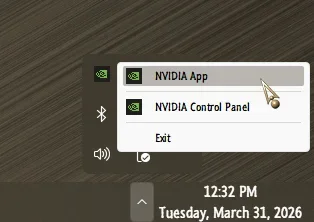
How do you uninstall the Nvidia App, or, at least prevent it from being a Startup item?

12964.webp

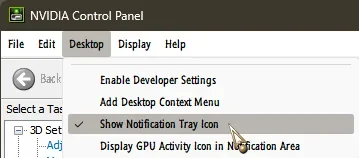
In Control Panel the item is un-checkable...

12965.webp
 

My Computers My Computers

  • At a glance

    Windows 11 Pro
    OS
    Windows 11 Pro
    Computer type
    PC/Desktop
    Manufacturer/Model
    ASUS ROG Strix
  • At a glance

    Windows 11 Pro
    Operating System
    Windows 11 Pro
    Computer type
    Laptop
    Manufacturer/Model
    ASUS VivoBook
  • ASUS VivoBook 'Lite' ~ Windows 11 Home

My Computers My Computers

  • At a glance

    Windows 11 25H2Intel Core Ultra 9 275HX (24-Core)64GB DDR5 6400MT/sNVIDIA GeForce RTX 5080 and Intel UHD Graphics
    OS
    Windows 11 25H2
    Computer type
    Laptop
    Manufacturer/Model
    Alienware 18 Area-51
    CPU
    Intel Core Ultra 9 275HX (24-Core)
    Motherboard
    Alienware
    Memory
    64GB DDR5 6400MT/s
    Graphics Card(s)
    NVIDIA GeForce RTX 5080 and Intel UHD Graphics
    Sound Card
    Onboard, Realtek high-performance Audio chips (ALC3329 & ALC1708))
    Monitor(s) Displays
    300HZ 18-inch QHD 500 nit Comfort View+
    Screen Resolution
    2560 x 1600
    Hard Drives
    2TB NVMe M.2 PCIe Gen 5 SSD
    Case
    Magnesium Alloy
    Cooling
    Advanced Cryo-Tech Quad-Fan Cooling system & large vapor chamber
    Keyboard
    Cherry MX ultra low profile mechanical keyboard with per key AlienFX RGB lighting
    Mouse
    Logitech MX Master 4
    Browser
    Vivaldi (main), Firefox, Chrome, Edge
    Antivirus
    MS Defender and Malwarebytes Free
  • At a glance

    Windows 11 25H2Qualcomm Snapdragon X Elite (12 Core) ARM bas...16GB LPDDR5Qualcomm Adreno X1-85
    Operating System
    Windows 11 25H2
    Computer type
    Laptop
    Manufacturer/Model
    Microsoft Surface Laptop 7
    CPU
    Qualcomm Snapdragon X Elite (12 Core) ARM based CPU
    Motherboard
    Microsoft Corp.
    Memory
    16GB LPDDR5
    Graphics card(s)
    Qualcomm Adreno X1-85
    Sound Card
    Omnisonic speakers with Dolby Atmos spatial sound
    Monitor(s) Displays
    120 Hz 13.8-inch 600 nit PixelSense Flow touchscreen
    Screen Resolution
    2304x1536
    Hard Drives
    1TB NVMe Gen 4 SSD
    Case
    Anodized Aluminum
    Cooling
    Traditional active cooling fan system
    Keyboard
    Mechanical QWERTY, backlit when in use
    Mouse
    Logitech MX Master 4 and Surface Arc Mouse
    Browser
    Vivaldi (main), Firefox, Chrome, Edge
    Antivirus
    MS Defender and Malwarebytes Free
Did you try closing the tray icon first from the tray then unchecking it from the control panel?
Yeah, but it comes back on next boot.
 

My Computers My Computers

  • At a glance

    Windows 11 Pro
    OS
    Windows 11 Pro
    Computer type
    PC/Desktop
    Manufacturer/Model
    ASUS ROG Strix
  • At a glance

    Windows 11 Pro
    Operating System
    Windows 11 Pro
    Computer type
    Laptop
    Manufacturer/Model
    ASUS VivoBook
  • ASUS VivoBook 'Lite' ~ Windows 11 Home
Yeah, but it comes back on next boot.
One of my machines keeps randomly loading that icon as well. The other machine leaves it off. The only way I found to permanently get rid of that icon was to uninstall the NIVDIA app. 🤷🏽‍♂️

It won't load with just the control panel installed, it's the NIVDIA app that does it.
 

My Computers My Computers

  • At a glance

    Windows 11 25H2Intel Core Ultra 9 275HX (24-Core)64GB DDR5 6400MT/sNVIDIA GeForce RTX 5080 and Intel UHD Graphics
    OS
    Windows 11 25H2
    Computer type
    Laptop
    Manufacturer/Model
    Alienware 18 Area-51
    CPU
    Intel Core Ultra 9 275HX (24-Core)
    Motherboard
    Alienware
    Memory
    64GB DDR5 6400MT/s
    Graphics Card(s)
    NVIDIA GeForce RTX 5080 and Intel UHD Graphics
    Sound Card
    Onboard, Realtek high-performance Audio chips (ALC3329 & ALC1708))
    Monitor(s) Displays
    300HZ 18-inch QHD 500 nit Comfort View+
    Screen Resolution
    2560 x 1600
    Hard Drives
    2TB NVMe M.2 PCIe Gen 5 SSD
    Case
    Magnesium Alloy
    Cooling
    Advanced Cryo-Tech Quad-Fan Cooling system & large vapor chamber
    Keyboard
    Cherry MX ultra low profile mechanical keyboard with per key AlienFX RGB lighting
    Mouse
    Logitech MX Master 4
    Browser
    Vivaldi (main), Firefox, Chrome, Edge
    Antivirus
    MS Defender and Malwarebytes Free
  • At a glance

    Windows 11 25H2Qualcomm Snapdragon X Elite (12 Core) ARM bas...16GB LPDDR5Qualcomm Adreno X1-85
    Operating System
    Windows 11 25H2
    Computer type
    Laptop
    Manufacturer/Model
    Microsoft Surface Laptop 7
    CPU
    Qualcomm Snapdragon X Elite (12 Core) ARM based CPU
    Motherboard
    Microsoft Corp.
    Memory
    16GB LPDDR5
    Graphics card(s)
    Qualcomm Adreno X1-85
    Sound Card
    Omnisonic speakers with Dolby Atmos spatial sound
    Monitor(s) Displays
    120 Hz 13.8-inch 600 nit PixelSense Flow touchscreen
    Screen Resolution
    2304x1536
    Hard Drives
    1TB NVMe Gen 4 SSD
    Case
    Anodized Aluminum
    Cooling
    Traditional active cooling fan system
    Keyboard
    Mechanical QWERTY, backlit when in use
    Mouse
    Logitech MX Master 4 and Surface Arc Mouse
    Browser
    Vivaldi (main), Firefox, Chrome, Edge
    Antivirus
    MS Defender and Malwarebytes Free
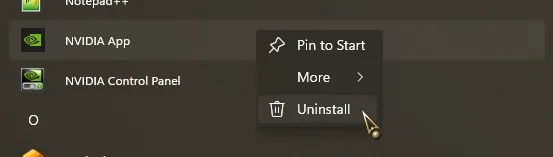
uninstall the NIVDIA app.
Nowhere to be found! Not in Uninstall Apps, not in Control Panel, nothing in Revo...

12968.webp

Nothing in Task Manager or Startup Folders either!
 

My Computers My Computers

  • At a glance

    Windows 11 Pro
    OS
    Windows 11 Pro
    Computer type
    PC/Desktop
    Manufacturer/Model
    ASUS ROG Strix
  • At a glance

    Windows 11 Pro
    Operating System
    Windows 11 Pro
    Computer type
    Laptop
    Manufacturer/Model
    ASUS VivoBook
  • ASUS VivoBook 'Lite' ~ Windows 11 Home
Nowhere to be found! Not in Uninstall Apps, not in Control Panel, nothing in Revo...

View attachment 167370

Nothing in Task Manager or Startup Folders either!
D/L the NVIDIA installer, do a clean install, and uncheck the NVIDIA app selection
 

My Computers My Computers

  • At a glance

    Win 11 Pro (25H2 RP)Intel(R) Core(TM) i5-9300H CPU @ 2.40GHz 2.40...32GBNvidia GeForce GTX 1650, Intel UHD 630
    OS
    Win 11 Pro (25H2 RP)
    Computer type
    Laptop
    Manufacturer/Model
    Acer AN515-54
    CPU
    Intel(R) Core(TM) i5-9300H CPU @ 2.40GHz 2.40 GHz
    Memory
    32GB
    Graphics Card(s)
    Nvidia GeForce GTX 1650, Intel UHD 630
    Monitor(s) Displays
    Acer CB272D
    Screen Resolution
    1920x1080
    Hard Drives
    256GB and 1T SSD
    Internet Speed
    500MB
    Browser
    Edge (Stable)
    Antivirus
    Microsoft Defender
  • At a glance

    Win 11 Pro (RP)Intel(R) Core(TM) Ultra 9 275HX (2.70 GHz)32GB DDR5-5600NVIDIA® GeForce RTX™ 5060 8GB
    Operating System
    Win 11 Pro (RP)
    Computer type
    Laptop
    Manufacturer/Model
    Lenovo Legion 5 16IAX10 - Type 83NX
    CPU
    Intel(R) Core(TM) Ultra 9 275HX (2.70 GHz)
    Memory
    32GB DDR5-5600
    Graphics card(s)
    NVIDIA® GeForce RTX™ 5060 8GB
    Monitor(s) Displays
    Acer CB272D
    Screen Resolution
    1920x1080 75Hz
    Hard Drives
    WD Green SN3000 (2TB)
    Samsung Portable T5 (2TB)
    Keyboard
    Logi MX Keys
    Mouse
    Logi MX Anywhere 3
    Internet Speed
    500MB
    Browser
    Edge
    Antivirus
    MS Defender
Back
Top Bottom