
How to Determine Currently Installed NVIDIA Graphics Display Driver Version in Windows
NVIDIA Graphics Firmware Update Tool for DisplayPort 1.3 and 1.4 Displays
NVIDIA GPU UEFI Firmware Update Tool for RTX 4090 and 4080 Series
NVIDIA GPU UEFI Firmware Update Tool for RTX 5060 Series
Support has ended for Maxwell, Pascal, and Volta-series GeForce GPUs.
Support Plan for Maxwell, Pascal, and Volta-series GeForce GPUs
List of Maxwell, Pascal and Volta Series GeForce GPUs
GeForce 582.78 graphics driver as a security update released 9/30/2026 for Maxwell, Pascal, and Volta-series GeForce GPUs.

The Ultimate GeForce GPU Comparison

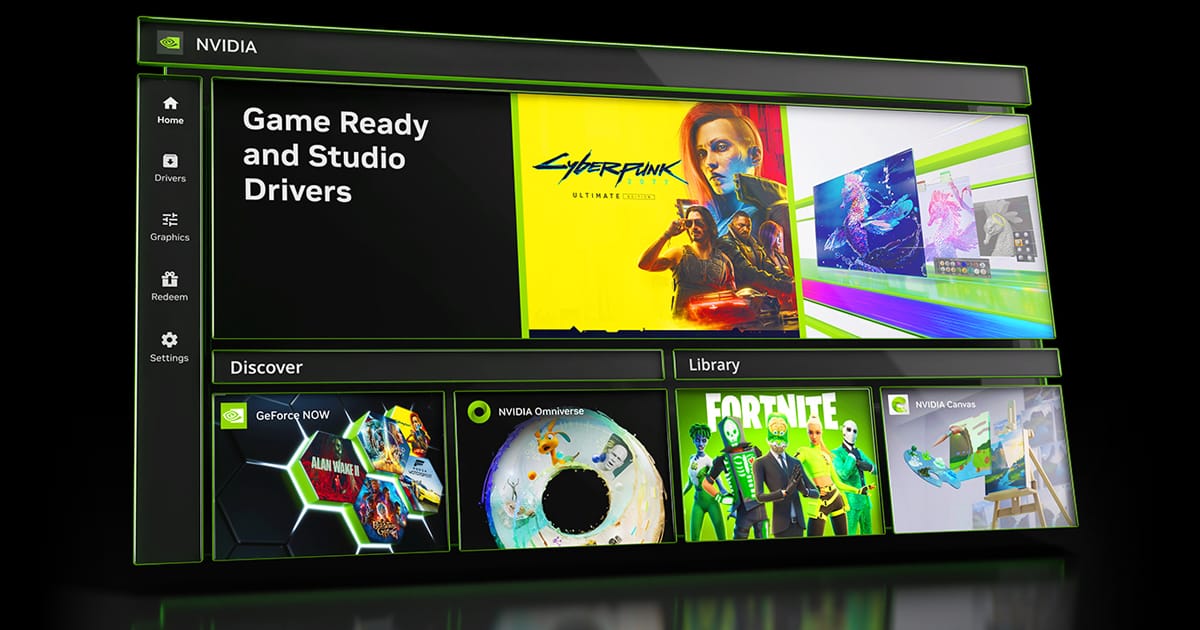
Release Date: October 13, 2026
Version: 11.0.9.565
- Support for RTX Spark
- This update introduces native support for RTX Spark devices, unlocking the full NVIDIA App feature suite at peak performance. Additionally, users can now manually configure GPU memory allocation to fine-tune performance across demanding gaming, creative, and AI workloads.
- New Performance Mode for DLSS Frame Generation (Beta)
- The NVIDIA App now includes a new Performance Mode (Beta) for DLSS Frame Generation that generates more frames, especially at higher multipliers.
- Access this features under Graphics > Program Settings > Driver Settings > DLSS Override - Model Presets > and set Frame Generation to “Model C”
- AI Agent Support for Model Context Protocol (MCP) server
- NVIDIA App includes a local MCP server (Model Context Protocol) that lets a compatible AI agent control the NVIDIA App using natural-language requests. This means your AI assistant like Hermes, OpenClaw or Perplexity can see your installed games and apply optimal settings, or enable Shadowplay to record gameplay, all through simple conversation.
- Access this feature under Settings > Features > AI Agents and App Connections
- New Statistics to the NVIDIA Overlay
- Added additional CPU statistics like CPU Clock, CPU Power, and CPU Temperature.
- WARDOGS
- Fixed an issue with missing laptop display names in Surround setup dialogue
- Fixed an issue where installing the NVIDIA app blocked Auto Display Switch
- Fixed an issue where RTX Video HDR sliders changes have no effect on video output.
- Various stability fixes.

NVIDIA GeForce GRD: Phantom Blade Zero & CoD MW4
Version: 621.01
Release Date for Desktops and Notebooks: October 21, 2026
Desktop DCH: GEFORCE GAME READY DRIVER 64-bit Windows 10, Windows 11 Download
Notebook DCH: GEFORCE GAME READY DRIVER 64-bit Windows 10, Windows 11 Download
GeForce GRD 621.01 Feedback Thread
NVIDIA GeForce Driver Release Highlights
Game Ready Driver Release Notes (PDF)
Control Panel User's Guide (PDF)
Game Ready for Phantom Blade Zero & Call of Duty: Modern Warfare 4
This new Game Ready Driver provides the best gaming experience for the latest new games and updates supporting DLSS and RTX technologies including Phantom Blade Zero, Call of Duty: Modern Warfare 4, NBA 2K27, Cyberpunk 2077, and Crimson Desert Enhanced: Charting the Unknown.
Fixed Gaming Bugs
> Wuthering Waves: May crash during gameplay when using NVIDIA Freestyle filters with DLSS Frame Generation enabled. [5747079]
> Star Citizen: Resolves a crash that may be seen when using Vulkan API [6680590]
> Surviving Mars: Relaunched may crash during gameplay after updating to R595 drivers [5965452]
Fixed General Bugs
> QHD monitor running at 360 Hz may have occasional black flash during gameplay [4846825]
> When gaming on a 360Hz G-SYNC Pulsar monitor, FPS may drop to 320FPS [6408986]
> Meta Horizon Link stream may freeze when connected over USB [6292679]
> Intermittent dimming may be observed on certain Asus notebooks after updating to R620 drivers [6807011]
Open Issues
> N/A
Version: 617.42
Release Date for Desktops and Notebooks: October 06, 2026
Desktop DCH: GEFORCE GAME READY DRIVER 64-bit Windows 10, Windows 11 Download
Notebook DCH: GEFORCE GAME READY DRIVER 64-bit Windows 10, Windows 11 Download
NVIDIA Studio Driver Release Highlights
Studio Driver Release Notes (PDF)
Control Panel User's Guide (PDF)
Applications
The October NVIDIA Studio Driver provides optimal support for the latest new creative applications and updates including DaVinci Resolve 21.1, Adobe Premiere Pro, Perplexity App, and support for Topaz Labs Hyperion 2.5.
Fixed Application Bugs
> Assassin's Creed Shadows may crash to desktop after extended gameplay after updating to driver 616.56 [6685219]
> Judgement/Lost Judgement/ Virtua Fighter 5 R.E.V.O. may fail to launch after updating to driver 616.56 [6681537]
Fixed General Bugs
> No picture on Samsung Odyssey G95NC monitor when connected via HDMI after updating to R615 drivers [6771206]
> Certain monitors may not wake from sleep when connected via DisplayPort after updating to R615 drivers [6757568]
Open Issues
> “Prefer Maximum Performance” Power Management Mode may not be applied correctly [6007998]









