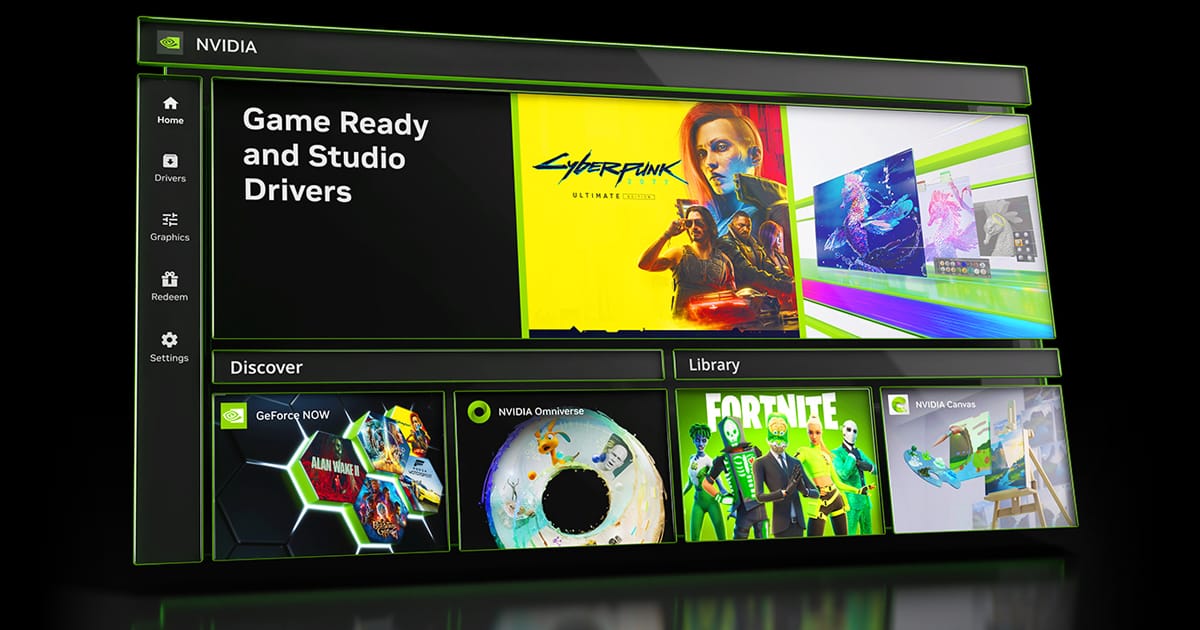
Latest NVIDIA GeForce Graphics Drivers for Windows 11


Support has ended for Maxwell, Pascal, and Volta-series GeForce GPUs.

Support Plan for Maxwell, Pascal, and Volta-series GeForce GPUs

List of Maxwell, Pascal and Volta Series GeForce GPUs

GeForce 582.28 graphics driver as a security update released 1/29/2026 for Maxwell, Pascal, and Volta-series GeForce GPUs.


 NVIDIA App


Release Date: July 17, 2026

What's new in NVIDIA App 11.0.8

New Updates:

  • ShadowPlay 240 FPS Recording
    • The NVIDIA app now supports 240 FPS ShadowPlay recording, for GeForce RTX 50 and 40 Series GPUs, providing competitive gamers and creators with ultra-smooth, high-resolution source footage. Configure via Alt+Z > Settings > Video Capture
  • Control Panel Updates
    • Added features for users to confine the taskbar to a single display and maximize windows to all displays. Access via System > Displays > Surround
DLSS Override Support Added For :
  • ‘83
  • Active Matter
  • Bus Bound
  • Cthulhu: The Cosmic Abyss
  • Dawn of Defiance
  • Far Far West
  • INDUSTRIA 2
  • MONGIL: STAR DIVE
  • MOUSE: P.I. For Hire
  • NTE (Neverness to Everness)
  • PRAGMATA
  • Samson
  • Screamer
  • Subliminal
  • Sudden Strike 5
  • Twinmotion
  • Windrose
Optimal Settings Support Added For:
  • Cairn
  • Crimson Desert
  • DEATH STRANDING 2: ON THE BEACH
  • Marathon
  • Monster Hunter Stories 3: Twisted Reflection
  • Nioh 3
  • PRAGMATA
  • Quarantine Zone: The Last Check
  • Resident Evil Requiem
  • The Seven Deadly Sins: Origin
  • Windrose
Squashed Bugs:
  • Fixed an issue where Shadowplay recordings fail when game title contains special character
  • Various stability fixes to improve overall app reliability


 NVIDIA GeForce GAME READY Driver (WHQL)


Version: 616.56
Release Date for Desktops and Notebooks: August 26, 2026

Desktop DCH: GEFORCE GAME READY DRIVER 64-bit Windows 10, Windows 11 Download

Notebook DCH: GEFORCE GAME READY DRIVER 64-bit Windows 10, Windows 11 Download

GeForce GRD 616.56 Feedback Thread

NVIDIA GeForce Driver Release Highlights

Game Ready Driver Release Notes (PDF)

Control Panel User's Guide (PDF)

Note: After 20 years of dedicated service, the classic NVIDIA Control Panel is officially retiring for Game Ready and Studio Drivers. For NVIDIA RTX PRO users, the NVIDIA Control Panel will continue to be supported until we have migrated professional features to the NVIDIA app.

Existing installs of the NVIDIA Control Panel will remain on users’ systems, unless they perform a clean installation, and users who still need the NVIDIA Control Panel can continue to download it from the Microsoft Store, but we won’t be adding features, fixes, or other changes.

The NVIDIA app contains all of the modern functionality of the NVIDIA Control Panel available for GeForce RTX GPUs, and much more, while running faster and more efficiently.

Fixed Gaming Bugs
> DOOM: The Dark Ages & Indiana Jones and the Great Circle: Frame rate may exceed VSYNC when DLSS Frame Generation 3x or higher is used [6061475]
> Outer Worlds: Texture flicker may be observed while playing Outer Worlds after updating to R595 and R610 drivers [6238668]

Fixed General Bugs
> Asus Armory Crate: GameVisual color profiles are not getting applied when using R590 drivers [5860581]
> Chief Architect: 610.47 driver crash on Geforce RTX 4000 series cards [6226227]
> Claude Desktop: Driver incorrectly detects application as a 3D app [6468260]
> Resolves issue that some instances can cause a driver crash with 32-bit DirectX 12 apps [5725350]
> Tycho Tracker: Unable to create individual OpenCL buffers greater than 2GB [6538978]

Open Issues
> “Prefer Maximum Performance” Power Management Mode may not be applied correctly [6007998]




 NVIDIA Studio DRIVER (WHQL)

Version: 616.56
Release Date for Desktops and Notebooks: August 26, 2026

Desktop DCH: GEFORCE GAME READY DRIVER 64-bit Windows 10, Windows 11 Download

Notebook DCH: GEFORCE GAME READY DRIVER 64-bit Windows 10, Windows 11 Download

NVIDIA Studio Driver Release Highlights

Studio Driver Release Notes (PDF)

Control Panel User's Guide (PDF)

Note: After 20 years of dedicated service, the classic NVIDIA Control Panel is officially retiring for Game Ready and Studio Drivers. For NVIDIA RTX PRO users, the NVIDIA Control Panel will continue to be supported until we have migrated professional features to the NVIDIA app.

Existing installs of the NVIDIA Control Panel will remain on users’ systems, unless they perform a clean installation, and users who still need the NVIDIA Control Panel can continue to download it from the Microsoft Store, but we won’t be adding features, fixes, or other changes.

The NVIDIA app contains all of the modern functionality of the NVIDIA Control Panel available for GeForce RTX GPUs, and much more, while running faster and more efficiently.

Fixed Application Bugs
> DOOM: The Dark Ages & Indiana Jones and the Great Circle: Frame rate may exceed V-SYNC when DLSS Frame Generation 3x or higher is used [6061475]
> Outer Worlds: Texture flicker may be observed while playing after updating to R595 and R610 drivers [6238668]
> ASUS Armory Crate: GameVisual color profiles are not getting applied when using R590 drivers [5860581]
> Chief Architect: 610.47 driver crash on Geforce RTX 4000 series cards [6226227]
> Claude Desktop: Driver incorrectly detects application as a 3D app [6468260]
> Tycho Tracker: Unable to create individual OpenCL buffers greater than 2GB [6538978]

Fixed General Bugs
> Resolves issue that some instances can cause a driver crash with 32-bit DirectX 12 apps [5725350]

Open Issues
> “Prefer Maximum Performance” Power Management Mode may not be applied correctly [6007998]

 
Last edited:
No issue for me either.
 

My Computers My Computers

  • At a glance

    Win 11 Pro 25H2 26200.9278Intel i5-12400F2 x16gb DDR4 Patriot Viper Elite II 4000MHzASUS GeForce RTX 3060 Dual OC 12GB
    OS
    Win 11 Pro 25H2 26200.9278
    Computer type
    PC/Desktop
    Manufacturer/Model
    Custom
    CPU
    Intel i5-12400F
    Motherboard
    MSI PRO B760M P
    Memory
    2 x16gb DDR4 Patriot Viper Elite II 4000MHz
    Graphics Card(s)
    ASUS GeForce RTX 3060 Dual OC 12GB
    Sound Card
    onboard Realtek
    Monitor(s) Displays
    KTC 32 inch 180Hz Curved Gaming Monitor
    Screen Resolution
    2560x1440
    Hard Drives
    1x SP 512GB NVME (Windows)
    1x 2TB SSD (Downloads)
    1x 2TB BX500 (Games)
    1x 2TB NVME (Steam)
    1x 1TB NVME (Macrium, Stuff)
    PSU
    CORSAIR RM750e (2025) Platinum Fully Modular
    Case
    CORSAIR Frame 4000D RS White
    Cooling
    Thermalright Assassin X120 SE ARGB White
    Keyboard
    Z-88 RGB Mechanical White
    Mouse
    Red Dragon 612 Predator RGB
    Internet Speed
    750/50
    Browser
    Chrome
    Antivirus
    Windows
  • At a glance

    Windows XPAthlon 64 Socket 7542x 1GB (PC3200)Onboard
    Operating System
    Windows XP
    Computer type
    PC/Desktop
    Manufacturer/Model
    HP Pavilion (modded)
    CPU
    Athlon 64 Socket 754
    Motherboard
    ASUS K8S-LA
    Memory
    2x 1GB (PC3200)
    Graphics card(s)
    Onboard
    Sound Card
    Onboard
    Monitor(s) Displays
    Whatever is available
    Screen Resolution
    800x600
    Hard Drives
    120gb Samsung SSD
Nvidia's consumer GPU's are free advertising for their professional products.
 

My Computer My Computer

At a glance

Windows 11 25H2Broadwell-e 6850K 4.5ghz @1.36v32GB Corsair LPM 3600 C16EVGA RTX 3080Ti FTW
OS
Windows 11 25H2
Computer type
PC/Desktop
Manufacturer/Model
EVGA home brew
CPU
Broadwell-e 6850K 4.5ghz @1.36v
Motherboard
EVGA X99 FTW K
Memory
32GB Corsair LPM 3600 C16
Graphics Card(s)
EVGA RTX 3080Ti FTW
Sound Card
Asus Centurion true 7.1 headset. (5 speakers in each earpeice)
Monitor(s) Displays
LG C4 55"
Screen Resolution
4K 144hz
Hard Drives
Various models of SSDs ~10TB No HDDs installed.
PSU
be quiet! BN516 Straight Power 12-1000w 80 Plus Platinum
Case
Corsair 780T modified to dual 200mm intake fans
Cooling
Corsair H110i
Keyboard
Corsair K95 Platinum
Mouse
Corsair M65 RGB Elite
Internet Speed
50Mbs
Release Date: September 3, 2026

What's new in NVIDIA App 11.0.9

New Updates:


  • DLSS 4.5 Ray Reconstruction Available Now
    • Added support for DLSS 4.5 Ray Reconstruction on GeForce RTX Series GPUs. Access these DLSS features under Graphics > Program Settings > Driver Settings > DLSS Override - Model Presets > “Recommended”.
  • New Graphics Settings
    • Per-app Resizable BAR controls are now available in the NVIDIA app to help optimize game performance for your specific hardware setup. Access this feature under Graphics > Program Settings > Driver Settings > Resizable BAR.
  • Additional Updates
    • Added a green dot notification badge for new features, along with hover-enabled sidebar links for quick access.
    • Added a toggle for Windows Desktop right-click context menu for the NVIDIA app.
    • Migrated CUDA System Fallback policy from the NVIDIA Control Panel.
    • Added Borderless Windowed mode support to Optimal Playable Settings.
DLSS Override Support Added For:

  • 007 First Light
  • Assassin's Creed Black Flag Resynced
  • Beast of Reincarnation
  • Blades of Fire
  • Conan Exiles Enhanced
  • Corsair Cove
  • Dead as Disco
  • Deep Rock Galactic: Rogue Core
  • Directive 8020
  • Empulse
  • Fatekeeper
  • Forza Horizon 6
  • GOALS
  • Gothic 1 Remake
  • Halo: Campaign Evolved
  • Hell Let Loose: Vietnam
  • I Am Jesus Christ
  • LEGO Batman: Legacy of the Dark Knight
  • Luminary
  • Luna Abyss
  • Mistfall Hunter
  • Mortal Shell II
  • NBA THE RUN
  • Reaper Actual
  • SAND: Raiders of Sophie
  • Starminer
  • Subnautica 2
  • The Mound: Omen of Cthulhu
  • The Sinking City 2
  • Tides of Tomorrow
  • World of Tanks: HEAT
  • Zenless Zone Zero
  • STAR WARS Zero Company™
  • Painkiller RTX
  • Onimusha: Way of the Sword
  • NBA 2K27
  • The Blood of Dawnwalker
  • Resonance: A Plague Tale Legacy
Optimal Settings Support Added For:

  • 007 First Light
  • Halo: Campaign Evolved
  • Mistfall Hunter
  • Subnautica 2
  • STAR WARS Zero Company™
  • Painkiller RTX
  • Onimusha: Way of the Sword
  • NBA 2K27
  • The Blood of Dawnwalker
  • Resonance: A Plague Tale Legacy
Squashed Bugs:

  • Fixed an issue where Game filters stopped working in Battlefield 4.
  • Fixed an compatibility issue with video playback and statistics overlay in multi-GPU configurations.
  • Fixed an issue where Photo Mode Super Resolution produced incorrect color output.
  • Fixed an issue where Image Sharpening was not working on a per-app basis.
  • Fixed an issue where statistic logging failed to start.
  • Fixed an issue where 10 bpc was unavailable for Output Color Depth on selected displays when YCbCr444 was selected.
  • Various stability fixes.
 

My Computer My Computer

At a glance

Windows 11 ProfessionalIntel Core i7-8700 @ 3.20GHz32GB DDR4-2666 SDRAMnVIDIA GeForce GTX 3060Ti 8GB (GA104-202 LHR)...
OS
Windows 11 Professional
Computer type
PC/Desktop
Manufacturer/Model
Dell XPS 8930
CPU
Intel Core i7-8700 @ 3.20GHz
Motherboard
Intel Z370 (Kaby Lake) Dell
Memory
32GB DDR4-2666 SDRAM
Graphics Card(s)
nVIDIA GeForce GTX 3060Ti 8GB (GA104-202 LHR) [DELL]/Intel UHD Graphics 630
Sound Card
Sound Blaster Z/Realtek Audio
Monitor(s) Displays
Dell S2721DGF IPS 27-in Gaming Monitor
Screen Resolution
2560x1440
Hard Drives
Samsung NVMe SSD 970 EVO 1TB
Samsung SATA SSD 860 EVO 1TB
PSU
SeaSonic 750W ATX PSU 80+ Gold
Case
Dell Mini-Tower
Cooling
Standard Dell Cooling
Keyboard
Razer BlackWidow V3 Mechanical Gaming Keyboard
Mouse
Razer DeathAdder V2 Gaming Mouse
Internet Speed
500 Mbps
Browser
Microsoft Edge (Chromium-Based)
Antivirus
Malwarebytes Premium and Microsoft Defender

GeForce Game Ready Driver 616.64​

DLSS 5 is available now in the newly-released NBA 2K27. To use DLSS 5 in-game, download the new driver through NVIDIA App , or from GeForce.com .

Additionally, today’s driver also optimizes your system for Onimusha: Way of the Sword.

Fixed Gaming Bugs: N/A

Fixed General Bugs: N/A

Open Issues
  • “Prefer Maximum Performance” Power Management Mode may not be applied correctly [6007998]
  • Intermittent flicker may be observed in browsers when navigating to certain websites [6673430]
Desktop

Notebook
 

My Computer My Computer

At a glance

Windows 11 ProIntel Core i9 12900KFCorsair 64GB DDR5 Vengeance C40 5200MhzASUS GeForce RTX 3090 ROG Strix OC 24GB
OS
Windows 11 Pro
Computer type
PC/Desktop
Manufacturer/Model
Custom Build
CPU
Intel Core i9 12900KF
Motherboard
ASUS ROG Maximus Z690 Hero
Memory
Corsair 64GB DDR5 Vengeance C40 5200Mhz
Graphics Card(s)
ASUS GeForce RTX 3090 ROG Strix OC 24GB
Sound Card
OnBoard
Monitor(s) Displays
Acer Predator XB323UGP 32" QHD G-SYNC-C 144Hz 1MS IPS LED
Screen Resolution
2560 x 1440
Hard Drives
1x Samsung 980 Pro Series Gen4 250GB M.2 NVMe
1x Samsung 980 Pro Series Gen4 500GB M.2 NVMe
2x Samsung 980 Pro Series Gen4 2TB M.2 NVMe
PSU
Corsair AX1200i 1200W 80PLUS Titanium Modular
Case
Corsair 4000D Black Case w/ Tempered Glass Side Panel
Cooling
Noctua NH-U12A Chromax Black CPU Cooler, 4x Noctua 120mm Fans
Keyboard
Logitech MK545
Mouse
Logitech MX Master 3
Internet Speed
Fixed Wireless 150mbps/75mbps
Browser
Firefox
Antivirus
Kaspersky
Other Info
Thrustmaster TS-PC RACER
Fanatec CSL Elite Pedals with the Load Cell Kit
Yamaha Amp with Bose Speakers

Latest Support Threads

Back
Top Bottom