How to Determine Currently Installed NVIDIA Graphics Display Driver Version in Windows
NVIDIA Graphics Firmware Update Tool for DisplayPort 1.3 and 1.4 Displays
NVIDIA GPU UEFI Firmware Update Tool for RTX 4090 and 4080 Series
NVIDIA GPU UEFI Firmware Update Tool for RTX 5060 Series
Support has ended for Maxwell, Pascal, and Volta-series GeForce GPUs.
Support Plan for Maxwell, Pascal, and Volta-series GeForce GPUs
List of Maxwell, Pascal and Volta Series GeForce GPUs
GeForce 582.78 graphics driver as a security update released 9/30/2026 for Maxwell, Pascal, and Volta-series GeForce GPUs.

The Ultimate GeForce GPU Comparison

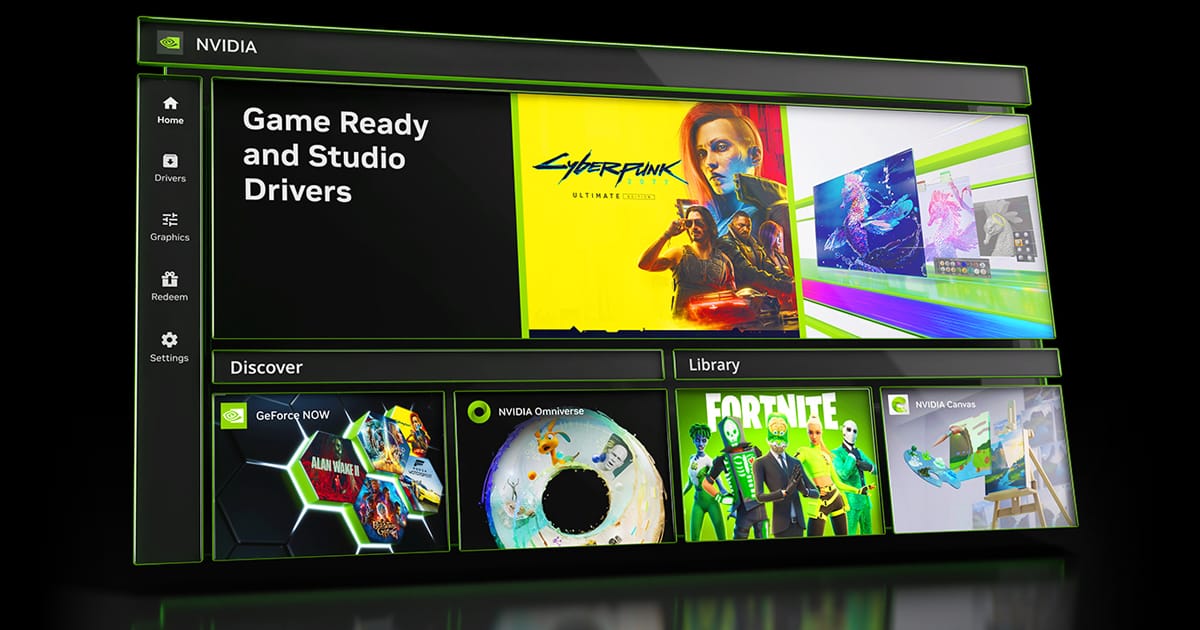
Release Date: October 13, 2026
Version: 11.0.9.565
- Support for RTX Spark
- This update introduces native support for RTX Spark devices, unlocking the full NVIDIA App feature suite at peak performance. Additionally, users can now manually configure GPU memory allocation to fine-tune performance across demanding gaming, creative, and AI workloads.
- New Performance Mode for DLSS Frame Generation (Beta)
- The NVIDIA App now includes a new Performance Mode (Beta) for DLSS Frame Generation that generates more frames, especially at higher multipliers.
- Access this features under Graphics > Program Settings > Driver Settings > DLSS Override - Model Presets > and set Frame Generation to “Model C”
- AI Agent Support for Model Context Protocol (MCP) server
- NVIDIA App includes a local MCP server (Model Context Protocol) that lets a compatible AI agent control the NVIDIA App using natural-language requests. This means your AI assistant like Hermes, OpenClaw or Perplexity can see your installed games and apply optimal settings, or enable Shadowplay to record gameplay, all through simple conversation.
- Access this feature under Settings > Features > AI Agents and App Connections
- New Statistics to the NVIDIA Overlay
- Added additional CPU statistics like CPU Clock, CPU Power, and CPU Temperature.
- WARDOGS
- Fixed an issue with missing laptop display names in Surround setup dialogue
- Fixed an issue where installing the NVIDIA app blocked Auto Display Switch
- Fixed an issue where RTX Video HDR sliders changes have no effect on video output.
- Various stability fixes.
Version: 617.70
Release Date for Desktops and Notebooks: October 14, 2026
Download
This update includes two fixes:
- On a QHD monitor with 360 Hz, occasional black flashes may occur during gameplay.
- When playing on a 360Hz G-SYNC Pulsar monitor, the frame rate can drop to 320 FPS.

NVIDIA Game Ready Driver For Call of Duty: Modern Warfare 4 & STAR WARS: Galactic Racer
Version: 617.42
Release Date for Desktops and Notebooks: October 06, 2026
Desktop DCH: GEFORCE GAME READY DRIVER 64-bit Windows 10, Windows 11 Download
Notebook DCH: GEFORCE GAME READY DRIVER 64-bit Windows 10, Windows 11 Download
GeForce GRD 617.42 Feedback Thread
NVIDIA GeForce Driver Release Highlights
Game Ready Driver Release Notes (PDF)
Control Panel User's Guide (PDF)
Note: After 20 years of dedicated service, the classic NVIDIA Control Panel is officially retiring for Game Ready and Studio Drivers. For NVIDIA RTX PRO users, the NVIDIA Control Panel will continue to be supported until we have migrated professional features to the NVIDIA app.
Existing installs of the NVIDIA Control Panel will remain on users’ systems, unless they perform a clean installation, and users who still need the NVIDIA Control Panel can continue to download it from the Microsoft Store, but we won’t be adding features, fixes, or other changes.
The NVIDIA app contains all of the modern functionality of the NVIDIA Control Panel available for GeForce RTX GPUs, and much more, while running faster and more efficiently.
Fixed Gaming Bugs
> Assassin's Creed Shadows may crash to desktop after extended gameplay after updating to driver 616.56. [6685219]
Fixed General Bugs
> N/A
Open Issues
> Prefer Maximum Performance” Power Management Mode may not be applied correctly [6007998]
Version: 617.42
Release Date for Desktops and Notebooks: October 06, 2026
Desktop DCH: GEFORCE GAME READY DRIVER 64-bit Windows 10, Windows 11 Download
Notebook DCH: GEFORCE GAME READY DRIVER 64-bit Windows 10, Windows 11 Download
NVIDIA Studio Driver Release Highlights
Studio Driver Release Notes (PDF)
Control Panel User's Guide (PDF)
Note: After 20 years of dedicated service, the classic NVIDIA Control Panel is officially retiring for Game Ready and Studio Drivers. For NVIDIA RTX PRO users, the NVIDIA Control Panel will continue to be supported until we have migrated professional features to the NVIDIA app.
Existing installs of the NVIDIA Control Panel will remain on users’ systems, unless they perform a clean installation, and users who still need the NVIDIA Control Panel can continue to download it from the Microsoft Store, but we won’t be adding features, fixes, or other changes.
The NVIDIA app contains all of the modern functionality of the NVIDIA Control Panel available for GeForce RTX GPUs, and much more, while running faster and more efficiently.
Applications
The October NVIDIA Studio Driver provides optimal support for the latest new creative applications and updates including DaVinci Resolve 21.1, Adobe Premiere Pro, Perplexity App, and support for Topaz Labs Hyperion 2.5.
Fixed Application Bugs
> Assassin's Creed Shadows may crash to desktop after extended gameplay after updating to driver 616.56 [6685219]
> Judgement/Lost Judgement/ Virtua Fighter 5 R.E.V.O. may fail to launch after updating to driver 616.56 [6681537]
Fixed General Bugs
> No picture on Samsung Odyssey G95NC monitor when connected via HDMI after updating to R615 drivers [6771206]
> Certain monitors may not wake from sleep when connected via DisplayPort after updating to R615 drivers [6757568]
Open Issues
> “Prefer Maximum Performance” Power Management Mode may not be applied correctly [6007998]