Windows 11 Pro 26200.8457
Local user account
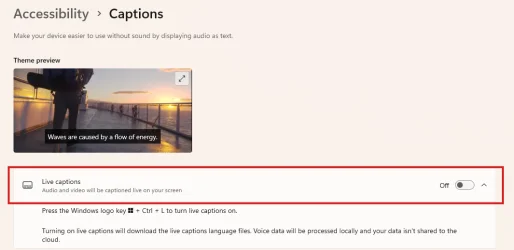
For the past few weeks I keep having Live Captions taking over the screen and I do not have Live Captions enabled (they are disabled). This is very annoying and need to find out how to disable this feature that is already disabled in Windows 11 Settings.
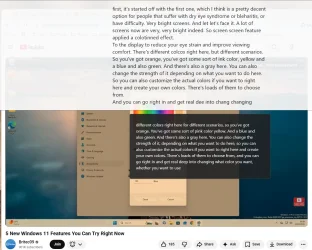
How can I turn off this annoying feature as it is making it hard to watch videos. Soon as I close the smaller captions window, it opens right up again. I cannot close the large white background captions screen. Some times there are two or three dark background caption screens. I do not have this feature enabled and do not need it enabled.
Thanks.
Local user account
For the past few weeks I keep having Live Captions taking over the screen and I do not have Live Captions enabled (they are disabled). This is very annoying and need to find out how to disable this feature that is already disabled in Windows 11 Settings.
How can I turn off this annoying feature as it is making it hard to watch videos. Soon as I close the smaller captions window, it opens right up again. I cannot close the large white background captions screen. Some times there are two or three dark background caption screens. I do not have this feature enabled and do not need it enabled.
Thanks.
- Windows Build/Version
- Windows 11 Pro 26200.8457
My Computers
-
At a glance
Windows 11 ProAMD Ryzen AI 7 350 w/ Radeon 860M 50 TOPS32GB LPDDR5X 7500 MT/sAMD Radeon 860M integrated (shared memory)- OS
- Windows 11 Pro
- Computer type
- Laptop
- Manufacturer/Model
- Dell 16 Plus DB16255
- CPU
- AMD Ryzen AI 7 350 w/ Radeon 860M 50 TOPS
- Motherboard
- Dell 0PKMHG
- Memory
- 32GB LPDDR5X 7500 MT/s
- Graphics Card(s)
- AMD Radeon 860M integrated (shared memory)
- Sound Card
- Stereo speakers (2.5 W x 2 = 5 W total peak)/Realtek SounzReal/Dolby Atmos
- Monitor(s) Displays
- Displays: 16" 1920 x 1200 (Full HD+/WUXGA) 300 nits 60Hz *** Samsung - 27” Odyssey FHD IPS 240Hz G-Sync Gaming Monitor
- Screen Resolution
- 1920x1080 @ 60Hz
- Hard Drives
- EG6 KIOXIA 1TB NVME
- Case
- Ice Blue
- Cooling
- "dual-fan" or "enhanced" air-cooling system
- Mouse
- Logitech M650 Wireless/Bluetooth
- Internet Speed
- 800/600 Fiber
-
- Computer type
- Laptop