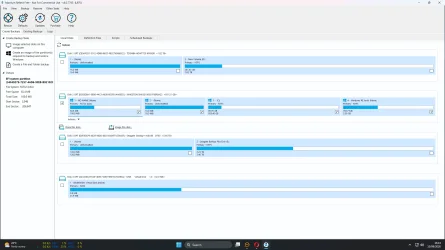
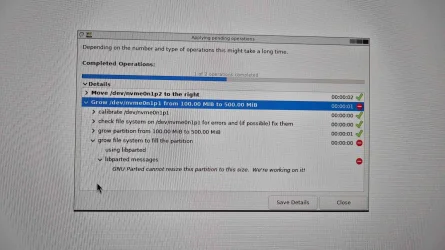
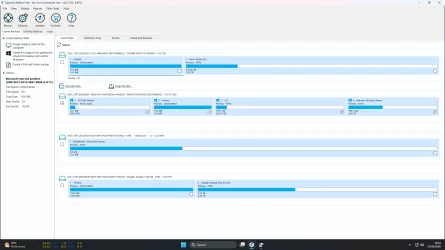
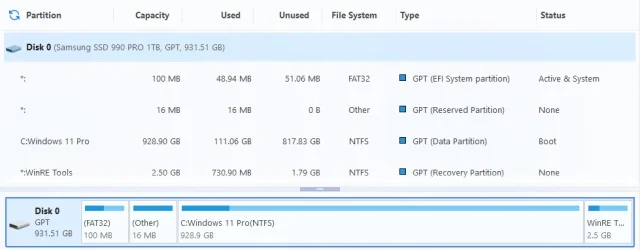
Macrium Reflect showing full partition


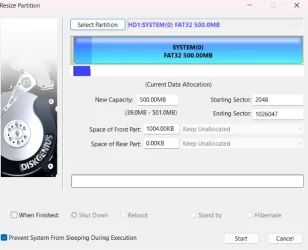
I know, but I use Hasleo Backup Suite. I can resize partitions *and* move the 16MB MSR partition(left or right into unallocated space). That saves me from having to use partition managers that might cause issues.

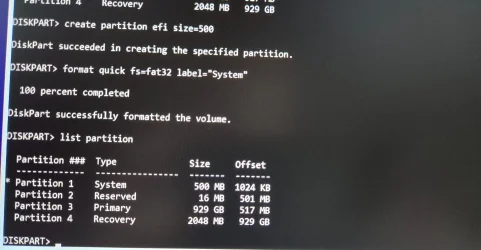
DiskGenius is good, and I haven't had any errors with it, but you can't move the MSR partition. You would have to delete it, expand the EFI partition, leave 16MB of unallocated space, and then recreate the MSR partition using diskpart.
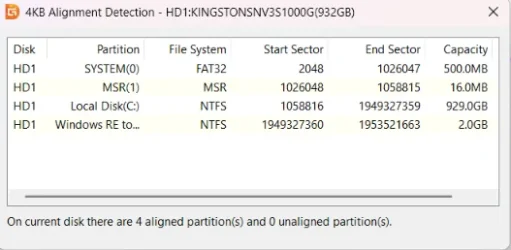
Just to clarify for the OP. MRP refers to the 16 MB Microsoft Reserved Partition and is nothing to do with the Recovery Partition. It is tiny and I see no advantage in moving it.
 

My Computers My Computers

  • At a glance

    Windows 11 Pro 25H2 26200.9168AMD Ryzen 7 5825U with Radeon Graphics16GB
    OS
    Windows 11 Pro 25H2 26200.9168
    Computer type
    Laptop
    Manufacturer/Model
    Acemagic LX15PRO
    CPU
    AMD Ryzen 7 5825U with Radeon Graphics
    Motherboard
    BIOS CT_BI_AMI_LX15PRO_AB8139_A-004
    Memory
    16GB
    Screen Resolution
    1920 x 1080
    Hard Drives
    SSD 2TB
    Internet Speed
    30 Mbps
    Browser
    Brave
    Antivirus
    Webroot SecureAnywhere Complete beta
  • At a glance

    Windows 11 Pro 23H2 22631.2506Atom N450 1.66GHz2GB
    Operating System
    Windows 11 Pro 23H2 22631.2506
    Computer type
    Laptop
    Manufacturer/Model
    HP Mini 210-1090NR PC (bought in late 2009!)
    CPU
    Atom N450 1.66GHz
    Memory
    2GB
    Browser
    Brave
    Antivirus
    Webroot
  • Acer Swift SF114-34 laptop
    OS Windows 11 Pro 26200.8894
    CPU Pentium Silver N6000
    RAM 4GB
    BIOS v1.17
    SSD Samsung 970 EVO Plus SSD 2TB (an upgrade)
Just to clarify for the OP. MRP refers to the 16 MB Microsoft Reserved Partition and is nothing to do with the Recovery Partition. It is tiny and I see no advantage in moving it.
You have to move it to enlarge the EFI partition!

I create unallocated space at the beginning of the C: partition, slide the MSR partition to the right, and enlarge the EFI partition.
 

My Computer My Computer

At a glance

windows 11
OS
windows 11

My Computer My Computer

At a glance

Windows 10
OS
Windows 10
After much deliberation I uploaded a screenshot to ChatGPT with a briefing to enlarge recovery partition and just followed instructions using command prompt/diskpart, didn't take long. I'll do EFI partition another day, not so bothered about that. Thanks for all the input.(y)
 

Attachments

  • Screenshot 2026-08-13 164339.webp
    Screenshot 2026-08-13 164339.webp
    111.6 KB · Views: 1

My Computer My Computer

At a glance

Windows 11 HomeIntel Core i7 14700KFKingston Fury Beast RGB 32GB (2x16GB) DDR5 60...NVIDIA GeForce RTX 5070
OS
Windows 11 Home
Computer type
PC/Desktop
Manufacturer/Model
Built
CPU
Intel Core i7 14700KF
Motherboard
ASUS Prime Z790-P WIFI
Memory
Kingston Fury Beast RGB 32GB (2x16GB) DDR5 6000MHz
Graphics Card(s)
NVIDIA GeForce RTX 5070
Sound Card
Realtek High Definition Audio
Monitor(s) Displays
Samsung LS24D600UAUXXU 24" QHD
Screen Resolution
2560x1440
Hard Drives
Kingston 1TB NVMe SSD
Toshiba 2TB SATA HDD
Seagate Backup Plus Hub 6TB External Hard Drive
PSU
Corsair RM850e Modular PSU
Case
Corsair Frame 4000D RS ARGB
Cooling
Corsair H100x RGB Elite 240mm AIO CPU Cooler
Keyboard
HiPoint wired
Mouse
Logitech wireless
Internet Speed
560 Mbps
Browser
Opera, Brave
Antivirus
Bitdefender Free Antivirus, Windows Firewall
Other Info
Logitech X-230 speaker system

Latest Support Threads

Back
Top Bottom