Missing Open Option


SightUp

Well-known member
Member
Local time
9:56 AM
Posts
179
OS
Windows
1765215060447.webp

I am missing the option for opening random files such as this game config file in the Select an app to open... menu.

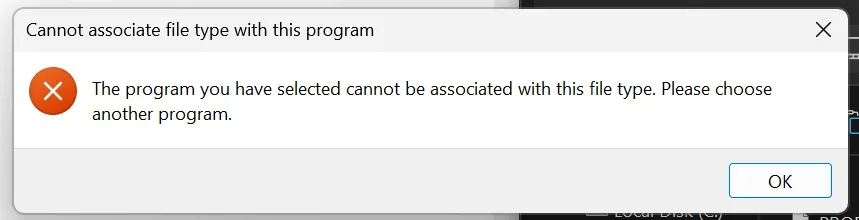
When I try to find it through the Choose an app on your PC, I get this error.

1765215169973.webp

Any idea how to get notepad.exe always to show there?
 

Attachments
  • 1765215155287.webp
    1765215155287.webp
    111.5 KB · Views: 1
  • 1765215218622.webp
    1765215218622.webp
    13.2 KB · Views: 1
  • 1765215231415.webp
    1765215231415.webp
    13.2 KB · Views: 1

My Computer

System One

  • OS
    Windows
    CPU
    Intel 8086k
    Motherboard
    Asus z370-F
    Graphics Card(s)
    EVGA 3080 Ti FTW3 Ultra
    Sound Card
    ADI-2 DAC fs
Open regedit
Expand HKEY_CURRENT_USER\Software\Classes
Click on Edit > Find and search for 'Microsoft.WindowsNotepad'
That should point you to a key called 'Application' under another key with a name like AppX<long alpha numeric string>
Copy that Whole string AppX...

Scroll up to HKEY_CURRENT_USER\Software\Classes\*\
Click on OpenWithProgids and on the right click > New > Binary Value
Give it the AppX.... name the value should be blank.
Test
 

My Computer

System One

  • OS
    Linux Mint
    Computer type
    Laptop
    Manufacturer/Model
    System76 Lemur Pro
I think this might be pointing me to the new one.

1765216688348.webpI uninstalled that one. I just want to use the old one from Windows 7 and older.
 

My Computer

System One

  • OS
    Windows
    CPU
    Intel 8086k
    Motherboard
    Asus z370-F
    Graphics Card(s)
    EVGA 3080 Ti FTW3 Ultra
    Sound Card
    ADI-2 DAC fs
The key name your looking for is going to be HKEY_CURRENT_USER\Software\Classes\AppX...
You can see some of them at the top of your latest screenshot
 

My Computer

System One

  • OS
    Linux Mint
    Computer type
    Laptop
    Manufacturer/Model
    System76 Lemur Pro
Didn't see your last note, I'm not sure you can on the default right click menu in Windows 11
 

My Computer

System One

  • OS
    Linux Mint
    Computer type
    Laptop
    Manufacturer/Model
    System76 Lemur Pro
I uninstalled that one. I just want to use the old one from Windows 7 and older.
When I try to find it through the Choose an app on your PC, I get this error.
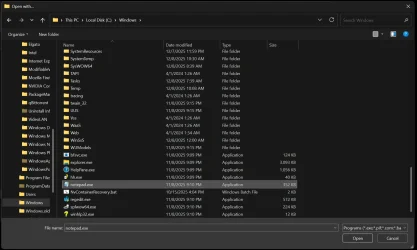
you browsed to %systemroot%\system32\notepad.exe ?

if that didnt work, create the necessary keys in the format below:

Code:
HKEY_CLASSES_ROOT\NoExtFile\shell\open\command

in NoExtFile, set the (Default) sz value to PROFSAVE_profile File

and inside command, set the (Default) sz value to %systemroot%\system32\notepad.exe

then in

Code:
HKEY_CLASSES_ROOT\*

create Shell\OpenWith\Notepad\command

in command set the (Default) sz value to "%systemroot%\system32\notepad.exe" "%1"

^ will make open with notepad an option. if you want it set to default for double clicking the file (which i dont believe you do...

Code:
HKEY_CLASSES_ROOT\*\shell\open\command

in command set the (Default) sz value to "%systemroot%\system32\notepad.exe" "%1"
 

My Computer

System One

  • OS
    Windows 11 Pro
I am missing the option for opening random files such as this game config file in the Select an app to open... menu.

When I try to find it through the Choose an app on your PC, I get this error.

1765215169973.webp


Any idea how to get notepad.exe always to show there?
This occurs because of a NoOpenWith value in HKEY_CLASSES_ROOT\Applications\notepad.exe removing or renaming the value will fix this.

Instructions for reinstating the old notepad can be found here: How to Restore Old Classic Notepad in Windows 11

The purpose of the Image File Execution Options part is to disable redirections from traditional notepad to the new Windows app version. If UseFilter is zero the settings underneath are ignored.
 

My Computers

System One System Two

  • OS
    Windows 11 25H2 Pro Build 26200
    Computer type
    PC/Desktop
    Manufacturer/Model
    MSI PRO ADL-U Cubi 5 (MS-B0A8)
    CPU
    i3-1215U
    Memory
    8GB
    Monitor(s) Displays
    Sony 43" 4k TV
    Screen Resolution
    3840x2160
    Hard Drives
    250GB NVMe M.2 PCIe Gen 3 SSD
    PSU
    External 65W
    Case
    Mini PC
    Browser
    FireFox
    Antivirus
    MS
  • Operating System
    Windows 11 Pro 25H2
    Computer type
    PC/Desktop
    Manufacturer/Model
    Dell Optiplex 3070 SFF
    CPU
    Intel i3-9100
    Memory
    16GB DDR4
    Monitor(s) Displays
    Dell S2721
    Screen Resolution
    3840 x 2160
    Hard Drives
    Samsung 500GB nvMe
    Case
    Dell small form factor
    Keyboard
    Cherry mechanical (Blue)
    Mouse
    Microsoft
    Antivirus
    MS Defender
OK! That worked. Now, I need to figure out how to remove OpenWith. Any ideas?

1765239991803.webp
 

My Computer

System One

  • OS
    Windows
    CPU
    Intel 8086k
    Motherboard
    Asus z370-F
    Graphics Card(s)
    EVGA 3080 Ti FTW3 Ultra
    Sound Card
    ADI-2 DAC fs
Back
Top Bottom