Need To Share Folder Contents In Drive Connected To The Router, To Household


Caxtin

Well-known member
Member
Local time
1:29 PM
Posts
117
OS
Windows 11 Pro 64-bit / 24H2 / Build 26100.6584
Windows 11 / 22H2

At home, we all use the same network.
I use Windows PC and iPhone, and the rest use also use iPhone but with MacBook laptops.

I would like to share the contents a folder with the members of the family, in the home; we all use the same network, connected to ASUS RT-AC3100 Router.
I would either connect a USB drive to the router, create folders with sub-folders, or create a folder with sub-folders in one of my main computer drive, to share. I feel connecting a USB drive to the router would be the better option, to share folder(s). How can I get this achieved?

Cheers!
 
Last edited:

My Computers

System One System Two

  • OS
    Windows 11 Pro 64-bit / 24H2 / Build 26100.6584
    Computer type
    PC/Desktop
    Manufacturer/Model
    Dell XPS 8960
    CPU
    Intel(R) Core(TM) i7-13700, 16 Core(s)
    Motherboard
    Dell Inc. Base Board.
    Memory
    Total: 64.00 GB
    Graphics Card(s)
    NVIDIA GeForce RTX 4060 Ti
    Sound Card
    Realtek Audio & Integrated NVIDIA High Definition Audio
    Monitor(s) Displays
    Three Dell Monitors
    Screen Resolution
    1920 x 1080
    Hard Drives
    1TB ATA
    1TB ATA
    2TB ATA
    2TB ATA
    Keyboard
    Dell Keyboard
    Mouse
    Wireless Mouse
    Internet Speed
    935 Mbs (Down) 31 Mbs (Up)
    Browser
    Google Chrome. Firefox. Opera.
    Antivirus
    Windows Defender

    Other Info
    TP-Link Gigabit PCI Express Adapter (Ethernet 802.3)
    Sophos TAP Adapter Provider (Ethernet 802.3)
  • Operating System
    Microsoft Windows 11 Home 64-bit. 22631 Multiprocessor Free
    Computer type
    Laptop
    Manufacturer/Model
    Dell Inspiron 15-3530
    CPU
    13th Gen Intel(R) Core(TM) i7-1355U
    Motherboard
    Dell Inc. 0122F5
    Memory
    Total Memory: 16.00 GB Usable Memory: 15.69 GB
    Graphics card(s)
    Intel(R) Iris(R) Xe Graphics
    Sound Card
    (1) Intel® Smart Sound Technology for Bluetooth® Audio (2) Intel® Smart Sound Technology for USB Audio (3) Realtek Audio
    Monitor(s) Displays
    Integrated
    Screen Resolution
    1920 x 1080
    Hard Drives
    NVMe PC SN740 NVMe WD 512GB
    PSU
    Integrated
    Keyboard
    Integrated
    Mouse
    Integrated
    Internet Speed
    143 Mbs Down / 43 Mbs Up
    Browser
    Google Chrome . Firefox
    Antivirus
    Windows Defender
Not familiar with your router, but as far as I know NAS (Network Attached Storage) have a web interface from which you transfer files. In your case, it might be some page in your router's web interface. It might also be accessible as a network location, try your router's local IP address (it is printed at the sticker). If you can add it as a network location and you have access to it through File Explorer, then it is a simple matter of copy-paste, much like you would do with a USB hard disk. For iPhone you need a File Manager that can also access shared folders via SMB (aka Samba). For Mac, this option is available, but I think you must first enable it. Then from Finder, you select to connect to a server and search your home network for the shared drive. You may need to access the router's web interface to enable read/write access instead of read only access. Needless to say that you must set your home network as "private" (default might be "public") in Windows and Mac before you can access any other device.
 

My Computers

System One System Two

  • OS
    Windows 11 Pro 23H2 (5699), 25H2 (8457)
    Computer type
    Laptop
    Manufacturer/Model
    Acer Extensa 5630EZ
    CPU
    Mobile DualCore Intel Core 2 Duo T7250, 2000 MHz
    Motherboard
    Acer Extensa 5630
    Memory
    4GB
    Graphics Card(s)
    Mobile Intel(R) GMA 4500M (Mobile 4 series)
    Sound Card
    Realtek ALC268 @ Intel 82801IB ICH9 - High Definition Audio Controller
    Monitor(s) Displays
    1
    Screen Resolution
    1280x800
    Hard Drives
    Samsung SSD 850 EVO 250GB SATA Device (250 GB, SATA-III)
    Internet Speed
    VDSL 50 Mbps
    Browser
    MICROSOFT EDGE
    Antivirus
    WINDOWS DEFENDER
    Other Info
    Legacy MBR installation, no TPM, no Secure Boot, no WDDM 2.0 graphics drivers, no SSE4.2, cannot get more unsupported ;) This is only my test laptop. I had installed Windows 11 here before upgrading my main PC. For my main PC I use everyday see my 2nd system specs.
  • Operating System
    Windows 11 Pro v25H2 (build 26200.8457)
    Computer type
    PC/Desktop
    Manufacturer/Model
    Custom-built PC
    CPU
    Intel Core-i7 3770 3.40GHz s1155 (3rd generation)
    Motherboard
    Asus P8H61 s1155 ATX
    Memory
    2x Kingston Hyper-X Blu 8GB DDR3-1600
    Graphics card(s)
    GIGABYTE GeForce RTX 3050 WINDFORCE OC V2 6GB (GV-N3050WF2OCV2-6GD)
    Sound Card
    Realtek HD audio (ALC887)
    Monitor(s) Displays
    Sony Bravia KDL-19L4000 19" LCD TV via VGA
    Screen Resolution
    1440x900 32-bit 60Hz
    Hard Drives
    WD Blue SA510 2.5 1000GB SSD as system disk, Western Digital Caviar Purple 4TB SATA III (WD40PURZ) as second
    PSU
    Thermaltake Litepower RGB 550W Full Wired
    Case
    SUPERCASE MIDI-TOWER
    Cooling
    Deepcool Gamma Archer CPU cooler, 1x 8cm fan at the back
    Keyboard
    Mitsumi 101-key PS/2
    Mouse
    Sunnyline OptiEye PS/2
    Internet Speed
    100Mbps
    Browser
    Microsoft Edge, Mozilla Firefox
    Antivirus
    Microsoft Windows Defender
    Other Info
    Legacy BIOS (MBR) installation, no TPM, no Secure Boot, WDDM 3.0 graphics drivers, WEI score 7.4
Windows 11 / 22H2

At home, we all use the same network.
I use Windows PC and iPhone, and the rest use also use iPhone but with MacBook laptops.

I would like to share the contents a folder with the members of the family, in the home; we all use the same network, connected to ASUS RT-AC3100 Router.
I would either connect a USB drive to the router, create folders with sub-folders, or create a folder with sub-folders in one of my main computer drive, to share. I feel connecting a USB drive to the router would be the better option, to share folder(s). How can I get this achieved?

Cheers!


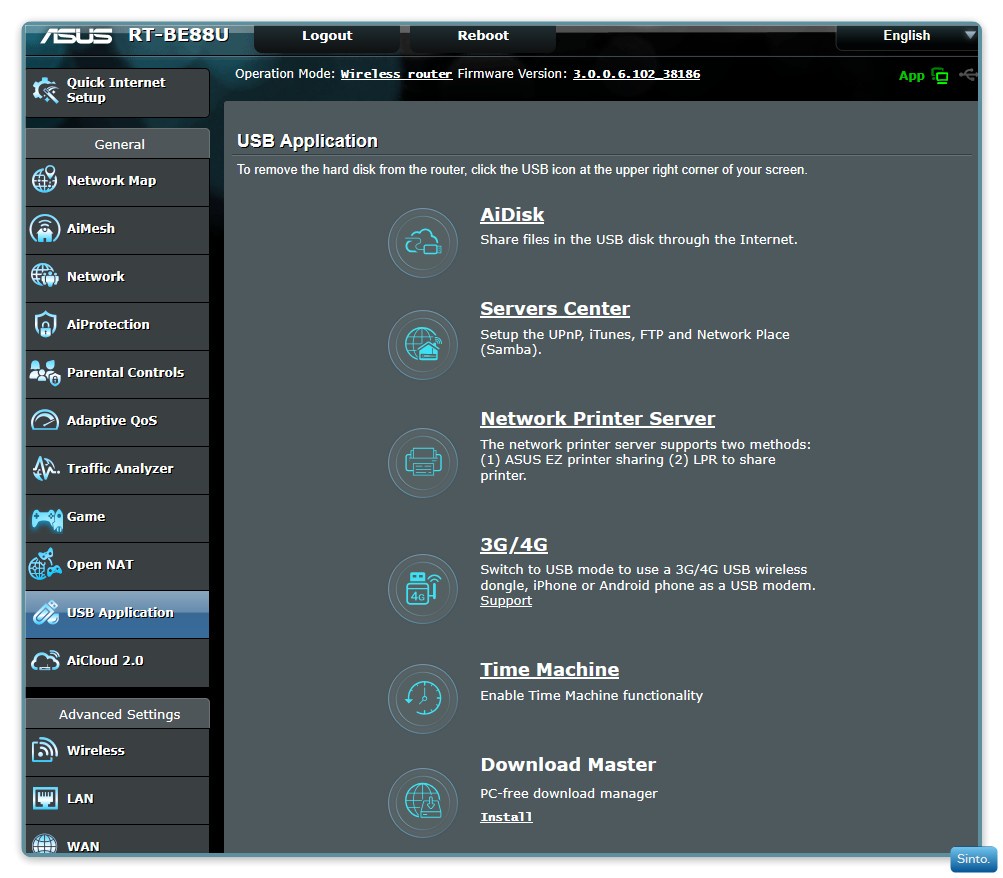
There are wizard type applications in your ASUS router under "USB Application"
I have an ASUS RT-BE88U but I don't use the USB option.
I also believe the ASUS RT-AC3100 has both a USB-3 and a USB-2 port.
My past 3 routers have had this in the router settings but again, I have never used it.

A brief rundown:


The view from my router settings:

3BeTex4.jpeg
 

My Computers

System One System Two

  • OS
    Windows 11 Pro 25H2 Build 26200.8524
    Computer type
    PC/Desktop
    Manufacturer/Model
    Sin-built 2013
    CPU
    Intel(R) Core(TM) i7-4770K CPU @ 3.50GHz
    Motherboard
    ASUS ROG Maximus VI Formula
    Memory
    32.0 GB of I forget and the box is in storage.
    Graphics Card(s)
    Gigabyte nVidia GeForce GTX 1660 Super OC 6GB
    Sound Card
    Onboard thingy
    Monitor(s) Displays
    5 x LG 25MS500-B - 1 x 24MK430H-B - 1 x Wacom Pro 22" Touch Screen Tablet
    Screen Resolution
    All over the place
    Hard Drives
    Too many to list.
    OS on Samsung 1TB 870 QVO SATA
    PSU
    Silverstone 1500
    Case
    NZXT Phantom 820 Full-Tower Case
    Cooling
    Noctua NH-D15 Elite Class Dual Tower CPU Cooler / 6 x EziDIY 120mm / 2 x Corsair 140mm somethings / 1 x 140mm Thermaltake something / 2 x 200mm Corsair.
    Keyboard
    Corsair K95 / Logitech diNovo Edge Wireless
    Mouse
    Logitech: G402 / G502 / Mx Masters / Mx Air Cordless
    Internet Speed
    2000/500Mbps
    Browser
    All sorts
    Antivirus
    Kaspersky Premium
    Other Info
    ㅤㅤㅤㅤㅤㅤㅤㅤㅤㅤㅤㅤㅤㅤㅤㅤㅤㅤㅤㅤㅤㅤㅤㅤㅤㅤㅤㅤㅤㅤㅤㅤㅤㅤㅤㅤㅤㅤㅤㅤ⠀⠀⠀⠀⠀⠀⠀⠀⠀⠀
    TP-Link BE9300 WiFi 7 Bluetooth 5.4 (Archer TBE550E)
    TP-Link TX201 V1 2.5GB Lan

    Grandstream HT812 - VoIP
    ASUS DSL-AX82U - Mesh
    ASUS RT-AC68U - Mesh
    ASUS RT-BE88U Router

    Brother MFC-L2880DW Printer

    I’m on a horse.
  • Operating System
    Windows 11 Pro 25H2 Build 26200.8524
    Computer type
    Laptop
    Manufacturer/Model
    LENOVO Yoga 7 14IRL8 - 7i EVO OLED 14" Touchscreen i5 12 Core 16GB/512GB
    CPU
    Intel Core 12th Gen i5-1240P Processor (1.7 - 4.4GHz)
    Memory
    16GB LPDDR5 RAM
    Graphics card(s)
    Intel Iris Xe Graphics Processor
    Sound Card
    Optimized with Dolby Atmos®
    Screen Resolution
    QHD 2880 x 1800 OLED
    Hard Drives
    M.2 512GB
    Antivirus
    Defender / Malwarebytes
    Other Info
    …still on a horse.

My Computers

System One System Two

  • OS
    Windows 11 Pro 25H2 Build 26200.8524
    Computer type
    PC/Desktop
    Manufacturer/Model
    Sin-built 2013
    CPU
    Intel(R) Core(TM) i7-4770K CPU @ 3.50GHz
    Motherboard
    ASUS ROG Maximus VI Formula
    Memory
    32.0 GB of I forget and the box is in storage.
    Graphics Card(s)
    Gigabyte nVidia GeForce GTX 1660 Super OC 6GB
    Sound Card
    Onboard thingy
    Monitor(s) Displays
    5 x LG 25MS500-B - 1 x 24MK430H-B - 1 x Wacom Pro 22" Touch Screen Tablet
    Screen Resolution
    All over the place
    Hard Drives
    Too many to list.
    OS on Samsung 1TB 870 QVO SATA
    PSU
    Silverstone 1500
    Case
    NZXT Phantom 820 Full-Tower Case
    Cooling
    Noctua NH-D15 Elite Class Dual Tower CPU Cooler / 6 x EziDIY 120mm / 2 x Corsair 140mm somethings / 1 x 140mm Thermaltake something / 2 x 200mm Corsair.
    Keyboard
    Corsair K95 / Logitech diNovo Edge Wireless
    Mouse
    Logitech: G402 / G502 / Mx Masters / Mx Air Cordless
    Internet Speed
    2000/500Mbps
    Browser
    All sorts
    Antivirus
    Kaspersky Premium
    Other Info
    ㅤㅤㅤㅤㅤㅤㅤㅤㅤㅤㅤㅤㅤㅤㅤㅤㅤㅤㅤㅤㅤㅤㅤㅤㅤㅤㅤㅤㅤㅤㅤㅤㅤㅤㅤㅤㅤㅤㅤㅤ⠀⠀⠀⠀⠀⠀⠀⠀⠀⠀
    TP-Link BE9300 WiFi 7 Bluetooth 5.4 (Archer TBE550E)
    TP-Link TX201 V1 2.5GB Lan

    Grandstream HT812 - VoIP
    ASUS DSL-AX82U - Mesh
    ASUS RT-AC68U - Mesh
    ASUS RT-BE88U Router

    Brother MFC-L2880DW Printer

    I’m on a horse.
  • Operating System
    Windows 11 Pro 25H2 Build 26200.8524
    Computer type
    Laptop
    Manufacturer/Model
    LENOVO Yoga 7 14IRL8 - 7i EVO OLED 14" Touchscreen i5 12 Core 16GB/512GB
    CPU
    Intel Core 12th Gen i5-1240P Processor (1.7 - 4.4GHz)
    Memory
    16GB LPDDR5 RAM
    Graphics card(s)
    Intel Iris Xe Graphics Processor
    Sound Card
    Optimized with Dolby Atmos®
    Screen Resolution
    QHD 2880 x 1800 OLED
    Hard Drives
    M.2 512GB
    Antivirus
    Defender / Malwarebytes
    Other Info
    …still on a horse.
Thanks y'all for the education on sharing with Windows and Apple.
The whole process is much easier than I had thought.

To share, what would you recommend, using an attached USB or a folder on my main PC?
 

My Computers

System One System Two

  • OS
    Windows 11 Pro 64-bit / 24H2 / Build 26100.6584
    Computer type
    PC/Desktop
    Manufacturer/Model
    Dell XPS 8960
    CPU
    Intel(R) Core(TM) i7-13700, 16 Core(s)
    Motherboard
    Dell Inc. Base Board.
    Memory
    Total: 64.00 GB
    Graphics Card(s)
    NVIDIA GeForce RTX 4060 Ti
    Sound Card
    Realtek Audio & Integrated NVIDIA High Definition Audio
    Monitor(s) Displays
    Three Dell Monitors
    Screen Resolution
    1920 x 1080
    Hard Drives
    1TB ATA
    1TB ATA
    2TB ATA
    2TB ATA
    Keyboard
    Dell Keyboard
    Mouse
    Wireless Mouse
    Internet Speed
    935 Mbs (Down) 31 Mbs (Up)
    Browser
    Google Chrome. Firefox. Opera.
    Antivirus
    Windows Defender
    Other Info
    TP-Link Gigabit PCI Express Adapter (Ethernet 802.3)
    Sophos TAP Adapter Provider (Ethernet 802.3)
  • Operating System
    Microsoft Windows 11 Home 64-bit. 22631 Multiprocessor Free
    Computer type
    Laptop
    Manufacturer/Model
    Dell Inspiron 15-3530
    CPU
    13th Gen Intel(R) Core(TM) i7-1355U
    Motherboard
    Dell Inc. 0122F5
    Memory
    Total Memory: 16.00 GB Usable Memory: 15.69 GB
    Graphics card(s)
    Intel(R) Iris(R) Xe Graphics
    Sound Card
    (1) Intel® Smart Sound Technology for Bluetooth® Audio (2) Intel® Smart Sound Technology for USB Audio (3) Realtek Audio
    Monitor(s) Displays
    Integrated
    Screen Resolution
    1920 x 1080
    Hard Drives
    NVMe PC SN740 NVMe WD 512GB
    PSU
    Integrated
    Keyboard
    Integrated
    Mouse
    Integrated
    Internet Speed
    143 Mbs Down / 43 Mbs Up
    Browser
    Google Chrome . Firefox
    Antivirus
    Windows Defender
If you don't mind leaving the PC on, then it's more flexible. I usually leave it on do I can connect to it remotely and I have also installed Jellyfin server to share my videos.
 

My Computers

System One System Two

  • OS
    Windows 11 Pro 23H2 (5699), 25H2 (8457)
    Computer type
    Laptop
    Manufacturer/Model
    Acer Extensa 5630EZ
    CPU
    Mobile DualCore Intel Core 2 Duo T7250, 2000 MHz
    Motherboard
    Acer Extensa 5630
    Memory
    4GB
    Graphics Card(s)
    Mobile Intel(R) GMA 4500M (Mobile 4 series)
    Sound Card
    Realtek ALC268 @ Intel 82801IB ICH9 - High Definition Audio Controller
    Monitor(s) Displays
    1
    Screen Resolution
    1280x800
    Hard Drives
    Samsung SSD 850 EVO 250GB SATA Device (250 GB, SATA-III)
    Internet Speed
    VDSL 50 Mbps
    Browser
    MICROSOFT EDGE
    Antivirus
    WINDOWS DEFENDER
    Other Info
    Legacy MBR installation, no TPM, no Secure Boot, no WDDM 2.0 graphics drivers, no SSE4.2, cannot get more unsupported ;) This is only my test laptop. I had installed Windows 11 here before upgrading my main PC. For my main PC I use everyday see my 2nd system specs.
  • Operating System
    Windows 11 Pro v25H2 (build 26200.8457)
    Computer type
    PC/Desktop
    Manufacturer/Model
    Custom-built PC
    CPU
    Intel Core-i7 3770 3.40GHz s1155 (3rd generation)
    Motherboard
    Asus P8H61 s1155 ATX
    Memory
    2x Kingston Hyper-X Blu 8GB DDR3-1600
    Graphics card(s)
    GIGABYTE GeForce RTX 3050 WINDFORCE OC V2 6GB (GV-N3050WF2OCV2-6GD)
    Sound Card
    Realtek HD audio (ALC887)
    Monitor(s) Displays
    Sony Bravia KDL-19L4000 19" LCD TV via VGA
    Screen Resolution
    1440x900 32-bit 60Hz
    Hard Drives
    WD Blue SA510 2.5 1000GB SSD as system disk, Western Digital Caviar Purple 4TB SATA III (WD40PURZ) as second
    PSU
    Thermaltake Litepower RGB 550W Full Wired
    Case
    SUPERCASE MIDI-TOWER
    Cooling
    Deepcool Gamma Archer CPU cooler, 1x 8cm fan at the back
    Keyboard
    Mitsumi 101-key PS/2
    Mouse
    Sunnyline OptiEye PS/2
    Internet Speed
    100Mbps
    Browser
    Microsoft Edge, Mozilla Firefox
    Antivirus
    Microsoft Windows Defender
    Other Info
    Legacy BIOS (MBR) installation, no TPM, no Secure Boot, WDDM 3.0 graphics drivers, WEI score 7.4
If you don't mind leaving the PC on, then it's more flexible. I usually leave it on do I can connect to it remotely and I have also installed Jellyfin server to share my videos.
That's the answer. Leaving my PC always on. Attaching a USB would be the better choice. Thanks for bringing that up.
 

My Computers

System One System Two

  • OS
    Windows 11 Pro 64-bit / 24H2 / Build 26100.6584
    Computer type
    PC/Desktop
    Manufacturer/Model
    Dell XPS 8960
    CPU
    Intel(R) Core(TM) i7-13700, 16 Core(s)
    Motherboard
    Dell Inc. Base Board.
    Memory
    Total: 64.00 GB
    Graphics Card(s)
    NVIDIA GeForce RTX 4060 Ti
    Sound Card
    Realtek Audio & Integrated NVIDIA High Definition Audio
    Monitor(s) Displays
    Three Dell Monitors
    Screen Resolution
    1920 x 1080
    Hard Drives
    1TB ATA
    1TB ATA
    2TB ATA
    2TB ATA
    Keyboard
    Dell Keyboard
    Mouse
    Wireless Mouse
    Internet Speed
    935 Mbs (Down) 31 Mbs (Up)
    Browser
    Google Chrome. Firefox. Opera.
    Antivirus
    Windows Defender
    Other Info
    TP-Link Gigabit PCI Express Adapter (Ethernet 802.3)
    Sophos TAP Adapter Provider (Ethernet 802.3)
  • Operating System
    Microsoft Windows 11 Home 64-bit. 22631 Multiprocessor Free
    Computer type
    Laptop
    Manufacturer/Model
    Dell Inspiron 15-3530
    CPU
    13th Gen Intel(R) Core(TM) i7-1355U
    Motherboard
    Dell Inc. 0122F5
    Memory
    Total Memory: 16.00 GB Usable Memory: 15.69 GB
    Graphics card(s)
    Intel(R) Iris(R) Xe Graphics
    Sound Card
    (1) Intel® Smart Sound Technology for Bluetooth® Audio (2) Intel® Smart Sound Technology for USB Audio (3) Realtek Audio
    Monitor(s) Displays
    Integrated
    Screen Resolution
    1920 x 1080
    Hard Drives
    NVMe PC SN740 NVMe WD 512GB
    PSU
    Integrated
    Keyboard
    Integrated
    Mouse
    Integrated
    Internet Speed
    143 Mbs Down / 43 Mbs Up
    Browser
    Google Chrome . Firefox
    Antivirus
    Windows Defender
If you have a video library that you want to watch on TV and everywhere else, the previous best choice was Plex TV. However, while it was free, now they charge for viewing outside home from the internet! Jellyfin is almost the same and free. The only drawback is that it doesn't have an easy web address to watch videos outside home, you need to configure it manually using your router's public IP address, Since this is not convenient and the public IP address can change, you can use a free dynamic DNS (aka DDNS) utility to keep track of the IP and provide an easy web address. I use Dynu.


My Computers

System One System Two

  • OS
    Windows 11 Pro 23H2 (5699), 25H2 (8457)
    Computer type
    Laptop
    Manufacturer/Model
    Acer Extensa 5630EZ
    CPU
    Mobile DualCore Intel Core 2 Duo T7250, 2000 MHz
    Motherboard
    Acer Extensa 5630
    Memory
    4GB
    Graphics Card(s)
    Mobile Intel(R) GMA 4500M (Mobile 4 series)
    Sound Card
    Realtek ALC268 @ Intel 82801IB ICH9 - High Definition Audio Controller
    Monitor(s) Displays
    1
    Screen Resolution
    1280x800
    Hard Drives
    Samsung SSD 850 EVO 250GB SATA Device (250 GB, SATA-III)
    Internet Speed
    VDSL 50 Mbps
    Browser
    MICROSOFT EDGE
    Antivirus
    WINDOWS DEFENDER
    Other Info
    Legacy MBR installation, no TPM, no Secure Boot, no WDDM 2.0 graphics drivers, no SSE4.2, cannot get more unsupported ;) This is only my test laptop. I had installed Windows 11 here before upgrading my main PC. For my main PC I use everyday see my 2nd system specs.
  • Operating System
    Windows 11 Pro v25H2 (build 26200.8457)
    Computer type
    PC/Desktop
    Manufacturer/Model
    Custom-built PC
    CPU
    Intel Core-i7 3770 3.40GHz s1155 (3rd generation)
    Motherboard
    Asus P8H61 s1155 ATX
    Memory
    2x Kingston Hyper-X Blu 8GB DDR3-1600
    Graphics card(s)
    GIGABYTE GeForce RTX 3050 WINDFORCE OC V2 6GB (GV-N3050WF2OCV2-6GD)
    Sound Card
    Realtek HD audio (ALC887)
    Monitor(s) Displays
    Sony Bravia KDL-19L4000 19" LCD TV via VGA
    Screen Resolution
    1440x900 32-bit 60Hz
    Hard Drives
    WD Blue SA510 2.5 1000GB SSD as system disk, Western Digital Caviar Purple 4TB SATA III (WD40PURZ) as second
    PSU
    Thermaltake Litepower RGB 550W Full Wired
    Case
    SUPERCASE MIDI-TOWER
    Cooling
    Deepcool Gamma Archer CPU cooler, 1x 8cm fan at the back
    Keyboard
    Mitsumi 101-key PS/2
    Mouse
    Sunnyline OptiEye PS/2
    Internet Speed
    100Mbps
    Browser
    Microsoft Edge, Mozilla Firefox
    Antivirus
    Microsoft Windows Defender
    Other Info
    Legacy BIOS (MBR) installation, no TPM, no Secure Boot, WDDM 3.0 graphics drivers, WEI score 7.4
There are wizard type applications in your ASUS router under "USB Application"
I have an ASUS RT-BE88U but I don't use the USB option.
I also believe the ASUS RT-AC3100 has both a USB-3 and a USB-2 port.
My past 3 routers have had this in the router settings but again, I have never used it.

A brief rundown:


The view from my router settings:

3BeTex4.jpeg

On my Asus router I have a USB stick plugged in and then used the Server Centre to set it up for Samba shares, enable UPnP Media Server . On my Windows machines I see that created folder structure within the Network, as "Sandisk" - I was not very imaginative. lol

I suppose it depends on the amount that you wish to share and what it is, over that of leaving a PC on with a server type role. After all the router is always going to be on.

I ended up not really using it, as a media server, connected DAS, eventually came into being.
 

My Computers

System One System Two

  • OS
    Windows 11 Pro build 25H2
    Computer type
    PC/Desktop
    Manufacturer/Model
    Home brew
    CPU
    Intel 265k
    Motherboard
    Gigabyte Z890 Aorus Elite
    Memory
    32GB DDR5 Corsair Dominator 7200Mhz
    Graphics Card(s)
    FE Edition 4080
    Sound Card
    onboard
    Monitor(s) Displays
    Acer 32" 4k IPS monitor
    Screen Resolution
    4k
    Hard Drives
    Various NVME and two SSD's
    PSU
    Antec ATX 3.1 1200w
    Case
    Meshify 2 XL
    Cooling
    Corsair Nautilus 360 AIO
    Keyboard
    Mechanical blue switch
    Mouse
    G502 Lightspeed Wireless
    Internet Speed
    FTTP 500Mb
    Browser
    Edge
    Antivirus
    Microsoft
  • Operating System
    Windows 11 Pro 24h2
    Computer type
    PC/Desktop
    Manufacturer/Model
    NUC N100 type model and System 3 but an N150 CPU
    CPU
    Alder Lake 3.4Ghz 4 Core
    Motherboard
    built in SOC
    Memory
    16GB DDR4 3200Ghz
    Graphics card(s)
    Internal GPU to the CPU
    Sound Card
    nah
    Monitor(s) Displays
    Samsung Syncmaster 913n VGA but used headless mainly.
    Screen Resolution
    1280x1024
    Hard Drives
    NVME 512GB and a SATA SSD at 1TB
    PSU
    I reckon so, external type
    Case
    yup it has one of those
    Cooling
    probably
    Keyboard
    only attached for rare local access
    Mouse
    not really needed but attached. Old Logitech, with a ball...!
    Internet Speed
    FTTC 500GB.
    Browser
    Edge
A simple way for viewing multi-media on a HOME network is simply to get an amazon firestick, install KODI or VLC on it and then browse to your relevant file and play it. I prefer KODI (although setup is a bit complex) but VLC is perfectly good too -- both apps are of course FREE and install on the firestick. A Roku stick also might work -- but I've only got amazon firesticks. - I have 4 remote TV's where the media can easily be played also the same video simultaneously. You don't need any SERVER application on the remote computer -- just enable disk and file sharing. If you rip DVD's to iso's kodi can play those with original menus etc - the dvd ripper though will need to de-regionalise and decrypt the original DVD image (on Linux install libdvdcss if ripping commercial DVD's).

(If the remote computer is Linux then enable install and enable SAMBA as it's the easiest way for network shares).

For viewing AWAY from home e.g via Internet -- you need to have some type of internet server -- apache2 or ITS to enable https -- setting that up is beyond the scope of this post though.

Cheers
jimbo
 

My Computer

System One

  • OS
    Windows XP,11 Linux Fedora Rawhide pre-release 45
    Computer type
    PC/Desktop
    CPU
    2 X Intel i7
    Screen Resolution
    4KUHD X 2
I use Jellyfin because I also want to watch my videos outside home. I have a cheap Android Samsung tablet for my son and it has this weird behavior, VLC cannot browse the network for some reason, so I use Cx File Manager to access my videos and then play in VLC. I have no problem accessing my PC using VLC from my Android smartphone. I don't know what the difference is, apart from the tablet running a newer Android version than my phone. All the permissions seem OK and all the VLC settings are the same. Go figure...
 

My Computers

System One System Two

  • OS
    Windows 11 Pro 23H2 (5699), 25H2 (8457)
    Computer type
    Laptop
    Manufacturer/Model
    Acer Extensa 5630EZ
    CPU
    Mobile DualCore Intel Core 2 Duo T7250, 2000 MHz
    Motherboard
    Acer Extensa 5630
    Memory
    4GB
    Graphics Card(s)
    Mobile Intel(R) GMA 4500M (Mobile 4 series)
    Sound Card
    Realtek ALC268 @ Intel 82801IB ICH9 - High Definition Audio Controller
    Monitor(s) Displays
    1
    Screen Resolution
    1280x800
    Hard Drives
    Samsung SSD 850 EVO 250GB SATA Device (250 GB, SATA-III)
    Internet Speed
    VDSL 50 Mbps
    Browser
    MICROSOFT EDGE
    Antivirus
    WINDOWS DEFENDER
    Other Info
    Legacy MBR installation, no TPM, no Secure Boot, no WDDM 2.0 graphics drivers, no SSE4.2, cannot get more unsupported ;) This is only my test laptop. I had installed Windows 11 here before upgrading my main PC. For my main PC I use everyday see my 2nd system specs.
  • Operating System
    Windows 11 Pro v25H2 (build 26200.8457)
    Computer type
    PC/Desktop
    Manufacturer/Model
    Custom-built PC
    CPU
    Intel Core-i7 3770 3.40GHz s1155 (3rd generation)
    Motherboard
    Asus P8H61 s1155 ATX
    Memory
    2x Kingston Hyper-X Blu 8GB DDR3-1600
    Graphics card(s)
    GIGABYTE GeForce RTX 3050 WINDFORCE OC V2 6GB (GV-N3050WF2OCV2-6GD)
    Sound Card
    Realtek HD audio (ALC887)
    Monitor(s) Displays
    Sony Bravia KDL-19L4000 19" LCD TV via VGA
    Screen Resolution
    1440x900 32-bit 60Hz
    Hard Drives
    WD Blue SA510 2.5 1000GB SSD as system disk, Western Digital Caviar Purple 4TB SATA III (WD40PURZ) as second
    PSU
    Thermaltake Litepower RGB 550W Full Wired
    Case
    SUPERCASE MIDI-TOWER
    Cooling
    Deepcool Gamma Archer CPU cooler, 1x 8cm fan at the back
    Keyboard
    Mitsumi 101-key PS/2
    Mouse
    Sunnyline OptiEye PS/2
    Internet Speed
    100Mbps
    Browser
    Microsoft Edge, Mozilla Firefox
    Antivirus
    Microsoft Windows Defender
    Other Info
    Legacy BIOS (MBR) installation, no TPM, no Secure Boot, WDDM 3.0 graphics drivers, WEI score 7.4
If you have a video library that you want to watch on TV and everywhere else, the previous best choice was Plex TV. However, while it was free, now they charge for viewing outside home from the internet! Jellyfin is almost the same and free. The only drawback is that it doesn't have an easy web address to watch videos outside home, you need to configure it manually using your router's public IP address, Since this is not convenient and the public IP address can change, you can use a free dynamic DNS (aka DDNS) utility to keep track of the IP and provide an easy web address. I use Dynu.

I also use Plex to watch my movies and series I have on my computer. Much easier than dragging the mouse and pad to the entertainment room to navigate for what I want to watch. Works great.
 

My Computer

System One

  • OS
    Windows 11 Pro
    Computer type
    PC/Desktop
    Manufacturer/Model
    ASUS
    CPU
    Intel Core i7-11700K Desktop Processor 8 Cores
    Motherboard
    ASUS ROG Strix Z590-A Gaming WiFi LGA 1200
    Memory
    Corsair Vengeance LPX 32GB (2 x 16GB) DDR4 DRAM 3600MHz
    Graphics Card(s)
    ASUS GTX ROG STRIX 1080 8GB
    Sound Card
    Sound Blaster Z SE
    Monitor(s) Displays
    ASUS VG34VQL1B plus a Samsung 60" Smartv
    Screen Resolution
    3440x1440, 165Hz
    Hard Drives
    Samsung 980 Series - (OS)1TB Pro Gen4 NVMe M.2, 1TB Gen3. x4 NVMe 1.4 - M.2, WD 1TB, WD 500GB, WD 350GB
    PSU
    Silverstone Olympia OP1000W PSW
    Case
    Phanteks Enthoo Pro
    Cooling
    Noctua NH-D15 SSO2 D-Type Premium CPU Cooler, NF-A15 x 2 PWM Fans
    Keyboard
    Corsair K70 RGB
    Mouse
    Logitech 310 wireless
    Internet Speed
    1 GB
    Browser
    Firefox
    Antivirus
    ESET Internet Security
    Other Info
    Testing Windows 10 Pro on 350GB drive
Yes, pity they won't allow you anymore to watch your movies outside home. On the same network is still free, but over the internet they charge! WHAT!!! I have to pay to watch MY videos? So I abandoned Plex and I use Jellyfin now.
 

My Computers

System One System Two

  • OS
    Windows 11 Pro 23H2 (5699), 25H2 (8457)
    Computer type
    Laptop
    Manufacturer/Model
    Acer Extensa 5630EZ
    CPU
    Mobile DualCore Intel Core 2 Duo T7250, 2000 MHz
    Motherboard
    Acer Extensa 5630
    Memory
    4GB
    Graphics Card(s)
    Mobile Intel(R) GMA 4500M (Mobile 4 series)
    Sound Card
    Realtek ALC268 @ Intel 82801IB ICH9 - High Definition Audio Controller
    Monitor(s) Displays
    1
    Screen Resolution
    1280x800
    Hard Drives
    Samsung SSD 850 EVO 250GB SATA Device (250 GB, SATA-III)
    Internet Speed
    VDSL 50 Mbps
    Browser
    MICROSOFT EDGE
    Antivirus
    WINDOWS DEFENDER
    Other Info
    Legacy MBR installation, no TPM, no Secure Boot, no WDDM 2.0 graphics drivers, no SSE4.2, cannot get more unsupported ;) This is only my test laptop. I had installed Windows 11 here before upgrading my main PC. For my main PC I use everyday see my 2nd system specs.
  • Operating System
    Windows 11 Pro v25H2 (build 26200.8457)
    Computer type
    PC/Desktop
    Manufacturer/Model
    Custom-built PC
    CPU
    Intel Core-i7 3770 3.40GHz s1155 (3rd generation)
    Motherboard
    Asus P8H61 s1155 ATX
    Memory
    2x Kingston Hyper-X Blu 8GB DDR3-1600
    Graphics card(s)
    GIGABYTE GeForce RTX 3050 WINDFORCE OC V2 6GB (GV-N3050WF2OCV2-6GD)
    Sound Card
    Realtek HD audio (ALC887)
    Monitor(s) Displays
    Sony Bravia KDL-19L4000 19" LCD TV via VGA
    Screen Resolution
    1440x900 32-bit 60Hz
    Hard Drives
    WD Blue SA510 2.5 1000GB SSD as system disk, Western Digital Caviar Purple 4TB SATA III (WD40PURZ) as second
    PSU
    Thermaltake Litepower RGB 550W Full Wired
    Case
    SUPERCASE MIDI-TOWER
    Cooling
    Deepcool Gamma Archer CPU cooler, 1x 8cm fan at the back
    Keyboard
    Mitsumi 101-key PS/2
    Mouse
    Sunnyline OptiEye PS/2
    Internet Speed
    100Mbps
    Browser
    Microsoft Edge, Mozilla Firefox
    Antivirus
    Microsoft Windows Defender
    Other Info
    Legacy BIOS (MBR) installation, no TPM, no Secure Boot, WDDM 3.0 graphics drivers, WEI score 7.4
I really have no plans on watching the multimedia outside my home, just to have an accessible connected USB, everyone at home would be able to access.

Someone in the Apple site asked me to format the USB to ExFat; which would be a good idea.
 

My Computers

System One System Two

  • OS
    Windows 11 Pro 64-bit / 24H2 / Build 26100.6584
    Computer type
    PC/Desktop
    Manufacturer/Model
    Dell XPS 8960
    CPU
    Intel(R) Core(TM) i7-13700, 16 Core(s)
    Motherboard
    Dell Inc. Base Board.
    Memory
    Total: 64.00 GB
    Graphics Card(s)
    NVIDIA GeForce RTX 4060 Ti
    Sound Card
    Realtek Audio & Integrated NVIDIA High Definition Audio
    Monitor(s) Displays
    Three Dell Monitors
    Screen Resolution
    1920 x 1080
    Hard Drives
    1TB ATA
    1TB ATA
    2TB ATA
    2TB ATA
    Keyboard
    Dell Keyboard
    Mouse
    Wireless Mouse
    Internet Speed
    935 Mbs (Down) 31 Mbs (Up)
    Browser
    Google Chrome. Firefox. Opera.
    Antivirus
    Windows Defender
    Other Info
    TP-Link Gigabit PCI Express Adapter (Ethernet 802.3)
    Sophos TAP Adapter Provider (Ethernet 802.3)
  • Operating System
    Microsoft Windows 11 Home 64-bit. 22631 Multiprocessor Free
    Computer type
    Laptop
    Manufacturer/Model
    Dell Inspiron 15-3530
    CPU
    13th Gen Intel(R) Core(TM) i7-1355U
    Motherboard
    Dell Inc. 0122F5
    Memory
    Total Memory: 16.00 GB Usable Memory: 15.69 GB
    Graphics card(s)
    Intel(R) Iris(R) Xe Graphics
    Sound Card
    (1) Intel® Smart Sound Technology for Bluetooth® Audio (2) Intel® Smart Sound Technology for USB Audio (3) Realtek Audio
    Monitor(s) Displays
    Integrated
    Screen Resolution
    1920 x 1080
    Hard Drives
    NVMe PC SN740 NVMe WD 512GB
    PSU
    Integrated
    Keyboard
    Integrated
    Mouse
    Integrated
    Internet Speed
    143 Mbs Down / 43 Mbs Up
    Browser
    Google Chrome . Firefox
    Antivirus
    Windows Defender
It won't make any difference if you access it from the network. exFAT is used to access it connected directly to either PC or Mac. It's not necessary for accessing it remotely, since in this case the file system is ignored.
 

My Computers

System One System Two

  • OS
    Windows 11 Pro 23H2 (5699), 25H2 (8457)
    Computer type
    Laptop
    Manufacturer/Model
    Acer Extensa 5630EZ
    CPU
    Mobile DualCore Intel Core 2 Duo T7250, 2000 MHz
    Motherboard
    Acer Extensa 5630
    Memory
    4GB
    Graphics Card(s)
    Mobile Intel(R) GMA 4500M (Mobile 4 series)
    Sound Card
    Realtek ALC268 @ Intel 82801IB ICH9 - High Definition Audio Controller
    Monitor(s) Displays
    1
    Screen Resolution
    1280x800
    Hard Drives
    Samsung SSD 850 EVO 250GB SATA Device (250 GB, SATA-III)
    Internet Speed
    VDSL 50 Mbps
    Browser
    MICROSOFT EDGE
    Antivirus
    WINDOWS DEFENDER
    Other Info
    Legacy MBR installation, no TPM, no Secure Boot, no WDDM 2.0 graphics drivers, no SSE4.2, cannot get more unsupported ;) This is only my test laptop. I had installed Windows 11 here before upgrading my main PC. For my main PC I use everyday see my 2nd system specs.
  • Operating System
    Windows 11 Pro v25H2 (build 26200.8457)
    Computer type
    PC/Desktop
    Manufacturer/Model
    Custom-built PC
    CPU
    Intel Core-i7 3770 3.40GHz s1155 (3rd generation)
    Motherboard
    Asus P8H61 s1155 ATX
    Memory
    2x Kingston Hyper-X Blu 8GB DDR3-1600
    Graphics card(s)
    GIGABYTE GeForce RTX 3050 WINDFORCE OC V2 6GB (GV-N3050WF2OCV2-6GD)
    Sound Card
    Realtek HD audio (ALC887)
    Monitor(s) Displays
    Sony Bravia KDL-19L4000 19" LCD TV via VGA
    Screen Resolution
    1440x900 32-bit 60Hz
    Hard Drives
    WD Blue SA510 2.5 1000GB SSD as system disk, Western Digital Caviar Purple 4TB SATA III (WD40PURZ) as second
    PSU
    Thermaltake Litepower RGB 550W Full Wired
    Case
    SUPERCASE MIDI-TOWER
    Cooling
    Deepcool Gamma Archer CPU cooler, 1x 8cm fan at the back
    Keyboard
    Mitsumi 101-key PS/2
    Mouse
    Sunnyline OptiEye PS/2
    Internet Speed
    100Mbps
    Browser
    Microsoft Edge, Mozilla Firefox
    Antivirus
    Microsoft Windows Defender
    Other Info
    Legacy BIOS (MBR) installation, no TPM, no Secure Boot, WDDM 3.0 graphics drivers, WEI score 7.4
UPDATE

Dell Laptop
laptop (Windows 11 Home / v.24H2 / b.26100.6584)
Dell Desktop
- Windows 11 Pro / v.24H2 / b.26100.6584)

Windows File Sharing is Enabled on both the laptop and the desktop.

My ASUS RT-AC3100 router only supports NTSF, FAT & HFS.
I formatted the USB to NTFS.

ASUS Router
- Configuration of the ASUS on the laptop (Windows 11 Home / v.24H2 / b.26100.6584)
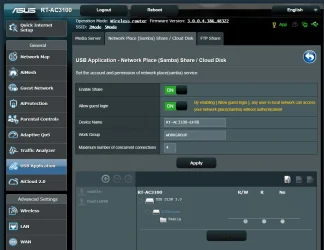
- Allowed Guest Login is On
In Windows Servers Center
- Allow Guest Login to ON
In Local Group Policy Editor
- Enabled Insecure Guest Login
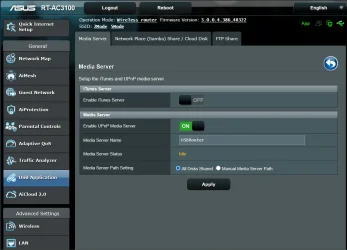
Media Servers
- Cannot copy to connected USBRouter
Samba
- Created a Samba account and password
Restarted the PC

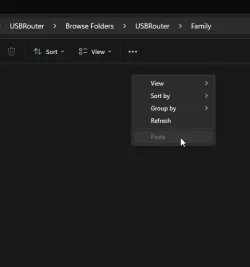
After configuration, I can access the connected USB on both the laptop and the desktop. However, I do not have permission into it. When I copy a file, the PASTE function is grayed out. Configuring the ASUS router in a Windows 11 Home computer should not be the issue, right?

I have not checked yet if the router connected USB drive can be accessed by Apple devices.
 

Attachments

  • RouterUSB01.webp
    RouterUSB01.webp
    60.4 KB · Views: 1
  • RouterUSB02.webp
    RouterUSB02.webp
    72.3 KB · Views: 1
  • RouterUSB03.webp
    RouterUSB03.webp
    5.3 KB · Views: 1

My Computers

System One System Two

  • OS
    Windows 11 Pro 64-bit / 24H2 / Build 26100.6584
    Computer type
    PC/Desktop
    Manufacturer/Model
    Dell XPS 8960
    CPU
    Intel(R) Core(TM) i7-13700, 16 Core(s)
    Motherboard
    Dell Inc. Base Board.
    Memory
    Total: 64.00 GB
    Graphics Card(s)
    NVIDIA GeForce RTX 4060 Ti
    Sound Card
    Realtek Audio & Integrated NVIDIA High Definition Audio
    Monitor(s) Displays
    Three Dell Monitors
    Screen Resolution
    1920 x 1080
    Hard Drives
    1TB ATA
    1TB ATA
    2TB ATA
    2TB ATA
    Keyboard
    Dell Keyboard
    Mouse
    Wireless Mouse
    Internet Speed
    935 Mbs (Down) 31 Mbs (Up)
    Browser
    Google Chrome. Firefox. Opera.
    Antivirus
    Windows Defender
    Other Info
    TP-Link Gigabit PCI Express Adapter (Ethernet 802.3)
    Sophos TAP Adapter Provider (Ethernet 802.3)
  • Operating System
    Microsoft Windows 11 Home 64-bit. 22631 Multiprocessor Free
    Computer type
    Laptop
    Manufacturer/Model
    Dell Inspiron 15-3530
    CPU
    13th Gen Intel(R) Core(TM) i7-1355U
    Motherboard
    Dell Inc. 0122F5
    Memory
    Total Memory: 16.00 GB Usable Memory: 15.69 GB
    Graphics card(s)
    Intel(R) Iris(R) Xe Graphics
    Sound Card
    (1) Intel® Smart Sound Technology for Bluetooth® Audio (2) Intel® Smart Sound Technology for USB Audio (3) Realtek Audio
    Monitor(s) Displays
    Integrated
    Screen Resolution
    1920 x 1080
    Hard Drives
    NVMe PC SN740 NVMe WD 512GB
    PSU
    Integrated
    Keyboard
    Integrated
    Mouse
    Integrated
    Internet Speed
    143 Mbs Down / 43 Mbs Up
    Browser
    Google Chrome . Firefox
    Antivirus
    Windows Defender
Access permissions are set from the host, in your case the router. Have a better look in the USB section. Maybe there is an advanced function.
 

My Computers

System One System Two

  • OS
    Windows 11 Pro 23H2 (5699), 25H2 (8457)
    Computer type
    Laptop
    Manufacturer/Model
    Acer Extensa 5630EZ
    CPU
    Mobile DualCore Intel Core 2 Duo T7250, 2000 MHz
    Motherboard
    Acer Extensa 5630
    Memory
    4GB
    Graphics Card(s)
    Mobile Intel(R) GMA 4500M (Mobile 4 series)
    Sound Card
    Realtek ALC268 @ Intel 82801IB ICH9 - High Definition Audio Controller
    Monitor(s) Displays
    1
    Screen Resolution
    1280x800
    Hard Drives
    Samsung SSD 850 EVO 250GB SATA Device (250 GB, SATA-III)
    Internet Speed
    VDSL 50 Mbps
    Browser
    MICROSOFT EDGE
    Antivirus
    WINDOWS DEFENDER
    Other Info
    Legacy MBR installation, no TPM, no Secure Boot, no WDDM 2.0 graphics drivers, no SSE4.2, cannot get more unsupported ;) This is only my test laptop. I had installed Windows 11 here before upgrading my main PC. For my main PC I use everyday see my 2nd system specs.
  • Operating System
    Windows 11 Pro v25H2 (build 26200.8457)
    Computer type
    PC/Desktop
    Manufacturer/Model
    Custom-built PC
    CPU
    Intel Core-i7 3770 3.40GHz s1155 (3rd generation)
    Motherboard
    Asus P8H61 s1155 ATX
    Memory
    2x Kingston Hyper-X Blu 8GB DDR3-1600
    Graphics card(s)
    GIGABYTE GeForce RTX 3050 WINDFORCE OC V2 6GB (GV-N3050WF2OCV2-6GD)
    Sound Card
    Realtek HD audio (ALC887)
    Monitor(s) Displays
    Sony Bravia KDL-19L4000 19" LCD TV via VGA
    Screen Resolution
    1440x900 32-bit 60Hz
    Hard Drives
    WD Blue SA510 2.5 1000GB SSD as system disk, Western Digital Caviar Purple 4TB SATA III (WD40PURZ) as second
    PSU
    Thermaltake Litepower RGB 550W Full Wired
    Case
    SUPERCASE MIDI-TOWER
    Cooling
    Deepcool Gamma Archer CPU cooler, 1x 8cm fan at the back
    Keyboard
    Mitsumi 101-key PS/2
    Mouse
    Sunnyline OptiEye PS/2
    Internet Speed
    100Mbps
    Browser
    Microsoft Edge, Mozilla Firefox
    Antivirus
    Microsoft Windows Defender
    Other Info
    Legacy BIOS (MBR) installation, no TPM, no Secure Boot, WDDM 3.0 graphics drivers, WEI score 7.4
With Win11 heightened security, you will need to assign a credential to the drive using the router settings, then map the drive in each computer and create a credential in each computer that corresponds to that drives credentials.
 

My Computers

System One System Two

  • OS
    Windows 11 Pro 25H2
    Computer type
    PC/Desktop
    Manufacturer/Model
    Dell Optiplex 7080
    CPU
    i9-10900 10 core 20 threads
    Motherboard
    DELL 0J37VM
    Memory
    32 gb
    Graphics Card(s)
    none-Intel UHD Graphics 630
    Sound Card
    Integrated Realtek
    Monitor(s) Displays
    Benq 27
    Screen Resolution
    2560x1440
    Hard Drives
    2x1tb Solidigm m.2 nvme /External drives 512gb Samsung m.2 sata+2tb Kingston m2.nvme
    PSU
    500w
    Case
    MT
    Cooling
    Dell Premium
    Keyboard
    Logitech wired
    Mouse
    Logitech wireless
    Internet Speed
    so slow I'm too embarrassed to tell
    Browser
    #1 Edge #2 Firefox
    Antivirus
    Defender+MWB Premium
  • Operating System
    Windows 11 Pro 24H2 26200.8457
    Computer type
    PC/Desktop
    Manufacturer/Model
    Beelink Mini PC SER5
    CPU
    AMD Ryzen 7 6800U
    Memory
    32 gb
    Graphics card(s)
    integrated
    Sound Card
    integrated
    Monitor(s) Displays
    Benq 27
    Screen Resolution
    2560x1440
    Hard Drives
    1TB Crucial nvme
    Keyboard
    Logitech wired
    Mouse
    Logitech wireless
    Internet Speed
    still too embarrassed to tell
    Browser
    Firefox
    Antivirus
    Defender
    Other Info
    System 3 is non compliant Dell 9020 i7-4770/24gb ram Win11 PRO 26200.8457
That's why I prefer sharing a folder ir drive from the PC. In my own network I have disabled using a password to connect and I have granted read access to Everyone, so I can connect anonymously without having to use a specific user account. Just like good old Windows 98 and XP network sharing.
 

My Computers

System One System Two

  • OS
    Windows 11 Pro 23H2 (5699), 25H2 (8457)
    Computer type
    Laptop
    Manufacturer/Model
    Acer Extensa 5630EZ
    CPU
    Mobile DualCore Intel Core 2 Duo T7250, 2000 MHz
    Motherboard
    Acer Extensa 5630
    Memory
    4GB
    Graphics Card(s)
    Mobile Intel(R) GMA 4500M (Mobile 4 series)
    Sound Card
    Realtek ALC268 @ Intel 82801IB ICH9 - High Definition Audio Controller
    Monitor(s) Displays
    1
    Screen Resolution
    1280x800
    Hard Drives
    Samsung SSD 850 EVO 250GB SATA Device (250 GB, SATA-III)
    Internet Speed
    VDSL 50 Mbps
    Browser
    MICROSOFT EDGE
    Antivirus
    WINDOWS DEFENDER
    Other Info
    Legacy MBR installation, no TPM, no Secure Boot, no WDDM 2.0 graphics drivers, no SSE4.2, cannot get more unsupported ;) This is only my test laptop. I had installed Windows 11 here before upgrading my main PC. For my main PC I use everyday see my 2nd system specs.
  • Operating System
    Windows 11 Pro v25H2 (build 26200.8457)
    Computer type
    PC/Desktop
    Manufacturer/Model
    Custom-built PC
    CPU
    Intel Core-i7 3770 3.40GHz s1155 (3rd generation)
    Motherboard
    Asus P8H61 s1155 ATX
    Memory
    2x Kingston Hyper-X Blu 8GB DDR3-1600
    Graphics card(s)
    GIGABYTE GeForce RTX 3050 WINDFORCE OC V2 6GB (GV-N3050WF2OCV2-6GD)
    Sound Card
    Realtek HD audio (ALC887)
    Monitor(s) Displays
    Sony Bravia KDL-19L4000 19" LCD TV via VGA
    Screen Resolution
    1440x900 32-bit 60Hz
    Hard Drives
    WD Blue SA510 2.5 1000GB SSD as system disk, Western Digital Caviar Purple 4TB SATA III (WD40PURZ) as second
    PSU
    Thermaltake Litepower RGB 550W Full Wired
    Case
    SUPERCASE MIDI-TOWER
    Cooling
    Deepcool Gamma Archer CPU cooler, 1x 8cm fan at the back
    Keyboard
    Mitsumi 101-key PS/2
    Mouse
    Sunnyline OptiEye PS/2
    Internet Speed
    100Mbps
    Browser
    Microsoft Edge, Mozilla Firefox
    Antivirus
    Microsoft Windows Defender
    Other Info
    Legacy BIOS (MBR) installation, no TPM, no Secure Boot, WDDM 3.0 graphics drivers, WEI score 7.4
That's why I prefer sharing a folder ir drive from the PC. In my own network I have disabled using a password to connect and I have granted read access to Everyone, so I can connect anonymously without having to use a specific user account. Just like good old Windows 98 and XP network sharing.
Would be easier to just create a folder on my main PC and share that folder, or even stick a USB drive in one of the so many USB ports. The only thing would be that, the folder would not be able to be accessed when my PC is at sleep or shut off.

I think I should visit the ASUS forum and see what I can find.

Cheers y'all !!!
 

My Computers

System One System Two

  • OS
    Windows 11 Pro 64-bit / 24H2 / Build 26100.6584
    Computer type
    PC/Desktop
    Manufacturer/Model
    Dell XPS 8960
    CPU
    Intel(R) Core(TM) i7-13700, 16 Core(s)
    Motherboard
    Dell Inc. Base Board.
    Memory
    Total: 64.00 GB
    Graphics Card(s)
    NVIDIA GeForce RTX 4060 Ti
    Sound Card
    Realtek Audio & Integrated NVIDIA High Definition Audio
    Monitor(s) Displays
    Three Dell Monitors
    Screen Resolution
    1920 x 1080
    Hard Drives
    1TB ATA
    1TB ATA
    2TB ATA
    2TB ATA
    Keyboard
    Dell Keyboard
    Mouse
    Wireless Mouse
    Internet Speed
    935 Mbs (Down) 31 Mbs (Up)
    Browser
    Google Chrome. Firefox. Opera.
    Antivirus
    Windows Defender
    Other Info
    TP-Link Gigabit PCI Express Adapter (Ethernet 802.3)
    Sophos TAP Adapter Provider (Ethernet 802.3)
  • Operating System
    Microsoft Windows 11 Home 64-bit. 22631 Multiprocessor Free
    Computer type
    Laptop
    Manufacturer/Model
    Dell Inspiron 15-3530
    CPU
    13th Gen Intel(R) Core(TM) i7-1355U
    Motherboard
    Dell Inc. 0122F5
    Memory
    Total Memory: 16.00 GB Usable Memory: 15.69 GB
    Graphics card(s)
    Intel(R) Iris(R) Xe Graphics
    Sound Card
    (1) Intel® Smart Sound Technology for Bluetooth® Audio (2) Intel® Smart Sound Technology for USB Audio (3) Realtek Audio
    Monitor(s) Displays
    Integrated
    Screen Resolution
    1920 x 1080
    Hard Drives
    NVMe PC SN740 NVMe WD 512GB
    PSU
    Integrated
    Keyboard
    Integrated
    Mouse
    Integrated
    Internet Speed
    143 Mbs Down / 43 Mbs Up
    Browser
    Google Chrome . Firefox
    Antivirus
    Windows Defender
Back
Top Bottom