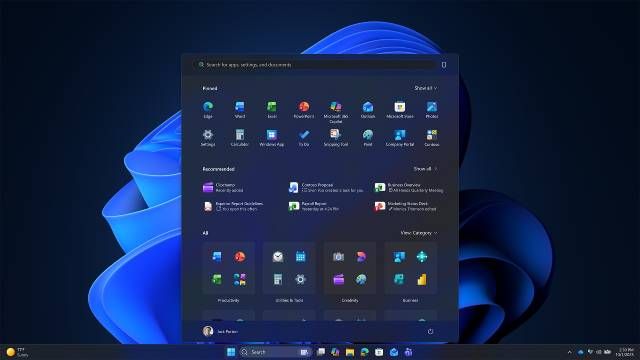
New Policy-based removal of pre-installed Microsoft Store apps on Windows 11


 Windows IT Pro Blog:

Have you ever needed to remove pre-installed Microsoft Store apps? If so, you might have encountered scripts that break when apps change, making your job more time-consuming. Thanks to your feedback, starting this month, you can remove select provisioned in-box apps using straightforward policy on Windows 11 Enterprise or Windows 11 Education, version 25H2. Custom imaging and complex scripts are no longer required.

You’re now more in control of provisioned Microsoft Store apps than ever. Meet the new policy: Remove default Microsoft Store packages from the system.

How the new app management policy works​

Here’s what you need to know about this new policy:
  • It lets you select from a defined list of preinstalled Microsoft Store apps and remove those apps from Windows 11 Enterprise and Education devices.
  • It works with Group Policy or your mobile device management (MDM) solution, including Microsoft Intune.
  • This policy is off by default, so you must explicitly enable it.
  • Once enabled, enforcement occurs automatically. A cleanup task deprovisions removed packages and local app data is removed from the user’s device.
  • The policy is applied to the user’s device during any of the following occasions:
    • During the out-of-box experience (OOBE)
    • When the user signs in after an operating system (OS) upgrade
    • When the user signs in after an update to the policy
  • The policy can be used in conjunction with standard Windows provisioning methods, including Windows Autopilot. However, it’s not specific to or dependent on these methods.

Why policy-based removal of apps matters​

By using a policy to remove preinstalled Microsoft Store apps, you can:
  • Reduce operational overhead. Drop fragile and manual removal scripts and automate operations.
  • Create a cleaner, work-ready experience. Provide a Windows experience tailored for your work environment.

Policy availability and applicable apps​

The new policy is now available for devices running Windows 11 Enterprise, version 25H2 and Windows 11 Education, version 25H2.

It currently supports removal of the following apps:
  • Calculator
  • Camera
  • Feedback Hub
  • Microsoft 365 Copilot
  • Microsoft Clipchamp
  • Microsoft Copilot (consumer version)
  • Microsoft News
  • Microsoft Photos
  • Microsoft Solitaire Collection
  • Microsoft Sticky Notes
  • Microsoft Teams
  • Microsoft To Do
  • MSN Weather
  • Notepad
  • Outlook for Windows
  • Paint
  • Quick Assist
  • Snipping Tool
  • Sound Recorder
  • Windows Media Player
  • Windows Terminal
  • Xbox Gaming App
  • Xbox Identity Provider
  • Xbox Speech to Text Overlay
  • Xbox TCUI
The list will be updated as appropriate for future releases.

Enable in-box app removal via policy​

This app management policy is available to you via Microsoft Intune settings catalog, configuration service provider (CSP), and Group Policy Object (GPO). To make use of it, you’ll need to enable it and tailor the list of preselected apps to your organization’s requirements. Avoid applying both an Intune and a GPO removal policy to the same device.

Recommended: Configure devices with Microsoft Intune ​

You can use Microsoft Intune to configure devices with a settings catalog policy or a CSP policy.
  1. In Microsoft Intune admin center, go to Devices > Manage devices > Configuration > Create > New policy to create a settings catalog policy.
  2. Use the following settings:
    • Category: Administrative Templates\Windows Components\App Package Deployment
    • Setting name: Remove default Microsoft Store packages from the system
    • Value: Enabled
  3. Set the toggle to True for each app to remove it.
  4. Assign the policy to the desired group, or groups, of devices. Note: Intune won’t apply this policy to unsupported devices and will instead show a status of “Not applicable” for those devices.
You can also configure devices with the RemoveDefaultMicrosoftStorePackages CSP policy. This ADMX-backed policy uses an XML payload to specify which apps to remove.

o Set the value of packages to be removed to True. For example, <data id="MicrosoftStickyNotes" value="true"/>

o Set the value of packages to keep to False. For example, <data id="MicrosoftStickyNotes" value="false"/>

Use Group Policy​

To apply the policy to a single device, use the Local Group Policy Editor. For multiple devices joined to Active Directory, create or edit  a GPO and use the following settings:

o Group policy path: Computer Configuration\Administrative Templates\Windows Components\App Package Deployment

o Group policy setting: Remove Default Microsoft Store packages from the system

o Value: Enabled

Select the apps to remove from the provided app list.

One way to double-check that this policy is active is to check registry keys. The registry keys will have configured values under HKLM\SOFTWARE\Policies\Microsoft\Windows\Appx\RemoveDefaultMicrosoftStorePackages.

Customize app availability for your users today​

With this new app management policy, you can efficiently deploy changes to the default Microsoft Store apps available on your users’ devices. Empower your organization to be more productive by offering a more tailored user experience. Simplifying device configurations can also help strengthen your security posture and streamline daily operations.

And, if you have been manually removing in-box apps because their versions are out of date, you no longer need to! We’ve solved that problem in the latest versions of Windows 11. Your built-in Microsoft Store apps now come updated out-of-the-box.

Now is the perfect time to deploy Windows 11 Enterprise or Education, version 25H2, and take advantage of this new management capability.


 Source:
 
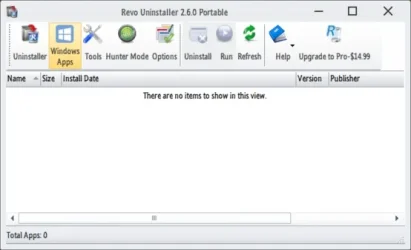
I've deleted a number of those apps in Windows 11 Pro and some others using Revo Uninstaller, on my two computers it works fine with no issues.

As a precaution I always have multiple system backups.
 

My Computers

System One System Two

  • OS
    Windows 11 Pro 25H2
    Computer type
    PC/Desktop
    Manufacturer/Model
    Homebuilt
    CPU
    Intel Core i9 13900K
    Motherboard
    Asus ProArt Z790 Creator WiFi - Bios 3107
    Memory
    Corsair Dominator Platinum 64gb 5600MT/s DDR5 Dual Channel
    Graphics Card(s)
    Sapphire NITRO+ AMD Radeon RX 7900 XTX Vapor-X 24GB
    Sound Card
    External DAC: Cambridge Audio DACMagic200M - Headphone Amp: Topping L50
    Monitor(s) Displays
    Panasonic MX950 Mini LED 55" TV 120hz
    Screen Resolution
    3840 x 2160 120hz
    Hard Drives
    Samsung 980 Pro 2TB (OS)
    Samsung 980 Pro 1TB (Files)
    Lexar NZ790 4TB
    LaCie d2 Professional 6TB external - USB 3.1
    Seagate Expansion 16TB external - USB 3.2
    Seagate One Touch 18TB external HD - USB 3.0
    PSU
    Corsair RM1200x Shift
    Case
    Corsair RGB Smart Case 5000x (white)
    Cooling
    Corsair iCue H150i Elite Capellix XT
    Keyboard
    Incase Ergonomic USB (Microsoft clone)
    Mouse
    Logitech MX Master 3S
    Internet Speed
    Fibre 900/500 Mbps
    Browser
    Microsoft Edge Chromium
    Antivirus
    Bitdefender Total Security
    Other Info
    AMD Radeon Software & Drivers 26.1.1
    Hasleo Backup Suite
    Dashlane password manager
    Kensington Verimark fingerprint reader
    Logitech Brio 4K webcam
    Orico 10-port powered USB 3.0 hub
  • Operating System
    Windows 11 Pro 25H2
    Computer type
    Laptop
    Manufacturer/Model
    Asus Vivobook X1605VA
    CPU
    Intel® Core™ i9-13900H
    Motherboard
    Asus X1605VA bios 309
    Memory
    32GB DDR4-3200 Dual channel
    Graphics card(s)
    *Intel Iris Xᵉ Graphics G7
    Sound Card
    Realtek | Intel SST Bluetooth & USB
    Monitor(s) Displays
    16.0-inch, WUXGA 16:10 aspect ratio, IPS-level Panel
    Screen Resolution
    1920 x 1200 60hz
    Hard Drives
    512GB M.2 NVMe™ PCIe® 3.0 SSD
    Mouse
    Logitech MX Ergo Trackball
    Antivirus
    Bitdefender Total Security
    Other Info
    720p Webcam
    WiFi & USB to ethernet
I don't have any Apps!

0008031.webp
 

My Computers

System One System Two

  • OS
    Windows 11 Pro
    Computer type
    PC/Desktop
    Manufacturer/Model
    ASUS ROG Strix
  • Operating System
    Windows 11 Pro
    Computer type
    Laptop
    Manufacturer/Model
    ASUS VivoBook
Before everyone asks, it only works on EDU and Enterprise. Not for Home or Pro.
So, ridiculously, students can do it but not professionals using Pro!

I can see why MS might want to restrict home users but why Pro users. An official Pro licence costs twice that of Home, but it is debatable that you get twice the benefit!

Pro is so dumbed down these days compared to days when it was a premium tool. Sad!
 

My Computer

System One

  • OS
    Windows 11 Pro + Win11 Canary VM.
    Computer type
    Laptop
    Manufacturer/Model
    ASUS Zenbook 14
    CPU
    I9 13th gen i9-13900H 2.60 GHZ
    Motherboard
    Yep, Laptop has one.
    Memory
    16 GB soldered
    Graphics Card(s)
    Integrated Intel Iris XE
    Sound Card
    Realtek built in
    Monitor(s) Displays
    laptop OLED screen
    Screen Resolution
    2880x1800 touchscreen
    Hard Drives
    1 TB NVME SSD (only weakness is only one slot)
    PSU
    Internal + 65W thunderbolt USB4 charger
    Case
    Yep, got one
    Cooling
    Stella Artois (UK pint cans - 568 ml) - extra cost.
    Keyboard
    Built in UK keybd
    Mouse
    Bluetooth , wireless dongled, wired
    Internet Speed
    900 mbs (ethernet), wifi 6 typical 350-450 mb/s both up and down
    Browser
    Edge
    Antivirus
    Defender
    Other Info
    TPM 2.0, 2xUSB4 thunderbolt, 1xUsb3 (usb a), 1xUsb-c, hdmi out, 3.5 mm audio out/in combo, ASUS backlit trackpad (inc. switchable number pad)

    Macrium Reflect Home V8
    Office 365 Family (6 users each 1TB onedrive space)
    Hyper-V (a vm runs almost as fast as my older laptop)
The legitimate market for EDU is managed systems in a school's domain environment. EDU is only available to volume licensing clients, and not sold at retail (unless you shop those dodgy licensing brokers).

Pro and EDU/Enterprise are basically the same, except for policy settings.

A student isn't installing EDU on their own PC.
They're provided (or use) a school device, which is intended to be remotely managed. A school or enterprise can do the same work by creating a custom Windows app execution policy, but this GPO makes it accessible for your less experienced IT admins.
 

My Computer

System One

  • OS
    Windows 7
The legitimate market for EDU is managed systems in a school's domain environment. EDU is only available to volume licensing clients, and not sold at retail (unless you shop those dodgy licensing brokers).

Pro and EDU/Enterprise are basically the same, except for policy settings.

A student isn't installing EDU on their own PC. They're provided (or use) a school device, which is intended to be remotely managed. A school or enterprise can do the same work by creating a custom Windows app execution policy, but this GPO makes it accessible for your less experienced IT admins.
Sure but why are Pro users being treated as second class citizens? I guess it all comes down to money as EDU/Enterprise are generally covered by lease deals, and these are MS's cash cows compared to one off lease purchases.☹️
 

My Computer

System One

  • OS
    Windows 11 Pro + Win11 Canary VM.
    Computer type
    Laptop
    Manufacturer/Model
    ASUS Zenbook 14
    CPU
    I9 13th gen i9-13900H 2.60 GHZ
    Motherboard
    Yep, Laptop has one.
    Memory
    16 GB soldered
    Graphics Card(s)
    Integrated Intel Iris XE
    Sound Card
    Realtek built in
    Monitor(s) Displays
    laptop OLED screen
    Screen Resolution
    2880x1800 touchscreen
    Hard Drives
    1 TB NVME SSD (only weakness is only one slot)
    PSU
    Internal + 65W thunderbolt USB4 charger
    Case
    Yep, got one
    Cooling
    Stella Artois (UK pint cans - 568 ml) - extra cost.
    Keyboard
    Built in UK keybd
    Mouse
    Bluetooth , wireless dongled, wired
    Internet Speed
    900 mbs (ethernet), wifi 6 typical 350-450 mb/s both up and down
    Browser
    Edge
    Antivirus
    Defender
    Other Info
    TPM 2.0, 2xUSB4 thunderbolt, 1xUsb3 (usb a), 1xUsb-c, hdmi out, 3.5 mm audio out/in combo, ASUS backlit trackpad (inc. switchable number pad)

    Macrium Reflect Home V8
    Office 365 Family (6 users each 1TB onedrive space)
    Hyper-V (a vm runs almost as fast as my older laptop)
Can debloat Win 11 Pro 25H2
 

My Computer

System One

  • OS
    Windows 11 Pro 25H2
    Computer type
    PC/Desktop
    Manufacturer/Model
    Gigabyte Aorus
    CPU
    Ryzen 5 3600
    Motherboard
    Gigabyte B450 Aorus M
    Memory
    16GB
    Graphics Card(s)
    Asus Strix Gaming GTX 1060 6GB, 9Gbps edition
    Sound Card
    default by Motherboard
    Monitor(s) Displays
    Dell
    Screen Resolution
    1080p
    PSU
    CM MWE Gold 550
Can debloat Win 11 Pro 25H2
Sorry, but what does that have to do with the subject of this thread?
If you have a problem or a question, please start your own thread.
 

My Computer

System One

  • OS
    Windows 11 Pro 25H2 26200.8457
    Computer type
    PC/Desktop
    Manufacturer/Model
    Build by vendor to my specs
    CPU
    AMD Ryzen 7 5700G
    Motherboard
    MSI PRO B550M-P Gen3
    Memory
    Kingston FURY Beast 2x16GB DIMM DDR4 2666 CL16
    Graphics Card(s)
    MSI GeForce GT 730 2GB LP V1
    Sound Card
    Creative Sound Blaster Audigy FX
    Monitor(s) Displays
    Samsung S24E450F 24"
    Screen Resolution
    1920 x 1080
    Hard Drives
    1. SSD Crucial P5 Plus 500GB PCIe M.2
    2. SSD-SATA Crucial MX500-2TB
    PSU
    Corsair CV650W
    Case
    Cooler Master Silencio S400
    Cooling
    Cooler Master Hyper H412R with Be Quiet Pure Wings 2 PWM BL038 fan
    Keyboard
    Cherry Stream (wired, scissor keys)
    Mouse
    Asus WT465 (wireless)
    Internet Speed
    70 Mbps down / 80 Mbps up
    Browser
    Firefox 130.0
    Antivirus
    F-Secure (Internetprovider version)
    Other Info
    Router: FRITZBox 7490
    Oracle VirtualBox 7 for testing software on Win 10 or 11
Pre-installed? Man, it supposed to have NON pre-installed BLOAT in the FIRST PLACE! >:(
 

My Computer

System One

  • OS
    Windows 11
    Computer type
    PC/Desktop
    Manufacturer/Model
    Cooler master
    CPU
    I5
    Motherboard
    Gigabyte
    Memory
    Too much haha!
    Graphics Card(s)
    NVidia 1060
I looked at 4 applications in windows home they can be uninstalled so the EU made it possible or there is something I did not understand.

Edit: I think there is something I didn't understand.
 
Last edited:

My Computer

System One

  • OS
    windows 11
@itsme1 This is about setting a policy across a fleet of machines, to remove the apps en masse.
 

My Computer

System One

  • OS
    Windows 11 Pro 25H2
    Computer type
    PC/Desktop
    Manufacturer/Model
    Intel NUC12WSHi7
    CPU
    12th Gen Core i7-1260P
    Motherboard
    NUC12WSBi7
    Memory
    64 GB Micron PC4-25600
    Graphics Card(s)
    Intel Iris Xe Graphics
    Sound Card
    on-board Realtek HD Audio
    Monitor(s) Displays
    Dell U3219Q
    Screen Resolution
    3840 x 2160
    Hard Drives
    Samsung SSD 990 PRO 1TB
    Crucial MX500 2 TB
    Antivirus
    Microsoft Defender
Back
Top Bottom