Solved New VM Install on Windows 11 .. full screen issue


THiBOR69

Active member
Member
Local time
3:27 PM
Posts
32
OS
Win 11
Hello -
I just recently installed Oracle VM VirtualBox 7.0.12 with extension pack. I also installed VBoxGuestAdditions_7.0.97-158510, and finally Windows.11.Pro.23H2.22631.3235.EN-US.X64 -- It seems to all work and I can access the internet and network fine. My current problem is the display is not going full screen.

My view inside the VM is not filling my entire screen. Full screen does work but it is not expanding the VM window to my entire monitor. If I click on full screen from the top right menu ( the little square ) it will expand to complete full screen but very low res and HUGE TEXT. Scaling is set to default 100%. What am I doing wrong ?

Thank you
 
Windows Build/Version
Windows.11.Pro.23H2.22631.3235

Attachments

  • 2024-03-07_13-17.png
    2024-03-07_13-17.png
    154.5 KB · Views: 3

My Computer My Computer

At a glance

Win 11Intel Core i7-14700K64 GB DDR5-7000 SDRAMASUS TUF Gaming GeForce RTX 4080 OC Edition
OS
Win 11
Computer type
PC/Desktop
Manufacturer/Model
HYTE Y70 Dual Chamber Mid-Tower ATX Case
CPU
Intel Core i7-14700K
Motherboard
ASUS ROG STRIX Z790-A GAMING WIFI
Memory
64 GB DDR5-7000 SDRAM
Graphics Card(s)
ASUS TUF Gaming GeForce RTX 4080 OC Edition
Sound Card
Intel Raptor Lake-S PCH - cAVS
Monitor(s) Displays
BenQ GW2780 x ( 3 )
Screen Resolution
1920 x 1080
Hard Drives
WD_BLACK 2TB SN850X NVMe Gen4 PCIe, M.2 2280 x ( 2 )
PSU
Thermaltake Toughpower GF3 1350W
Case
HYTE Y70 Dual Chamber Mid-Tower ATX Case
Cooling
Corsair iCUE H170i Elite LCD XT
Keyboard
K95 RGB PLATINUM SE Mechanical Gaming Keyboard
Mouse
LOGi MX 3S
Internet Speed
1.5 GB
I cannot say why you cannot get full screen but as you are using Pro, why not use Hyper-V which will handle screen resolutions much more easily (and generally faster too).
 

My Computer My Computer

At a glance

Windows 11 Pro + Win11 Canary VM.I9 13th gen i9-13900H 2.60 GHZ16 GB solderedIntegrated Intel Iris XE
OS
Windows 11 Pro + Win11 Canary VM.
Computer type
Laptop
Manufacturer/Model
ASUS Zenbook 14
CPU
I9 13th gen i9-13900H 2.60 GHZ
Motherboard
Yep, Laptop has one.
Memory
16 GB soldered
Graphics Card(s)
Integrated Intel Iris XE
Sound Card
Realtek built in
Monitor(s) Displays
laptop OLED screen
Screen Resolution
2880x1800 touchscreen
Hard Drives
1 TB NVME SSD (only weakness is only one slot)
PSU
Internal + 65W thunderbolt USB4 charger
Case
Yep, got one
Cooling
Stella Artois (UK pint cans - 568 ml) - extra cost.
Keyboard
Built in UK keybd
Mouse
Bluetooth , wireless dongled, wired
Internet Speed
900 mbs (ethernet), wifi 6 typical 350-450 mb/s both up and down
Browser
Edge
Antivirus
Defender
Other Info
TPM 2.0, 2xUSB4 thunderbolt, 1xUsb3 (usb a), 1xUsb-c, hdmi out, 3.5 mm audio out/in combo, ASUS backlit trackpad (inc. switchable number pad)

Macrium Reflect Home V8
Office 365 Family (6 users each 1TB onedrive space)
Hyper-V (a vm runs almost as fast as my older laptop)
I cannot say why you cannot get full screen but as you are using Pro, why not use Hyper-V which will handle screen resolutions much more easily (and generally faster too).

Well thank you for the sugestion, but I like VirtualBox and I know it can go full screen, I just forgot how..
 

My Computer My Computer

At a glance

Win 11Intel Core i7-14700K64 GB DDR5-7000 SDRAMASUS TUF Gaming GeForce RTX 4080 OC Edition
OS
Win 11
Computer type
PC/Desktop
Manufacturer/Model
HYTE Y70 Dual Chamber Mid-Tower ATX Case
CPU
Intel Core i7-14700K
Motherboard
ASUS ROG STRIX Z790-A GAMING WIFI
Memory
64 GB DDR5-7000 SDRAM
Graphics Card(s)
ASUS TUF Gaming GeForce RTX 4080 OC Edition
Sound Card
Intel Raptor Lake-S PCH - cAVS
Monitor(s) Displays
BenQ GW2780 x ( 3 )
Screen Resolution
1920 x 1080
Hard Drives
WD_BLACK 2TB SN850X NVMe Gen4 PCIe, M.2 2280 x ( 2 )
PSU
Thermaltake Toughpower GF3 1350W
Case
HYTE Y70 Dual Chamber Mid-Tower ATX Case
Cooling
Corsair iCUE H170i Elite LCD XT
Keyboard
K95 RGB PLATINUM SE Mechanical Gaming Keyboard
Mouse
LOGi MX 3S
Internet Speed
1.5 GB
Well thank you for the sugestion, but I like VirtualBox and I know it can go full screen, I just forgot how..
I suggest you give it a try sometime - it has a lot of advantages when running a Pro guest in enhanced mode.

One of the main ones is that the virtual drives are in native Windows .vhdx format, and you can attach the .vhdx file as a dual boot option with a simple bcdboot command.

That way you can run the guest natively or in a virtual machine.

Also sharing files from host to vm is great as well.

I only use vb for non windows guests.

There are some great tutorials on the tenforums sister site.
 

My Computer My Computer

At a glance

Windows 11 Pro + Win11 Canary VM.I9 13th gen i9-13900H 2.60 GHZ16 GB solderedIntegrated Intel Iris XE
OS
Windows 11 Pro + Win11 Canary VM.
Computer type
Laptop
Manufacturer/Model
ASUS Zenbook 14
CPU
I9 13th gen i9-13900H 2.60 GHZ
Motherboard
Yep, Laptop has one.
Memory
16 GB soldered
Graphics Card(s)
Integrated Intel Iris XE
Sound Card
Realtek built in
Monitor(s) Displays
laptop OLED screen
Screen Resolution
2880x1800 touchscreen
Hard Drives
1 TB NVME SSD (only weakness is only one slot)
PSU
Internal + 65W thunderbolt USB4 charger
Case
Yep, got one
Cooling
Stella Artois (UK pint cans - 568 ml) - extra cost.
Keyboard
Built in UK keybd
Mouse
Bluetooth , wireless dongled, wired
Internet Speed
900 mbs (ethernet), wifi 6 typical 350-450 mb/s both up and down
Browser
Edge
Antivirus
Defender
Other Info
TPM 2.0, 2xUSB4 thunderbolt, 1xUsb3 (usb a), 1xUsb-c, hdmi out, 3.5 mm audio out/in combo, ASUS backlit trackpad (inc. switchable number pad)

Macrium Reflect Home V8
Office 365 Family (6 users each 1TB onedrive space)
Hyper-V (a vm runs almost as fast as my older laptop)
I'll have to note that I am not a user of VirtualBox so I can only take a guess here...

Have you tried adjusting the screen resolution in the guest VM to match the physical screen resolution? If the resolution matches your physical monitor, I would guess that this might make it occupy the full screen.

To do this, right-click on an empty area of the desktop on the guest OS and select "Display settings", then select the appropriate resolution.
 

My Computers My Computers

  • At a glance

    Win11 Pro 25H2 (RTM+)Intel i7-14650HX32 GBNo GPU - Built-in Intel Graphics
    OS
    Win11 Pro 25H2 (RTM+)
    Computer type
    PC/Desktop
    Manufacturer/Model
    Acemagic
    CPU
    Intel i7-14650HX
    Memory
    32 GB
    Graphics Card(s)
    No GPU - Built-in Intel Graphics
    Sound Card
    Integrated
    Monitor(s) Displays
    Varies as machine will often be moved to locations with different monitors
    Screen Resolution
    Varies
    Hard Drives
    1 x 1TB Gen 4 NVMe SSD
    PSU
    120W Power Brick
    Keyboard
    Corsair K70 Max RGB Magnetic Keyboard
    Mouse
    Logitech MX Master 3
    Internet Speed
    1Gb Up / 1 Gb Down
    Browser
    Edge
    Antivirus
    Windows Defender
  • At a glance

    Win11 Pro 25H2 (RTM+)Intel i7-1255U16 GBIntel Iris Xe Graphics
    Operating System
    Win11 Pro 25H2 (RTM+)
    Computer type
    Laptop
    Manufacturer/Model
    Lenovo ThinkBook 13x Gen 2
    CPU
    Intel i7-1255U
    Memory
    16 GB
    Graphics card(s)
    Intel Iris Xe Graphics
    Sound Card
    Realtek® ALC3306-CG codec
    Monitor(s) Displays
    13.3-inch IPS Display
    Screen Resolution
    WQXGA (2560 x 1600)
    Hard Drives
    2 TB 4 x 4 NVMe SSD
    PSU
    USB-C / Thunderbolt 4 Power / Charging
    Keyboard
    Backlit, spill resistant keyboard
    Mouse
    Buttonless Glass Precision Touchpad
    Internet Speed
    1Gb Up / 1Gb Down
    Browser
    Edge
    Antivirus
    Windows Defender
    Other Info
    WiFi 6e / Bluetooth 5.1 / Facial Recognition / Fingerprint Sensor / ToF (Time of Flight) Human Presence Sensor
One more question: You note that you have the Vbox Guest Additions, but just to be clear, did you install those additions onto the actual guest OS?
 

My Computers My Computers

  • At a glance

    Win11 Pro 25H2 (RTM+)Intel i7-14650HX32 GBNo GPU - Built-in Intel Graphics
    OS
    Win11 Pro 25H2 (RTM+)
    Computer type
    PC/Desktop
    Manufacturer/Model
    Acemagic
    CPU
    Intel i7-14650HX
    Memory
    32 GB
    Graphics Card(s)
    No GPU - Built-in Intel Graphics
    Sound Card
    Integrated
    Monitor(s) Displays
    Varies as machine will often be moved to locations with different monitors
    Screen Resolution
    Varies
    Hard Drives
    1 x 1TB Gen 4 NVMe SSD
    PSU
    120W Power Brick
    Keyboard
    Corsair K70 Max RGB Magnetic Keyboard
    Mouse
    Logitech MX Master 3
    Internet Speed
    1Gb Up / 1 Gb Down
    Browser
    Edge
    Antivirus
    Windows Defender
  • At a glance

    Win11 Pro 25H2 (RTM+)Intel i7-1255U16 GBIntel Iris Xe Graphics
    Operating System
    Win11 Pro 25H2 (RTM+)
    Computer type
    Laptop
    Manufacturer/Model
    Lenovo ThinkBook 13x Gen 2
    CPU
    Intel i7-1255U
    Memory
    16 GB
    Graphics card(s)
    Intel Iris Xe Graphics
    Sound Card
    Realtek® ALC3306-CG codec
    Monitor(s) Displays
    13.3-inch IPS Display
    Screen Resolution
    WQXGA (2560 x 1600)
    Hard Drives
    2 TB 4 x 4 NVMe SSD
    PSU
    USB-C / Thunderbolt 4 Power / Charging
    Keyboard
    Backlit, spill resistant keyboard
    Mouse
    Buttonless Glass Precision Touchpad
    Internet Speed
    1Gb Up / 1Gb Down
    Browser
    Edge
    Antivirus
    Windows Defender
    Other Info
    WiFi 6e / Bluetooth 5.1 / Facial Recognition / Fingerprint Sensor / ToF (Time of Flight) Human Presence Sensor
What is your host OS?
 

My Computers My Computers

  • At a glance

    Windows 11 25H2 26200.7705Intel core I7 670032gbytes DDR4 1066mhz dualnvidia GT730
    OS
    Windows 11 25H2 26200.7705
    Computer type
    PC/Desktop
    Manufacturer/Model
    Dell xps8910
    CPU
    Intel core I7 6700
    Motherboard
    OWPMFG Z170 Skylake
    Memory
    32gbytes DDR4 1066mhz dual
    Graphics Card(s)
    nvidia GT730
    Sound Card
    Nvidia GK 208
    Monitor(s) Displays
    Dell del40e8
    Screen Resolution
    1920X1080
    Hard Drives
    Intel M.2 512G NVME / Samsung SSD 850 250G / Toshiba 1TB / WD 1TB
    PSU
    450W
    Case
    Mid
    Cooling
    Standard
    Keyboard
    Wired Perixx
    Mouse
    Logitech wireless MX Master
    Internet Speed
    150 Mbs Starlink
    Browser
    Firefox and Edge
    Antivirus
    Windows defender
  • At a glance

    Windows 11 Pro 25H2 26200.6584Intel Celeron N4500 @ 1.10 GHz4.00 GBOn board
    Operating System
    Windows 11 Pro 25H2 26200.6584
    Computer type
    Laptop
    Manufacturer/Model
    Asus BR1100CKA
    CPU
    Intel Celeron N4500 @ 1.10 GHz
    Motherboard
    Asustek
    Memory
    4.00 GB
    Graphics card(s)
    On board
    Sound Card
    On board
    Monitor(s) Displays
    standard
    Screen Resolution
    1366x768
    Hard Drives
    Crucial 500Gb NVME M.2 SSD / 58GB Factory SSD
    Case
    Laptop
    Cooling
    Heatsink
    Keyboard
    Builtin
    Mouse
    Touchpad
    Internet Speed
    25mbs/Viasat
    Browser
    Edge/Firefox
    Antivirus
    Windows

My Computer My Computer

At a glance

Windows 11 Pro + Win11 Canary VM.I9 13th gen i9-13900H 2.60 GHZ16 GB solderedIntegrated Intel Iris XE
OS
Windows 11 Pro + Win11 Canary VM.
Computer type
Laptop
Manufacturer/Model
ASUS Zenbook 14
CPU
I9 13th gen i9-13900H 2.60 GHZ
Motherboard
Yep, Laptop has one.
Memory
16 GB soldered
Graphics Card(s)
Integrated Intel Iris XE
Sound Card
Realtek built in
Monitor(s) Displays
laptop OLED screen
Screen Resolution
2880x1800 touchscreen
Hard Drives
1 TB NVME SSD (only weakness is only one slot)
PSU
Internal + 65W thunderbolt USB4 charger
Case
Yep, got one
Cooling
Stella Artois (UK pint cans - 568 ml) - extra cost.
Keyboard
Built in UK keybd
Mouse
Bluetooth , wireless dongled, wired
Internet Speed
900 mbs (ethernet), wifi 6 typical 350-450 mb/s both up and down
Browser
Edge
Antivirus
Defender
Other Info
TPM 2.0, 2xUSB4 thunderbolt, 1xUsb3 (usb a), 1xUsb-c, hdmi out, 3.5 mm audio out/in combo, ASUS backlit trackpad (inc. switchable number pad)

Macrium Reflect Home V8
Office 365 Family (6 users each 1TB onedrive space)
Hyper-V (a vm runs almost as fast as my older laptop)
One more question: You note that you have the Vbox Guest Additions, but just to be clear, did you install those additions onto the actual guest OS?
Yes, that is the way it works in VirtualBox. You attach the guest additions ISO to the VM and install them in the guest OS.
 

My Computers My Computers

  • At a glance

    Windows 11 HomeAMD Athlon Silver 3050U8GBRadeon Graphics
    OS
    Windows 11 Home
    Computer type
    Laptop
    Manufacturer/Model
    Acer Aspire 3 A315-23-R9VY
    CPU
    AMD Athlon Silver 3050U
    Memory
    8GB
    Graphics Card(s)
    Radeon Graphics
    Monitor(s) Displays
    laptop screen
    Screen Resolution
    1366x768 native resolution, up to 2560x1440 with Radeon Virtual Super Resolution
    Hard Drives
    1TB Samsung EVO 870 SSD (from April 2026: 250GB EVO 850)
    Internet Speed
    150 Mbps
    Browser
    Edge, Firefox
    Antivirus
    Defender
    Other Info
    fully 'Windows 11 ready' laptop. Windows 10 C: partition migrated from my old unsupported 'main machine' then upgraded to 11. A test migration ran Insider builds for 2 months. When 11 was released on 5th October 2021 it was re-imaged back to 10 and was offered the upgrade in Windows Update on 20th October. Windows Update offered the 22H2 Feature Update on 20th September 2022. It got the 23H2 Feature Update on 4th November 2023 through Windows Update, 24H2 on 3rd October 2024 through Windows Update by setting the Target Release Version for 24H2, and 25H2 on 30th September 2025 through Windows Update by setting the Target Release Version for 25H2.

    UPDATE - 11 April 2026: due to mechanical deterioration this PC has been retired from active duty. The OS with all software and files has been migrated to my System Seven in 'Other systems' to carry on as my general purpose 'main machine'.
  • At a glance

    Windows 11 ProIntel® Core™ i5-520M8GB(integrated graphics) Intel HD Graphics
    Operating System
    Windows 11 Pro
    Computer type
    Laptop
    Manufacturer/Model
    Dell Latitude E4310
    CPU
    Intel® Core™ i5-520M
    Motherboard
    0T6M8G
    Memory
    8GB
    Graphics card(s)
    (integrated graphics) Intel HD Graphics
    Screen Resolution
    1366x768
    Hard Drives
    500GB Crucial MX500 SSD
    Browser
    Firefox, Edge
    Antivirus
    Defender
    Other Info
    unsupported machine: Legacy bios, MBR, TPM 1.2, upgraded from W10 to W11 using W10/W11 hybrid install media workaround.

    In-place upgrade to 22H2 using ISO and a workaround.
    Feature Update to 23H2 by manually installing the Enablement Package.
    In-place upgrade to 24H2 using hybrid 23H2/24H2 install media.
    Upgraded to 25H2 by Enablement Package.

    Also running Insider Dev, and Canary builds and Windows 10 as native boot .vhdx.
  • My SYSTEM THREE is a Dell Latitude 5410, i7-10610U, 32GB RAM, 512GB NVMe ssd, supported device running Windows 11 Pro.

    My SYSTEM FOUR is a 2-in-1 convertible Lenovo Yoga 11e 20DA, Celeron N2930, 8GB RAM, 256GB ssd. Unsupported device: currently running Win10 Pro, plus Win11 Pro RTM and Insider Dev, Beta, and RP 24H2 as native boot vhdx.

    My SYSTEM FIVE is a Dell Latitude 3190 2-in-1, Pentium Silver N5030, 8GB RAM, 1TB NVMe ssd, supported device running Windows 11 Pro, plus Insider Beta, Dev, and Canary builds (and a few others) as a native boot .vhdx.

    My SYSTEM SIX is a Dell Latitude 5550, Core Ultra 7 165H, 64GB RAM, 1TB NVMe SSD, supported device, Windows 11 Pro 24H2, Hyper-V host machine. Updated to 25H2 on 30th September 2025.

    My SYSTEM SEVEN is a Lenovo Thinkpad T580, Intel Core i7-8650U, 16GB RAM, 512GB NVMe SSD + 2nd 512GB NVMe SSD, a supported device for Windows 11. This is my current general purpose 'main machine'. The installed Windows 11 Home from my System One has been migrated to this machine.
That is the VM he still has to have a host. Open the Vm and in the upper left corner it will say machine. Click on machine and in the dropdown click on session information and then click on runtime information and make sure guest additions says 7.0.12.
 

My Computers My Computers

  • At a glance

    Windows 11 25H2 26200.7705Intel core I7 670032gbytes DDR4 1066mhz dualnvidia GT730
    OS
    Windows 11 25H2 26200.7705
    Computer type
    PC/Desktop
    Manufacturer/Model
    Dell xps8910
    CPU
    Intel core I7 6700
    Motherboard
    OWPMFG Z170 Skylake
    Memory
    32gbytes DDR4 1066mhz dual
    Graphics Card(s)
    nvidia GT730
    Sound Card
    Nvidia GK 208
    Monitor(s) Displays
    Dell del40e8
    Screen Resolution
    1920X1080
    Hard Drives
    Intel M.2 512G NVME / Samsung SSD 850 250G / Toshiba 1TB / WD 1TB
    PSU
    450W
    Case
    Mid
    Cooling
    Standard
    Keyboard
    Wired Perixx
    Mouse
    Logitech wireless MX Master
    Internet Speed
    150 Mbs Starlink
    Browser
    Firefox and Edge
    Antivirus
    Windows defender
  • At a glance

    Windows 11 Pro 25H2 26200.6584Intel Celeron N4500 @ 1.10 GHz4.00 GBOn board
    Operating System
    Windows 11 Pro 25H2 26200.6584
    Computer type
    Laptop
    Manufacturer/Model
    Asus BR1100CKA
    CPU
    Intel Celeron N4500 @ 1.10 GHz
    Motherboard
    Asustek
    Memory
    4.00 GB
    Graphics card(s)
    On board
    Sound Card
    On board
    Monitor(s) Displays
    standard
    Screen Resolution
    1366x768
    Hard Drives
    Crucial 500Gb NVME M.2 SSD / 58GB Factory SSD
    Case
    Laptop
    Cooling
    Heatsink
    Keyboard
    Builtin
    Mouse
    Touchpad
    Internet Speed
    25mbs/Viasat
    Browser
    Edge/Firefox
    Antivirus
    Windows
Oh my I feel like such an idiot here.... I totally thought I had installed the guest additions CD but I never did !! LOL... I have it installed now and ALL is good :)

Thanks to all that replied.
 

My Computer My Computer

At a glance

Win 11Intel Core i7-14700K64 GB DDR5-7000 SDRAMASUS TUF Gaming GeForce RTX 4080 OC Edition
OS
Win 11
Computer type
PC/Desktop
Manufacturer/Model
HYTE Y70 Dual Chamber Mid-Tower ATX Case
CPU
Intel Core i7-14700K
Motherboard
ASUS ROG STRIX Z790-A GAMING WIFI
Memory
64 GB DDR5-7000 SDRAM
Graphics Card(s)
ASUS TUF Gaming GeForce RTX 4080 OC Edition
Sound Card
Intel Raptor Lake-S PCH - cAVS
Monitor(s) Displays
BenQ GW2780 x ( 3 )
Screen Resolution
1920 x 1080
Hard Drives
WD_BLACK 2TB SN850X NVMe Gen4 PCIe, M.2 2280 x ( 2 )
PSU
Thermaltake Toughpower GF3 1350W
Case
HYTE Y70 Dual Chamber Mid-Tower ATX Case
Cooling
Corsair iCUE H170i Elite LCD XT
Keyboard
K95 RGB PLATINUM SE Mechanical Gaming Keyboard
Mouse
LOGi MX 3S
Internet Speed
1.5 GB
I saw your other related post where you note that your guest OS is showing the basic Windows display driver. That tells me that you almost certainly do NOT have the Guest Additions installed on the actual GUEST OS (the VM). From your first screenshot, note the "Devices" drop down menu near the top of the screen. Select that, then insert guest additions CD image. In the guest OS, install the guest additions from that CD image, reboot. That should solve the issue.
 

My Computers My Computers

  • At a glance

    Win11 Pro 25H2 (RTM+)Intel i7-14650HX32 GBNo GPU - Built-in Intel Graphics
    OS
    Win11 Pro 25H2 (RTM+)
    Computer type
    PC/Desktop
    Manufacturer/Model
    Acemagic
    CPU
    Intel i7-14650HX
    Memory
    32 GB
    Graphics Card(s)
    No GPU - Built-in Intel Graphics
    Sound Card
    Integrated
    Monitor(s) Displays
    Varies as machine will often be moved to locations with different monitors
    Screen Resolution
    Varies
    Hard Drives
    1 x 1TB Gen 4 NVMe SSD
    PSU
    120W Power Brick
    Keyboard
    Corsair K70 Max RGB Magnetic Keyboard
    Mouse
    Logitech MX Master 3
    Internet Speed
    1Gb Up / 1 Gb Down
    Browser
    Edge
    Antivirus
    Windows Defender
  • At a glance

    Win11 Pro 25H2 (RTM+)Intel i7-1255U16 GBIntel Iris Xe Graphics
    Operating System
    Win11 Pro 25H2 (RTM+)
    Computer type
    Laptop
    Manufacturer/Model
    Lenovo ThinkBook 13x Gen 2
    CPU
    Intel i7-1255U
    Memory
    16 GB
    Graphics card(s)
    Intel Iris Xe Graphics
    Sound Card
    Realtek® ALC3306-CG codec
    Monitor(s) Displays
    13.3-inch IPS Display
    Screen Resolution
    WQXGA (2560 x 1600)
    Hard Drives
    2 TB 4 x 4 NVMe SSD
    PSU
    USB-C / Thunderbolt 4 Power / Charging
    Keyboard
    Backlit, spill resistant keyboard
    Mouse
    Buttonless Glass Precision Touchpad
    Internet Speed
    1Gb Up / 1Gb Down
    Browser
    Edge
    Antivirus
    Windows Defender
    Other Info
    WiFi 6e / Bluetooth 5.1 / Facial Recognition / Fingerprint Sensor / ToF (Time of Flight) Human Presence Sensor
I saw your other related post where you note that your guest OS is showing the basic Windows display driver. That tells me that you almost certainly do NOT have the Guest Additions installed on the actual GUEST OS (the VM). From your first screenshot, note the "Devices" drop down menu near the top of the screen. Select that, then insert guest additions CD image. In the guest OS, install the guest additions from that CD image, reboot. That should solve the issue.
You are correct.... thank you for mentioning that :)
 

My Computer My Computer

At a glance

Win 11Intel Core i7-14700K64 GB DDR5-7000 SDRAMASUS TUF Gaming GeForce RTX 4080 OC Edition
OS
Win 11
Computer type
PC/Desktop
Manufacturer/Model
HYTE Y70 Dual Chamber Mid-Tower ATX Case
CPU
Intel Core i7-14700K
Motherboard
ASUS ROG STRIX Z790-A GAMING WIFI
Memory
64 GB DDR5-7000 SDRAM
Graphics Card(s)
ASUS TUF Gaming GeForce RTX 4080 OC Edition
Sound Card
Intel Raptor Lake-S PCH - cAVS
Monitor(s) Displays
BenQ GW2780 x ( 3 )
Screen Resolution
1920 x 1080
Hard Drives
WD_BLACK 2TB SN850X NVMe Gen4 PCIe, M.2 2280 x ( 2 )
PSU
Thermaltake Toughpower GF3 1350W
Case
HYTE Y70 Dual Chamber Mid-Tower ATX Case
Cooling
Corsair iCUE H170i Elite LCD XT
Keyboard
K95 RGB PLATINUM SE Mechanical Gaming Keyboard
Mouse
LOGi MX 3S
Internet Speed
1.5 GB
Ooops, sorry, I responded after you. Glad to see you got it working! It's easy to miss details like this. Too many steps to remember sometimes :-)
 

My Computers My Computers

  • At a glance

    Win11 Pro 25H2 (RTM+)Intel i7-14650HX32 GBNo GPU - Built-in Intel Graphics
    OS
    Win11 Pro 25H2 (RTM+)
    Computer type
    PC/Desktop
    Manufacturer/Model
    Acemagic
    CPU
    Intel i7-14650HX
    Memory
    32 GB
    Graphics Card(s)
    No GPU - Built-in Intel Graphics
    Sound Card
    Integrated
    Monitor(s) Displays
    Varies as machine will often be moved to locations with different monitors
    Screen Resolution
    Varies
    Hard Drives
    1 x 1TB Gen 4 NVMe SSD
    PSU
    120W Power Brick
    Keyboard
    Corsair K70 Max RGB Magnetic Keyboard
    Mouse
    Logitech MX Master 3
    Internet Speed
    1Gb Up / 1 Gb Down
    Browser
    Edge
    Antivirus
    Windows Defender
  • At a glance

    Win11 Pro 25H2 (RTM+)Intel i7-1255U16 GBIntel Iris Xe Graphics
    Operating System
    Win11 Pro 25H2 (RTM+)
    Computer type
    Laptop
    Manufacturer/Model
    Lenovo ThinkBook 13x Gen 2
    CPU
    Intel i7-1255U
    Memory
    16 GB
    Graphics card(s)
    Intel Iris Xe Graphics
    Sound Card
    Realtek® ALC3306-CG codec
    Monitor(s) Displays
    13.3-inch IPS Display
    Screen Resolution
    WQXGA (2560 x 1600)
    Hard Drives
    2 TB 4 x 4 NVMe SSD
    PSU
    USB-C / Thunderbolt 4 Power / Charging
    Keyboard
    Backlit, spill resistant keyboard
    Mouse
    Buttonless Glass Precision Touchpad
    Internet Speed
    1Gb Up / 1Gb Down
    Browser
    Edge
    Antivirus
    Windows Defender
    Other Info
    WiFi 6e / Bluetooth 5.1 / Facial Recognition / Fingerprint Sensor / ToF (Time of Flight) Human Presence Sensor
My view inside the VM is not filling my entire screen.....
I saw your other related post where you note that your guest OS is showing the basic Windows display driver.
I posted a screenshot like that on the other thread, replying with my VirtualBox VM - and yes, I had totally forgotten to install Guest Additions too :oops:

All done now. Auto-resize Guest Display is a neat feature, it changes the display to whatever size you have made its window....

1709852511563.png
 
Last edited:

My Computers My Computers

  • At a glance

    Windows 11 HomeAMD Athlon Silver 3050U8GBRadeon Graphics
    OS
    Windows 11 Home
    Computer type
    Laptop
    Manufacturer/Model
    Acer Aspire 3 A315-23-R9VY
    CPU
    AMD Athlon Silver 3050U
    Memory
    8GB
    Graphics Card(s)
    Radeon Graphics
    Monitor(s) Displays
    laptop screen
    Screen Resolution
    1366x768 native resolution, up to 2560x1440 with Radeon Virtual Super Resolution
    Hard Drives
    1TB Samsung EVO 870 SSD (from April 2026: 250GB EVO 850)
    Internet Speed
    150 Mbps
    Browser
    Edge, Firefox
    Antivirus
    Defender
    Other Info
    fully 'Windows 11 ready' laptop. Windows 10 C: partition migrated from my old unsupported 'main machine' then upgraded to 11. A test migration ran Insider builds for 2 months. When 11 was released on 5th October 2021 it was re-imaged back to 10 and was offered the upgrade in Windows Update on 20th October. Windows Update offered the 22H2 Feature Update on 20th September 2022. It got the 23H2 Feature Update on 4th November 2023 through Windows Update, 24H2 on 3rd October 2024 through Windows Update by setting the Target Release Version for 24H2, and 25H2 on 30th September 2025 through Windows Update by setting the Target Release Version for 25H2.

    UPDATE - 11 April 2026: due to mechanical deterioration this PC has been retired from active duty. The OS with all software and files has been migrated to my System Seven in 'Other systems' to carry on as my general purpose 'main machine'.
  • At a glance

    Windows 11 ProIntel® Core™ i5-520M8GB(integrated graphics) Intel HD Graphics
    Operating System
    Windows 11 Pro
    Computer type
    Laptop
    Manufacturer/Model
    Dell Latitude E4310
    CPU
    Intel® Core™ i5-520M
    Motherboard
    0T6M8G
    Memory
    8GB
    Graphics card(s)
    (integrated graphics) Intel HD Graphics
    Screen Resolution
    1366x768
    Hard Drives
    500GB Crucial MX500 SSD
    Browser
    Firefox, Edge
    Antivirus
    Defender
    Other Info
    unsupported machine: Legacy bios, MBR, TPM 1.2, upgraded from W10 to W11 using W10/W11 hybrid install media workaround.

    In-place upgrade to 22H2 using ISO and a workaround.
    Feature Update to 23H2 by manually installing the Enablement Package.
    In-place upgrade to 24H2 using hybrid 23H2/24H2 install media.
    Upgraded to 25H2 by Enablement Package.

    Also running Insider Dev, and Canary builds and Windows 10 as native boot .vhdx.
  • My SYSTEM THREE is a Dell Latitude 5410, i7-10610U, 32GB RAM, 512GB NVMe ssd, supported device running Windows 11 Pro.

    My SYSTEM FOUR is a 2-in-1 convertible Lenovo Yoga 11e 20DA, Celeron N2930, 8GB RAM, 256GB ssd. Unsupported device: currently running Win10 Pro, plus Win11 Pro RTM and Insider Dev, Beta, and RP 24H2 as native boot vhdx.

    My SYSTEM FIVE is a Dell Latitude 3190 2-in-1, Pentium Silver N5030, 8GB RAM, 1TB NVMe ssd, supported device running Windows 11 Pro, plus Insider Beta, Dev, and Canary builds (and a few others) as a native boot .vhdx.

    My SYSTEM SIX is a Dell Latitude 5550, Core Ultra 7 165H, 64GB RAM, 1TB NVMe SSD, supported device, Windows 11 Pro 24H2, Hyper-V host machine. Updated to 25H2 on 30th September 2025.

    My SYSTEM SEVEN is a Lenovo Thinkpad T580, Intel Core i7-8650U, 16GB RAM, 512GB NVMe SSD + 2nd 512GB NVMe SSD, a supported device for Windows 11. This is my current general purpose 'main machine'. The installed Windows 11 Home from my System One has been migrated to this machine.
Maybe I need to play with Vbox. I was a user of VMware Workstation for many years, pretty much since it first came into existence. Unfortunately, they have been actually removing features lately, so I've abandoned it and switched to Hyper-V, but it never hurts to learn another Hypervisor.
 

My Computers My Computers

  • At a glance

    Win11 Pro 25H2 (RTM+)Intel i7-14650HX32 GBNo GPU - Built-in Intel Graphics
    OS
    Win11 Pro 25H2 (RTM+)
    Computer type
    PC/Desktop
    Manufacturer/Model
    Acemagic
    CPU
    Intel i7-14650HX
    Memory
    32 GB
    Graphics Card(s)
    No GPU - Built-in Intel Graphics
    Sound Card
    Integrated
    Monitor(s) Displays
    Varies as machine will often be moved to locations with different monitors
    Screen Resolution
    Varies
    Hard Drives
    1 x 1TB Gen 4 NVMe SSD
    PSU
    120W Power Brick
    Keyboard
    Corsair K70 Max RGB Magnetic Keyboard
    Mouse
    Logitech MX Master 3
    Internet Speed
    1Gb Up / 1 Gb Down
    Browser
    Edge
    Antivirus
    Windows Defender
  • At a glance

    Win11 Pro 25H2 (RTM+)Intel i7-1255U16 GBIntel Iris Xe Graphics
    Operating System
    Win11 Pro 25H2 (RTM+)
    Computer type
    Laptop
    Manufacturer/Model
    Lenovo ThinkBook 13x Gen 2
    CPU
    Intel i7-1255U
    Memory
    16 GB
    Graphics card(s)
    Intel Iris Xe Graphics
    Sound Card
    Realtek® ALC3306-CG codec
    Monitor(s) Displays
    13.3-inch IPS Display
    Screen Resolution
    WQXGA (2560 x 1600)
    Hard Drives
    2 TB 4 x 4 NVMe SSD
    PSU
    USB-C / Thunderbolt 4 Power / Charging
    Keyboard
    Backlit, spill resistant keyboard
    Mouse
    Buttonless Glass Precision Touchpad
    Internet Speed
    1Gb Up / 1Gb Down
    Browser
    Edge
    Antivirus
    Windows Defender
    Other Info
    WiFi 6e / Bluetooth 5.1 / Facial Recognition / Fingerprint Sensor / ToF (Time of Flight) Human Presence Sensor
Maybe I need to play with Vbox. I was a user of VMware Workstation for many years, pretty much since it first came into existence. Unfortunately, they have been actually removing features lately, so I've abandoned it and switched to Hyper-V, but it never hurts to learn another Hypervisor.
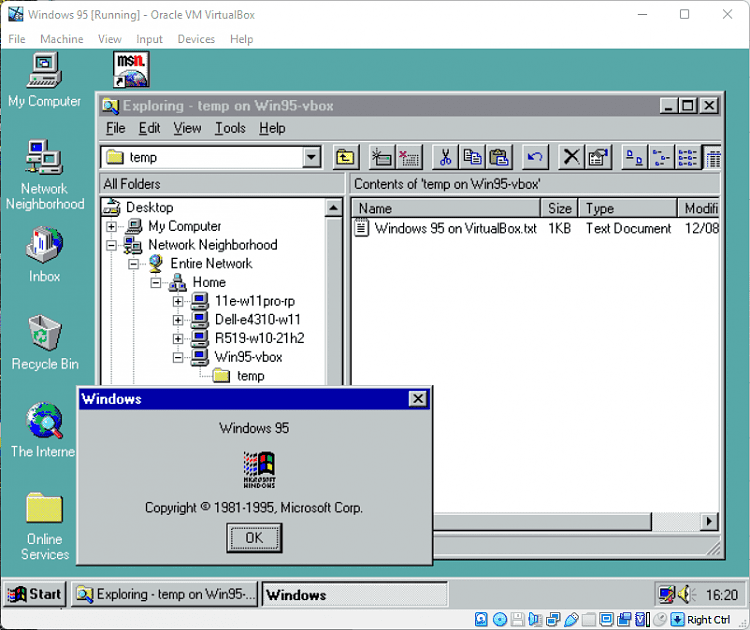
Hyper-V is my hypervisor of choice, but I have VirtualBox on another machine, it's the only way I can run a Windows '95 VM.
I first installed VirtualBox to test Macrium's new viBoot support for VB that started with v8.0, then decided to keep it and play with it :wink:

383936d1674316794t-windows-95-a-windows-95-virtualbox.png
 

My Computers My Computers

  • At a glance

    Windows 11 HomeAMD Athlon Silver 3050U8GBRadeon Graphics
    OS
    Windows 11 Home
    Computer type
    Laptop
    Manufacturer/Model
    Acer Aspire 3 A315-23-R9VY
    CPU
    AMD Athlon Silver 3050U
    Memory
    8GB
    Graphics Card(s)
    Radeon Graphics
    Monitor(s) Displays
    laptop screen
    Screen Resolution
    1366x768 native resolution, up to 2560x1440 with Radeon Virtual Super Resolution
    Hard Drives
    1TB Samsung EVO 870 SSD (from April 2026: 250GB EVO 850)
    Internet Speed
    150 Mbps
    Browser
    Edge, Firefox
    Antivirus
    Defender
    Other Info
    fully 'Windows 11 ready' laptop. Windows 10 C: partition migrated from my old unsupported 'main machine' then upgraded to 11. A test migration ran Insider builds for 2 months. When 11 was released on 5th October 2021 it was re-imaged back to 10 and was offered the upgrade in Windows Update on 20th October. Windows Update offered the 22H2 Feature Update on 20th September 2022. It got the 23H2 Feature Update on 4th November 2023 through Windows Update, 24H2 on 3rd October 2024 through Windows Update by setting the Target Release Version for 24H2, and 25H2 on 30th September 2025 through Windows Update by setting the Target Release Version for 25H2.

    UPDATE - 11 April 2026: due to mechanical deterioration this PC has been retired from active duty. The OS with all software and files has been migrated to my System Seven in 'Other systems' to carry on as my general purpose 'main machine'.
  • At a glance

    Windows 11 ProIntel® Core™ i5-520M8GB(integrated graphics) Intel HD Graphics
    Operating System
    Windows 11 Pro
    Computer type
    Laptop
    Manufacturer/Model
    Dell Latitude E4310
    CPU
    Intel® Core™ i5-520M
    Motherboard
    0T6M8G
    Memory
    8GB
    Graphics card(s)
    (integrated graphics) Intel HD Graphics
    Screen Resolution
    1366x768
    Hard Drives
    500GB Crucial MX500 SSD
    Browser
    Firefox, Edge
    Antivirus
    Defender
    Other Info
    unsupported machine: Legacy bios, MBR, TPM 1.2, upgraded from W10 to W11 using W10/W11 hybrid install media workaround.

    In-place upgrade to 22H2 using ISO and a workaround.
    Feature Update to 23H2 by manually installing the Enablement Package.
    In-place upgrade to 24H2 using hybrid 23H2/24H2 install media.
    Upgraded to 25H2 by Enablement Package.

    Also running Insider Dev, and Canary builds and Windows 10 as native boot .vhdx.
  • My SYSTEM THREE is a Dell Latitude 5410, i7-10610U, 32GB RAM, 512GB NVMe ssd, supported device running Windows 11 Pro.

    My SYSTEM FOUR is a 2-in-1 convertible Lenovo Yoga 11e 20DA, Celeron N2930, 8GB RAM, 256GB ssd. Unsupported device: currently running Win10 Pro, plus Win11 Pro RTM and Insider Dev, Beta, and RP 24H2 as native boot vhdx.

    My SYSTEM FIVE is a Dell Latitude 3190 2-in-1, Pentium Silver N5030, 8GB RAM, 1TB NVMe ssd, supported device running Windows 11 Pro, plus Insider Beta, Dev, and Canary builds (and a few others) as a native boot .vhdx.

    My SYSTEM SIX is a Dell Latitude 5550, Core Ultra 7 165H, 64GB RAM, 1TB NVMe SSD, supported device, Windows 11 Pro 24H2, Hyper-V host machine. Updated to 25H2 on 30th September 2025.

    My SYSTEM SEVEN is a Lenovo Thinkpad T580, Intel Core i7-8650U, 16GB RAM, 512GB NVMe SSD + 2nd 512GB NVMe SSD, a supported device for Windows 11. This is my current general purpose 'main machine'. The installed Windows 11 Home from my System One has been migrated to this machine.
Maybe I need to play with Vbox. I was a user of VMware Workstation for many years, pretty much since it first came into existence. Unfortunately, they have been actually removing features lately, so I've abandoned it and switched to Hyper-V, but it never hurts to learn another Hypervisor.
Yep - each Hypervisor has pros and cons, particularly if Type 1 or Type 2.

Hyper-V is great at running Windows Pro or better guests.

It is not so good for other OSs as most can only run in basic mode and do not get sound. For these vb or vmware are preferable.

My main use of Hyper-V is to test Insider versions of Windows - also ypu can attach the .vhdx files and native boot from them as well.

I do use Ubuntu and Kali in Hyper-V (Kali is much easier) as they support xrdp so can be run in enhanced mode. Getting sound in ubuntu though is a complicated effort - Kali just works.

Hyper-V is less intuitive to a degree but there are a number of great tenforums tutorials by our legendary guru @Kari (hope you get well soon - we all miss you).

Here is a great tutorial for beginners.


My Computer My Computer

At a glance

Windows 11 Pro + Win11 Canary VM.I9 13th gen i9-13900H 2.60 GHZ16 GB solderedIntegrated Intel Iris XE
OS
Windows 11 Pro + Win11 Canary VM.
Computer type
Laptop
Manufacturer/Model
ASUS Zenbook 14
CPU
I9 13th gen i9-13900H 2.60 GHZ
Motherboard
Yep, Laptop has one.
Memory
16 GB soldered
Graphics Card(s)
Integrated Intel Iris XE
Sound Card
Realtek built in
Monitor(s) Displays
laptop OLED screen
Screen Resolution
2880x1800 touchscreen
Hard Drives
1 TB NVME SSD (only weakness is only one slot)
PSU
Internal + 65W thunderbolt USB4 charger
Case
Yep, got one
Cooling
Stella Artois (UK pint cans - 568 ml) - extra cost.
Keyboard
Built in UK keybd
Mouse
Bluetooth , wireless dongled, wired
Internet Speed
900 mbs (ethernet), wifi 6 typical 350-450 mb/s both up and down
Browser
Edge
Antivirus
Defender
Other Info
TPM 2.0, 2xUSB4 thunderbolt, 1xUsb3 (usb a), 1xUsb-c, hdmi out, 3.5 mm audio out/in combo, ASUS backlit trackpad (inc. switchable number pad)

Macrium Reflect Home V8
Office 365 Family (6 users each 1TB onedrive space)
Hyper-V (a vm runs almost as fast as my older laptop)
I've switched all of my VMs - Linux, BSD, and Windows - to Hyper-V; only real downside for me is the loss of the shared clipboard (don't care about sound). I gave xrdp and nomachine looks, but both were slow and/or glitchy. I really like Enhanced Mode, but my only Windows VM now is W11 Home so it doesn't work.
 

My Computer My Computer

At a glance

Windows 11Intel Core i5-13400F32 GBNvidia 4060
OS
Windows 11
Computer type
PC/Desktop
Manufacturer/Model
Custom
CPU
Intel Core i5-13400F
Motherboard
PRIME B760M-A
Memory
32 GB
Graphics Card(s)
Nvidia 4060
Sound Card
On-board
Monitor(s) Displays
(2) Acer XD270H B
Screen Resolution
1920x1080
Hard Drives
(1) M2 1TB
PSU
600W
Case
Tower
Cooling
(3) Case fans
Keyboard
Standard
Mouse
Standard
Internet Speed
250 Mbps
Browser
Vivaldi
Hello -
I just recently installed Oracle VM VirtualBox 7.0.12 with extension pack. I also installed VBoxGuestAdditions_7.0.97-158510, and finally Windows.11.Pro.23H2.22631.3235.EN-US.X64 -- It seems to all work and I can access the internet and network fine. My current problem is the display is not going full screen.

My view inside the VM is not filling my entire screen. Full screen does work but it is not expanding the VM window to my entire monitor. If I click on full screen from the top right menu ( the little square ) it will expand to complete full screen but very low res and HUGE TEXT. Scaling is set to default 100%. What am I doing wrong ?

Thank you

It's just possible that if Windows isn't activated then these sorts of changes might be disabled, I don't use Vbox but I do know if Windows isn't activated there are quite a few items such as personalisation etc will be disabled.

Just a guess though -- I'd suggest if on Windows 11 Pro like other people have suggested use Hyper-V -- fast efficoent and once you get used to it it's fine.

Cheers
jimbo
 

My Computer My Computer

At a glance

Windows XP,11 Linux Fedora Rawhide pre-releas...2 X Intel i7
OS
Windows XP,11 Linux Fedora Rawhide pre-release 45
Computer type
PC/Desktop
CPU
2 X Intel i7
Screen Resolution
4KUHD X 2
Back
Top Bottom