

Hello everyone,
Yes, I did it again...screwed up my system. I have a dual boot system. I attempted to create another Windows 10 installation with a restored backup (via Acronis 2020) for use as a virtual machine in Windows 11. So, I created new partitions off of my original Windows 10 partition for the prescribed Windows partitions (EFI, MSR, Windows & Recovery(?)), as H:. However, after restoring my backup (which is a copy of my original Windows 10 installation) and rebooting, my system just hung for a very long time at the manufacture's splash screen and the booted directly into Windows 11. The option for booting into an operating system never came up. So, the first thing I did was check my System Configuration for the boot order and found this:
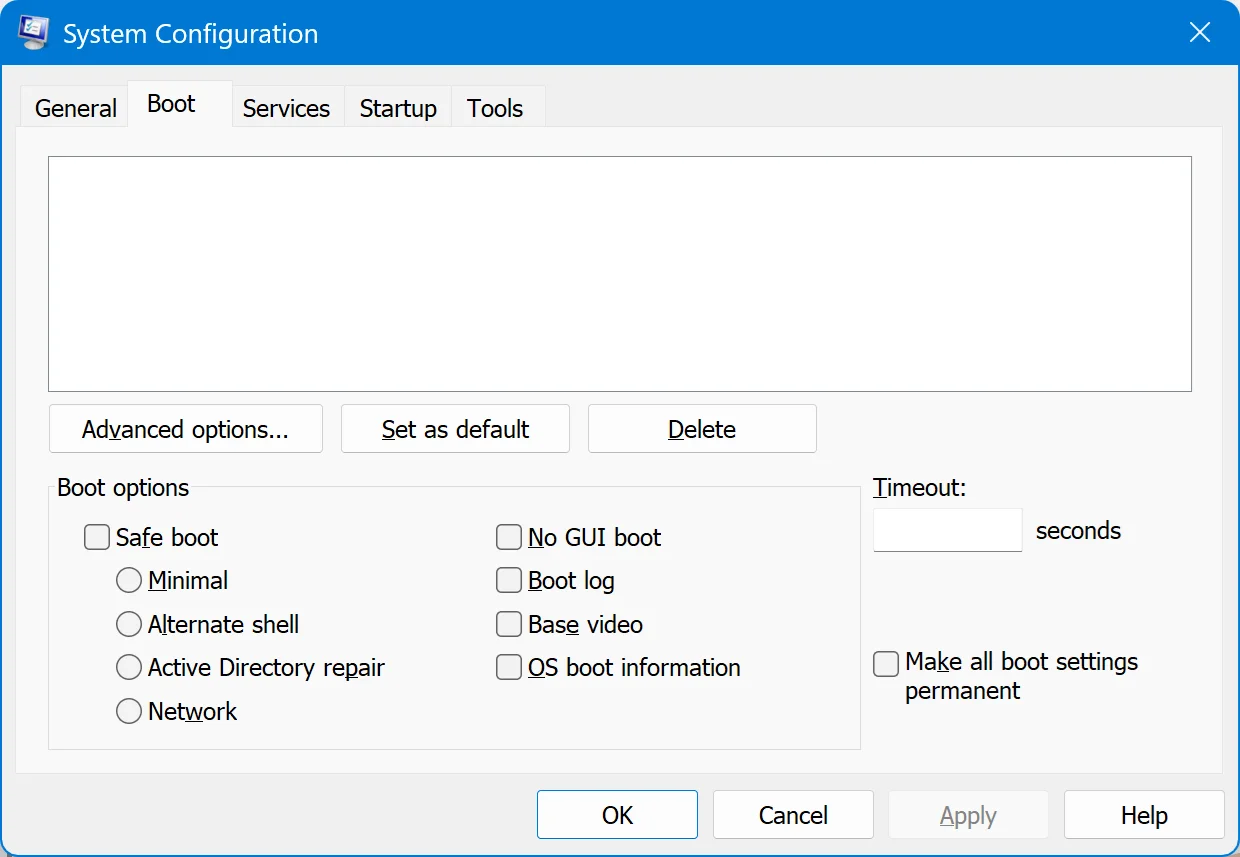
I then attempted to fix it by entering "bcdedit" and got this:
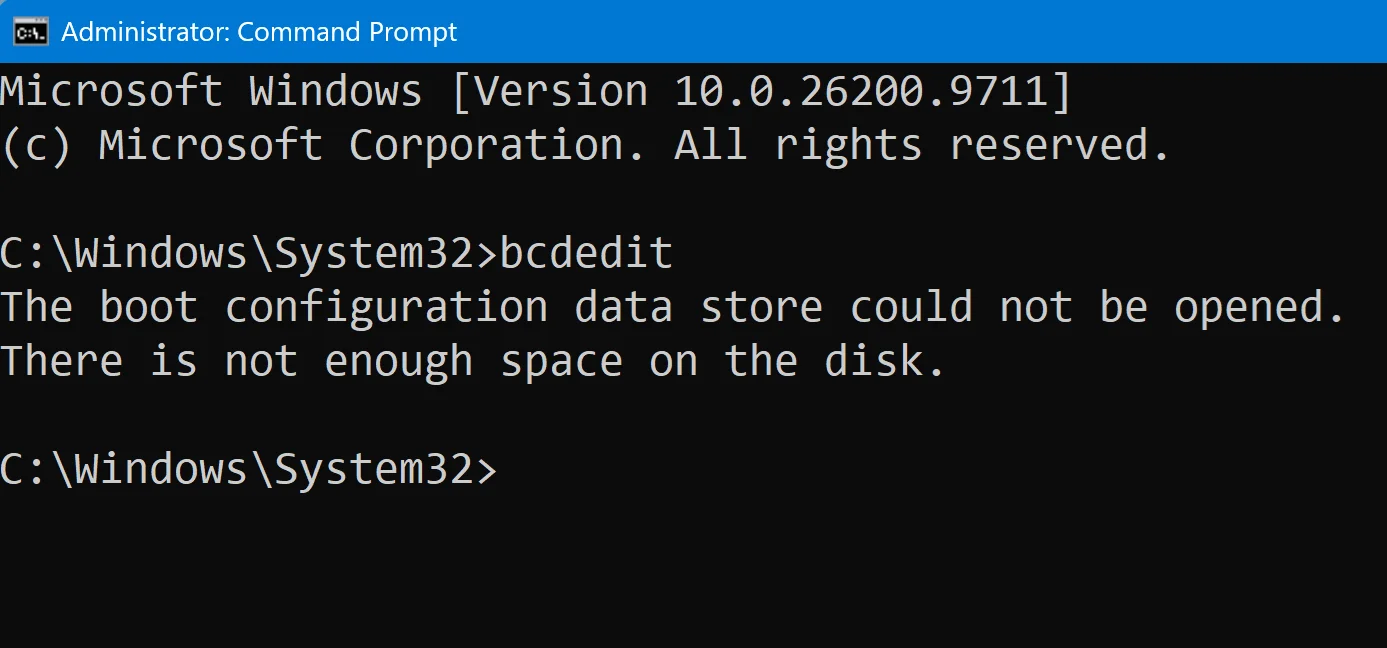
Then tried to load the boot:
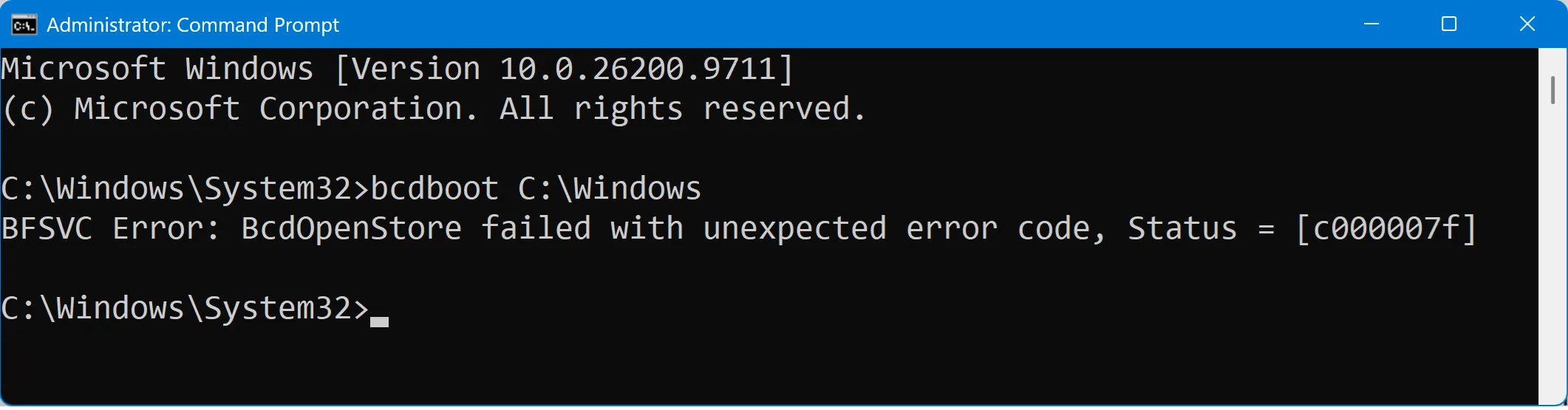
And tried to query the boot:
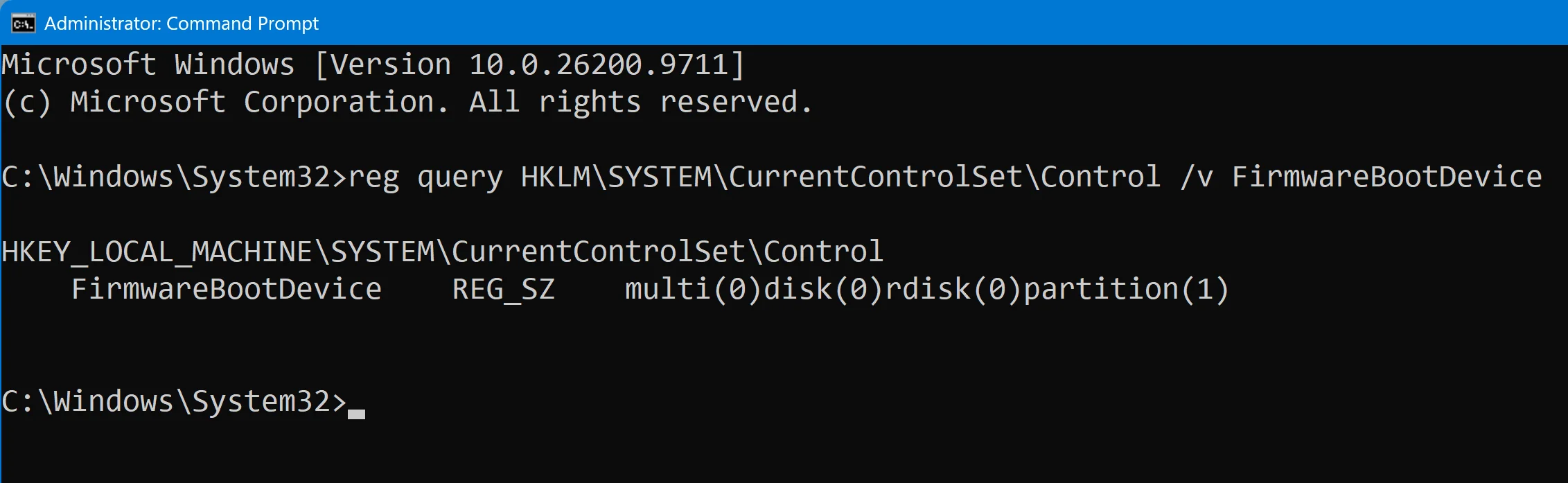
Here is a screenshot of my Disk Manager:
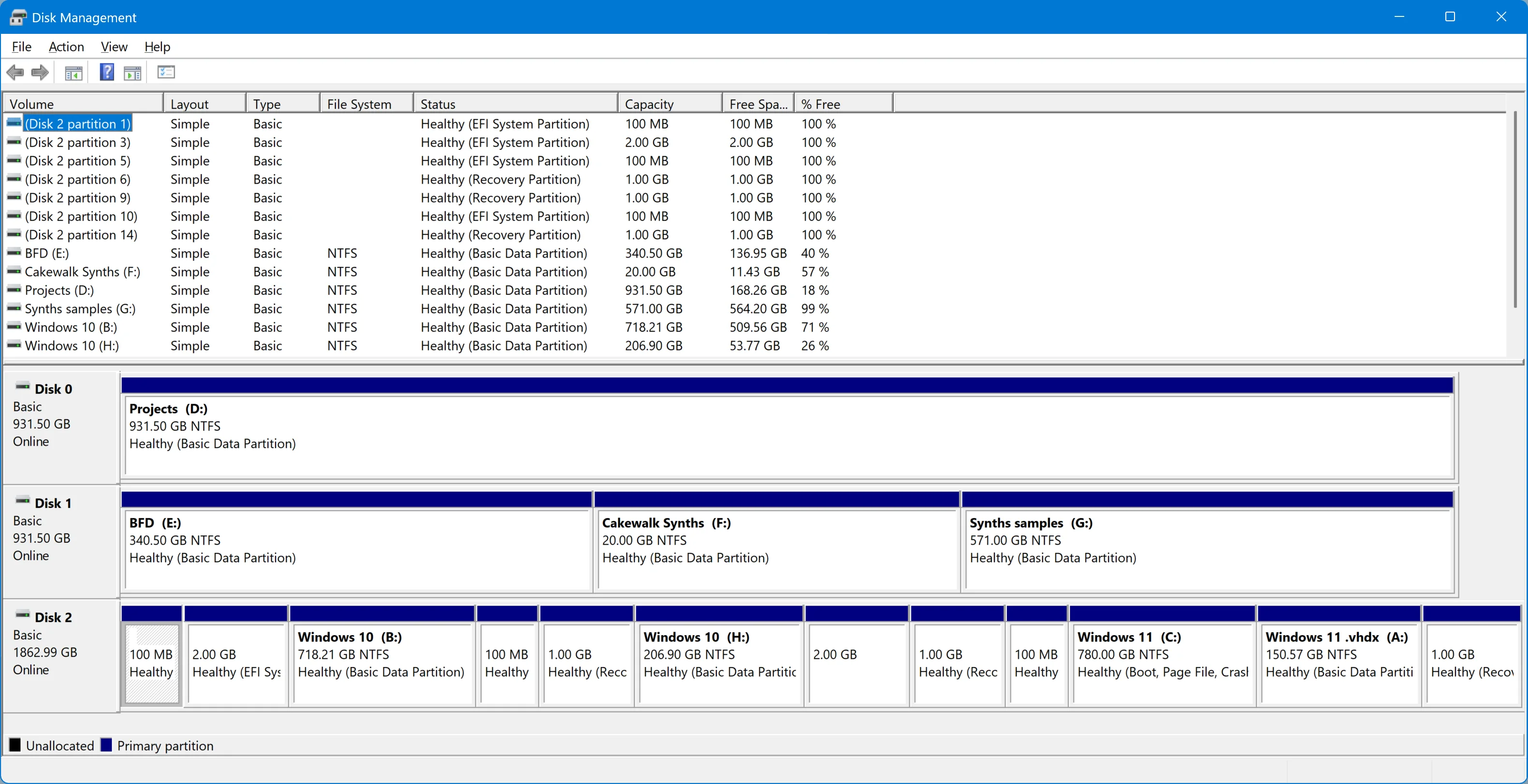
I am sure you guys have been through fixing these boot problems an hundred times, but would you be so kind as to help me out one more time and help me fix my system? I would really, greatly appreciate it.
Kind regards,
tecknot
Yes, I did it again...screwed up my system. I have a dual boot system. I attempted to create another Windows 10 installation with a restored backup (via Acronis 2020) for use as a virtual machine in Windows 11. So, I created new partitions off of my original Windows 10 partition for the prescribed Windows partitions (EFI, MSR, Windows & Recovery(?)), as H:. However, after restoring my backup (which is a copy of my original Windows 10 installation) and rebooting, my system just hung for a very long time at the manufacture's splash screen and the booted directly into Windows 11. The option for booting into an operating system never came up. So, the first thing I did was check my System Configuration for the boot order and found this:
I then attempted to fix it by entering "bcdedit" and got this:
Then tried to load the boot:
And tried to query the boot:
Here is a screenshot of my Disk Manager:
I am sure you guys have been through fixing these boot problems an hundred times, but would you be so kind as to help me out one more time and help me fix my system? I would really, greatly appreciate it.
Kind regards,
tecknot
My Computers
-
At a glance
Windows 11 Pro 25H2 build 26300.9725Intel i7 8750H @ 2.2 GHz16 GB (all Samsung) DDR4-3200 SODIMM (non-ECC...Intel UHD Graphics 630 & NVIDIA Quadro P600- OS
- Windows 11 Pro 25H2 build 26300.9725
- Computer type
- Laptop
- Manufacturer/Model
- Lenovo ThinkPad Workstation P72
- CPU
- Intel i7 8750H @ 2.2 GHz
- Motherboard
- Lenovo 01YU291
- Memory
- 16 GB (all Samsung) DDR4-3200 SODIMM (non-ECC) PCIe 3
- Graphics Card(s)
- Intel UHD Graphics 630 & NVIDIA Quadro P600
- Sound Card
- Realtek ALC3286 & Focusrite Saffire 24 Pro DSP
- Monitor(s) Displays
- 17.3"
- Screen Resolution
- 3840x2160
- Hard Drives
- 1TB SSD Samsung 860 EVO SATA 3
1TB SSD Samsung 970 EVO M.2 NVMe PCIe 3 x 4
2TB SSD Samsung 990 PRO M.2 NVMe PCIe 3 x 4
- PSU
- 230W
- Cooling
- fan
- Keyboard
- UltraNav
- Mouse
- Kensington wireless Orbit
- Internet Speed
- 640Mbps
- Browser
- DuckDuckGo and Firefox
- Antivirus
- Defender
- Other Info
- CM246 Chipset
-
VM with Windows 11 26H2 b 26300.9725: 4 GB (all Samsung) DDR4-3200 SODIMM (non-ECC) PCIe 3; 150GB on SSD Samsung 990 PRO M.2 NVMe PCIe 3 x 4






