No Right Click


Clayton

Active member
Member
Local time
10:15 AM
Posts
13
OS
Windows 11 Professional for Workstations
I am having issues with my mouse Logitech MX Master 3
Right click stops working on certain icons and so does double click, some areas of Windows 11 are ok and some are not.
To fix this I need to ctrl/alt/delete then cancel and everything comes right until it happens again
Any idea's?
 
Windows Build/Version
11

My Computer My Computer

At a glance

Windows 11 Professional for Workstations2x Xeon E5-2697 v4 @ 2.30GHz128GBNvidia Quadro MX4000
OS
Windows 11 Professional for Workstations
Computer type
PC/Desktop
Manufacturer/Model
Dell
CPU
2x Xeon E5-2697 v4 @ 2.30GHz
Motherboard
Dell 0NK5PH
Memory
128GB
Graphics Card(s)
Nvidia Quadro MX4000
Sound Card
Realtek Onboard
Monitor(s) Displays
Dell
Hard Drives
Seagate 400GB SAS SSD
PSU
1300W
Case
Dell Precision T-7610 Workstation
Mouse
Logitech MX Master 3
Internet Speed
Logitech Craft
Browser
Microsoft Edge
Antivirus
Windows Security
Have you tried another mouse to see if it is a mouse fault? It could also be a Wi-Fi issue.
 

My Computers My Computers

  • At a glance

    Windows 11 ProAMD Ryzen 9 8945HS32GB DDR5 SO-DIMMIntegrated AMD Radeon 780M (4.00 GHz)
    OS
    Windows 11 Pro
    Computer type
    PC/Desktop
    Manufacturer/Model
    GMKtec K11
    CPU
    AMD Ryzen 9 8945HS
    Memory
    32GB DDR5 SO-DIMM
    Graphics Card(s)
    Integrated AMD Radeon 780M (4.00 GHz)
    Monitor(s) Displays
    Benq 2250HM
    Screen Resolution
    1920 x 1080
    Hard Drives
    1 TB PCIe 4.0 NVMe M.2 SSD
  • At a glance

    Windows 11 HomeIntel® Core™ Ultra 7 - 255H processor16 GB LPDDR5 SDRAMIntel Arc 140T onboard graphics
    Operating System
    Windows 11 Home
    Computer type
    Laptop
    Manufacturer/Model
    ASUS Zenbook 14 OLED 14" Laptop - UX3405CA-QL192W
    CPU
    Intel® Core™ Ultra 7 - 255H processor
    Memory
    16 GB LPDDR5 SDRAM
    Graphics card(s)
    Intel Arc 140T onboard graphics
    Screen Resolution
    1920 x 1200 (16:10 WUXGA resolution) OLED Touchscreen
    Hard Drives
    1TB SSD
I am having issues with my mouse Logitech MX Master 3
Right click stops working on certain icons and so does double click, some areas of Windows 11 are ok and some are not.
To fix this I need to ctrl/alt/delete then cancel and everything comes right until it happens again
Any idea's?
I had a similar issue and it turned out to be the mouse itself. It's a relatively inexpensive fix for the problem and in my case it worked flawlessly. I hope you have a similar experience as I had.

- bob
 

My Computers My Computers

  • At a glance

    Windows 11 Professional (x64)Intel Core i916 GBNVIDIA GeForce RTX
    OS
    Windows 11 Professional (x64)
    Computer type
    Laptop
    Manufacturer/Model
    Dell Inc. G16
    CPU
    Intel Core i9
    Motherboard
    Dell Inc. 0FDMYT A00
    Memory
    16 GB
    Graphics Card(s)
    NVIDIA GeForce RTX
    Sound Card
    Realtek(R) Audio
    Monitor(s) Displays
    Generic PnP Monitor (15.3"vis)
    Screen Resolution
    2560 x 1600
    Hard Drives
    4TB SSD
    PSU
    Dell
    Case
    Laptop
    Cooling
    Air
    Keyboard
    Dell
    Mouse
    Logitech
    Internet Speed
    10 Mbps (Dismal, slow DSL over phone line)
    Browser
    Google Chrome
    Antivirus
    Webroot SecureAnywhere
  • At a glance

    Windows 11 Pro
    Operating System
    Windows 11 Pro
    Computer type
    PC/Desktop
    Manufacturer/Model
    Dell
But why would ctrl/alt/delete then cancel fix it ? I'll get a new mouse anyway,
 

My Computer My Computer

At a glance

Windows 11 Professional for Workstations2x Xeon E5-2697 v4 @ 2.30GHz128GBNvidia Quadro MX4000
OS
Windows 11 Professional for Workstations
Computer type
PC/Desktop
Manufacturer/Model
Dell
CPU
2x Xeon E5-2697 v4 @ 2.30GHz
Motherboard
Dell 0NK5PH
Memory
128GB
Graphics Card(s)
Nvidia Quadro MX4000
Sound Card
Realtek Onboard
Monitor(s) Displays
Dell
Hard Drives
Seagate 400GB SAS SSD
PSU
1300W
Case
Dell Precision T-7610 Workstation
Mouse
Logitech MX Master 3
Internet Speed
Logitech Craft
Browser
Microsoft Edge
Antivirus
Windows Security
But why would ctrl/alt/delete then cancel fix it?
A glitch with Windows Input Experience perhaps.
I'll get a new mouse anyway...
Is the mouse connected via Bluetooth or Unifying Receiver?
is Logitech Options up to date?
is the mouse firmware up to date?
I hate to suggest it but, is the mouse charged?

My MX Master 3s some times acts up connected via Bluetooth, especially with Logitech Flow enabled!
 

My Computers My Computers

  • At a glance

    Windows 11 Pro
    OS
    Windows 11 Pro
    Computer type
    PC/Desktop
    Manufacturer/Model
    ASUS ROG Strix
  • At a glance

    Windows 11 Pro
    Operating System
    Windows 11 Pro
    Computer type
    Laptop
    Manufacturer/Model
    ASUS VivoBook
  • ASUS VivoBook 'Lite' ~ Windows 11 Home
Mouse connected to Unfi and everything is updated including firmware, I don't have Flow enabled
Battery fully charged
 

My Computer My Computer

At a glance

Windows 11 Professional for Workstations2x Xeon E5-2697 v4 @ 2.30GHz128GBNvidia Quadro MX4000
OS
Windows 11 Professional for Workstations
Computer type
PC/Desktop
Manufacturer/Model
Dell
CPU
2x Xeon E5-2697 v4 @ 2.30GHz
Motherboard
Dell 0NK5PH
Memory
128GB
Graphics Card(s)
Nvidia Quadro MX4000
Sound Card
Realtek Onboard
Monitor(s) Displays
Dell
Hard Drives
Seagate 400GB SAS SSD
PSU
1300W
Case
Dell Precision T-7610 Workstation
Mouse
Logitech MX Master 3
Internet Speed
Logitech Craft
Browser
Microsoft Edge
Antivirus
Windows Security
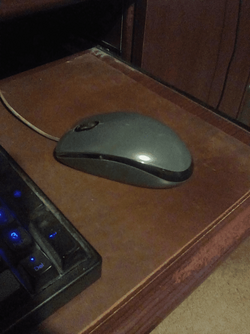
My $9 Logitech M-100 USB mouse, never has problems.
No software, no firmware, no angry exes, etc. :-)

I suggest anyone who uses those expensive mice, get an M-100 and keep it in a drawer somewhere,
for testing purposes at times like these.
Just about everyone sells them.

Logitech M-100 mouse


image1.png
 
Last edited:

My Computers My Computers

  • At a glance

    Win 11 Home ♦♦♦26200.9278 ♦♦♦♦♦♦♦25H2AMD Ryzen 7 3700XG.Skill (F4-3200C14D-16GTZKW)EVGA RTX 2070 (08G-P4-2171-KR)
    OS
    Win 11 Home ♦♦♦26200.9278 ♦♦♦♦♦♦♦25H2
    Computer type
    PC/Desktop
    Manufacturer/Model
    Built by Ghot® [May 2020]
    CPU
    AMD Ryzen 7 3700X
    Motherboard
    Asus Pro WS X570-ACE (BIOS 5302)
    Memory
    G.Skill (F4-3200C14D-16GTZKW)
    Graphics Card(s)
    EVGA RTX 2070 (08G-P4-2171-KR)
    Sound Card
    Realtek ALC1220P / ALC S1220A
    Monitor(s) Displays
    Dell U3011 30"
    Screen Resolution
    2560 x 1600
    Hard Drives
    2x Samsung 860 EVO 500GB,
    WD 4TB Black FZBX - SATA III,
    WD 8TB Black FZBX - SATA III,
    DRW-24B1ST CD/DVD Burner
    PSU
    PC Power & Cooling 750W Quad EPS12V
    Case
    Cooler Master ATCS 840 Tower
    Cooling
    CM Hyper 212 EVO (push/pull)
    Keyboard
    Ducky DK9008 Shine II Blue LED
    Mouse
    Logitech Optical M-100
    Internet Speed
    300/300
    Browser
    Firefox (latest)
    Antivirus
    Bitdefender Total Security
    Other Info
    Speakers: Klipsch Pro Media 2.1
  • At a glance

    Windows XP Pro 32bit w/SP3AMD Athlon 64 X2 5000+ (OC'd @ 3.2Ghz)TWIN2X2048-6400C4DHX (2 x 1GB, DDR2 800)EVGA 256-P2-N758-TR GeForce 8600GT SSC
    Operating System
    Windows XP Pro 32bit w/SP3
    Computer type
    PC/Desktop
    Manufacturer/Model
    Built by Ghot® (not in use)
    CPU
    AMD Athlon 64 X2 5000+ (OC'd @ 3.2Ghz)
    Motherboard
    ASUS M2N32-SLI Deluxe Wireless Edition
    Memory
    TWIN2X2048-6400C4DHX (2 x 1GB, DDR2 800)
    Graphics card(s)
    EVGA 256-P2-N758-TR GeForce 8600GT SSC
    Sound Card
    Onboard
    Monitor(s) Displays
    ViewSonic G90FB Black 19" Professional (CRT)
    Screen Resolution
    up to 2048 x 1536
    Hard Drives
    WD 36GB 10,000rpm Raptor SATA
    Seagate 80GB 7200rpm SATA
    Lite-On LTR-52246S CD/RW
    Lite-On LH-18A1P CD/DVD Burner
    PSU
    PC Power & Cooling Silencer 750 Quad EPS12V
    Case
    Generic Beige case, 80mm fans
    Cooling
    ZALMAN 9500A 92mm CPU Cooler
    Keyboard
    Logitech Classic Keybooard 200
    Mouse
    Logitech Optical M-BT96a
    Internet Speed
    300/300
    Browser
    Firefox 3.x ??
    Antivirus
    Symantec (Norton)
    Other Info
    Still assembled, still runs. Haven't turned it on for 15 years?
My $9 Logitech M-100 USB mouse, never has problems.
I suggest anyone who uses those expensive mice, get an M-100 and keep it in a drawer somewhere,
for testing purposes at times like these.
I have two USB mice I keep in my computer desk drawer. They came with my desktops.
 

My Computers My Computers

  • At a glance

    Windows 11 Pro 25H2Intel Core i7-10700K16GB (8GB PC4-19200 DDR4 SDRAM x2)NVIDIA GeForce GTX 1050 TI
    OS
    Windows 11 Pro 25H2
    Computer type
    PC/Desktop
    Manufacturer/Model
    PowerSpec B746
    CPU
    Intel Core i7-10700K
    Motherboard
    ASRock Z490 Phantom Gaming 4/ax
    Memory
    16GB (8GB PC4-19200 DDR4 SDRAM x2)
    Graphics Card(s)
    NVIDIA GeForce GTX 1050 TI
    Sound Card
    Realtek Audio
    Monitor(s) Displays
    #1. LG ULTRAWIDE 34" #2. AOC Q32G2WG3 32"
    Screen Resolution
    #1. 3440 X 1440 #2. 1920 x 1080
    Hard Drives
    NVMe WDC WDS100T2B0C-00PXH0 1TB
    Samsung SSD 860 EVO 1TB
    PSU
    750 Watts (62.5A)
    Case
    PowerSpec/Lian Li ATX 205
    Keyboard
    Logitech K270
    Mouse
    Logitech M185
    Browser
    Microsoft Edge and Firefox
    Antivirus
    Webroot SecureAnywhere CE 26.1
  • At a glance

    Windows 11 Canary ChannelIntel Core i5-8400 CPU @ 2.80GHz16 MB DDR 4-2666
    Operating System
    Windows 11 Canary Channel
    Computer type
    PC/Desktop
    Manufacturer/Model
    PowerSpec G156
    CPU
    Intel Core i5-8400 CPU @ 2.80GHz
    Motherboard
    AsusTeK Prime B360M-A
    Memory
    16 MB DDR 4-2666
    Monitor(s) Displays
    23" Speptre HDMI 75Hz
    Screen Resolution
    1920x1080
    Hard Drives
    Samsung 970 EVO 500GB NVMe
    Keyboard
    Logitek K270
    Mouse
    Logitek M185
    Browser
    Firefox, Edge and Edge Canary
    Antivirus
    Windows Defender
This also happens with left click, it's not the mouse that's the issue as I am having the same problem on a Toshiba Laptop using a Microsoft USB mouse.
Go Figure!!
 

My Computer My Computer

At a glance

Windows 11 Professional for Workstations2x Xeon E5-2697 v4 @ 2.30GHz128GBNvidia Quadro MX4000
OS
Windows 11 Professional for Workstations
Computer type
PC/Desktop
Manufacturer/Model
Dell
CPU
2x Xeon E5-2697 v4 @ 2.30GHz
Motherboard
Dell 0NK5PH
Memory
128GB
Graphics Card(s)
Nvidia Quadro MX4000
Sound Card
Realtek Onboard
Monitor(s) Displays
Dell
Hard Drives
Seagate 400GB SAS SSD
PSU
1300W
Case
Dell Precision T-7610 Workstation
Mouse
Logitech MX Master 3
Internet Speed
Logitech Craft
Browser
Microsoft Edge
Antivirus
Windows Security
I suspect that your display driver might be causing these effects.
I suggest you go to Dell drivers & downloads, enter your Dell Service tag then get another copy [even if it is the same version as the one you have now] and install it.
There's no test for a corrupted display driver so replacing it is the only means of finding out of it is the cause of your problems.

Best of luck,
Denis
 

My Computer My Computer

At a glance

Windows 11 Home x64 Version 25H2 Build 26200....
OS
Windows 11 Home x64 Version 25H2 Build 26200.9168
Ok, I have updated the Video drivers from Nvidia and will see how it goes.
But like I said, I am also having this issue with a clean installed Windows 11 on a Toshiba Laptop using a wired USB mouse.
I don't think both computers have corrupted display drivers then again they both use Nvidia

Desktop Quadro M4000
Laptop GeForce 930M

I also notice weather it is related or not is when I open a window then another one within the window, it opens behind it
 

My Computer My Computer

At a glance

Windows 11 Professional for Workstations2x Xeon E5-2697 v4 @ 2.30GHz128GBNvidia Quadro MX4000
OS
Windows 11 Professional for Workstations
Computer type
PC/Desktop
Manufacturer/Model
Dell
CPU
2x Xeon E5-2697 v4 @ 2.30GHz
Motherboard
Dell 0NK5PH
Memory
128GB
Graphics Card(s)
Nvidia Quadro MX4000
Sound Card
Realtek Onboard
Monitor(s) Displays
Dell
Hard Drives
Seagate 400GB SAS SSD
PSU
1300W
Case
Dell Precision T-7610 Workstation
Mouse
Logitech MX Master 3
Internet Speed
Logitech Craft
Browser
Microsoft Edge
Antivirus
Windows Security
Are you running onedrive? I had the same issue, when it was running, it was OK after closing it and restarting explorer.
 

My Computer My Computer

At a glance

Home2FH2CanAMD Ryzen 5 8600G (07/24)2x32GB Kingston FURY DDR5 5600 MHz CL36 @5200...ASROCK Radeon RX 6600 Challenger D 8G @48FPS ...
OS
Home2FH2Can
Computer type
PC/Desktop
CPU
AMD Ryzen 5 8600G (07/24)
Motherboard
ASROCK B650M-HDV/M.2 (07/24) BIOS 4.43 AGESA ComboAM5 1.3.0.1b Patch A (07/26)
Memory
2x32GB Kingston FURY DDR5 5600 MHz CL36 @5200 CL40 (07/24)
Graphics Card(s)
ASROCK Radeon RX 6600 Challenger D 8G @48FPS (08/24)
Sound Card
Creative Sound BlasterX AE-5 Plus (05/24)
Monitor(s) Displays
24" Philips 24M1N3200ZS/00 (05/24)
Screen Resolution
1920×1080@165Hz via DP1.4
Hard Drives
Kingston KC3000 NVMe 2TB (05/24)
ADATA XPG GAMMIX S11 Pro 512GB (07/19)
PSU
Seasonic Core GM 550 Gold (04/24)
Case
Fractal Design Define 7 Mini with 3x Noctua NF-P14s/12@555rpm (04/24)
Cooling
Noctua NH-U12S with Noctua NF-P12 (04/24)
Keyboard
HP Pavilion Wired Keyboard 300 (07/24) + Rabalux 76017 Parker (01/24)
Mouse
Logitech M330 Silent Plus (07/26)
Internet Speed
500/100 Mbps via RouterOS (05/21) & TCP Optimizer
Browser
Edge, Brave for YouTube, LibreWolf for FB
Antivirus
NextDNS blocking 1/3 Traffic
Other Info
Phone: Motorola Moto G86 (02/26)
Backup: Hasleo Backup Suite (PreOS)
Headphones: Sennheiser RS170 (09/10)
Chair: Huzaro Force 4.4 Grey Mesh (05/24)
Notifier: Xiaomi Mi Band 9 Milanese (10/24)
FlexCore USB-C 3.2 Gen 1 (M) to LAN (F) (08/25)
Yes
 

My Computer My Computer

At a glance

Windows 11 Professional for Workstations2x Xeon E5-2697 v4 @ 2.30GHz128GBNvidia Quadro MX4000
OS
Windows 11 Professional for Workstations
Computer type
PC/Desktop
Manufacturer/Model
Dell
CPU
2x Xeon E5-2697 v4 @ 2.30GHz
Motherboard
Dell 0NK5PH
Memory
128GB
Graphics Card(s)
Nvidia Quadro MX4000
Sound Card
Realtek Onboard
Monitor(s) Displays
Dell
Hard Drives
Seagate 400GB SAS SSD
PSU
1300W
Case
Dell Precision T-7610 Workstation
Mouse
Logitech MX Master 3
Internet Speed
Logitech Craft
Browser
Microsoft Edge
Antivirus
Windows Security
I think this could be the actual problem

https://www.spamsite.com/threads/ne...Windows_Appear_BEHIND_Currently_Opened_Window
 

My Computer My Computer

At a glance

Windows 11 Professional for Workstations2x Xeon E5-2697 v4 @ 2.30GHz128GBNvidia Quadro MX4000
OS
Windows 11 Professional for Workstations
Computer type
PC/Desktop
Manufacturer/Model
Dell
CPU
2x Xeon E5-2697 v4 @ 2.30GHz
Motherboard
Dell 0NK5PH
Memory
128GB
Graphics Card(s)
Nvidia Quadro MX4000
Sound Card
Realtek Onboard
Monitor(s) Displays
Dell
Hard Drives
Seagate 400GB SAS SSD
PSU
1300W
Case
Dell Precision T-7610 Workstation
Mouse
Logitech MX Master 3
Internet Speed
Logitech Craft
Browser
Microsoft Edge
Antivirus
Windows Security
Back
Top Bottom