

hispanico
Well-known member
- Local time
- 3:36 AM
- Posts
- 52
- OS
- Windows 11 Pro - 25H2
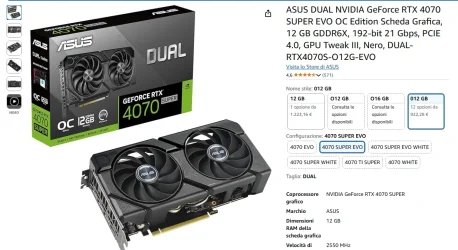
I have Windows 11 Pro, Intel(R) Core(TM) i7-9700K CPU @ 3.60GHz, ROG MAXIMUS XI HERO, 32GB, nvidia 4070 super a ViewSonic 32" VX3276-QHD monitor in all in a Big Tower with 3 large fans.
This problem happens to me more often in this summer period when it is hotter.
Basically after a while that I use the computer whether I play games or even if it remains on without doing anything, the monitor begins to flicker and after a while sometimes it also becomes completely black.
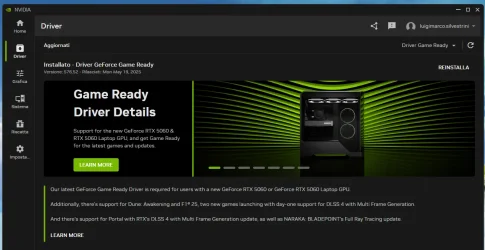
I tried to use different new or even old drivers but the problem does not resolve, but by chance I noticed that if I go into the advanced settings of the screen, I select a different refresh rate but then I do not confirm it the problem disappears.
So where is the problem and how can I solve it?
Thank
Hispa
This problem happens to me more often in this summer period when it is hotter.
Basically after a while that I use the computer whether I play games or even if it remains on without doing anything, the monitor begins to flicker and after a while sometimes it also becomes completely black.
I tried to use different new or even old drivers but the problem does not resolve, but by chance I noticed that if I go into the advanced settings of the screen, I select a different refresh rate but then I do not confirm it the problem disappears.
So where is the problem and how can I solve it?
Thank
Hispa
- Windows Build/Version
- Windows 11 Pro 24H2
Attachments





My Computer
At a glance
Windows 11 Pro - 25H2AMD Ryzen 9 9950X3D48gbNvidia
- OS
- Windows 11 Pro - 25H2
- Computer type
- PC/Desktop
- Manufacturer/Model
- Asus
- CPU
- AMD Ryzen 9 9950X3D
- Motherboard
- Asus X870E Hero
- Memory
- 48gb
- Graphics Card(s)
- Nvidia
- Sound Card
- Integrated
- Monitor(s) Displays
- ViewSonis 32"






