Here are 3 comments I've managed to find, they are both from years ago when the game was newer thougher. How could I tackle this, or should I just give this up and write the game off.
1. Save game failed. The Game Could Not Be Saved
This is the message I KEEP getting every time I try and save my game and I have no idea why. I have even tried deleting the game and re-installing it. And still I keep getting this message, every time I set up and try to save a new game
2.
Just had the same problem, head battered with it all started trawling through fm2010 forums. Mine turned out to be not enough free space on the drive (3 file rolling save 500mb per file) some sort of error code would have helped though! If not that try deleting fm2012 folder found in appdata\roaming\sports interactive.
Cheers
3.
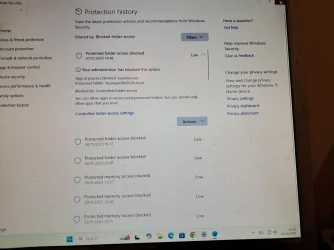
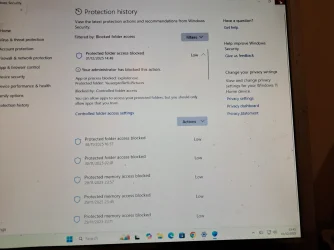
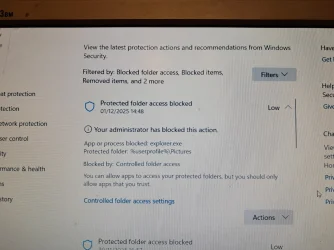
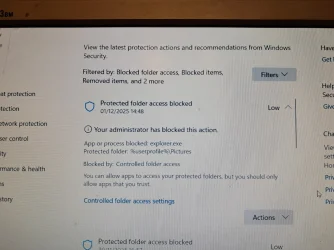
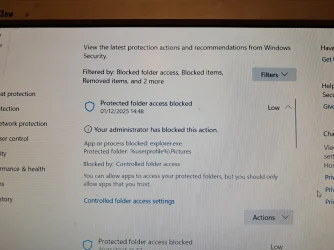
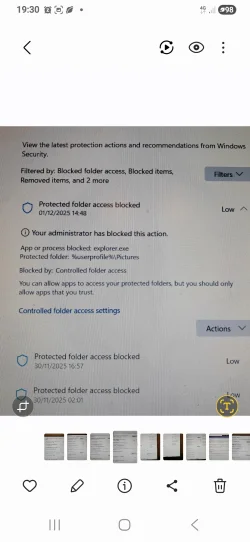
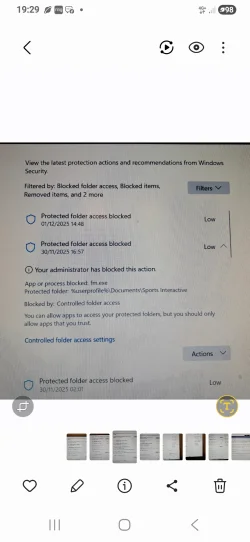
Everytime I click save on FM 2012, it comes up with a box saying unable to save, I've tried deleting the Football manager 2012 folder in AppData, but it won't let me, and also I have room on my drive, so space isn't an issue, can someone please help as I want my careers to be saved














 Browsers and Mail Pin and Unpin Tabs in Microsoft Edge on Windows 11
 Browsers and Mail Enable or Disable Ask Before Closing window with Pinned Tabs in Edge
 Browsers and Mail Enable or Disable On-device Generative AI models in Microsoft Edge on Windows 11
 Apps Enable or Disable Energy Saver for Copilot Web Browsing in Windows 11