Overwhelmed - Macrium Reflect


Unfortunately, it doesn't work for me on my 26200 device. Somehow the earlier driver disappeared. It does however still work on a different device with 28000. I tried a March repair/update iso without updating and that seems to do the trick. Was mostly curious if there was a manual way to reinstall the earlier driver without resorting to the repair/update iso solution. Your script does otherwise work wonderfully though, so thank you!
 

My Computer

System One

  • OS
    Windows 11
Does the script work for the macrium boot media or do you have to disable the block list for the boot media? I have done a litle batch file for the purpose, if it is necessary.
 

My Computers

System One System Two

  • OS
    Win7,Win11
    Computer type
    PC/Desktop
    CPU
    i7-9700
    Motherboard
    gigabyte b365m ds3h
    Memory
    2x16gb 3600mhz
    Monitor(s) Displays
    benq gw2480
    PSU
    bequiet pure power 11 400CM
    Cooling
    cryorig m9i
  • Operating System
    win7,win11
    Computer type
    PC/Desktop
    CPU
    i5-8400
    Motherboard
    gigabyte b365m ds3h
    Memory
    2x8gb 3200
    PSU
    xfx pro 450
Unfortunately, it doesn't work for me on my 26200 device. Somehow the earlier driver disappeared. It does however still work on a different device with 28000. I tried a March repair/update iso without updating and that seems to do the trick. Was mostly curious if there was a manual way to reinstall the earlier driver without resorting to the repair/update iso solution. Your script does otherwise work wonderfully though, so thank you!
"C:\Windows\System32\CoreIntegrity\driversipolicy.p7b" is just a file you can copy from another system (it's not specific to any Windows edition, it's only a list of banned drivers by filename and version, and a list of untrusted signing certs).

The script works because if you've updated a system (to April 2026 or later), the old file version is hiding in the WinSxS folders. A problem could happen if you performed a fresh install based on April 2026 or newer ISO, because there is no older version that shipped with Windows.

In order to replace the file, you need TrustedInstaller rights. Don't do the bad thing with takeown/icacls... that can lead to bad things. Download PowerRun, which can open a CMD or PS window with TI rights. Delete the old file, and copy it over from somewhere.

The original idea behind the script was you could always trust the files are authentic, because they're linked from WinSxS. No possibility of getting the wrong file, or having someone give you a hacked policy file. If you don't have other options, copying the file is fine.
 

My Computer

System One

  • OS
    Windows 7
Does the script work for the macrium boot media or do you have to disable the block list for the boot media? I have done a litle batch file for the purpose, if it is necessary.
boot.wim comes with its own copy of driversipolicy.p7b. What you could do is recover the old policy file on a live system, then replace the boot.wim's copy with the old version.

The problem is downstream sources. Macrium takes a cached copy of a boot.wim (it downloaded as a PE kit or copied from WinRE), dresses it up with optional add-on's (drivers, etc.) and makes a new custom boot.wim for you.

So you'd have to figure where you want to replace the boot.wim. Either the upstream boot.wim under \boot\macrium\WinREFiles, or the downstream copy of the custom install.wim it saves to the USB drive. The question is more about maintenance. If you edit the cached boot.wim that Macrium uses as the source, then Macirum will always create a patched copy every time you ask to make a new USB drive.
 

My Computer

System One

  • OS
    Windows 7
Here's what i did to mount the image in Windows 11 without too much of a hassle.

This method might only be available to:
  • Windows 11 Pro
  • Windows 11 Enterprise
  • or Windows 11 Education
In order to use viBoot with Hyper-V manager.

I'm not entirely sure about this.


My Computer

System One

  • OS
    Windows 11 Pro
    Computer type
    PC/Desktop
"C:\Windows\System32\CoreIntegrity\driversipolicy.p7b" is just a file you can copy from another system (it's not specific to any Windows edition, it's only a list of banned drivers by filename and version, and a list of untrusted signing certs).

The script works because if you've updated a system (to April 2026 or later), the old file version is hiding in the WinSxS folders. A problem could happen if you performed a fresh install based on April 2026 or newer ISO, because there is no older version that shipped with Windows.

In order to replace the file, you need TrustedInstaller rights. Don't do the bad thing with takeown/icacls... that can lead to bad things. Download PowerRun, which can open a CMD or PS window with TI rights. Delete the old file, and copy it over from somewhere.

The original idea behind the script was you could always trust the files are authentic, because they're linked from WinSxS. No possibility of getting the wrong file, or having someone give you a hacked policy file. If you don't have other options, copying the file is fine.

I was able to successfully remove the file from the 26200 device and make copy from the 28000 device and install it. The older version of the file is 234kb and the newer 237kb. Unfortunately, it's still blocking the ability to browse the backup in Macrium. Perhaps it's a work in progress? Thank you for the suggestion!

Event Viewer recorded an error: " The psmounterex failed to start due to the following error: A certificate was explicitly revoked by the issuer". Not as aggressive with the errors compared to the newer version.

Edit: I rebooted and it went into system repair mode and was unsuccessful in repairing itself. No problem rebooted using the Rescue USB drive and restored an image from a couple days ago.
 
Last edited:

My Computer

System One

  • OS
    Windows 11
boot.wim comes with its own copy of driversipolicy.p7b. What you could do is recover the old policy file on a live system, then replace the boot.wim's copy with the old version.
I tried replacing it with the driversipolicy.p7b from 26100.8031 winre.wim , didn't work

As I posted previously, pointing macrium at 26100.8031 winre.wim as the custom wim file linked below is one way.


Another way is to disable block list in the wim.
 
Last edited:

My Computers

System One System Two

  • OS
    Win7,Win11
    Computer type
    PC/Desktop
    CPU
    i7-9700
    Motherboard
    gigabyte b365m ds3h
    Memory
    2x16gb 3600mhz
    Monitor(s) Displays
    benq gw2480
    PSU
    bequiet pure power 11 400CM
    Cooling
    cryorig m9i
  • Operating System
    win7,win11
    Computer type
    PC/Desktop
    CPU
    i5-8400
    Motherboard
    gigabyte b365m ds3h
    Memory
    2x8gb 3200
    PSU
    xfx pro 450
"C:\Windows\System32\CoreIntegrity\driversipolicy.p7b" is just a file you can copy from another system (it's not specific to any Windows edition, it's only a list of banned drivers by filename and version, and a list of untrusted signing certs).
The system saves the CodeIntegrity folder (old version?) also in the System Recovery Partition(500Mb) along the path:
[500Mb - System Recovery Partition]\Recovery\WindowsRE\Winre.wim\Windows\System32\CodeIntegrity\

This System partition is inaccessible to the User, but you can backup the partition(500Mb) with the Macrium program, and then view the Backup file.
You can also view this Section if you use the LiveCD boot disk.
 

My Computer

System One

  • OS
    Windows 10/11
    Computer type
    PC/Desktop
    Manufacturer/Model
    Windows 10 21H2 LTSC x64 [MSDN]; Windows 11 24H2 LTSC; m/b Z77-HD3(BIOS-MBR/UEFI); HDD WD 500Gb
I'm coming back to this thread after failing to get the version of MR 8 that's supposed to get around the browsing images problem working.

I eventually contacted customer support and got the advice given here regarding the fix, which I was aware of, although I don't recall if the registry key change I was told to do to fix this was mentioned, but it's been a while, and a torrid time with many dead ends, a huge amount of frustration and confusion, and much profanity. (Warning- skip the next FIVE paragraphs if you aren't interested in a rant).

Recontacting support to see if they had any comment on the failure of their 'fix' resulted in a deafening silence. Oh dear..., not even a 'sorry mate', or maybe even 'we''ll look into it'.

I'm tempted to share my whole experience, of a C drive restore that lead to a completely screwed disk, (which I'm not blaming Macrium for, but I've not been able to eliminate the possibility), beyond any possible recovery at all, resulting in requiring a complete partition deletion of the drive and a clean win 11 install (and a massive re-customising of win 11 that is currently in its 2nd week, and nearly there, but getting dark mode for far too many old style windows menus is proving difficult, such that re-installing Rectify 11 is tempting, despite it probably being involved in some way when my Win 11 got screwed a few years ago. And, despite uninstalling it properly, there appeared to be left-overs, and it also was reported to be 'installed' by anything that lists installed progs. And my substitute strategy I developed, though not perfect, was much more thorough than I've currently got to now.

But, as I said - no in depth report ;-)

And I won't even go into the reg fix issue after I'd found it had no effect, and I'd undone that in the registry, and rebooted, and couldn't sign in to my Bitwarden account because it didn't recognise my master password that I KNOW is correct - such that I eventually got permanently locked out on the PC, then the phone, without any backup of my vault (ugh), but was still able to access it on the tablet, so manually copid and pasted everything to a text file (that wasn't at all trivial), then borked a new account, then nearly borked a third, among yet more panic and confusion. Nope, not going into that at all either.

But now having found I've accidentally moved many hundreds of files within a directory on a separate hard disk to a sub directory, which involves tons of metadata referenced by four different progs (think Lightroom and Capture One territory) I'm very loath to just move them back to where they belong (been there done that, spent ages fixing the mess). Yes, I have backups - macrium of course, and mirrors in two different places. Yep, mirrors, of what exists currently, which gets me nowhere. But browsing a Reflect image almost certainly will, as I'm (almost) certain to find the pre-cockup file structure there).

Now, welcome back to those who just want the real meat.

I haven't actually done this yet, but in a moment of divine inspiration just after I woke up this morning I decided to google the difference between MR8 and MR-X. Radical, eh?

So, it turns out, according to the AI bot, that MR X will access all previous Macrium version images in order to browse them (no restoring of course). What??? This just seems to be the obvious answer to all of us who refuse to participate in the subscription scam - started by Adobe really, in the mass consumer market anyway, hence be being a former long-time Lightroom user, and Capture One for similar, but not QUITE the same, behaviour. Hoping AI is correct. (fool).

It involves the installation of X for the trial version, then lateryou'll obvs need to reinstall your licenced old version for (almost) proper functionality, and repeat this faff every time you want to browse an image. I'll also image my C drive before installing X so I can restore it if the uninstallation borks the C drive.

I suppose I might eventually buy a 1 year sub for X and never renew it though (I haven't actually checked that feasible...). I really don't mind paying a reasonable upgrade price for added features (though so many products that offer an upgrade path in addition to subs seem to charge 50% of a sub for not an actual lot).

BTW, I made the fatal mistake, years ago, to make scheduled backups of the Windows partition on C, so when my whole drive was corrupted (I got a EFI error when trying to boot) I was in deep do-do. I notice now that that's kind of not advised in Marcrium's help. Or, more acurately, more than kind of.

If my strategy doesn't work I'll report back (maybe if it actually does, too).

 
Last edited:

My Computer

System One

  • OS
    Win11
    Computer type
    Laptop
    Manufacturer/Model
    ASUS
So, it turns out, according to the AI bot, that MR X will access all previous Macrium version images in order to browse them (no restoring). What???
AI is crap ;)

Reflect X is fully backward compatible. It can restore a .mrimg made by Reflect v8 (or V7). I know, I have both vX and v8. In fact, Reflect X can add a Differential or Incremental to a backup set created by v8 and will use the old v8 format to do so.

Macrium said:
Macrium Reflect X introduces a new file format for disk images (.mrimgx) and file and folder backups (.mrbakx). Macrium Reflect X is backward compatible with images and file and folder backups created by Macrium Reflect 7 and Macrium Reflect 8. Existing backup sets will be continued in the existing .mrimg and .mrbak formats until a new backup set is created.
 

My Computers

System One System Two

  • OS
    Windows 11 Home
    Computer type
    Laptop
    Manufacturer/Model
    Acer Aspire 3 A315-23-R9VY
    CPU
    AMD Athlon Silver 3050U
    Memory
    8GB
    Graphics Card(s)
    Radeon Graphics
    Monitor(s) Displays
    laptop screen
    Screen Resolution
    1366x768 native resolution, up to 2560x1440 with Radeon Virtual Super Resolution
    Hard Drives
    1TB Samsung EVO 870 SSD (from April 2026: 250GB EVO 850)
    Internet Speed
    150 Mbps
    Browser
    Edge, Firefox
    Antivirus
    Defender
    Other Info
    fully 'Windows 11 ready' laptop. Windows 10 C: partition migrated from my old unsupported 'main machine' then upgraded to 11. A test migration ran Insider builds for 2 months. When 11 was released on 5th October 2021 it was re-imaged back to 10 and was offered the upgrade in Windows Update on 20th October. Windows Update offered the 22H2 Feature Update on 20th September 2022. It got the 23H2 Feature Update on 4th November 2023 through Windows Update, 24H2 on 3rd October 2024 through Windows Update by setting the Target Release Version for 24H2, and 25H2 on 30th September 2025 through Windows Update by setting the Target Release Version for 25H2.

    UPDATE - 11 April 2026: due to mechanical deterioration this PC has been retired from active duty. The OS with all software and files has been migrated to my System Seven below to carry on as my general purpose 'main machine'.

    My SYSTEM THREE is a Dell Latitude 5410, i7-10610U, 32GB RAM, 512GB NVMe ssd, supported device running Windows 11 Pro.

    My SYSTEM FOUR is a 2-in-1 convertible Lenovo Yoga 11e 20DA, Celeron N2930, 8GB RAM, 256GB ssd. Unsupported device: currently running Win10 Pro, plus Win11 Pro RTM and Insider Dev, Beta, and RP 24H2 as native boot vhdx.

    My SYSTEM FIVE is a Dell Latitude 3190 2-in-1, Pentium Silver N5030, 8GB RAM, 1TB NVMe ssd, supported device running Windows 11 Pro, plus Insider Beta, Dev, and Canary builds (and a few others) as a native boot .vhdx.

    My SYSTEM SIX is a Dell Latitude 5550, Core Ultra 7 165H, 64GB RAM, 1TB NVMe SSD, supported device, Windows 11 Pro 24H2, Hyper-V host machine. Updated to 25H2 on 30th September 2025.

    My SYSTEM SEVEN is a Lenovo Thinkpad T580, Intel Core i7-8650U, 16GB RAM, 512GB NVMe SSD + 2nd 512GB NVMe SSD, a supported device for Windows 11. This is my current general purpose 'main machine'. The installed Windows 11 Home from my System One has been migrated to this machine.
  • Operating System
    Windows 11 Pro
    Computer type
    Laptop
    Manufacturer/Model
    Dell Latitude E4310
    CPU
    Intel® Core™ i5-520M
    Motherboard
    0T6M8G
    Memory
    8GB
    Graphics card(s)
    (integrated graphics) Intel HD Graphics
    Screen Resolution
    1366x768
    Hard Drives
    500GB Crucial MX500 SSD
    Browser
    Firefox, Edge
    Antivirus
    Defender
    Other Info
    unsupported machine: Legacy bios, MBR, TPM 1.2, upgraded from W10 to W11 using W10/W11 hybrid install media workaround. In-place upgrade to 22H2 using ISO and a workaround. Feature Update to 23H2 by manually installing the Enablement Package. In-place upgrade to 24H2 using hybrid 23H2/24H2 install media. Upgraded to 25H2 by Enablement Package. Also running Insider Dev, and Canary builds and Windows 10 as native boot .vhdx.

    My SYSTEM THREE is a Dell Latitude 5410, i7-10610U, 32GB RAM, 512GB NVMe ssd, supported device running Windows 11 Pro.

    My SYSTEM FOUR is a 2-in-1 convertible Lenovo Yoga 11e 20DA, Celeron N2930, 8GB RAM, 256GB ssd. Unsupported device: currently running Win10 Pro, plus Win11 Pro RTM and Insider Dev, Beta, and RP 24H2 as native boot vhdx.

    My SYSTEM FIVE is a Dell Latitude 3190 2-in-1, Pentium Silver N5030, 8GB RAM, 1TB NVMe ssd, supported device running Windows 11 Pro, plus Insider Beta, Dev, and Canary builds (and a few others) as a native boot .vhdx.

    My SYSTEM SIX is a Dell Latitude 5550, Core Ultra 7 165H, 64GB RAM, 1TB NVMe SSD, supported device, Windows 11 Pro 24H2, Hyper-V host machine. Updated to 25H2 on 30th September 2025.

    My SYSTEM SEVEN is a Lenovo Thinkpad T580, Intel Core i7-8650U, 16GB RAM, 512GB NVMe SSD + 2nd 512GB NVMe SSD, a supported device for Windows 11. This is my current general purpose 'main machine'. The installed Windows 11 Home from my System One has been migrated to this machine.
BTW, I made the fatal mistake, years ago, to make scheduled backups of the Windows partition on C, so when my whole drive was corrupted (I got a EFI error when trying to boot) I was in deep do-do. I notice now that that's kind of not advised in Marcrium's help. Or, more acurately, more than kind of.
There is nothing wrong with a scheduled backup, just not only the C: drive.

If something does not work for you then why keep using it. This is like saying my head hurts when I hit it against the wall, but I am going to keep hitting against the wall in case that is not why it hurts.
 

My Computer

System One

  • OS
    Windows 11 Pro
    Computer type
    Laptop
    Manufacturer/Model
    ASUS Zenbook 14 OLED
    CPU
    Intel Core Ultra
    Memory
    16GB
    Graphics Card(s)
    Intel(R) Arc Graphics
    Sound Card
    Realtek High Definition Audio(SST)
    Screen Resolution
    2880 x 1800
    Hard Drives
    500 GB NVMe SSD
    Internet Speed
    1,500Mbps
    Browser
    Firefox, Edge
    Antivirus
    Windows Defender
AI is crap ;)

Reflect X is fully backward compatible. It can restore a .mrimg made by Reflect v8 (or V7). I know, I have both vX and v8. In fact, Reflect X can add a Differential or Incremental to a backup set created by v8 and will use the old v8 format to do so.


Indeed.

Yes, I omitted to say that allegedly the browsing function is still functional after the trial expires. But, then the major downside is having to reinstall the licenced version to make backups. (I wonder how often one can reinstall the trial version?!).

But the whole point is using what I've previously paid for (which is now dysfunctional) and avoiding the subscription scam, and all because of the interference of Microsoft.
 

My Computer

System One

  • OS
    Win11
    Computer type
    Laptop
    Manufacturer/Model
    ASUS
There is nothing wrong with a scheduled backup, just not only the C: drive.

If something does not work for you then why keep using it. This is like saying my head hurts when I hit it against the wall, but I am going to keep hitting against the wall in case that is not why it hurts.

Um, I know :( (now!).

Something that doesn't work for me is Windows. A not uncommon situation I believe - hence forums like this.

Sadly Microsoft have managed to obliterate much of the opposition. A not very common problem in a free market.
 

My Computer

System One

  • OS
    Win11
    Computer type
    Laptop
    Manufacturer/Model
    ASUS
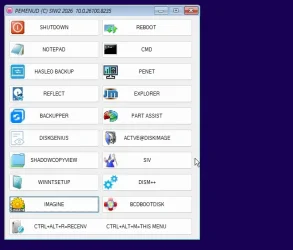
I tried disabling the blocklist in the wim registry. winre.wim 26100.8235

After booting it up, macrium still cannot mount.

It mounts fine in winre.wim 26100.8031

Captured_000.webp
 
Last edited:

My Computers

System One System Two

  • OS
    Win7,Win11
    Computer type
    PC/Desktop
    CPU
    i7-9700
    Motherboard
    gigabyte b365m ds3h
    Memory
    2x16gb 3600mhz
    Monitor(s) Displays
    benq gw2480
    PSU
    bequiet pure power 11 400CM
    Cooling
    cryorig m9i
  • Operating System
    win7,win11
    Computer type
    PC/Desktop
    CPU
    i5-8400
    Motherboard
    gigabyte b365m ds3h
    Memory
    2x8gb 3200
    PSU
    xfx pro 450
I just received this reply to my Macrium ticket -

Your concern has already been addressed. We are confident in closing this matter and resolving this ticket.

I call that being fobbed off!
 

My Computer

System One

  • OS
    Windows 11 Pro
    Computer type
    PC/Desktop
    Manufacturer/Model
    Self build
    CPU
    Core i7-13700K
    Motherboard
    Asus TUF Gaming Plus WiFi Z790
    Memory
    64 GB Kingston Fury Beast DDR5
    Graphics Card(s)
    Gigabyte GeForce RTX 2060 Super Gaming OC 8G
    Sound Card
    Realtek S1200A
    Monitor(s) Displays
    Viewsonic VP2770 & Dell (secondary)
    Screen Resolution
    2560 x 1440
    Hard Drives
    Kingston KC3000 2TB NVME SSD & SATA HDDs & SSD
    PSU
    EVGA SuperNova G2 850W
    Case
    Nanoxia Deep Silence 1
    Cooling
    Noctua NH-D14
    Keyboard
    Microsoft Digital Media Pro
    Mouse
    Logitech Wireless
    Internet Speed
    80 Mb / s
    Browser
    Chrome
    Antivirus
    Defender, Malwarebytes Free & AdwCleaner
Maybe that infers an "imminent fix" ? :confused:
 

My Computer

System One

  • OS
    Windows 10, (also 7, 11, Linux <MINT & ZorinOS>)
    Computer type
    PC/Desktop
    Manufacturer/Model
    HP Z2 G5 Workstation
    CPU
    Intel Core i7-10700
    Motherboard
    HP Model# 8751
    Memory
    32gB (DDR4)
    Graphics Card(s)
    Intel UHD Graphics 630
    Sound Card
    Realtek basic audio
    Monitor(s) Displays
    32" (Viewsonic)
    Screen Resolution
    3840 x 2160
    Hard Drives
    (3) NvME SSDs <(1) PCiE v3>, (1) SATA3 SSD
You may also find other free backup tools to give it a try.
I am not a regular macrium user. Many on this forum have been macrium users for a long time and are now considering alternatives.

Hasleo and Aomei are mentioned a lot.
 
Last edited:

My Computers

System One System Two

  • OS
    Win7,Win11
    Computer type
    PC/Desktop
    CPU
    i7-9700
    Motherboard
    gigabyte b365m ds3h
    Memory
    2x16gb 3600mhz
    Monitor(s) Displays
    benq gw2480
    PSU
    bequiet pure power 11 400CM
    Cooling
    cryorig m9i
  • Operating System
    win7,win11
    Computer type
    PC/Desktop
    CPU
    i5-8400
    Motherboard
    gigabyte b365m ds3h
    Memory
    2x8gb 3200
    PSU
    xfx pro 450
^ Very true. As I mentioned before (maybe in this thread) Macrium's reign as the goto of choice may be ending. I for one do want a subscription based offering. I do use the paid for version of Reflect 8 and up to now I like it but as and when it becomes unsuitable I will not be getting Macrium X as a subscription.

Edit... should read "I for one do not want a subscription based offering"
 
Last edited:

My Computer

System One

  • OS
    W11 Pro x64 ongoing Canary 29500 latest builds
    Computer type
    Laptop
    Manufacturer/Model
    Dell 7760 Mobile Precision 17"
    CPU
    Intel i5
    Motherboard
    Unknown
    Memory
    8Gb
    Graphics Card(s)
    Intel HD Graphics
    Sound Card
    Realtek
    Monitor(s) Displays
    Internal
    Hard Drives
    2 x 256Gb SSD
    PSU
    Dell 240 watt
    Mouse
    Dell Premier Bluetooth
    Internet Speed
    50Mbps
    Browser
    Edge
    Antivirus
    Default Microsoft Security
^ Very true. As I mentioned before (maybe in this thread) Macrium's reign as the goto of choice may be ending. I for one do want a subscription based offering. I do use the paid for version of Reflect 8 and up to now I like it but as and when it becomes unsuitable I will not be getting Macrium X as a subscription.
Did you miss the 'not' out?
 

My Computers

System One System Two

  • OS
    Windows 11 Pro 25H2 26200.8524
    Computer type
    Laptop
    Manufacturer/Model
    Acemagic LX15PRO
    CPU
    AMD Ryzen 7 5825U with Radeon Graphics
    Memory
    16GB
    Screen Resolution
    1920 x 1080
    Hard Drives
    SSD 2TB
    Internet Speed
    30 Mbps
    Browser
    Brave
    Antivirus
    Webroot Secure Anywhere
    Other Info
    System 3

    Acer Swift SF114-34 laptop
    OS Windows 11 Pro 26200.8524
    CPU Pentium Silver N6000
    RAM 4GB
    SSD Samsung 970 EVO Plus SSD 2TB (an upgrade)
  • Operating System
    Windows 11 Pro 23H2 22631.2506
    Computer type
    Laptop
    Manufacturer/Model
    HP Mini 210-1090NR PC (bought in late 2009!)
    CPU
    Atom N450 1.66GHz
    Memory
    2GB
    Browser
    Brave
    Antivirus
    Webroot
I have a 4-pack of v8 licences that I'm keeping in use for as long as possible. But I also have one 3-year subscription for Reflect X that I got for free by trading in a newly purchased v8 perpetual licence, bought specifically for that purpose.

That was a special offer at launch, but now a 3-year subscription is available to all. As I used to average about 3 years between purchasing upgrades, like v7 to v8, it's not really that different in practice.

A Reflect X Home 4-pack for 3-years is 50% off at the standard pricing, and was offered at 65% off for 'World Backup Day' - I may be tempted this coming Black Friday if the discount is high enough ;)
 
Last edited:

My Computers

System One System Two

  • OS
    Windows 11 Home
    Computer type
    Laptop
    Manufacturer/Model
    Acer Aspire 3 A315-23-R9VY
    CPU
    AMD Athlon Silver 3050U
    Memory
    8GB
    Graphics Card(s)
    Radeon Graphics
    Monitor(s) Displays
    laptop screen
    Screen Resolution
    1366x768 native resolution, up to 2560x1440 with Radeon Virtual Super Resolution
    Hard Drives
    1TB Samsung EVO 870 SSD (from April 2026: 250GB EVO 850)
    Internet Speed
    150 Mbps
    Browser
    Edge, Firefox
    Antivirus
    Defender
    Other Info
    fully 'Windows 11 ready' laptop. Windows 10 C: partition migrated from my old unsupported 'main machine' then upgraded to 11. A test migration ran Insider builds for 2 months. When 11 was released on 5th October 2021 it was re-imaged back to 10 and was offered the upgrade in Windows Update on 20th October. Windows Update offered the 22H2 Feature Update on 20th September 2022. It got the 23H2 Feature Update on 4th November 2023 through Windows Update, 24H2 on 3rd October 2024 through Windows Update by setting the Target Release Version for 24H2, and 25H2 on 30th September 2025 through Windows Update by setting the Target Release Version for 25H2.

    UPDATE - 11 April 2026: due to mechanical deterioration this PC has been retired from active duty. The OS with all software and files has been migrated to my System Seven below to carry on as my general purpose 'main machine'.

    My SYSTEM THREE is a Dell Latitude 5410, i7-10610U, 32GB RAM, 512GB NVMe ssd, supported device running Windows 11 Pro.

    My SYSTEM FOUR is a 2-in-1 convertible Lenovo Yoga 11e 20DA, Celeron N2930, 8GB RAM, 256GB ssd. Unsupported device: currently running Win10 Pro, plus Win11 Pro RTM and Insider Dev, Beta, and RP 24H2 as native boot vhdx.

    My SYSTEM FIVE is a Dell Latitude 3190 2-in-1, Pentium Silver N5030, 8GB RAM, 1TB NVMe ssd, supported device running Windows 11 Pro, plus Insider Beta, Dev, and Canary builds (and a few others) as a native boot .vhdx.

    My SYSTEM SIX is a Dell Latitude 5550, Core Ultra 7 165H, 64GB RAM, 1TB NVMe SSD, supported device, Windows 11 Pro 24H2, Hyper-V host machine. Updated to 25H2 on 30th September 2025.

    My SYSTEM SEVEN is a Lenovo Thinkpad T580, Intel Core i7-8650U, 16GB RAM, 512GB NVMe SSD + 2nd 512GB NVMe SSD, a supported device for Windows 11. This is my current general purpose 'main machine'. The installed Windows 11 Home from my System One has been migrated to this machine.
  • Operating System
    Windows 11 Pro
    Computer type
    Laptop
    Manufacturer/Model
    Dell Latitude E4310
    CPU
    Intel® Core™ i5-520M
    Motherboard
    0T6M8G
    Memory
    8GB
    Graphics card(s)
    (integrated graphics) Intel HD Graphics
    Screen Resolution
    1366x768
    Hard Drives
    500GB Crucial MX500 SSD
    Browser
    Firefox, Edge
    Antivirus
    Defender
    Other Info
    unsupported machine: Legacy bios, MBR, TPM 1.2, upgraded from W10 to W11 using W10/W11 hybrid install media workaround. In-place upgrade to 22H2 using ISO and a workaround. Feature Update to 23H2 by manually installing the Enablement Package. In-place upgrade to 24H2 using hybrid 23H2/24H2 install media. Upgraded to 25H2 by Enablement Package. Also running Insider Dev, and Canary builds and Windows 10 as native boot .vhdx.

    My SYSTEM THREE is a Dell Latitude 5410, i7-10610U, 32GB RAM, 512GB NVMe ssd, supported device running Windows 11 Pro.

    My SYSTEM FOUR is a 2-in-1 convertible Lenovo Yoga 11e 20DA, Celeron N2930, 8GB RAM, 256GB ssd. Unsupported device: currently running Win10 Pro, plus Win11 Pro RTM and Insider Dev, Beta, and RP 24H2 as native boot vhdx.

    My SYSTEM FIVE is a Dell Latitude 3190 2-in-1, Pentium Silver N5030, 8GB RAM, 1TB NVMe ssd, supported device running Windows 11 Pro, plus Insider Beta, Dev, and Canary builds (and a few others) as a native boot .vhdx.

    My SYSTEM SIX is a Dell Latitude 5550, Core Ultra 7 165H, 64GB RAM, 1TB NVMe SSD, supported device, Windows 11 Pro 24H2, Hyper-V host machine. Updated to 25H2 on 30th September 2025.

    My SYSTEM SEVEN is a Lenovo Thinkpad T580, Intel Core i7-8650U, 16GB RAM, 512GB NVMe SSD + 2nd 512GB NVMe SSD, a supported device for Windows 11. This is my current general purpose 'main machine'. The installed Windows 11 Home from my System One has been migrated to this machine.
Back
Top Bottom