
- Local time
- 9:50 PM
- Posts
- 202
- OS
- Windows 11 Pro (retail) 23H2 / 26100.4946
Have seen this intermittently.
Print command does not get through to default printer but this seems to be the case ONLY when custom pages are selected. The same document prints if I select to print all pages.
I think I have seen this on two win 11 systems each attached to different printers (same model - Xerox C235).
Sometimes seems to resolve itself and documents print as expected regardless of print settings selected. Not sure how.
Have cleared print spool and restarted Print Spooler Service, also have restarted Windows.
As I was typing this got a windows notification that I have 'unused printers' asking if I want to clean them up. Have no idea if this is in anyway related. Windows reports latest Xerox drivers are installed.
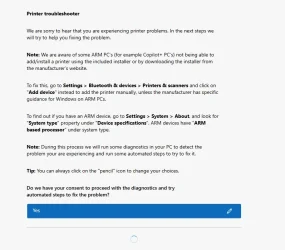
Have run the print treoubleshooter (once I fund it in the supposedly improved new settings screens). Just got spinning blue wheel (now 8 minutes and about to give up).
Has anyone else seen this issue - all responses gratefully received.
Print command does not get through to default printer but this seems to be the case ONLY when custom pages are selected. The same document prints if I select to print all pages.
I think I have seen this on two win 11 systems each attached to different printers (same model - Xerox C235).
Sometimes seems to resolve itself and documents print as expected regardless of print settings selected. Not sure how.
Have cleared print spool and restarted Print Spooler Service, also have restarted Windows.
As I was typing this got a windows notification that I have 'unused printers' asking if I want to clean them up. Have no idea if this is in anyway related. Windows reports latest Xerox drivers are installed.
Have run the print treoubleshooter (once I fund it in the supposedly improved new settings screens). Just got spinning blue wheel (now 8 minutes and about to give up).
Has anyone else seen this issue - all responses gratefully received.
My Computers
-
At a glance
Windows 11 Pro (retail) 23H2 / 26100.4946AMD Ryzen 7 5700G 3.8GHz 8C/16T 65w AM4Corsair Vengeance LPX 64GB (2x32GB) DDR4 3200MHzIntegrated AMD Radeon- OS
- Windows 11 Pro (retail) 23H2 / 26100.4946
- Computer type
- PC/Desktop
- Manufacturer/Model
- Custom (Quiet PC)
- CPU
- AMD Ryzen 7 5700G 3.8GHz 8C/16T 65w AM4
- Motherboard
- ASUSTeK TUF gaming B550M (WI-FI) AM4 Micro-ATX Motherboard
- Memory
- Corsair Vengeance LPX 64GB (2x32GB) DDR4 3200MHz
- Graphics Card(s)
- Integrated AMD Radeon
- Sound Card
- Integrated
- Monitor(s) Displays
- NEC 2470WNX
- Screen Resolution
- 1920 x 1200
- Hard Drives
- Samsung 970 EVOPlus 500GB M.2 NVMe SSD (3500/3200) [operating system]
Samsung 970 EVOPlus 1TB M.2 NVMe SSD (3500/3200) [Data]
Samsung 870 EVOPlus 1TB SATA/600 [Data]
Plus external Samsung 1TB for additional data copies and for Sonos stream
- PSU
- Pure Power 11 400w Quiet PSU PLUS Gold
- Case
- S400 Silencio mATX Quiet PC
- Cooling
- Noctua NF-P12 Redux 12v 900RPM 120mm x2
- Keyboard
- Dell corded usb
- Mouse
- Logitech corded optical
- Internet Speed
- 35 Mbps / 9 Mbps
- Browser
- Firefox, Opera, Edge
- Antivirus
- Windows Security with Malware Bytes
- Other Info
- FTTC 35 Mbps / 9 Mbps
-
At a glance
Windows 10 Pro (standalone licence)Intel Core 5 120U 1.4GHz16GBIntel Integrated- Operating System
- Windows 10 Pro (standalone licence)
- Computer type
- Laptop
- Manufacturer/Model
- Dell DC16250
- CPU
- Intel Core 5 120U 1.4GHz
- Memory
- 16GB
- Graphics card(s)
- Intel Integrated
- Sound Card
- Intel Integrated
- Monitor(s) Displays
- External Philips 230C
- Screen Resolution
- 1920 x 1200
- Hard Drives
- Storage 2TB Crucial SSD
- PSU
- -
- Case
- -
- Cooling
- -
- Keyboard
- -
- Mouse
- -






