The computer has been having BSODs.
The V2 log collector reported: Dell Inspiron 3650
At sometime was there a HP computer: HP Pavilion p6-2016 Desktop PC
Please perform the following steps:
1) Run tuneup_plus > post a share link
Information This thread is for use by the BSOD team to store batch files that can be used to collect additional data, fix settings or anything else that is useful in debugging BSOD problems in Windows 10. The way I see it working is the first
www.tenforums.com
Information This thread is for use by the BSOD team to store batch files that can be used to collect additional data, fix settings or anything else that is useful in debugging BSOD problems in Windows 10. The way I see it working is the first
www.tenforums.com
2) Run diskparinfo > post a share link
Information This thread is for use by the BSOD team to store batch files that can be used to collect additional data, fix settings or anything else that is useful in debugging BSOD problems in Windows 10. The way I see it working is the first
www.tenforums.com
Information This thread is for use by the BSOD team to store batch files that can be used to collect additional data, fix settings or anything else that is useful in debugging BSOD problems in Windows 10. The way I see it working is the first
www.tenforums.com
3) Create a new restore point:
How to Create a System Restore Point in Windows 10
www.tenforums.com
4) Enable regback:
This tutorial will show you how to enable automatic backup of the system registry to the RegBack folder when the computer restarts in Windows 10 and Windows 11. Starting with Windows 10, version 1803, Windows no longer automatically backs up the system registry to the RegBack folder when the...
www.elevenforum.com
5) Open administrative command prompt and copy and paste:
fltmc
reagentc /info
reagentc /enable
reagentc /info
wevtutil epl Application %userprofile%\Desktop\application.evtx
wevtutil epl System %userprofile%\Desktop\system.evtx
Post share links.
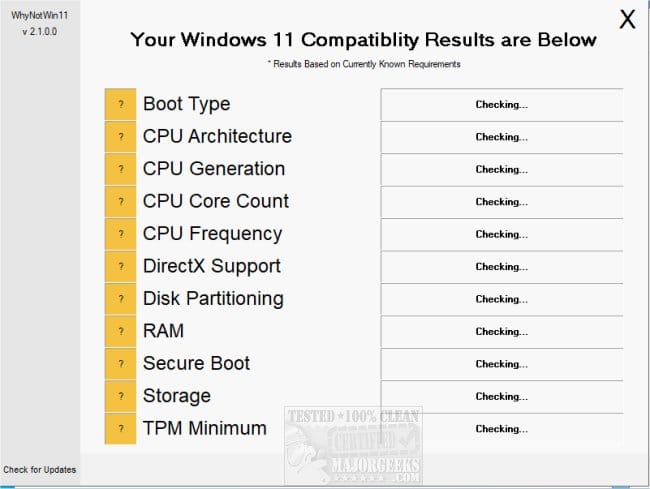
6) Run whynotwin11 > post a share link
WhyNotWin11 lets you know if your machine is Windows 11 compatible by running a small script. WhyNotWin11 is a simple way to find out if your machine is ready for Windows 11. We have a write-up that goes over the various reasons why your Windows 10 machine may not be compatible.
www.majorgeeks.com
7) Read this link on Windows Driver Verifier (WDV):
Enable and Disable Driver Verifier in Windows 10
How to Enable and Disable Driver Verifier in Windows 10
www.tenforums.com
8) Learn the methods to recover from BSOD caused by WDV by booting into safe mode and running one or more of these commands:
verifier /reset
verifier /bootmode resetonbootfail
(option six and five)
How to Boot to Advanced Startup Options in Windows 10
www.tenforums.com
9) Plan to run the tool with various customized test settings.
a) Test all non-Microsoft drivers
b) Test no Microsoft drivers
c) For the first run of WDV select the 3 customized tests displayed in the TF tutorial
10) Whenever the WDV tool is started if there is no immediate BSOD then open administrative command prompt and copy and paste:
verifier /querysettings
Post a share link.
Customized tests will then be posted for the next run of WDV.
WDV can run continuously during the testing.
For any BSOD post a new V2 share link into the newest post.
Code:
Windows 10 Pro 64-bit (10.0, Build 19045) (19041.vb_release.191206-1406)
Code:
Event[577]:
Log Name: System
Source: volmgr
Date: 2026-01-10T09:24:32.1480000Z
Event ID: 46
Task: N/A
Level: Error
Opcode: N/A
Keyword: Classic
User: N/A
User Name: N/A
Computer: BlancheRome-HP
Description:
Crash dump initialization failed!
Code:
Event[1193]:
Log Name: System
Source: volmgr
Date: 2026-01-11T04:27:54.9340000Z
Event ID: 46
Task: N/A
Level: Error
Opcode: N/A
Keyword: Classic
User: N/A
User Name: N/A
Computer: BlancheRome-HP
Description:
Crash dump initialization failed!
Code:
Event[2331]:
Log Name: System
Source: volmgr
Date: 2026-01-12T08:22:40.9280000Z
Event ID: 46
Task: N/A
Level: Error
Opcode: N/A
Keyword: Classic
User: N/A
User Name: N/A
Computer: BlancheRome-HP
Description:
Crash dump initialization failed!
Code:
Event[2956]:
Log Name: System
Source: Microsoft-Windows-TPM-WMI
Date: 2026-01-13T07:59:52.5150000Z
Event ID: 1796
Task: N/A
Level: Error
Opcode: Info
Keyword: N/A
User: S-1-5-18
User Name: NT AUTHORITY\SYSTEM
Computer: BlancheRome-HP
Description:
The Secure Boot update failed to update SBAT with error Secure Boot is not enabled on this machine.. For more information, please see https://go.microsoft.com/fwlink/?linkid=2169931
Code:
Event[2954]:
Log Name: System
Source: Microsoft-Windows-TPM-WMI
Date: 2026-01-13T07:59:52.5110000Z
Event ID: 1801
Task: N/A
Level: Error
Opcode: Info
Keyword: N/A
User: S-1-5-18
User Name: NT AUTHORITY\SYSTEM
Computer: BlancheRome-HP
Description:
Secure Boot certificates have been updated but are not yet applied to the device firmware. Review the published guidance to complete the update and ensure full protection. This device signature information is included here.
DeviceAttributes: FirmwareManufacturer:Dell Inc.;FirmwareVersion:3.12.1;OEMManufacturerName:Dell Inc.;OEMModelSKU:06F7;OSArchitecture:amd64;
BucketId: 7dafea50d21d8b557bc8e9d662215b3958c18976792dce3efd4257b0b38c1dc7
BucketConfidenceLevel:
UpdateType:
For more information, please see https://go.microsoft.com/fwlink/?linkid=2301018.
Code:
Event[2871]:
Log Name: System
Source: Microsoft-Windows-TPM-WMI
Date: 2026-01-13T07:33:33.5330000Z
Event ID: 1796
Task: N/A
Level: Error
Opcode: Info
Keyword: N/A
User: S-1-5-18
User Name: NT AUTHORITY\SYSTEM
Computer: BlancheRome-HP
Description:
The Secure Boot update failed to update DBX with error Secure Boot is not enabled on this machine.. For more information, please see https://go.microsoft.com/fwlink/?linkid=2169931