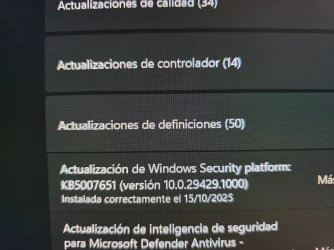
Problem with new windows security platform update 10.0.29429.1000


drogero

Member
Local time
6:49 AM
Posts
3
OS
Windows 11
This morning, I installed the new windows security platform update 10.0.29429.1000, and after it finished, I noticed that I cant access Security Processors, although it has the green icon showing that it is fine, and the quick scan has gone from 1:30 to 2:50 min. Is someone having the same problem? Should I uninstall it? DISM and SFC find 0 problems, and it was fine yesterday after windows update.
 
Windows Build/Version
Windows 11 24H2

Attachments

  • 20251015_075343.webp
    20251015_075343.webp
    558.4 KB · Views: 9
  • 20251015_075406.webp
    20251015_075406.webp
    1.4 MB · Views: 5

My Computer

System One

  • OS
    Windows 11
    Computer type
    PC/Desktop
    Manufacturer/Model
    MSI
try running powershell as admin:

Code:
Get-AppxPackage *Microsoft.Windows.SecHealth* | Remove-AppxPackage
Code:
Get-AppxPackage *Microsoft.Windows.SecHealth* | Add-AppxPackage

to reinstall windows security
 

My Computer

System One

  • OS
    Windows 11 Pro
try running powershell as admin:

Code:
Get-AppxPackage *Microsoft.Windows.SecHealth* | Remove-AppxPackage
Code:
Get-AppxPackage *Microsoft.Windows.SecHealth* | Add-AppxPackage

to reinstall windows security
Thank you for the advice, I will try it if next security platform update doesn't fix it. Apparently, other users are having the same problem this month, according to some reddit posts I read.
 

My Computer

System One

  • OS
    Windows 11
    Computer type
    PC/Desktop
    Manufacturer/Model
    MSI
Thank you for the advice, I will try it if next security platform update doesn't fix it. Apparently, other users are having the same problem this month, according to some reddit posts I read.
I've the same problem.

Type "Security Processor" into the Search bar (or ctrl-R) then you'll get the same Settings screen you would have from the Device Security settings app.
 

My Computers

System One System Two

  • OS
    Windows 11 Pro
    Computer type
    PC/Desktop
    Manufacturer/Model
    DIY
    CPU
    Ryzen 7 5800X
    Motherboard
    Gigabyte B550M Aorus Pro
    Memory
    GSkill 3200, 2x8GB
    Graphics Card(s)
    MSI RX 6800 XT Gaming Z
    Sound Card
    on-board Realtek
    Monitor(s) Displays
    MSI 180hz
    Screen Resolution
    1440p
    Hard Drives
    Samsung 980 Pro, Samsung 870 Evo, generic PCIe NVME, WD 1TB 2.5" laptop spinner
    PSU
    Corsair RM 650
    Case
    mATX
    Cooling
    BeQuiet 240mm AIO and a bunch of case fans
    Keyboard
    one that clacks softly
    Mouse
    logitech
    Internet Speed
    bunches of bps
    Browser
    Firefox
    Antivirus
    Windows' own
  • Operating System
    Win11 Pro
    Computer type
    PC/Desktop
    Manufacturer/Model
    DIY
    CPU
    Ryzen 7 1700
    Motherboard
    GA-AB350M G-3
    Memory
    16GB DDR4
    Graphics card(s)
    RX-480
    Sound Card
    In-Built Realtek
    Monitor(s) Displays
    Samsung
    Screen Resolution
    1440p
    Hard Drives
    NVME/SSD's
    PSU
    Thermaltake BX1 550W
    Case
    Some junky thing
    Cooling
    ThermalTake Assassin(?)
    Browser
    FF/Edge
    Antivirus
    Whatever Windows does
    Other Info
    Secure Boot enabled updated to 2023 CA keys, TPM2.0 enabled with system drive Bitlocker'd.
I've the same problem.

Type "Security Processor" into the Search bar (or ctrl-R) then you'll get the same Settings screen you would have from the Device Security settings app.
Yeah, that works!!! Thank you!!!
 

My Computer

System One

  • OS
    Windows 11
    Computer type
    PC/Desktop
    Manufacturer/Model
    MSI
Back
Top Bottom