- Local time
- 5:56 AM
- Posts
- 97
- OS
- Windows 11 Pro
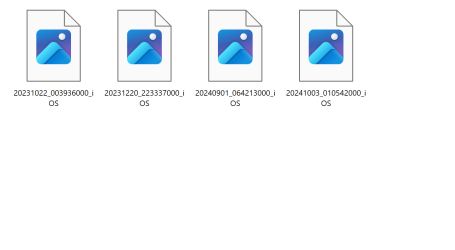
I’ve noticed recently the File Explorer is no longer showing thumbnails for .MOV files. They show inside of the OneDrive folder, but anywhere else… no show. Of course HEVC codec is installed and the files will play normally. The problem first cropped up around end of July. I really don’t want to use a third party app like ICAROS or Shark 007 codec to get these thumbnails back.
Any suggestions anyone?
Any suggestions anyone?
- Windows Build/Version
- Windows 11 Pro 22631.4249
My Computer
At a glance
Windows 11 ProThreadripper Pro 3945WX32 GB DDR4 3200/EEC HynixNvidia RTX 2070 Super FE
- OS
- Windows 11 Pro
- Computer type
- PC/Desktop
- Manufacturer/Model
- Lenovo P620
- CPU
- Threadripper Pro 3945WX
- Motherboard
- Lenovo 1046
- Memory
- 32 GB DDR4 3200/EEC Hynix
- Graphics Card(s)
- Nvidia RTX 2070 Super FE
- Sound Card
- N/A
- Monitor(s) Displays
- Samsung CRG5
- Screen Resolution
- 1920X1080 240mHz
- Hard Drives
- Samsung PM9A1 1TB NVMe
Samsung 970 EVO Plus 500 GB NVMe
Samsung 850 EVO 1 TB
Samsung 850 PRO 256 GB
- PSU
- 1000 Watt Lenovo 80 plus Platinum
- Keyboard
- Corsair K95 Platinum XT
- Mouse
- M65 Pro RGB