Browsers and Mail Repair Microsoft Edge in Windows 11

  • Thread starter Thread starter Brink
  • Start date Published: Start date Updated Updated:

Microsoft_Edge_banner.png

This tutorial will show you how to perform a repair of Microsoft Edge for all users in Windows 11.

The Microsoft Edge web browser included in Windows 11 is based on Chromium and was released on January 15, 2020. It is compatible with all supported versions of Windows, and macOS. With speed, performance, best in class compatibility for websites and extensions, and built-in privacy and security features.

If you can't open Microsoft Edge, or if it opens briefly and then closes, or opens but stops working, then you could try repairing Microsoft Edge to fix it.

Repairing Microsoft Edge requires an internet connection and will reinstall the browser. Your browser data and settings will not be affected.

References:


You must be signed in as an administrator to repair Microsoft Edge.

Make sure that your browser is closed. If multiple users are logged in your device, make sure Microsoft Edge is closed for all users.


Here's How:

1 Open Settings (Win+I). (see screenshot below)

2 Click/tap on Apps on the left side, and click/tap on Apps & features or Installed apps on the right side. (see screenshot below)


Repair_Microsoft_Edge-1.png

3 Click/tap on the 3 dots button for Microsoft Edge, and click/tap on Modify. (see screenshot below)

Repair_Microsoft_Edge-2.png

4 If prompted by UAC, click/tap on Yes to approve. (see screenshot below)

Repair_Microsoft_Edge-3.png

5 Click/tap on Repair. (see screenshot below)

Repair_Microsoft_Edge-4.png

6 Microsoft Edge will now get downloaded and reinstalled. (see screenshots below)

Repair_Microsoft_Edge-5.png
Repair_Microsoft_Edge-6.png

7 When finished, Microsoft Edge will open. (see screenshot below)

Repair_Microsoft_Edge-7.png


That's it,
Shawn Brink


Last edited:
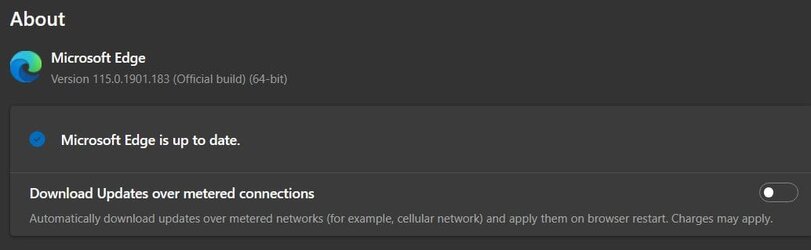
Thank You !!!!!!! It worked step by step - using your pic's !!! -
 

Attachments

  • Update.jpg
    Update.jpg
    18.7 KB · Views: 100

My Computer

System One

  • OS
    Windows 11 25H2 (OS Build 26200.8655)
    Computer type
    Laptop
    Manufacturer/Model
    Dell
    CPU
    Processor: 11th Gen Intel(R) Core(TM) i5-1135G7 @ 2.40G
    Motherboard
    64-bit operating system Dell 0XMF7W
    Memory
    12GB
    Graphics Card(s)
    Intel R Iris R XE Graphics family
    Sound Card
    Cirrus Speakers High Definition Audio
    Monitor(s) Displays
    Generic PnP monitor
    Screen Resolution
    1920 x 1080
    Hard Drives
    NVMe 670p SSDPEKNU512GZ NVMe I NTEL 512GB
    Case
    cheap
    Mouse
    Logitech wireless mouse
    Internet Speed
    16 Mps download
    Browser
    Google Chrome
    Antivirus
    Security: Microsoft Defender & Malwarebytes Premium (with browser guard)
    Other Info
    Dell model: Inspiron 15 3511

My Computers

System One System Two

  • OS
    Windows 11 Pro for Workstations
    Computer type
    PC/Desktop
    Manufacturer/Model
    Custom self build
    CPU
    Intel i7-8700K 5 GHz
    Motherboard
    ASUS ROG Maximus XI Formula Z390
    Memory
    64 GB (4x16GB) G.SKILL TridentZ RGB DDR4 3600 MHz (F4-3600C18D-32GTZR)
    Graphics Card(s)
    ASUS ROG-STRIX-GTX1080TI-O11G-GAMING (11GB GDDR5X)
    Sound Card
    Integrated Digital Audio (S/PDIF)
    Monitor(s) Displays
    2 x Samsung Odyssey G75 27"
    Screen Resolution
    2560x1440
    Hard Drives
    1TB Samsung 990 PRO M.2,
    4TB Samsung 990 PRO M.2,
    TerraMaster F8 SSD Plus NAS
    PSU
    Seasonic Prime Titanium 850W
    Case
    Thermaltake Core P3 wall mounted
    Cooling
    Corsair Hydro H115i
    Keyboard
    Amazon Basics Wired Full Keyboard MD005
    Mouse
    Logitech MX Master 4
    Internet Speed
    2 Gbps Download and 100 Mbps Upload
    Browser
    Chrome and Edge
    Antivirus
    Microsoft Defender
    Other Info
    Logitech Z625 speaker system,
    Logitech BRIO 4K Pro webcam,
    HP Color LaserJet Pro MFP M477fdn,
    CyberPower CP1500PFCLCD
    Galaxy S23 Plus phone
  • Operating System
    Windows 11 Pro
    Computer type
    Laptop
    Manufacturer/Model
    Surface Laptop 7 Copilot+ PC
    CPU
    Snapdragon X Elite (12 core) 3.42 GHz
    Memory
    16 GB LPDDR5x-7467 MHz
    Monitor(s) Displays
    15" HDR
    Screen Resolution
    2496 x 1664
    Hard Drives
    1 TB SSD
    Internet Speed
    Wi-Fi 7 and Bluetooth 5.4
    Browser
    Chrome and Edge
    Antivirus
    Microsoft Defender
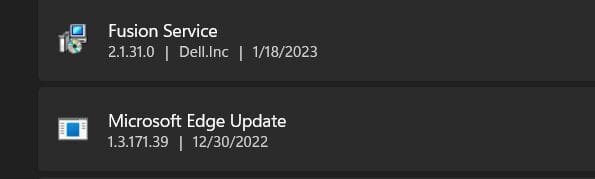
@BruceR I notice under the apps. is an Edge update... Should I leave that one alone? I just followed your instructions in Apps for MS Edge? Many Thanks !!! regards
 

Attachments

  • MS Edge updates.jpg
    MS Edge updates.jpg
    7 KB · Views: 104

My Computer

System One

  • OS
    Windows 11 25H2 (OS Build 26200.8655)
    Computer type
    Laptop
    Manufacturer/Model
    Dell
    CPU
    Processor: 11th Gen Intel(R) Core(TM) i5-1135G7 @ 2.40G
    Motherboard
    64-bit operating system Dell 0XMF7W
    Memory
    12GB
    Graphics Card(s)
    Intel R Iris R XE Graphics family
    Sound Card
    Cirrus Speakers High Definition Audio
    Monitor(s) Displays
    Generic PnP monitor
    Screen Resolution
    1920 x 1080
    Hard Drives
    NVMe 670p SSDPEKNU512GZ NVMe I NTEL 512GB
    Case
    cheap
    Mouse
    Logitech wireless mouse
    Internet Speed
    16 Mps download
    Browser
    Google Chrome
    Antivirus
    Security: Microsoft Defender & Malwarebytes Premium (with browser guard)
    Other Info
    Dell model: Inspiron 15 3511
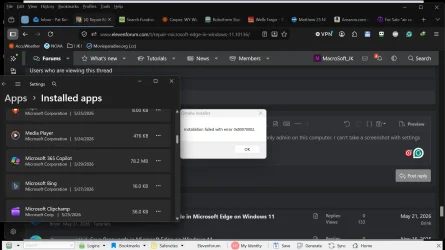
Please tell me how to repair it if the modify link doesn't work. I am the only admin on this computer. I was logged in as the administrator. I can't take a screenshot while the settings are open, but it says, "Omaha Installer Installation failed with error code 0x80070002." I managed to take a screenshot, but it's hard to see. The version is 25H2. I rarely use Edge. I usually use Firefox. Thank you so very much for your expertise, time, and effort.
 

Attachments

  • Screenshot 2026-05-29 172552.webp
    Screenshot 2026-05-29 172552.webp
    99.5 KB · Views: 4

My Computers

System One System Two

  • OS
    Windows 11 Pro. 25H2
    Computer type
    PC/Desktop
    Manufacturer/Model
    2013 MSI MSI-7850 (I also have an old HP ENVY, and an old ASUS Laptop.)
    CPU
    Intel Core i7 4770k @ 3.50 Ghz. (Over 5GHz capable.)
    Motherboard
    2013 MSI-7850.
    Memory
    32 GB 1600 Mhz DDR3.
    Graphics Card(s)
    2GB NVIDIA DDR5 GTX 660 (It says MSI on the bottom. It has a large fan on the bottom.)
    Sound Card
    NVIDIA HD Audio on motherboard.
    Monitor(s) Displays
    My old 2014 Samsung 46" HDTV with (4) HDMI inputs.
    Screen Resolution
    1080p. Capable oF 2160p. My TV is 1080p.
    Hard Drives
    (2) Internal 4 TB Western Digital 6Gb/s 7200 rpm Hard Drives. (Externally (2) USB3.2 Oracle hot-swappable Enclosures. The motherboard only supports USB3.0. (So 3.0.) (Many H.D.s Over 100 TBs in total.) SSDs SUCK! They are faster but limited in terms of total reads and writes. They're similar to flash drives. They wear out quickly. H.D.s are the most durable.
    PSU
    600 watt.
    Case
    A blue 2013 XBLADE gaming tower. Blue LEDs in front and on the side panel.
    Cooling
    Liquid cooled CPU cooler with radiator and fan Fan on back of case. Fan in front to bring air in, and one on the removable side panel.
    Keyboard
    Logitech logi 2.4 Ghz wireless. (One single USB dongle for keyboard and mouse.)
    Mouse
    Logitech logi 2.4 Ghz wireless.
    Internet Speed
    400 mbps. Ethernet from modem to Netgear 8 port unmanaged 300 series switcher.
    Browser
    Firefox, Opera, and of course M.S. Edge.
    Antivirus
    Bitdefender Premium Security.
    Other Info
    You get what you pay for. Except for the keyboard and mouse, my equipment is all old, but all of it still works great. I've had my computers and TVs on 24 hours a day, except for power outages and for cleaning. They still work great.
  • Operating System
    Windows 10 Pro. 22H2
    Computer type
    PC/Desktop
    Manufacturer/Model
    HP ENVY
    CPU
    Intel Core i7 3770k @ 3.50 Ghz Intel Turboboost @3.9 Ghz
    Motherboard
    2013 HP Formosa.
    Memory
    32 GB DDR3 @1600 Mhz.
    Graphics card(s)
    4GB NVIDIA GTX DDR5
    Sound Card
    NVIDIA HD (On Motherboard.)
    Monitor(s) Displays
    My old 2014 Samsung 46" HDTV with (4) HDMI inputs.
    Screen Resolution
    1080p
    Hard Drives
    2TB Seagate 7200 RPM. 4TB 5400 PPM Western Digital.
    PSU
    480 Watt HP.
    Case
    A blue 2013 XBLADE gaming tower. Blue LEDs in front and on the side panel.
    Cooling
    CPU cooler with fan Fan Fan on back of case. Fan in front to bring air in, and one on the removable side panel.
    Keyboard
    Logitech logi 2.4 Ghz wireless. (One single USB dongle for keyboard and mouse.)
    Mouse
    Logitech logi 2.4 Ghz wireless. (One single USB dongle for keyboard and mouse.)
    Internet Speed
    400 mbps. Ethernet from modem to Netgear 8 port unmanaged 300 series switcher.
    Browser
    Firefox, Opera, and of course M.S. Edge.
    Antivirus
    Bitdefender Premium Security.
Please tell me how to repair it if the modify link doesn't work. I am the only admin on this computer. I was logged in as the administrator. I can't take a screenshot while the settings are open, but it says, "Omaha Installer Installation failed with error code 0x80070002." I managed to take a screenshot, but it's hard to see. The version is 25H2. I rarely use Edge. I usually use Firefox. Thank you so very much for your expertise, time, and effort.

Hello mate,

You can try downloading and installing the app again instead. It'll act as a repair install.
 

My Computers

System One System Two

  • OS
    Windows 11 Pro for Workstations
    Computer type
    PC/Desktop
    Manufacturer/Model
    Custom self build
    CPU
    Intel i7-8700K 5 GHz
    Motherboard
    ASUS ROG Maximus XI Formula Z390
    Memory
    64 GB (4x16GB) G.SKILL TridentZ RGB DDR4 3600 MHz (F4-3600C18D-32GTZR)
    Graphics Card(s)
    ASUS ROG-STRIX-GTX1080TI-O11G-GAMING (11GB GDDR5X)
    Sound Card
    Integrated Digital Audio (S/PDIF)
    Monitor(s) Displays
    2 x Samsung Odyssey G75 27"
    Screen Resolution
    2560x1440
    Hard Drives
    1TB Samsung 990 PRO M.2,
    4TB Samsung 990 PRO M.2,
    TerraMaster F8 SSD Plus NAS
    PSU
    Seasonic Prime Titanium 850W
    Case
    Thermaltake Core P3 wall mounted
    Cooling
    Corsair Hydro H115i
    Keyboard
    Amazon Basics Wired Full Keyboard MD005
    Mouse
    Logitech MX Master 4
    Internet Speed
    2 Gbps Download and 100 Mbps Upload
    Browser
    Chrome and Edge
    Antivirus
    Microsoft Defender
    Other Info
    Logitech Z625 speaker system,
    Logitech BRIO 4K Pro webcam,
    HP Color LaserJet Pro MFP M477fdn,
    CyberPower CP1500PFCLCD
    Galaxy S23 Plus phone
  • Operating System
    Windows 11 Pro
    Computer type
    Laptop
    Manufacturer/Model
    Surface Laptop 7 Copilot+ PC
    CPU
    Snapdragon X Elite (12 core) 3.42 GHz
    Memory
    16 GB LPDDR5x-7467 MHz
    Monitor(s) Displays
    15" HDR
    Screen Resolution
    2496 x 1664
    Hard Drives
    1 TB SSD
    Internet Speed
    Wi-Fi 7 and Bluetooth 5.4
    Browser
    Chrome and Edge
    Antivirus
    Microsoft Defender
Thank you so very much. You're so nice. I don't know how to do this. I tried to reinstall it using the Windows Store, but it said the app was already installed. Thank you very much.
 

My Computers

System One System Two

  • OS
    Windows 11 Pro. 25H2
    Computer type
    PC/Desktop
    Manufacturer/Model
    2013 MSI MSI-7850 (I also have an old HP ENVY, and an old ASUS Laptop.)
    CPU
    Intel Core i7 4770k @ 3.50 Ghz. (Over 5GHz capable.)
    Motherboard
    2013 MSI-7850.
    Memory
    32 GB 1600 Mhz DDR3.
    Graphics Card(s)
    2GB NVIDIA DDR5 GTX 660 (It says MSI on the bottom. It has a large fan on the bottom.)
    Sound Card
    NVIDIA HD Audio on motherboard.
    Monitor(s) Displays
    My old 2014 Samsung 46" HDTV with (4) HDMI inputs.
    Screen Resolution
    1080p. Capable oF 2160p. My TV is 1080p.
    Hard Drives
    (2) Internal 4 TB Western Digital 6Gb/s 7200 rpm Hard Drives. (Externally (2) USB3.2 Oracle hot-swappable Enclosures. The motherboard only supports USB3.0. (So 3.0.) (Many H.D.s Over 100 TBs in total.) SSDs SUCK! They are faster but limited in terms of total reads and writes. They're similar to flash drives. They wear out quickly. H.D.s are the most durable.
    PSU
    600 watt.
    Case
    A blue 2013 XBLADE gaming tower. Blue LEDs in front and on the side panel.
    Cooling
    Liquid cooled CPU cooler with radiator and fan Fan on back of case. Fan in front to bring air in, and one on the removable side panel.
    Keyboard
    Logitech logi 2.4 Ghz wireless. (One single USB dongle for keyboard and mouse.)
    Mouse
    Logitech logi 2.4 Ghz wireless.
    Internet Speed
    400 mbps. Ethernet from modem to Netgear 8 port unmanaged 300 series switcher.
    Browser
    Firefox, Opera, and of course M.S. Edge.
    Antivirus
    Bitdefender Premium Security.
    Other Info
    You get what you pay for. Except for the keyboard and mouse, my equipment is all old, but all of it still works great. I've had my computers and TVs on 24 hours a day, except for power outages and for cleaning. They still work great.
  • Operating System
    Windows 10 Pro. 22H2
    Computer type
    PC/Desktop
    Manufacturer/Model
    HP ENVY
    CPU
    Intel Core i7 3770k @ 3.50 Ghz Intel Turboboost @3.9 Ghz
    Motherboard
    2013 HP Formosa.
    Memory
    32 GB DDR3 @1600 Mhz.
    Graphics card(s)
    4GB NVIDIA GTX DDR5
    Sound Card
    NVIDIA HD (On Motherboard.)
    Monitor(s) Displays
    My old 2014 Samsung 46" HDTV with (4) HDMI inputs.
    Screen Resolution
    1080p
    Hard Drives
    2TB Seagate 7200 RPM. 4TB 5400 PPM Western Digital.
    PSU
    480 Watt HP.
    Case
    A blue 2013 XBLADE gaming tower. Blue LEDs in front and on the side panel.
    Cooling
    CPU cooler with fan Fan Fan on back of case. Fan in front to bring air in, and one on the removable side panel.
    Keyboard
    Logitech logi 2.4 Ghz wireless. (One single USB dongle for keyboard and mouse.)
    Mouse
    Logitech logi 2.4 Ghz wireless. (One single USB dongle for keyboard and mouse.)
    Internet Speed
    400 mbps. Ethernet from modem to Netgear 8 port unmanaged 300 series switcher.
    Browser
    Firefox, Opera, and of course M.S. Edge.
    Antivirus
    Bitdefender Premium Security.
Thank you so very much. You're so nice. I don't know how to do this. I tried to reinstall it using the Windows Store, but it said the app was already installed. Thank you very much.

You're most welcome. You can download Edge for Windows below to use.


My Computers

System One System Two

  • OS
    Windows 11 Pro for Workstations
    Computer type
    PC/Desktop
    Manufacturer/Model
    Custom self build
    CPU
    Intel i7-8700K 5 GHz
    Motherboard
    ASUS ROG Maximus XI Formula Z390
    Memory
    64 GB (4x16GB) G.SKILL TridentZ RGB DDR4 3600 MHz (F4-3600C18D-32GTZR)
    Graphics Card(s)
    ASUS ROG-STRIX-GTX1080TI-O11G-GAMING (11GB GDDR5X)
    Sound Card
    Integrated Digital Audio (S/PDIF)
    Monitor(s) Displays
    2 x Samsung Odyssey G75 27"
    Screen Resolution
    2560x1440
    Hard Drives
    1TB Samsung 990 PRO M.2,
    4TB Samsung 990 PRO M.2,
    TerraMaster F8 SSD Plus NAS
    PSU
    Seasonic Prime Titanium 850W
    Case
    Thermaltake Core P3 wall mounted
    Cooling
    Corsair Hydro H115i
    Keyboard
    Amazon Basics Wired Full Keyboard MD005
    Mouse
    Logitech MX Master 4
    Internet Speed
    2 Gbps Download and 100 Mbps Upload
    Browser
    Chrome and Edge
    Antivirus
    Microsoft Defender
    Other Info
    Logitech Z625 speaker system,
    Logitech BRIO 4K Pro webcam,
    HP Color LaserJet Pro MFP M477fdn,
    CyberPower CP1500PFCLCD
    Galaxy S23 Plus phone
  • Operating System
    Windows 11 Pro
    Computer type
    Laptop
    Manufacturer/Model
    Surface Laptop 7 Copilot+ PC
    CPU
    Snapdragon X Elite (12 core) 3.42 GHz
    Memory
    16 GB LPDDR5x-7467 MHz
    Monitor(s) Displays
    15" HDR
    Screen Resolution
    2496 x 1664
    Hard Drives
    1 TB SSD
    Internet Speed
    Wi-Fi 7 and Bluetooth 5.4
    Browser
    Chrome and Edge
    Antivirus
    Microsoft Defender
Thank you so very much, again. I used the link. It said it was already installed. I clicked on download when I tried to install it again. It did the same exact thing."Omaha Installer Installation failed with error code 0x80070002." I'm sorry to be such a moron.
 

My Computers

System One System Two

  • OS
    Windows 11 Pro. 25H2
    Computer type
    PC/Desktop
    Manufacturer/Model
    2013 MSI MSI-7850 (I also have an old HP ENVY, and an old ASUS Laptop.)
    CPU
    Intel Core i7 4770k @ 3.50 Ghz. (Over 5GHz capable.)
    Motherboard
    2013 MSI-7850.
    Memory
    32 GB 1600 Mhz DDR3.
    Graphics Card(s)
    2GB NVIDIA DDR5 GTX 660 (It says MSI on the bottom. It has a large fan on the bottom.)
    Sound Card
    NVIDIA HD Audio on motherboard.
    Monitor(s) Displays
    My old 2014 Samsung 46" HDTV with (4) HDMI inputs.
    Screen Resolution
    1080p. Capable oF 2160p. My TV is 1080p.
    Hard Drives
    (2) Internal 4 TB Western Digital 6Gb/s 7200 rpm Hard Drives. (Externally (2) USB3.2 Oracle hot-swappable Enclosures. The motherboard only supports USB3.0. (So 3.0.) (Many H.D.s Over 100 TBs in total.) SSDs SUCK! They are faster but limited in terms of total reads and writes. They're similar to flash drives. They wear out quickly. H.D.s are the most durable.
    PSU
    600 watt.
    Case
    A blue 2013 XBLADE gaming tower. Blue LEDs in front and on the side panel.
    Cooling
    Liquid cooled CPU cooler with radiator and fan Fan on back of case. Fan in front to bring air in, and one on the removable side panel.
    Keyboard
    Logitech logi 2.4 Ghz wireless. (One single USB dongle for keyboard and mouse.)
    Mouse
    Logitech logi 2.4 Ghz wireless.
    Internet Speed
    400 mbps. Ethernet from modem to Netgear 8 port unmanaged 300 series switcher.
    Browser
    Firefox, Opera, and of course M.S. Edge.
    Antivirus
    Bitdefender Premium Security.
    Other Info
    You get what you pay for. Except for the keyboard and mouse, my equipment is all old, but all of it still works great. I've had my computers and TVs on 24 hours a day, except for power outages and for cleaning. They still work great.
  • Operating System
    Windows 10 Pro. 22H2
    Computer type
    PC/Desktop
    Manufacturer/Model
    HP ENVY
    CPU
    Intel Core i7 3770k @ 3.50 Ghz Intel Turboboost @3.9 Ghz
    Motherboard
    2013 HP Formosa.
    Memory
    32 GB DDR3 @1600 Mhz.
    Graphics card(s)
    4GB NVIDIA GTX DDR5
    Sound Card
    NVIDIA HD (On Motherboard.)
    Monitor(s) Displays
    My old 2014 Samsung 46" HDTV with (4) HDMI inputs.
    Screen Resolution
    1080p
    Hard Drives
    2TB Seagate 7200 RPM. 4TB 5400 PPM Western Digital.
    PSU
    480 Watt HP.
    Case
    A blue 2013 XBLADE gaming tower. Blue LEDs in front and on the side panel.
    Cooling
    CPU cooler with fan Fan Fan on back of case. Fan in front to bring air in, and one on the removable side panel.
    Keyboard
    Logitech logi 2.4 Ghz wireless. (One single USB dongle for keyboard and mouse.)
    Mouse
    Logitech logi 2.4 Ghz wireless. (One single USB dongle for keyboard and mouse.)
    Internet Speed
    400 mbps. Ethernet from modem to Netgear 8 port unmanaged 300 series switcher.
    Browser
    Firefox, Opera, and of course M.S. Edge.
    Antivirus
    Bitdefender Premium Security.
It downloaded a file called MicrosoftEdgeSetup.exe. I clicked install and received the error code.
 

My Computers

System One System Two

  • OS
    Windows 11 Pro. 25H2
    Computer type
    PC/Desktop
    Manufacturer/Model
    2013 MSI MSI-7850 (I also have an old HP ENVY, and an old ASUS Laptop.)
    CPU
    Intel Core i7 4770k @ 3.50 Ghz. (Over 5GHz capable.)
    Motherboard
    2013 MSI-7850.
    Memory
    32 GB 1600 Mhz DDR3.
    Graphics Card(s)
    2GB NVIDIA DDR5 GTX 660 (It says MSI on the bottom. It has a large fan on the bottom.)
    Sound Card
    NVIDIA HD Audio on motherboard.
    Monitor(s) Displays
    My old 2014 Samsung 46" HDTV with (4) HDMI inputs.
    Screen Resolution
    1080p. Capable oF 2160p. My TV is 1080p.
    Hard Drives
    (2) Internal 4 TB Western Digital 6Gb/s 7200 rpm Hard Drives. (Externally (2) USB3.2 Oracle hot-swappable Enclosures. The motherboard only supports USB3.0. (So 3.0.) (Many H.D.s Over 100 TBs in total.) SSDs SUCK! They are faster but limited in terms of total reads and writes. They're similar to flash drives. They wear out quickly. H.D.s are the most durable.
    PSU
    600 watt.
    Case
    A blue 2013 XBLADE gaming tower. Blue LEDs in front and on the side panel.
    Cooling
    Liquid cooled CPU cooler with radiator and fan Fan on back of case. Fan in front to bring air in, and one on the removable side panel.
    Keyboard
    Logitech logi 2.4 Ghz wireless. (One single USB dongle for keyboard and mouse.)
    Mouse
    Logitech logi 2.4 Ghz wireless.
    Internet Speed
    400 mbps. Ethernet from modem to Netgear 8 port unmanaged 300 series switcher.
    Browser
    Firefox, Opera, and of course M.S. Edge.
    Antivirus
    Bitdefender Premium Security.
    Other Info
    You get what you pay for. Except for the keyboard and mouse, my equipment is all old, but all of it still works great. I've had my computers and TVs on 24 hours a day, except for power outages and for cleaning. They still work great.
  • Operating System
    Windows 10 Pro. 22H2
    Computer type
    PC/Desktop
    Manufacturer/Model
    HP ENVY
    CPU
    Intel Core i7 3770k @ 3.50 Ghz Intel Turboboost @3.9 Ghz
    Motherboard
    2013 HP Formosa.
    Memory
    32 GB DDR3 @1600 Mhz.
    Graphics card(s)
    4GB NVIDIA GTX DDR5
    Sound Card
    NVIDIA HD (On Motherboard.)
    Monitor(s) Displays
    My old 2014 Samsung 46" HDTV with (4) HDMI inputs.
    Screen Resolution
    1080p
    Hard Drives
    2TB Seagate 7200 RPM. 4TB 5400 PPM Western Digital.
    PSU
    480 Watt HP.
    Case
    A blue 2013 XBLADE gaming tower. Blue LEDs in front and on the side panel.
    Cooling
    CPU cooler with fan Fan Fan on back of case. Fan in front to bring air in, and one on the removable side panel.
    Keyboard
    Logitech logi 2.4 Ghz wireless. (One single USB dongle for keyboard and mouse.)
    Mouse
    Logitech logi 2.4 Ghz wireless. (One single USB dongle for keyboard and mouse.)
    Internet Speed
    400 mbps. Ethernet from modem to Netgear 8 port unmanaged 300 series switcher.
    Browser
    Firefox, Opera, and of course M.S. Edge.
    Antivirus
    Bitdefender Premium Security.
It downloaded a file called MicrosoftEdgeSetup.exe. I clicked install and received the error code.

Since Edge is a built-in app, you could try doing a repair install of Windows 11 below to try and fix it.


My Computers

System One System Two

  • OS
    Windows 11 Pro for Workstations
    Computer type
    PC/Desktop
    Manufacturer/Model
    Custom self build
    CPU
    Intel i7-8700K 5 GHz
    Motherboard
    ASUS ROG Maximus XI Formula Z390
    Memory
    64 GB (4x16GB) G.SKILL TridentZ RGB DDR4 3600 MHz (F4-3600C18D-32GTZR)
    Graphics Card(s)
    ASUS ROG-STRIX-GTX1080TI-O11G-GAMING (11GB GDDR5X)
    Sound Card
    Integrated Digital Audio (S/PDIF)
    Monitor(s) Displays
    2 x Samsung Odyssey G75 27"
    Screen Resolution
    2560x1440
    Hard Drives
    1TB Samsung 990 PRO M.2,
    4TB Samsung 990 PRO M.2,
    TerraMaster F8 SSD Plus NAS
    PSU
    Seasonic Prime Titanium 850W
    Case
    Thermaltake Core P3 wall mounted
    Cooling
    Corsair Hydro H115i
    Keyboard
    Amazon Basics Wired Full Keyboard MD005
    Mouse
    Logitech MX Master 4
    Internet Speed
    2 Gbps Download and 100 Mbps Upload
    Browser
    Chrome and Edge
    Antivirus
    Microsoft Defender
    Other Info
    Logitech Z625 speaker system,
    Logitech BRIO 4K Pro webcam,
    HP Color LaserJet Pro MFP M477fdn,
    CyberPower CP1500PFCLCD
    Galaxy S23 Plus phone
  • Operating System
    Windows 11 Pro
    Computer type
    Laptop
    Manufacturer/Model
    Surface Laptop 7 Copilot+ PC
    CPU
    Snapdragon X Elite (12 core) 3.42 GHz
    Memory
    16 GB LPDDR5x-7467 MHz
    Monitor(s) Displays
    15" HDR
    Screen Resolution
    2496 x 1664
    Hard Drives
    1 TB SSD
    Internet Speed
    Wi-Fi 7 and Bluetooth 5.4
    Browser
    Chrome and Edge
    Antivirus
    Microsoft Defender
Thank you very much for all your time and trouble.
 

My Computers

System One System Two

  • OS
    Windows 11 Pro. 25H2
    Computer type
    PC/Desktop
    Manufacturer/Model
    2013 MSI MSI-7850 (I also have an old HP ENVY, and an old ASUS Laptop.)
    CPU
    Intel Core i7 4770k @ 3.50 Ghz. (Over 5GHz capable.)
    Motherboard
    2013 MSI-7850.
    Memory
    32 GB 1600 Mhz DDR3.
    Graphics Card(s)
    2GB NVIDIA DDR5 GTX 660 (It says MSI on the bottom. It has a large fan on the bottom.)
    Sound Card
    NVIDIA HD Audio on motherboard.
    Monitor(s) Displays
    My old 2014 Samsung 46" HDTV with (4) HDMI inputs.
    Screen Resolution
    1080p. Capable oF 2160p. My TV is 1080p.
    Hard Drives
    (2) Internal 4 TB Western Digital 6Gb/s 7200 rpm Hard Drives. (Externally (2) USB3.2 Oracle hot-swappable Enclosures. The motherboard only supports USB3.0. (So 3.0.) (Many H.D.s Over 100 TBs in total.) SSDs SUCK! They are faster but limited in terms of total reads and writes. They're similar to flash drives. They wear out quickly. H.D.s are the most durable.
    PSU
    600 watt.
    Case
    A blue 2013 XBLADE gaming tower. Blue LEDs in front and on the side panel.
    Cooling
    Liquid cooled CPU cooler with radiator and fan Fan on back of case. Fan in front to bring air in, and one on the removable side panel.
    Keyboard
    Logitech logi 2.4 Ghz wireless. (One single USB dongle for keyboard and mouse.)
    Mouse
    Logitech logi 2.4 Ghz wireless.
    Internet Speed
    400 mbps. Ethernet from modem to Netgear 8 port unmanaged 300 series switcher.
    Browser
    Firefox, Opera, and of course M.S. Edge.
    Antivirus
    Bitdefender Premium Security.
    Other Info
    You get what you pay for. Except for the keyboard and mouse, my equipment is all old, but all of it still works great. I've had my computers and TVs on 24 hours a day, except for power outages and for cleaning. They still work great.
  • Operating System
    Windows 10 Pro. 22H2
    Computer type
    PC/Desktop
    Manufacturer/Model
    HP ENVY
    CPU
    Intel Core i7 3770k @ 3.50 Ghz Intel Turboboost @3.9 Ghz
    Motherboard
    2013 HP Formosa.
    Memory
    32 GB DDR3 @1600 Mhz.
    Graphics card(s)
    4GB NVIDIA GTX DDR5
    Sound Card
    NVIDIA HD (On Motherboard.)
    Monitor(s) Displays
    My old 2014 Samsung 46" HDTV with (4) HDMI inputs.
    Screen Resolution
    1080p
    Hard Drives
    2TB Seagate 7200 RPM. 4TB 5400 PPM Western Digital.
    PSU
    480 Watt HP.
    Case
    A blue 2013 XBLADE gaming tower. Blue LEDs in front and on the side panel.
    Cooling
    CPU cooler with fan Fan Fan on back of case. Fan in front to bring air in, and one on the removable side panel.
    Keyboard
    Logitech logi 2.4 Ghz wireless. (One single USB dongle for keyboard and mouse.)
    Mouse
    Logitech logi 2.4 Ghz wireless. (One single USB dongle for keyboard and mouse.)
    Internet Speed
    400 mbps. Ethernet from modem to Netgear 8 port unmanaged 300 series switcher.
    Browser
    Firefox, Opera, and of course M.S. Edge.
    Antivirus
    Bitdefender Premium Security.

My Computers

System One System Two

  • OS
    Windows 11 Pro for Workstations
    Computer type
    PC/Desktop
    Manufacturer/Model
    Custom self build
    CPU
    Intel i7-8700K 5 GHz
    Motherboard
    ASUS ROG Maximus XI Formula Z390
    Memory
    64 GB (4x16GB) G.SKILL TridentZ RGB DDR4 3600 MHz (F4-3600C18D-32GTZR)
    Graphics Card(s)
    ASUS ROG-STRIX-GTX1080TI-O11G-GAMING (11GB GDDR5X)
    Sound Card
    Integrated Digital Audio (S/PDIF)
    Monitor(s) Displays
    2 x Samsung Odyssey G75 27"
    Screen Resolution
    2560x1440
    Hard Drives
    1TB Samsung 990 PRO M.2,
    4TB Samsung 990 PRO M.2,
    TerraMaster F8 SSD Plus NAS
    PSU
    Seasonic Prime Titanium 850W
    Case
    Thermaltake Core P3 wall mounted
    Cooling
    Corsair Hydro H115i
    Keyboard
    Amazon Basics Wired Full Keyboard MD005
    Mouse
    Logitech MX Master 4
    Internet Speed
    2 Gbps Download and 100 Mbps Upload
    Browser
    Chrome and Edge
    Antivirus
    Microsoft Defender
    Other Info
    Logitech Z625 speaker system,
    Logitech BRIO 4K Pro webcam,
    HP Color LaserJet Pro MFP M477fdn,
    CyberPower CP1500PFCLCD
    Galaxy S23 Plus phone
  • Operating System
    Windows 11 Pro
    Computer type
    Laptop
    Manufacturer/Model
    Surface Laptop 7 Copilot+ PC
    CPU
    Snapdragon X Elite (12 core) 3.42 GHz
    Memory
    16 GB LPDDR5x-7467 MHz
    Monitor(s) Displays
    15" HDR
    Screen Resolution
    2496 x 1664
    Hard Drives
    1 TB SSD
    Internet Speed
    Wi-Fi 7 and Bluetooth 5.4
    Browser
    Chrome and Edge
    Antivirus
    Microsoft Defender
Thank you very much for all your time and trouble. I can't win for losing. It's so simple for you and probably for most people. I now have 24H2. I uninstalled an update. It evidently installed 24 before 25. I bought this laptop from Amazon. The company itself was supposed to have renewed it. I bought it directly from the company itself. It does have a 90-day warranty. I'm going to get a refund if I can't make it the way I want it. There wasn't a emoji and more panel icon on the task bar. I assumed Amazon updated the software to 25H2. Two of my other computers have it. I paid for both from Mr. Key, they are an authorized Microsoft partner. Anyway, a person on this forum suggested typing winver at the command prompt. I was shocked when I realized it was 22H2. I don't like Windows 11. This was last week, before the Edge problem. I'm old. I love God and everyone. God bless you, dear friend. Thank you very much for all your hard work. I checked your post about repairing Windows 11 and keeping everything. I'm going to try it. Thank you so very much. Please have a great weekend. I'll reply once more after the repair. I think it will take a long time. You're such a kind and generous person. Whether it works or not, thank you for everything. If it doesn't, I know it's not your fault. You are an expert. Being an Insider Microsoft MVP makes an enormous statement.
 

My Computers

System One System Two

  • OS
    Windows 11 Pro. 25H2
    Computer type
    PC/Desktop
    Manufacturer/Model
    2013 MSI MSI-7850 (I also have an old HP ENVY, and an old ASUS Laptop.)
    CPU
    Intel Core i7 4770k @ 3.50 Ghz. (Over 5GHz capable.)
    Motherboard
    2013 MSI-7850.
    Memory
    32 GB 1600 Mhz DDR3.
    Graphics Card(s)
    2GB NVIDIA DDR5 GTX 660 (It says MSI on the bottom. It has a large fan on the bottom.)
    Sound Card
    NVIDIA HD Audio on motherboard.
    Monitor(s) Displays
    My old 2014 Samsung 46" HDTV with (4) HDMI inputs.
    Screen Resolution
    1080p. Capable oF 2160p. My TV is 1080p.
    Hard Drives
    (2) Internal 4 TB Western Digital 6Gb/s 7200 rpm Hard Drives. (Externally (2) USB3.2 Oracle hot-swappable Enclosures. The motherboard only supports USB3.0. (So 3.0.) (Many H.D.s Over 100 TBs in total.) SSDs SUCK! They are faster but limited in terms of total reads and writes. They're similar to flash drives. They wear out quickly. H.D.s are the most durable.
    PSU
    600 watt.
    Case
    A blue 2013 XBLADE gaming tower. Blue LEDs in front and on the side panel.
    Cooling
    Liquid cooled CPU cooler with radiator and fan Fan on back of case. Fan in front to bring air in, and one on the removable side panel.
    Keyboard
    Logitech logi 2.4 Ghz wireless. (One single USB dongle for keyboard and mouse.)
    Mouse
    Logitech logi 2.4 Ghz wireless.
    Internet Speed
    400 mbps. Ethernet from modem to Netgear 8 port unmanaged 300 series switcher.
    Browser
    Firefox, Opera, and of course M.S. Edge.
    Antivirus
    Bitdefender Premium Security.
    Other Info
    You get what you pay for. Except for the keyboard and mouse, my equipment is all old, but all of it still works great. I've had my computers and TVs on 24 hours a day, except for power outages and for cleaning. They still work great.
  • Operating System
    Windows 10 Pro. 22H2
    Computer type
    PC/Desktop
    Manufacturer/Model
    HP ENVY
    CPU
    Intel Core i7 3770k @ 3.50 Ghz Intel Turboboost @3.9 Ghz
    Motherboard
    2013 HP Formosa.
    Memory
    32 GB DDR3 @1600 Mhz.
    Graphics card(s)
    4GB NVIDIA GTX DDR5
    Sound Card
    NVIDIA HD (On Motherboard.)
    Monitor(s) Displays
    My old 2014 Samsung 46" HDTV with (4) HDMI inputs.
    Screen Resolution
    1080p
    Hard Drives
    2TB Seagate 7200 RPM. 4TB 5400 PPM Western Digital.
    PSU
    480 Watt HP.
    Case
    A blue 2013 XBLADE gaming tower. Blue LEDs in front and on the side panel.
    Cooling
    CPU cooler with fan Fan Fan on back of case. Fan in front to bring air in, and one on the removable side panel.
    Keyboard
    Logitech logi 2.4 Ghz wireless. (One single USB dongle for keyboard and mouse.)
    Mouse
    Logitech logi 2.4 Ghz wireless. (One single USB dongle for keyboard and mouse.)
    Internet Speed
    400 mbps. Ethernet from modem to Netgear 8 port unmanaged 300 series switcher.
    Browser
    Firefox, Opera, and of course M.S. Edge.
    Antivirus
    Bitdefender Premium Security.
Back
Top Bottom