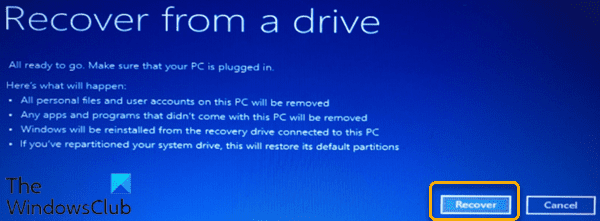
You don't need a recovery partition. Just be sure to create an image of the drive. See the link below for more details.Have almost got all my apps re-installed/configured. Just realized that when I put the new drive in and used MCT to re-install windows that it did not create a 'Rescue Partition' . There is a 100mb EFI system partition and a large 460gb NTFS 'C' drive.
I was reading about creating a rescue partition and it was noted in the article that Maricum can create a rescue partition under the 'other' tab.
I'm a bit hesitant as I don't want to 'undo' all I've done re-installing/setting up my apps.
I was always under the impression that you had to partition first then install, but perhaps my perceptions are wrong.
Can someone please advise ? Maybe I don't need a 'Rescue Part' since I have a MCT.
Thanks again for any help.
What's the Windows 11 Recovery Partition Size – Delete or Extend It?
What’s the Windows 11 recovery partition size? Read on and you’ll find the answer here. Meanwhile, you’ learn to delete or extend this partition.
Last edited:
My Computer
At a glance
Windows 11 ProfessionalIntel Core i5-940032GBIntegrated Intel UHD Graphics 630
- OS
- Windows 11 Professional
- Computer type
- PC/Desktop
- Manufacturer/Model
- Microcenter B677
- CPU
- Intel Core i5-9400
- Motherboard
- ASRock H310CM-HDV/M.2
- Memory
- 32GB
- Graphics Card(s)
- Integrated Intel UHD Graphics 630
- Sound Card
- Intel Kaby Lake - High Definition Audio / cAVS (Audio, Voice, Speech) [A0]
- Monitor(s) Displays
- LG Model: GSM59F1
- Screen Resolution
- 2560x1080
- Case
- Lian Li 205M
- Antivirus
- Kaspersky AV