Shurcut virus impossible to irradicate


Dark11200

Member
Member
Local time
1:05 AM
Posts
2
OS
Windows 11
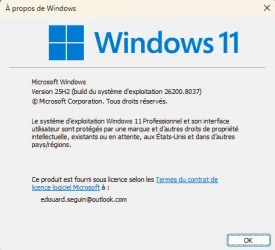
Hello everyone, I'm calling for help because a rather annoying virus has come on my pc. Its name "Shortcut Virus". I tried almost everything that is said on the internet, i.e. "CMD" then "Attrib", scanner via malwarebyte, windefender, etc. Nothing helps, as soon as I insert an external key or dd in USB, everything disappears and a shortcut puts it in place of the root. If anyone has a lasting solution, I'm interested, thank you in advance. Windows 11 25h2.
 

Attachments

  • snap0172.webp
    snap0172.webp
    4.2 KB · Views: 1
  • snap0173.webp
    snap0173.webp
    24.2 KB · Views: 1
Last edited by a moderator:

My Computer

System One

  • OS
    Windows 11
    Computer type
    PC/Desktop
    Manufacturer/Model
    CM MSI montage maison
    CPU
    AMD Ryzen 5 5600
    Motherboard
    MSI B550
    Memory
    32
    Graphics Card(s)
    AMD Radeon RX 580
    Sound Card
    sur CM
    Monitor(s) Displays
    PLX2783H
    Screen Resolution
    1900X1600
    Hard Drives
    Fanxiang S500Pro 512GB (SSD)

Disconnect from the internet and see if Windows Defender can reove the virus.
If not,the safest way is a Reinstall.
 

My Computer

System One

  • OS
    win 10
    Computer type
    PC/Desktop
    Manufacturer/Model
    home built
    CPU
    amd ryzen 5-2600
    Motherboard
    gigabyte b450m-ds3h
    Memory
    ng skill sniper x 16gb
    Graphics Card(s)
    nvidea gtx 1050
    Monitor(s) Displays
    benq fp 92
    Hard Drives
    samsung 860 evo 500gb m2 ssd
    PSU
    antec ea550g
    Case
    nzxt noctis 450
    Browser
    edge
Since that malware is both a worm and a trojan, I fully agree. I don't let such stuff lurk around in one of my systems. If you have an image of your system made before infection, restore it. If you do not, a clean install is the only way I would go.
 

My Computers

System One System Two

  • OS
    Windows 11 Pro 25H2
    Computer type
    PC/Desktop
    Manufacturer/Model
    Dell Optiplex 7080
    CPU
    i9-10900 10 core 20 threads
    Motherboard
    DELL 0J37VM
    Memory
    32 gb
    Graphics Card(s)
    none-Intel UHD Graphics 630
    Sound Card
    Integrated Realtek
    Monitor(s) Displays
    Benq 27
    Screen Resolution
    2560x1440
    Hard Drives
    2x1tb Solidigm m.2 nvme /External drives 512gb Samsung m.2 sata+2tb Kingston m2.nvme
    PSU
    500w
    Case
    MT
    Cooling
    Dell Premium
    Keyboard
    Logitech wired
    Mouse
    Logitech wireless
    Internet Speed
    so slow I'm too embarrassed to tell
    Browser
    #1 Edge #2 Firefox
    Antivirus
    Defender+MWB Premium
  • Operating System
    Windows 11 Pro 24H2 26200.8457
    Computer type
    PC/Desktop
    Manufacturer/Model
    Beelink Mini PC SER5
    CPU
    AMD Ryzen 7 6800U
    Memory
    32 gb
    Graphics card(s)
    integrated
    Sound Card
    integrated
    Monitor(s) Displays
    Benq 27
    Screen Resolution
    2560x1440
    Hard Drives
    1TB Crucial nvme
    Keyboard
    Logitech wired
    Mouse
    Logitech wireless
    Internet Speed
    still too embarrassed to tell
    Browser
    Firefox
    Antivirus
    Defender
    Other Info
    System 3 is non compliant Dell 9020 i7-4770/24gb ram Win11 PRO 26200.8457
Hello everyone, I'm calling for help because a rather annoying virus has come on my pc. Its name "Shortcut Virus". I tried almost everything that is said on the internet, i.e. "CMD" then "Attrib", scanner via malwarebyte, windefender, etc. Nothing helps, as soon as I insert an external key or dd in USB, everything disappears and a shortcut puts it in place of the root. If anyone has a lasting solution, I'm interested, thank you in advance. Windows 11 25h2.
TrendMicro has a free app that will clean any infections found. The app is Housecall and it is web based. Use the link below to visit the site and you can download it from there. I used it a long time ago and it did find and resolve my issue. Good luck!
 

My Computer

System One

  • OS
    Windows 11 Professional
    Computer type
    PC/Desktop
    Manufacturer/Model
    Microcenter B677
    CPU
    Intel Core i5-9400
    Motherboard
    ASRock H310CM-HDV/M.2
    Memory
    32GB
    Graphics Card(s)
    Integrated Intel UHD Graphics 630
    Sound Card
    Intel Kaby Lake - High Definition Audio / cAVS (Audio, Voice, Speech) [A0]
    Monitor(s) Displays
    LG Model: GSM59F1
    Screen Resolution
    2560x1080
    Case
    Lian Li 205M
    Antivirus
    Kaspersky AV
Buy a decent anti-malware program like BitDefender. Don't rely on Defender /Windows Security!
 

My Computers

System One System Two

  • OS
    Windows 11 Pro 25H2 26200.8524
    Computer type
    Laptop
    Manufacturer/Model
    Acemagic LX15PRO
    CPU
    AMD Ryzen 7 5825U with Radeon Graphics
    Memory
    16GB
    Screen Resolution
    1920 x 1080
    Hard Drives
    SSD 2TB
    Internet Speed
    30 Mbps
    Browser
    Brave
    Antivirus
    Webroot Secure Anywhere
    Other Info
    System 3

    Acer Swift SF114-34 laptop
    OS Windows 11 Pro 26200.8524
    CPU Pentium Silver N6000
    RAM 4GB
    SSD Samsung 970 EVO Plus SSD 2TB (an upgrade)
  • Operating System
    Windows 11 Pro 23H2 22631.2506
    Computer type
    Laptop
    Manufacturer/Model
    HP Mini 210-1090NR PC (bought in late 2009!)
    CPU
    Atom N450 1.66GHz
    Memory
    2GB
    Browser
    Brave
    Antivirus
    Webroot
I never attempt to remove a virus infection, my 15 minute fix is to restore an image backup. I hope you have a backup image, otherwise, clean install is next best move.
 

My Computers

System One System Two

  • OS
    Windows 11 Pro
    Computer type
    PC/Desktop
    CPU
    AMD Ryzen 7 9800X3D
    Motherboard
    MSI PRO B850-P Wifi
    Memory
    32GB DDR5 CL30 Kingston Fury
    Graphics Card(s)
    ASUS Prime Radeon RX 9060 XT OC Edition 16GB
    Monitor(s) Displays
    LG Ultrawide 34" + LG 27" 1080p
    Screen Resolution
    3440x1440
    Hard Drives
    Main Boot Drive : 512GB Adata XPG RGB Gen3x4 NVMe M.2 SSD
    PSU
    EVGA 750 Watts 80+ Gold
    Case
    Deepcool Genome II
    Cooling
    Thermalright Burst Assassin 120
    Internet Speed
    1Gbps
    Browser
    Chrome
    Antivirus
    "Moderna"
  • Operating System
    Windows 11 Pro
    Computer type
    PC/Desktop
    CPU
    i7-4790K
    Motherboard
    ASRock Xtreme6 Z97
    Memory
    16GB Corsair Vengeance Pro
    Graphics card(s)
    MSI R9 290
    Monitor(s) Displays
    LG Ultrawide 34"
    Screen Resolution
    3440x1440
    Hard Drives
    500GB Adata SSD (OS Only)
    PSU
    Thermaltake 475 Watts 80 Bronze
    Case
    Thermaltake Commander I Snow Edition
    Cooling
    Deep Cool Archer Air Cooler
    Keyboard
    Armageddon MKA-5R RGB-Hornet
    Mouse
    Logitech G402
    Internet Speed
    1Gbps
    Browser
    Chrome
    Antivirus
    Moderna :)
Hello everyone, I'm calling for help because a rather annoying virus has come on my pc. Its name "Shortcut Virus". I tried almost everything that is said on the internet, i.e. "CMD" then "Attrib", scanner via malwarebyte, windefender, etc. Nothing helps, as soon as I insert an external key or dd in USB, everything disappears and a shortcut puts it in place of the root. If anyone has a lasting solution, I'm interested, thank you in advance. Windows 11 25h2.
It's not a good idea to post your email address on a public forum; please delete the second attachment.
 

My Computers

System One System Two

  • OS
    Windows 11 Pro 25H2 26200.8524
    Computer type
    Laptop
    Manufacturer/Model
    Acemagic LX15PRO
    CPU
    AMD Ryzen 7 5825U with Radeon Graphics
    Memory
    16GB
    Screen Resolution
    1920 x 1080
    Hard Drives
    SSD 2TB
    Internet Speed
    30 Mbps
    Browser
    Brave
    Antivirus
    Webroot Secure Anywhere
    Other Info
    System 3

    Acer Swift SF114-34 laptop
    OS Windows 11 Pro 26200.8524
    CPU Pentium Silver N6000
    RAM 4GB
    SSD Samsung 970 EVO Plus SSD 2TB (an upgrade)
  • Operating System
    Windows 11 Pro 23H2 22631.2506
    Computer type
    Laptop
    Manufacturer/Model
    HP Mini 210-1090NR PC (bought in late 2009!)
    CPU
    Atom N450 1.66GHz
    Memory
    2GB
    Browser
    Brave
    Antivirus
    Webroot
Once your system is infected, the only solution is a full reinstalation of the operating system from known-good media. Since the computer is compromised, nothing you do with it can be considered safe, so the clean install is the only way out of it.
 

My Computer

System One

  • OS
    Windows 11
    Computer type
    PC/Desktop
Since the computer is compromised, nothing you do with it can be considered safe, so the clean install is the only way out of it.
That's not true. A restore from an image that was taken when the system was not yet compromized and that image restore done fully independent of the operating system (off-line restore) will do. I myself am using Clonezilla, which restores images completely independent of Windows, it's using a Linux startup from an USB-system 'disk'. But other image-apps, like the much-praised Macrium, certainly have such a possible restore as well.

Restoring a recent image is done in about 10 minutes (dependent of the app and the size of the system partition), while a new installation and installing of all apps and tweaks takes me a day!
 

My Computer

System One

  • OS
    Windows 11 Pro 25H2 26200.8457
    Computer type
    PC/Desktop
    Manufacturer/Model
    Build by vendor to my specs
    CPU
    AMD Ryzen 7 5700G
    Motherboard
    MSI PRO B550M-P Gen3
    Memory
    Kingston FURY Beast 2x16GB DIMM DDR4 2666 CL16
    Graphics Card(s)
    MSI GeForce GT 730 2GB LP V1
    Sound Card
    Creative Sound Blaster Audigy FX
    Monitor(s) Displays
    Samsung S24E450F 24"
    Screen Resolution
    1920 x 1080
    Hard Drives
    1. SSD Crucial P5 Plus 500GB PCIe M.2
    2. SSD-SATA Crucial MX500-2TB
    PSU
    Corsair CV650W
    Case
    Cooler Master Silencio S400
    Cooling
    Cooler Master Hyper H412R with Be Quiet Pure Wings 2 PWM BL038 fan
    Keyboard
    Cherry Stream (wired, scissor keys)
    Mouse
    Asus WT465 (wireless)
    Internet Speed
    70 Mbps down / 80 Mbps up
    Browser
    Firefox 130.0
    Antivirus
    F-Secure (Internetprovider version)
    Other Info
    Router: FRITZBox 7490
    Oracle VirtualBox 7 for testing software on Win 10 or 11
Bonjour à tout (re) Mon problème semble résolu (je croise les doigts) En effet, avant d'avoir vos réponses, j'ai par acquis de conscience fait une analyse hors connexion Windefender, et il semble que cela est fait son effet. Je testes encore sur des clefs USB. Le raccourcie est supprimable (ce qui n'était pas le cas) et surtout il ne revient pas automatiquement. Je lance donc via le terminal en mode administrateur la commande "Attrib....." et là oh miracle les fichiers et dossiers sont de nouveau visibles. Pourvu que ça dure. Je vous tiens au courant si cela ré apparaît. Merci encore à tout.
 

My Computer

System One

  • OS
    Windows 11
    Computer type
    PC/Desktop
    Manufacturer/Model
    CM MSI montage maison
    CPU
    AMD Ryzen 5 5600
    Motherboard
    MSI B550
    Memory
    32
    Graphics Card(s)
    AMD Radeon RX 580
    Sound Card
    sur CM
    Monitor(s) Displays
    PLX2783H
    Screen Resolution
    1900X1600
    Hard Drives
    Fanxiang S500Pro 512GB (SSD)
Bonjour à tout (re) Mon problème semble résolu (je croise les doigts) En effet, avant d'avoir vos réponses, j'ai par acquis de conscience fait une analyse hors connexion Windefender, et il semble que cela est fait son effet. Je testes encore sur des clefs USB. Le raccourcie est supprimable (ce qui n'était pas le cas) et surtout il ne revient pas automatiquement. Je lance donc via le terminal en mode administrateur la commande "Attrib....." et là oh miracle les fichiers et dossiers sont de nouveau visibles. Pourvu que ça dure. Je vous tiens au courant si cela ré apparaît. Merci encore à tout.
Translated;
Hello everyone (again). My problem seems to be solved (fingers crossed). In fact, before getting your replies, I ran a Windefender offline scan just to be on the safe side, and it seems to have done the trick. I’m still testing it on USB drives. The shortcut can be deleted (which wasn’t the case before) and, most importantly, it doesn’t reappear automatically. So I run the “Attrib...” command via the terminal in administrator mode, and lo and behold, the files and folders are visible again. Let’s hope it lasts. I’ll keep you posted if it comes back. Thanks again to everyone.

Translated with DeepL.com (free version)
 

My Computer

System One

  • OS
    Windows 11 Professional
    Computer type
    PC/Desktop
    Manufacturer/Model
    Microcenter B677
    CPU
    Intel Core i5-9400
    Motherboard
    ASRock H310CM-HDV/M.2
    Memory
    32GB
    Graphics Card(s)
    Integrated Intel UHD Graphics 630
    Sound Card
    Intel Kaby Lake - High Definition Audio / cAVS (Audio, Voice, Speech) [A0]
    Monitor(s) Displays
    LG Model: GSM59F1
    Screen Resolution
    2560x1080
    Case
    Lian Li 205M
    Antivirus
    Kaspersky AV
I never attempt to remove a virus infection, my 15 minute fix is to restore an image backup. I hope you have a backup image, otherwise, clean install is next best move.
Agreed to a degree. If it is indeed a genuine virus infection a re-image would be the wisest approach in most cases. If it's a root kit (which is not usually the case these days) it needs to be dealt with in the BIOS. Some viruses (so-called) are really just annoying malware that doesn't actually harm the OS and often can be fixed with something as simple as System Restore. Certain AVS (such as Kaspersky) can identify the culprit and describe what level of threat it poses to the system. What the OP has described is definitely a nasty and IMO they would be wise to run a clean install at some point even if it has already been 'dealt' with.
 

My Computer

System One

  • OS
    WIN 11, WIN 10, WIN 8.1, WIN 7 U, WIN 7 PRO, WIN 7 HOME (32 Bit), LINUX MINT
    Computer type
    PC/Desktop
    Manufacturer/Model
    DIY, ASUS, and DELL
    CPU
    Intel i7 6900K and i9-7960X / AMD 3800X (8 core)
    Motherboard
    ASUS X99E-WS USB 3.1 and ASUS X299 SAGE
    Memory
    128 GB CORSAIR DOMINATOR PLATINUM (B DIE)
    Graphics Card(s)
    NVIDIA 1070 and RTX 3070
    Sound Card
    Crystal Sound (onboard)
    Monitor(s) Displays
    single Samsung 30" 4K and 8" aux monitor
    Screen Resolution
    4K and something equally attrocious. I'll be working on this.
    Hard Drives
    A, B, C, D, E, F, G, H, I, J, K, L, M, N, O, P, Q, R, S, T, U, V, W

    Ports X, Y, and Z are reserved for USB access and removable drives.

    Drive types consist of the following: Various mechanical hard drives bearing the brand names, Seagate, Toshiba, and Western Digital. Various NVMe drives bearing the brand names Kingston, Intel, Silicon Power, Crucial, Western Digital, and Team Group. Various SATA SSDs bearing various different brand names.

    RAID arrays included:

    LSI RAID 10 (WD Velociraptors) 1115.72 GB
    LSI RAID 10 (WD SSDS) 463.80 GB

    INTEL RAID 0 (KINGSTON HYPER X) System 447.14 GB
    INTEL RAID 1 TOSHIBA ENTERPRIZE class Data 2794.52 GB
    INTEL RAID 1 SEAGATE HYBRID 931.51 GB
    PSU
    SEVERAL. I prefer my Corsair Platinum HX1000i but I also like EVGA power supplies
    Case
    ThermalTake Level 10 GT (among others)
    Cooling
    Noctua is my favorite and I use it in my main. I also own various other coolers.
    Keyboard
    all kinds.
    Mouse
    all kinds
    Internet Speed
    360 mbps - 1 gbps (depending)
    Browser
    FIREFOX
    Antivirus
    KASPERSKY (no apologies)
    Other Info
    Gave Dell touch screen with Windows 11 to daughter and got me an OTVOC. Being a PC builder I own many desktop PCs as well. I am a father of five providing PCs, laptops, and tablets for all my family, most of which I have modified, rebuilt, or simply built from scratch. I do not own a cell phone, never have, never will.
Well, I beg to differ. I would download some free AV and see if it can eradicate the infection as a first response. There are so many good online antimalware resources.
 

My Computers

System One System Two

  • OS
    Windows 11 Pro 25H2 26200.8524
    Computer type
    Laptop
    Manufacturer/Model
    Acemagic LX15PRO
    CPU
    AMD Ryzen 7 5825U with Radeon Graphics
    Memory
    16GB
    Screen Resolution
    1920 x 1080
    Hard Drives
    SSD 2TB
    Internet Speed
    30 Mbps
    Browser
    Brave
    Antivirus
    Webroot Secure Anywhere
    Other Info
    System 3

    Acer Swift SF114-34 laptop
    OS Windows 11 Pro 26200.8524
    CPU Pentium Silver N6000
    RAM 4GB
    SSD Samsung 970 EVO Plus SSD 2TB (an upgrade)
  • Operating System
    Windows 11 Pro 23H2 22631.2506
    Computer type
    Laptop
    Manufacturer/Model
    HP Mini 210-1090NR PC (bought in late 2009!)
    CPU
    Atom N450 1.66GHz
    Memory
    2GB
    Browser
    Brave
    Antivirus
    Webroot
Agreed to a degree. If it is indeed a genuine virus infection a re-image would be the wisest approach in most cases. If it's a root kit (which is not usually the case these days) it needs to be dealt with in the BIOS. Some viruses (so-called) are really just annoying malware that doesn't actually harm the OS and often can be fixed with something as simple as System Restore. Certain AVS (such as Kaspersky) can identify the culprit and describe what level of threat it poses to the system. What the OP has described is definitely a nasty and IMO they would be wise to run a clean install at some point even if it has already been 'dealt' with.
Haha.. good point. I just don't want to waste time dealing with it just to find out if it is easily fixable or not. It doesn't deserve my time. To me, a virus is a virus and I treat them all the same. I shop and bank online a lot. I am not gonna take any slight chances. ☺️
 

My Computers

System One System Two

  • OS
    Windows 11 Pro
    Computer type
    PC/Desktop
    CPU
    AMD Ryzen 7 9800X3D
    Motherboard
    MSI PRO B850-P Wifi
    Memory
    32GB DDR5 CL30 Kingston Fury
    Graphics Card(s)
    ASUS Prime Radeon RX 9060 XT OC Edition 16GB
    Monitor(s) Displays
    LG Ultrawide 34" + LG 27" 1080p
    Screen Resolution
    3440x1440
    Hard Drives
    Main Boot Drive : 512GB Adata XPG RGB Gen3x4 NVMe M.2 SSD
    PSU
    EVGA 750 Watts 80+ Gold
    Case
    Deepcool Genome II
    Cooling
    Thermalright Burst Assassin 120
    Internet Speed
    1Gbps
    Browser
    Chrome
    Antivirus
    "Moderna"
  • Operating System
    Windows 11 Pro
    Computer type
    PC/Desktop
    CPU
    i7-4790K
    Motherboard
    ASRock Xtreme6 Z97
    Memory
    16GB Corsair Vengeance Pro
    Graphics card(s)
    MSI R9 290
    Monitor(s) Displays
    LG Ultrawide 34"
    Screen Resolution
    3440x1440
    Hard Drives
    500GB Adata SSD (OS Only)
    PSU
    Thermaltake 475 Watts 80 Bronze
    Case
    Thermaltake Commander I Snow Edition
    Cooling
    Deep Cool Archer Air Cooler
    Keyboard
    Armageddon MKA-5R RGB-Hornet
    Mouse
    Logitech G402
    Internet Speed
    1Gbps
    Browser
    Chrome
    Antivirus
    Moderna :)
@Dark11200
Welcome to ElevenForum.

Here's ten points, just for filling out your computer specs. :-)


Here's some other things that you may find useful...


My Computers

System One System Two

  • OS
    Win 11 Home ♦♦♦26200.8457 ♦♦♦♦♦♦♦25H2
    Computer type
    PC/Desktop
    Manufacturer/Model
    Built by Ghot® [May 2020]
    CPU
    AMD Ryzen 7 3700X
    Motherboard
    Asus Pro WS X570-ACE (BIOS 5302)
    Memory
    G.Skill (F4-3200C14D-16GTZKW)
    Graphics Card(s)
    EVGA RTX 2070 (08G-P4-2171-KR)
    Sound Card
    Realtek ALC1220P / ALC S1220A
    Monitor(s) Displays
    Dell U3011 30"
    Screen Resolution
    2560 x 1600
    Hard Drives
    2x Samsung 860 EVO 500GB,
    WD 4TB Black FZBX - SATA III,
    WD 8TB Black FZBX - SATA III,
    DRW-24B1ST CD/DVD Burner
    PSU
    PC Power & Cooling 750W Quad EPS12V
    Case
    Cooler Master ATCS 840 Tower
    Cooling
    CM Hyper 212 EVO (push/pull)
    Keyboard
    Ducky DK9008 Shine II Blue LED
    Mouse
    Logitech Optical M-100
    Internet Speed
    300/300
    Browser
    Firefox (latest)
    Antivirus
    Bitdefender Total Security
    Other Info
    Speakers: Klipsch Pro Media 2.1
  • Operating System
    Windows XP Pro 32bit w/SP3
    Computer type
    PC/Desktop
    Manufacturer/Model
    Built by Ghot® (not in use)
    CPU
    AMD Athlon 64 X2 5000+ (OC'd @ 3.2Ghz)
    Motherboard
    ASUS M2N32-SLI Deluxe Wireless Edition
    Memory
    TWIN2X2048-6400C4DHX (2 x 1GB, DDR2 800)
    Graphics card(s)
    EVGA 256-P2-N758-TR GeForce 8600GT SSC
    Sound Card
    Onboard
    Monitor(s) Displays
    ViewSonic G90FB Black 19" Professional (CRT)
    Screen Resolution
    up to 2048 x 1536
    Hard Drives
    WD 36GB 10,000rpm Raptor SATA
    Seagate 80GB 7200rpm SATA
    Lite-On LTR-52246S CD/RW
    Lite-On LH-18A1P CD/DVD Burner
    PSU
    PC Power & Cooling Silencer 750 Quad EPS12V
    Case
    Generic Beige case, 80mm fans
    Cooling
    ZALMAN 9500A 92mm CPU Cooler
    Keyboard
    Logitech Classic Keybooard 200
    Mouse
    Logitech Optical M-BT96a
    Internet Speed
    300/300
    Browser
    Firefox 3.x ??
    Antivirus
    Symantec (Norton)
    Other Info
    Still assembled, still runs. Haven't turned it on for 15 years?
A restore from an image that was taken when the system was not yet compromized

That's the really difficult part. How do you know for a fact that the previous image wasn't already infected?
Normally, at most, one knows when the symptoms arise, but not when the infection took place. Most people won't actually notice when they become infected, that's a luxury very few times you can have to realise that you've made a mistake and let a virus in.

For the rare case that you really know when the malware entered, that becomes one of the rare cases when an image becomes a useful backup. A restore there and you're good to go, just lost everything done since the image.

In the most typical case, an image would be as suspect as the live system, that's why the experts recommend "nuke it from orbit" (clean OS resintall) as the first option in case of comprimise.
 

My Computer

System One

  • OS
    Windows 11
    Computer type
    PC/Desktop
That's the really difficult part. How do you know for a fact that the previous image wasn't already infected?


You use 3rd party backup software like... Macrium Reflect, which protects it's backed up images.


Macrium Image Guardian (MIG) is a security feature integrated into Macrium Reflect (version 7.1 and later) designed to protect backup files (.mrimg) from being modified, encrypted, or deleted by unauthorized processes, such as ransomware. It operates by restricting write access to backup files on local and USB-attached NTFS drives, allowing only verified Macrium binaries to modify them.

Key Features and Benefits
  • Ransomware Protection: MIG specifically targets ransomware that attempts to destroy backups to prevent data recovery.
  • Focused Security: It is not a general-purpose antivirus, but a dedicated tool that only protects Macrium backup files, offering a low-resource footprint.
  • Unauthorized Access Blocking: Any non-Macrium process attempting to alter a protected backup file will be blocked, and the event will be logged.
  • Network Support: It can protect backups on networked machines (via Macrium Site Manager) without needing a full installation on every node.

How It Works
  • Signature Verification: MIG verifies the digital signature of any process trying to write to a backup file.
  • Protection Scope: It protects local NTFS volumes and allows for the automatic protection of new backup drives.
  • Exceptions: It can be configured to allow trusted applications, such as MS RoboCopy, to move or manage backup files.
 

My Computers

System One System Two

  • OS
    Win 11 Home ♦♦♦26200.8457 ♦♦♦♦♦♦♦25H2
    Computer type
    PC/Desktop
    Manufacturer/Model
    Built by Ghot® [May 2020]
    CPU
    AMD Ryzen 7 3700X
    Motherboard
    Asus Pro WS X570-ACE (BIOS 5302)
    Memory
    G.Skill (F4-3200C14D-16GTZKW)
    Graphics Card(s)
    EVGA RTX 2070 (08G-P4-2171-KR)
    Sound Card
    Realtek ALC1220P / ALC S1220A
    Monitor(s) Displays
    Dell U3011 30"
    Screen Resolution
    2560 x 1600
    Hard Drives
    2x Samsung 860 EVO 500GB,
    WD 4TB Black FZBX - SATA III,
    WD 8TB Black FZBX - SATA III,
    DRW-24B1ST CD/DVD Burner
    PSU
    PC Power & Cooling 750W Quad EPS12V
    Case
    Cooler Master ATCS 840 Tower
    Cooling
    CM Hyper 212 EVO (push/pull)
    Keyboard
    Ducky DK9008 Shine II Blue LED
    Mouse
    Logitech Optical M-100
    Internet Speed
    300/300
    Browser
    Firefox (latest)
    Antivirus
    Bitdefender Total Security
    Other Info
    Speakers: Klipsch Pro Media 2.1
  • Operating System
    Windows XP Pro 32bit w/SP3
    Computer type
    PC/Desktop
    Manufacturer/Model
    Built by Ghot® (not in use)
    CPU
    AMD Athlon 64 X2 5000+ (OC'd @ 3.2Ghz)
    Motherboard
    ASUS M2N32-SLI Deluxe Wireless Edition
    Memory
    TWIN2X2048-6400C4DHX (2 x 1GB, DDR2 800)
    Graphics card(s)
    EVGA 256-P2-N758-TR GeForce 8600GT SSC
    Sound Card
    Onboard
    Monitor(s) Displays
    ViewSonic G90FB Black 19" Professional (CRT)
    Screen Resolution
    up to 2048 x 1536
    Hard Drives
    WD 36GB 10,000rpm Raptor SATA
    Seagate 80GB 7200rpm SATA
    Lite-On LTR-52246S CD/RW
    Lite-On LH-18A1P CD/DVD Burner
    PSU
    PC Power & Cooling Silencer 750 Quad EPS12V
    Case
    Generic Beige case, 80mm fans
    Cooling
    ZALMAN 9500A 92mm CPU Cooler
    Keyboard
    Logitech Classic Keybooard 200
    Mouse
    Logitech Optical M-BT96a
    Internet Speed
    300/300
    Browser
    Firefox 3.x ??
    Antivirus
    Symantec (Norton)
    Other Info
    Still assembled, still runs. Haven't turned it on for 15 years?
Image Guardian type things only protect the backup once it’s taken. If you backed up an OS that was infected, you have a really good safe backup of an infected machine.
 

My Computer

System One

  • OS
    Windows 11 Pro 25H2
    Computer type
    PC/Desktop
    Manufacturer/Model
    Intel NUC12WSHi7
    CPU
    12th Gen Core i7-1260P
    Motherboard
    NUC12WSBi7
    Memory
    64 GB Micron PC4-25600
    Graphics Card(s)
    Intel Iris Xe Graphics
    Sound Card
    on-board Realtek HD Audio
    Monitor(s) Displays
    Dell U3219Q
    Screen Resolution
    3840 x 2160
    Hard Drives
    Samsung SSD 990 PRO 1TB
    Crucial MX500 2 TB
    Antivirus
    Microsoft Defender
Did you recently download something from a USB, your phone or another computer?
 

My Computers

System One System Two

  • OS
    Windows 11 Home 25H2 26200.8524
    Computer type
    PC/Desktop
    Manufacturer/Model
    HP Pavilion TP01-2xxx
    CPU
    AMD Ryzen 3 5300G
    Memory
    8gb
    Graphics Card(s)
    Radeon Graphics 4.00GHZ
    Monitor(s) Displays
    ViewSonic
    Keyboard
    HP
    Mouse
    wireless Microsoft
    Browser
    FireFox
    Antivirus
    Avira
  • Operating System
    Updated Windows 10 to 11 25H2 26200.8524
    Computer type
    PC/Desktop
    Manufacturer/Model
    HP
    CPU
    Intel Core i3 8100 @3.60 GHz
    Motherboard
    HP 8653 (U3E1)
    Memory
    8.GB
    Graphics card(s)
    Intel UHD 360 (HP)
    Sound Card
    Realtek High Def
    Monitor(s) Displays
    ViewSonic
    Other Info
    #3 System: HP laptop Windows 25H2 11Pro 26200.7840
That's the really difficult part. How do you know for a fact that the previous image wasn't already infected?
Normally, at most, one knows when the symptoms arise, but not when the infection took place. Most people won't actually notice when they become infected, that's a luxury very few times you can have to realise that you've made a mistake and let a virus in.

For the rare case that you really know when the malware entered, that becomes one of the rare cases when an image becomes a useful backup. A restore there and you're good to go, just lost everything done since the image.

In the most typical case, an image would be as suspect as the live system, that's why the experts recommend "nuke it from orbit" (clean OS resintall) as the first option in case of comprimise.
When you first installed your OS, of course it has to be clean. Keep doing more images and leave at least 2 older ones as backups. You will surely know when problems first came out and which versions of your back up is clean. I do image backups quarterly or every change of season.
 

My Computers

System One System Two

  • OS
    Windows 11 Pro
    Computer type
    PC/Desktop
    CPU
    AMD Ryzen 7 9800X3D
    Motherboard
    MSI PRO B850-P Wifi
    Memory
    32GB DDR5 CL30 Kingston Fury
    Graphics Card(s)
    ASUS Prime Radeon RX 9060 XT OC Edition 16GB
    Monitor(s) Displays
    LG Ultrawide 34" + LG 27" 1080p
    Screen Resolution
    3440x1440
    Hard Drives
    Main Boot Drive : 512GB Adata XPG RGB Gen3x4 NVMe M.2 SSD
    PSU
    EVGA 750 Watts 80+ Gold
    Case
    Deepcool Genome II
    Cooling
    Thermalright Burst Assassin 120
    Internet Speed
    1Gbps
    Browser
    Chrome
    Antivirus
    "Moderna"
  • Operating System
    Windows 11 Pro
    Computer type
    PC/Desktop
    CPU
    i7-4790K
    Motherboard
    ASRock Xtreme6 Z97
    Memory
    16GB Corsair Vengeance Pro
    Graphics card(s)
    MSI R9 290
    Monitor(s) Displays
    LG Ultrawide 34"
    Screen Resolution
    3440x1440
    Hard Drives
    500GB Adata SSD (OS Only)
    PSU
    Thermaltake 475 Watts 80 Bronze
    Case
    Thermaltake Commander I Snow Edition
    Cooling
    Deep Cool Archer Air Cooler
    Keyboard
    Armageddon MKA-5R RGB-Hornet
    Mouse
    Logitech G402
    Internet Speed
    1Gbps
    Browser
    Chrome
    Antivirus
    Moderna :)
Back
Top Bottom