- Local time
- 11:46 AM
- Posts
- 241
- OS
- Windows 11 Pro 22H2
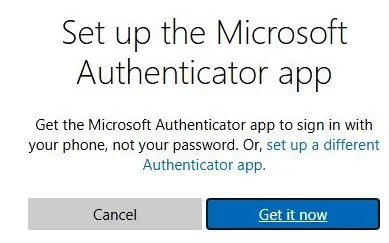
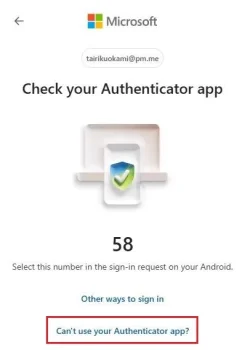
I just setup 2FA using the MS authenticator app with Send Notification Approve Sign In method.
But when I am not at home, I do not have Internet access or cellular data on my phone.
How could I select the "Use Verification Codes Instead" within the MS Authenticator app?
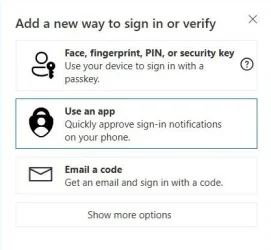
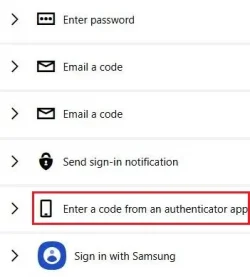
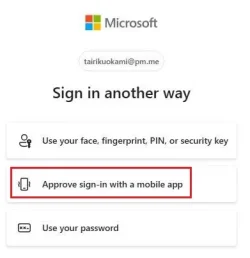
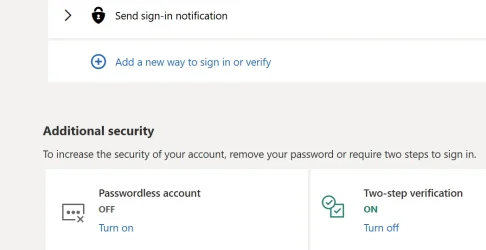
As you can see here from the screen shot, this is the way I have it setup.
In the near future, I may even setup Password less.
But like mentioned, when I am on the go, my phone does not have Internet connection.
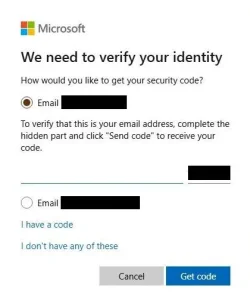
So how and where do I get to see the option to use or revert using the OTP Verification Codes?
But when I am not at home, I do not have Internet access or cellular data on my phone.
How could I select the "Use Verification Codes Instead" within the MS Authenticator app?
As you can see here from the screen shot, this is the way I have it setup.
In the near future, I may even setup Password less.
But like mentioned, when I am on the go, my phone does not have Internet connection.
So how and where do I get to see the option to use or revert using the OTP Verification Codes?
Attachments
My Computer
At a glance
Windows 11 Pro 22H2
- OS
- Windows 11 Pro 22H2