Solved slow computer boot up


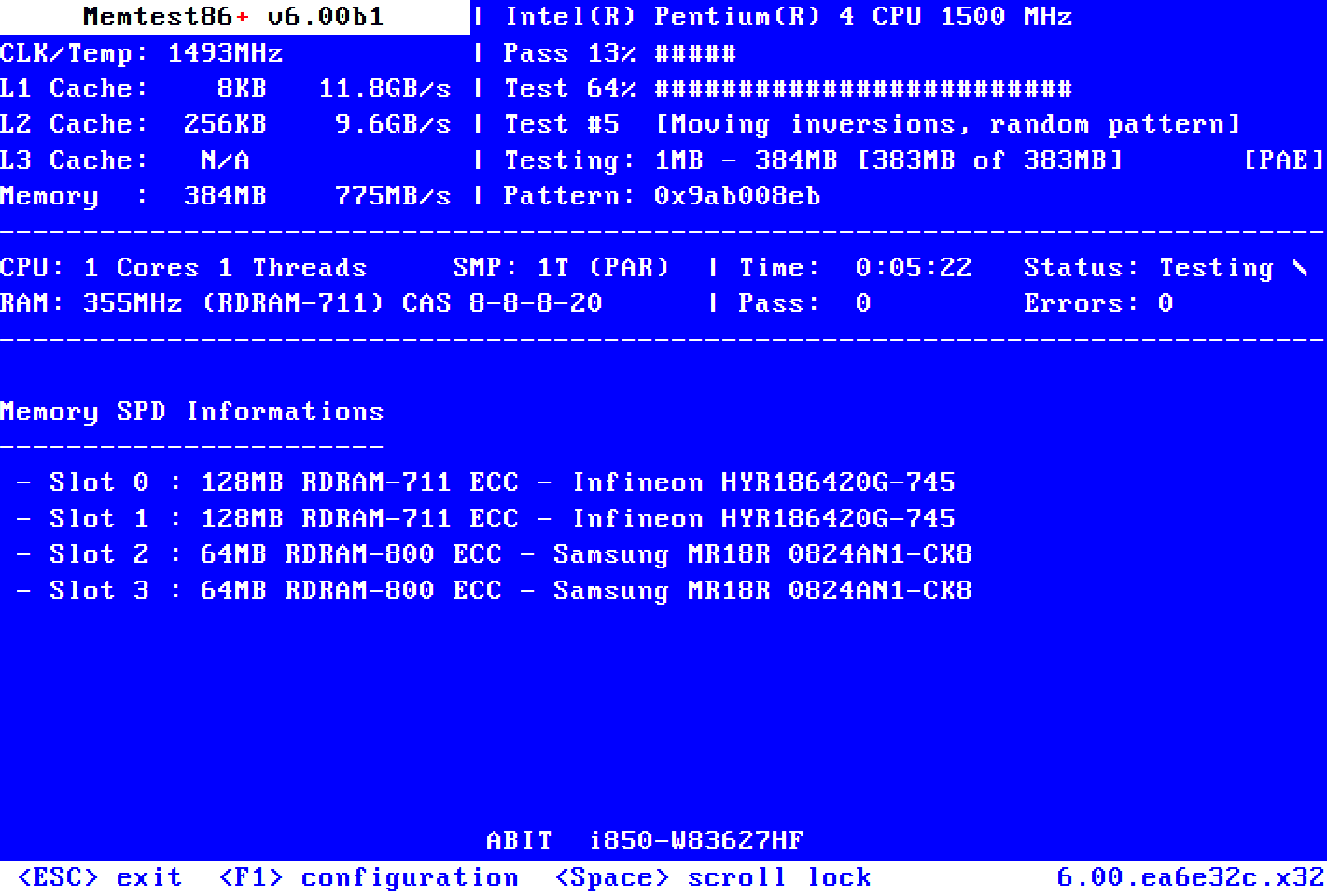
For Memtest86+ please see post #15


There are software with similar names.
got it! ill run these when im back from school, do you have any idea how long thr test could take? might need my laptop for school work
 

My Computer My Computer

At a glance

Microsoft Windows 11 Home13th Gen Intel(R) Core(TM) i9-13950HX 2.20 GHzMax 64GB Up to DDR5-5600Intel(R) UHD Graphics (iGPU), NVIDIA® GeForce...
OS
Microsoft Windows 11 Home
Computer type
Laptop
Manufacturer/Model
MSI Raiders GE68HX 13VF
CPU
13th Gen Intel(R) Core(TM) i9-13950HX 2.20 GHz
Motherboard
MS-15M2 REV:1.0
Memory
Max 64GB Up to DDR5-5600
Graphics Card(s)
Intel(R) UHD Graphics (iGPU), NVIDIA® GeForce RTX™ 4060 Laptop GPU 8GB GDDR6
Sound Card
Realtek(R) Audio, Intel Smart Sound
Monitor(s) Displays
144 hz, 8-bit
Screen Resolution
1920 x 1200
Hard Drives
NVMe Micron 2400
PSU
4-Cell 99.9 Battery (Whr)
Keyboard
Per-Key RGB Keyboard by SteelSeries
Browser
Google
Antivirus
Malwarebytes / Windows Defender
Other Info
I got my laptop around ~ November 2023, this is my first laptop ever
Lacks much, if any, experience in opening up the back of it or whatnot

Please post a new V2
 

My Computer My Computer

At a glance

Windows 10Intel(R) Core(TM) i7-4800MQ CPU @ 2.70GHz16 GB Total: Manufacturer : Samsung MemoryTyp...NVIDIA Quadro K3100M; Intel(R) HD Graphics 4600
OS
Windows 10
Computer type
Laptop
Manufacturer/Model
HP
CPU
Intel(R) Core(TM) i7-4800MQ CPU @ 2.70GHz
Motherboard
Product : 190A Version : KBC Version 94.56
Memory
16 GB Total: Manufacturer : Samsung MemoryType : DDR3 FormFactor : SODIMM Capacity : 8GB Speed : 1600
Graphics Card(s)
NVIDIA Quadro K3100M; Intel(R) HD Graphics 4600
Sound Card
IDT High Definition Audio CODEC; PNP Device ID HDAUDIO\FUNC_01&VEN_111D&DEV_76E0
Hard Drives
Model Hitachi HTS727575A9E364
Antivirus
Microsoft Defender
Other Info
Mobile Workstation

My Computer My Computer

At a glance

Microsoft Windows 11 Home13th Gen Intel(R) Core(TM) i9-13950HX 2.20 GHzMax 64GB Up to DDR5-5600Intel(R) UHD Graphics (iGPU), NVIDIA® GeForce...
OS
Microsoft Windows 11 Home
Computer type
Laptop
Manufacturer/Model
MSI Raiders GE68HX 13VF
CPU
13th Gen Intel(R) Core(TM) i9-13950HX 2.20 GHz
Motherboard
MS-15M2 REV:1.0
Memory
Max 64GB Up to DDR5-5600
Graphics Card(s)
Intel(R) UHD Graphics (iGPU), NVIDIA® GeForce RTX™ 4060 Laptop GPU 8GB GDDR6
Sound Card
Realtek(R) Audio, Intel Smart Sound
Monitor(s) Displays
144 hz, 8-bit
Screen Resolution
1920 x 1200
Hard Drives
NVMe Micron 2400
PSU
4-Cell 99.9 Battery (Whr)
Keyboard
Per-Key RGB Keyboard by SteelSeries
Browser
Google
Antivirus
Malwarebytes / Windows Defender
Other Info
I got my laptop around ~ November 2023, this is my first laptop ever
Lacks much, if any, experience in opening up the back of it or whatnot

My Computer My Computer

At a glance

Microsoft Windows 11 Home13th Gen Intel(R) Core(TM) i9-13950HX 2.20 GHzMax 64GB Up to DDR5-5600Intel(R) UHD Graphics (iGPU), NVIDIA® GeForce...
OS
Microsoft Windows 11 Home
Computer type
Laptop
Manufacturer/Model
MSI Raiders GE68HX 13VF
CPU
13th Gen Intel(R) Core(TM) i9-13950HX 2.20 GHz
Motherboard
MS-15M2 REV:1.0
Memory
Max 64GB Up to DDR5-5600
Graphics Card(s)
Intel(R) UHD Graphics (iGPU), NVIDIA® GeForce RTX™ 4060 Laptop GPU 8GB GDDR6
Sound Card
Realtek(R) Audio, Intel Smart Sound
Monitor(s) Displays
144 hz, 8-bit
Screen Resolution
1920 x 1200
Hard Drives
NVMe Micron 2400
PSU
4-Cell 99.9 Battery (Whr)
Keyboard
Per-Key RGB Keyboard by SteelSeries
Browser
Google
Antivirus
Malwarebytes / Windows Defender
Other Info
I got my laptop around ~ November 2023, this is my first laptop ever
Lacks much, if any, experience in opening up the back of it or whatnot
The website log collector is V2.


Remove one RAM module from the laptop if you want shorter testing times.


Test one RAM module at a time in the same DIMM for 8 or more passes.


Tests can run during the labor day holiday weekend?

And substantial amount of testing can be performed while sleeping.


The old version of the software took 1 to 1 1/2 per GB.

The newer version is faster but duration is unknown.


Code:
Location     : Controller0-ChannelA-DIMM0
BankLabel    : BANK 0
Manufacturer : SK Hynix
MemoryType   : DDR5
FormFactor   : SODIMM
Capacity     : 16GB
Speed        : 5600
Serial       : 28DF514F
PartNumber   : HMCG78AGBSA095N     
ECC          : False
TypeDetail   : {Synchronous}

Location     : Controller1-ChannelA-DIMM0
BankLabel    : BANK 0
Manufacturer : SK Hynix
MemoryType   : DDR5
FormFactor   : SODIMM
Capacity     : 16GB
Speed        : 5600
Serial       : 28DF5259
PartNumber   : HMCG78AGBSA095N     
ECC          : False
TypeDetail   : {Synchronous}
 

My Computer My Computer

At a glance

Windows 10Intel(R) Core(TM) i7-4800MQ CPU @ 2.70GHz16 GB Total: Manufacturer : Samsung MemoryTyp...NVIDIA Quadro K3100M; Intel(R) HD Graphics 4600
OS
Windows 10
Computer type
Laptop
Manufacturer/Model
HP
CPU
Intel(R) Core(TM) i7-4800MQ CPU @ 2.70GHz
Motherboard
Product : 190A Version : KBC Version 94.56
Memory
16 GB Total: Manufacturer : Samsung MemoryType : DDR3 FormFactor : SODIMM Capacity : 8GB Speed : 1600
Graphics Card(s)
NVIDIA Quadro K3100M; Intel(R) HD Graphics 4600
Sound Card
IDT High Definition Audio CODEC; PNP Device ID HDAUDIO\FUNC_01&VEN_111D&DEV_76E0
Hard Drives
Model Hitachi HTS727575A9E364
Antivirus
Microsoft Defender
Other Info
Mobile Workstation
Test one RAM module at a time in the same DIMM for 8 or more passes.
im still confused by whar you mean here

also i dont think there is a labour holiday weekend here in NZ, not the coming week anyway. parents also dont allow my laptop on all night 💔


The old version of the software took 1 to 1 1/2 per GB.
1 - 1.5 hours?? im not sure if ill have that much time on my hands anytime soon 😢 i also do not have an empty usb on me at the moment to use for memtest, might need to get one as well.

overall, do you think you coulf summarise everything that youve found out?
 

My Computer My Computer

At a glance

Microsoft Windows 11 Home13th Gen Intel(R) Core(TM) i9-13950HX 2.20 GHzMax 64GB Up to DDR5-5600Intel(R) UHD Graphics (iGPU), NVIDIA® GeForce...
OS
Microsoft Windows 11 Home
Computer type
Laptop
Manufacturer/Model
MSI Raiders GE68HX 13VF
CPU
13th Gen Intel(R) Core(TM) i9-13950HX 2.20 GHz
Motherboard
MS-15M2 REV:1.0
Memory
Max 64GB Up to DDR5-5600
Graphics Card(s)
Intel(R) UHD Graphics (iGPU), NVIDIA® GeForce RTX™ 4060 Laptop GPU 8GB GDDR6
Sound Card
Realtek(R) Audio, Intel Smart Sound
Monitor(s) Displays
144 hz, 8-bit
Screen Resolution
1920 x 1200
Hard Drives
NVMe Micron 2400
PSU
4-Cell 99.9 Battery (Whr)
Keyboard
Per-Key RGB Keyboard by SteelSeries
Browser
Google
Antivirus
Malwarebytes / Windows Defender
Other Info
I got my laptop around ~ November 2023, this is my first laptop ever
Lacks much, if any, experience in opening up the back of it or whatnot
96% is not perfect but not of major concern. I would worry for health lower than 80%. However, if the computer or the disk separately is still under Warranty, why not replace it to be on the safe side? Strelec includes backup tools like Acronis, Macrium Reflect and others. You just need another disk to put the backup there. If you are not confident doing it yourself, ask for professional service. Ask for cost and details of every task they will do before leaving the computer to them.
 

My Computers My Computers

  • At a glance

    Windows 11 Pro 23H2 (5699), 25H2 (8973)Mobile DualCore Intel Core 2 Duo T7250, 2000 MHz4GBMobile Intel(R) GMA 4500M (Mobile 4 series)
    OS
    Windows 11 Pro 23H2 (5699), 25H2 (8973)
    Computer type
    Laptop
    Manufacturer/Model
    Acer Extensa 5630EZ
    CPU
    Mobile DualCore Intel Core 2 Duo T7250, 2000 MHz
    Motherboard
    Acer Extensa 5630
    Memory
    4GB
    Graphics Card(s)
    Mobile Intel(R) GMA 4500M (Mobile 4 series)
    Sound Card
    Realtek ALC268 @ Intel 82801IB ICH9 - High Definition Audio Controller
    Monitor(s) Displays
    1
    Screen Resolution
    1280x800
    Hard Drives
    Samsung SSD 850 EVO 250GB SATA Device (250 GB, SATA-III)
    Internet Speed
    VDSL 50 Mbps
    Browser
    MICROSOFT EDGE
    Antivirus
    WINDOWS DEFENDER
    Other Info
    Legacy MBR installation, no TPM, no Secure Boot, no WDDM 2.0 graphics drivers, no SSE4.2, cannot get more unsupported ;) This is only my test laptop. I had installed Windows 11 here before upgrading my main PC. For my main PC I use everyday see my 2nd system specs.
  • At a glance

    Windows 11 Pro v25H2 (build 26200.8973)Intel Core-i7 3770 3.40GHz s1155 (3rd generat...2x Kingston Hyper-X Blu 8GB DDR3-1600GIGABYTE GeForce RTX 3050 WINDFORCE OC V2 6GB...
    Operating System
    Windows 11 Pro v25H2 (build 26200.8973)
    Computer type
    PC/Desktop
    Manufacturer/Model
    Custom-built PC
    CPU
    Intel Core-i7 3770 3.40GHz s1155 (3rd generation)
    Motherboard
    Asus P8H61 s1155 ATX
    Memory
    2x Kingston Hyper-X Blu 8GB DDR3-1600
    Graphics card(s)
    GIGABYTE GeForce RTX 3050 WINDFORCE OC V2 6GB (GV-N3050WF2OCV2-6GD)
    Sound Card
    Realtek HD audio (ALC887)
    Monitor(s) Displays
    Sony Bravia KDL-19L4000 19" LCD TV via VGA
    Screen Resolution
    1440x900 32-bit 60Hz
    Hard Drives
    WD Blue SA510 2.5 1000GB SSD as system disk, Western Digital Caviar Purple 4TB SATA III (WD40PURZ) as second
    PSU
    Thermaltake Litepower RGB 550W Full Wired
    Case
    SUPERCASE MIDI-TOWER
    Cooling
    Deepcool Gamma Archer CPU cooler, 1x 8cm fan at the back
    Keyboard
    Mitsumi 101-key PS/2
    Mouse
    Sunnyline OptiEye PS/2
    Internet Speed
    100Mbps
    Browser
    Microsoft Edge, Mozilla Firefox
    Antivirus
    Microsoft Windows Defender
    Other Info
    Legacy BIOS (MBR) installation, no TPM, no Secure Boot, WDDM 3.0 graphics drivers, WEI score 7.4
96% is not perfect but not of major concern. I would worry for health lower than 80%. However, if the computer or the disk separately is still under Warranty, why not replace it to be on the safe side? Strelec includes backup tools like Acronis, Macrium Reflect and others. You just need another disk to put the backup there.
fair point, would i need to back up my data upon disk replacing?

also the sterlec process seems a little big and im somewhat worried to get it and run memtest, because im still super unsure on what to do or how to do it. do you think i could get any visual examples, perhaps a video, on what to do?
 

My Computer My Computer

At a glance

Microsoft Windows 11 Home13th Gen Intel(R) Core(TM) i9-13950HX 2.20 GHzMax 64GB Up to DDR5-5600Intel(R) UHD Graphics (iGPU), NVIDIA® GeForce...
OS
Microsoft Windows 11 Home
Computer type
Laptop
Manufacturer/Model
MSI Raiders GE68HX 13VF
CPU
13th Gen Intel(R) Core(TM) i9-13950HX 2.20 GHz
Motherboard
MS-15M2 REV:1.0
Memory
Max 64GB Up to DDR5-5600
Graphics Card(s)
Intel(R) UHD Graphics (iGPU), NVIDIA® GeForce RTX™ 4060 Laptop GPU 8GB GDDR6
Sound Card
Realtek(R) Audio, Intel Smart Sound
Monitor(s) Displays
144 hz, 8-bit
Screen Resolution
1920 x 1200
Hard Drives
NVMe Micron 2400
PSU
4-Cell 99.9 Battery (Whr)
Keyboard
Per-Key RGB Keyboard by SteelSeries
Browser
Google
Antivirus
Malwarebytes / Windows Defender
Other Info
I got my laptop around ~ November 2023, this is my first laptop ever
Lacks much, if any, experience in opening up the back of it or whatnot
sorry for all of the caution and questions im just genuinely a bit overwhelemed with all of this and im really quite unsure
 

My Computer My Computer

At a glance

Microsoft Windows 11 Home13th Gen Intel(R) Core(TM) i9-13950HX 2.20 GHzMax 64GB Up to DDR5-5600Intel(R) UHD Graphics (iGPU), NVIDIA® GeForce...
OS
Microsoft Windows 11 Home
Computer type
Laptop
Manufacturer/Model
MSI Raiders GE68HX 13VF
CPU
13th Gen Intel(R) Core(TM) i9-13950HX 2.20 GHz
Motherboard
MS-15M2 REV:1.0
Memory
Max 64GB Up to DDR5-5600
Graphics Card(s)
Intel(R) UHD Graphics (iGPU), NVIDIA® GeForce RTX™ 4060 Laptop GPU 8GB GDDR6
Sound Card
Realtek(R) Audio, Intel Smart Sound
Monitor(s) Displays
144 hz, 8-bit
Screen Resolution
1920 x 1200
Hard Drives
NVMe Micron 2400
PSU
4-Cell 99.9 Battery (Whr)
Keyboard
Per-Key RGB Keyboard by SteelSeries
Browser
Google
Antivirus
Malwarebytes / Windows Defender
Other Info
I got my laptop around ~ November 2023, this is my first laptop ever
Lacks much, if any, experience in opening up the back of it or whatnot
96% is not perfect but not of major concern. I would worry for health lower than 80%. However, if the computer or the disk separately is still under Warranty, why not replace it to be on the safe side? Strelec includes backup tools like Acronis, Macrium Reflect and others. You just need another disk to put the backup there. If you are not confident doing it yourself, ask for professional service. Ask for cost and details of every task they will do before leaving the computer to them.
also, is 96 bad in like 8 months of use>?
 

My Computer My Computer

At a glance

Microsoft Windows 11 Home13th Gen Intel(R) Core(TM) i9-13950HX 2.20 GHzMax 64GB Up to DDR5-5600Intel(R) UHD Graphics (iGPU), NVIDIA® GeForce...
OS
Microsoft Windows 11 Home
Computer type
Laptop
Manufacturer/Model
MSI Raiders GE68HX 13VF
CPU
13th Gen Intel(R) Core(TM) i9-13950HX 2.20 GHz
Motherboard
MS-15M2 REV:1.0
Memory
Max 64GB Up to DDR5-5600
Graphics Card(s)
Intel(R) UHD Graphics (iGPU), NVIDIA® GeForce RTX™ 4060 Laptop GPU 8GB GDDR6
Sound Card
Realtek(R) Audio, Intel Smart Sound
Monitor(s) Displays
144 hz, 8-bit
Screen Resolution
1920 x 1200
Hard Drives
NVMe Micron 2400
PSU
4-Cell 99.9 Battery (Whr)
Keyboard
Per-Key RGB Keyboard by SteelSeries
Browser
Google
Antivirus
Malwarebytes / Windows Defender
Other Info
I got my laptop around ~ November 2023, this is my first laptop ever
Lacks much, if any, experience in opening up the back of it or whatnot
in short, when im home do i just run memtest64+?


would this be any help?
 

My Computer My Computer

At a glance

Microsoft Windows 11 Home13th Gen Intel(R) Core(TM) i9-13950HX 2.20 GHzMax 64GB Up to DDR5-5600Intel(R) UHD Graphics (iGPU), NVIDIA® GeForce...
OS
Microsoft Windows 11 Home
Computer type
Laptop
Manufacturer/Model
MSI Raiders GE68HX 13VF
CPU
13th Gen Intel(R) Core(TM) i9-13950HX 2.20 GHz
Motherboard
MS-15M2 REV:1.0
Memory
Max 64GB Up to DDR5-5600
Graphics Card(s)
Intel(R) UHD Graphics (iGPU), NVIDIA® GeForce RTX™ 4060 Laptop GPU 8GB GDDR6
Sound Card
Realtek(R) Audio, Intel Smart Sound
Monitor(s) Displays
144 hz, 8-bit
Screen Resolution
1920 x 1200
Hard Drives
NVMe Micron 2400
PSU
4-Cell 99.9 Battery (Whr)
Keyboard
Per-Key RGB Keyboard by SteelSeries
Browser
Google
Antivirus
Malwarebytes / Windows Defender
Other Info
I got my laptop around ~ November 2023, this is my first laptop ever
Lacks much, if any, experience in opening up the back of it or whatnot
do you think there would be any other way to do this, ive done a little research on memtester and tbh it seems a little scary to run nd im not sure how comfortable i am with running it </3

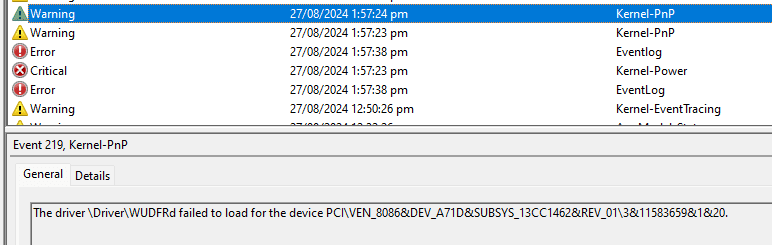
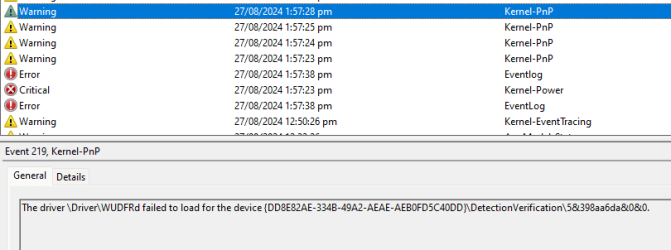
although im no expert i believe these crashes are because of driver crashes, due to the eventviewer. ill show you the errors in a little, currently in school
 

My Computer My Computer

At a glance

Microsoft Windows 11 Home13th Gen Intel(R) Core(TM) i9-13950HX 2.20 GHzMax 64GB Up to DDR5-5600Intel(R) UHD Graphics (iGPU), NVIDIA® GeForce...
OS
Microsoft Windows 11 Home
Computer type
Laptop
Manufacturer/Model
MSI Raiders GE68HX 13VF
CPU
13th Gen Intel(R) Core(TM) i9-13950HX 2.20 GHz
Motherboard
MS-15M2 REV:1.0
Memory
Max 64GB Up to DDR5-5600
Graphics Card(s)
Intel(R) UHD Graphics (iGPU), NVIDIA® GeForce RTX™ 4060 Laptop GPU 8GB GDDR6
Sound Card
Realtek(R) Audio, Intel Smart Sound
Monitor(s) Displays
144 hz, 8-bit
Screen Resolution
1920 x 1200
Hard Drives
NVMe Micron 2400
PSU
4-Cell 99.9 Battery (Whr)
Keyboard
Per-Key RGB Keyboard by SteelSeries
Browser
Google
Antivirus
Malwarebytes / Windows Defender
Other Info
I got my laptop around ~ November 2023, this is my first laptop ever
Lacks much, if any, experience in opening up the back of it or whatnot
driver errors, although device manager seems to say all my drivers look fine.

i do want to note that my crashes are never BSOD crashes, my screen just ends up freezing and the audio starts to loop. i think this reddit post is a good example of it

now i had went ahead and solved the hypervisor issues that it showed, and yes my crashes had heavily decreased, but they still occur upon prolonged periods of heavy usage on my cpu/gpu.
 

Attachments

  • Screenshot 2024-08-28 125118.png
    Screenshot 2024-08-28 125118.png
    6.1 KB · Views: 1
  • Screenshot 2024-08-28 125122.png
    Screenshot 2024-08-28 125122.png
    6.9 KB · Views: 1
  • Screenshot 2024-08-28 125127.png
    Screenshot 2024-08-28 125127.png
    7.2 KB · Views: 1
  • Screenshot 2024-08-28 125133.png
    Screenshot 2024-08-28 125133.png
    7.4 KB · Views: 1

My Computer My Computer

At a glance

Microsoft Windows 11 Home13th Gen Intel(R) Core(TM) i9-13950HX 2.20 GHzMax 64GB Up to DDR5-5600Intel(R) UHD Graphics (iGPU), NVIDIA® GeForce...
OS
Microsoft Windows 11 Home
Computer type
Laptop
Manufacturer/Model
MSI Raiders GE68HX 13VF
CPU
13th Gen Intel(R) Core(TM) i9-13950HX 2.20 GHz
Motherboard
MS-15M2 REV:1.0
Memory
Max 64GB Up to DDR5-5600
Graphics Card(s)
Intel(R) UHD Graphics (iGPU), NVIDIA® GeForce RTX™ 4060 Laptop GPU 8GB GDDR6
Sound Card
Realtek(R) Audio, Intel Smart Sound
Monitor(s) Displays
144 hz, 8-bit
Screen Resolution
1920 x 1200
Hard Drives
NVMe Micron 2400
PSU
4-Cell 99.9 Battery (Whr)
Keyboard
Per-Key RGB Keyboard by SteelSeries
Browser
Google
Antivirus
Malwarebytes / Windows Defender
Other Info
I got my laptop around ~ November 2023, this is my first laptop ever
Lacks much, if any, experience in opening up the back of it or whatnot
fair point, would i need to back up my data upon disk replacing?

also the sterlec process seems a little big and im somewhat worried to get it and run memtest, because im still super unsure on what to do or how to do it. do you think i could get any visual examples, perhaps a video, on what to do?
You download the ISO of Strelec. This means a DVD file that can either create a DVD or a bootable USB. You can use Rufus to read the ISO file and create the USB. Make sure you don't need the data in the USB as it will be wiped. After you have created this USB you can use it to start (boot) the computer. To do that, connect the USB, restart the computer (or switch it on if off) and press F12 (consult the computer manual for the exact key, for HP is F9, for Asus and other motherboards is F8, for Asrock and similar is F11) to stop the normal boot sequence and get a list with the devices you can select to start (boot) the computer. There should be your hard disk or SSD and the USB flash drive. Use the up/down arrow to highlight the USB device and press ENTER to boot from it. You will see a list of options. To load the Windows 11 environment, the Windows 10 environment, to search for your Windows system on the hard disk and run it (if is damaged and it cannot run normally), to run Memtest and others. To check your RAM use the arrows to highlight Memtest and press ENTER to load. For the other tools you must load either Windows 11 or 10 environment (makes no difference apart from the skin). Then you should see an empty desktop and the start button (bottom left). Click on the start button to open the start menu and you see categories (folders). Hard Disk Sentinel is on the Diagnostics category (folder). Feel free to have a look at the other tools, the titles are self-explanatory. When in doubt, you can Google it to see what it is and how it is used.
 

My Computers My Computers

  • At a glance

    Windows 11 Pro 23H2 (5699), 25H2 (8973)Mobile DualCore Intel Core 2 Duo T7250, 2000 MHz4GBMobile Intel(R) GMA 4500M (Mobile 4 series)
    OS
    Windows 11 Pro 23H2 (5699), 25H2 (8973)
    Computer type
    Laptop
    Manufacturer/Model
    Acer Extensa 5630EZ
    CPU
    Mobile DualCore Intel Core 2 Duo T7250, 2000 MHz
    Motherboard
    Acer Extensa 5630
    Memory
    4GB
    Graphics Card(s)
    Mobile Intel(R) GMA 4500M (Mobile 4 series)
    Sound Card
    Realtek ALC268 @ Intel 82801IB ICH9 - High Definition Audio Controller
    Monitor(s) Displays
    1
    Screen Resolution
    1280x800
    Hard Drives
    Samsung SSD 850 EVO 250GB SATA Device (250 GB, SATA-III)
    Internet Speed
    VDSL 50 Mbps
    Browser
    MICROSOFT EDGE
    Antivirus
    WINDOWS DEFENDER
    Other Info
    Legacy MBR installation, no TPM, no Secure Boot, no WDDM 2.0 graphics drivers, no SSE4.2, cannot get more unsupported ;) This is only my test laptop. I had installed Windows 11 here before upgrading my main PC. For my main PC I use everyday see my 2nd system specs.
  • At a glance

    Windows 11 Pro v25H2 (build 26200.8973)Intel Core-i7 3770 3.40GHz s1155 (3rd generat...2x Kingston Hyper-X Blu 8GB DDR3-1600GIGABYTE GeForce RTX 3050 WINDFORCE OC V2 6GB...
    Operating System
    Windows 11 Pro v25H2 (build 26200.8973)
    Computer type
    PC/Desktop
    Manufacturer/Model
    Custom-built PC
    CPU
    Intel Core-i7 3770 3.40GHz s1155 (3rd generation)
    Motherboard
    Asus P8H61 s1155 ATX
    Memory
    2x Kingston Hyper-X Blu 8GB DDR3-1600
    Graphics card(s)
    GIGABYTE GeForce RTX 3050 WINDFORCE OC V2 6GB (GV-N3050WF2OCV2-6GD)
    Sound Card
    Realtek HD audio (ALC887)
    Monitor(s) Displays
    Sony Bravia KDL-19L4000 19" LCD TV via VGA
    Screen Resolution
    1440x900 32-bit 60Hz
    Hard Drives
    WD Blue SA510 2.5 1000GB SSD as system disk, Western Digital Caviar Purple 4TB SATA III (WD40PURZ) as second
    PSU
    Thermaltake Litepower RGB 550W Full Wired
    Case
    SUPERCASE MIDI-TOWER
    Cooling
    Deepcool Gamma Archer CPU cooler, 1x 8cm fan at the back
    Keyboard
    Mitsumi 101-key PS/2
    Mouse
    Sunnyline OptiEye PS/2
    Internet Speed
    100Mbps
    Browser
    Microsoft Edge, Mozilla Firefox
    Antivirus
    Microsoft Windows Defender
    Other Info
    Legacy BIOS (MBR) installation, no TPM, no Secure Boot, WDDM 3.0 graphics drivers, WEI score 7.4
You download the ISO of Strelec. This means a DVD file that can either create a DVD or a bootable USB. You can use Rufus to read the ISO file and create the USB. Make sure you don't need the data in the USB as it will be wiped. After you have created this USB you can use it to start (boot) the computer. To do that, connect the USB, restart the computer (or switch it on if off) and press F12 (consult the computer manual for the exact key, for HP is F9, for Asus and other motherboards is F8, for Asrock and similar is F11) to stop the normal boot sequence and get a list with the devices you can select to start (boot) the computer. There should be your hard disk or SSD and the USB flash drive. Use the up/down arrow to highlight the USB device and press ENTER to boot from it. You will see a list of options. To load the Windows 11 environment, the Windows 10 environment, to search for your Windows system on the hard disk and run it (if is damaged and it cannot run normally), to run Memtest and others. To check your RAM use the arrows to highlight Memtest and press ENTER to load. For the other tools you must load either Windows 11 or 10 environment (makes no difference apart from the skin). Then you should see an empty desktop and the start button (bottom left). Click on the start button to open the start menu and you see categories (folders). Hard Disk Sentinel is on the Diagnostics category (folder). Feel free to have a look at the other tools, the titles are self-explanatory. When in doubt, you can Google it to see what it is and how it is used.
do i really need to do all of this? i understand a ram check is important, but it seems quite scary and im not sure if im up for it. i dont know, im somewhat lost and worried about this </3
 

My Computer My Computer

At a glance

Microsoft Windows 11 Home13th Gen Intel(R) Core(TM) i9-13950HX 2.20 GHzMax 64GB Up to DDR5-5600Intel(R) UHD Graphics (iGPU), NVIDIA® GeForce...
OS
Microsoft Windows 11 Home
Computer type
Laptop
Manufacturer/Model
MSI Raiders GE68HX 13VF
CPU
13th Gen Intel(R) Core(TM) i9-13950HX 2.20 GHz
Motherboard
MS-15M2 REV:1.0
Memory
Max 64GB Up to DDR5-5600
Graphics Card(s)
Intel(R) UHD Graphics (iGPU), NVIDIA® GeForce RTX™ 4060 Laptop GPU 8GB GDDR6
Sound Card
Realtek(R) Audio, Intel Smart Sound
Monitor(s) Displays
144 hz, 8-bit
Screen Resolution
1920 x 1200
Hard Drives
NVMe Micron 2400
PSU
4-Cell 99.9 Battery (Whr)
Keyboard
Per-Key RGB Keyboard by SteelSeries
Browser
Google
Antivirus
Malwarebytes / Windows Defender
Other Info
I got my laptop around ~ November 2023, this is my first laptop ever
Lacks much, if any, experience in opening up the back of it or whatnot
thanks all for the help, i think the problem is mostly resolved tho. ill let you know if i need any more help!
 

My Computer My Computer

At a glance

Microsoft Windows 11 Home13th Gen Intel(R) Core(TM) i9-13950HX 2.20 GHzMax 64GB Up to DDR5-5600Intel(R) UHD Graphics (iGPU), NVIDIA® GeForce...
OS
Microsoft Windows 11 Home
Computer type
Laptop
Manufacturer/Model
MSI Raiders GE68HX 13VF
CPU
13th Gen Intel(R) Core(TM) i9-13950HX 2.20 GHz
Motherboard
MS-15M2 REV:1.0
Memory
Max 64GB Up to DDR5-5600
Graphics Card(s)
Intel(R) UHD Graphics (iGPU), NVIDIA® GeForce RTX™ 4060 Laptop GPU 8GB GDDR6
Sound Card
Realtek(R) Audio, Intel Smart Sound
Monitor(s) Displays
144 hz, 8-bit
Screen Resolution
1920 x 1200
Hard Drives
NVMe Micron 2400
PSU
4-Cell 99.9 Battery (Whr)
Keyboard
Per-Key RGB Keyboard by SteelSeries
Browser
Google
Antivirus
Malwarebytes / Windows Defender
Other Info
I got my laptop around ~ November 2023, this is my first laptop ever
Lacks much, if any, experience in opening up the back of it or whatnot
do i really need to do all of this? i understand a ram check is important, but it seems quite scary and im not sure if im up for it. i dont know, im somewhat lost and worried about this </3
Strelec is just a toolbox. You don't use it every day (unless you are a Computer Technician), but it comes handy when needed. Why have 2-3 tools when you can have a toolbox?
 

My Computers My Computers

  • At a glance

    Windows 11 Pro 23H2 (5699), 25H2 (8973)Mobile DualCore Intel Core 2 Duo T7250, 2000 MHz4GBMobile Intel(R) GMA 4500M (Mobile 4 series)
    OS
    Windows 11 Pro 23H2 (5699), 25H2 (8973)
    Computer type
    Laptop
    Manufacturer/Model
    Acer Extensa 5630EZ
    CPU
    Mobile DualCore Intel Core 2 Duo T7250, 2000 MHz
    Motherboard
    Acer Extensa 5630
    Memory
    4GB
    Graphics Card(s)
    Mobile Intel(R) GMA 4500M (Mobile 4 series)
    Sound Card
    Realtek ALC268 @ Intel 82801IB ICH9 - High Definition Audio Controller
    Monitor(s) Displays
    1
    Screen Resolution
    1280x800
    Hard Drives
    Samsung SSD 850 EVO 250GB SATA Device (250 GB, SATA-III)
    Internet Speed
    VDSL 50 Mbps
    Browser
    MICROSOFT EDGE
    Antivirus
    WINDOWS DEFENDER
    Other Info
    Legacy MBR installation, no TPM, no Secure Boot, no WDDM 2.0 graphics drivers, no SSE4.2, cannot get more unsupported ;) This is only my test laptop. I had installed Windows 11 here before upgrading my main PC. For my main PC I use everyday see my 2nd system specs.
  • At a glance

    Windows 11 Pro v25H2 (build 26200.8973)Intel Core-i7 3770 3.40GHz s1155 (3rd generat...2x Kingston Hyper-X Blu 8GB DDR3-1600GIGABYTE GeForce RTX 3050 WINDFORCE OC V2 6GB...
    Operating System
    Windows 11 Pro v25H2 (build 26200.8973)
    Computer type
    PC/Desktop
    Manufacturer/Model
    Custom-built PC
    CPU
    Intel Core-i7 3770 3.40GHz s1155 (3rd generation)
    Motherboard
    Asus P8H61 s1155 ATX
    Memory
    2x Kingston Hyper-X Blu 8GB DDR3-1600
    Graphics card(s)
    GIGABYTE GeForce RTX 3050 WINDFORCE OC V2 6GB (GV-N3050WF2OCV2-6GD)
    Sound Card
    Realtek HD audio (ALC887)
    Monitor(s) Displays
    Sony Bravia KDL-19L4000 19" LCD TV via VGA
    Screen Resolution
    1440x900 32-bit 60Hz
    Hard Drives
    WD Blue SA510 2.5 1000GB SSD as system disk, Western Digital Caviar Purple 4TB SATA III (WD40PURZ) as second
    PSU
    Thermaltake Litepower RGB 550W Full Wired
    Case
    SUPERCASE MIDI-TOWER
    Cooling
    Deepcool Gamma Archer CPU cooler, 1x 8cm fan at the back
    Keyboard
    Mitsumi 101-key PS/2
    Mouse
    Sunnyline OptiEye PS/2
    Internet Speed
    100Mbps
    Browser
    Microsoft Edge, Mozilla Firefox
    Antivirus
    Microsoft Windows Defender
    Other Info
    Legacy BIOS (MBR) installation, no TPM, no Secure Boot, WDDM 3.0 graphics drivers, WEI score 7.4
hey, posting back here again, do you think i could run windows memory diagnosis instead? i was planning on running a short test later today and then trying the big one later during the weekend or whenever i can leave my laptop for multiple hours on end, what do you think?

@zbooks

sorry for the late replies
 

My Computer My Computer

At a glance

Microsoft Windows 11 Home13th Gen Intel(R) Core(TM) i9-13950HX 2.20 GHzMax 64GB Up to DDR5-5600Intel(R) UHD Graphics (iGPU), NVIDIA® GeForce...
OS
Microsoft Windows 11 Home
Computer type
Laptop
Manufacturer/Model
MSI Raiders GE68HX 13VF
CPU
13th Gen Intel(R) Core(TM) i9-13950HX 2.20 GHz
Motherboard
MS-15M2 REV:1.0
Memory
Max 64GB Up to DDR5-5600
Graphics Card(s)
Intel(R) UHD Graphics (iGPU), NVIDIA® GeForce RTX™ 4060 Laptop GPU 8GB GDDR6
Sound Card
Realtek(R) Audio, Intel Smart Sound
Monitor(s) Displays
144 hz, 8-bit
Screen Resolution
1920 x 1200
Hard Drives
NVMe Micron 2400
PSU
4-Cell 99.9 Battery (Whr)
Keyboard
Per-Key RGB Keyboard by SteelSeries
Browser
Google
Antivirus
Malwarebytes / Windows Defender
Other Info
I got my laptop around ~ November 2023, this is my first laptop ever
Lacks much, if any, experience in opening up the back of it or whatnot
Unfortunately Windows memory diagnostics has many false negatives.

So Memtest86+ is used for 8 or more passes.

It sometimes takes > 20 passes to find malfunctioning RAM.

Just 1 error is a test fail and testing can be aborted.

Make sure that pictures are taken
 

My Computer My Computer

At a glance

Windows 10Intel(R) Core(TM) i7-4800MQ CPU @ 2.70GHz16 GB Total: Manufacturer : Samsung MemoryTyp...NVIDIA Quadro K3100M; Intel(R) HD Graphics 4600
OS
Windows 10
Computer type
Laptop
Manufacturer/Model
HP
CPU
Intel(R) Core(TM) i7-4800MQ CPU @ 2.70GHz
Motherboard
Product : 190A Version : KBC Version 94.56
Memory
16 GB Total: Manufacturer : Samsung MemoryType : DDR3 FormFactor : SODIMM Capacity : 8GB Speed : 1600
Graphics Card(s)
NVIDIA Quadro K3100M; Intel(R) HD Graphics 4600
Sound Card
IDT High Definition Audio CODEC; PNP Device ID HDAUDIO\FUNC_01&VEN_111D&DEV_76E0
Hard Drives
Model Hitachi HTS727575A9E364
Antivirus
Microsoft Defender
Other Info
Mobile Workstation
Unfortunately Windows memory diagnostics has many false negatives.

So Memtest86+ is used for 8 or more passes.

It sometimes takes > 20 passes to find malfunctioning RAM.

Just 1 error is a test fail and testing can be aborted.

Make sure that pictures are taken
alright thank you, im not sure wheb ill hace 32 hoyrs on hand, but ill let you know when im able to run it. thanks!
 

My Computer My Computer

At a glance

Microsoft Windows 11 Home13th Gen Intel(R) Core(TM) i9-13950HX 2.20 GHzMax 64GB Up to DDR5-5600Intel(R) UHD Graphics (iGPU), NVIDIA® GeForce...
OS
Microsoft Windows 11 Home
Computer type
Laptop
Manufacturer/Model
MSI Raiders GE68HX 13VF
CPU
13th Gen Intel(R) Core(TM) i9-13950HX 2.20 GHz
Motherboard
MS-15M2 REV:1.0
Memory
Max 64GB Up to DDR5-5600
Graphics Card(s)
Intel(R) UHD Graphics (iGPU), NVIDIA® GeForce RTX™ 4060 Laptop GPU 8GB GDDR6
Sound Card
Realtek(R) Audio, Intel Smart Sound
Monitor(s) Displays
144 hz, 8-bit
Screen Resolution
1920 x 1200
Hard Drives
NVMe Micron 2400
PSU
4-Cell 99.9 Battery (Whr)
Keyboard
Per-Key RGB Keyboard by SteelSeries
Browser
Google
Antivirus
Malwarebytes / Windows Defender
Other Info
I got my laptop around ~ November 2023, this is my first laptop ever
Lacks much, if any, experience in opening up the back of it or whatnot
Back
Top Bottom