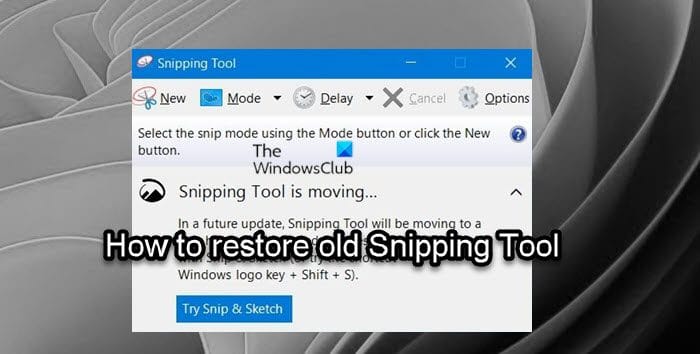
Solved Snipping tool.......keeps needing to be fixed to work


Vimes

Well-known member
Member
Local time
4:46 PM
Posts
67
Location
Earth, for now
OS
Windows 11 Pro build 25H2
Hi

I am running Windows 11 25h2 26200.7171 and I used to the find that the snipping tool (ST) worked consistently, well I thought I did.
But I find myself more often these days going to its advanced options to either repair or reset it. Then it seems to work fine for a little while and then.....it doesn't.
A reboot does not matter, removing and reinstalling just delays the time before it stops functioning again.

I can use ShareX, I'll give that a go, but I would have preferred just using the ST as it did what I wanted really.

Has anyone else noted the ST to be less than reliable..?

Thanks
 
Windows Build/Version
Windows 11 25h2 26200.7171

My Computers My Computers

  • At a glance

    Windows 11 Pro build 25H2Intel 265k32GB DDR5 Corsair Dominator 7200MhzFE Edition 4080
    OS
    Windows 11 Pro build 25H2
    Computer type
    PC/Desktop
    Manufacturer/Model
    Home brew
    CPU
    Intel 265k
    Motherboard
    Gigabyte Z890 Aorus Elite
    Memory
    32GB DDR5 Corsair Dominator 7200Mhz
    Graphics Card(s)
    FE Edition 4080
    Sound Card
    onboard
    Monitor(s) Displays
    Acer 32" 4k IPS monitor
    Screen Resolution
    4k
    Hard Drives
    Various NVME and two SSD's
    PSU
    Antec ATX 3.1 1200w
    Case
    Meshify 2 XL
    Cooling
    Corsair Nautilus 360 AIO
    Keyboard
    Mechanical blue switch
    Mouse
    G502 Lightspeed Wireless
    Internet Speed
    FTTP 500Mb
    Browser
    Edge
    Antivirus
    Microsoft
  • At a glance

    Windows 11 Pro 24h2Alder Lake 3.4Ghz 4 Core16GB DDR4 3200GhzInternal GPU to the CPU
    Operating System
    Windows 11 Pro 24h2
    Computer type
    PC/Desktop
    Manufacturer/Model
    NUC N100 type model and System 3 but an N150 CPU
    CPU
    Alder Lake 3.4Ghz 4 Core
    Motherboard
    built in SOC
    Memory
    16GB DDR4 3200Ghz
    Graphics card(s)
    Internal GPU to the CPU
    Sound Card
    nah
    Monitor(s) Displays
    Samsung Syncmaster 913n VGA but used headless mainly.
    Screen Resolution
    1280x1024
    Hard Drives
    NVME 512GB and a SATA SSD at 1TB
    PSU
    I reckon so, external type
    Case
    yup it has one of those
    Cooling
    probably
    Keyboard
    only attached for rare local access
    Mouse
    not really needed but attached. Old Logitech, with a ball...!
    Internet Speed
    FTTC 500GB.
    Browser
    Edge
Has anyone else noted the ST to be less than reliable..?
No, but it seems to happen a lot with MS apps!
I'd stick with ShareX, but that's me! :cool:
 

My Computers My Computers

  • At a glance

    Windows 11 Pro
    OS
    Windows 11 Pro
    Computer type
    PC/Desktop
    Manufacturer/Model
    ASUS ROG Strix
  • At a glance

    Windows 11 Pro
    Operating System
    Windows 11 Pro
    Computer type
    Laptop
    Manufacturer/Model
    ASUS VivoBook
  • ASUS VivoBook 'Lite' ~ Windows 11 Home
Thanks, perhaps I am taking it a little too far if I note that Windows 11 seems generally to be fragile overall.

ShareX seems to do what I need, when the horse has died, time to stop flogging.
 

My Computers My Computers

  • At a glance

    Windows 11 Pro build 25H2Intel 265k32GB DDR5 Corsair Dominator 7200MhzFE Edition 4080
    OS
    Windows 11 Pro build 25H2
    Computer type
    PC/Desktop
    Manufacturer/Model
    Home brew
    CPU
    Intel 265k
    Motherboard
    Gigabyte Z890 Aorus Elite
    Memory
    32GB DDR5 Corsair Dominator 7200Mhz
    Graphics Card(s)
    FE Edition 4080
    Sound Card
    onboard
    Monitor(s) Displays
    Acer 32" 4k IPS monitor
    Screen Resolution
    4k
    Hard Drives
    Various NVME and two SSD's
    PSU
    Antec ATX 3.1 1200w
    Case
    Meshify 2 XL
    Cooling
    Corsair Nautilus 360 AIO
    Keyboard
    Mechanical blue switch
    Mouse
    G502 Lightspeed Wireless
    Internet Speed
    FTTP 500Mb
    Browser
    Edge
    Antivirus
    Microsoft
  • At a glance

    Windows 11 Pro 24h2Alder Lake 3.4Ghz 4 Core16GB DDR4 3200GhzInternal GPU to the CPU
    Operating System
    Windows 11 Pro 24h2
    Computer type
    PC/Desktop
    Manufacturer/Model
    NUC N100 type model and System 3 but an N150 CPU
    CPU
    Alder Lake 3.4Ghz 4 Core
    Motherboard
    built in SOC
    Memory
    16GB DDR4 3200Ghz
    Graphics card(s)
    Internal GPU to the CPU
    Sound Card
    nah
    Monitor(s) Displays
    Samsung Syncmaster 913n VGA but used headless mainly.
    Screen Resolution
    1280x1024
    Hard Drives
    NVME 512GB and a SATA SSD at 1TB
    PSU
    I reckon so, external type
    Case
    yup it has one of those
    Cooling
    probably
    Keyboard
    only attached for rare local access
    Mouse
    not really needed but attached. Old Logitech, with a ball...!
    Internet Speed
    FTTC 500GB.
    Browser
    Edge
I'll give your original post a "me too." After doing a few resets or repairs like you, I found that the settings were sometimes changing for no reason. I put the settings back to where I originally had them and ST would again work for awhile but eventually fail. I even did an unininstall/reinstall of the app but it did not fix the problem. I am just living with it.

I also sometimes have problems with the photos app throwing an error message when I try to open a photo file. These apps are just not stable.
 

My Computers My Computers

  • At a glance

    Windows 11 Pro 25H2i7-8565U16GBIntel UHD Graphics 620
    OS
    Windows 11 Pro 25H2
    Computer type
    Laptop
    Manufacturer/Model
    Lenovo T490 (2020 Hardware)
    CPU
    i7-8565U
    Motherboard
    20N20028US
    Memory
    16GB
    Graphics Card(s)
    Intel UHD Graphics 620
    Sound Card
    Realtec Audio
    Monitor(s) Displays
    ASUS VE248
    Screen Resolution
    1920 X 1080
    Hard Drives
    Samsung SSD 970 PRO 512GB NVMe
    Internet Speed
    Frontier fiber 1GB
    Browser
    Chrome, Firefox, Edge
    Antivirus
    Norton 360 Deluxe Plus
    Other Info
    Supported hardware, upgraded from Windows 10 Pro to Windows 11 Pro version 24H2 on 06/01/2025 using the Windows 11 ISO file. Used the enablement package to upgrade to version 25H2 on 10/07/2025. Secure boot enabled. Secure Boot CA 2023 updated.
  • At a glance

    Windows 11 Pro 25H2i7-4770 (with SSE4.2, and POPCNT)16GBIntel HD Graphics 4600
    Operating System
    Windows 11 Pro 25H2
    Computer type
    PC/Desktop
    Manufacturer/Model
    Lenovo ThinkCentre M83 (2014 Hardware)
    CPU
    i7-4770 (with SSE4.2, and POPCNT)
    Motherboard
    10AL000GUS
    Memory
    16GB
    Graphics card(s)
    Intel HD Graphics 4600
    Sound Card
    Realtec High Definition Audio
    Monitor(s) Displays
    ASUS VE248
    Screen Resolution
    1920 X 1080
    Hard Drives
    Samsung SSD 860 PRO 1TB SATA
    Internet Speed
    Frontier fiber 1GB
    Browser
    Chrome, Firefox, Edge
    Antivirus
    Norton 360 Deluxe Plus
    Other Info
    Unsupported hardware, upgraded from Windows 10 Pro (TPM 1.2 & unsupported CPU, but does have SSE4.2, and POPCNT) to Windows 11 Pro version 24H2 on 06/15/2025. Added Registry Key HKEY_LOCAL_MACHINE\SYSTEM\Setup\MoSetup – AllowUpgradesWithUnsupportedTPMOrCPU=1 to allow installation using the Windows 11 ISO file. Used the enablement package to upgrade to version 25H2 on 10/08/2025. Secure boot enabled. Secure Boot CA 2023 updated.
Hi @Vimes,

I am just curious, did you do an update to 25H2 or did you do a clean install? Same question to you, @nikki605?

Kind regards,

tecknot
 

My Computer My Computer

At a glance

Windows 11 Pro 25H2 build 26200.8875Intel i7 8750H @ 2.2 GHz16 GB (all Samsung) DDR4-3200 SODIMM (non-ECC...Intel UHD Graphics 630 & NVIDIA Quadro P600
OS
Windows 11 Pro 25H2 build 26200.8875
Computer type
Laptop
Manufacturer/Model
Lenovo ThinkPad Workstation P72
CPU
Intel i7 8750H @ 2.2 GHz
Motherboard
Lenovo 01YU291
Memory
16 GB (all Samsung) DDR4-3200 SODIMM (non-ECC) PCIe 3
Graphics Card(s)
Intel UHD Graphics 630 & NVIDIA Quadro P600
Sound Card
Realtek ALC3286 & Focusrite Saffire 24 Pro DSP
Monitor(s) Displays
17.3"
Screen Resolution
3840x2160
Hard Drives
1TB SSD Samsung 860 EVO SATA 3
1TB SSD Samsung 970 EVO M.2 NVMe PCIe 3 x 4
2TB SSD Samsung 990 PRO M.2 NVMe PCIe 3 x 4
PSU
230W
Cooling
fan
Keyboard
UltraNav
Mouse
Kensington wireless Orbit
Internet Speed
640Mbps
Browser
DuckDuckGo and Firefox
Antivirus
Defender
Other Info
CM246 Chipset
Has anyone else noted the ST to be less than reliable..?

No but I normally open it with print screen or the shortcut I have in the start menu.

Shortcut:
Code:
C:\Windows\explorer.exe ms-screenclip:
 

My Computer My Computer

At a glance

Windows 11 Pro
OS
Windows 11 Pro
Hi @tecknot This installation was done within the week, using a copy of 25h2 created then from the media creation tool.

As noted, it will work fine again for a while, after a repair or reset. The print screen function will still take a screenshot, as I could paste that into Paint, but the snipping tool will no longer open to mark and share.
 

My Computers My Computers

  • At a glance

    Windows 11 Pro build 25H2Intel 265k32GB DDR5 Corsair Dominator 7200MhzFE Edition 4080
    OS
    Windows 11 Pro build 25H2
    Computer type
    PC/Desktop
    Manufacturer/Model
    Home brew
    CPU
    Intel 265k
    Motherboard
    Gigabyte Z890 Aorus Elite
    Memory
    32GB DDR5 Corsair Dominator 7200Mhz
    Graphics Card(s)
    FE Edition 4080
    Sound Card
    onboard
    Monitor(s) Displays
    Acer 32" 4k IPS monitor
    Screen Resolution
    4k
    Hard Drives
    Various NVME and two SSD's
    PSU
    Antec ATX 3.1 1200w
    Case
    Meshify 2 XL
    Cooling
    Corsair Nautilus 360 AIO
    Keyboard
    Mechanical blue switch
    Mouse
    G502 Lightspeed Wireless
    Internet Speed
    FTTP 500Mb
    Browser
    Edge
    Antivirus
    Microsoft
  • At a glance

    Windows 11 Pro 24h2Alder Lake 3.4Ghz 4 Core16GB DDR4 3200GhzInternal GPU to the CPU
    Operating System
    Windows 11 Pro 24h2
    Computer type
    PC/Desktop
    Manufacturer/Model
    NUC N100 type model and System 3 but an N150 CPU
    CPU
    Alder Lake 3.4Ghz 4 Core
    Motherboard
    built in SOC
    Memory
    16GB DDR4 3200Ghz
    Graphics card(s)
    Internal GPU to the CPU
    Sound Card
    nah
    Monitor(s) Displays
    Samsung Syncmaster 913n VGA but used headless mainly.
    Screen Resolution
    1280x1024
    Hard Drives
    NVME 512GB and a SATA SSD at 1TB
    PSU
    I reckon so, external type
    Case
    yup it has one of those
    Cooling
    probably
    Keyboard
    only attached for rare local access
    Mouse
    not really needed but attached. Old Logitech, with a ball...!
    Internet Speed
    FTTC 500GB.
    Browser
    Edge
Hi @tecknot This installation was done within the week, using a copy of 25h2 created then from the media creation tool.

Hi Vimes,

Well, that throws my theory out the window.

Kind regards,

tecknot
 

My Computer My Computer

At a glance

Windows 11 Pro 25H2 build 26200.8875Intel i7 8750H @ 2.2 GHz16 GB (all Samsung) DDR4-3200 SODIMM (non-ECC...Intel UHD Graphics 630 & NVIDIA Quadro P600
OS
Windows 11 Pro 25H2 build 26200.8875
Computer type
Laptop
Manufacturer/Model
Lenovo ThinkPad Workstation P72
CPU
Intel i7 8750H @ 2.2 GHz
Motherboard
Lenovo 01YU291
Memory
16 GB (all Samsung) DDR4-3200 SODIMM (non-ECC) PCIe 3
Graphics Card(s)
Intel UHD Graphics 630 & NVIDIA Quadro P600
Sound Card
Realtek ALC3286 & Focusrite Saffire 24 Pro DSP
Monitor(s) Displays
17.3"
Screen Resolution
3840x2160
Hard Drives
1TB SSD Samsung 860 EVO SATA 3
1TB SSD Samsung 970 EVO M.2 NVMe PCIe 3 x 4
2TB SSD Samsung 990 PRO M.2 NVMe PCIe 3 x 4
PSU
230W
Cooling
fan
Keyboard
UltraNav
Mouse
Kensington wireless Orbit
Internet Speed
640Mbps
Browser
DuckDuckGo and Firefox
Antivirus
Defender
Other Info
CM246 Chipset
The Snipping Tool process is far too convoluted, 90% of the time, when I want a screenshot, I hit PrtScrn and it lands on the Desktop. Period.
 

My Computers My Computers

  • At a glance

    Windows 11 Pro
    OS
    Windows 11 Pro
    Computer type
    PC/Desktop
    Manufacturer/Model
    ASUS ROG Strix
  • At a glance

    Windows 11 Pro
    Operating System
    Windows 11 Pro
    Computer type
    Laptop
    Manufacturer/Model
    ASUS VivoBook
  • ASUS VivoBook 'Lite' ~ Windows 11 Home
Ah, but credit where it is due......................................causing the problems for me as it has done has encouraged me enough to look for options.........................


"Hello ShareX"

Meet and greet has been done, install of one and removal of the other..!
 

My Computers My Computers

  • At a glance

    Windows 11 Pro build 25H2Intel 265k32GB DDR5 Corsair Dominator 7200MhzFE Edition 4080
    OS
    Windows 11 Pro build 25H2
    Computer type
    PC/Desktop
    Manufacturer/Model
    Home brew
    CPU
    Intel 265k
    Motherboard
    Gigabyte Z890 Aorus Elite
    Memory
    32GB DDR5 Corsair Dominator 7200Mhz
    Graphics Card(s)
    FE Edition 4080
    Sound Card
    onboard
    Monitor(s) Displays
    Acer 32" 4k IPS monitor
    Screen Resolution
    4k
    Hard Drives
    Various NVME and two SSD's
    PSU
    Antec ATX 3.1 1200w
    Case
    Meshify 2 XL
    Cooling
    Corsair Nautilus 360 AIO
    Keyboard
    Mechanical blue switch
    Mouse
    G502 Lightspeed Wireless
    Internet Speed
    FTTP 500Mb
    Browser
    Edge
    Antivirus
    Microsoft
  • At a glance

    Windows 11 Pro 24h2Alder Lake 3.4Ghz 4 Core16GB DDR4 3200GhzInternal GPU to the CPU
    Operating System
    Windows 11 Pro 24h2
    Computer type
    PC/Desktop
    Manufacturer/Model
    NUC N100 type model and System 3 but an N150 CPU
    CPU
    Alder Lake 3.4Ghz 4 Core
    Motherboard
    built in SOC
    Memory
    16GB DDR4 3200Ghz
    Graphics card(s)
    Internal GPU to the CPU
    Sound Card
    nah
    Monitor(s) Displays
    Samsung Syncmaster 913n VGA but used headless mainly.
    Screen Resolution
    1280x1024
    Hard Drives
    NVME 512GB and a SATA SSD at 1TB
    PSU
    I reckon so, external type
    Case
    yup it has one of those
    Cooling
    probably
    Keyboard
    only attached for rare local access
    Mouse
    not really needed but attached. Old Logitech, with a ball...!
    Internet Speed
    FTTC 500GB.
    Browser
    Edge
Depending on what kind of snipping you do, you might want to try Greenshot (it's free). I believe it does everything the Windows snipping tool does except for making recordings. I've used it for years.


My Computer My Computer

At a glance

Windows 11 Professional 25H2Intel Core i9 11900K64GBNVIDIA GeForce GTX 1650
OS
Windows 11 Professional 25H2
Computer type
PC/Desktop
Manufacturer/Model
Digital Storm VELOX
CPU
Intel Core i9 11900K
Motherboard
ASUS PRIME Z590-P
Memory
64GB
Graphics Card(s)
NVIDIA GeForce GTX 1650
Sound Card
Realtek onboard
Monitor(s) Displays
Acer R221Q 21.5"
Screen Resolution
1920 x 1080
Hard Drives
2 x Samsung SSD 990 EVO Plus (1 TB)
2 x Seagate ST4000NE001 (4 TB)
PSU
None
Case
VELOX
Cooling
Cooler Master
Keyboard
Logitech
Mouse
Kensington trackball
Browser
Firefox, Chrome
Antivirus
Windows Defender, Malwarebytes

My Computers My Computers

  • At a glance

    Windows 11 Pro
    OS
    Windows 11 Pro
    Computer type
    PC/Desktop
    Manufacturer/Model
    ASUS ROG Strix
  • At a glance

    Windows 11 Pro
    Operating System
    Windows 11 Pro
    Computer type
    Laptop
    Manufacturer/Model
    ASUS VivoBook
  • ASUS VivoBook 'Lite' ~ Windows 11 Home
I think the old snipping tool is still around. Try here;


My Computers My Computers

  • At a glance

    Windows 11 Pro 25H2 build: (26200.7623)32GB
    OS
    Windows 11 Pro 25H2 build: (26200.7623)
    Computer type
    Laptop
    Manufacturer/Model
    Microsoft Surface Pro
    Memory
    32GB
  • At a glance

    Microsoft 25H2 ProIntel Core Ultra 764GBIntel Integrated Graphics
    Operating System
    Microsoft 25H2 Pro
    Computer type
    Laptop
    Manufacturer/Model
    Dell Pro 14 - PC14250
    CPU
    Intel Core Ultra 7
    Memory
    64GB
    Graphics card(s)
    Intel Integrated Graphics
    Hard Drives
    Micron 1TB SSD
The last 3 RELEASES of Greenshot have been glitchy as heck for me, can't figure out why! 🤷‍♂️
I haven't had any problems though I notice that it's updated quite frequently lately; it seems that it went years without updates.
 

My Computer My Computer

At a glance

Windows 11 Professional 25H2Intel Core i9 11900K64GBNVIDIA GeForce GTX 1650
OS
Windows 11 Professional 25H2
Computer type
PC/Desktop
Manufacturer/Model
Digital Storm VELOX
CPU
Intel Core i9 11900K
Motherboard
ASUS PRIME Z590-P
Memory
64GB
Graphics Card(s)
NVIDIA GeForce GTX 1650
Sound Card
Realtek onboard
Monitor(s) Displays
Acer R221Q 21.5"
Screen Resolution
1920 x 1080
Hard Drives
2 x Samsung SSD 990 EVO Plus (1 TB)
2 x Seagate ST4000NE001 (4 TB)
PSU
None
Case
VELOX
Cooling
Cooler Master
Keyboard
Logitech
Mouse
Kensington trackball
Browser
Firefox, Chrome
Antivirus
Windows Defender, Malwarebytes
@cheaterslick Now that would be tempting to try the old one.....But, it is like having vanilla plain cake and then finding one with icing and sprinkles......using ShareX :)


Thanks
 

My Computers My Computers

  • At a glance

    Windows 11 Pro build 25H2Intel 265k32GB DDR5 Corsair Dominator 7200MhzFE Edition 4080
    OS
    Windows 11 Pro build 25H2
    Computer type
    PC/Desktop
    Manufacturer/Model
    Home brew
    CPU
    Intel 265k
    Motherboard
    Gigabyte Z890 Aorus Elite
    Memory
    32GB DDR5 Corsair Dominator 7200Mhz
    Graphics Card(s)
    FE Edition 4080
    Sound Card
    onboard
    Monitor(s) Displays
    Acer 32" 4k IPS monitor
    Screen Resolution
    4k
    Hard Drives
    Various NVME and two SSD's
    PSU
    Antec ATX 3.1 1200w
    Case
    Meshify 2 XL
    Cooling
    Corsair Nautilus 360 AIO
    Keyboard
    Mechanical blue switch
    Mouse
    G502 Lightspeed Wireless
    Internet Speed
    FTTP 500Mb
    Browser
    Edge
    Antivirus
    Microsoft
  • At a glance

    Windows 11 Pro 24h2Alder Lake 3.4Ghz 4 Core16GB DDR4 3200GhzInternal GPU to the CPU
    Operating System
    Windows 11 Pro 24h2
    Computer type
    PC/Desktop
    Manufacturer/Model
    NUC N100 type model and System 3 but an N150 CPU
    CPU
    Alder Lake 3.4Ghz 4 Core
    Motherboard
    built in SOC
    Memory
    16GB DDR4 3200Ghz
    Graphics card(s)
    Internal GPU to the CPU
    Sound Card
    nah
    Monitor(s) Displays
    Samsung Syncmaster 913n VGA but used headless mainly.
    Screen Resolution
    1280x1024
    Hard Drives
    NVME 512GB and a SATA SSD at 1TB
    PSU
    I reckon so, external type
    Case
    yup it has one of those
    Cooling
    probably
    Keyboard
    only attached for rare local access
    Mouse
    not really needed but attached. Old Logitech, with a ball...!
    Internet Speed
    FTTC 500GB.
    Browser
    Edge
I haven't had any problems though I notice that it's updated quite frequently lately; it seems that it went years without updates.
The last stable version that worked for me was 1.2.10.6...,
All the 1.3.xxx versions refused to open a capture at 100% zoom! Couldn't fix it or figure out why! 🤷‍♂️
 

My Computers My Computers

  • At a glance

    Windows 11 Pro
    OS
    Windows 11 Pro
    Computer type
    PC/Desktop
    Manufacturer/Model
    ASUS ROG Strix
  • At a glance

    Windows 11 Pro
    Operating System
    Windows 11 Pro
    Computer type
    Laptop
    Manufacturer/Model
    ASUS VivoBook
  • ASUS VivoBook 'Lite' ~ Windows 11 Home
Have you tried ---Settings>Apps>Installed Apps>Snipping Tool and click on it,then select Advanced Options [accessed via the three [ ... ]at the far right ]>Repair ?
 

My Computer My Computer

At a glance

win 10amd ryzen 5-2600ng skill sniper x 16gbnvidea gtx 1050
OS
win 10
Computer type
PC/Desktop
Manufacturer/Model
home built
CPU
amd ryzen 5-2600
Motherboard
gigabyte b450m-ds3h
Memory
ng skill sniper x 16gb
Graphics Card(s)
nvidea gtx 1050
Monitor(s) Displays
benq fp 92
Hard Drives
samsung 860 evo 500gb m2 ssd
PSU
antec ea550g
Case
nzxt noctis 450
Browser
edge
I haven't had any problems though I notice that it's updated quite frequently lately; it seems that it went years without updates.
I installed the latest stable, 1.13.304, seems to be okay!
 

My Computers My Computers

  • At a glance

    Windows 11 Pro
    OS
    Windows 11 Pro
    Computer type
    PC/Desktop
    Manufacturer/Model
    ASUS ROG Strix
  • At a glance

    Windows 11 Pro
    Operating System
    Windows 11 Pro
    Computer type
    Laptop
    Manufacturer/Model
    ASUS VivoBook
  • ASUS VivoBook 'Lite' ~ Windows 11 Home
Have you tried ---Settings>Apps>Installed Apps>Snipping Tool and click on it,then select Advanced Options [accessed via the three [ ... ]at the far right ]>Repair ?


Yes, that got to be a regular occurrence, to either repair or to reset.
It happened previously when I was on the 24h2 build that updated to 25h2.
This clean install of 25h2 is doing the same.

It seems to be only that one application. But I have, for now, uninstalled it and just started to use ShareX.


Marked as solved.......................but only by uninstalling the snipping tool and using ShareX.
 
Last edited:

My Computers My Computers

  • At a glance

    Windows 11 Pro build 25H2Intel 265k32GB DDR5 Corsair Dominator 7200MhzFE Edition 4080
    OS
    Windows 11 Pro build 25H2
    Computer type
    PC/Desktop
    Manufacturer/Model
    Home brew
    CPU
    Intel 265k
    Motherboard
    Gigabyte Z890 Aorus Elite
    Memory
    32GB DDR5 Corsair Dominator 7200Mhz
    Graphics Card(s)
    FE Edition 4080
    Sound Card
    onboard
    Monitor(s) Displays
    Acer 32" 4k IPS monitor
    Screen Resolution
    4k
    Hard Drives
    Various NVME and two SSD's
    PSU
    Antec ATX 3.1 1200w
    Case
    Meshify 2 XL
    Cooling
    Corsair Nautilus 360 AIO
    Keyboard
    Mechanical blue switch
    Mouse
    G502 Lightspeed Wireless
    Internet Speed
    FTTP 500Mb
    Browser
    Edge
    Antivirus
    Microsoft
  • At a glance

    Windows 11 Pro 24h2Alder Lake 3.4Ghz 4 Core16GB DDR4 3200GhzInternal GPU to the CPU
    Operating System
    Windows 11 Pro 24h2
    Computer type
    PC/Desktop
    Manufacturer/Model
    NUC N100 type model and System 3 but an N150 CPU
    CPU
    Alder Lake 3.4Ghz 4 Core
    Motherboard
    built in SOC
    Memory
    16GB DDR4 3200Ghz
    Graphics card(s)
    Internal GPU to the CPU
    Sound Card
    nah
    Monitor(s) Displays
    Samsung Syncmaster 913n VGA but used headless mainly.
    Screen Resolution
    1280x1024
    Hard Drives
    NVME 512GB and a SATA SSD at 1TB
    PSU
    I reckon so, external type
    Case
    yup it has one of those
    Cooling
    probably
    Keyboard
    only attached for rare local access
    Mouse
    not really needed but attached. Old Logitech, with a ball...!
    Internet Speed
    FTTC 500GB.
    Browser
    Edge
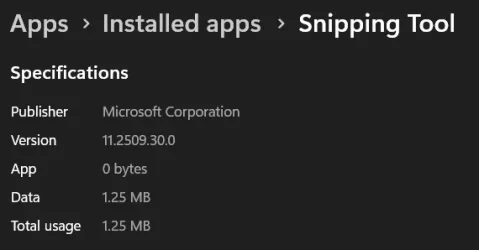
I'm on version 11.2509.30.0 and never had any issues with it.

1763267549243.webp
 

My Computers My Computers

  • At a glance

    Win 11 Pro 25H2 26200.8894Intel® Core™ i7-14700KG.SKILL Ripjaws S5 Series 64GB (2 x 32GB) DDR5ASUS GeForce RTX 4070 Super 12GB
    OS
    Win 11 Pro 25H2 26200.8894
    Computer type
    PC/Desktop
    Manufacturer/Model
    Self Built
    CPU
    Intel® Core™ i7-14700K
    Motherboard
    ASUS TUF Z690-PLUS WIFI (BIOS 4505)
    Memory
    G.SKILL Ripjaws S5 Series 64GB (2 x 32GB) DDR5
    Graphics Card(s)
    ASUS GeForce RTX 4070 Super 12GB
    Sound Card
    Sound Blaster AE-5 Plus
    Monitor(s) Displays
    ASUS TUF Gaming 27" 2K HDR Gaming
    Screen Resolution
    2560 x 1440
    Hard Drives
    Samsung 990 Pro 1TB NVMe (Win 11 25H2)
    SK hynix P41 500GB NVMe
    SK hynix P41 2TB NVMe (x3)
    Crucial P3 Plus 4TB
    PSU
    Corsair RM850x Shift
    Case
    Antec Dark Phantom DP502 FLUX
    Cooling
    Corsair Nautilus 360 RS AIO
    Keyboard
    Logitech MK 320
    Mouse
    Razer Basilisk V3
    Internet Speed
    750Mbs
    Browser
    Firefox
    Antivirus
    Winows Security
    Other Info
    MR 8.1 Home
  • At a glance

    Win 11 Pro 25H2 26200.8894Intel Core i5-1140064 GB DDR4MSI GeForce RTX 3060 Ventus 2X 12GB
    Operating System
    Win 11 Pro 25H2 26200.8894
    Computer type
    PC/Desktop
    Manufacturer/Model
    Self Built
    CPU
    Intel Core i5-11400
    Motherboard
    Asus TUF Gaming Z590 Plus WiFi (BIOS 2803)
    Memory
    64 GB DDR4
    Graphics card(s)
    MSI GeForce RTX 3060 Ventus 2X 12GB
    Sound Card
    SoundBlaster Audigy Fx V2
    Monitor(s) Displays
    Samsung F27T350
    Screen Resolution
    1920x1080
    Hard Drives
    Samsung 980 Pro 1TB
    Samsung 970 EVO Plus 2TB
    Samsung 870 EVO 500GB SSD
    PSU
    Corsair HX750
    Case
    Cougar MX330-G Window
    Cooling
    Thermalright Frozen Edge 240 Black AIO
    Internet Speed
    350Mbps
    Browser
    Firefox
    Antivirus
    Windows Security
  • System Three
    Win 11 Pro 25H2 26200.8894
    ASUS PRIME Z370-P II BIOS 3004 7/12/21
    Intel Core i7-8700 CPU @ 3.20GHz
    32GB DDR4 RAM (4x8)
    iGPU Intel UHD Graphics 630
    Mid-Tower Desktop
Back
Top Bottom