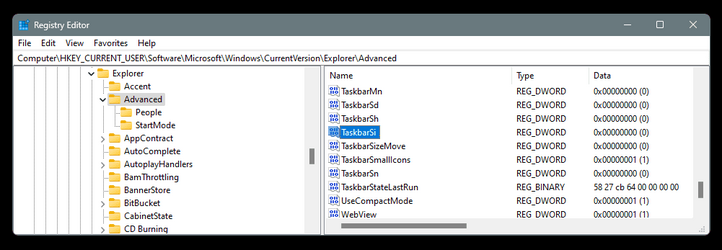
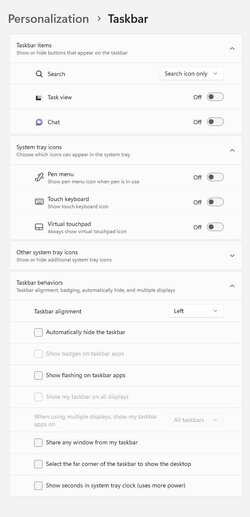
Apparenly this was an error but it's out. Do a search for stagetool and you will find the executable. This is the output from a DOS box.
More info here:

More info here:
StagingTool is the official ViVeTool-like app by Microsoft
Microsoft has created its own StagingTool for managing hidden features in Windows builds. Here are some details about the app and how to use it.
winaero.com
Code:
StagingTool [version 10.0.25910.1000 (WinBuild.160101.0800)]


    [StagingTool.exe] Controls the feature configurations for this device


       Usage: StagingTool.exe [/enable  <featureId>]
                              [/disable <featureId>]
                              [/query   [featureId]]
                              [/reset   <featureId>]
                              [/testmode]
                              [/setvariant <featureId> <variantId> [payload]]
                              [/serialize]


                              [/setlkg]
                              [/restorelkg]


                              [/trace <featureId1> [<featureId2> ... <featureIdN>]]


                              [/setbootconfigs <jsonFile> <registryPath>]


       /enable          Enable the specified feature
       /disable         Disable the specified feature
       /query           Query the specified feature (or all features, if featureId
                        is omitted) for enablement and variant information
         /v                 Optional parameter to also print ImageDefault and ImageOverride features


       /reset           Reset the specified feature to its default state


         <featureId>        Specifies a feature by its feature Id
                            Example: Enable features with Id 1


                                StagingTool.exe /enable 1


       /testmode        Used in conjunction with /enable /disable /reset
                        Applied feature configs will revert after reboot


       /telemetry       Used in conjunction with /enable /disable /reset
                        Enables sending additional telemetry


       /setvariant      Select a feature variant to use (note: the feature must be
                        enabled for variants to be expressed). Use /query to list
                        configured variants.


         <featureId>        Specifies a feature by its feature Id


         <variantId>        Specifies a feature variant by id.


         [payload]          (Optional) Unsigned int payload for the variant
                            (for variants that support fixed payload)


       /serialize       Rather than apply changes to the local machine, use this
                        option to print out (in reg.exe/hex format) a new config
                        with all of the requested changes. This can be used for
                        offline updates to VHDs prior to first boot.


       /setlkg          Set Boot time feature override states as LKG Configurations
       /restorelkg      Restore Boot time LKG configurations states Feature Configurations


       /trace           Realtime ETW trace for the specified feature(s) usage in code
                        E.g. enable trace for the feature with ID 1235441: StagingTool.exe /trace 1235441


       /?                Show command usage
My Computers
-
At a glance
All Branches but StableAMD Ryzen 7 7735HS 3200-4500 Mhz 8 cores x 232 GB DDR5Radeon Graphic / NVIDIA GeForce RTX 4060 8 GB...- OS
- All Branches but Stable
- Computer type
- Laptop
- Manufacturer/Model
- Acer Nitro ANV15-51
- CPU
- AMD Ryzen 7 7735HS 3200-4500 Mhz 8 cores x 2
- Motherboard
- Sportage_RBH
- Memory
- 32 GB DDR5
- Graphics Card(s)
- Radeon Graphic / NVIDIA GeForce RTX 4060 8 GB GDDR6
- Sound Card
- AMD/Realtek(R) Audio
- Monitor(s) Displays
- Integrated Monitor (15.3"vis)
- Screen Resolution
- FHD 1920X1080 16:9 144Hz
- Hard Drives
- KINGSTON OM8SEP4512Q-AA 1TB
Western Digital 256GB
- PSU
- 19V DC 6.32 A 120 W
- Cooling
- Dual Fans
- Mouse
- MS Bluetooth
- Internet Speed
- Fiber 1GB Cox -us & 1GB Orange-fr
- Browser
- Edge Canary- Firefox Nightly-Chrome Dev-Chrome Dev
- Antivirus
- Windows Defender
-
At a glance
Windows 11 BetaAMD A9-94208 GB of DDR4AMD Radeon R5- Operating System
- Windows 11 Beta
- Computer type
- Laptop
- Manufacturer/Model
- Asus X751BP
- CPU
- AMD A9-9420
- Memory
- 8 GB of DDR4
- Graphics card(s)
- AMD Radeon R5
- Screen Resolution
- 1600x900
- Hard Drives
- Seagate 1 TB