Still having Defender Issues


MetalAlchemist

Well-known member
Member
Local time
8:21 PM
Posts
19
OS
Windows 11 Home
So I'm Still getting "Session "DefenderApiLoggerLowPriv" failed to start with the following error: 0xC0000035" even after October update and updating Defender Platform on both my Windows 10 and 11 machines. I have no idea why this is still happening.
Screenshot (11).webp
 

My Computer My Computer

At a glance

Windows 11 Home13th Gen Intel(R) Core(TM) i7-13620H16 GBRTX 4050 (Laptop)
OS
Windows 11 Home
Computer type
Laptop
Manufacturer/Model
MSI Katana 15 B13VEK
CPU
13th Gen Intel(R) Core(TM) i7-13620H
Motherboard
MSI- MS 1585
Memory
16 GB
Graphics Card(s)
RTX 4050 (Laptop)
Screen Resolution
1920X1080P
Hard Drives
SAMSUNG MZVL41T0HBLB-00BTW
Search result -

The error Session "DefenderApiLoggerLowPriv" failed to start with the following error: 0xC0000035 means STATUS_OBJECT_NAME_COLLISION, which happens when an Event Tracing for Windows (ETW) logging session tries to start with a name that is already active or improperly cleared. [1, 2]

Users on forums like Ten Forums and Reddit note that this often appears alongside Windows Defender notification quirks or engine updates. In most cases, it is a benign logging glitch rather than a broken antivirus service. [1, 2, 3, 4]

How to Fix or Clear the Error

  • Update Windows and Security Intelligence: Ensure your system has the latest Windows updates and Microsoft Defender security intelligence definitions installed, as recent patch cycles address related logging and engine crashes. [1]
  • Run System File Checker (SFC) and DISM:
    1. Press the Windows Key, type cmd, right-click Command Prompt, and select Run as administrator.
    2. Type sfc /scannow and press Enter.
    3. Once finished, type DISM /Online /Cleanup-Image /RestoreHealth and press Enter. [1]
  • Check Event Trace Sessions in Performance Monitor:
    1. Press Win + R, type perfmon, and click OK.
    2. Expand Data Collector Sets and click Event Trace Sessions.
    3. Look for the logging session or check if a stale trace session needs to be stopped or adjusted. [1]
  • Backup and Reset Defender Policies (Advanced): If policy conflicts are locking up the service startup, you can export and clear custom Defender registry policies via an elevated PowerShell session. [1]

 

My Computer My Computer

At a glance

Windows 11 Pro 26H2
OS
Windows 11 Pro 26H2
Computer type
Laptop
Manufacturer/Model
Toshiba
Antivirus
Defender
Search result -

The error Session "DefenderApiLoggerLowPriv" failed to start with the following error: 0xC0000035 means STATUS_OBJECT_NAME_COLLISION, which happens when an Event Tracing for Windows (ETW) logging session tries to start with a name that is already active or improperly cleared. [1, 2]

Users on forums like Ten Forums and Reddit note that this often appears alongside Windows Defender notification quirks or engine updates. In most cases, it is a benign logging glitch rather than a broken antivirus service. [1, 2, 3, 4]

How to Fix or Clear the Error

  • Update Windows and Security Intelligence: Ensure your system has the latest Windows updates and Microsoft Defender security intelligence definitions installed, as recent patch cycles address related logging and engine crashes. [1]
  • Run System File Checker (SFC) and DISM:
    1. Press the Windows Key, type cmd, right-click Command Prompt, and select Run as administrator.
    2. Type sfc /scannow and press Enter.
    3. Once finished, type DISM /Online /Cleanup-Image /RestoreHealth and press Enter. [1]
  • Check Event Trace Sessions in Performance Monitor:
    1. Press Win + R, type perfmon, and click OK.
    2. Expand Data Collector Sets and click Event Trace Sessions.
    3. Look for the logging session or check if a stale trace session needs to be stopped or adjusted. [1]
  • Backup and Reset Defender Policies (Advanced): If policy conflicts are locking up the service startup, you can export and clear custom Defender registry policies via an elevated PowerShell session. [1]

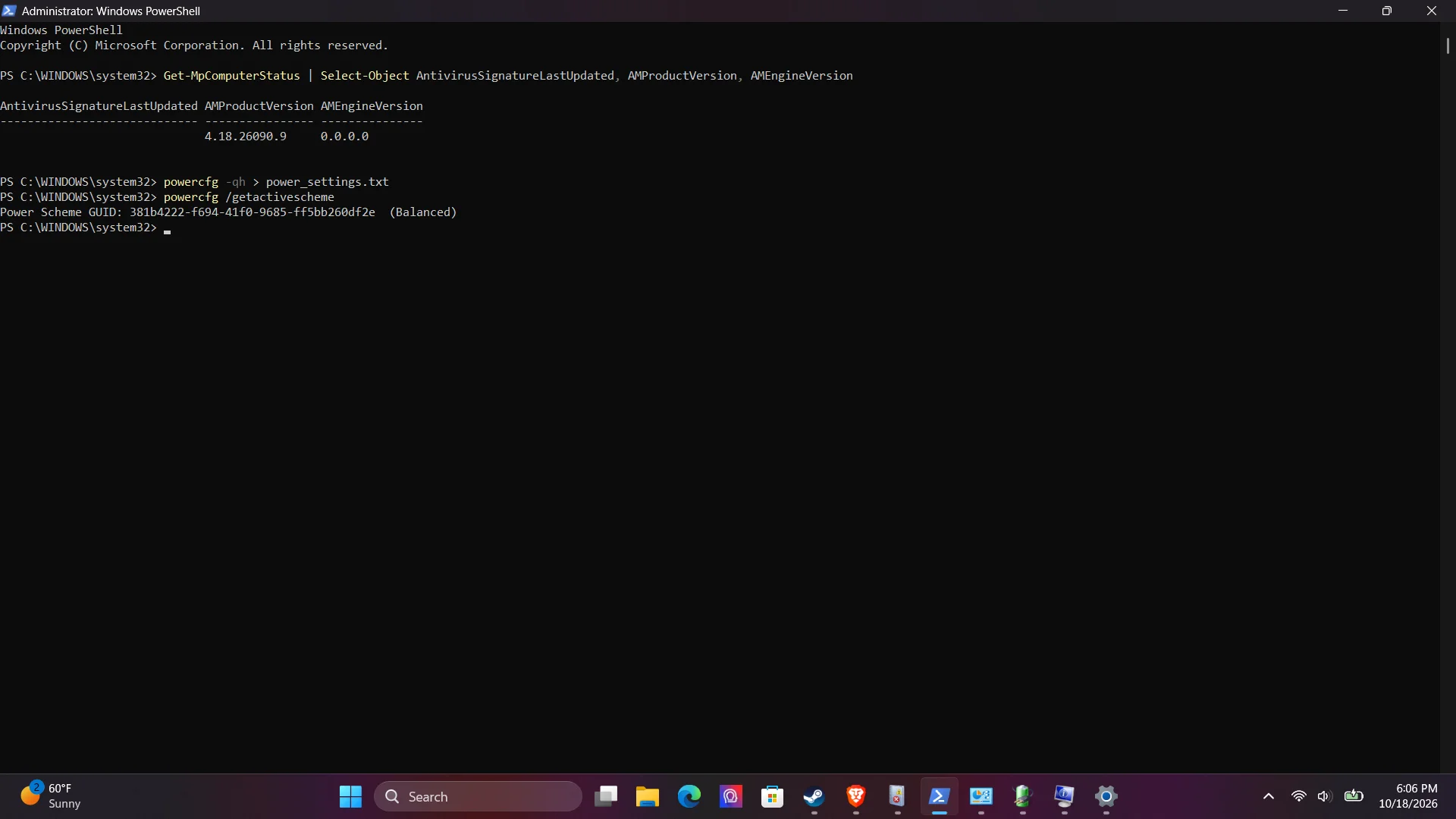
Tried most of this already, still get the error even after I turn off Malwarebytes.
 

My Computer My Computer

At a glance

Windows 11 Home13th Gen Intel(R) Core(TM) i7-13620H16 GBRTX 4050 (Laptop)
OS
Windows 11 Home
Computer type
Laptop
Manufacturer/Model
MSI Katana 15 B13VEK
CPU
13th Gen Intel(R) Core(TM) i7-13620H
Motherboard
MSI- MS 1585
Memory
16 GB
Graphics Card(s)
RTX 4050 (Laptop)
Screen Resolution
1920X1080P
Hard Drives
SAMSUNG MZVL41T0HBLB-00BTW
I don't use Defender, but when I have a problem with a program, I uninstall it, then reinstall it.

It's a bit weird that it's happening on a Win 10 machine and a Win 11 machine.
It may be some 3rd party... something that's common to both machines.
 

My Computers My Computers

  • At a glance

    Win 11 Home 26H2 26300.9711AMD Ryzen 7 3700XG.Skill (F4-3200C14D-16GTZKW)EVGA RTX 2070 (08G-P4-2171-KR)
    OS
    Win 11 Home 26H2 26300.9711
    Computer type
    PC/Desktop
    Manufacturer/Model
    Built by Ghot® [May 2020]
    CPU
    AMD Ryzen 7 3700X
    Motherboard
    Asus Pro WS X570-ACE (BIOS 5302)
    Memory
    G.Skill (F4-3200C14D-16GTZKW)
    Graphics Card(s)
    EVGA RTX 2070 (08G-P4-2171-KR)
    Sound Card
    Realtek ALC1220P / ALC S1220A
    Monitor(s) Displays
    Dell U3011 30"
    Screen Resolution
    2560 x 1600
    Hard Drives
    2x Samsung 860 EVO 500GB,
    WD 4TB Black FZBX - SATA III,
    WD 8TB Black FZBX - SATA III,
    DRW-24B1ST CD/DVD Burner
    PSU
    PC Power & Cooling 750W Quad EPS12V
    Case
    Cooler Master ATCS 840 Tower
    Cooling
    CM Hyper 212 EVO (push/pull)
    Keyboard
    Ducky DK9008 Shine II Blue LED
    Mouse
    Logitech Optical M-100
    Internet Speed
    300/300
    Browser
    Firefox (latest)
    Antivirus
    Bitdefender Total Security
    Other Info
    Speakers: Klipsch Pro Media 2.1
  • At a glance

    Windows XP Pro 32bit w/SP3AMD Athlon 64 X2 5000+ (OC'd @ 3.2Ghz)TWIN2X2048-6400C4DHX (2 x 1GB, DDR2 800)EVGA 256-P2-N758-TR GeForce 8600GT SSC
    Operating System
    Windows XP Pro 32bit w/SP3
    Computer type
    PC/Desktop
    Manufacturer/Model
    Built by Ghot® (not in use)
    CPU
    AMD Athlon 64 X2 5000+ (OC'd @ 3.2Ghz)
    Motherboard
    ASUS M2N32-SLI Deluxe Wireless Edition
    Memory
    TWIN2X2048-6400C4DHX (2 x 1GB, DDR2 800)
    Graphics card(s)
    EVGA 256-P2-N758-TR GeForce 8600GT SSC
    Sound Card
    Onboard
    Monitor(s) Displays
    ViewSonic G90FB Black 19" Professional (CRT)
    Screen Resolution
    up to 2048 x 1536
    Hard Drives
    WD 36GB 10,000rpm Raptor SATA
    Seagate 80GB 7200rpm SATA
    Lite-On LTR-52246S CD/RW
    Lite-On LH-18A1P CD/DVD Burner
    PSU
    PC Power & Cooling Silencer 750 Quad EPS12V
    Case
    Generic Beige case, 80mm fans
    Cooling
    ZALMAN 9500A 92mm CPU Cooler
    Keyboard
    Logitech Classic Keybooard 200
    Mouse
    Logitech Optical M-BT96a
    Internet Speed
    300/300
    Browser
    Firefox 3.x ??
    Antivirus
    Symantec (Norton)
    Other Info
    Still assembled, still runs. Haven't turned it on for 15 years?
I don't use Defender, but when I have a problem with a program, I uninstall it, then reinstall it.

It's a bit weird that it's happening on a Win 10 machine and a Win 11 machine.
It may be some 3rd party... something that's common to both machines.
I generally do the same but since it is a Windows program perhaps a Windows repair is in order. I don't use Malware Bytes but I've used it before and it seems a very reliable program. (It's just a little pricey.) Myself, I use Kaspersky as it suits my needs. Using more than one VS program on the same OS often results in conflicts so I try to avoid doing that.
 

My Computer My Computer

At a glance

WIN 11, WIN 10, WIN 8.1, WIN 7 U, WIN 7 PRO, ...Intel i7 6900K and i9-7960X / AMD 3800X (8 core)128 GB CORSAIR DOMINATOR PLATINUM (B DIE)NVIDIA 1070 and RTX 3070
OS
WIN 11, WIN 10, WIN 8.1, WIN 7 U, WIN 7 PRO, WIN 7 HOME (32 Bit), LINUX MINT
Computer type
PC/Desktop
Manufacturer/Model
DIY, ASUS, and DELL
CPU
Intel i7 6900K and i9-7960X / AMD 3800X (8 core)
Motherboard
ASUS X99E-WS USB 3.1 and ASUS X299 SAGE
Memory
128 GB CORSAIR DOMINATOR PLATINUM (B DIE)
Graphics Card(s)
NVIDIA 1070 and RTX 3070
Sound Card
Crystal Sound (onboard)
Monitor(s) Displays
single Samsung 30" 4K and 8" aux monitor
Screen Resolution
4K and something equally attrocious. I'll be working on this.
Hard Drives
A, B, C, D, E, F, G, H, I, J, K, L, M, N, O, P, Q, R, S, T, U, V, W

Ports X, Y, and Z are reserved for USB access and removable drives.

Drive types consist of the following: Various mechanical hard drives bearing the brand names, Seagate, Toshiba, and Western Digital. Various NVMe drives bearing the brand names Kingston, Intel, Silicon Power, Crucial, Western Digital, and Team Group. Various SATA SSDs bearing various different brand names.

RAID arrays included:

LSI RAID 10 (WD Velociraptors) 1115.72 GB
LSI RAID 10 (WD SSDS) 463.80 GB

INTEL RAID 0 (KINGSTON HYPER X) System 447.14 GB
INTEL RAID 1 TOSHIBA ENTERPRIZE class Data 2794.52 GB
INTEL RAID 1 SEAGATE HYBRID 931.51 GB
PSU
SEVERAL. I prefer my Corsair Platinum HX1000i but I also like EVGA power supplies
Case
ThermalTake Level 10 GT (among others)
Cooling
Noctua is my favorite and I use it in my main. I also own various other coolers.
Keyboard
all kinds.
Mouse
all kinds
Internet Speed
360 mbps - 1 gbps (depending)
Browser
FIREFOX
Antivirus
KASPERSKY (no apologies)
Other Info
Gave Dell touch screen with Windows 11 to daughter and got me an OTVOC. Being a PC builder I own many desktop PCs as well. I am a father of five providing PCs, laptops, and tablets for all my family, most of which I have modified, rebuilt, or simply built from scratch. I do not own a cell phone, never have, never will.
Back
Top Bottom




