- Local time
- 5:03 PM
- Posts
- 273
- OS
- win10 64 bit 20h2 ver. now it is 22h2
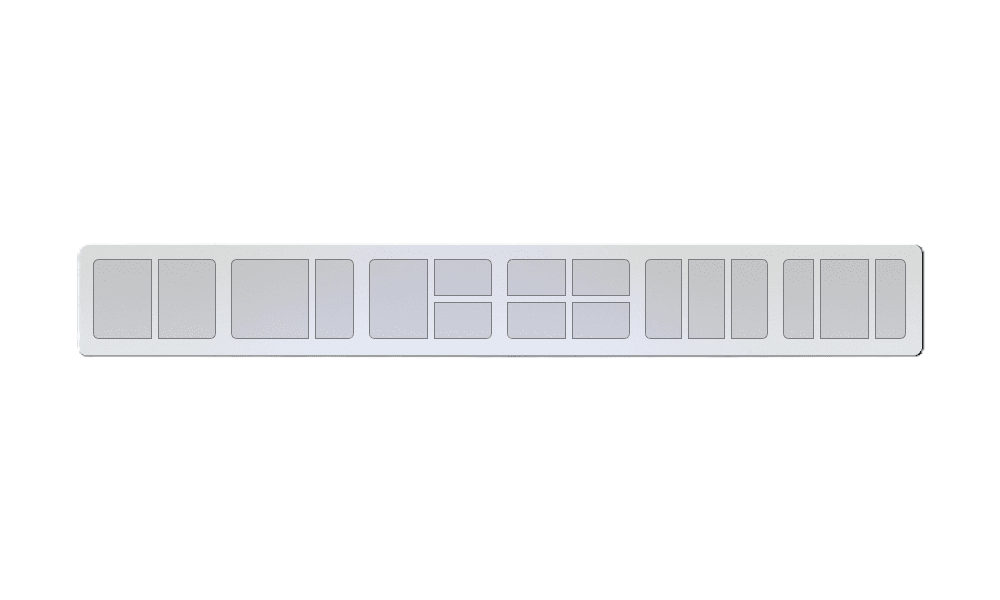
so on every win11 laptop i have if i grab a open window and move it to the top of the screen or even my browser to the top or a top corner i get a small drop down black area and then the browser or window gets smaller and i then get other windows that resize and populate other areas of the screen.
how do you turn that thing off? it is so annoying. i do not use it nor want it. i have done some searches to see if i can find out how to do ite but all of my searches get me hwo to run multiple windows or tabs or what ever but none seem to address that issue of all my open window boxes resizing and taking spots arond the screen
this is what i now have but if i grab the upper left corner of the browser or the area to the right of the down arrow along the top bar that you use to move the window i then get the nezt screen shot below this screen shot.
also what ver is 25h2? i thought it was win11 but on some sites it tells me i have win10. but i have win11 per windows updates. or maybe it is win10 with win11 abilities?

this is what i want to remove and hopefully not in any updates .

how do you turn that thing off? it is so annoying. i do not use it nor want it. i have done some searches to see if i can find out how to do ite but all of my searches get me hwo to run multiple windows or tabs or what ever but none seem to address that issue of all my open window boxes resizing and taking spots arond the screen
this is what i now have but if i grab the upper left corner of the browser or the area to the right of the down arrow along the top bar that you use to move the window i then get the nezt screen shot below this screen shot.
also what ver is 25h2? i thought it was win11 but on some sites it tells me i have win10. but i have win11 per windows updates. or maybe it is win10 with win11 abilities?
this is what i want to remove and hopefully not in any updates .
- Windows Build/Version
- Windows 11 Pro 25h2 26200.8655
Attachments
My Computer
At a glance
win10 64 bit 20h2 ver. now it is 22h2AMD A4-3310MX APU with Ra16gb
- OS
- win10 64 bit 20h2 ver. now it is 22h2
- Computer type
- Laptop
- Manufacturer/Model
- hp elitebook
- CPU
- AMD A4-3310MX APU with Ra
- Memory
- 16gb