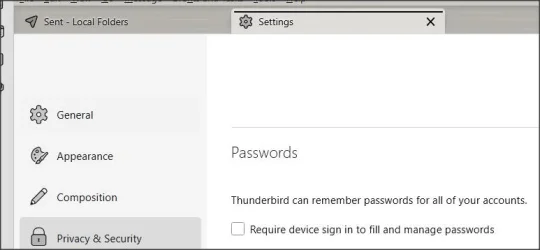
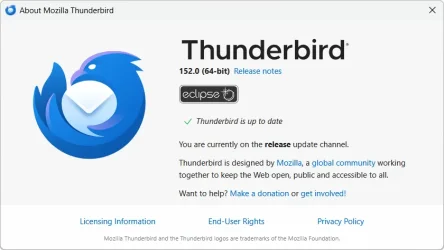
Hi, It used to be relatively easy to access saved passwords for my email accounts held on Thunderbird.
But now there's this:
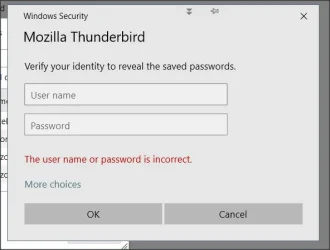
and I have no idea what's required there.
It is not, for example, the email address and password of the account selected.
I have posted a question in the Mozilla community and attempted a search.
The above is so vague it's absurd. Ideas welcome. Thanks.
==================================================
Approaching this from a different direction and finding a more explicitly worded prompt which let me remove this requirement, it seems it's likely it's looking for the PC login credentials.
Not at all clear from that one!
Anyway, I now have access to my Tbird passwords.
But now there's this:
and I have no idea what's required there.
It is not, for example, the email address and password of the account selected.
I have posted a question in the Mozilla community and attempted a search.
The above is so vague it's absurd. Ideas welcome. Thanks.
==================================================
Approaching this from a different direction and finding a more explicitly worded prompt which let me remove this requirement, it seems it's likely it's looking for the PC login credentials.
Not at all clear from that one!
Anyway, I now have access to my Tbird passwords.
Last edited:
My Computer
At a glance
Windows 11 Proi7-8650U16GBIntel UHD 620
- OS
- Windows 11 Pro
- Computer type
- Laptop
- Manufacturer/Model
- Lenovo t480s
- CPU
- i7-8650U
- Memory
- 16GB
- Graphics Card(s)
- Intel UHD 620
- Screen Resolution
- 1920x1080
- Hard Drives
- C SN810 SDCPNRY-512G-1006
- Browser
- Edge, Firefox
- Antivirus
- Defender