- Local time
- 3:56 PM
- Posts
- 6
- OS
- Windows 11 Home
In my slow migration to a new Win 11 HP laptop, I've realized that I've gotten by for years with scant understanding of Windows UAC, permissions, hierarchies, etc.
Somehow, just making my account Admin level has avoided access restrictions since at least as far back as Windows XP, so I got by.
I'm afraid to ask for what might send me down a rabbit hole of education that I don't have time for, so I'm hoping for simple answers, although the tutorial mentioned in the title would be good to have access to.
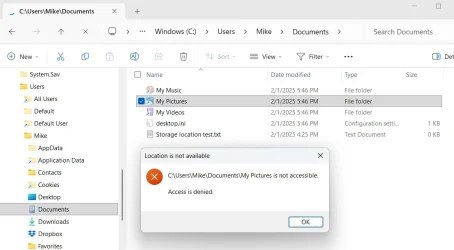
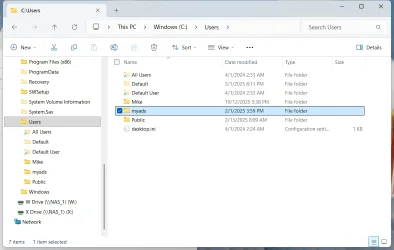
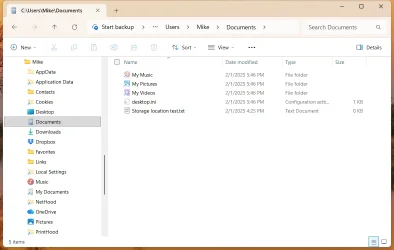
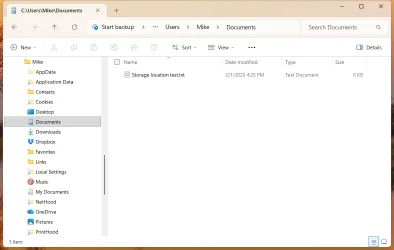
Here's the immediate problem: In File Explorer, I can see folders such as Users>Mike>Pictures that are greyed out and Windows denies access.
I've only just begun migrating to this new machine. During setup, I saw no choice but to initially log in with an MS account. I did, and used the tutorial by @Brink to add a local account (Mike) which I now use exclusively to log in (I'm the sole user of the machine). The Mike account is Admin level.
In Windows 10, if I tried to open a greyed-out folder, I'd get a dialog with a Continue button to permanently get access. In Windows 11, I don't get that option. What's changed?
Somehow, just making my account Admin level has avoided access restrictions since at least as far back as Windows XP, so I got by.
I'm afraid to ask for what might send me down a rabbit hole of education that I don't have time for, so I'm hoping for simple answers, although the tutorial mentioned in the title would be good to have access to.
Here's the immediate problem: In File Explorer, I can see folders such as Users>Mike>Pictures that are greyed out and Windows denies access.
I've only just begun migrating to this new machine. During setup, I saw no choice but to initially log in with an MS account. I did, and used the tutorial by @Brink to add a local account (Mike) which I now use exclusively to log in (I'm the sole user of the machine). The Mike account is Admin level.
In Windows 10, if I tried to open a greyed-out folder, I'd get a dialog with a Continue button to permanently get access. In Windows 11, I don't get that option. What's changed?
- Windows Build/Version
- Win 11 Home, 24H2, Build 26100.8037
My Computer
At a glance
Windows 11 HomeIntel Core Ultra 7 155U32GB DDR5NVIDIA GeForce RTX 3050
- OS
- Windows 11 Home
- Computer type
- Laptop
- Manufacturer/Model
- Hp Envy
- CPU
- Intel Core Ultra 7 155U
- Memory
- 32GB DDR5
- Graphics Card(s)
- NVIDIA GeForce RTX 3050
- Hard Drives
- 1TB SSD