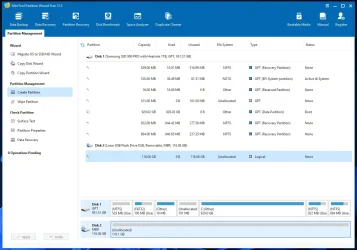
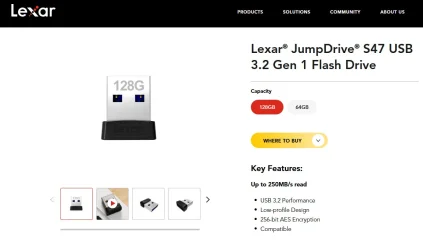
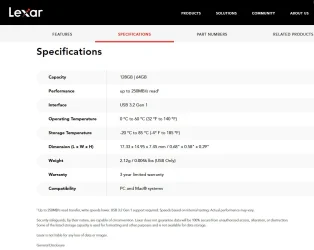
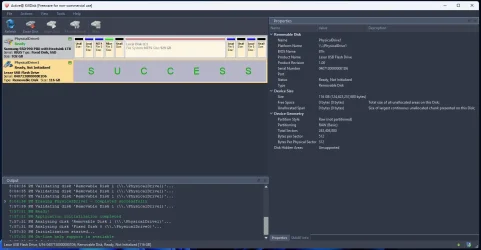
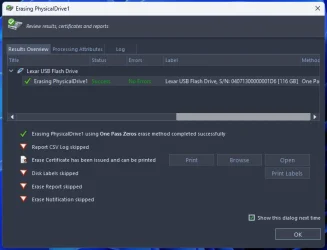
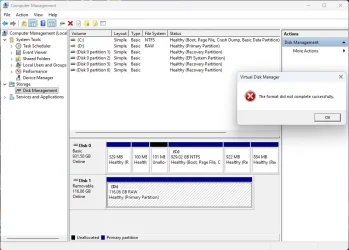
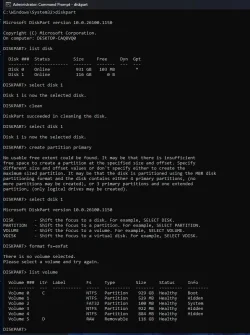
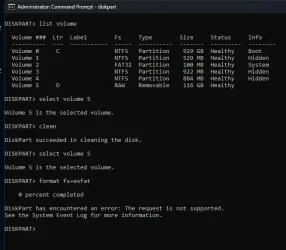
I recently bought a 128 GB Lexar S47 USB 3.2 gen 1 flash drive from Amazon. I went through my usual routine of deleting preloaded programs, quick format, then Erase Disk with the Killdisk program in preparation for Veracrypt encryption. However, after the disk erase, the device could not be formatted using Disk Management, Administrator Command Prompt with Diskpart, or Powershell. I assumed it to be defective and returned it to Amazon. I got a replacement today, went through the same routine, and again, it cannot be formatted. I have attached screenshots of the programs used. My last effort in Diskpart was to try formatting the volume. It formatted to 99% and then gave the error message on the attachment. I checked the Windows System Log, but there was nothing on it regarding this event. Any suggestion to try to make this drive usable, or do I need to also return it as a design flaw ? PS - for some reason, this Forum changed my JPEGs to WEBPs as I uploaded them. Thanks, Mark
- Windows Build/Version
- 25H2
Attachments
My Computer
At a glance
Windows 11AMD Ryzen 5 7600XMicron Tech 32 GB x 2, 64 GBGeForce GT1030
- OS
- Windows 11
- Computer type
- PC/Desktop
- Manufacturer/Model
- Self-assembled
- CPU
- AMD Ryzen 5 7600X
- Motherboard
- MSI PRO B650M-A WIFI
- Memory
- Micron Tech 32 GB x 2, 64 GB
- Graphics Card(s)
- GeForce GT1030
- Sound Card
- None
- Monitor(s) Displays
- ASUS 26"
- Screen Resolution
- 1920x1080
- Hard Drives
- Samsung 990 PRO 1 TB