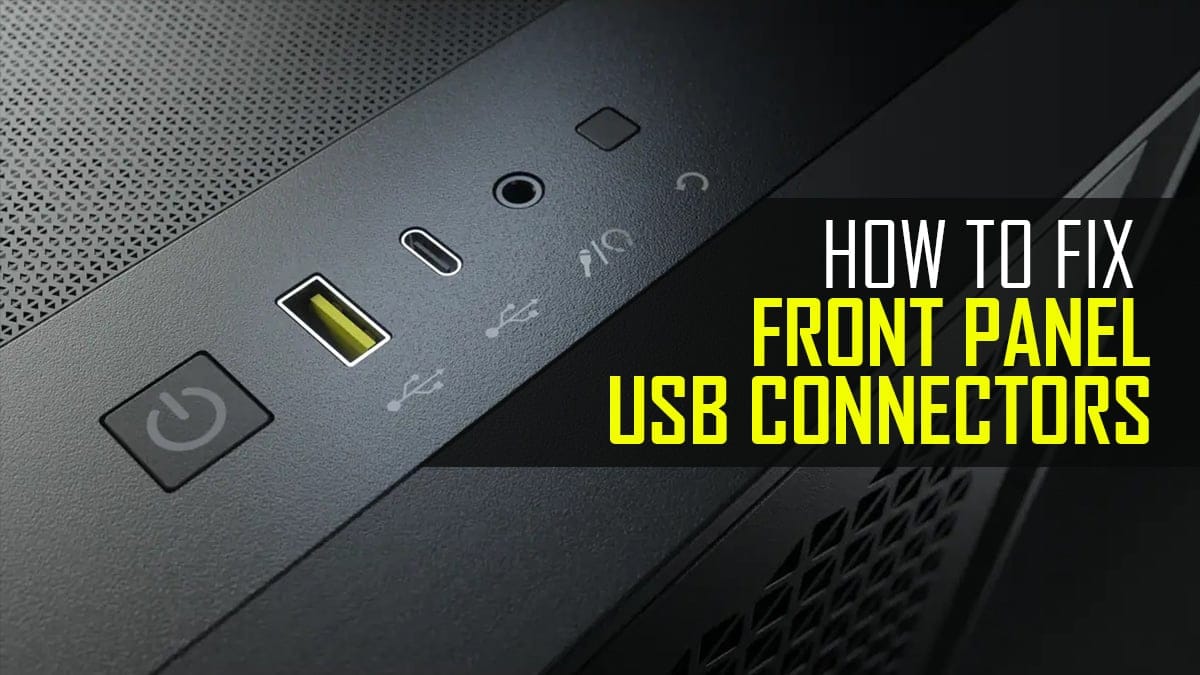
USB 3 front ports stopped working AND DVD drive stopped on ALL ports


DocDJ

Well-known member
Local time
2:35 AM
Posts
19
OS
Win 11 Pro
My Windows 11 Pro 23H2 Build 22631.2861, MSI MEG Z390 ACE BIOS 7B12v1B, 32GB RAM, Intel 9700K system was working fine until this past week (about Dec 16). The front USB 3 gen 2 ports do not recognize ANY USB device (USB 1, 2 or 3). My USB 3 DVD drive powers up in ALL ports but is not recognized on any of them ,so the ports DO have power. Everything (except the already noted DVD) works on all my rear panel ports. The DVD drive works fine on my laptop, so it is good. I have re-booted. Event viewer reports:
The driver \Driver\PxHlpa64 failed to load for the device USBSTOR\CdRom&Ven_HL-DT-ST&Prod_DVDRAM_SP60NB50&Rev_1.00\KX1E7P73718_________&0.
I suspect there is a driver problem, although I don't see why it blocks everything in my front ports, but only the DVD on the rear. I have Memory protection ON, but no errors have been detected in Protection History. I have all the latest Windows updates. Could the ASMEDIA USB 3.0/3.1 driver have anything to do with it? Windows says I have the latest CDROM.SYS.

Any suggestions?
 

My Computer My Computer

At a glance

Win 11 ProI7-9700K32GBEVGA GTX 1660 Ti SC Ultra
OS
Win 11 Pro
Computer type
PC/Desktop
Manufacturer/Model
MSI
CPU
I7-9700K
Motherboard
MSI MEG Z390 ACE
Memory
32GB
Graphics Card(s)
EVGA GTX 1660 Ti SC Ultra
Monitor(s) Displays
LG E2241, ASUS VS229
Screen Resolution
1920x1080
Hard Drives
4 SSD, Samsung 840 PRO, 860 PRO-512GB, 870 EVO 2TB, WD SN750 M.2 nVME-1TB, 4 500 GB HDDs
PSU
EVGA Supernova G3 850 80+ gold
Case
Phanteks 600S
Cooling
Noctua NF-A15
Keyboard
Corsair K95 RGB XT silver
Mouse
Glorious O
Internet Speed
117.62 DL, 11.77 UL
Browser
Edge, FF, Chrome
Antivirus
Windows Defender
Have you checked in your BIOS to if they are listed? as 'ACTIVE'? run a hardware test on them?
 

My Computer My Computer

At a glance

Windows 11 Pro 25H2 (Build 26200.8968)Intel Core Ultra 9 285 5.6 GHz32.00 GBIntel Integrated Graphics (128 MB)
OS
Windows 11 Pro 25H2 (Build 26200.8968)
Computer type
PC/Desktop
Manufacturer/Model
Dell Pro Max Tower T2 FCT2250
CPU
Intel Core Ultra 9 285 5.6 GHz
Motherboard
64-bit operating system, x64-based processor
Memory
32.00 GB
Graphics Card(s)
Intel Integrated Graphics (128 MB)
Sound Card
Realtek Audio
Monitor(s) Displays
Dell P2714H Monitor
Screen Resolution
1920 x 1080
Hard Drives
1 x 512GB M.2 XG10d SED KIOXIA PCIe solid state drive (Internal)
1 x 2TB Seagate ST2000DM008-2UB102 HDD (Internal)
1 x 4TB Seagate STGX4000400 External HDD
1 x 6TB WD Elements AE 2689 External HDD
PSU
500 Watts
Cooling
Air
Keyboard
Microsoft Wired Keyboard 600
Mouse
Microsoft USB Basic Optical Mouse v2.0
Browser
Firefox
Antivirus
Windows Defender + Malwarebytes Premium
Other Info
BaseBoard Manufacturer Dell Inc.
BaseBoard Product 022RY57
BaseBoard Version A01
Are you sure the front panel USB3 cable is properly plugged into your motherboard?

It can be very easy to bump the cable while cleaning and dislodge the connector enough to cause some pins to lose connection. This would easily explain the front panel USB connectors not working.

Try uninstalling the USB driver/s, reboot and then re-install the manufacturers USB driver/s or simply let Windows install the driver/s.
 

My Computer My Computer

At a glance

Windows 11 ProRyzen 9 3900XG-Skill RipjawsV F4-3600C18 (16GB x 2)Gigabyte RX 5700 XT Gaming OC
OS
Windows 11 Pro
Computer type
PC/Desktop
CPU
Ryzen 9 3900X
Motherboard
ASUS ROG Strix X570-E Gaming
Memory
G-Skill RipjawsV F4-3600C18 (16GB x 2)
Graphics Card(s)
Gigabyte RX 5700 XT Gaming OC
Sound Card
Realtek ALC1220P
Monitor(s) Displays
ASUS VE278 (x 2)
Screen Resolution
1920x1080
Hard Drives
Samsung 850 Pro 256GB
Samsung 970 Pro NVMe 512GB (x 2)
ST10000VN0004 10TB (x 2)
ST10000VN0008 10TB (x 2)
ST4000VN000 4TB (x 2)
PSU
Corsair HX1000
Case
Corsair Carbide 400R
Cooling
AMD Wraith Prism (Stock)
Keyboard
Logitech G213
Mouse
Logitech G502
Internet Speed
100Mbps down / 40Mbps up
Browser
Firefox - Chrome - Edge
Antivirus
Windows Defender - Clamwin
There can be many reasons the usb ports bit the dust. Usually it is driver or power related, but file corruption can also cause it. And of course, while not likely, your ports could be damaged.

Is your keyboard and mouse working. If so, Do your testing with only keyboard and mouse connected and use one known good usb flash drive. Don't use the dvd drive to test with until after all the usb ports are known to be working as there is a substantial difference in power draw to run a dvd drive. Since the dvd drive quit on all ports I would think that is a separate issue.

I would first do these things before going through all the troubleshooting steps listed in the below article.

Open a command prompt as administrator and type sfc /scannow
Pay attention to the scan results to see if SFC found anything it could not repair. If it found corruption it could not fix followup with this command (note the spaces)
dism /online /cleanup-image /restorehealth
Restart computer

Go to your motherboard manufacturer site. Download and install any updated chipset drivers and any updated third party usb controller driver. Download and install any bios update.

Then try the suggestions listed here.

If none of that fixes the problem, try a repair install. Repair Install Windows 11 with an In-place Upgrade Tutorial

FYI you say they quit working around the same time the Dec. update came out. You could also uninstall the update to see if it makes any difference.
 
Last edited:

My Computers My Computers

  • At a glance

    Windows 11 Pro 25H2 26200.8875i9-10900 10 core 20 threads32 gbnone-Intel UHD Graphics 630
    OS
    Windows 11 Pro 25H2 26200.8875
    Computer type
    PC/Desktop
    Manufacturer/Model
    Dell Optiplex 7080
    CPU
    i9-10900 10 core 20 threads
    Motherboard
    DELL 0J37VM
    Memory
    32 gb
    Graphics Card(s)
    none-Intel UHD Graphics 630
    Sound Card
    Integrated Realtek
    Monitor(s) Displays
    Benq 27
    Screen Resolution
    2560x1440
    Hard Drives
    2x1tb Solidigm m.2 nvme /External drives 512gb Samsung m.2 sata+2tb Kingston m2.nvme
    PSU
    500w
    Case
    MT
    Cooling
    Dell Premium
    Keyboard
    Logitech wired
    Mouse
    Logitech wireless
    Internet Speed
    so slow I'm too embarrassed to tell
    Browser
    #1 Edge #2 Firefox
    Antivirus
    Defender+MWB Premium
  • At a glance

    Windows 11 Pro 24H2 26200.8875AMD Ryzen 7 6800U32 gbintegrated
    Operating System
    Windows 11 Pro 24H2 26200.8875
    Computer type
    PC/Desktop
    Manufacturer/Model
    Beelink Mini PC SER5
    CPU
    AMD Ryzen 7 6800U
    Memory
    32 gb
    Graphics card(s)
    integrated
    Sound Card
    integrated
    Monitor(s) Displays
    Benq 27
    Screen Resolution
    2560x1440
    Hard Drives
    1TB Crucial nvme
    Keyboard
    Logitech wired
    Mouse
    Logitech wireless
    Internet Speed
    still too embarrassed to tell
    Browser
    Firefox
    Antivirus
    Defender
    Other Info
    System 3 is non compliant Dell 9020 i7-4770/24gb ram Win11 PRO 26200.8875
There can be many reasons the usb ports bit the dust. Usually it is driver or power related, but file corruption can also cause it. And of course, while not likely, your ports could be damaged.

Is your keyboard and mouse working. If so, Do your testing with only keyboard and mouse connected and use one known good usb flash drive. Don't use the dvd drive to test with until after all the usb ports are known to be working as there is a substantial difference in power draw to run a dvd drive. Since the dvd drive quit on all ports I would think that is a separate issue.

I would first do these things before going through all the troubleshooting steps listed in the below article.

Open a command prompt as administrator and type sfc /scannow
Pay attention to the scan results to see if SFC found anything it could not repair. If it found corruption it could not fix followup with this command (note the spaces)
dism /online /cleanup-image /restorehealth
Restart computer

Go to your motherboard manufacturer site. Download and install any updated chipset drivers and any updated third party usb controller driver. Download and install any bios update.

Then try the suggestions listed here.

If none of that fixes the problem, try a repair install. Repair Install Windows 11 with an In-place Upgrade Tutorial

FYI you say they quit working around the same time the Dec. update came out. You could also uninstall the update to see if it makes any difference.
SFC found nothing. The above answer doesn't address the concurrent problem with my DVD drive. The drive appears to be seen by my BIOS. I'll have to see if it can try to boot from it to verify it really is visible. The keyboard and mouse are connected to the rear USB ports, so they work properly.
 

My Computer My Computer

At a glance

Win 11 ProI7-9700K32GBEVGA GTX 1660 Ti SC Ultra
OS
Win 11 Pro
Computer type
PC/Desktop
Manufacturer/Model
MSI
CPU
I7-9700K
Motherboard
MSI MEG Z390 ACE
Memory
32GB
Graphics Card(s)
EVGA GTX 1660 Ti SC Ultra
Monitor(s) Displays
LG E2241, ASUS VS229
Screen Resolution
1920x1080
Hard Drives
4 SSD, Samsung 840 PRO, 860 PRO-512GB, 870 EVO 2TB, WD SN750 M.2 nVME-1TB, 4 500 GB HDDs
PSU
EVGA Supernova G3 850 80+ gold
Case
Phanteks 600S
Cooling
Noctua NF-A15
Keyboard
Corsair K95 RGB XT silver
Mouse
Glorious O
Internet Speed
117.62 DL, 11.77 UL
Browser
Edge, FF, Chrome
Antivirus
Windows Defender
If it is a Blu Ray or UHD Blu Ray drive it will hardly work on USB 2.0 ports (black plastic). It needs USB 3.0 (blue plastic) or higher ports to provide the required power. My UHD Blu Ray drive only works directly to a USB 3.0 port. If I use an extension cable it might have difficulty detecting the disc due to reduced power. Also reinstall/upgrade the chipset drivers and if there is a USB 3.0 drivers upgrade these as well. You may also leave the computer with the power cable disconnected for a few minutes to discharge any charge left on the USB ports causing the issue.
 

My Computers My Computers

  • At a glance

    Windows 11 Pro 23H2 (5699), 25H2 (8875)Mobile DualCore Intel Core 2 Duo T7250, 2000 MHz4GBMobile Intel(R) GMA 4500M (Mobile 4 series)
    OS
    Windows 11 Pro 23H2 (5699), 25H2 (8875)
    Computer type
    Laptop
    Manufacturer/Model
    Acer Extensa 5630EZ
    CPU
    Mobile DualCore Intel Core 2 Duo T7250, 2000 MHz
    Motherboard
    Acer Extensa 5630
    Memory
    4GB
    Graphics Card(s)
    Mobile Intel(R) GMA 4500M (Mobile 4 series)
    Sound Card
    Realtek ALC268 @ Intel 82801IB ICH9 - High Definition Audio Controller
    Monitor(s) Displays
    1
    Screen Resolution
    1280x800
    Hard Drives
    Samsung SSD 850 EVO 250GB SATA Device (250 GB, SATA-III)
    Internet Speed
    VDSL 50 Mbps
    Browser
    MICROSOFT EDGE
    Antivirus
    WINDOWS DEFENDER
    Other Info
    Legacy MBR installation, no TPM, no Secure Boot, no WDDM 2.0 graphics drivers, no SSE4.2, cannot get more unsupported ;) This is only my test laptop. I had installed Windows 11 here before upgrading my main PC. For my main PC I use everyday see my 2nd system specs.
  • At a glance

    Windows 11 Pro v25H2 (build 26200.8875)Intel Core-i7 3770 3.40GHz s1155 (3rd generat...2x Kingston Hyper-X Blu 8GB DDR3-1600GIGABYTE GeForce RTX 3050 WINDFORCE OC V2 6GB...
    Operating System
    Windows 11 Pro v25H2 (build 26200.8875)
    Computer type
    PC/Desktop
    Manufacturer/Model
    Custom-built PC
    CPU
    Intel Core-i7 3770 3.40GHz s1155 (3rd generation)
    Motherboard
    Asus P8H61 s1155 ATX
    Memory
    2x Kingston Hyper-X Blu 8GB DDR3-1600
    Graphics card(s)
    GIGABYTE GeForce RTX 3050 WINDFORCE OC V2 6GB (GV-N3050WF2OCV2-6GD)
    Sound Card
    Realtek HD audio (ALC887)
    Monitor(s) Displays
    Sony Bravia KDL-19L4000 19" LCD TV via VGA
    Screen Resolution
    1440x900 32-bit 60Hz
    Hard Drives
    WD Blue SA510 2.5 1000GB SSD as system disk, Western Digital Caviar Purple 4TB SATA III (WD40PURZ) as second
    PSU
    Thermaltake Litepower RGB 550W Full Wired
    Case
    SUPERCASE MIDI-TOWER
    Cooling
    Deepcool Gamma Archer CPU cooler, 1x 8cm fan at the back
    Keyboard
    Mitsumi 101-key PS/2
    Mouse
    Sunnyline OptiEye PS/2
    Internet Speed
    100Mbps
    Browser
    Microsoft Edge, Mozilla Firefox
    Antivirus
    Microsoft Windows Defender
    Other Info
    Legacy BIOS (MBR) installation, no TPM, no Secure Boot, WDDM 3.0 graphics drivers, WEI score 7.4
You may also leave the computer with the power cable disconnected for a few minutes to discharge any charge left on the USB ports causing the issue.
And, with the power cable disconnected, keep the power button pressed for 30 seconds.
 

My Computer My Computer

At a glance

Windows 10
OS
Windows 10
The above answer doesn't address the concurrent problem with my DVD drive
You gotta deal with one thing at a time. As I said in post #4, I suspect the dvd drive is a separate issue to the front ports not working since the dvd will not work on the rear ports either. Maybe those ports do not carry enough power or there may be some irq conflict with the dvd drive. If device manager detects it on one of the rear ports, look in properties in device manager to see if it leads you to the problem. If it were me, I would put the dvd drive problem on the back burner until I got my usb ports working.

I haven't used an external dvd drive in years, but when I did, I used nothing but a powered drive. USB power proved too unreliable for me. You must keep in mind also that in modern systems Windows updates/and UEFI bios sometimes change the way hardware handles power delivery to usb devices. Trying to run permanently connected external drives nearly drove me nuts until I began using an externally powered USB hub.I then set all my usb controllers to never allow windows to turn them off to save power (properties of each controller, power management tab, uncheck the box to allow windows to turn off power)
 

My Computers My Computers

  • At a glance

    Windows 11 Pro 25H2 26200.8875i9-10900 10 core 20 threads32 gbnone-Intel UHD Graphics 630
    OS
    Windows 11 Pro 25H2 26200.8875
    Computer type
    PC/Desktop
    Manufacturer/Model
    Dell Optiplex 7080
    CPU
    i9-10900 10 core 20 threads
    Motherboard
    DELL 0J37VM
    Memory
    32 gb
    Graphics Card(s)
    none-Intel UHD Graphics 630
    Sound Card
    Integrated Realtek
    Monitor(s) Displays
    Benq 27
    Screen Resolution
    2560x1440
    Hard Drives
    2x1tb Solidigm m.2 nvme /External drives 512gb Samsung m.2 sata+2tb Kingston m2.nvme
    PSU
    500w
    Case
    MT
    Cooling
    Dell Premium
    Keyboard
    Logitech wired
    Mouse
    Logitech wireless
    Internet Speed
    so slow I'm too embarrassed to tell
    Browser
    #1 Edge #2 Firefox
    Antivirus
    Defender+MWB Premium
  • At a glance

    Windows 11 Pro 24H2 26200.8875AMD Ryzen 7 6800U32 gbintegrated
    Operating System
    Windows 11 Pro 24H2 26200.8875
    Computer type
    PC/Desktop
    Manufacturer/Model
    Beelink Mini PC SER5
    CPU
    AMD Ryzen 7 6800U
    Memory
    32 gb
    Graphics card(s)
    integrated
    Sound Card
    integrated
    Monitor(s) Displays
    Benq 27
    Screen Resolution
    2560x1440
    Hard Drives
    1TB Crucial nvme
    Keyboard
    Logitech wired
    Mouse
    Logitech wireless
    Internet Speed
    still too embarrassed to tell
    Browser
    Firefox
    Antivirus
    Defender
    Other Info
    System 3 is non compliant Dell 9020 i7-4770/24gb ram Win11 PRO 26200.8875
Avoid permanently connected 2.5" drives. I have lost my data some months ago due to power surge. For some reason we had a power outage every couple of days. Until one of the times the power returned messed with the external drive. It could not be detected properly and eventually died. Upon connecting it I hear it power up, spin for a few seconds and then stops dead before the computer has any chance to detect it properly (it shows as an empty drive in Disk Management).
 

My Computers My Computers

  • At a glance

    Windows 11 Pro 23H2 (5699), 25H2 (8875)Mobile DualCore Intel Core 2 Duo T7250, 2000 MHz4GBMobile Intel(R) GMA 4500M (Mobile 4 series)
    OS
    Windows 11 Pro 23H2 (5699), 25H2 (8875)
    Computer type
    Laptop
    Manufacturer/Model
    Acer Extensa 5630EZ
    CPU
    Mobile DualCore Intel Core 2 Duo T7250, 2000 MHz
    Motherboard
    Acer Extensa 5630
    Memory
    4GB
    Graphics Card(s)
    Mobile Intel(R) GMA 4500M (Mobile 4 series)
    Sound Card
    Realtek ALC268 @ Intel 82801IB ICH9 - High Definition Audio Controller
    Monitor(s) Displays
    1
    Screen Resolution
    1280x800
    Hard Drives
    Samsung SSD 850 EVO 250GB SATA Device (250 GB, SATA-III)
    Internet Speed
    VDSL 50 Mbps
    Browser
    MICROSOFT EDGE
    Antivirus
    WINDOWS DEFENDER
    Other Info
    Legacy MBR installation, no TPM, no Secure Boot, no WDDM 2.0 graphics drivers, no SSE4.2, cannot get more unsupported ;) This is only my test laptop. I had installed Windows 11 here before upgrading my main PC. For my main PC I use everyday see my 2nd system specs.
  • At a glance

    Windows 11 Pro v25H2 (build 26200.8875)Intel Core-i7 3770 3.40GHz s1155 (3rd generat...2x Kingston Hyper-X Blu 8GB DDR3-1600GIGABYTE GeForce RTX 3050 WINDFORCE OC V2 6GB...
    Operating System
    Windows 11 Pro v25H2 (build 26200.8875)
    Computer type
    PC/Desktop
    Manufacturer/Model
    Custom-built PC
    CPU
    Intel Core-i7 3770 3.40GHz s1155 (3rd generation)
    Motherboard
    Asus P8H61 s1155 ATX
    Memory
    2x Kingston Hyper-X Blu 8GB DDR3-1600
    Graphics card(s)
    GIGABYTE GeForce RTX 3050 WINDFORCE OC V2 6GB (GV-N3050WF2OCV2-6GD)
    Sound Card
    Realtek HD audio (ALC887)
    Monitor(s) Displays
    Sony Bravia KDL-19L4000 19" LCD TV via VGA
    Screen Resolution
    1440x900 32-bit 60Hz
    Hard Drives
    WD Blue SA510 2.5 1000GB SSD as system disk, Western Digital Caviar Purple 4TB SATA III (WD40PURZ) as second
    PSU
    Thermaltake Litepower RGB 550W Full Wired
    Case
    SUPERCASE MIDI-TOWER
    Cooling
    Deepcool Gamma Archer CPU cooler, 1x 8cm fan at the back
    Keyboard
    Mitsumi 101-key PS/2
    Mouse
    Sunnyline OptiEye PS/2
    Internet Speed
    100Mbps
    Browser
    Microsoft Edge, Mozilla Firefox
    Antivirus
    Microsoft Windows Defender
    Other Info
    Legacy BIOS (MBR) installation, no TPM, no Secure Boot, WDDM 3.0 graphics drivers, WEI score 7.4
If it is a Blu Ray or UHD Blu Ray drive it will hardly work on USB 2.0 ports (black plastic). It needs USB 3.0 (blue plastic) or higher ports to provide the required power. My UHD Blu Ray drive only works directly to a USB 3.0 port. If I use an extension cable it might have difficulty detecting the disc due to reduced power. Also reinstall/upgrade the chipset drivers and if there is a USB 3.0 drivers upgrade these as well. You may also leave the computer with the power cable disconnected for a few minutes to discharge any charge left on the USB ports causing the issue.
It's not Blu-ray. Just an LG slim DVD writer/reader. Works well on my laptop and WAS working fine on my desktop. I have it plugged into a USB 3.0 extender which is plugged into a USB 3.1 my rear port. All my other USB devices work there. NOTHING works in my front ports.
 

My Computer My Computer

At a glance

Win 11 ProI7-9700K32GBEVGA GTX 1660 Ti SC Ultra
OS
Win 11 Pro
Computer type
PC/Desktop
Manufacturer/Model
MSI
CPU
I7-9700K
Motherboard
MSI MEG Z390 ACE
Memory
32GB
Graphics Card(s)
EVGA GTX 1660 Ti SC Ultra
Monitor(s) Displays
LG E2241, ASUS VS229
Screen Resolution
1920x1080
Hard Drives
4 SSD, Samsung 840 PRO, 860 PRO-512GB, 870 EVO 2TB, WD SN750 M.2 nVME-1TB, 4 500 GB HDDs
PSU
EVGA Supernova G3 850 80+ gold
Case
Phanteks 600S
Cooling
Noctua NF-A15
Keyboard
Corsair K95 RGB XT silver
Mouse
Glorious O
Internet Speed
117.62 DL, 11.77 UL
Browser
Edge, FF, Chrome
Antivirus
Windows Defender
Sounds like a driver issue. Update your chipset and USB drivers
 

My Computers My Computers

  • At a glance

    Windows 11 Pro 23H2 (5699), 25H2 (8875)Mobile DualCore Intel Core 2 Duo T7250, 2000 MHz4GBMobile Intel(R) GMA 4500M (Mobile 4 series)
    OS
    Windows 11 Pro 23H2 (5699), 25H2 (8875)
    Computer type
    Laptop
    Manufacturer/Model
    Acer Extensa 5630EZ
    CPU
    Mobile DualCore Intel Core 2 Duo T7250, 2000 MHz
    Motherboard
    Acer Extensa 5630
    Memory
    4GB
    Graphics Card(s)
    Mobile Intel(R) GMA 4500M (Mobile 4 series)
    Sound Card
    Realtek ALC268 @ Intel 82801IB ICH9 - High Definition Audio Controller
    Monitor(s) Displays
    1
    Screen Resolution
    1280x800
    Hard Drives
    Samsung SSD 850 EVO 250GB SATA Device (250 GB, SATA-III)
    Internet Speed
    VDSL 50 Mbps
    Browser
    MICROSOFT EDGE
    Antivirus
    WINDOWS DEFENDER
    Other Info
    Legacy MBR installation, no TPM, no Secure Boot, no WDDM 2.0 graphics drivers, no SSE4.2, cannot get more unsupported ;) This is only my test laptop. I had installed Windows 11 here before upgrading my main PC. For my main PC I use everyday see my 2nd system specs.
  • At a glance

    Windows 11 Pro v25H2 (build 26200.8875)Intel Core-i7 3770 3.40GHz s1155 (3rd generat...2x Kingston Hyper-X Blu 8GB DDR3-1600GIGABYTE GeForce RTX 3050 WINDFORCE OC V2 6GB...
    Operating System
    Windows 11 Pro v25H2 (build 26200.8875)
    Computer type
    PC/Desktop
    Manufacturer/Model
    Custom-built PC
    CPU
    Intel Core-i7 3770 3.40GHz s1155 (3rd generation)
    Motherboard
    Asus P8H61 s1155 ATX
    Memory
    2x Kingston Hyper-X Blu 8GB DDR3-1600
    Graphics card(s)
    GIGABYTE GeForce RTX 3050 WINDFORCE OC V2 6GB (GV-N3050WF2OCV2-6GD)
    Sound Card
    Realtek HD audio (ALC887)
    Monitor(s) Displays
    Sony Bravia KDL-19L4000 19" LCD TV via VGA
    Screen Resolution
    1440x900 32-bit 60Hz
    Hard Drives
    WD Blue SA510 2.5 1000GB SSD as system disk, Western Digital Caviar Purple 4TB SATA III (WD40PURZ) as second
    PSU
    Thermaltake Litepower RGB 550W Full Wired
    Case
    SUPERCASE MIDI-TOWER
    Cooling
    Deepcool Gamma Archer CPU cooler, 1x 8cm fan at the back
    Keyboard
    Mitsumi 101-key PS/2
    Mouse
    Sunnyline OptiEye PS/2
    Internet Speed
    100Mbps
    Browser
    Microsoft Edge, Mozilla Firefox
    Antivirus
    Microsoft Windows Defender
    Other Info
    Legacy BIOS (MBR) installation, no TPM, no Secure Boot, WDDM 3.0 graphics drivers, WEI score 7.4
You gotta deal with one thing at a time. As I said in post #4, I suspect the dvd drive is a separate issue to the front ports not working since the dvd will not work on the rear ports either. Maybe those ports do not carry enough power or there may be some irq conflict with the dvd drive. If device manager detects it on one of the rear ports, look in properties in device manager to see if it leads you to the problem. If it were me, I would put the dvd drive problem on the back burner until I got my usb ports working.

I haven't used an external dvd drive in years, but when I did, I used nothing but a powered drive. USB power proved too unreliable for me. You must keep in mind also that in modern systems Windows updates/and UEFI bios sometimes change the way hardware handles power delivery to usb devices. Trying to run permanently connected external drives nearly drove me nuts until I began using an externally powered USB hub.I then set all my usb controllers to never allow windows to turn them off to save power (properties of each controller, power management tab, uncheck the box to allow windows to turn off power)
Thanks. I probably should put the DVD on back burner. PS. My extenders (I have 2) are all externally powered. I learned that lesson many years ago!!
 

My Computer My Computer

At a glance

Win 11 ProI7-9700K32GBEVGA GTX 1660 Ti SC Ultra
OS
Win 11 Pro
Computer type
PC/Desktop
Manufacturer/Model
MSI
CPU
I7-9700K
Motherboard
MSI MEG Z390 ACE
Memory
32GB
Graphics Card(s)
EVGA GTX 1660 Ti SC Ultra
Monitor(s) Displays
LG E2241, ASUS VS229
Screen Resolution
1920x1080
Hard Drives
4 SSD, Samsung 840 PRO, 860 PRO-512GB, 870 EVO 2TB, WD SN750 M.2 nVME-1TB, 4 500 GB HDDs
PSU
EVGA Supernova G3 850 80+ gold
Case
Phanteks 600S
Cooling
Noctua NF-A15
Keyboard
Corsair K95 RGB XT silver
Mouse
Glorious O
Internet Speed
117.62 DL, 11.77 UL
Browser
Edge, FF, Chrome
Antivirus
Windows Defender
Thanks. I probably should put the DVD on back burner. PS. My extenders (I have 2) are all externally powered. I learned that lesson many years ago!!
Have you checjed that your usb power supply has not accidentally come partially unplugged. It can happen.
 

My Computers My Computers

  • At a glance

    25H2 > to 10.0.26200 26200.8894AMD Ryzen 7 8845HSDDR5-5600 / PC5-44800 DDR5 SDRAM SO-DIMM32GAMD Radeon 780M
    OS
    25H2 > to 10.0.26200 26200.8894
    Computer type
    PC/Desktop
    Manufacturer/Model
    Beelink SER8 Mini
    CPU
    AMD Ryzen 7 8845HS
    Motherboard
    AZW SER8 AMD Promontory/Bixby FCH
    Memory
    DDR5-5600 / PC5-44800 DDR5 SDRAM SO-DIMM32G
    Graphics Card(s)
    AMD Radeon 780M
    Sound Card
    AMD Zen - Audio Processor - HD Audio Controller
    Monitor(s) Displays
    1 LG HDR 32"
    Screen Resolution
    2560x1440
    Hard Drives
    1TB Crucial NVMe
    2TB Crucial NVME
    WD 1TB SSD SATA to USB3
    1 Seagate BUP Slim 2TB SATA to USB3
    1 Seagate BUP Slim 4TB SATA to USB3
    Samsung SSD 1TB SATA to USB3
    Samsung 500G SATA to USB3
    500G Crucial SSD to USB3
    PSU
    Beelink Proprietary
    Case
    Beelink Proprietary
    Cooling
    Beelink Proprietary
    Keyboard
    Logitech Backlit USB
    Mouse
    Logitech M510
    Internet Speed
    T-Mobile 5G 500 T-Mobile Home Internet -Asus ZenWifi AX Mesh
    Browser
    Edge, Firefox, Chrome
    Antivirus
    Microsoft Security 1.451.235.0 version created 6-2-2026
    Other Info
    Macrium X Build 10.0.8843
    Minitool Pro Ultimate 13.6
    Aomie Partition Assistant Pro 10.11.0
    REVO Pro 5.5.0.0 Portable
    JAM Treesize 9.7.2.2203 Perpetual Outdated.
    JAM Ultrasearch Pro 4.9.1.1204 Perpetual Outdated.
    Malwarebytes Pro 5.5.7.255 Update 1.0.110434 Component 157.0.5633
    Screenpresso Pro 2.2.12.3 beta (.Net 4.8) 2026-5-026
    Hamrick Vue Scan Pro 9.8.51.13
    Visio 2021 Pro 2021 MSO (Version 2605 Build 16.0.20026.20076) 64-bit
    Droid Transfer-Android 26.2.26.0
    Thunderbird 151.0.1
    em Client 10.4.5326
    Affinity Suite 3.2.1
    Microsoft 365 MSO (Version 2605 Build 16.0.20026.20076) 64-bit
    Adobe Creative cloud Version 6911 Apps 6.9.0.618 CCLibrary 4.16.2 (Photo subscription)
    HXD Hex Editor Version 2.5.0.0
    DAW Software Reaper-Izotope Plugins
    TGRMN Software ViceVersa Pro Build 6015 and VVEngine 3 Build 3000
    ISOBuster Pro 5.8.0.0
    Microsoft Visio Pro 2021 Version 2605 Build 16.0.20026.20076
    Many Other free and paid applications
    WYSIWYG Web Builder 21.07
    Filezilla 3.70.5
    Putty .83 and Putty Gen .83
    System Informer 4.0.26144.416 Stable
    O&O Regedit Version12 Build 2172
    WINRAR 7.22
    Lockhunter 3.4.3.146. x64
    Advanced IP Scanner 2.5.1
    Epson Eco Tank Printers and Epson Scanners.
    Bluestacks for Ring Cameras
    PEAK DCA Transistor Graphical USB Interface for Viewing Transistor Operational Curves. Win 10 Version and has functioneded on Win11 perfectly. Version 1.1.1963.
    Games - Card Games -Microsoft FSX "Pro Gold Flight Sim with add ons. Still works perfectly.
    Still run a few older onese successfully on win11 as well with no graphic issue.
  • At a glance

    Win11 Pro OEM 25H2 OS Build 26200.7019AMD Ryzen 7 8845HSDDR5 32GBeelink SER7
    Operating System
    Win11 Pro OEM 25H2 OS Build 26200.7019
    Computer type
    PC/Desktop
    Manufacturer/Model
    Beelink
    CPU
    AMD Ryzen 7 8845HS
    Motherboard
    AMD
    Memory
    DDR5 32G
    Graphics card(s)
    Beelink SER7
    Sound Card
    Beelink SER7
    Monitor(s) Displays
    Dell
    Screen Resolution
    Native
    Hard Drives
    1TB Crucial NVMe SSD 2G SATA
    PSU
    Beelink Proprietary
    Case
    Beelink Proprietary
    Cooling
    Beelink Proprietary
    Keyboard
    gaming keyboard
    Mouse
    MS
    Internet Speed
    T-Mobile 5G
    Antivirus
    Defender Malwarebytes
    Other Info
    Microsoft 365 Family Office
    Macrium X Subscription1 Version 10
    Mini-Tool Ultimate 13.0 Lifetime
    Malwarebytes Premium w/VPN 5
    Revo Pro Portable Pro 5
    Roboform 9.7.7.
    Others. (All legit)
I had an issue with a USB 3.0 extender with this build. When I sttarted up got this USB waning message. Unplugged the extender no problems. Wonder is it a build issue?
 

My Computer My Computer

At a glance

Windows 11Ryzen 7 3700X16GBGeforce 1650
OS
Windows 11
Computer type
PC/Desktop
Manufacturer/Model
Asus Rog Strix B550-F
CPU
Ryzen 7 3700X
Motherboard
Asus
Memory
16GB
Graphics Card(s)
Geforce 1650
Sound Card
Realtek
Monitor(s) Displays
LG 23MP75
Screen Resolution
1920x1080
Hard Drives
Samsung 970 Pro
Case
Coolmaster
Keyboard
Logitech
Mouse
Logitech
Internet Speed
50
Browser
Edge
Antivirus
Microsoft
I went to my BIOS and changed USB standby power (S4/S5) to ENABLED, rebooted and my front ports work now. The portable DVD player is still a mystery. Works fine on my laptop, but not on any desktop port. I *DO* have an exclamation mark for it in Device Mgr, but uninstalling and deleting the driver, then plugging it back in didn't help. Maybe I need to reboot before replugging it? I was also able to re-install the ASMedia USB Host controller, but I may need the reboot before it gets picked up.
 

My Computer My Computer

At a glance

Win 11 ProI7-9700K32GBEVGA GTX 1660 Ti SC Ultra
OS
Win 11 Pro
Computer type
PC/Desktop
Manufacturer/Model
MSI
CPU
I7-9700K
Motherboard
MSI MEG Z390 ACE
Memory
32GB
Graphics Card(s)
EVGA GTX 1660 Ti SC Ultra
Monitor(s) Displays
LG E2241, ASUS VS229
Screen Resolution
1920x1080
Hard Drives
4 SSD, Samsung 840 PRO, 860 PRO-512GB, 870 EVO 2TB, WD SN750 M.2 nVME-1TB, 4 500 GB HDDs
PSU
EVGA Supernova G3 850 80+ gold
Case
Phanteks 600S
Cooling
Noctua NF-A15
Keyboard
Corsair K95 RGB XT silver
Mouse
Glorious O
Internet Speed
117.62 DL, 11.77 UL
Browser
Edge, FF, Chrome
Antivirus
Windows Defender
It could be a driver issue related to the last update. Windows knocked out the drivers for my Corsair headset on the last update as they were "incompatible". I went and got new drivers and all is well.

I have had trouble with Asmedia USB3 drivers on my last build (ASUS board), but no problem with my new Gigabyte mobo. I would suggest getting a new set of Asmedia drivers and seeing what happens, if you haven't done that yet. Failing that, uninstall the last set of updates and re-install the drivers and see what happens.

Also, there used to be a problem with DVD drives that you had to fiddle in the registry to get them to work again. Something about a High/Low setting, but I am sorry, I can't remember the specifics. Perhaps someone else does.
 

My Computer My Computer

At a glance

Win 11 Pro 25H2Intel i7 13700KF32 GB Team Group DDR5 - 6000 CL 30ASUS TUF GAMING RTX 3070 Ti
OS
Win 11 Pro 25H2
Computer type
PC/Desktop
Manufacturer/Model
Self build
CPU
Intel i7 13700KF
Motherboard
Gigabyte Z790 UD AC
Memory
32 GB Team Group DDR5 - 6000 CL 30
Graphics Card(s)
ASUS TUF GAMING RTX 3070 Ti
Sound Card
On board Realtek
Monitor(s) Displays
ACER 34 inch
Screen Resolution
4K
Hard Drives
1 TB Samsung 980 Pro Nvme, 1 TB Samsung 970 EVO Nvme, 2 x Samsung 970 2TB SSD SATA
PSU
EVGA 1000Q
Case
Rosewill something or other
Cooling
Noctua NH-D15. A whole schwak of Noctua case fans. $$$
Keyboard
Logitech G815
Mouse
Logitech G502 Hero
Internet Speed
700 up, 600 down
Browser
Firefox
Antivirus
MalwareBytes

My Computers My Computers

  • At a glance

    Windows 11 Pro 25H2 26200.8875i9-10900 10 core 20 threads32 gbnone-Intel UHD Graphics 630
    OS
    Windows 11 Pro 25H2 26200.8875
    Computer type
    PC/Desktop
    Manufacturer/Model
    Dell Optiplex 7080
    CPU
    i9-10900 10 core 20 threads
    Motherboard
    DELL 0J37VM
    Memory
    32 gb
    Graphics Card(s)
    none-Intel UHD Graphics 630
    Sound Card
    Integrated Realtek
    Monitor(s) Displays
    Benq 27
    Screen Resolution
    2560x1440
    Hard Drives
    2x1tb Solidigm m.2 nvme /External drives 512gb Samsung m.2 sata+2tb Kingston m2.nvme
    PSU
    500w
    Case
    MT
    Cooling
    Dell Premium
    Keyboard
    Logitech wired
    Mouse
    Logitech wireless
    Internet Speed
    so slow I'm too embarrassed to tell
    Browser
    #1 Edge #2 Firefox
    Antivirus
    Defender+MWB Premium
  • At a glance

    Windows 11 Pro 24H2 26200.8875AMD Ryzen 7 6800U32 gbintegrated
    Operating System
    Windows 11 Pro 24H2 26200.8875
    Computer type
    PC/Desktop
    Manufacturer/Model
    Beelink Mini PC SER5
    CPU
    AMD Ryzen 7 6800U
    Memory
    32 gb
    Graphics card(s)
    integrated
    Sound Card
    integrated
    Monitor(s) Displays
    Benq 27
    Screen Resolution
    2560x1440
    Hard Drives
    1TB Crucial nvme
    Keyboard
    Logitech wired
    Mouse
    Logitech wireless
    Internet Speed
    still too embarrassed to tell
    Browser
    Firefox
    Antivirus
    Defender
    Other Info
    System 3 is non compliant Dell 9020 i7-4770/24gb ram Win11 PRO 26200.8875
If it has an exclamation mark, look around in it's properties for a clue. You may have to poke around in details tab.If it's an irq conflict,
The driver properties show it knows there is a problem and it is the MS CDROM.SYS driver, dated 6/21/2006, so the latest update may indeed have caused that driver to be dropped. I'll have to see if I can find a newer driver on a trusted site. (PS. It's an LG Slim-DVD writer from 2014)
 

My Computer My Computer

At a glance

Win 11 ProI7-9700K32GBEVGA GTX 1660 Ti SC Ultra
OS
Win 11 Pro
Computer type
PC/Desktop
Manufacturer/Model
MSI
CPU
I7-9700K
Motherboard
MSI MEG Z390 ACE
Memory
32GB
Graphics Card(s)
EVGA GTX 1660 Ti SC Ultra
Monitor(s) Displays
LG E2241, ASUS VS229
Screen Resolution
1920x1080
Hard Drives
4 SSD, Samsung 840 PRO, 860 PRO-512GB, 870 EVO 2TB, WD SN750 M.2 nVME-1TB, 4 500 GB HDDs
PSU
EVGA Supernova G3 850 80+ gold
Case
Phanteks 600S
Cooling
Noctua NF-A15
Keyboard
Corsair K95 RGB XT silver
Mouse
Glorious O
Internet Speed
117.62 DL, 11.77 UL
Browser
Edge, FF, Chrome
Antivirus
Windows Defender
Just my opinion, but you may well spend more time than it's worth trying to get the PC to recognize that drive. You can always consider adding an internal drive for cheap if your case has a slot for it and your board has a sata port for it..
 

My Computers My Computers

  • At a glance

    Windows 11 Pro 25H2 26200.8875i9-10900 10 core 20 threads32 gbnone-Intel UHD Graphics 630
    OS
    Windows 11 Pro 25H2 26200.8875
    Computer type
    PC/Desktop
    Manufacturer/Model
    Dell Optiplex 7080
    CPU
    i9-10900 10 core 20 threads
    Motherboard
    DELL 0J37VM
    Memory
    32 gb
    Graphics Card(s)
    none-Intel UHD Graphics 630
    Sound Card
    Integrated Realtek
    Monitor(s) Displays
    Benq 27
    Screen Resolution
    2560x1440
    Hard Drives
    2x1tb Solidigm m.2 nvme /External drives 512gb Samsung m.2 sata+2tb Kingston m2.nvme
    PSU
    500w
    Case
    MT
    Cooling
    Dell Premium
    Keyboard
    Logitech wired
    Mouse
    Logitech wireless
    Internet Speed
    so slow I'm too embarrassed to tell
    Browser
    #1 Edge #2 Firefox
    Antivirus
    Defender+MWB Premium
  • At a glance

    Windows 11 Pro 24H2 26200.8875AMD Ryzen 7 6800U32 gbintegrated
    Operating System
    Windows 11 Pro 24H2 26200.8875
    Computer type
    PC/Desktop
    Manufacturer/Model
    Beelink Mini PC SER5
    CPU
    AMD Ryzen 7 6800U
    Memory
    32 gb
    Graphics card(s)
    integrated
    Sound Card
    integrated
    Monitor(s) Displays
    Benq 27
    Screen Resolution
    2560x1440
    Hard Drives
    1TB Crucial nvme
    Keyboard
    Logitech wired
    Mouse
    Logitech wireless
    Internet Speed
    still too embarrassed to tell
    Browser
    Firefox
    Antivirus
    Defender
    Other Info
    System 3 is non compliant Dell 9020 i7-4770/24gb ram Win11 PRO 26200.8875
Just my opinion, but you may well spend more time than it's worth trying to get the PC to recognize that drive. You can always consider adding an internal drive for cheap if your case has a slot for it and your board has a sata port for it..
That would be nice, but my Phanteks P600S has no front panel cutouts except the USB and audio ports.
 

My Computer My Computer

At a glance

Win 11 ProI7-9700K32GBEVGA GTX 1660 Ti SC Ultra
OS
Win 11 Pro
Computer type
PC/Desktop
Manufacturer/Model
MSI
CPU
I7-9700K
Motherboard
MSI MEG Z390 ACE
Memory
32GB
Graphics Card(s)
EVGA GTX 1660 Ti SC Ultra
Monitor(s) Displays
LG E2241, ASUS VS229
Screen Resolution
1920x1080
Hard Drives
4 SSD, Samsung 840 PRO, 860 PRO-512GB, 870 EVO 2TB, WD SN750 M.2 nVME-1TB, 4 500 GB HDDs
PSU
EVGA Supernova G3 850 80+ gold
Case
Phanteks 600S
Cooling
Noctua NF-A15
Keyboard
Corsair K95 RGB XT silver
Mouse
Glorious O
Internet Speed
117.62 DL, 11.77 UL
Browser
Edge, FF, Chrome
Antivirus
Windows Defender
Back
Top Bottom