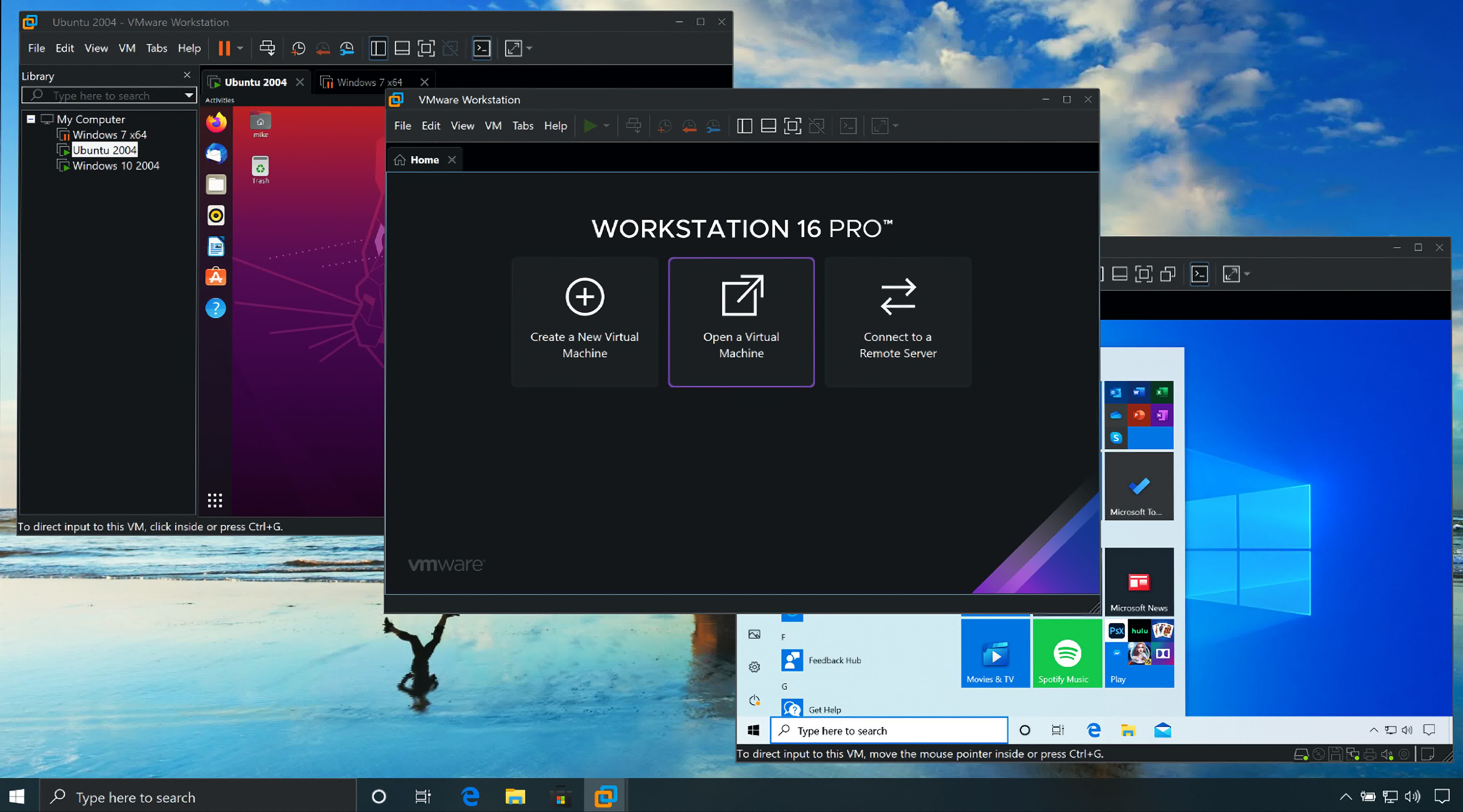
Solved VMware Workstation Pro


@glasskuter
I installed the Pro version right over the Player version pointing to the original installation folder without uninstalling first.
It had no problems uninstalling first then went on to upgrade.
I advise you to choose the option to create a new menu folder as there are several new shortcuts and features added.
 

My Computers My Computers

  • At a glance

    All Branches but ReleaseAMD Ryzen 7 7735HS 3200-4500 Mhz 8 cores x 232 GB DDR5Radeon Graphic / NVIDIA GeForce RTX 4060 8 GB...
    OS
    All Branches but Release
    Computer type
    Laptop
    Manufacturer/Model
    Acer Nitro ANV15-51
    CPU
    AMD Ryzen 7 7735HS 3200-4500 Mhz 8 cores x 2
    Motherboard
    Sportage_RBH
    Memory
    32 GB DDR5
    Graphics Card(s)
    Radeon Graphic / NVIDIA GeForce RTX 4060 8 GB GDDR6
    Sound Card
    AMD/Realtek(R) Audio
    Monitor(s) Displays
    Integrated Monitor (15.3"vis)
    Screen Resolution
    FHD 1920X1080 16:9 144Hz
    Hard Drives
    KINGSTON OM8SEP4512Q-AA 1TB
    Western Digital 256GB
    PSU
    19V DC 6.32 A 120 W
    Cooling
    Dual Fans
    Mouse
    MS Bluetooth
    Internet Speed
    Fiber 1GB Cox -us & 1GB Orange-fr
    Browser
    Edge Canary- Firefox Nightly-Chrome Dev-Chrome Dev
    Antivirus
    Windows Defender
  • At a glance

    Windows 11 BetaAMD A9-94208 GB of DDR4AMD Radeon R5
    Operating System
    Windows 11 Beta
    Computer type
    Laptop
    Manufacturer/Model
    Asus X751BP
    CPU
    AMD A9-9420
    Memory
    8 GB of DDR4
    Graphics card(s)
    AMD Radeon R5
    Screen Resolution
    1600x900
    Hard Drives
    Seagate 1 TB
@glasskuter,

Apologies for the slow response. I'm glad you were able to get it working in the meantime.

There are still some things about VMware workstation that I really like, especially at the price of free :-).
 

My Computers My Computers

  • At a glance

    Win11 Pro 25H2 (RTM+)Intel i7-14650HX32 GBNo GPU - Built-in Intel Graphics
    OS
    Win11 Pro 25H2 (RTM+)
    Computer type
    PC/Desktop
    Manufacturer/Model
    Acemagic
    CPU
    Intel i7-14650HX
    Memory
    32 GB
    Graphics Card(s)
    No GPU - Built-in Intel Graphics
    Sound Card
    Integrated
    Monitor(s) Displays
    Varies as machine will often be moved to locations with different monitors
    Screen Resolution
    Varies
    Hard Drives
    1 x 1TB Gen 4 NVMe SSD
    PSU
    120W Power Brick
    Keyboard
    Corsair K70 Max RGB Magnetic Keyboard
    Mouse
    Logitech MX Master 3
    Internet Speed
    1Gb Up / 1 Gb Down
    Browser
    Edge
    Antivirus
    Windows Defender
  • At a glance

    Win11 Pro 25H2 (RTM+)Intel i7-1255U16 GBIntel Iris Xe Graphics
    Operating System
    Win11 Pro 25H2 (RTM+)
    Computer type
    Laptop
    Manufacturer/Model
    Lenovo ThinkBook 13x Gen 2
    CPU
    Intel i7-1255U
    Memory
    16 GB
    Graphics card(s)
    Intel Iris Xe Graphics
    Sound Card
    Realtek® ALC3306-CG codec
    Monitor(s) Displays
    13.3-inch IPS Display
    Screen Resolution
    WQXGA (2560 x 1600)
    Hard Drives
    2 TB 4 x 4 NVMe SSD
    PSU
    USB-C / Thunderbolt 4 Power / Charging
    Keyboard
    Backlit, spill resistant keyboard
    Mouse
    Buttonless Glass Precision Touchpad
    Internet Speed
    1Gb Up / 1Gb Down
    Browser
    Edge
    Antivirus
    Windows Defender
    Other Info
    WiFi 6e / Bluetooth 5.1 / Facial Recognition / Fingerprint Sensor / ToF (Time of Flight) Human Presence Sensor
For those who are new to VMware, one of the things that I really love about VMware is how easy it is to save the activation state.

I have a VM that I actually activated. To save the activation state, simply do this:

Open the directory that the activated VM is stored in.
Open the file that has the .VMX extension in notepad.
Find the line that starts with "uuid.bios". Copy and save this entire line in a text file or write it down carefully.

Now, if you ever reinstall Windows to the VM, do this:

Create your VM.
Open the .VMX file in notepad.
Replace the line that with "uuid.bios" with the line that you saved.
Install Windows. It should activate successfully.

NOTE: If you prefer, you can install Windows first, shutdown the VM, and then replace the uuid.bios line, restart Windows, and activate it.

Having an activated VM that you can easily recycle makes life a whole lot easier.
 

My Computers My Computers

  • At a glance

    Win11 Pro 25H2 (RTM+)Intel i7-14650HX32 GBNo GPU - Built-in Intel Graphics
    OS
    Win11 Pro 25H2 (RTM+)
    Computer type
    PC/Desktop
    Manufacturer/Model
    Acemagic
    CPU
    Intel i7-14650HX
    Memory
    32 GB
    Graphics Card(s)
    No GPU - Built-in Intel Graphics
    Sound Card
    Integrated
    Monitor(s) Displays
    Varies as machine will often be moved to locations with different monitors
    Screen Resolution
    Varies
    Hard Drives
    1 x 1TB Gen 4 NVMe SSD
    PSU
    120W Power Brick
    Keyboard
    Corsair K70 Max RGB Magnetic Keyboard
    Mouse
    Logitech MX Master 3
    Internet Speed
    1Gb Up / 1 Gb Down
    Browser
    Edge
    Antivirus
    Windows Defender
  • At a glance

    Win11 Pro 25H2 (RTM+)Intel i7-1255U16 GBIntel Iris Xe Graphics
    Operating System
    Win11 Pro 25H2 (RTM+)
    Computer type
    Laptop
    Manufacturer/Model
    Lenovo ThinkBook 13x Gen 2
    CPU
    Intel i7-1255U
    Memory
    16 GB
    Graphics card(s)
    Intel Iris Xe Graphics
    Sound Card
    Realtek® ALC3306-CG codec
    Monitor(s) Displays
    13.3-inch IPS Display
    Screen Resolution
    WQXGA (2560 x 1600)
    Hard Drives
    2 TB 4 x 4 NVMe SSD
    PSU
    USB-C / Thunderbolt 4 Power / Charging
    Keyboard
    Backlit, spill resistant keyboard
    Mouse
    Buttonless Glass Precision Touchpad
    Internet Speed
    1Gb Up / 1Gb Down
    Browser
    Edge
    Antivirus
    Windows Defender
    Other Info
    WiFi 6e / Bluetooth 5.1 / Facial Recognition / Fingerprint Sensor / ToF (Time of Flight) Human Presence Sensor
It's an epic quest to download anything from Broadcom. They make it nearly impossible, so as to weed out the unworthy. What worked for me was following the download link in the blog post below, which required creating an account, and from there, it continued to be the most confusing website I've ever used, but I was successful in the end (don't ask me for more details, I've been actively trying to forget the trauma):


It's so bad, someone has since written a detailed article on it, documenting much of what I experienced. The inability to use my password manager to copy/paste passwords as part of the required account creation really ticked me off, but that was just the tip of the iceberg. I don't know what drugs those Broadcom people are on, but I know I don't want any.


My Computer My Computer

At a glance

Windows 11
OS
Windows 11
I have migrated over completely to Hyper-V, but there is just one tiny thing that bothers me with Hyper-V: If you install Windows in VMware Workstation you can per perform personalization tasks up until you allow your VMware guest to have Internet access. With Hyper-V, you cannot perform personalization tasks (unless you activate Windows) even with networking turned off.

I don't usually care about personalization, but for those times where it matters, I prefer VMware Workstation as a last resort.
Surely, this can only be possible if your vmware vm is activated.
 

My Computer My Computer

At a glance

Windows 11 Pro + Win11 Canary VM.I9 13th gen i9-13900H 2.60 GHZ16 GB solderedIntegrated Intel Iris XE
OS
Windows 11 Pro + Win11 Canary VM.
Computer type
Laptop
Manufacturer/Model
ASUS Zenbook 14
CPU
I9 13th gen i9-13900H 2.60 GHZ
Motherboard
Yep, Laptop has one.
Memory
16 GB soldered
Graphics Card(s)
Integrated Intel Iris XE
Sound Card
Realtek built in
Monitor(s) Displays
laptop OLED screen
Screen Resolution
2880x1800 touchscreen
Hard Drives
1 TB NVME SSD (only weakness is only one slot)
PSU
Internal + 65W thunderbolt USB4 charger
Case
Yep, got one
Cooling
Stella Artois (UK pint cans - 568 ml) - extra cost.
Keyboard
Built in UK keybd
Mouse
Bluetooth , wireless dongled, wired
Internet Speed
900 mbs (ethernet), wifi 6 typical 350-450 mb/s both up and down
Browser
Edge
Antivirus
Defender
Other Info
TPM 2.0, 2xUSB4 thunderbolt, 1xUsb3 (usb a), 1xUsb-c, hdmi out, 3.5 mm audio out/in combo, ASUS backlit trackpad (inc. switchable number pad)

Macrium Reflect Home V8
Office 365 Family (6 users each 1TB onedrive space)
Hyper-V (a vm runs almost as fast as my older laptop)
For those who are new to VMware, one of the things that I really love about VMware is how easy it is to save the activation state.

I have a VM that I actually activated. To save the activation state, simply do this:

Open the directory that the activated VM is stored in.
Open the file that has the .VMX extension in notepad.
Find the line that starts with "uuid.bios". Copy and save this entire line in a text file or write it down carefully.

Now, if you ever reinstall Windows to the VM, do this:

Create your VM.
Open the .VMX file in notepad.
Replace the line that with "uuid.bios" with the line that you saved.
Install Windows. It should activate successfully.

NOTE: If you prefer, you can install Windows first, shutdown the VM, and then replace the uuid.bios line, restart Windows, and activate it.

Having an activated VM that you can easily recycle makes life a whole lot easier.

With Hyper-V, once you have activated a vm, you do not even need to save anything. You can change out vhd containing OS as often as you like so long as it is same edition e.g. Pro or Home. In fact if you activate vm with Pro, it will also activate Home as well.
 

My Computer My Computer

At a glance

Windows 11 Pro + Win11 Canary VM.I9 13th gen i9-13900H 2.60 GHZ16 GB solderedIntegrated Intel Iris XE
OS
Windows 11 Pro + Win11 Canary VM.
Computer type
Laptop
Manufacturer/Model
ASUS Zenbook 14
CPU
I9 13th gen i9-13900H 2.60 GHZ
Motherboard
Yep, Laptop has one.
Memory
16 GB soldered
Graphics Card(s)
Integrated Intel Iris XE
Sound Card
Realtek built in
Monitor(s) Displays
laptop OLED screen
Screen Resolution
2880x1800 touchscreen
Hard Drives
1 TB NVME SSD (only weakness is only one slot)
PSU
Internal + 65W thunderbolt USB4 charger
Case
Yep, got one
Cooling
Stella Artois (UK pint cans - 568 ml) - extra cost.
Keyboard
Built in UK keybd
Mouse
Bluetooth , wireless dongled, wired
Internet Speed
900 mbs (ethernet), wifi 6 typical 350-450 mb/s both up and down
Browser
Edge
Antivirus
Defender
Other Info
TPM 2.0, 2xUSB4 thunderbolt, 1xUsb3 (usb a), 1xUsb-c, hdmi out, 3.5 mm audio out/in combo, ASUS backlit trackpad (inc. switchable number pad)

Macrium Reflect Home V8
Office 365 Family (6 users each 1TB onedrive space)
Hyper-V (a vm runs almost as fast as my older laptop)
With Hyper-V, once you have activated a vm, you do not even need to save anything. You can change out vhd containing OS as often as you like so long as it is same edition e.g. Pro or Home. In fact if you activate vm with Pro, it will also activate Home as well.
You can swap out the VHD, but how do you get your VM back after a reinstallation or move to a new machine?

You can disconnect the VHD and then backup the VHD. At least in this way it's only about 4 MB. But with VMware, you literally only need to save a few bytes of data.
 

My Computers My Computers

  • At a glance

    Win11 Pro 25H2 (RTM+)Intel i7-14650HX32 GBNo GPU - Built-in Intel Graphics
    OS
    Win11 Pro 25H2 (RTM+)
    Computer type
    PC/Desktop
    Manufacturer/Model
    Acemagic
    CPU
    Intel i7-14650HX
    Memory
    32 GB
    Graphics Card(s)
    No GPU - Built-in Intel Graphics
    Sound Card
    Integrated
    Monitor(s) Displays
    Varies as machine will often be moved to locations with different monitors
    Screen Resolution
    Varies
    Hard Drives
    1 x 1TB Gen 4 NVMe SSD
    PSU
    120W Power Brick
    Keyboard
    Corsair K70 Max RGB Magnetic Keyboard
    Mouse
    Logitech MX Master 3
    Internet Speed
    1Gb Up / 1 Gb Down
    Browser
    Edge
    Antivirus
    Windows Defender
  • At a glance

    Win11 Pro 25H2 (RTM+)Intel i7-1255U16 GBIntel Iris Xe Graphics
    Operating System
    Win11 Pro 25H2 (RTM+)
    Computer type
    Laptop
    Manufacturer/Model
    Lenovo ThinkBook 13x Gen 2
    CPU
    Intel i7-1255U
    Memory
    16 GB
    Graphics card(s)
    Intel Iris Xe Graphics
    Sound Card
    Realtek® ALC3306-CG codec
    Monitor(s) Displays
    13.3-inch IPS Display
    Screen Resolution
    WQXGA (2560 x 1600)
    Hard Drives
    2 TB 4 x 4 NVMe SSD
    PSU
    USB-C / Thunderbolt 4 Power / Charging
    Keyboard
    Backlit, spill resistant keyboard
    Mouse
    Buttonless Glass Precision Touchpad
    Internet Speed
    1Gb Up / 1Gb Down
    Browser
    Edge
    Antivirus
    Windows Defender
    Other Info
    WiFi 6e / Bluetooth 5.1 / Facial Recognition / Fingerprint Sensor / ToF (Time of Flight) Human Presence Sensor
You can swap out the VHD, but how do you get your VM back after a reinstallation or move to a new machine?

You can disconnect the VHD and then backup the VHD. At least in this way it's only about 4 MB. But with VMware, you literally only need to save a few bytes of data.
You can preserve the unique ID a Hyper-V VM by exporting it without a VHD then importing it to a new host and selecting the option to import using the existing ID.

But yes, a single line of text is much easier to save. :wink:

VirtualBox works the same way as VMware. There's a Machine uuid="{ a unique uuid number }" at the beginning of the VM's Vbox.xml.

1715852991769.png
 
Last edited:

My Computers My Computers

  • At a glance

    Windows 11 HomeAMD Athlon Silver 3050U8GBRadeon Graphics
    OS
    Windows 11 Home
    Computer type
    Laptop
    Manufacturer/Model
    Acer Aspire 3 A315-23-R9VY
    CPU
    AMD Athlon Silver 3050U
    Memory
    8GB
    Graphics Card(s)
    Radeon Graphics
    Monitor(s) Displays
    laptop screen
    Screen Resolution
    1366x768 native resolution, up to 2560x1440 with Radeon Virtual Super Resolution
    Hard Drives
    1TB Samsung EVO 870 SSD (from April 2026: 250GB EVO 850)
    Internet Speed
    150 Mbps
    Browser
    Edge, Firefox
    Antivirus
    Defender
    Other Info
    fully 'Windows 11 ready' laptop. Windows 10 C: partition migrated from my old unsupported 'main machine' then upgraded to 11. A test migration ran Insider builds for 2 months. When 11 was released on 5th October 2021 it was re-imaged back to 10 and was offered the upgrade in Windows Update on 20th October. Windows Update offered the 22H2 Feature Update on 20th September 2022. It got the 23H2 Feature Update on 4th November 2023 through Windows Update, 24H2 on 3rd October 2024 through Windows Update by setting the Target Release Version for 24H2, and 25H2 on 30th September 2025 through Windows Update by setting the Target Release Version for 25H2.

    UPDATE - 11 April 2026: due to mechanical deterioration this PC has been retired from active duty. The OS with all software and files has been migrated to my System Seven in 'Other systems' to carry on as my general purpose 'main machine'.

    I've now clean installed 25H2 and used Garlin's scripts to update Secure Boot to CA 2023 and revoke the PCA 2011 certificates. It's new role is to test secure boot issues.
  • At a glance

    Windows 11 ProIntel® Core™ i5-520M8GB(integrated graphics) Intel HD Graphics
    Operating System
    Windows 11 Pro
    Computer type
    Laptop
    Manufacturer/Model
    Dell Latitude E4310
    CPU
    Intel® Core™ i5-520M
    Motherboard
    0T6M8G
    Memory
    8GB
    Graphics card(s)
    (integrated graphics) Intel HD Graphics
    Screen Resolution
    1366x768
    Hard Drives
    500GB Crucial MX500 SSD
    Browser
    Firefox, Edge
    Antivirus
    Defender
    Other Info
    unsupported machine: Legacy bios, MBR, TPM 1.2, upgraded from W10 to W11 using W10/W11 hybrid install media workaround.

    In-place upgrade to 22H2 using ISO and a workaround.
    Feature Update to 23H2 by manually installing the Enablement Package.
    In-place upgrade to 24H2 using hybrid 23H2/24H2 install media.
    Upgraded to 25H2 by Enablement Package.

    Also running Insider Dev, and Canary builds and Windows 10 as native boot .vhdx.
  • My SYSTEM THREE is a Dell Latitude 5410, i7-10610U, 32GB RAM, 512GB NVMe ssd, supported device running Windows 11 Pro.

    My SYSTEM FOUR is a 2-in-1 convertible Lenovo Yoga 11e 20DA, Celeron N2930, 8GB RAM, 256GB ssd. Unsupported device: currently running Win10 Pro, plus Win11 Pro RTM and Insider Dev, Beta, and RP 24H2 as native boot vhdx.

    My SYSTEM FIVE is a Dell Latitude 3190 2-in-1, Pentium Silver N5030, 8GB RAM, 1TB NVMe ssd, supported device running Windows 11 Pro, plus Insider Beta, Dev, and Canary builds (and a few others) as a native boot .vhdx.

    My SYSTEM SIX is a Dell Latitude 5550, Core Ultra 7 165H, 64GB RAM, 1TB NVMe SSD, supported device, Windows 11 Pro 24H2, Hyper-V host machine. Updated to 25H2 on 30th September 2025.

    My SYSTEM SEVEN is a Lenovo Thinkpad T580, Intel Core i7-8650U, 16GB RAM, 512GB NVMe SSD + 2nd 512GB NVMe SSD, a supported device for Windows 11. This is my current general purpose 'main machine'. The installed Windows 11 Home from my System One has been migrated to this machine.
You can preserve the unique ID a Hyper-V VM by exporting it without a VHD then importing it to a new host and selecting the option to import using the existing ID.

But yes, a single line of text is much easier to save. :wink:

VirtualBox works the same way as VMware. There's a Machine uuid="{ a unique uuid number }" at the beginning of the VM's Vbox.xml.

View attachment 96344
Indeed.
I've used this quite a few times too.

So it is in KVM/QEMU as well.
A VM provides XML settings with a uuid tag.

1715856743435.png

Since those are hidden or handled differently in Hyper-V, it is more confusing to apply something similar there if one doesn't know where to start.
Luckily we have those great tutorials by Kari, from there I was able to 'transfer' a uuid in Hyper-V.
EDIT: yes, by exporting vm without vhd.
 

My Computers My Computers

  • At a glance

    Windows 11 Proi3 8109U16GB DDR4 @2400Intel Iris Plus Graphics 655
    OS
    Windows 11 Pro
    Computer type
    PC/Desktop
    Manufacturer/Model
    Intel NUC
    CPU
    i3 8109U
    Motherboard
    Intel
    Memory
    16GB DDR4 @2400
    Graphics Card(s)
    Intel Iris Plus Graphics 655
    Sound Card
    Intel / Realtek HD Audio
    Monitor(s) Displays
    LG-32ML600M
    Screen Resolution
    1920x1080
    Hard Drives
    Intel SSD 250GB + Samsung QVO SSD 1TB
    PSU
    Adapter
    Cooling
    The usual NUC airflow
    Keyboard
    Logitech Orion G610
    Mouse
    SteelSeries Rival 100 Red
    Internet Speed
    Good enough
    Browser
    Chromium, Edge, Firefox
    Antivirus
    Windows Defender
  • At a glance

    CentOS 9 Stream / Alma / Rocky / FedoraIntel i7 4800MQ32GB DDR3 @1600NVIDIA Quadro K2100M
    Operating System
    CentOS 9 Stream / Alma / Rocky / Fedora
    Computer type
    Laptop
    Manufacturer/Model
    TOSHIBA
    CPU
    Intel i7 4800MQ
    Motherboard
    TOSHIBA
    Memory
    32GB DDR3 @1600
    Graphics card(s)
    NVIDIA Quadro K2100M
    Sound Card
    Realtek HD Audio
    Monitor(s) Displays
    Built-in
    Screen Resolution
    1920x1080
Should i stop using VMware and use Oracle VM VirtualBox?
I think you can keep using VMware.
Those site issues should settle once they move everything over.
Usually clear the cookies and the cache in your browser just to make sure and try again, on the new website.

But you can give other alternatives a try, that way you'll know directly from first hand experience rather than just recommendations of others.
 

My Computers My Computers

  • At a glance

    Windows 11 Proi3 8109U16GB DDR4 @2400Intel Iris Plus Graphics 655
    OS
    Windows 11 Pro
    Computer type
    PC/Desktop
    Manufacturer/Model
    Intel NUC
    CPU
    i3 8109U
    Motherboard
    Intel
    Memory
    16GB DDR4 @2400
    Graphics Card(s)
    Intel Iris Plus Graphics 655
    Sound Card
    Intel / Realtek HD Audio
    Monitor(s) Displays
    LG-32ML600M
    Screen Resolution
    1920x1080
    Hard Drives
    Intel SSD 250GB + Samsung QVO SSD 1TB
    PSU
    Adapter
    Cooling
    The usual NUC airflow
    Keyboard
    Logitech Orion G610
    Mouse
    SteelSeries Rival 100 Red
    Internet Speed
    Good enough
    Browser
    Chromium, Edge, Firefox
    Antivirus
    Windows Defender
  • At a glance

    CentOS 9 Stream / Alma / Rocky / FedoraIntel i7 4800MQ32GB DDR3 @1600NVIDIA Quadro K2100M
    Operating System
    CentOS 9 Stream / Alma / Rocky / Fedora
    Computer type
    Laptop
    Manufacturer/Model
    TOSHIBA
    CPU
    Intel i7 4800MQ
    Motherboard
    TOSHIBA
    Memory
    32GB DDR3 @1600
    Graphics card(s)
    NVIDIA Quadro K2100M
    Sound Card
    Realtek HD Audio
    Monitor(s) Displays
    Built-in
    Screen Resolution
    1920x1080
You can swap out the VHD, but how do you get your VM back after a reinstallation or move to a new machine?

You can disconnect the VHD and then backup the VHD. At least in this way it's only about 4 MB. But with VMware, you literally only need to save a few bytes of data.
Save the vm config files - they are tiny.
 

My Computer My Computer

At a glance

Windows 11 Pro + Win11 Canary VM.I9 13th gen i9-13900H 2.60 GHZ16 GB solderedIntegrated Intel Iris XE
OS
Windows 11 Pro + Win11 Canary VM.
Computer type
Laptop
Manufacturer/Model
ASUS Zenbook 14
CPU
I9 13th gen i9-13900H 2.60 GHZ
Motherboard
Yep, Laptop has one.
Memory
16 GB soldered
Graphics Card(s)
Integrated Intel Iris XE
Sound Card
Realtek built in
Monitor(s) Displays
laptop OLED screen
Screen Resolution
2880x1800 touchscreen
Hard Drives
1 TB NVME SSD (only weakness is only one slot)
PSU
Internal + 65W thunderbolt USB4 charger
Case
Yep, got one
Cooling
Stella Artois (UK pint cans - 568 ml) - extra cost.
Keyboard
Built in UK keybd
Mouse
Bluetooth , wireless dongled, wired
Internet Speed
900 mbs (ethernet), wifi 6 typical 350-450 mb/s both up and down
Browser
Edge
Antivirus
Defender
Other Info
TPM 2.0, 2xUSB4 thunderbolt, 1xUsb3 (usb a), 1xUsb-c, hdmi out, 3.5 mm audio out/in combo, ASUS backlit trackpad (inc. switchable number pad)

Macrium Reflect Home V8
Office 365 Family (6 users each 1TB onedrive space)
Hyper-V (a vm runs almost as fast as my older laptop)

My Computers My Computers

  • At a glance

    Windows 11 ProIntel Core i5-8279u32GB DDR4 2666MhzIntel Iris Plus 655
    OS
    Windows 11 Pro
    Computer type
    PC/Desktop
    Manufacturer/Model
    Beelink SEI8
    CPU
    Intel Core i5-8279u
    Motherboard
    AZW SEI
    Memory
    32GB DDR4 2666Mhz
    Graphics Card(s)
    Intel Iris Plus 655
    Sound Card
    Intel SST
    Monitor(s) Displays
    Asus ProArt PA278QV
    Screen Resolution
    2560x1440
    Hard Drives
    512GB NVMe
    PSU
    NA
    Case
    NA
    Cooling
    NA
    Keyboard
    NA
    Mouse
    NA
    Internet Speed
    500/50
    Browser
    Edge
    Antivirus
    Defender
    Other Info
    Mini PC used for testing Windows 11.
  • At a glance

    Windows 10 ProRyzen 9 5900x64GB DDR4-3600EVGA GeForce 3080 FT3 Ultra
    Operating System
    Windows 10 Pro
    Computer type
    PC/Desktop
    Manufacturer/Model
    Custom
    CPU
    Ryzen 9 5900x
    Motherboard
    Asus Rog Strix X570-E Gaming
    Memory
    64GB DDR4-3600
    Graphics card(s)
    EVGA GeForce 3080 FT3 Ultra
    Sound Card
    Onboard
    Monitor(s) Displays
    ASUS TUF Gaming VG27AQ. ASUS ProArt Display PA278QV 27” WQHD
    Screen Resolution
    2560x1440
    Hard Drives
    2TB WD SN850 PCI-E Gen 4 NVMe
    2TB Sandisk Ultra 2.5" SATA SSD
    PSU
    Seasonic Focus 850
    Case
    Fractal Meshify S2 in White
    Cooling
    Dark Rock Pro CPU cooler, 3 x 140mm case fans
    Keyboard
    Corsiar K65 RGB Lux
    Mouse
    Logitech G9 Laser Mouse
    Internet Speed
    500/50
    Browser
    Chrome
    Antivirus
    Defender.
Saw this story and laughed.

I fail to see the humor.
I must have been lucky as Workstation Pro downloaded on the first try.
Actually the two lonely comments located at the bottom of the so called article
reported downloading the software successfully.
 

My Computers My Computers

  • At a glance

    All Branches but ReleaseAMD Ryzen 7 7735HS 3200-4500 Mhz 8 cores x 232 GB DDR5Radeon Graphic / NVIDIA GeForce RTX 4060 8 GB...
    OS
    All Branches but Release
    Computer type
    Laptop
    Manufacturer/Model
    Acer Nitro ANV15-51
    CPU
    AMD Ryzen 7 7735HS 3200-4500 Mhz 8 cores x 2
    Motherboard
    Sportage_RBH
    Memory
    32 GB DDR5
    Graphics Card(s)
    Radeon Graphic / NVIDIA GeForce RTX 4060 8 GB GDDR6
    Sound Card
    AMD/Realtek(R) Audio
    Monitor(s) Displays
    Integrated Monitor (15.3"vis)
    Screen Resolution
    FHD 1920X1080 16:9 144Hz
    Hard Drives
    KINGSTON OM8SEP4512Q-AA 1TB
    Western Digital 256GB
    PSU
    19V DC 6.32 A 120 W
    Cooling
    Dual Fans
    Mouse
    MS Bluetooth
    Internet Speed
    Fiber 1GB Cox -us & 1GB Orange-fr
    Browser
    Edge Canary- Firefox Nightly-Chrome Dev-Chrome Dev
    Antivirus
    Windows Defender
  • At a glance

    Windows 11 BetaAMD A9-94208 GB of DDR4AMD Radeon R5
    Operating System
    Windows 11 Beta
    Computer type
    Laptop
    Manufacturer/Model
    Asus X751BP
    CPU
    AMD A9-9420
    Memory
    8 GB of DDR4
    Graphics card(s)
    AMD Radeon R5
    Screen Resolution
    1600x900
    Hard Drives
    Seagate 1 TB

Attachments

  • Capture d’écran 2024-05-16 100643.png
    Capture d’écran 2024-05-16 100643.png
    17.7 KB · Views: 6

My Computers My Computers

  • At a glance

    Windows 11 Pro Optimum 24H2 OS Build 26100.7171AMD Ryzen 7 5800HSCrucial 16GoIntegrated Radeon Vega 8 Graphics
    OS
    Windows 11 Pro Optimum 24H2 OS Build 26100.7171
    Computer type
    Laptop
    Manufacturer/Model
    Asus VivobooK 15 M1502QA.302
    CPU
    AMD Ryzen 7 5800HS
    Motherboard
    ASUSTeck Computer
    Memory
    Crucial 16Go
    Graphics Card(s)
    Integrated Radeon Vega 8 Graphics
    Sound Card
    Realtek & AMD high audio definition
    Monitor(s) Displays
    SAMSUNG Curv - C24F390
    Screen Resolution
    1920*1080
    Hard Drives
    SSD NVMe 1To Crucial
    SSD 500 Go Crucial MX500
    SSD 128 Go Intel
    HDD 1To WD
    Case
    Asus vivobook
    Cooling
    Integrated Fan
    Keyboard
    Wisfox Gaming
    Mouse
    BT Tecknett
    Internet Speed
    WifFi 6 on 5 gbs fiber ftth
    Browser
    Thorium 130.0.6723.174 (Build officiel) & Zen browser Dev/béta ver.
    Antivirus
    Windows Defender
  • At a glance

    Server /Nas - dietpi v9.13 - debian Bookworm/...Ryzen 7 8845HS32GB DDR5AMD Radeon 780M 12core 2700MHz
    Operating System
    Server /Nas - dietpi v9.13 - debian Bookworm/Trixie based
    Computer type
    PC/Desktop
    Manufacturer/Model
    Beelink Mini PC SER8
    CPU
    Ryzen 7 8845HS
    Memory
    32GB DDR5
    Graphics card(s)
    AMD Radeon 780M 12core 2700MHz
    Screen Resolution
    headless
    Hard Drives
    4TB M.2 PCIe4.0 NVMe
    Cooling
    MSC2.0 cooling system
    Keyboard
    headless
    Mouse
    headless
    Internet Speed
    WiFi6 - 2.5G RJ45
    Browser
    -
    Antivirus
    -
    Other Info
    Just for fun
  • Like
Reactions: OAT

My Computers My Computers

  • At a glance

    Windows11 Pro 26200.8894Intel Core i9 14900F (24 -Core, 68 MB Total C...32GB DDR5RTX 4080 Super w/610.74
    OS
    Windows11 Pro 26200.8894
    Computer type
    PC/Desktop
    Manufacturer/Model
    Dell Alienware Aurora R16
    CPU
    Intel Core i9 14900F (24 -Core, 68 MB Total Cache)
    Motherboard
    Dell Alienware
    Memory
    32GB DDR5
    Graphics Card(s)
    RTX 4080 Super w/610.74
    Sound Card
    Realtec
    Monitor(s) Displays
    Corsair XENEON 32QHD165
    Screen Resolution
    2560 X 1440
    Hard Drives
    1-2TB Samsung 990 Pro PCIe NVMe M2 SSD
    1-4TB Samsung 990 Pro PCIe NVMe M2 SSD
    PSU
    1000 Watt Platinum Dell
    Case
    Alienware
    Cooling
    Liquid Closed Loop
    Keyboard
    Corsair Strafe RGB
    Mouse
    Logitech MK270 Wireless
    Internet Speed
    100Gb's Down-20 Up
    Browser
    Firefox 152.0.6
    Antivirus
    Defender
    Other Info
    Very Quiet And Fast
    CyberPower UPS CP1500PFCLCD
  • At a glance

    PClinuxOS Mate (2025.7)13th Gen Inter(R) Core(TM) i3-1315U64 GB DDR4 @3200 MHz.Internal
    Operating System
    PClinuxOS Mate (2025.7)
    Computer type
    PC/Desktop
    Manufacturer/Model
    Intel
    CPU
    13th Gen Inter(R) Core(TM) i3-1315U
    Motherboard
    Intel
    Memory
    64 GB DDR4 @3200 MHz.
    Graphics card(s)
    Internal
    Sound Card
    None
    Monitor(s) Displays
    Dell 2419HGCF
    Screen Resolution
    1920 X 1080
    Hard Drives
    SAMSUNG 980 PRO SSD 2TB, PCIe 4.0 M.2 2280
    PSU
    Chicony 30 Watt
    Case
    Small
    Keyboard
    Dell
    Mouse
    Razor
    Internet Speed
    1GB
    Browser
    Slimjet

Zero issues with the downloads.
I too had no difficulty obtaining the free version. I did notice one difference in behavior from when I used to use VMware in the past before I transitioned to Hyper-V but can't swear that what I am seeing is not a change in Windows itself.
 

My Computers My Computers

  • At a glance

    Win11 Pro 25H2 (RTM+)Intel i7-14650HX32 GBNo GPU - Built-in Intel Graphics
    OS
    Win11 Pro 25H2 (RTM+)
    Computer type
    PC/Desktop
    Manufacturer/Model
    Acemagic
    CPU
    Intel i7-14650HX
    Memory
    32 GB
    Graphics Card(s)
    No GPU - Built-in Intel Graphics
    Sound Card
    Integrated
    Monitor(s) Displays
    Varies as machine will often be moved to locations with different monitors
    Screen Resolution
    Varies
    Hard Drives
    1 x 1TB Gen 4 NVMe SSD
    PSU
    120W Power Brick
    Keyboard
    Corsair K70 Max RGB Magnetic Keyboard
    Mouse
    Logitech MX Master 3
    Internet Speed
    1Gb Up / 1 Gb Down
    Browser
    Edge
    Antivirus
    Windows Defender
  • At a glance

    Win11 Pro 25H2 (RTM+)Intel i7-1255U16 GBIntel Iris Xe Graphics
    Operating System
    Win11 Pro 25H2 (RTM+)
    Computer type
    Laptop
    Manufacturer/Model
    Lenovo ThinkBook 13x Gen 2
    CPU
    Intel i7-1255U
    Memory
    16 GB
    Graphics card(s)
    Intel Iris Xe Graphics
    Sound Card
    Realtek® ALC3306-CG codec
    Monitor(s) Displays
    13.3-inch IPS Display
    Screen Resolution
    WQXGA (2560 x 1600)
    Hard Drives
    2 TB 4 x 4 NVMe SSD
    PSU
    USB-C / Thunderbolt 4 Power / Charging
    Keyboard
    Backlit, spill resistant keyboard
    Mouse
    Buttonless Glass Precision Touchpad
    Internet Speed
    1Gb Up / 1Gb Down
    Browser
    Edge
    Antivirus
    Windows Defender
    Other Info
    WiFi 6e / Bluetooth 5.1 / Facial Recognition / Fingerprint Sensor / ToF (Time of Flight) Human Presence Sensor
I still have VMware Workstation 17 Player installed when i install latest VMware Workstation.
 

My Computer My Computer

At a glance

Windows 11
OS
Windows 11
I still have VMware Workstation 17 Player installed when i install latest VMware Workstation.
Did you actually READ the comment in a couple of previous posts.

VMWare player is STILL installed when you install VMWare workstation. What the article is saying is that the application is discontinued as a separately installable product.

Cheers
jimbo
 

My Computer My Computer

At a glance

Windows XP,11 Linux Fedora Rawhide pre-releas...2 X Intel i7
OS
Windows XP,11 Linux Fedora Rawhide pre-release 45
Computer type
PC/Desktop
CPU
2 X Intel i7
Screen Resolution
4KUHD X 2
I'm not certain about Workstation Player, but with Fusion Player (the macOS version) update, it's necessary to remove the 'old' Free to use Licence, after which the updated version then automatically shows as "VMware Fusion Professional Version Licensed for Personal Use only". That can be done via the command line, or by completely uninstalling the old installation which also removes the old 'free to use' license details; and then reinstall using the latest update.
 

My Computers My Computers

  • At a glance

    macOS 14.x (plus Windows 11, Debian, FreeBSD ...Apple M1 Max (T6001) - 8 performance 2 effici...32GB LPDDR5Apple M1 Max (32-core)
    OS
    macOS 14.x (plus Windows 11, Debian, FreeBSD for ARM64)
    Computer type
    Laptop
    Manufacturer/Model
    MacBook Pro M1 MAX
    CPU
    Apple M1 Max (T6001) - 8 performance 2 efficiency cores
    Memory
    32GB LPDDR5
    Graphics Card(s)
    Apple M1 Max (32-core)
    Hard Drives
    a) 1TB SSD + + 1TB SD Card + external SSD Drives
    Browser
    1. Safari 2. DuckDuckGo
    Antivirus
    -
  • At a glance

    Windows 11 Pro, plus VirtualBox VMs: various ...i732GB
    Operating System
    Windows 11 Pro, plus VirtualBox VMs: various Windows & Linux
    Computer type
    Laptop
    Manufacturer/Model
    Microsoft Surface Laptop Studio
    CPU
    i7
    Memory
    32GB
    Hard Drives
    1TB SSD, plus external SSDs for Virtual Machines etc.
    Browser
    1. MS Edge 2. DuckDuckGo
    Antivirus
    Defender
I'm not certain about Workstation Player, but with Fusion Player (the macOS version) update, it's necessary to remove the 'old' Free to use Licence, after which the updated version then automatically shows as "VMware Fusion Professional Version Licensed for Personal Use only". That can be done via the command line, or by completely uninstalling the old installation which also removes the old 'free to use' license; and then reinstalling using the latest update.
Uninstalling is not needed in Windows as both can run side by side.
The Workstation really only adds a GUI to manage the VMs along with some configuration tweaks.


Screenshot 2024-05-23 192942.jpeg
 

My Computers My Computers

  • At a glance

    All Branches but ReleaseAMD Ryzen 7 7735HS 3200-4500 Mhz 8 cores x 232 GB DDR5Radeon Graphic / NVIDIA GeForce RTX 4060 8 GB...
    OS
    All Branches but Release
    Computer type
    Laptop
    Manufacturer/Model
    Acer Nitro ANV15-51
    CPU
    AMD Ryzen 7 7735HS 3200-4500 Mhz 8 cores x 2
    Motherboard
    Sportage_RBH
    Memory
    32 GB DDR5
    Graphics Card(s)
    Radeon Graphic / NVIDIA GeForce RTX 4060 8 GB GDDR6
    Sound Card
    AMD/Realtek(R) Audio
    Monitor(s) Displays
    Integrated Monitor (15.3"vis)
    Screen Resolution
    FHD 1920X1080 16:9 144Hz
    Hard Drives
    KINGSTON OM8SEP4512Q-AA 1TB
    Western Digital 256GB
    PSU
    19V DC 6.32 A 120 W
    Cooling
    Dual Fans
    Mouse
    MS Bluetooth
    Internet Speed
    Fiber 1GB Cox -us & 1GB Orange-fr
    Browser
    Edge Canary- Firefox Nightly-Chrome Dev-Chrome Dev
    Antivirus
    Windows Defender
  • At a glance

    Windows 11 BetaAMD A9-94208 GB of DDR4AMD Radeon R5
    Operating System
    Windows 11 Beta
    Computer type
    Laptop
    Manufacturer/Model
    Asus X751BP
    CPU
    AMD A9-9420
    Memory
    8 GB of DDR4
    Graphics card(s)
    AMD Radeon R5
    Screen Resolution
    1600x900
    Hard Drives
    Seagate 1 TB
Back
Top Bottom