Waking up from sleep still asks to click sign in even without password


Nabukodonosor

Member
Local time
8:24 PM
Posts
6
OS
Windows 11 Pro 64bit
After waking up from sleep I first need to click on the screen and then it opens up the profile and "sign in" button that I have to press which only then boots up my desktop. I managed to disable the lock screen, so I don't have to click it, but now I still get the login screen. Can I somehow get rid of it? Considering I don't have a password it's just 2 extra steps that are useless. I used this tool below to config some stuff, to disable some bloatware, but not too much. Maybe I messed up something there, but it's strange that I couldn't reverse it with some Windows configuration.
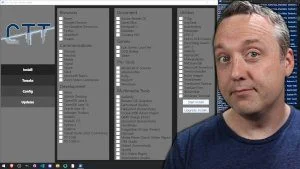
BTW, I have tried every single trick I've found online. I think maybe some tweak I did when I installed Windows hardcoded this thing, and now whatever I do I can't change it.

One weird thing I also noticed. I was at my computer and talking to someone for a minute or something, didn't mouse the mouse or something and the login screen came on. ?!
 
Windows Build/Version
Windows 11 Pro 64 25H2 (OS Build 26200.7171)

My Computer

System One

  • OS
    Windows 11 Pro 64bit
    Computer type
    PC/Desktop
    CPU
    Ryzen 7500F
    Memory
    16GB DDR5
these @Brinks tutorials may be of help.


best of luck Steve ..
 

My Computers

System One System Two

  • OS
    Debian Trixie KDE Windows 11 Home
    Computer type
    PC/Desktop
    Manufacturer/Model
    HP 24" AiO
    CPU
    Ryzen 7 5825u
    Motherboard
    HP
    Memory
    64GB DDR4 3200
    Graphics Card(s)
    Ryzen 7 5825u
    Sound Card
    RealTek
    Monitor(s) Displays
    24" HP AiO
    Screen Resolution
    1920 x 1080 @60 Hz
    Hard Drives
    1TB WD Blue SN580 M2 SSD Partitioned.
    2x 1TB USB HDD External Backup/Storage.
    PSU
    90W external power brick
    Case
    24" All in One
    Cooling
    Default Air Cooling
    Keyboard
    HP WiFi UK extended
    Mouse
    HP WiFi 3 Button
    Internet Speed
    1GB full fibre
    Browser
    Edge & Firefox
    Antivirus
    AVG Internet Security/Windows Defender
    Other Info
    Mainly Open Source Software
  • Operating System
    Ubuntu 22.04.5 LTS
    Computer type
    Laptop
    Manufacturer/Model
    Dell 13" Latitude 2017
    CPU
    i5 7200u
    Motherboard
    Dell
    Memory
    16GB DDR4
    Graphics card(s)
    Intel
    Sound Card
    Intel
    Monitor(s) Displays
    13" Dell Laptop
    Hard Drives
    250GB Crucial 2.5" SSD
    Mouse
    Generic WiFi 3 button
    Internet Speed
    WiFi only
    Browser
    Firefox
    Antivirus
    ClamAV TK
    Other Info
    Mainly Open Source Software
Tried all that, as you can see on my screenshots. Didn't work.
 

My Computer

System One

  • OS
    Windows 11 Pro 64bit
    Computer type
    PC/Desktop
    CPU
    Ryzen 7500F
    Memory
    16GB DDR5
If you are logged in with a Microsoft Account, you will be shown the Lock screen by default.
Only a Local Account can bypass the Lock Screen.
 

My Computer

System One

  • OS
    Windows 11 Pro Insider 64 bit 25H2 26200.5742
    Computer type
    PC/Desktop
    Manufacturer/Model
    Gigabyte Z390 UD
    CPU
    Intel Core i7 9700K 3.60
    Motherboard
    Gigabyte Z390 UD
    Memory
    16 GB
    Graphics Card(s)
    nVidia GEForce RTX 2060 Super
    Sound Card
    onboard
    Monitor(s) Displays
    Two 27" Dell 4K monitors
    Screen Resolution
    3840 x 2160
    Hard Drives
    M.2 NVME SSD, 500 GB; Two 2TB Mechanical HDD's
    PSU
    850w PSU
    Case
    Cyberpower PC
    Cooling
    Water cooled
    Keyboard
    Backlit Cyberpower gaming keyboard
    Mouse
    Backlit Cyberpower gaming mouse
    Internet Speed
    1 GB mbps
    Browser
    Brave
    Antivirus
    Windows Security
I don't have a Microsoft Account. Only local.
 

My Computer

System One

  • OS
    Windows 11 Pro 64bit
    Computer type
    PC/Desktop
    CPU
    Ryzen 7500F
    Memory
    16GB DDR5
{quote]One weird thing I also noticed. I was at my computer and talking to someone for a minute or something, didn't mouse the mouse or something and the login screen came on. ?![/quote]

I at least managed to fix this one. It's actually a bug. It's a screen saver bug.


I turned it off, but the greyed out thing was still at 1 minute, even though it was off it still turned the sign in screen at the 1 minute mark. So, I turned it back on, uped it to 30 minutes, and turned it back off. I can't believe MS still didn't fix this, I fould people had this issue 2 years ago. But again, it's Microsoft...
 

My Computer

System One

  • OS
    Windows 11 Pro 64bit
    Computer type
    PC/Desktop
    CPU
    Ryzen 7500F
    Memory
    16GB DDR5
Back
Top Bottom