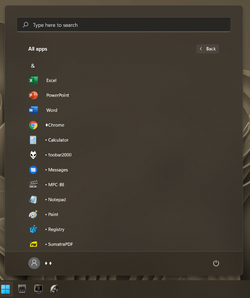
I've had a good bit of luck getting what I want in the Start menu without having it appear in the All apps list, and I've had a good bit of luck getting folders onto the All apps list, but I've had no luck at all getting the useless entries OFF the All apps list: items that are more easily reached in other places, and items that I don't need at all. If you find a way to get any of these off the list, please post your solution.
[Calculator, Calendar, Get Started, Mail, Notepad, Paint, and Settings]
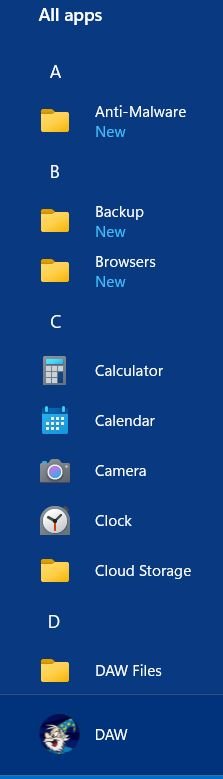


[Calculator, Calendar, Get Started, Mail, Notepad, Paint, and Settings]
- Windows Build/Version
- 11 Pro 258
My Computers
-
At a glance
11 Pro 24H2 26100.2454i7-9700 @ 3.00GHz32GBDDR4 @ 2666MHzIntel HD 630 Graphics onboard- OS
- 11 Pro 24H2 26100.2454
- Computer type
- PC/Desktop
- Manufacturer/Model
- Lenovo ThinkCentre M920S SFF
- CPU
- i7-9700 @ 3.00GHz
- Motherboard
- Lenovo 3132
- Memory
- 32GBDDR4 @ 2666MHz
- Graphics Card(s)
- Intel HD 630 Graphics onboard
- Sound Card
- Realtek HD Audio
- Monitor(s) Displays
- LG E2442
- Screen Resolution
- 1920x1080
- Hard Drives
- 1 x Samsung 970 EVO PLUS 500GB NVMe SSD, 1 x WD_BLACK SN770
250GB NVMe SSD (OS and programs), 1 x WD_BLACK SN770
500GB NVMe SSD (Data)
- Case
- Lenovo SFF
- Keyboard
- Cherry Stream TKL JK-8600US-2 Wired
- Mouse
- LogiTech M510 wireless
- Internet Speed
- Fast (for fixed wireless!)
- Browser
- Chrome, sometimes Firefox
- Antivirus
- Malwarebytes Premium & Defender (working together beautifully!)
-
At a glance
11 Pro 24H2 26100.2454i5-8400 @ 2.80GHz32GB DDR4 @ 2600MHzIntel HD 630 Graphics onboard- Operating System
- 11 Pro 24H2 26100.2454
- Computer type
- PC/Desktop
- Manufacturer/Model
- Lenovo ThinkCentre M920S SFF
- CPU
- i5-8400 @ 2.80GHz
- Motherboard
- Lenovo 3132
- Memory
- 32GB DDR4 @ 2600MHz
- Graphics card(s)
- Intel HD 630 Graphics onboard
- Sound Card
- Realtek High Definition Audio onboard
- Monitor(s) Displays
- LG FULL HD (1920x1080@59Hz)
- Screen Resolution
- 1920 x 1080
- Hard Drives
- 1 x Samsung 970 EVO PLUS NVMe; 1 x Samsung 980 NVMe SSD
- Case
- Lenovo Think Centre SFF
- Keyboard
- Cherry Stream TKL JK-8600US-2 Wired
- Mouse
- LogiTech M510 wireless
- Internet Speed
- Fast (for fixed wireless!)
- Browser
- Chrome
- Antivirus
- Malwarebytes Premium and MS Defender, beautiful together


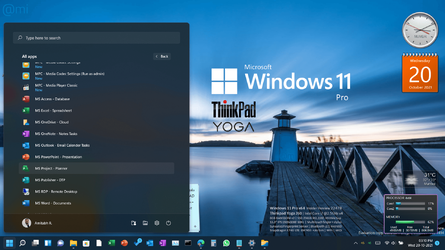
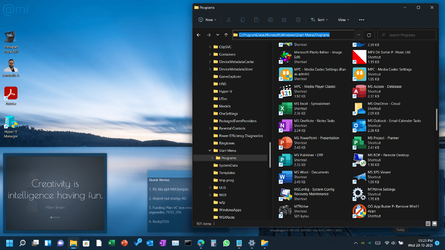




 . MS, in its infinite wisdom, has made it easy to add or subtract some things in this list, but very difficult (I won't say impossible, because then you'll immediately find a way to do it) to remove some of the useless items that are more easily accessed in ways other than using the All apps list, or don't need to be accessed at all.